-
-
the project :)
Inspiration
Studying for exams sometimes feels very overwhelming and stressful. Teachers aren't always available when you do homework at home and you don't understand why your answer and the answer key don't match. Or maybe your teacher didn't explain it clear enough and you just nodded your head and pretended you did. Reaching out to AI for help seems like a valid option but usually, the AI will not teach you the topics and instead give you the answers and explain it very horribly or in a way that you don't understand or learn anything. This, for me at least, would stress me out even more and I would have to end up just figuring out what the issue was completely on my own or just not understand it fully.
What it does
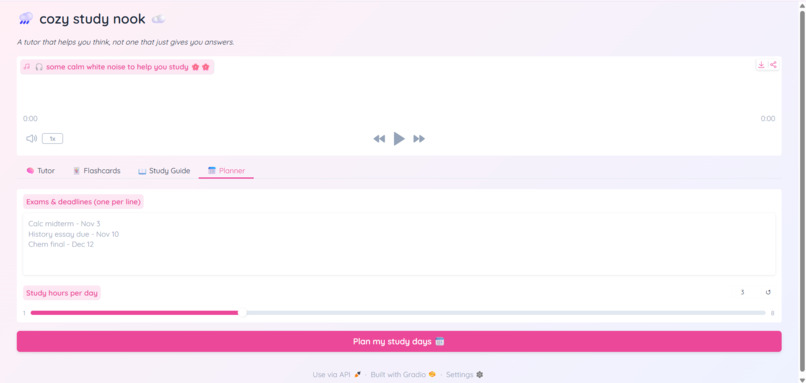
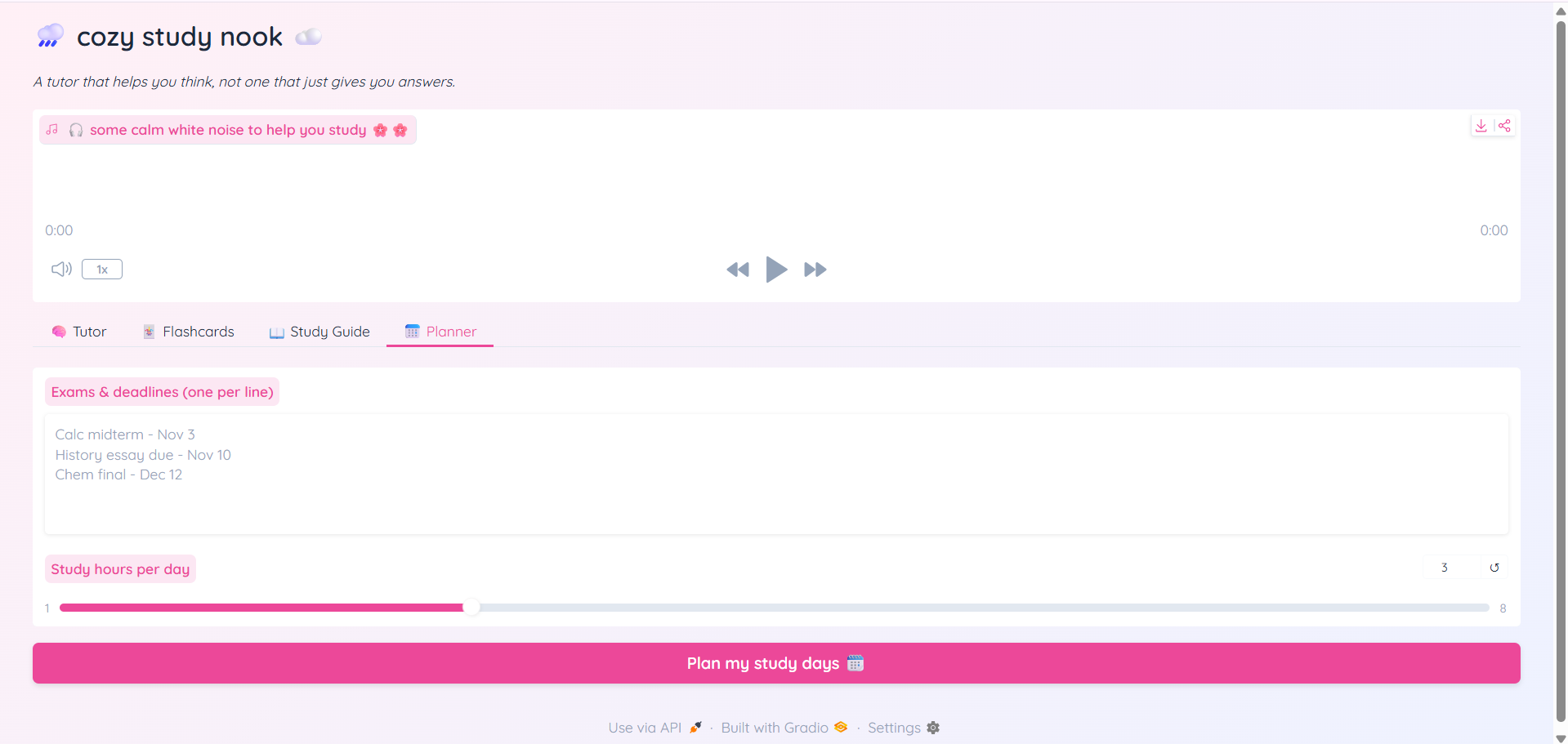
Cozy Study Nook is in all in one AI study assistant designed to build understanding and keep students organized:
- Socratic tutor: An AI tutor named Cozy that guides students through tough subjects by giving hints instead of just giving away answers.
- Flashcard Generator: Takes raw lecture notes or topic outlines and generates an interactive, flippable deck of review cards with queue tracking abilities -Study Guide Creater: Makes dense study material into clean, organized explanations. Guides have quick summaries, key terms, core analogies, common pitfalls, practice questions and answer keys. -Study Planner: Uses current calendar dates and study hours to dynamically build a spaced repetition study schedule right up to your exams. -Cozy Ambient Audio: Built in generated white noise sound to maintain focus and reduce stress/anxiety ## How we built it Frontend & UI: Built with Gradio using custon CSS themes, tabbed layouts, and intereactive components. AI Core: Powered by Google Gemini for generating context-aware tutor responses, parsing JSON flashcards, and making detailed study plans. Latex and Math Support Audio: Used a audio mp3 and inserted it as another file
Challenges we ran into
Formatting & latex rendering: Getting the AI model to balance rich markdown output, mathematical equations, and list structures without running words together or escaping symbols weirdly meant we had to add more formatting rules and prompts API Rate limits: I had to manage free tier rate limits and it was difficult to keep testing to make sure everything works when you run out of tokens.
Accomplishments that we're proud of
Designing an interactive app that feels warm, welcoming and understanding as well as thoroughly and helpfully explaining. Successfully building a Socratic feedback system in the tutor tab that actually teaches students how to think through problems step by step.
What we learned
How to leverage Gemini's JSON response modes alongside unstrucutred text output to build reliable data-driven interactive feautures like flashcard decks. Key UI design principles in Gradio for Creating dynamic, multisection web apps with live status updates.
What's next for Cozy Study Nook
PDF & Slide Parsing: Adding direct file uploading so students can drop in whole PDFs or slide decks. Spaced Repetition: Upgrading the flashcard engine with adaptive reviw algorithims based on user performance. Exporting Options: Allowing students to export generated study guides directly to PDF or Notion files
Note for judes about API limit
I'm extremely sorry because I can't really spend money to upgrade to the paid plan on Google AI Studios so with the free plan the limit is only 20 prompts and I used it up during testing. It said it will reset in 20 hours. If it runs into an issue during review, you could update the GEMINI_API_KEY setup variable with any Google Studio key to test the live generation feautures. I again sincerely apologize for the limit.

Log in or sign up for Devpost to join the conversation.