Coxsi Agent — Devpost Submission Description
Inspiration
AI models are becoming much more capable. However, even a well-written prompt does not tell users which model is best for their specific task.
General benchmarks can be helpful, but they do not answer a practical question:
“Which model gives the best result for my prompt at a cost and speed I can accept?”
We built Coxsi Agent to help users improve their prompts, test them with different AI models under the same conditions, and choose a suitable model based on real results.
What it does
Coxsi Agent turns a user’s task or existing prompt into a clear and testable Context. It then runs the approved Context on selected AI models and compares the results.
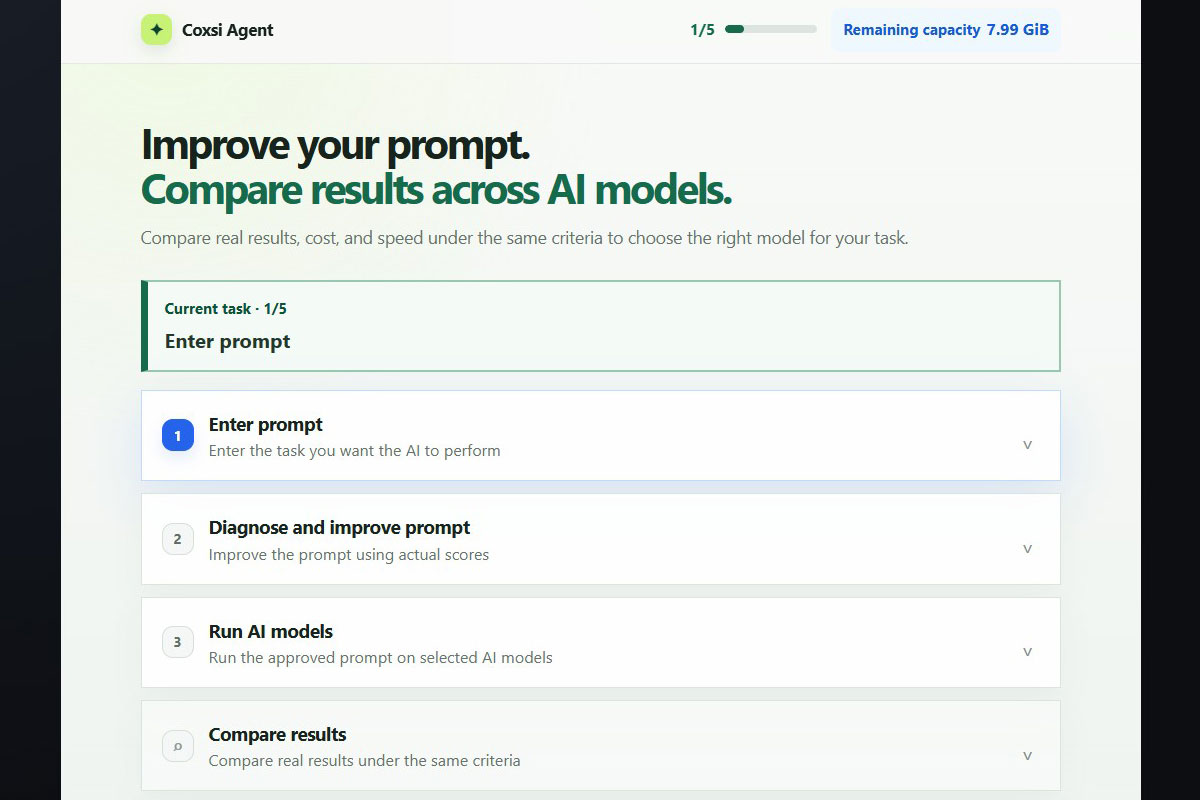
The product guides the user through one five-stage process:
- Enter a task or existing prompt and optionally attach one reference document.
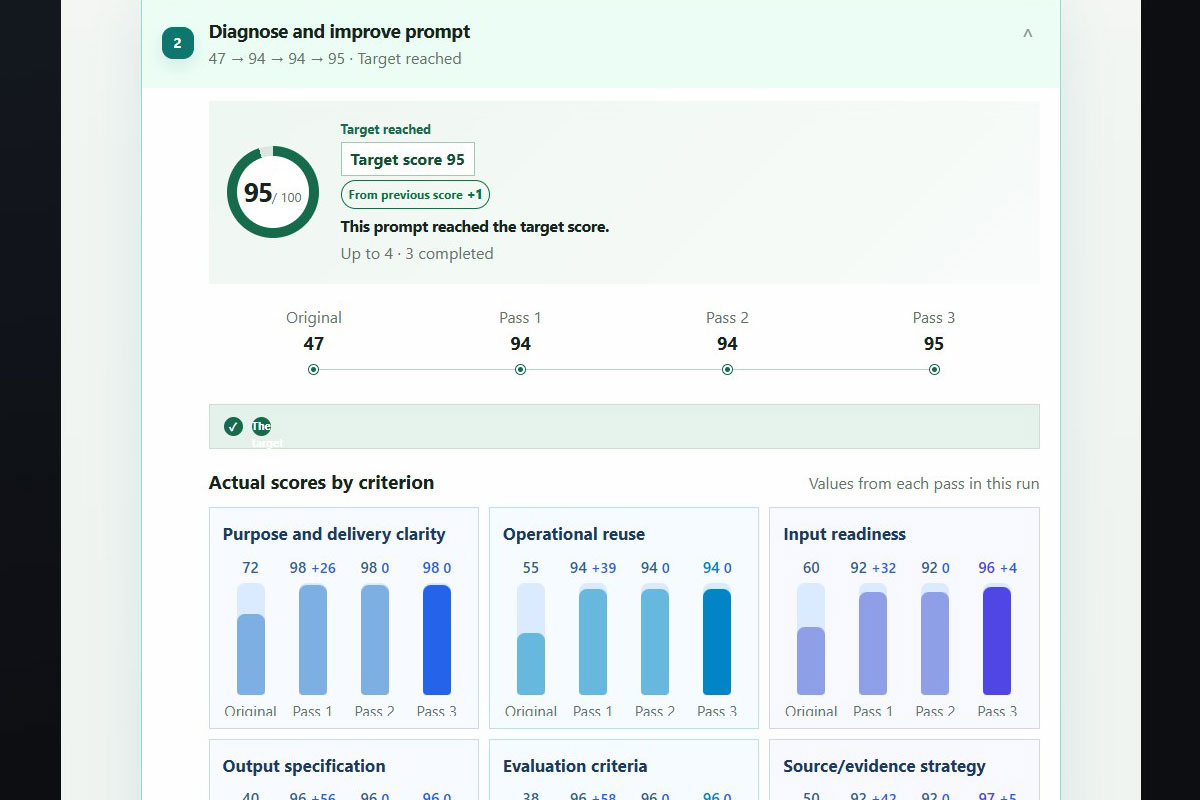
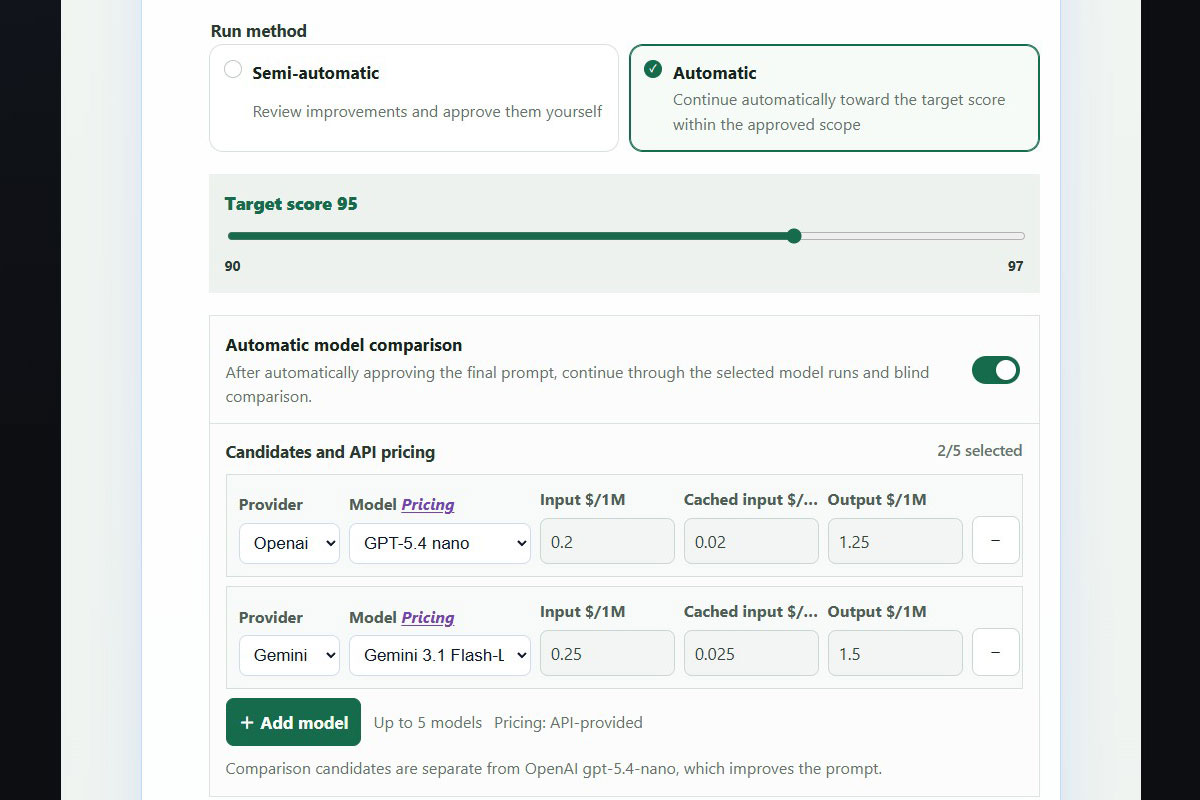
- Check and improve the Context using nine criteria in automatic or semi-automatic mode.
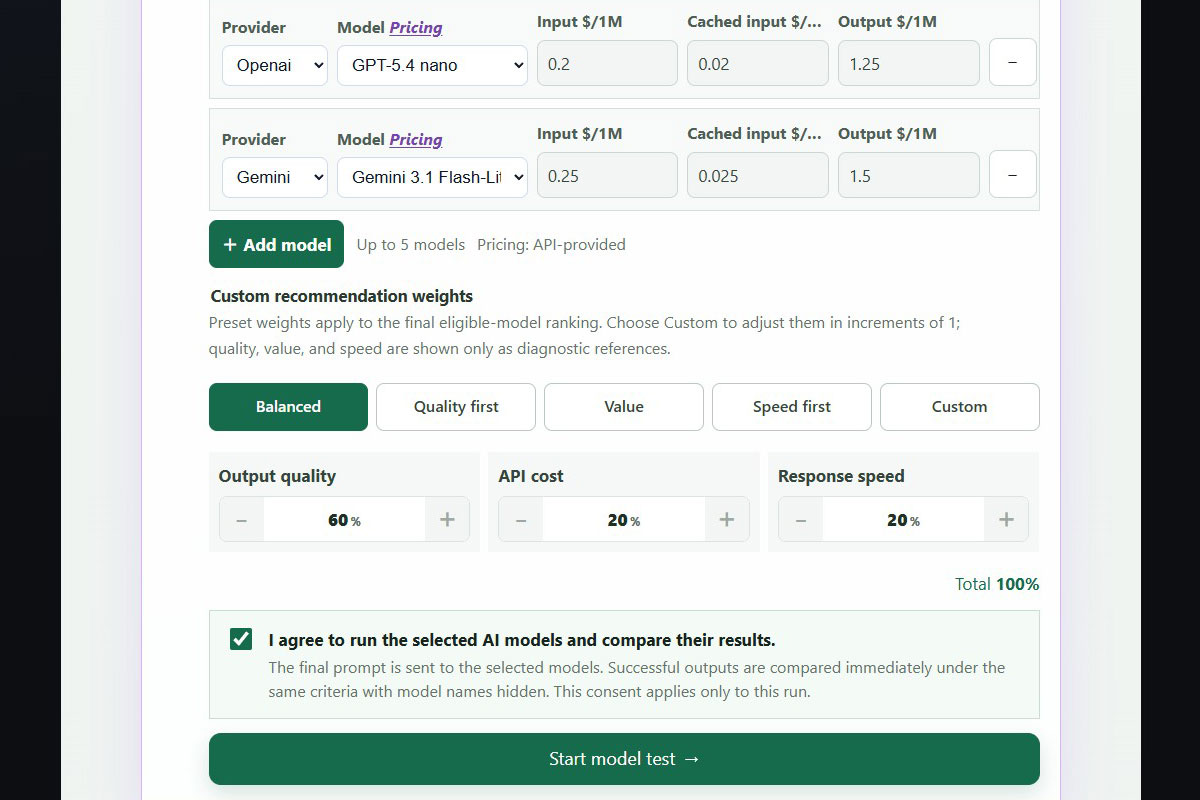
- Review and approve the improved Context, then run the exact same version on up to five selected models.
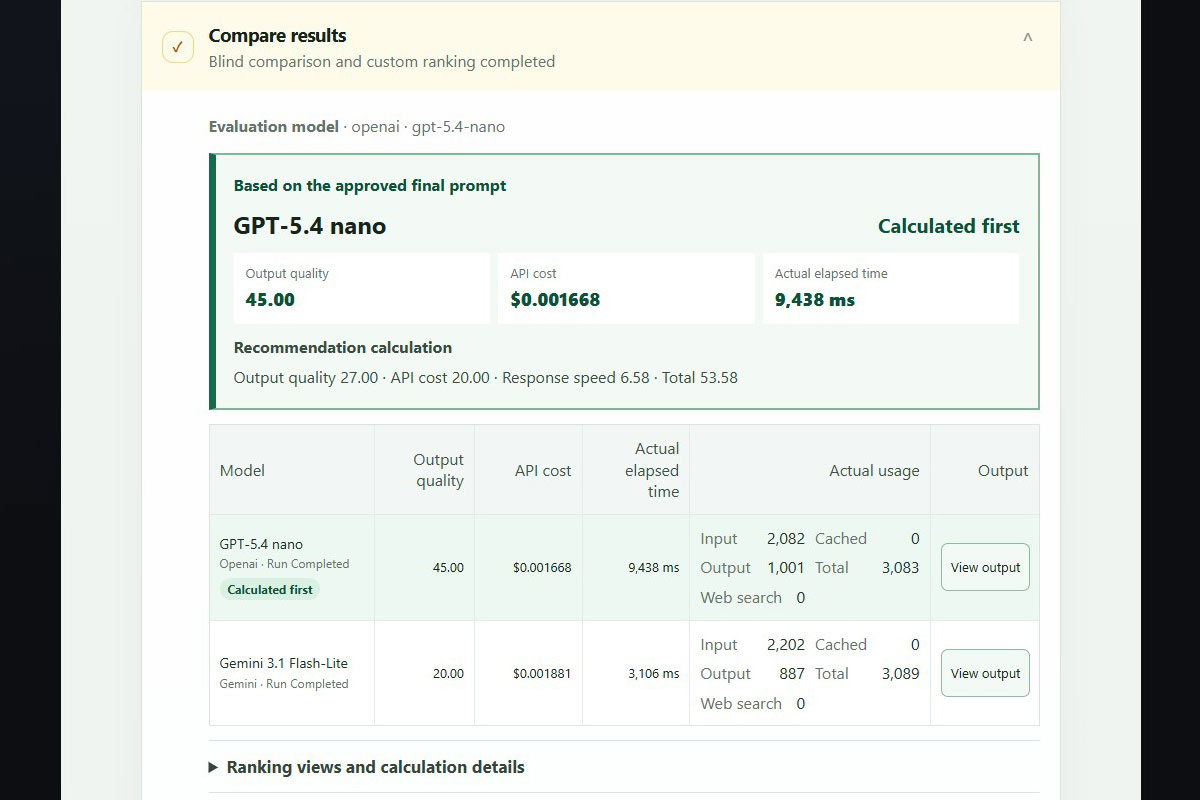
- Compare the actual answers, token usage, API cost, response time, and blind quality scores.
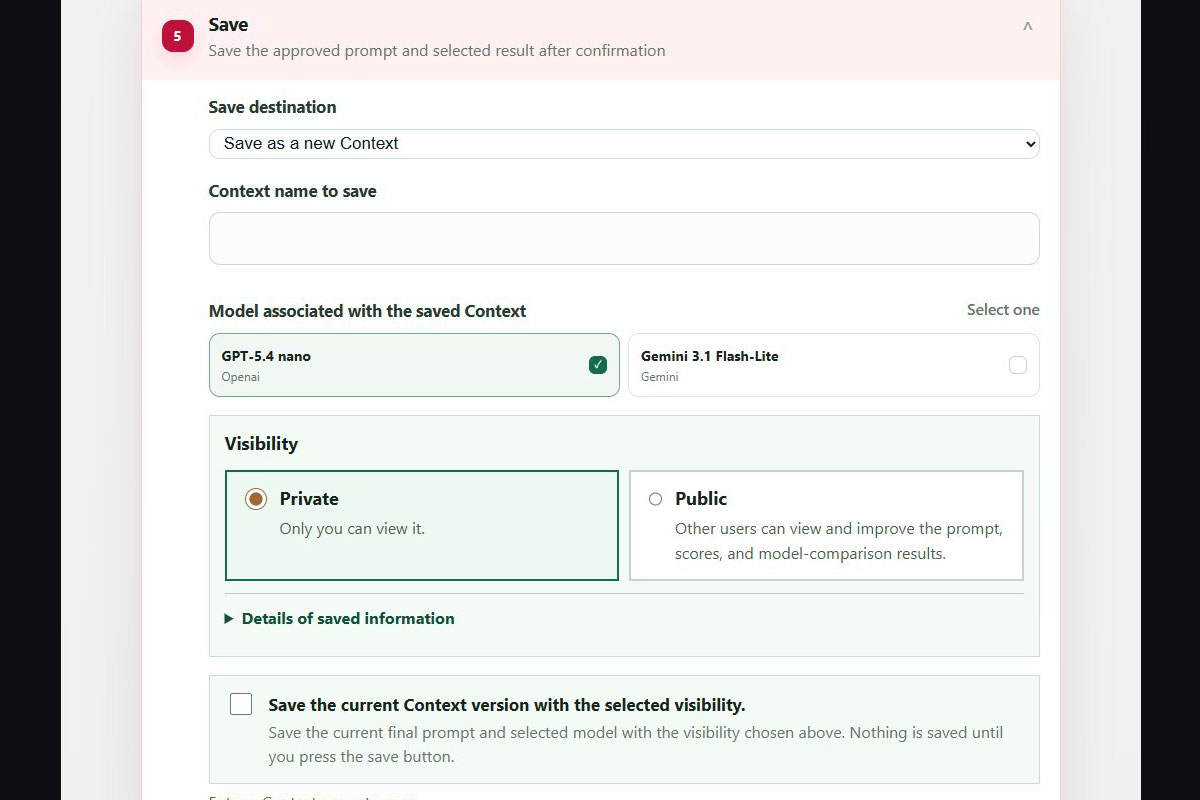
- Save the Context privately or publish it. Other users can improve a public Context and save their own version without changing the original.
Coxsi Agent is not a general model leaderboard.
It recommends a model for the user’s own task based on actual test results and the user’s preferences for quality, cost, and speed.
Failed requests, fallback answers, invalid outputs, and missing cost or usage data are clearly marked as unavailable. Coxsi Agent does not replace them with made-up values.
How we built it
Coxsi Agent uses a simple HTML, CSS, and JavaScript client without a frontend framework. We developed it in a separate Build Week repository.
It runs at /coxsi/agent/ inside the existing PicSeal website and communicates with signed-in Agent APIs on the same domain.
The browser application includes:
- a responsive five-stage process in Korean, English, Japanese, Chinese, and Spanish;
- automatic and semi-automatic Context improvement with score history and changes for each criterion;
- current model options and API prices provided by the capabilities API;
- status polling, server-side state that remains available after a page refresh, protection against duplicate paid requests, and Context hash checks;
- clear model result pages connected by stable
resultIdvalues; - blind evaluation with balanced, quality-first, value-focused, speed-first, and custom preference options; and
- private and public version saving, reuse of saved personal Contexts, and browsing of public Contexts.
The signed-in server process keeps Context improvement, approval, model testing, evaluation, and saving connected to the same user and the same Context.
Each improvement step updates both the Context and its score. The selected models then run in parallel using the same approved Context.
Every model returns data in the shared coxsi-model-result-v1 format. At the same time, each result keeps its own answer, token usage, cost, response time, validation status, and failure details.
The quality evaluator does not receive the model names or prices.
The final recommendation uses only successful results that are valid for evaluation. Performance, cost, and speed rankings are shown as supporting information, but they do not replace the personalized final ranking.
Reference files are used only during the active test and are deleted after processing.
The client does not permanently save active test data in browser storage. It also does not search browser storage for login information or connect directly to a database or AI model provider.
How we used Codex and GPT-5.6
Codex was our main development partner during Build Week.
Most of the development happened in one long and repeated conversation. I explained the product behavior and reviewed the live user interface in Korean. Codex checked the related API rules and source code, made the agreed changes, and ran regression tests.
GPT-5.6 in Codex helped with work that covered several parts of the system:
- checking how the five-stage interface works across different signed-in server states;
- keeping Context hashes, polling, retries, duplicate-request protection, and version saving consistent;
- updating the Agent API and core process as the server rules changed;
- connecting the separate Agent client to the existing PicSeal login system;
- showing structured model results without making up missing values; and
- testing failures, hidden sensitive data, translations, mobile layouts, and saving features.
We made the main product decisions.
We decided to compare a user’s real prompt instead of building another general benchmark. We kept one clear five-stage process, required clear actions when moving or saving data, hid model names during quality evaluation, and used plain JavaScript so the Agent could work with the existing product.
GPT-5.6 was used to build and review the project.
The running service may use different models for Context improvement and blind evaluation. These models are chosen through server settings and reported through the API.
The models used by the service are separate from the GPT-5.6 model used in Codex during development.
Challenges we ran into
The hardest part was not sending requests to several models. The hardest part was making sure every result could be compared fairly and every status was shown honestly.
An API request can finish without an error, but the model may still return invalid structured data or an answer that cannot be used.
A task may also request an analysis without providing the data needed for that analysis.
We changed the process so these cases are not shown as successful recommendations.
We also had to connect each model run to a stable result ID instead of relying on its position in a list.
We had to prevent duplicate paid requests when a network problem made it unclear whether the first request had succeeded.
Interrupted and failed runs also had to be easy to understand without showing false progress.
The interface also needed to explain Context scores, model prices, token usage, blind evaluation, and version history to users without technical knowledge.
It had to work on both desktop and mobile devices.
We simplified labels, increased the size of supporting text, reorganized tables and dialogs, and added support for five languages.
Accomplishments that we are proud of
- A working five-stage product, not only a technical demo
- Context improvement based on nine criteria, with score changes shown after each step
- Parallel testing of the same approved Context across several models
- Stable result IDs and checks for valid structured output
- Blind quality evaluation separated from the user’s cost and speed preferences
- Clear handling of failed requests, fallback answers, invalid outputs, and missing data
- Public and private Context versions without changing the original public Context
- Integration with the existing login system
- Responsive layouts and support for five interface languages
- Automated tests for APIs, workflow steps, login, result display, translations, builds, and system integration
What we learned
Improving a prompt and choosing a model are connected, but they are not the same decision.
A high Context score means the request is clear and can be carried out. It does not mean every model will give an equally useful answer.
We also learned that sending the same text to several models is not enough for a fair comparison.
Each model must receive the same approved Context, the same reference file, and the same required output format.
Missing and invalid results must also be handled in the same way.
Most importantly, an evaluation system should clearly tell the user when a task cannot be tested properly.
Missing source data is not the same as a poor model result. An API request that finishes successfully should not automatically be treated as a valid recommendation.
Build Week scope and prior work
Existing PicSeal foundations
- Account login
- Website navigation, language selector, and footer
- Connections to AI model providers and usage tracking
- Basic profile and version storage linked to user accounts
- Production hosting and other product systems outside this repository
Built or meaningfully extended during Build Week
- The signed-in Agent run coordinator
- Context improvement, approval, model execution, blind evaluation, and version-saving processes
- The five-stage browser application
- The API client, status polling, charts, comparison pages, and responsive design
- Stable result formats and clear display of structured outputs
- Public Context browsing and separate version histories for copied Contexts
- Agent text in five languages and connection to the website language setting
- Tests for APIs, workflows, login, result display, builds, and system integration
The judging repository does not copy the existing PicSeal product source code or present old product systems as new Build Week work.
The Agent APIs run inside the existing PicSeal service because they need its login session, model provider connections, usage tracking, and profile storage.
The live demo uses this complete server process.
What’s next
Future work includes:
- clearer credit for the original creators of public Contexts;
- public feedback features;
- restoring older Context versions;
- support for more AI models;
- clearer comparison explanations; and
- better accessibility.
Our long-term goal is simple:
Help people improve the prompts they already use and choose an AI model based on their own test results instead of a general leaderboard.
Try it
- Live demo: https://picseal.com/coxsi/agent/
- Public route:
/coxsi/agent/ - Supported browsers: current desktop and mobile browsers
The full process requires access to the approved Coxsi API environment and a signed-in test account provided through the private Devpost testing instructions.
Built With
- amazon-web-services
- anthropic
- gemini
- javascript
- llm
- node.js
- openai
- prompt
- rest
- xai

Log in or sign up for Devpost to join the conversation.