-
-
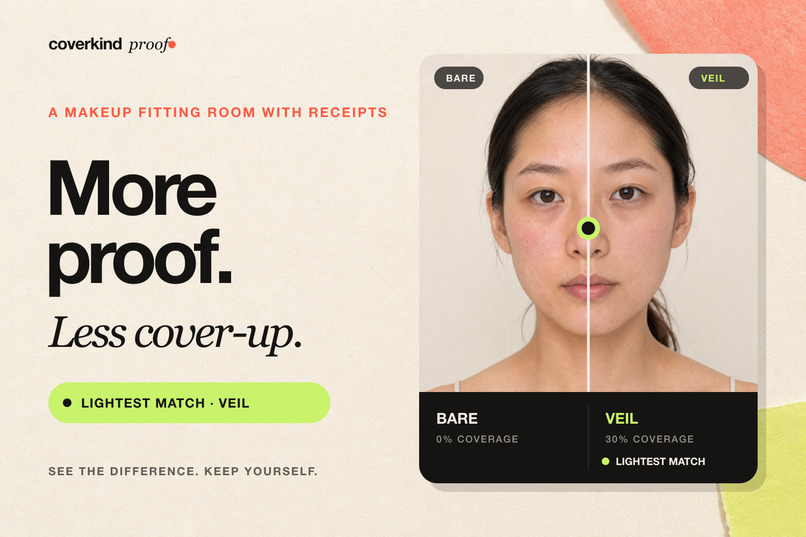
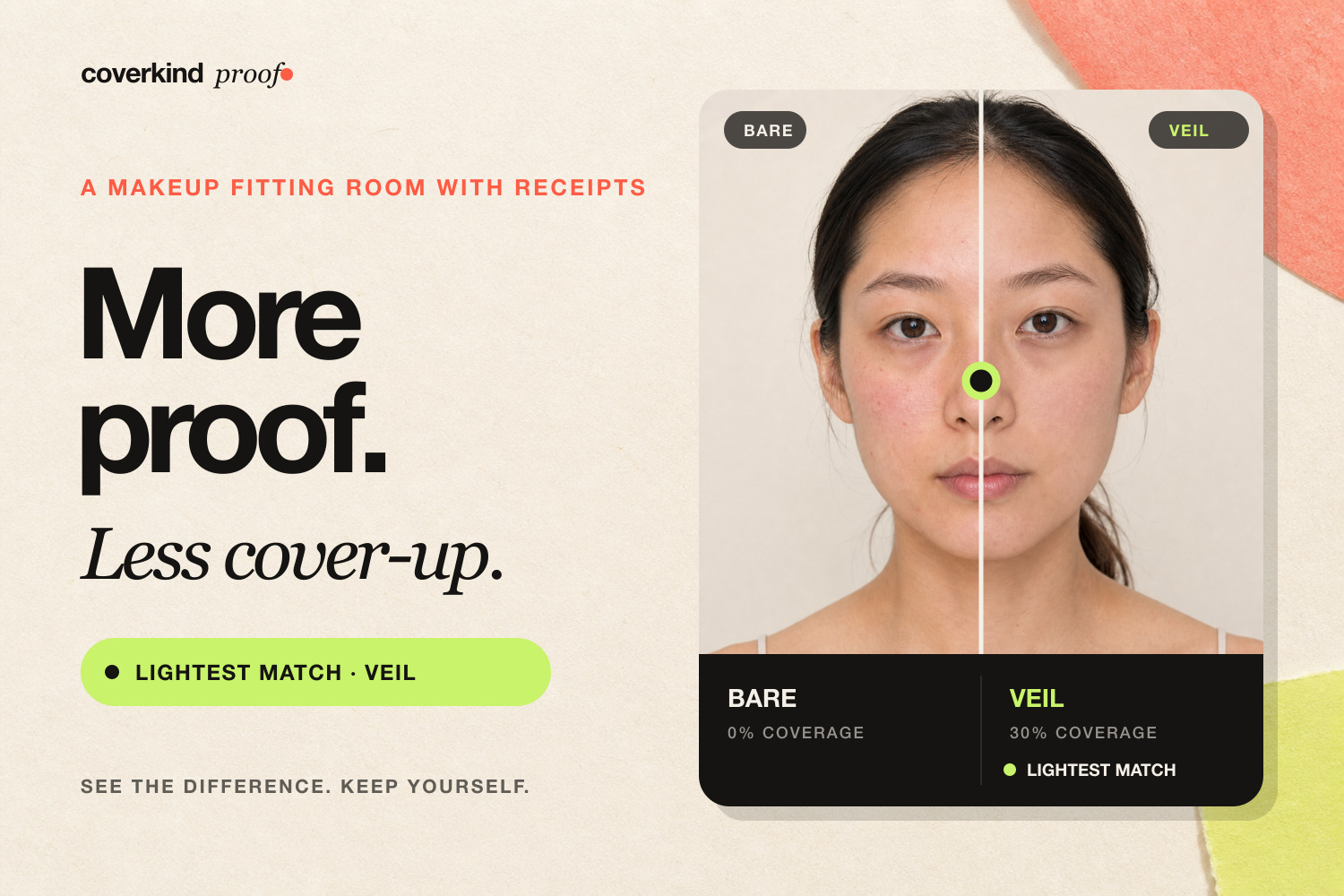
More proof. Less cover-up. The lightest convincing look—not the heaviest transformation—gets a fair chance.
-
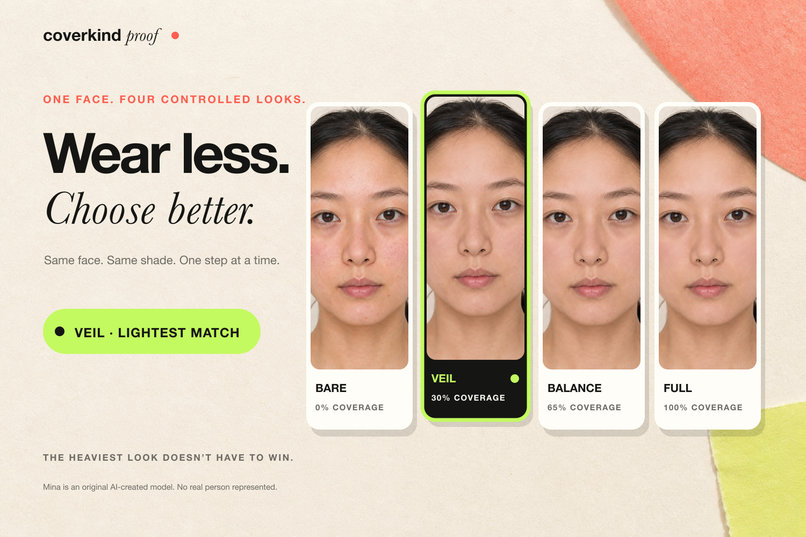
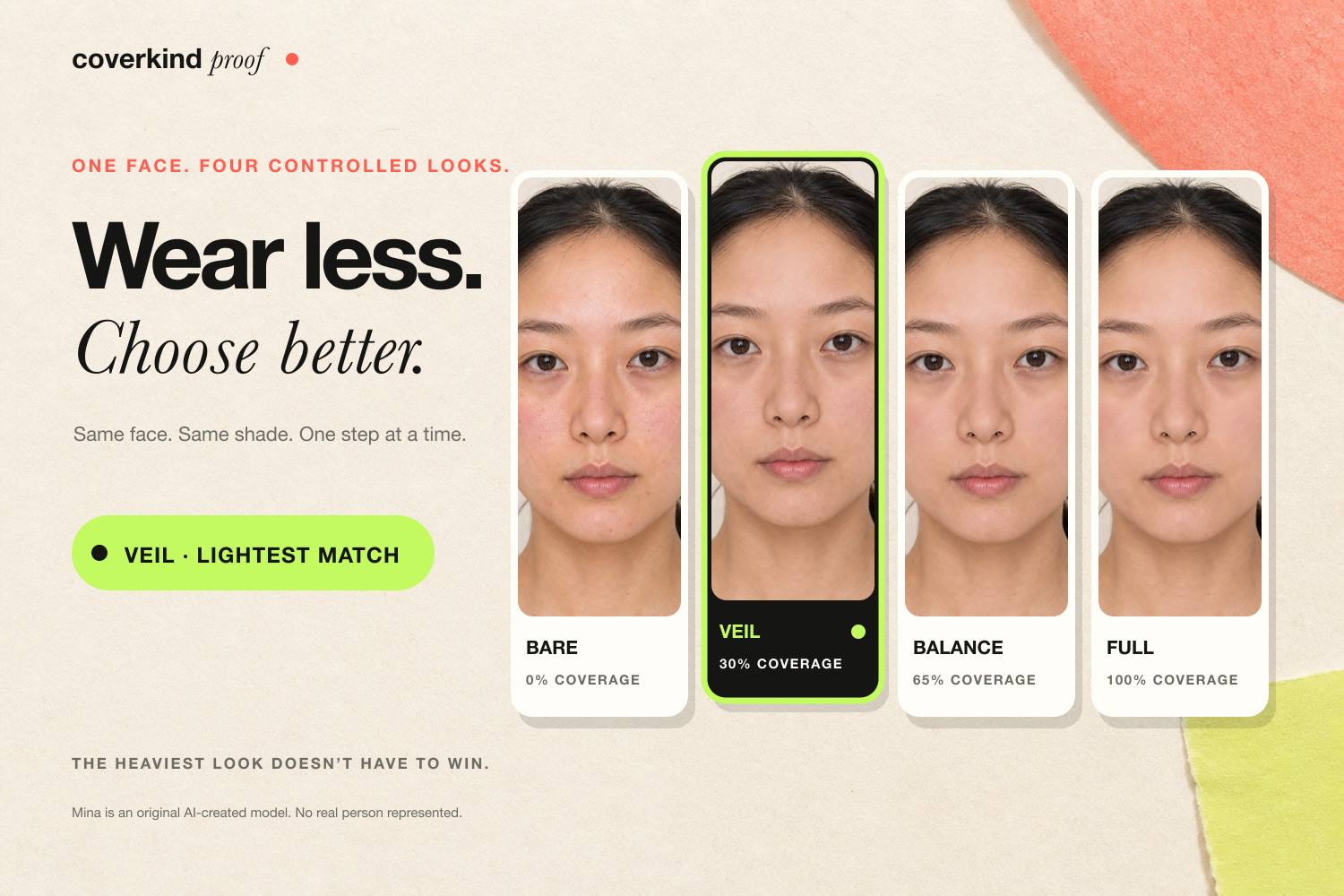
Bare, Veil, Balance, and Full keep the face and shade fixed, so coverage is the one choice that changes.
-
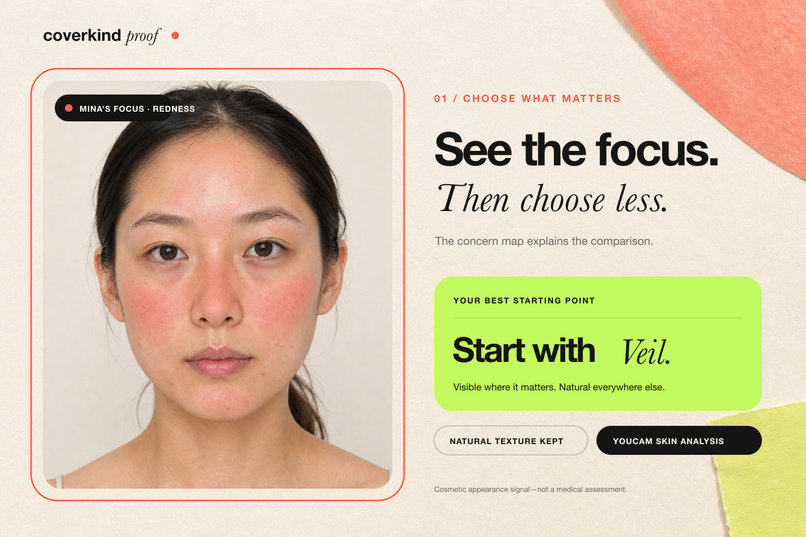
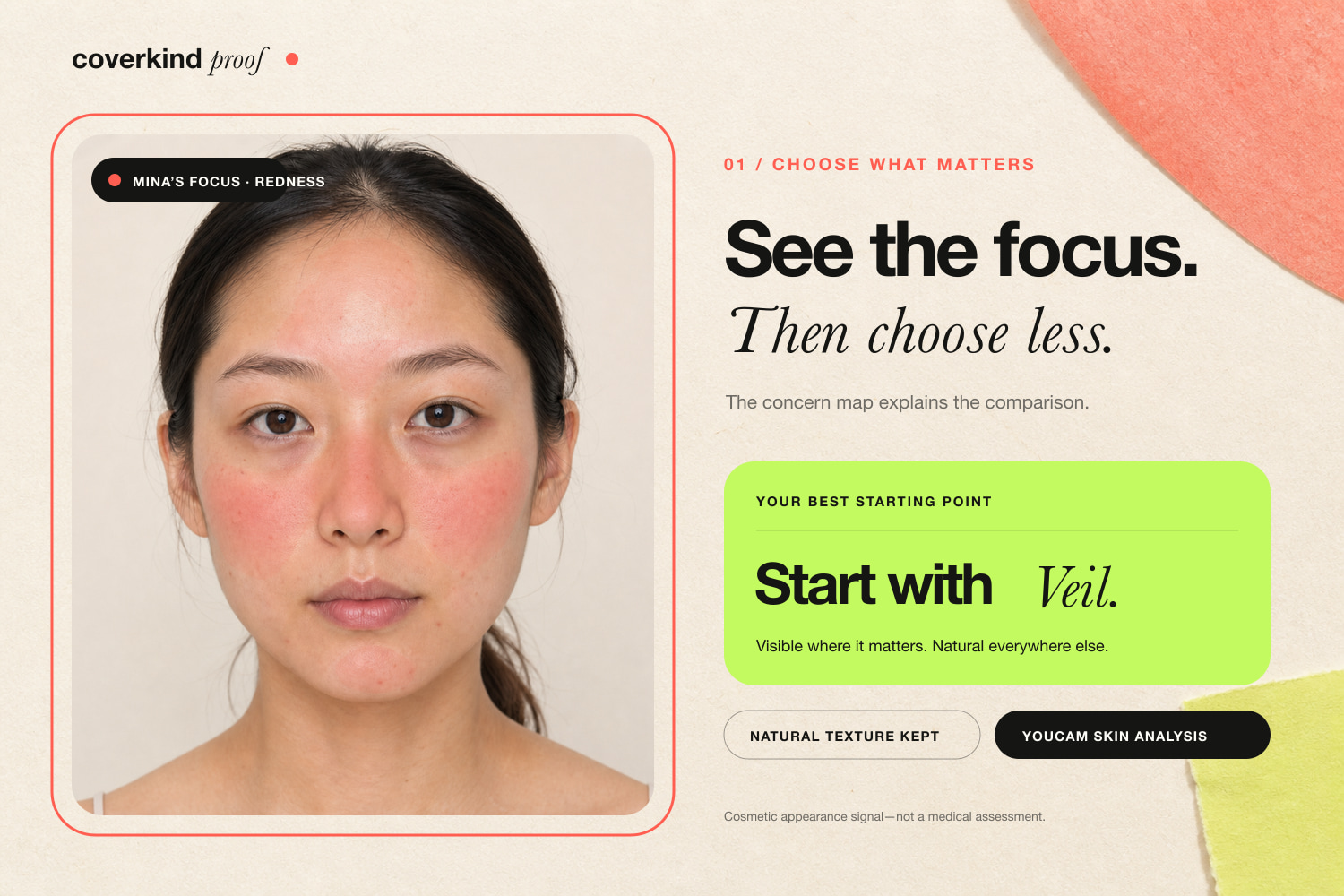
Choose a concern, inspect the YouCam Skin Analysis map, and start with the lightest look that makes a visible difference.
-
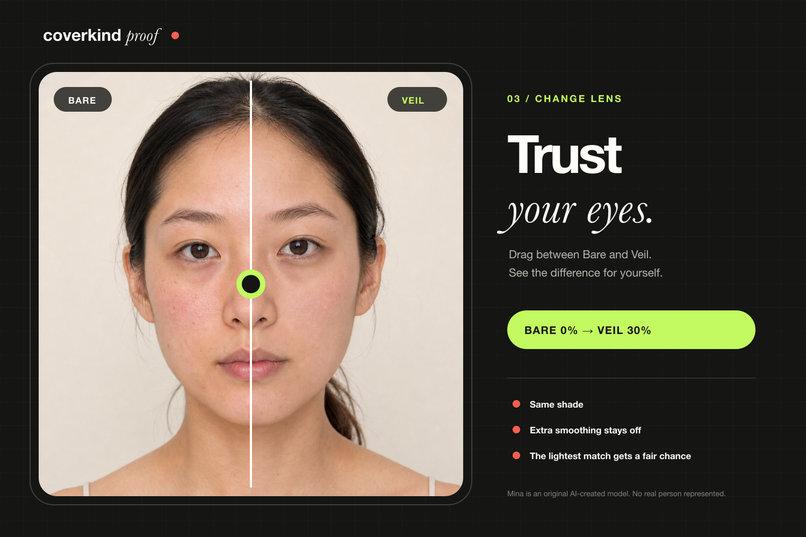
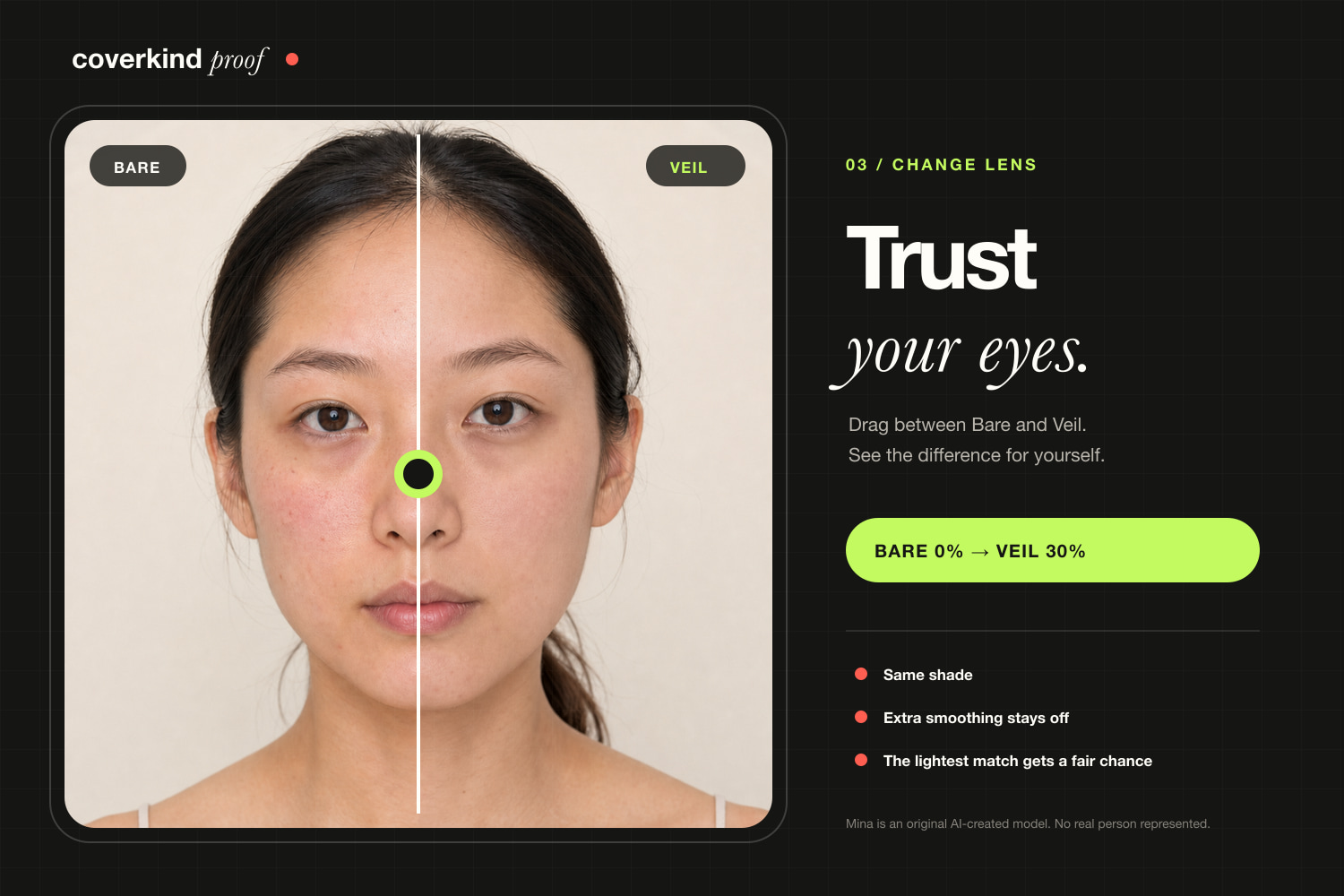
Drag between Bare and Veil to compare the result with your own eyes. Extra smoothing stays off.
-
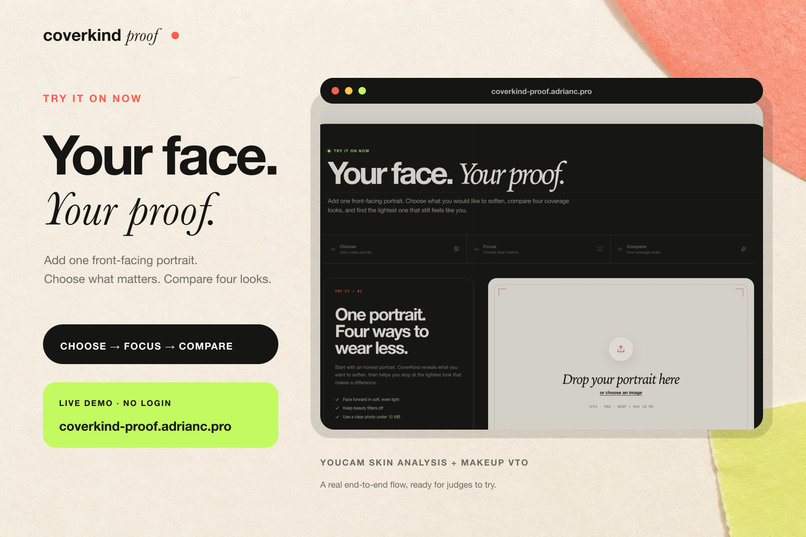
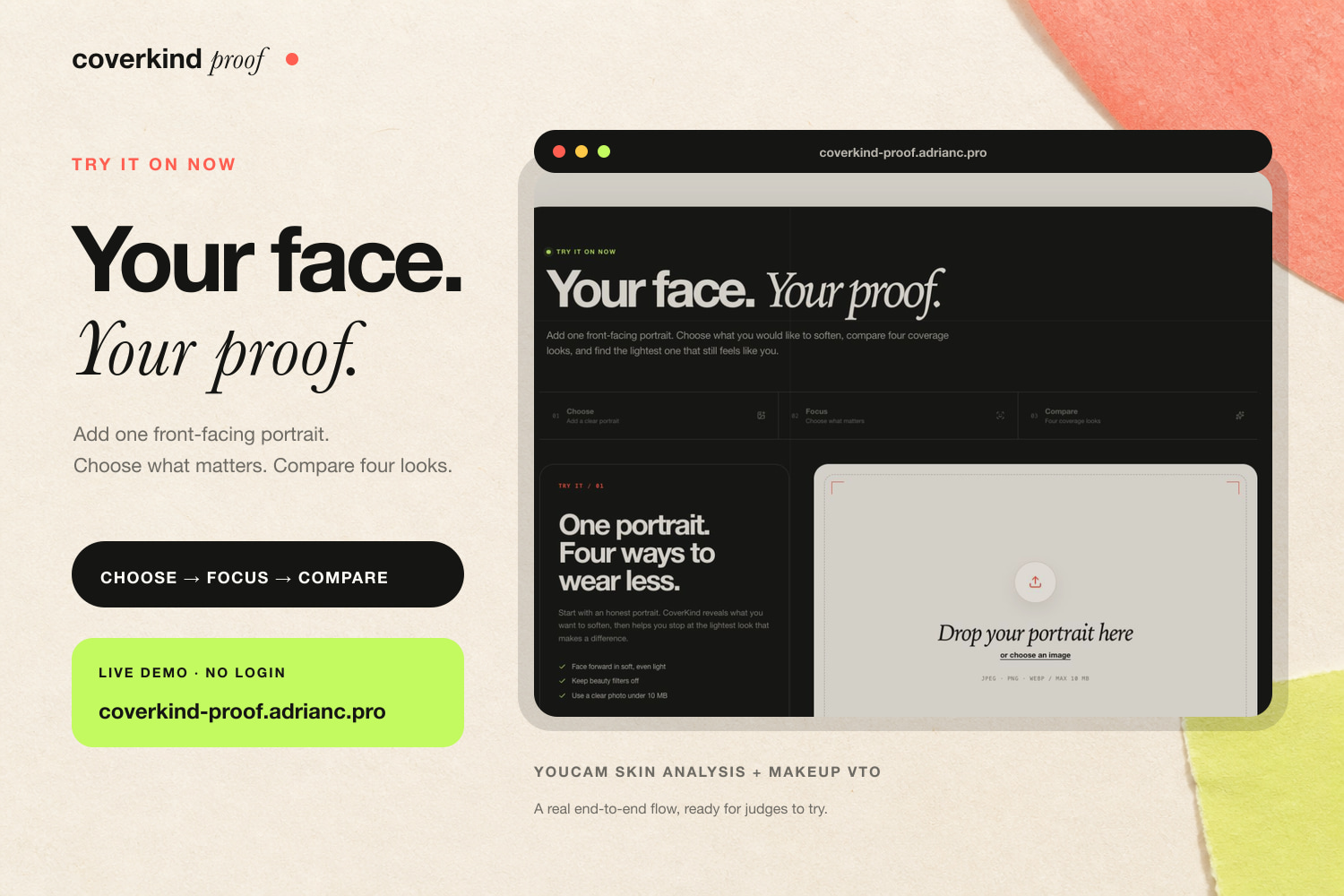
Upload a front-facing portrait and run the YouCam-powered Choose → Focus → Compare journey—no login required.
Inspiration
Most virtual makeup try-ons lead with the biggest transformation. I wanted to ask a smaller question: how little coverage might be enough?
That became CoverKind Proof, a makeup fitting room that gives lighter coverage a fair chance. It does not decide which part of someone’s face needs fixing. The shopper chooses what matters, compares controlled results, and can decide that Bare is the right answer.
I built CoverKind Proof as an indie developer in Taiwan.
What it does
A visitor can explore the prepared demo with Mina, a clearly labeled synthetic subject, or upload a front-facing portrait for a live YouCam run.
YouCam Skin Analysis returns cosmetic appearance signals and masks for redness, blemishes, spots, and dark circles. The shopper chooses which concern to inspect. CoverKind then presents four states:
- Bare, with no color product
- Veil, with 30 percent coverage
- Balance, with 65 percent coverage
- Full, with 100 percent coverage
The shade and finish stay the same. Both exposed smoothing settings remain at 0. Coverage is the variable that changes.
The coverage ladder keeps all four results within reach. A draggable Change Lens moves between Bare and the selected look. The shopper can also reveal the Skin Analysis concern mask or a visual change map.
For Mina’s prepared proof, CoverKind measures CIE76 color difference inside and outside the selected concern map. It checks each preset against stated change and preservation boundaries, starting with the lowest coverage. The first match appears in a copyable Look Card with the concern, coverage, product setup, and reason for the choice.
The live portrait flow runs Skin Analysis and four Makeup VTO renders, then lets the visitor inspect the masks and compare each result. It does not claim the same automatic audit as the prepared proof.
These measurements describe image change. They do not diagnose skin, judge attractiveness, or prove how makeup will wear in real life.
How I built it
The app uses Next.js 16, React 19, TypeScript, and CSS Modules. OpenNext deploys it to Cloudflare Workers at coverkind-proof.adrianc.pro.
For a live run, the browser decodes the portrait, removes its metadata, and converts it to a JPEG with a maximum edge of 1600 pixels. Server routes validate the file before sending it to YouCam.
The Skin Analysis route registers the image, uploads it to the signed destination, creates an analysis task, polls for completion, and downloads the returned masks. The Makeup VTO route follows the same asynchronous pattern for each coverage state. Bare contains no color product. Veil, Balance, and Full share the same product settings apart from coverage. Every request explicitly sets skin smoothing strength and smoothing color intensity to 0.
I wrote a separate audit engine for the prepared proof. It converts image colors to CIE Lab, calculates CIE76 difference, weights the result with the selected concern mask, and compares change in the focus area with preservation outside it. The recommendation function sorts presets by coverage and returns the first one that meets both boundaries.
The default demo came from one synthetic portrait, one Skin Analysis task, and four Makeup VTO tasks. That prepared run used 13 API units. The returned images and masks are stored with the project so judges are not waiting on temporary provider links.
Challenges I ran into
The most useful constraint was that Skin Analysis masks cannot tell Makeup VTO where to place product. I treated each mask as an inspection layer instead of pretending that it controlled the render. That decision led to the Change Lens and the visual audit.
A fair comparison also required tight control over every request. Shade, finish, glow, and other product settings stay fixed while coverage changes. Both smoothing values had to be set to 0 explicitly, including on the Bare control.
The API workflow involves file registration, a signed upload, task creation, polling, and result downloads. Signed result links expire, so the prepared pipeline saves the returned assets while they are available. The live routes translate upstream failures into short messages without exposing internal details.
Cloudflare Workers added one more constraint. Native image processing could not stay in the live request path. Moving portrait preparation into the browser kept the Worker portable, while server checks still reject invalid files and dimensions.
Accomplishments that I’m proud of
The prepared comparison uses actual YouCam outputs instead of mocked after images. Mina is synthetic and labeled throughout the experience.
I am proud of the decision model. CoverKind can recommend Veil or Balance, but Bare and no qualifying preset are valid outcomes. Heavier makeup does not win by default.
The proof is visible. A judge can inspect the concern mask, drag between results, reveal the change map, confirm that the exposed smoothing controls are off, and copy the Look Card. The interface explains its limits in the same place where it explains the recommendation.
The project also includes a working live flow, 23 passing tests, a deployed Cloudflare Worker, and a distributed rate limit around the unit-backed API routes.
What I learned
An explainable beauty experience does not need another hidden model deciding what looks good. A controlled comparison can be more useful. Hold the variables still, show the evidence, and let the shopper set the boundary.
I also learned how much the language around an API output matters. A concern mask is an observation, not a makeup placement instruction. A color difference is an image measurement, not proof of concealment. Those distinctions changed both the interface and the code.
Bare matters too. Once no product is treated as a real option, the app starts helping with a decision instead of pushing every visitor toward a purchase.
What’s next
The next version would connect the coverage ladder to a retailer-managed product and shade catalog. A shopper could compare foundation and concealer, see current inventory, and move from a Look Card to the exact product configuration they chose.
I would also make the change and preservation boundaries adjustable in the live portrait flow, then test whether shoppers understand the comparison without extra explanation. Saved receipts, share links, and explicit deletion controls could turn the current proof into a fuller shopping tool.
Built With
- cloudflare
- next.js
- typescript
- youcam

Log in or sign up for Devpost to join the conversation.