-
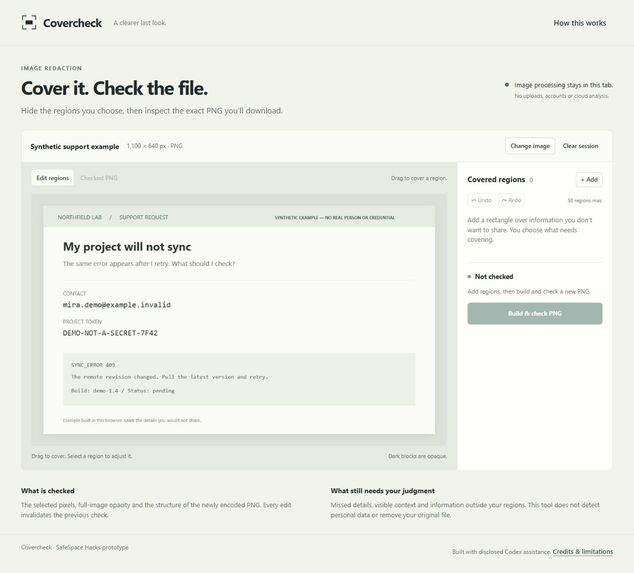
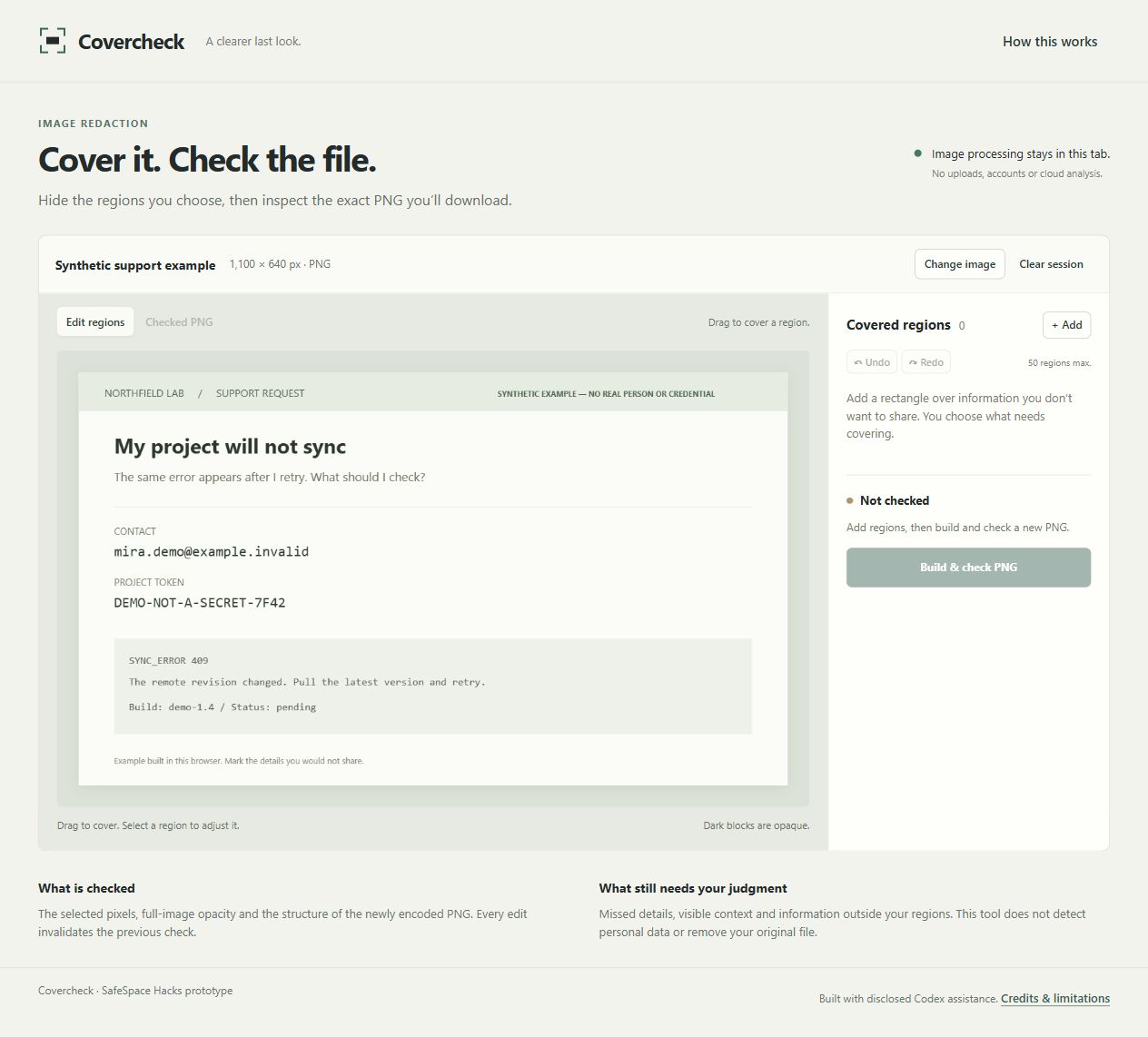
Synthetic support screenshot before redaction: a fictional email and fake token beside the useful sync error.
-
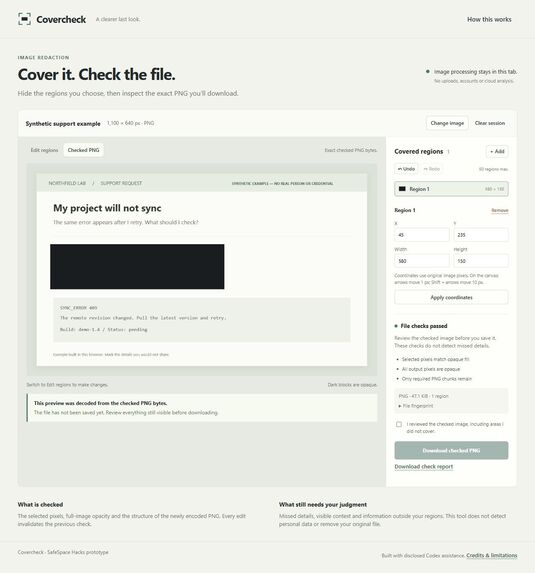
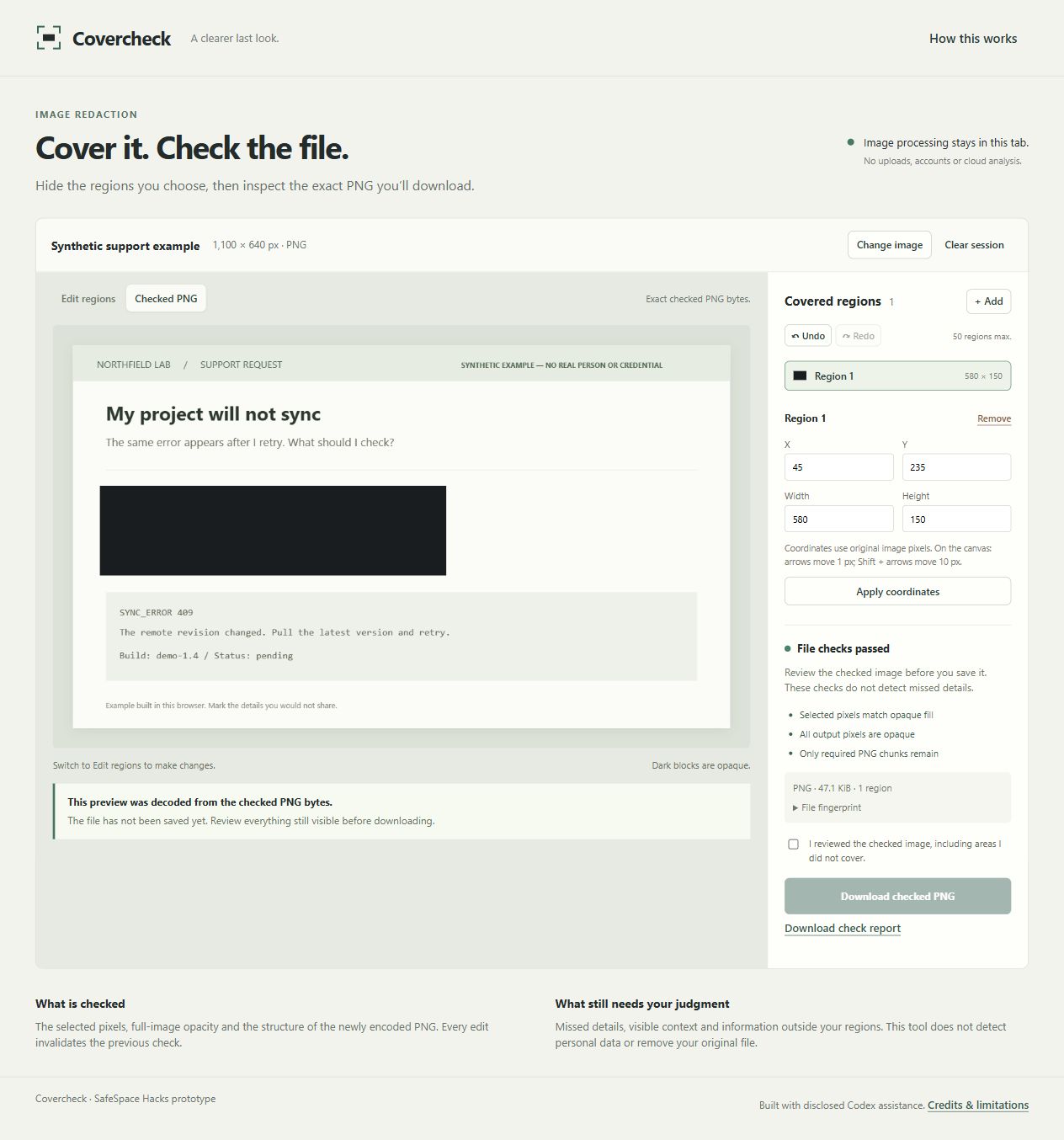
Checked PNG: selected contact/token pixels are opaque; the error remains visible. Checks do not find private details outside the region.
Inspiration
A screenshot can show a useful error message alongside an email address or access token. Someone asking for help needs to preserve the error while withholding the nearby information. Covercheck explores that specific safety task: making the final file, and the limits of its checks, easier to inspect before sharing.
This is a proposed use case, not a claim based on interviews or a study of students. Screenshot redaction already exists. Covercheck's contribution is a focused sequence: select regions, create a new raster, reopen the exact export bytes, and explain the checks performed on that file.
What it does
The built-in example is a synthetic support request. Before redaction, it displays a fictional email address and a clearly fake token beside a sync error. After those regions are covered, the exported PNG retains the useful error while replacing the selected content with uniform, opaque pixels. No real person's information or working credentials are used in this demonstration.
You can draw regions, adjust their coordinates, and use keyboard controls for finer positioning. Covercheck generates a new PNG, then decodes those exact bytes to check dimensions, full-image opacity, and the expected pixel values inside every selected region. It also checks the supported PNG structure. The final preview shows the decoded export, and downloading requires you to acknowledge reviewing the visible image, including unselected areas.
Editing a region invalidates the previous result. An optional JSON report records the checks and the output's SHA-256 hash. The hash identifies that file; it is not a privacy guarantee.
How it was built
Covercheck uses HTML, CSS, and JavaScript with browser Canvas, image decoding, and Web Crypto APIs. Image processing stays in the browser; the app has no image-upload backend, remote AI processing, or persistent image history. Loading the hosted app still contacts its hosting service.
Supported inputs are deliberately limited to supported static PNG and JPEG files. The output is a fresh, opaque raster with only the required PNG chunks. The original file is not modified. A normal opaque Canvas export can also redact selected pixels correctly; Covercheck makes the export inspection and its boundaries visible rather than claiming a superior redaction algorithm.
What was checked
Nine automated Node tests passed. Real browser checks covered synthetic image loading, coordinate editing, keyboard movement, undo, clearing the session, PNG/report downloads, rejection of animated PNG, and a 320-pixel viewport without document-wide horizontal overflow. A pending coordinate edit removes the old checked result; applying it and building again requires a new review acknowledgement.
A separate reviewing agent inspected two actual PNG downloads with a Python PNG/zlib reader and Pillow. The selected pixels, full-image opacity, checksums, minimal chunk structure and file/report hashes matched. For the synthetic transparency fixture, the entire output raster matched independently computed white composition and opaque redaction. Eight JPEG orientation fixtures also matched Pillow's corresponding EXIF transformations pixel for pixel after redaction. Additional checks exercised 22 invalid containers and 243 geometry cases.
These are synthetic technical checks and agent review. They are not a professional security audit, user study, screen-reader test, exhaustive decoder test or guarantee of privacy. Full methods and limits are documented in VALIDATION.md.
Responsible scope
The safer outcome is narrower than “this screenshot is safe”: selected regions become opaque in a newly generated, checked file, while the person sharing it can inspect what remains visible. Covercheck does not detect sensitive information automatically. An email outside a box, a revealing background detail, or the surrounding context can still disclose information.
Covercheck does not delete originals, backups, clipboard contents, or other private data. It does not certify anonymity, remove every possible hidden signal from unselected pixels, or protect a compromised device. Reviewing all visible content remains essential.
Credits and AI assistance
Codex developed the prototype, interface, synthetic examples, and checks for Jhona / EazyHood, with AI assistance disclosed. The local development server adapts earlier original Six-Ball Review infrastructure; the Covercheck application and redaction workflow are new. PNG structure follows the W3C specification. Original code and synthetic fixtures use the MIT license. No competitor code or real personal data is used. This does not imply affiliation with W3C or competing tools.

Log in or sign up for Devpost to join the conversation.