-
-
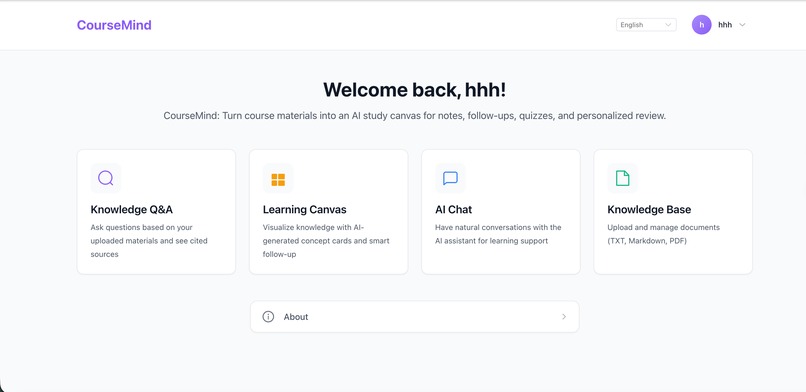
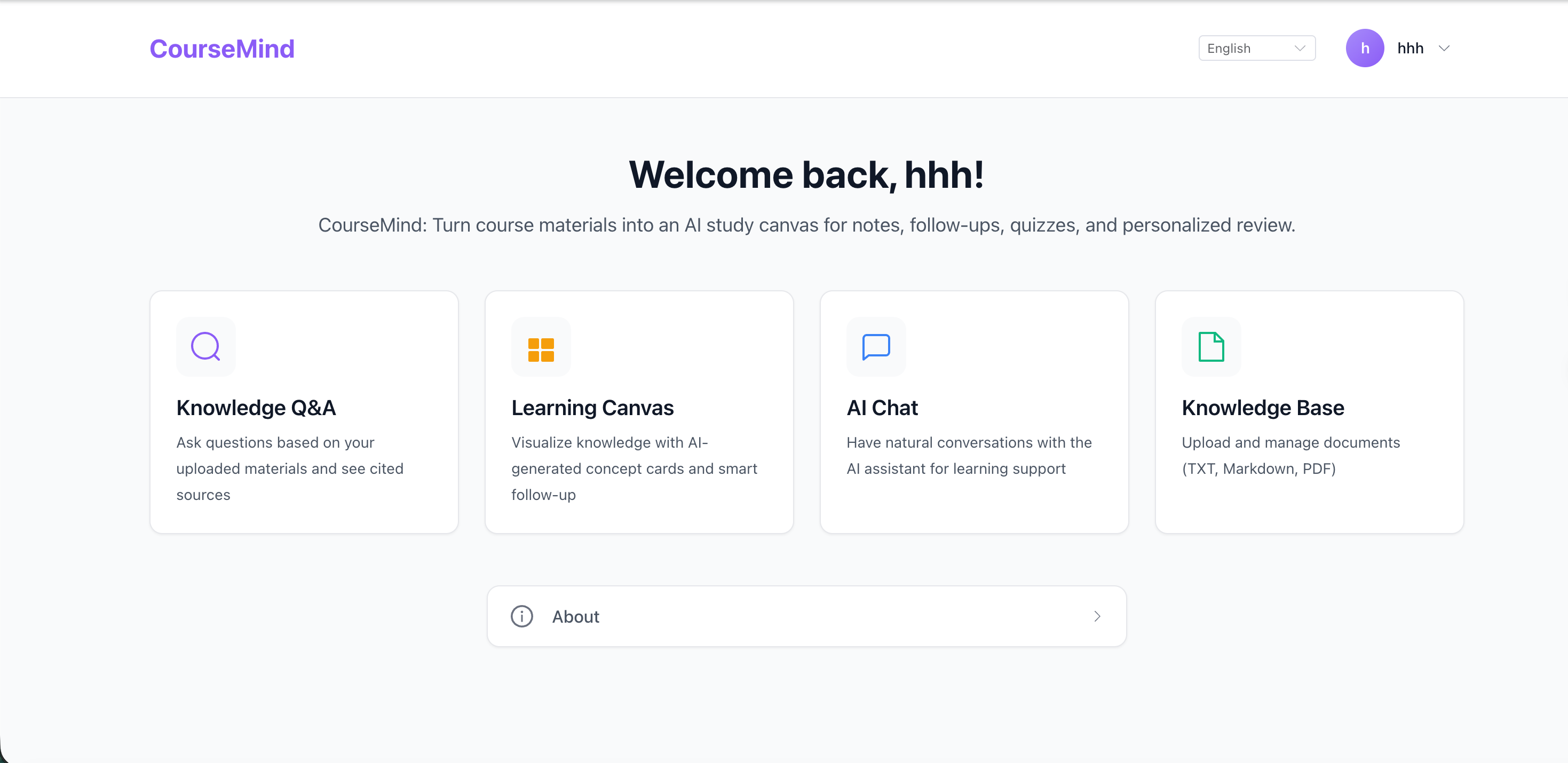
Index page
-
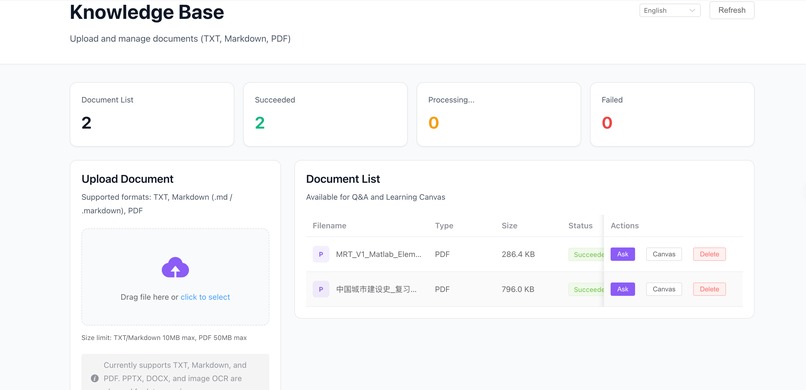
Knowledge Base
-
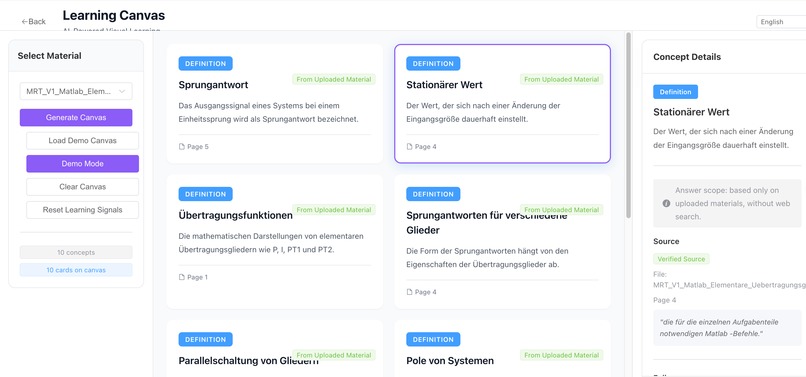
Learning Canvas
Inspiration
Students often have course materials scattered across PDFs, notes, slides, and chat history. When exam season comes, the hard part is not only reading the material, but turning it into a clear study path: what should I remember, what can I ask about, what should I test myself on, and what deserves review later?
CourseMind was inspired by that gap. We wanted to build an AI learning workspace that does more than answer one-off questions. It should help students move from raw course materials to notes, follow-up questions, quizzes, and personalized review in one connected flow.
What it does
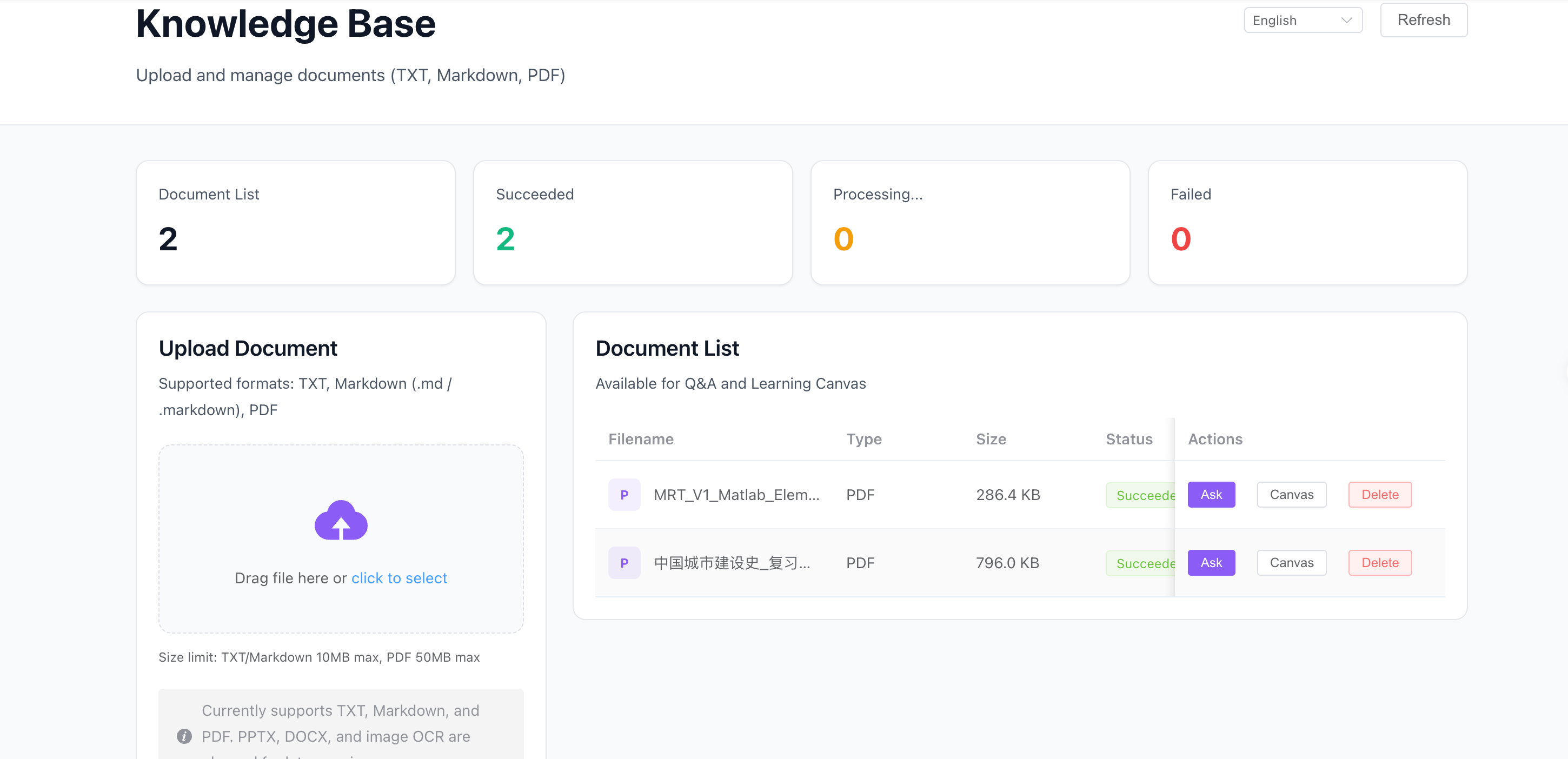
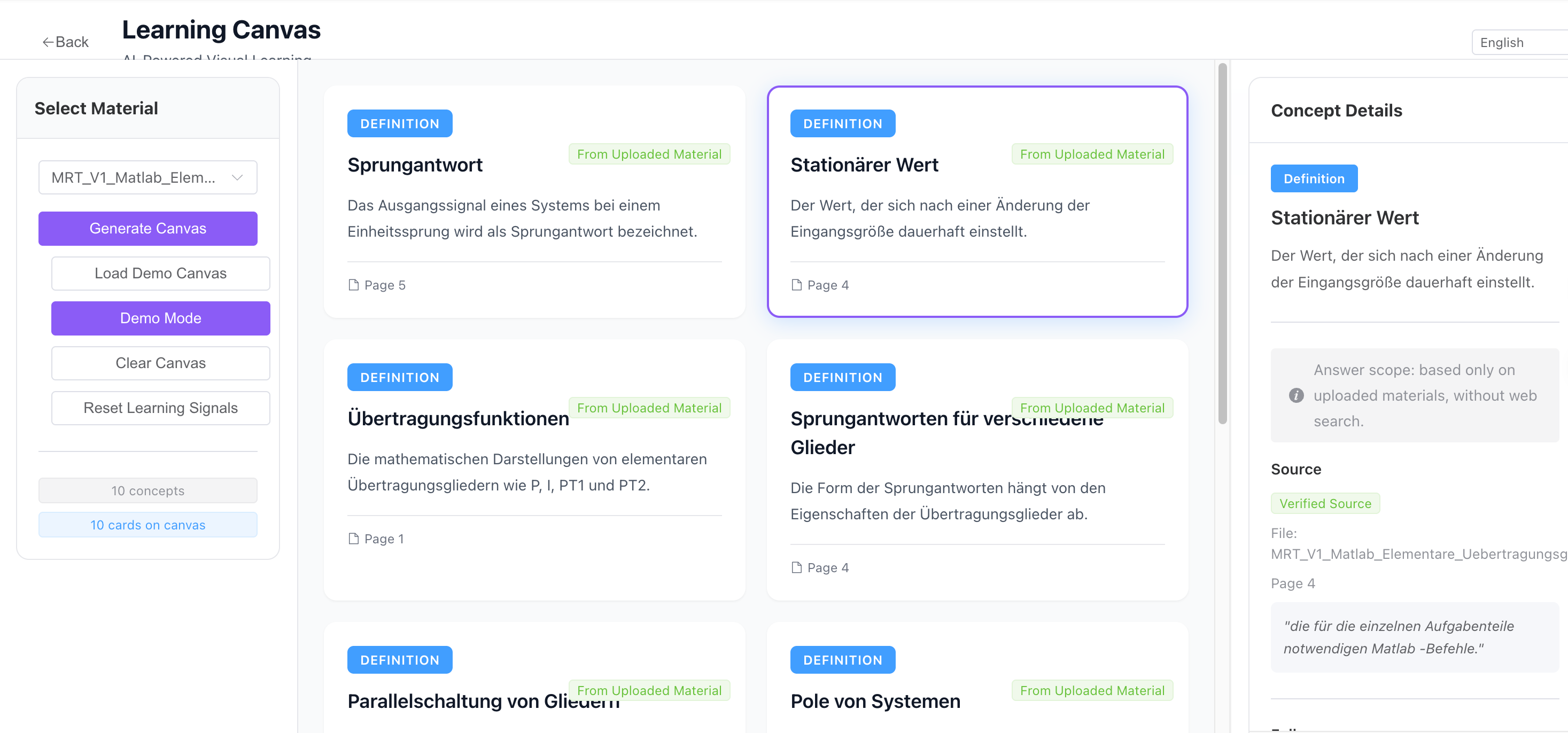
CourseMind turns uploaded course materials into an AI study canvas. Users can upload TXT, Markdown, or PDF files, ask questions grounded in their own documents, generate learning cards, follow up on specific concepts, create quizzes, and review weak points.
The app supports both English and Chinese. The interface language can be switched across all pages, and AI responses follow the selected language. CourseMind also shows citations and source snippets so learners can trace answers back to the original material.
How we built it
We built CourseMind with Vue 3, TypeScript, Vite, Element Plus, Pinia, Vue Router, and Vue I18n on the frontend. The backend uses FastAPI, SQLAlchemy, Alembic, PostgreSQL, and pgvector.
The document workflow parses uploaded files, chunks the content, generates embeddings, and stores them for retrieval. The Q&A and learning canvas features use retrieval-augmented generation so answers are grounded in uploaded materials. We also redesigned the UI around a consistent design system, reusable tokens, responsive layouts, and a global language selector.
Challenges we ran into
One challenge was making the product feel like a coherent learning platform instead of a collection of separate pages. We had to unify navigation, cards, buttons, empty states, loading states, and responsive behavior across eight routes.
Another challenge was grounding AI outputs. CourseMind needs to answer from uploaded documents, cite sources, and recognize when the material is insufficient. We also had to make AI responses follow the selected interface language, even when the user question or document language differs.
The learning canvas was another interesting challenge because it needed to be useful even when AI generation or API keys are unavailable. We added demo and fallback flows so the core experience remains testable.
Accomplishments that we're proud of
We are proud that CourseMind demonstrates a complete AI learning workflow: document upload, knowledge-base Q&A, source-grounded answers, learning canvas generation, follow-up cards, quizzes, AI chat, and bilingual UI support.
We are also proud of the product polish. The latest version includes a cleaner visual system, responsive layouts, language selection on every page, and a more mature workspace feel. It is usable as a demo, but also structured like a product that can keep growing.
What we learned
We learned that AI education tools need more than chat. Students need structure, provenance, and review loops. A useful learning assistant should help organize knowledge, expose uncertainty, and make it easy to return to important concepts.
We also learned the importance of UI consistency in AI products. When the experience is predictable and calm, users can focus on learning instead of figuring out the tool.
What's next for CourseMind
Next, we want to support more file types such as DOCX, PPTX, and scanned PDFs with OCR. We also want to make the learning canvas more interactive with drag-and-drop organization, spaced repetition, progress tracking, and richer quiz generation.
Longer term, CourseMind could become a personalized study companion that learns which concepts a student struggles with and automatically builds review plans from their own course materials.
Built With
- alembic
- alibaba-cloud-dashscope
- docker
- docker-compose
- element-plus
- embeddings
- fastapi
- generative-ai
- markdown
- pgvector
- pinia
- postgresql
- python
- qwen
- rag
- rest
- sqlalchemy
- typescript
- vite
- vue-i18n
- vue-router
- vue.js

Log in or sign up for Devpost to join the conversation.