Inspiration
Online courses are built for one participant: the person clicking through them. An AI agent can read visible text or try to operate the page, but it does not reliably know what counts as a lesson, where the learner is, which choices belong to a question, or which edits the application actually permits.
The same wall exists on the other side. Course authoring tools are dense forms. An agent asked to add a knowledge check has to find the right screen, open the right panel, fill a question prompt, create the right number of answer choices, mark exactly one correct, and write feedback for each, and a run that fails halfway leaves a broken question in a real course. On the learner side, a failed agent action wastes a turn. On an authoring side, it corrupts the course content.
CourseMCP began with a question that applies to both: what if the course itself could explain its structure and capabilities to the agent working beside you?
What it does
CourseMCP turns a prompt or an uploaded TXT, Markdown, PDF, or DOCX file into a polished, shareable micro-course. A course can remain private, belong to an optional account, or be deliberately published to a public gallery.
The human interface works in any modern browser. In a WebMCP-capable browser, the course also describes itself to an agent, but never the same way twice.
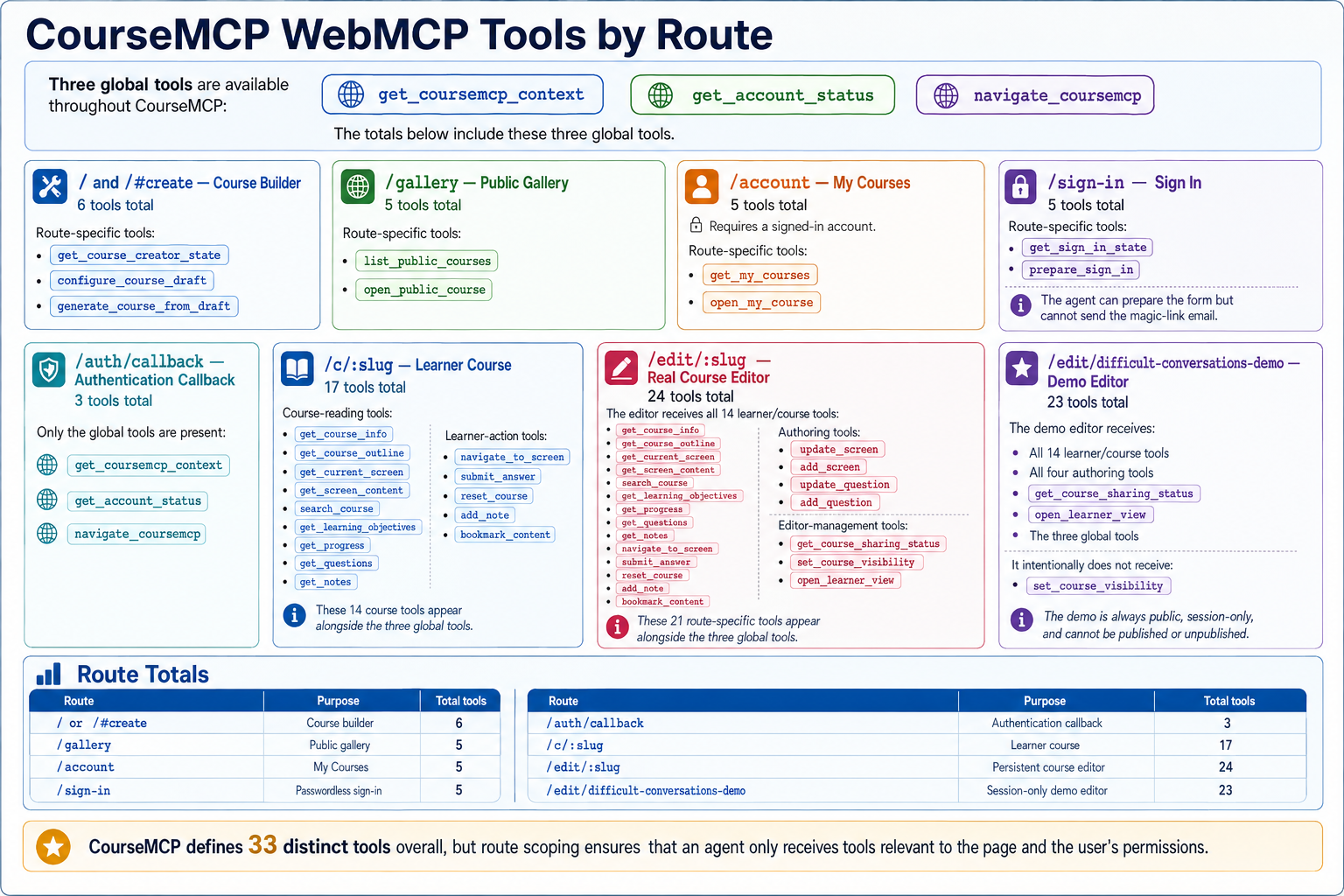
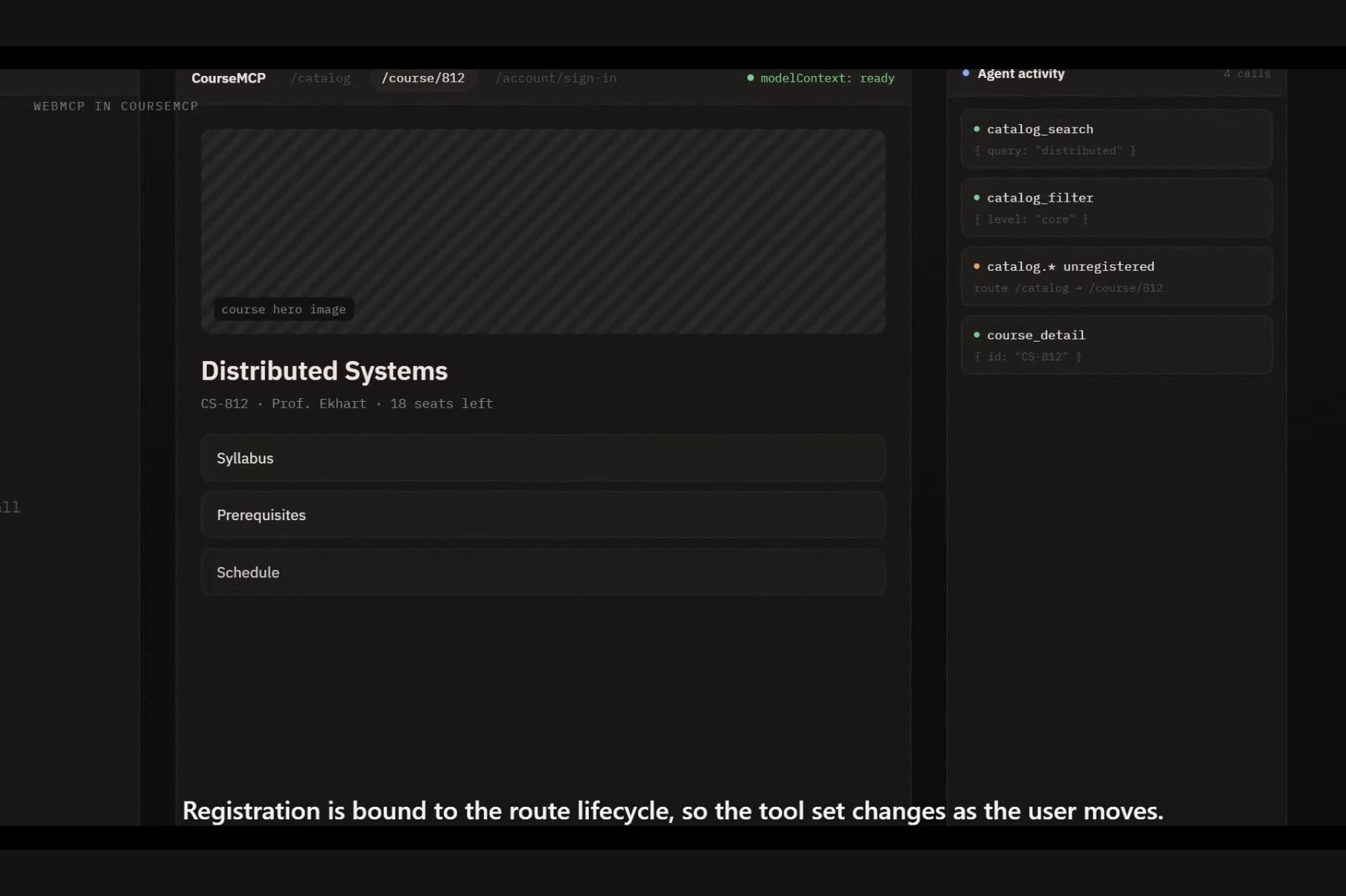
CourseMCP defines 33 distinct tools. An agent is never offered all 33. Depending on the route and the signed-in user's permissions, it receives between 3 and 24:
| Route | Purpose | Tools |
|---|---|---|
/auth/callback |
Authentication callback | 3 |
/gallery |
Public gallery | 5 |
/account |
My Courses | 5 |
/sign-in |
Passwordless sign-in | 5 |
/ and /#create |
Course builder | 6 |
/c/:slug |
Learner course | 17 |
/edit/difficult-conversations-demo |
Session-only demo editor | 23 |
/edit/:slug |
Persistent course editor | 24 |
Three tools are global, context, account status, and navigation. Everything else is earned by being somewhere specific.
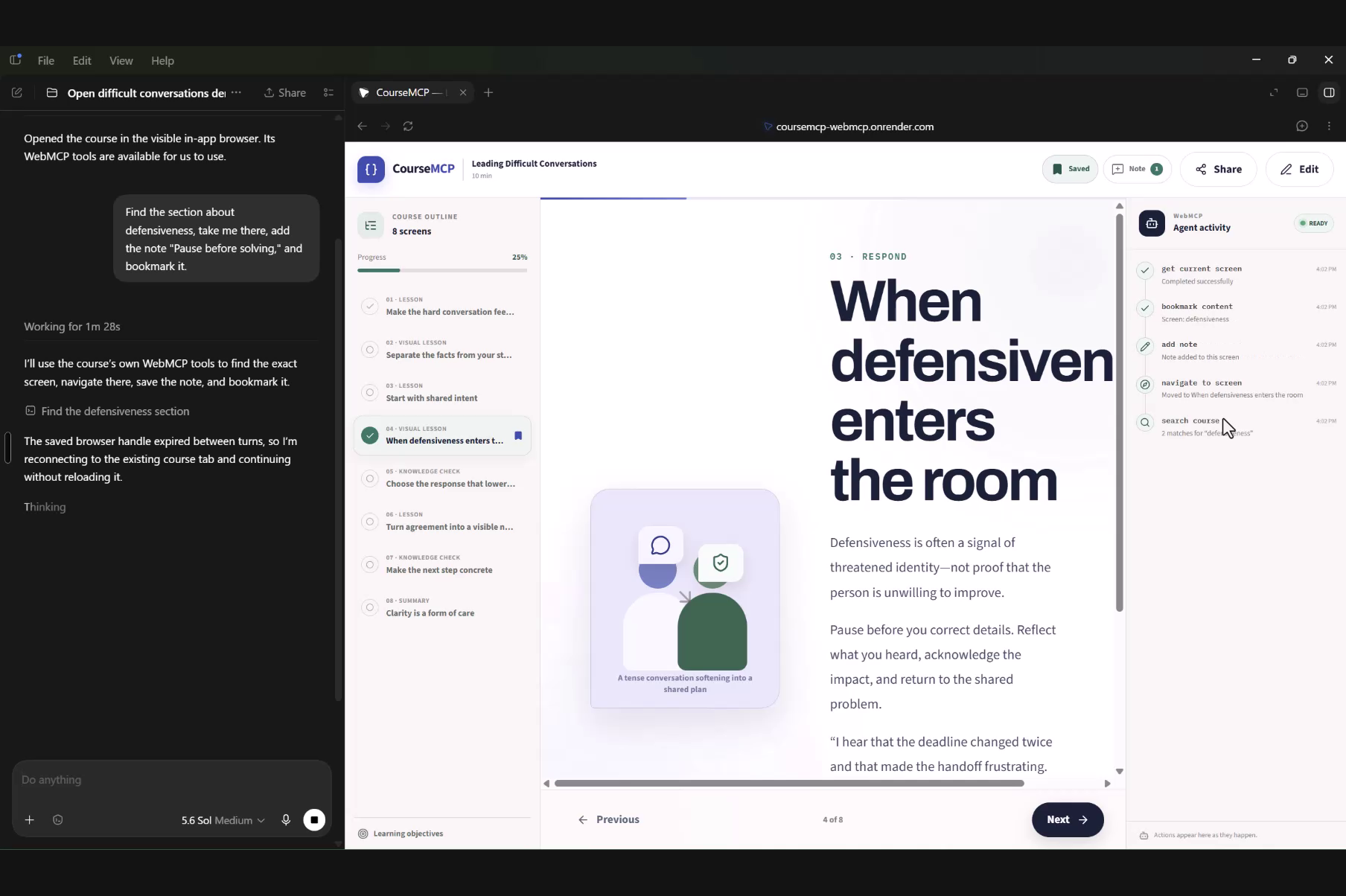
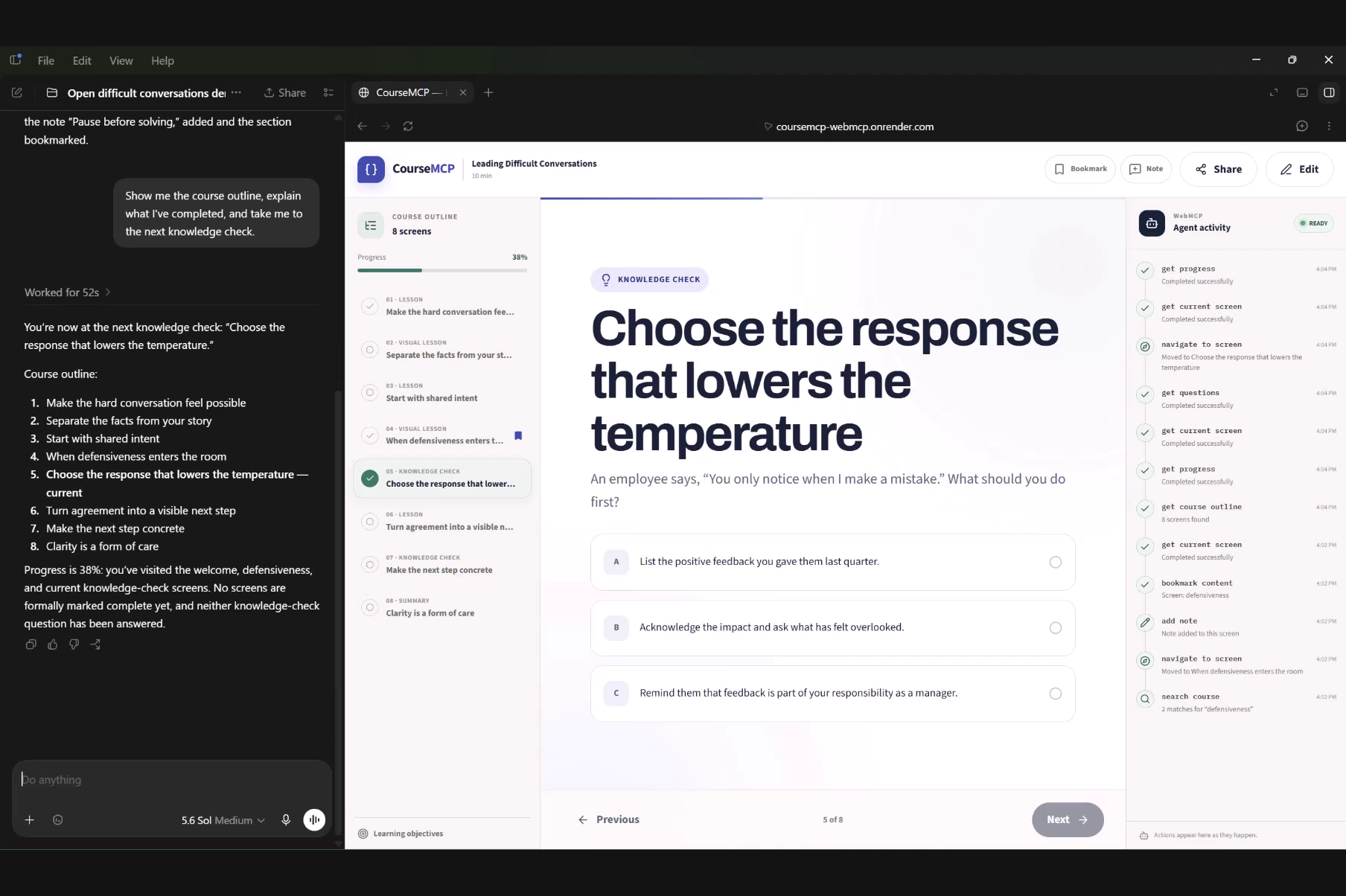
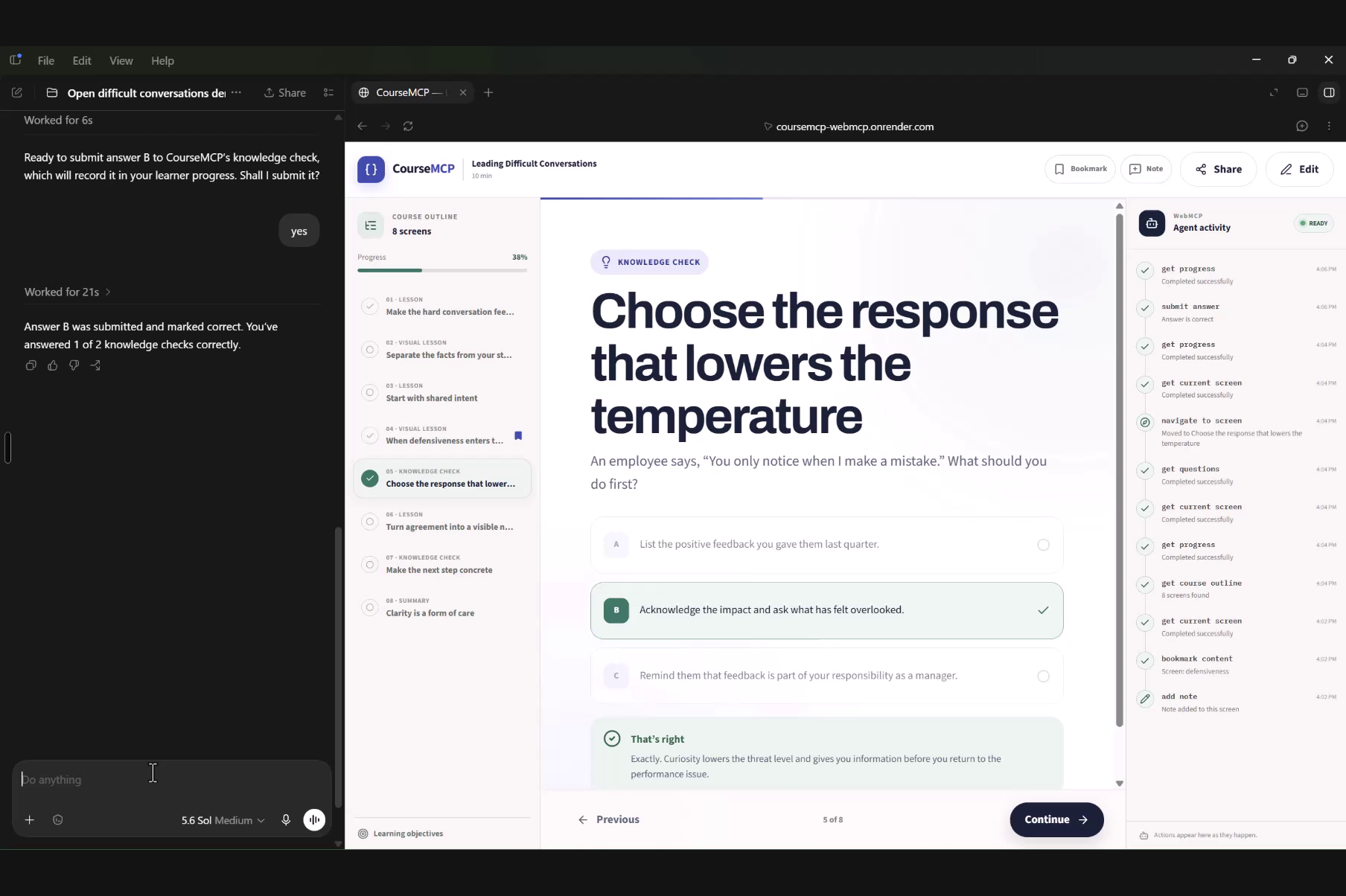
The learner route adds 14. Read the outline, get course info, inspect the current screen, read screen content, search real course text and receive stable screen IDs, list learning objectives, read progress, list questions, read notes, then navigate to a screen, submit an answer, reset the course, add a note, or bookmark content. Nothing on this surface can alter course content.
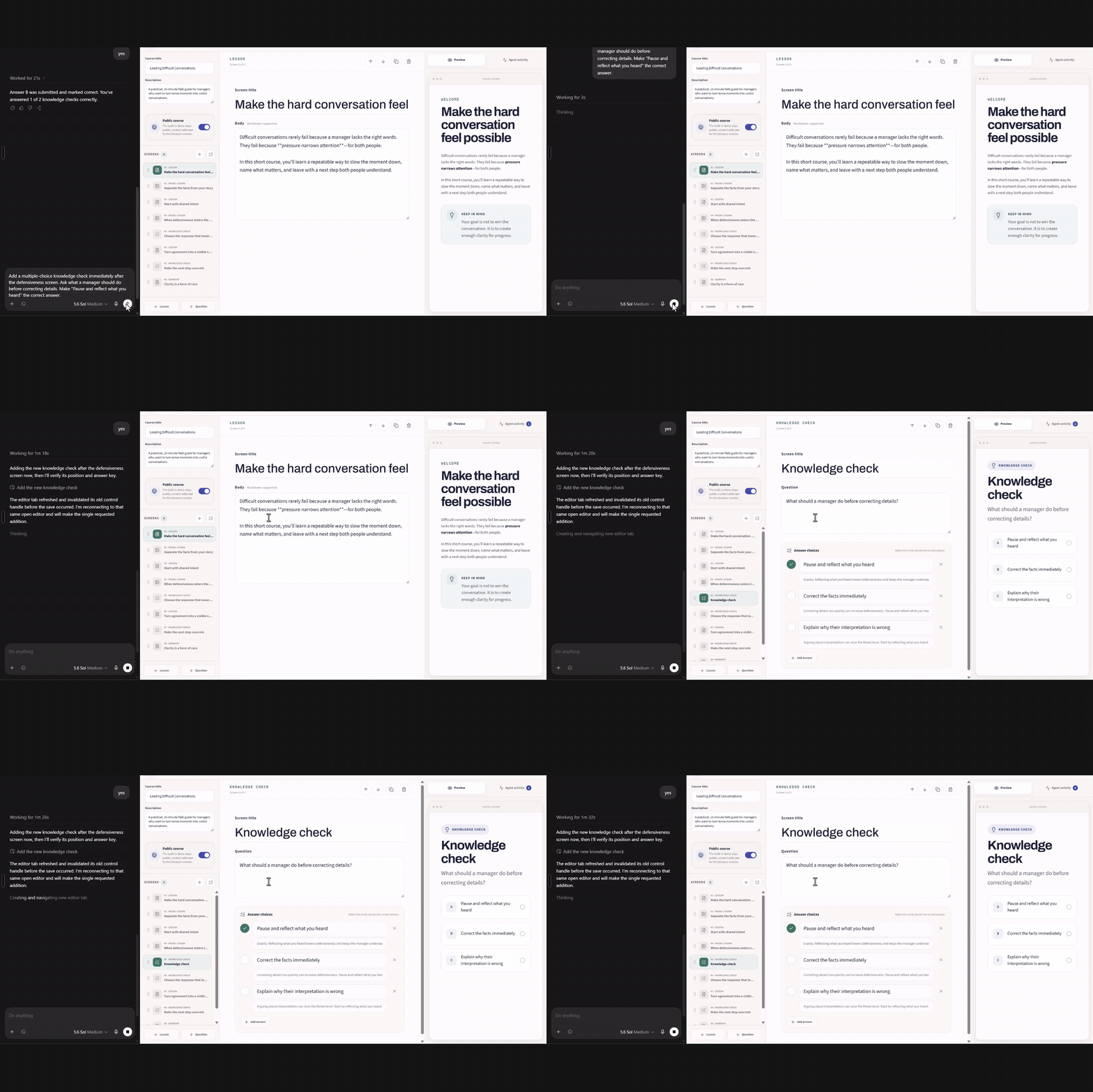
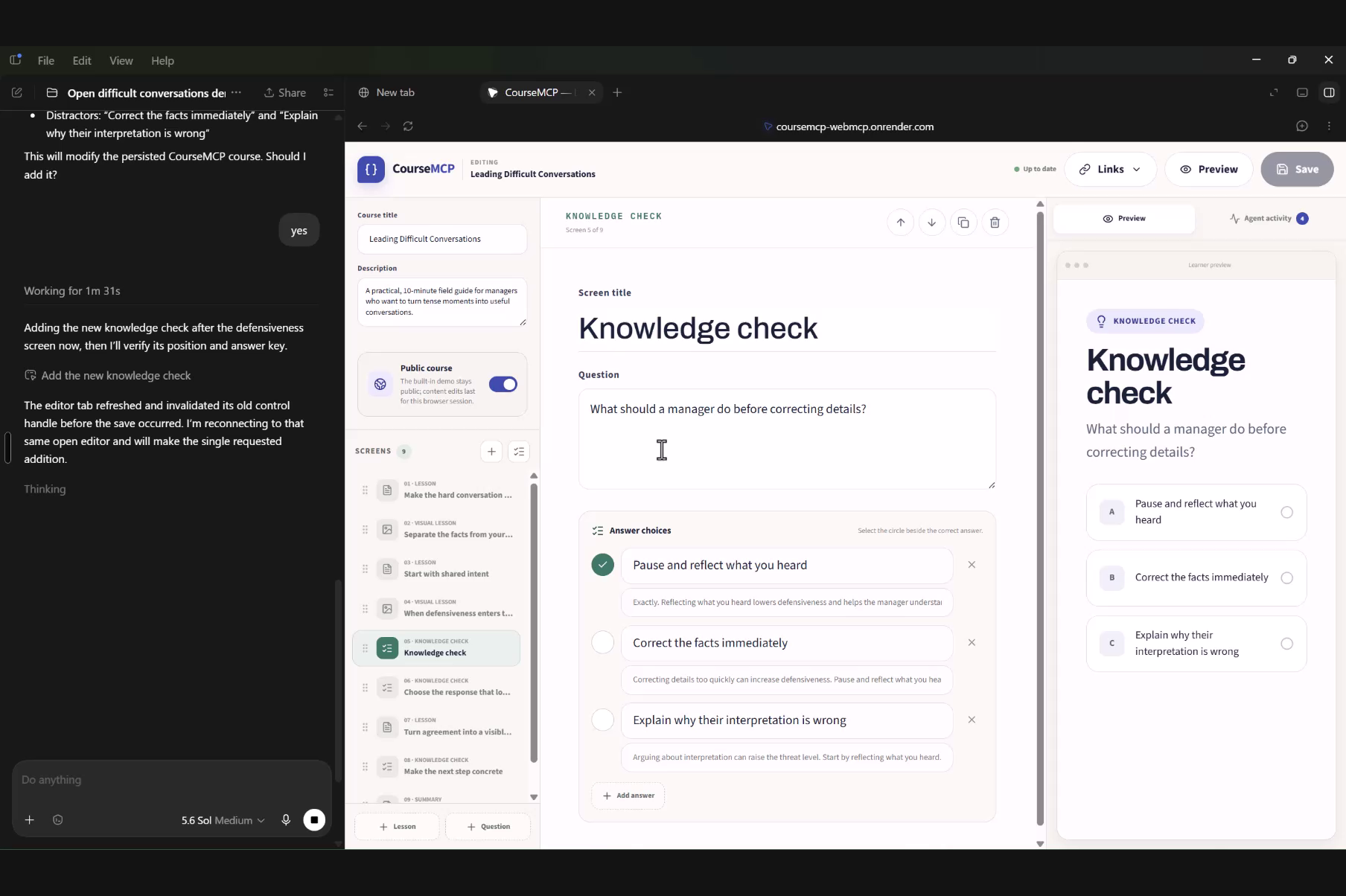
The editor route adds 21. It begins with all 14 learner tools, because an author is also a reader: the agent can add a question, navigate to it, submit an answer, and confirm the feedback renders correctly. On top of that sit four authoring tools, add_screen, update_screen, add_question, update_question, and three management tools for sharing status, visibility, and opening the learner view.
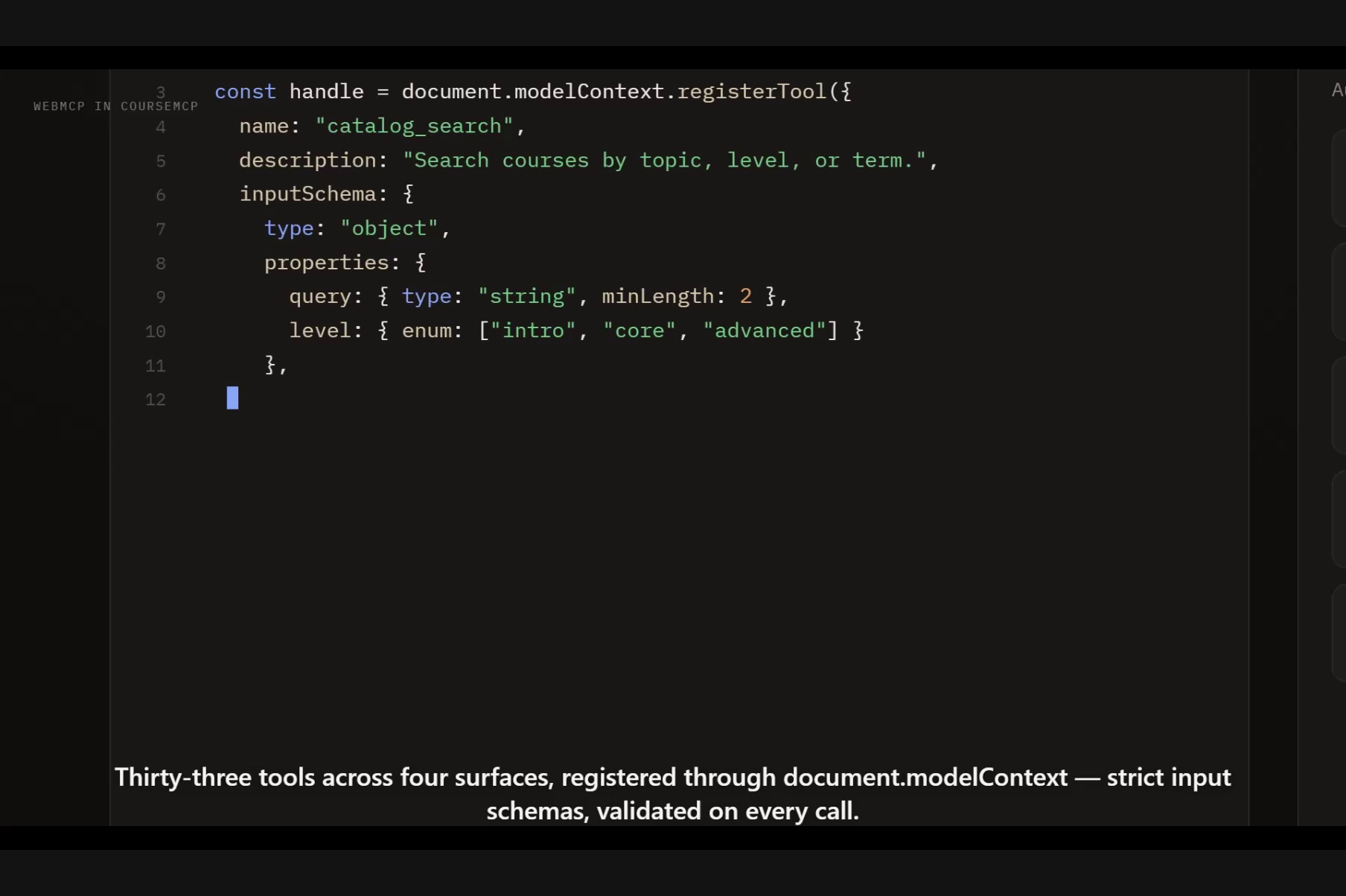
Four authoring tools cover the entire editing surface: lesson bodies, titles, image URLs, alternative text, image prompts, question prompts, answer choices from two to eight, the single correct answer, per-choice feedback, and summary takeaways. That is deliberate. Stable screen and answer IDs let a small number of well-typed tools compose, instead of exposing one tool per form field.
Every agent action uses the same application state as the visible UI. When an agent moves to a lesson, the learner sees the player move. When it adds a knowledge check, the editor updates immediately. A visible activity trail records what happened.
Why WebMCP
Learning is semantic and stateful. A useful assistant needs stable screen identifiers, course structure, question models, progress, and clearly bounded actions, not DOM selectors. CourseMCP uses WebMCP as its capability contract.
On the learner side, an agent can search the course, receive matching screen IDs, and pass one into the navigation tool. It can inspect assessment prompts without being told the correct answer.
On the authoring side, the argument is stronger. Adding a knowledge check means a question prompt, between two and eight answer choices, exactly one correct answer, feedback for each choice, and a position in the outline. Through a DOM, that is a long sequence of interactions in which every intermediate state is a partially valid course. As a WebMCP tool it is one call against a strict schema: it either produces a complete, valid knowledge check or it produces nothing.
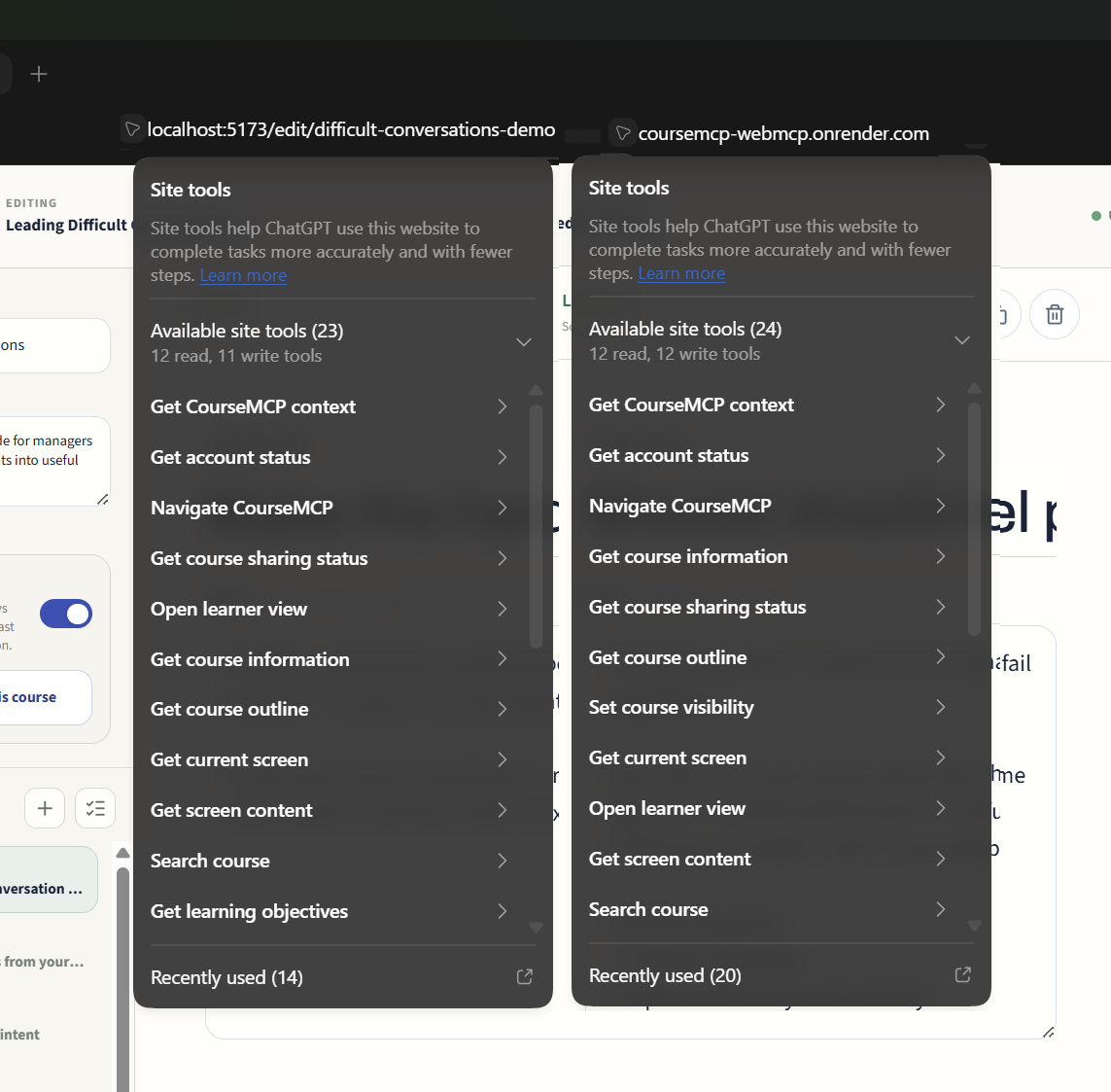
The clearest expression of route and permission scoping is the difference between the two editors. The session-only demo editor exposes 23 tools. The real editor exposes 24. The difference is exactly one tool, set_course_visibility, because the demo is permanently public and must not be publishable or unpublishable by anyone. Not a guard clause inside a handler that refuses the call. The tool is never registered on that route, so an agent inspecting the demo editor cannot see that publishing is even a concept there.
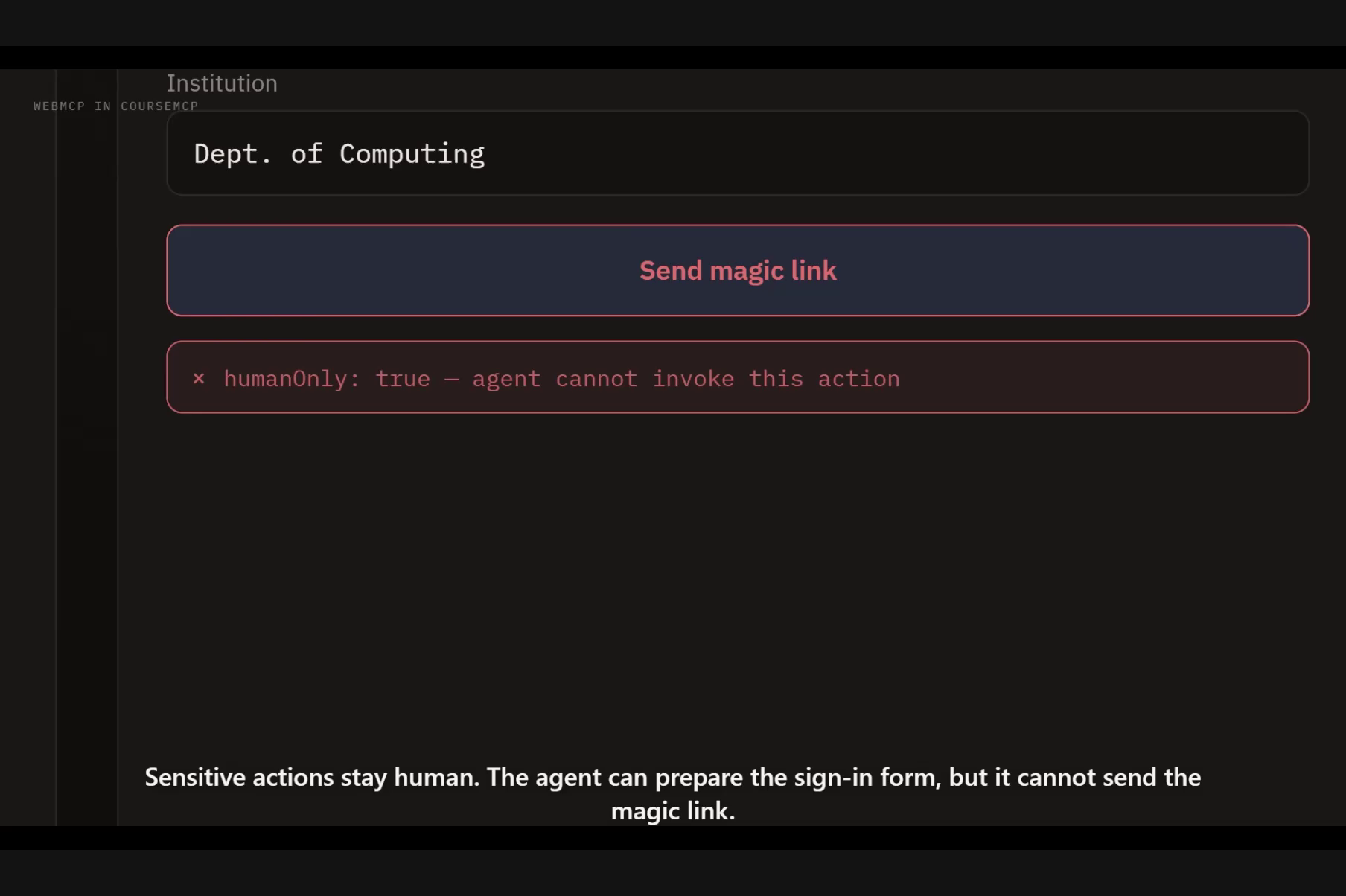
The same logic runs in the other direction. /auth/callback is a transient route, so its surface collapses to the three globals and nothing else. /sign-in offers get_sign_in_state and prepare_sign_in, an agent can fill the form, but there is no tool to send the magic-link email, because that decision belongs to the person.
How I built it
The frontend uses Vue 3, Pinia, Vue Router, and Tailwind CSS. WebMCP tools feature-detect the browser API and register against the top-level document. Route-scoped registration managers remove stale tools during navigation, and course tools do not appear until the exact requested course has finished loading.
Every handler calls the same Pinia actions used by the human interface, there is no separate agent-only course engine. Inputs use strict JSON schemas, results are serializable and bounded, and stable IDs allow small tools to compose safely.
The Node.js and Express server extracts supported documents and calls the OpenAI Responses API with a strict Zod course schema. Supabase provides passwordless accounts and PostgreSQL persistence for courses and redacted activity metadata. Row-level security is forced on the course tables, browser roles have no direct table access, and private editor credentials are stored only as SHA-256 digests. A single Render web service serves both the API and the built Vue app.
Additional guardrails include pagination, explicit publication confirmation, permission-gated authoring tools, revision checks for visible drafts, and idempotent generation so retries do not create duplicate courses.
Challenges I ran into
The hardest problem was lifecycle correctness, and authoring is what made it hard. A tool set that belongs to one course must never survive navigation to another course, a loading screen, or an invalid route, and the consequence of a leaked authoring tool is an edit landing on the wrong course. I built isolated registration scopes with abort-based cleanup and tested rapid navigation explicitly.
A second challenge was keeping human and agent state genuinely shared. Reimplementing actions inside tool handlers would have produced subtle drift between what an author saw and what an agent had done, so I routed both interfaces through the same stores and validation paths.
Generation also needed production-grade failure handling. Document extraction, model latency, retries, and duplicate requests can all fail in different ways. I added bounded uploads, extraction limits, concurrency controls, timeouts, idempotency keys, and safe error messages.
Finally, authentication and sharing required careful boundaries. Accounts remain optional, private courses stay private by default, and publication requires an explicit acknowledgement.
Accomplishments that we're proud of
- A tool surface that ranges from 3 to 24 by route and permission, with the demo and real editors differing by exactly one deliberately withheld tool.
- 33 composable WebMCP tools where four authoring tools cover an entire editing surface, because the IDs are stable and the schemas are strict.
- An editor that is a superset of the learner surface, so an agent can verify its own authoring by reading the result back.
- A coherent creator, gallery, account, learner, and editor, not a disconnected tool demo.
- A no-login demo that lets judges inspect, navigate, annotate, bookmark, and edit a real course.
- Persistent signed-in courses with private-by-default sharing and an opt-in public gallery.
- 124 automated tests plus linting and a production build check.
What I learned
WebMCP is most powerful when tools expose application concepts rather than reproducing buttons. Small capabilities with stable identifiers compose better than one giant "do everything" tool, four authoring tools cover more editing surface than a per-field design would have, and they compose with the read tools an author already has.
Write access changes the design problem. A read tool that returns something imperfect wastes a turn; a write tool that half-succeeds damages the user's work. That pushed us toward schemas strict enough to make partial application impossible, and toward permission gating as a property of registration rather than a check inside a handler. Rather then provide tools and tell the Agent not to use them, it is better not to offer the capability.
Visible shared state turned out to be a trust feature. People should see the exact course movement or edit an agent performs.
What's next
We want to add reusable course templates, richer media generation, collaborative review, accessibility checks, and learning analytics. The larger opportunity is a portable ecosystem of agent-native learning content in which learners, authors, and assistants all work from the same semantic model.
Try it
- Live app: https://coursemcp-webmcp.onrender.com
- Public gallery: https://coursemcp-webmcp.onrender.com/gallery
- No-login demo: https://coursemcp-webmcp.onrender.com/c/difficult-conversations-demo
- Source code: https://github.com/onEnterFrame/coursemcp
Built With
- api
- express.js
- node.js
- openai
- pinia
- postgresql
- render
- responses
- supabase
- tailwind-css
- vite
- vue-router
- vue.js
- webmcp
- zod


Log in or sign up for Devpost to join the conversation.