Inspiration
The hackathon challenged us to reimagine something we use every day. As Lehigh students, we constantly switch between CourseSite, Gradescope, Banner, and Degree Works to find assignments, check grades, and plan classes. We built CourseLight to bring those everyday tasks into one conversational interface.
What it does
CourseLight lets students ask questions about their academic life and get answers grounded in their connected school accounts. Students can:
- Find deadlines, check submission status, and locate study materials.
- Review CourseSite and Gradescope grades.
- Explore grade scenarios using syllabus grading policies.
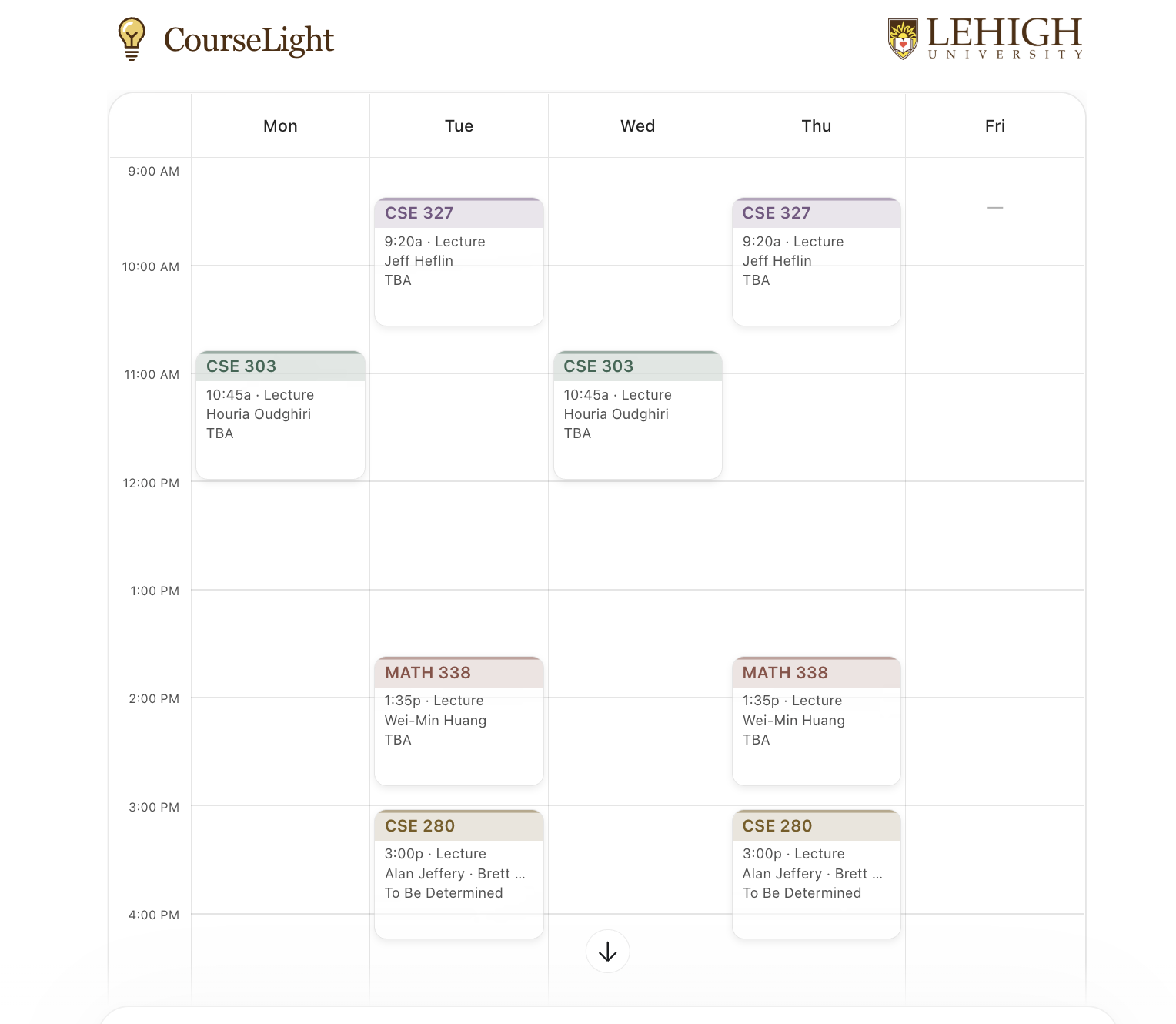
- View registered classes in a weekly schedule and on a campus map.
- Check degree progress and remaining requirements.
- Compare potential schedules, prerequisites, open seats, and registration readiness.
Interactive views appear directly in the conversation. CourseLight reads information and supports planning; students still submit assignments and register through the original systems.
How we built it
We built a Python backend using FastMCP to expose focused tools for each academic task. CourseSite uses Moodle’s web-service API, while authenticated readers connect to Gradescope, Banner, and Degree Works.
Pydantic models validate the structured results. React components turn those results into schedules, grade grids, deadline timelines, progress indicators, and an interactive grade calculator. An MCP Apps bridge connects the interface to tool results, and Apple Maps displays registered class locations.
Challenges we ran into
Each system represents information differently. A deadline might appear in CourseSite, Gradescope, or only in a syllabus. Grades may be duplicated across systems, and an assignment can be submitted without having a released score.
We also had to distinguish confirmed information from assumptions. Grade projections need documented weights, degree audits have snapshot dates, and a schedule without time conflicts does not automatically establish registration eligibility.
Accomplishments that we're proud of
We connected four academic systems into a working conversational workflow with nine interactive tool views.
The demo followed real student tasks: finding coursework, checking grades, exploring an exam-score target, reviewing degree requirements, and building a potential semester schedule. The interface keeps source links and important limitations visible so students can follow up.
What we learned
The hardest part was preserving the meaning of the information we retrieved. Missing grades are not zeros, missing deadlines do not mean there is no work, and current classes are not completed requirements.
We also learned that focused MCP tools and shared data models make it easier to build useful interfaces around existing systems.
What's next for CourseLight - Lehigh MCP
Next, we want to simplify onboarding, improve coverage of coursework outside standard assignment lists, and make schedule comparisons easier. We also want to explore study-space discovery and gather feedback from more Lehigh students to identify which everyday tasks would benefit most from CourseLight.
Built With
- fastmcp
- javascript
- playwright
- python
- react

Log in or sign up for Devpost to join the conversation.