-
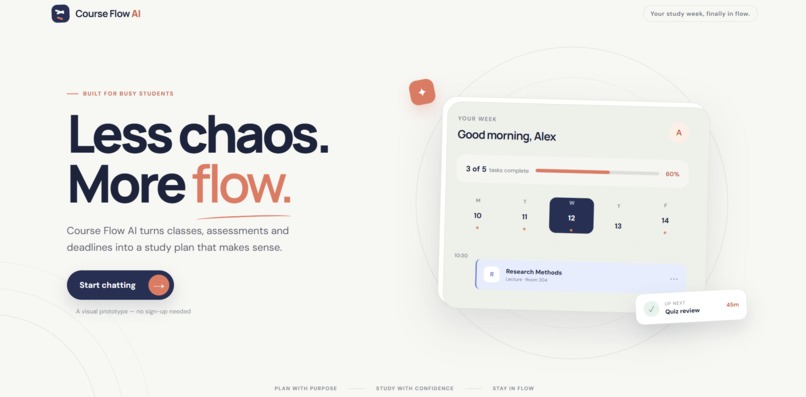
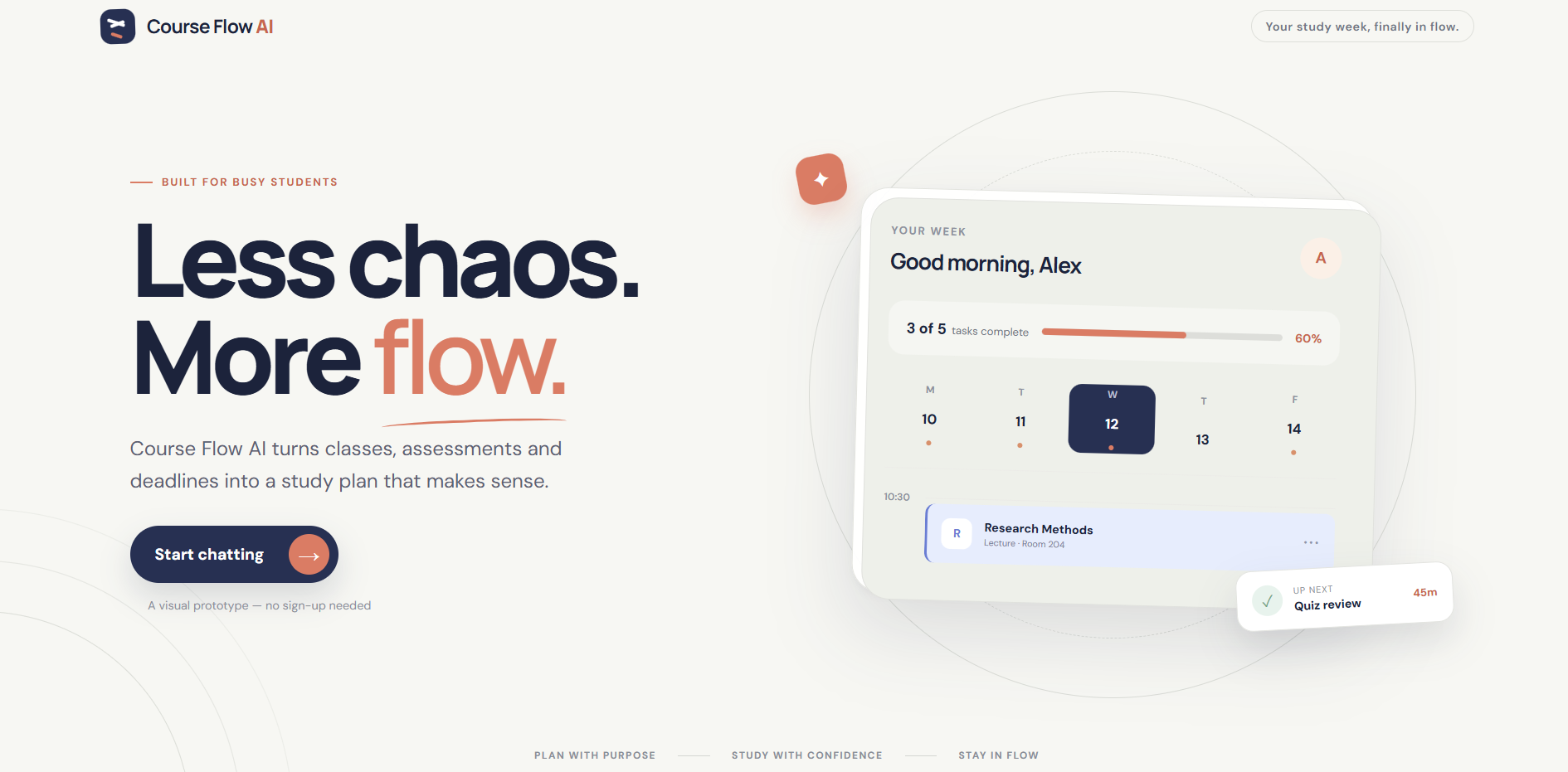
Meet CourseFlow AI: a calm, student-first workspace that transforms assessment overload into a clear path forward.
-
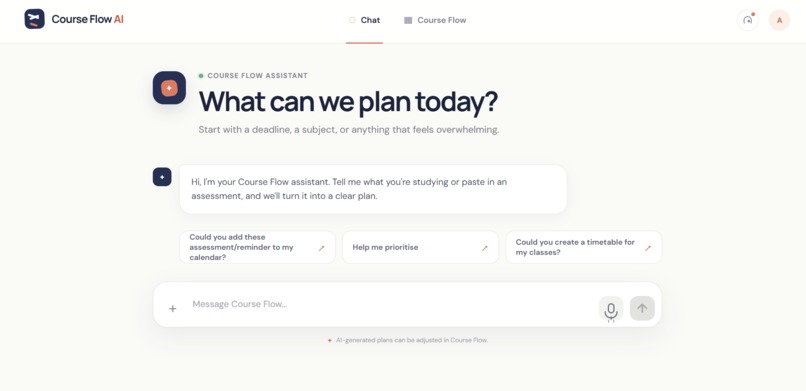
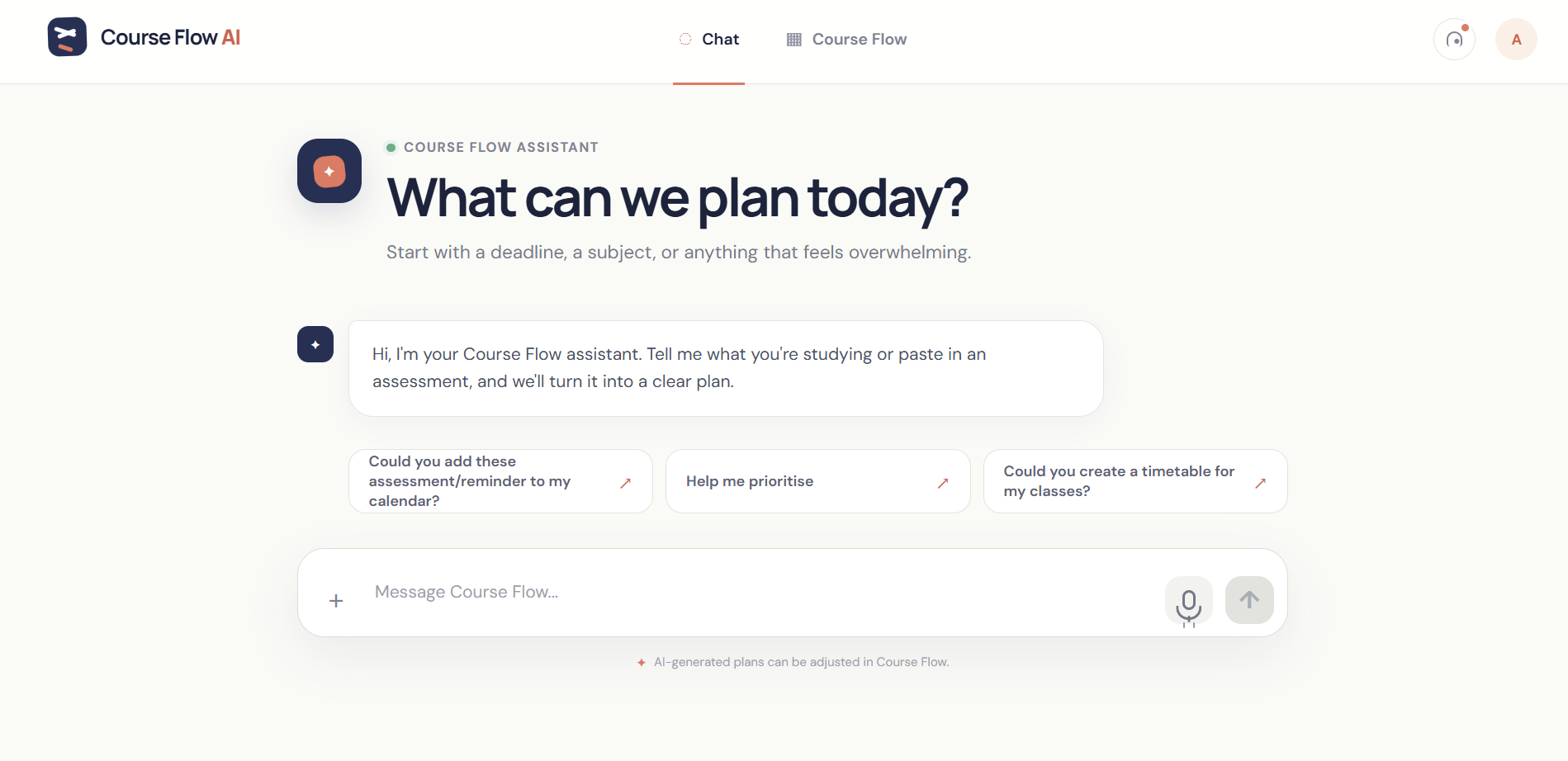
Describe one or multiple assessments naturally; Gemini transforms them into structured, actionable study tasks.
-
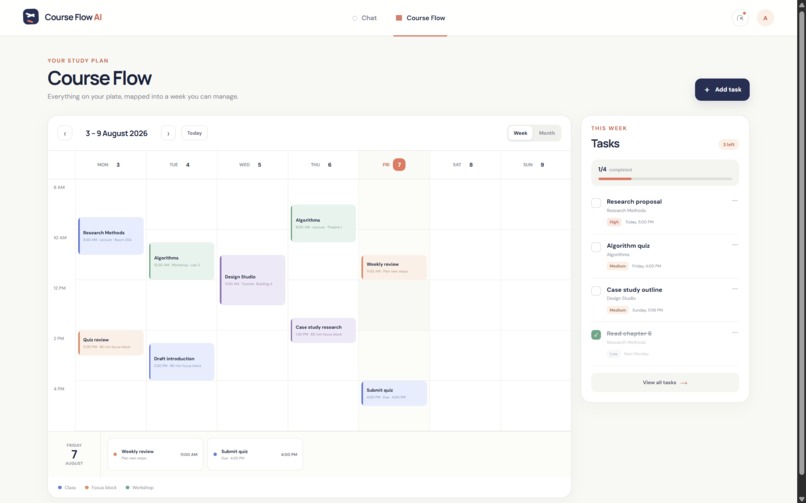
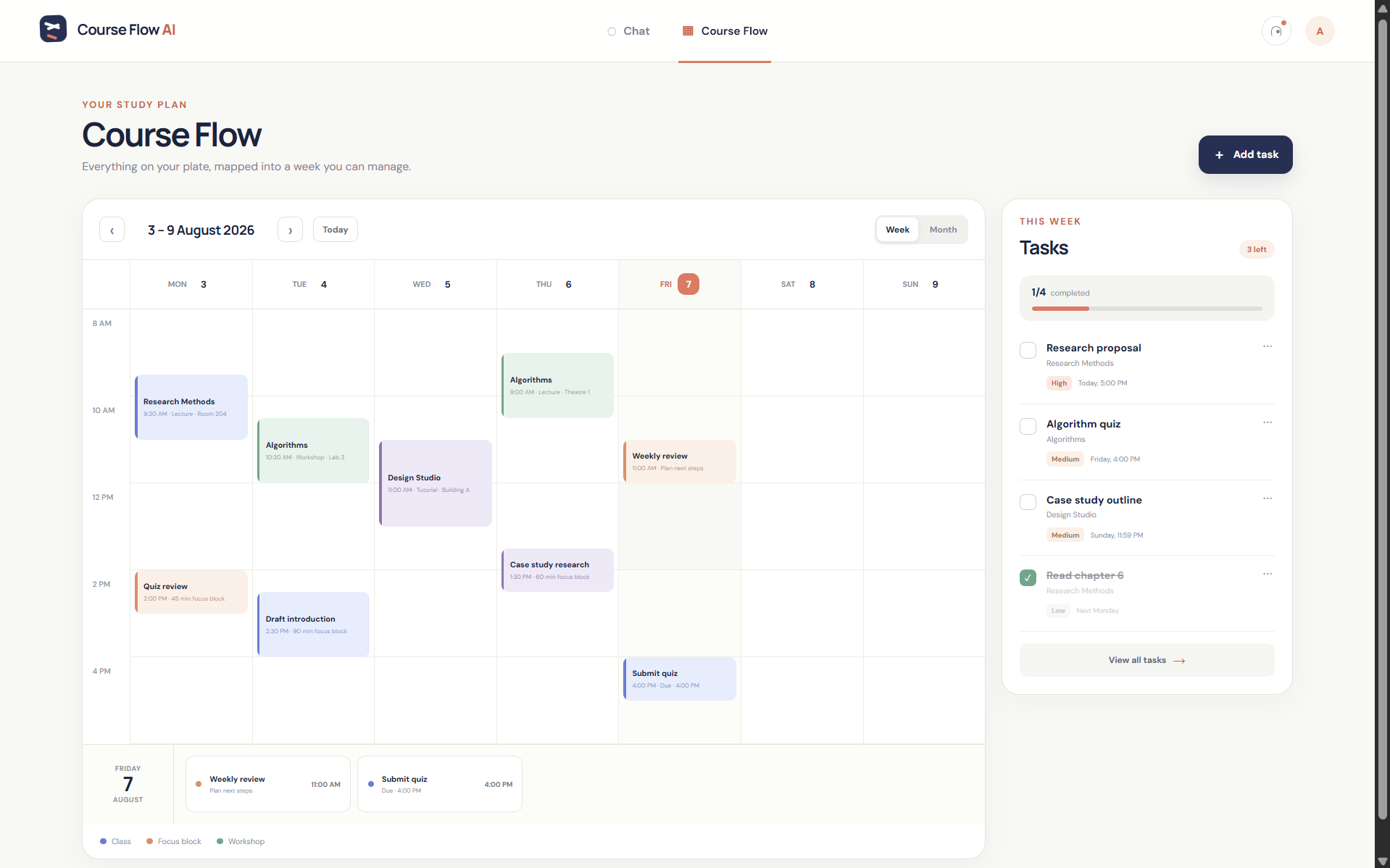
A conflict-aware calendar schedules focus blocks automatically while clearly flagging tasks that still need a deadline.
-
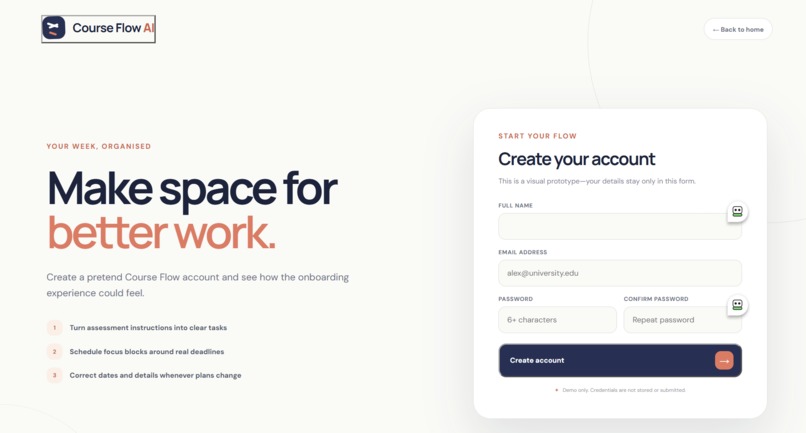
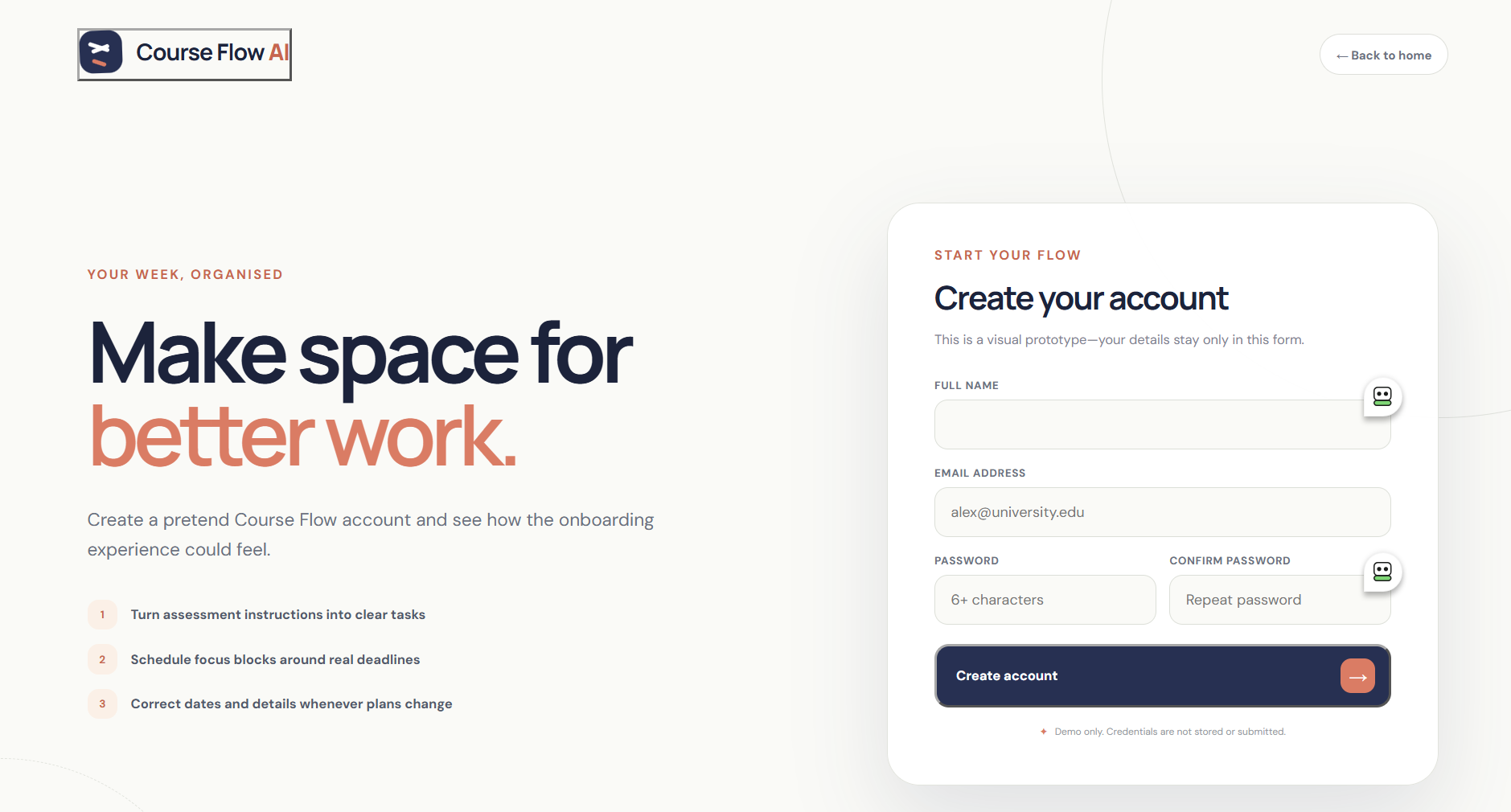
Prototype onboarding demonstrates a scalable path to secure student profiles, personalised schedules, and cross-device learning support.
Inspiration
CourseFlow AI did not begin with a long feature list. The concept was shaped through informal feedback from students during development.
Students described how completing an assessment involves more than doing the academic work. Before they can begin, they often need to interpret a large block of instructions, identify the deadline, estimate how long the work might take, and manually organise everything around their week.
When several assessments arrive together, that planning can become overwhelming.
We did not conduct a formal study or collect statistics. Instead, recurring concerns raised through informal student conversations helped us decide what the prototype should prioritise.
Students wanted to enter assessments using ordinary language, so we built natural-language input. They wanted something more actionable than a chatbot response, so we connected the output to tasks and a calendar. They also wanted the ability to correct AI-generated information, so we added editing controls for dates, times, descriptions, and priorities.
These conversations led us to one central goal:
Help students move from assessment instructions to a clear next action.
What it does
CourseFlow AI is a working prototype that converts natural-language assessment information into an editable study plan.
A student can type—or, in supported browsers, dictate—one or more assessments in a single message. CourseFlow AI then:
- Identifies each distinct assessment
- Infers the subject and assessment title
- Interprets exact and relative dates such as “tomorrow” and “next Friday”
- Preserves stated deadline times such as 9:00 AM or 11:59 PM
- Generates practical tasks with estimated durations
- Processes multiple assessments in the order they were entered
- Places focus blocks into the CourseFlow calendar
- Splits longer work into manageable study sessions
- Displays tasks with deadlines, priorities, and completion status
- Allows students to edit task titles, descriptions, dates, times, and priorities
- Supports manual task creation when AI assistance is unnecessary
The generated plan is automatically added to the Course Flow view, where students can review and correct the result.
How informal feedback shaped the product
The prototype evolved around several recurring themes raised by students.
Planning takes time away from studying
CourseFlow reduces the number of manual steps between receiving an assessment and beginning the work. Instead of copying information into several different tools, students can enter it once and receive an initial plan.
Several assessments may arrive together
Students do not always plan one assessment at a time. We therefore changed the Gemini response structure to support an ordered collection of assessments rather than processing only the first item.
AI-generated details may need correcting
CourseFlow does not treat the generated plan as untouchable. Students can edit task information after it is created, including the deadline date, deadline time, description, and priority.
A text response is not always actionable
Instead of ending with an AI-generated paragraph, CourseFlow converts the response into visible tasks, focus blocks, deadlines, and calendar events.
Students use different input methods
The prototype supports standard text input, browser-based speech recognition, and manual task creation.
Student feedback established the product priorities, while technical feasibility determined how those ideas could be implemented within the prototype.
How we built it
CourseFlow AI combines a React frontend, an ASP.NET Core backend, Gemini structured analysis, and a JavaScript scheduling engine.
The frontend uses React, Vite, JavaScript, HTML, and CSS. It includes:
- A conversational assessment-input interface
- Browser-based speech recognition
- Separate Chat and Course Flow views
- Week and month calendar views
- Clickable events and daily agendas
- Task completion and priority indicators
- Manual task creation
- Task editing controls
- Responsive layouts for different screen sizes
The backend uses C# and ASP.NET Core. It provides an assessment-analysis API endpoint and keeps the Gemini API key outside the frontend.
Gemini 3.5 Flash-Lite interprets the student’s natural-language input and returns structured information for each assessment, including its subject, title, deadline, deadline time, and estimated tasks.
The backend validates and normalises the Gemini response before returning it to React. The frontend then uses deterministic JavaScript logic to create calendar focus blocks inside a default study window.
We deliberately separated the system into clear responsibilities:
- Gemini interprets natural-language assessment information.
- ASP.NET Core protects the API key and validates the result.
- JavaScript converts the structured information into calendar blocks.
- React presents the plan and allows the student to modify it.
This hybrid approach uses AI where language understanding is valuable while keeping calendar placement inside understandable application logic.
Challenges we ran into
One of our biggest challenges was processing multiple assessments in one message.
The early version could focus on the first assessment and overlook everything that followed it. We redesigned the Gemini output contract around an ordered assessments collection and processed each returned item sequentially.
Date interpretation was another challenge. Words such as “tomorrow” depend on when and where the request is made. The frontend now sends the current date, browser locale, and timezone to the backend. Gemini uses that context to return a normalised calendar date.
We later discovered that supporting dates alone was not enough. A student might write that an assessment is due at 9:00 AM, but the original prototype converted it into an all-day calendar event. We extended the Gemini schema, C# model, frontend state, task editor, and calendar display to preserve the exact time.
Another challenge was balancing automation with user control. Automatically creating the plan makes the workflow fast, but generated information may still need correction. Editing controls allow students to adjust the result without entering the assessment again.
Accomplishments that we’re proud of
We are proud that CourseFlow AI progressed from a visual concept into a working end-to-end prototype.
Its current technical accomplishments include:
- Connecting a React application to an ASP.NET Core API
- Keeping the Gemini API key on the backend
- Returning structured Gemini output
- Processing multiple assessments from one message
- Resolving relative dates using current-date and locale context
- Preserving exact deadline times
- Generating estimated study tasks
- Splitting longer work into smaller focus sessions
- Supporting editable task information and priorities
- Providing manual and voice-assisted input
- Displaying the result through an interactive calendar and task interface
The project demonstrates how generative AI can become part of an actionable workflow rather than only producing conversational text.
Real-world impact
CourseFlow AI addresses the planning burden that exists around academic work.
Its potential users include students balancing several courses, employment, caring responsibilities, or other demands on their time. Students who experience difficulty with organisation or executive function may also benefit from having a large assessment converted into smaller visible actions.
The current prototype does not claim to improve grades, productivity, or student wellbeing. Demonstrating those outcomes would require structured user testing.
However, it presents a practical direction for reducing repetitive planning and giving students a clearer starting point. With further development and evaluation, the approach could support schools, universities, training providers, and community education programs.
What we learned
We learned that creating a useful AI product requires more than connecting an interface to a model.
The AI response needs a clear structure. The backend must validate it. Application logic must turn it into something practical, and the interface must allow the user to remain in control.
We also learned that a feature can be technically impressive while still adding cognitive load. Informal student feedback repeatedly encouraged us to simplify the workflow and focus on what the student should do next.
The most important lesson was:
AI should reduce decisions for the student without removing the student’s ability to make corrections.
Current prototype boundaries
CourseFlow AI is currently a prototype.
It does not yet include:
- Persistent user accounts
- Database storage
- Personalised weekly availability
- Google or Outlook Calendar integration
- File or learning-management-system imports
- Notifications
- Drag-and-drop rescheduling
- Automatic replanning
- Formal user-testing results
The account-creation screen is a visual demonstration. Credentials entered into the form are not stored or submitted.
Tasks and calendar events are temporarily stored in React state and reset when the application is reloaded.
What’s next for CourseFlow AI
The next step is to test CourseFlow AI with more students and continue developing it around their feedback.
Planned improvements include:
- Editable available days and study hours
- Persistent accounts and task storage
- Drag-and-drop calendar adjustments
- Automatic replanning when work is delayed
- External calendar integration
- Notifications and progress reminders
- File and learning-management-system imports
- Accessibility and usability testing
- Measuring whether the application reduces planning time
Our long-term vision is not to replace student decision-making. It is to give students a clearer starting point and help them spend less time organising their work and more time completing it.
Built With
- api
- asp.net
- c#
- css
- google-gemini
- html
- javascript
- natural-language-processing
- react
- vite

Log in or sign up for Devpost to join the conversation.