-
-
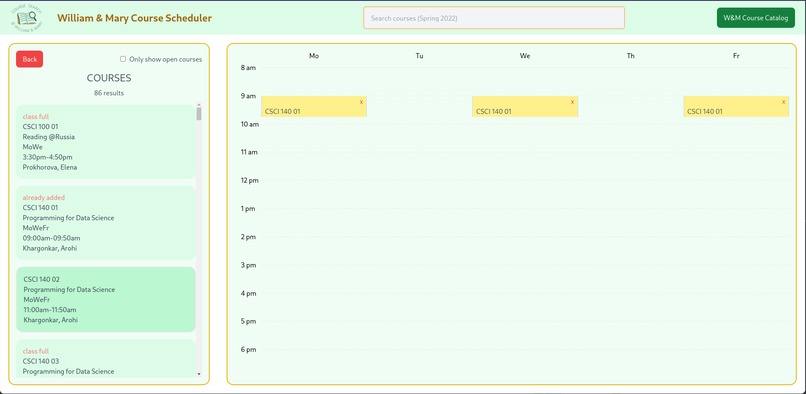
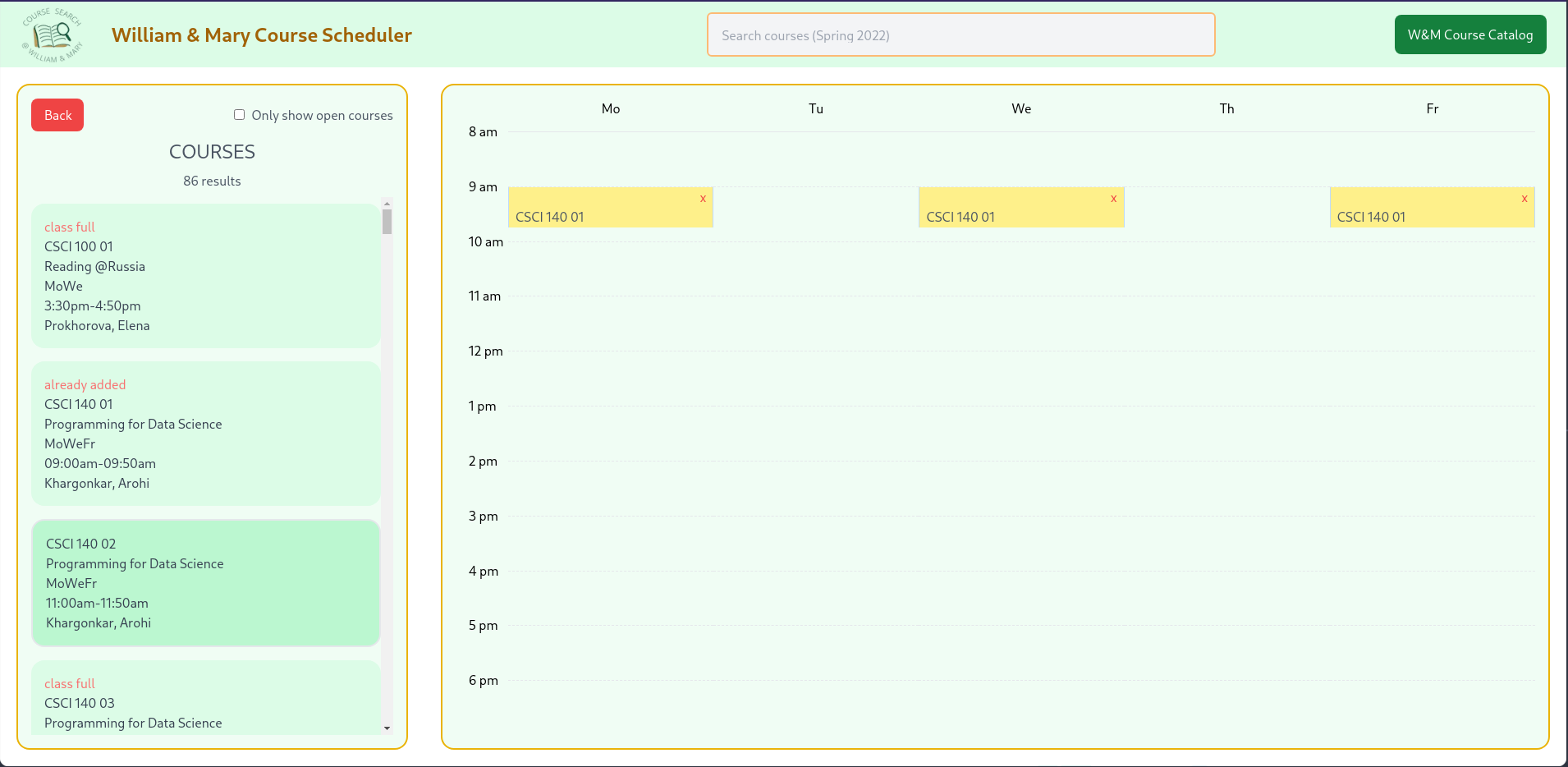
Easily add & remove courses you want to take!
-
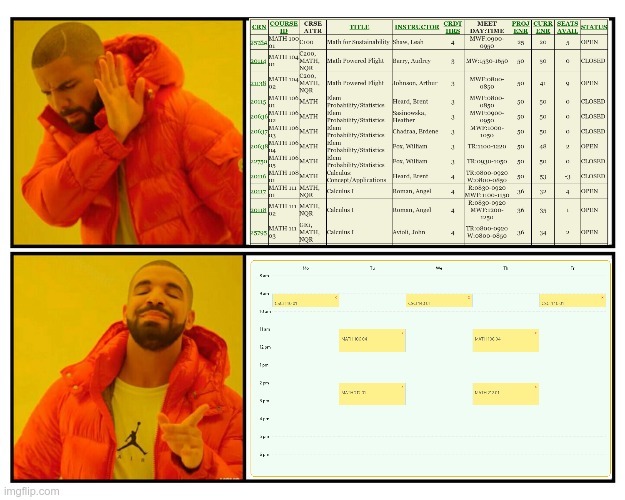
Visual calendar layout makes scheduling SOOO much easier!
-
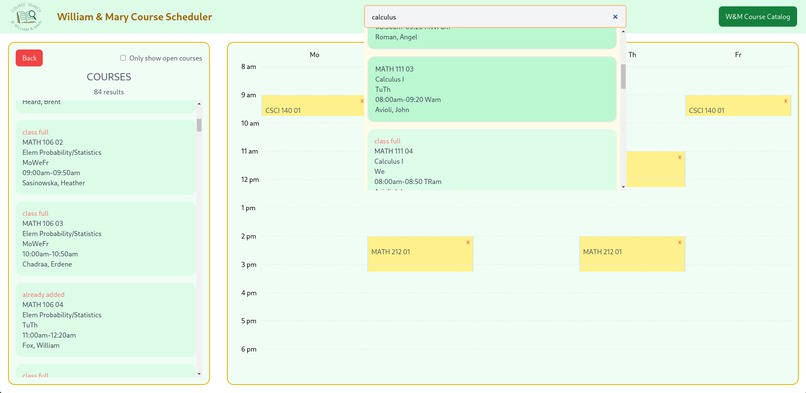
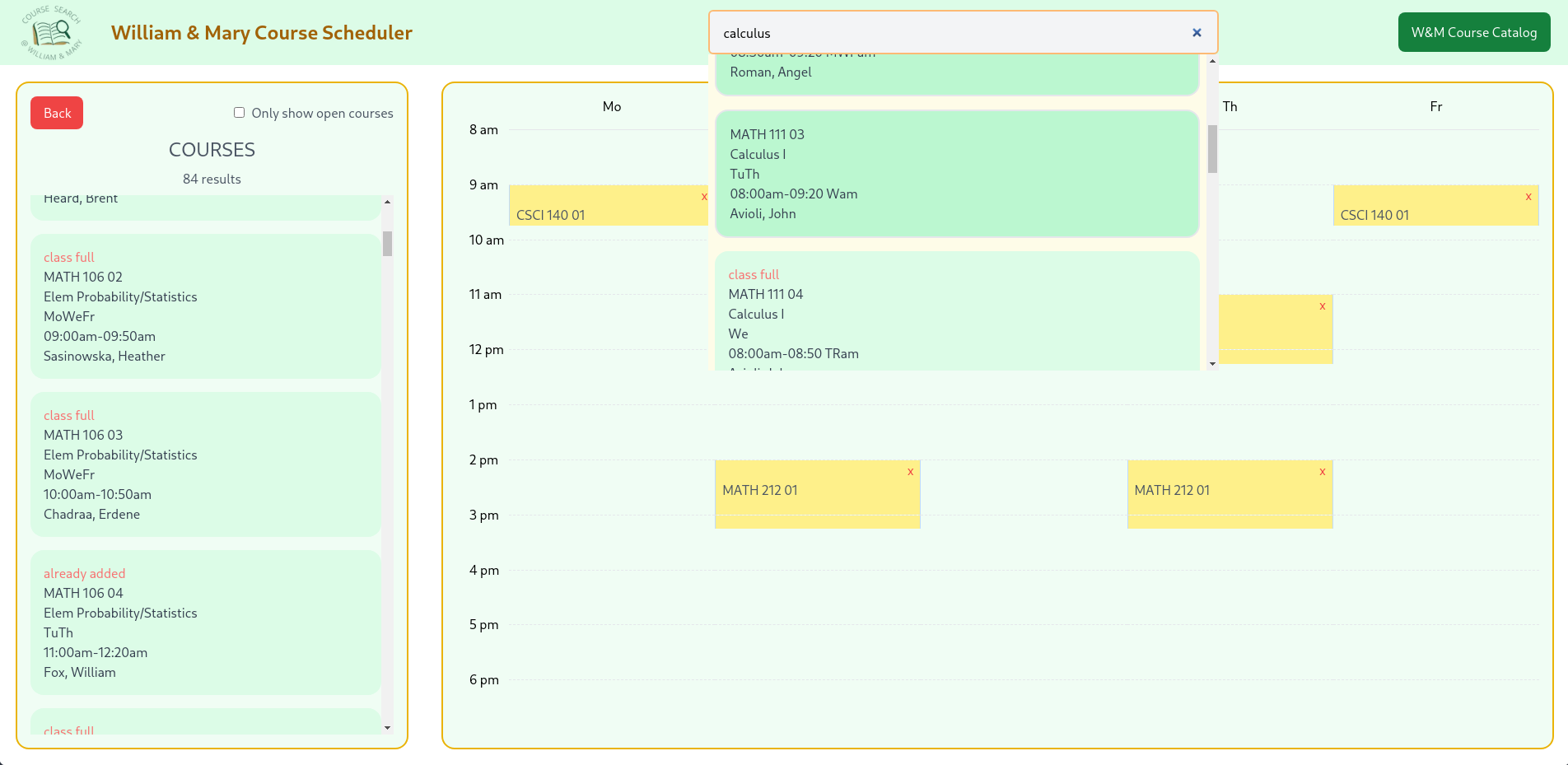
Search for specific classes w/ the search bar!
-
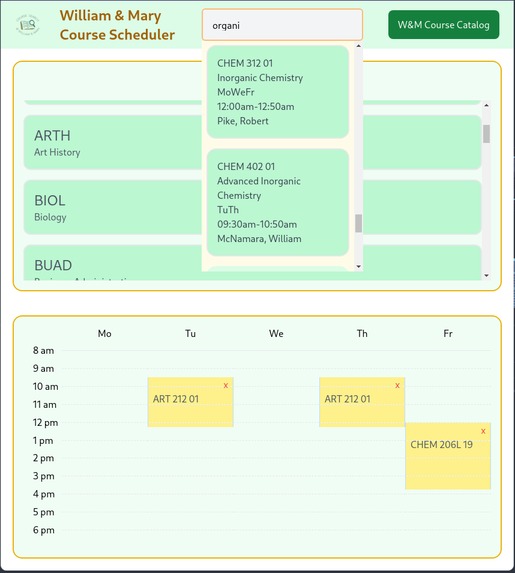
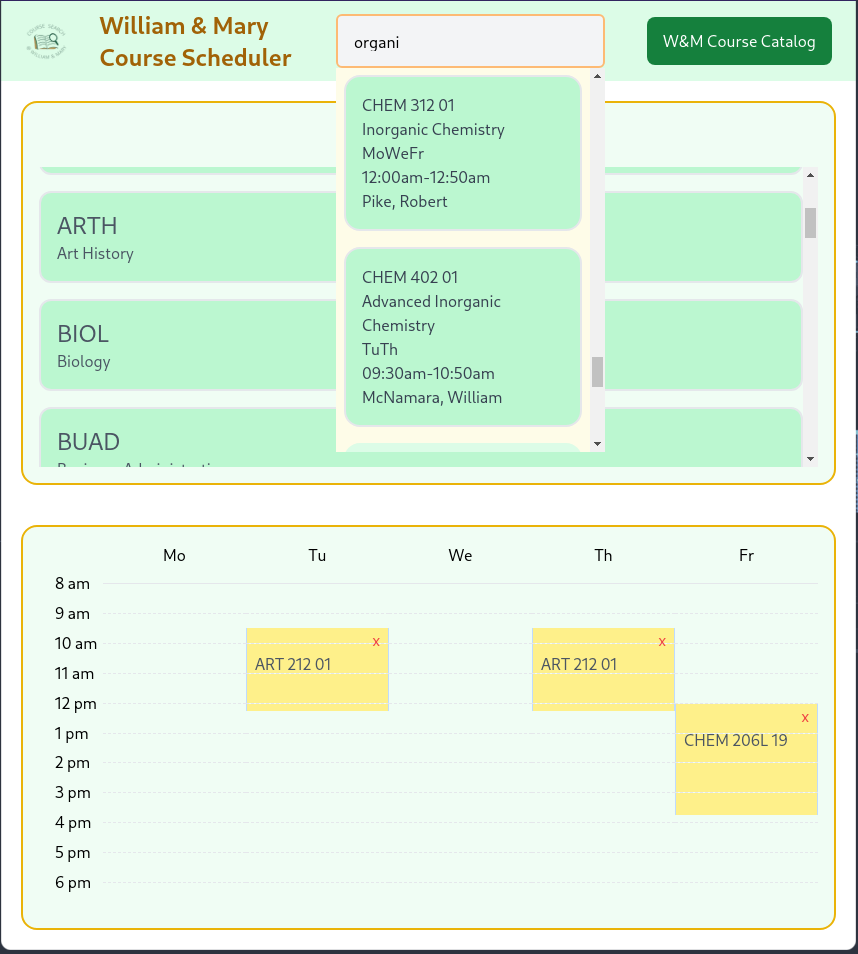
Not on your computer? You can use your tablet as well!

Inspiration -
Scheduling courses for the next term is always a pain. The most stressful part is making sure the courses you plan on taking are not overlapping. The current course catalog is quite difficult to use and not very intuitive to making sure the courses on plans on taking do not overlap. This is where our project comes in--an intuitive visual way of scheduling. Having the calendar/schedule view makes scheduling sooo much easier when the courses you pick can be visualized. Navigating through difference subjects and finding courses has never been easier thanks to a smooth sidebar navigation system as well as a search bar for quick course lookups.
What it does -
Our project is a course scheduler app for William & Mary students. Specifically, a student can browse through all the subjects the college offers, and all the courses for the upcoming term (Spring 2022). Clicking on a course adds it to the schedule/calendar so that the student can easily visualize when the course takes place. When browsing through courses, the student can also select an option to only see open courses if that is desired. The student can remove the course with the click of one button on the calendar. The search bar on top makes searching for a specific course as simple as can be, and a course can be added from the search results as well.
How we built it -
We used Python to fetch data from the William & Mary Course Data API. We stored this data in local JSON files for our frontend to use.
We used React.js for our web app as well as TailwindCSS for styling. With React, we specifically used Next.js. We read the data from the local JSON files we had created and used this data to visualize the courses and the schedule based on selected courses.
Challenges we ran into -
At first, we tried to fetch the data from the Course Data API every time we needed it. This proved to be very, very slow. So, we opted to fetch all the data once, store it in local JSON files, and use those instead. This proved to work because the course data is not changing much at the moment.
Another challenge was styling. We eventually used TailwindCSS and this helped make our web app so much better. Using bare CSS at first
Accomplishments that we're proud of -
We are very proud of getting the real W&M data incorporated into our project--this is something that a W&M could legitimately use and we believe it would be extremely helpful to have this visually-based course scheduler.
Additionally, we are very proud of the fact that we finished our project considering the fact that three of our members have only been coding for a couple months and two of our members have never attended a hackathon before!
What we learned -
- working with course data API
- pair programming
- TailwindCSS
- how to code for long hours at a time!
What's next for Course Scheduler -
We would like to implement authentication so that students can save their schedules for future reference if they want to. This would of course require a database and authentication API endpoints. Alternatively, we could implement a client-side cache so that a student's schedule would be saved on the same client (same browser for instance) without having to login and use a database.


Log in or sign up for Devpost to join the conversation.