Inspiration
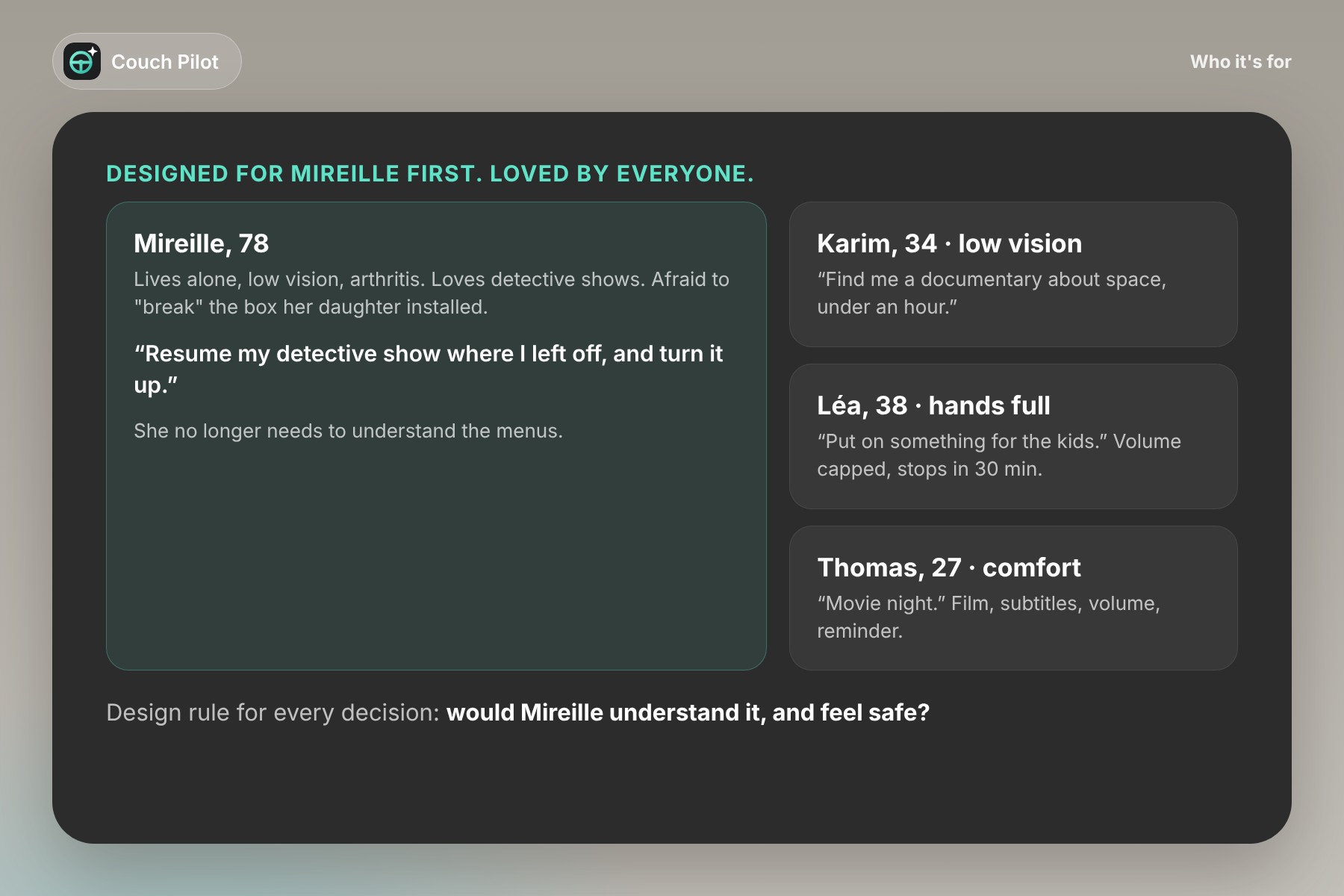
Mireille is 78. She lives alone, her eyesight is fading and arthritis makes her hands hurt. She loves detective shows. Since her daughter installed a new streaming box, she hasn't dared touch the settings: the menus change after every update, the icons are tiny, and one wrong button sends her somewhere she doesn't recognize. Most evenings she waits for a visit so someone can "put the TV back the way it was."
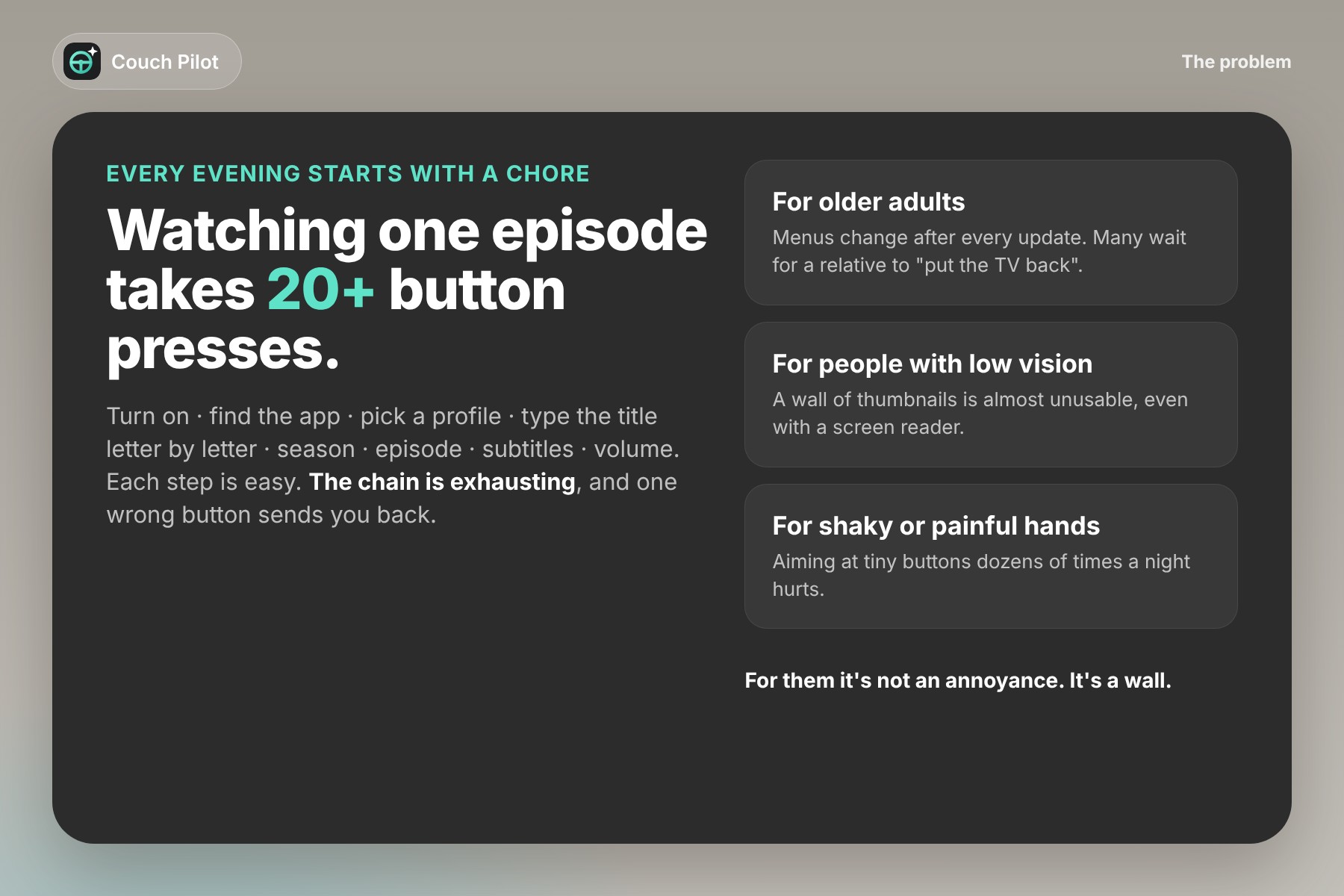
Mireille is a composite persona, but you probably know someone like her. Watching one episode with subtitles takes more than twenty button presses: open the app, pick a profile, type the title letter by letter with the arrows, choose the season, the episode, open the audio menu, set the volume. Each step is easy. The chain is exhausting. For older adults, people with low vision or people with motor impairments, it isn't an annoyance. It's a wall.
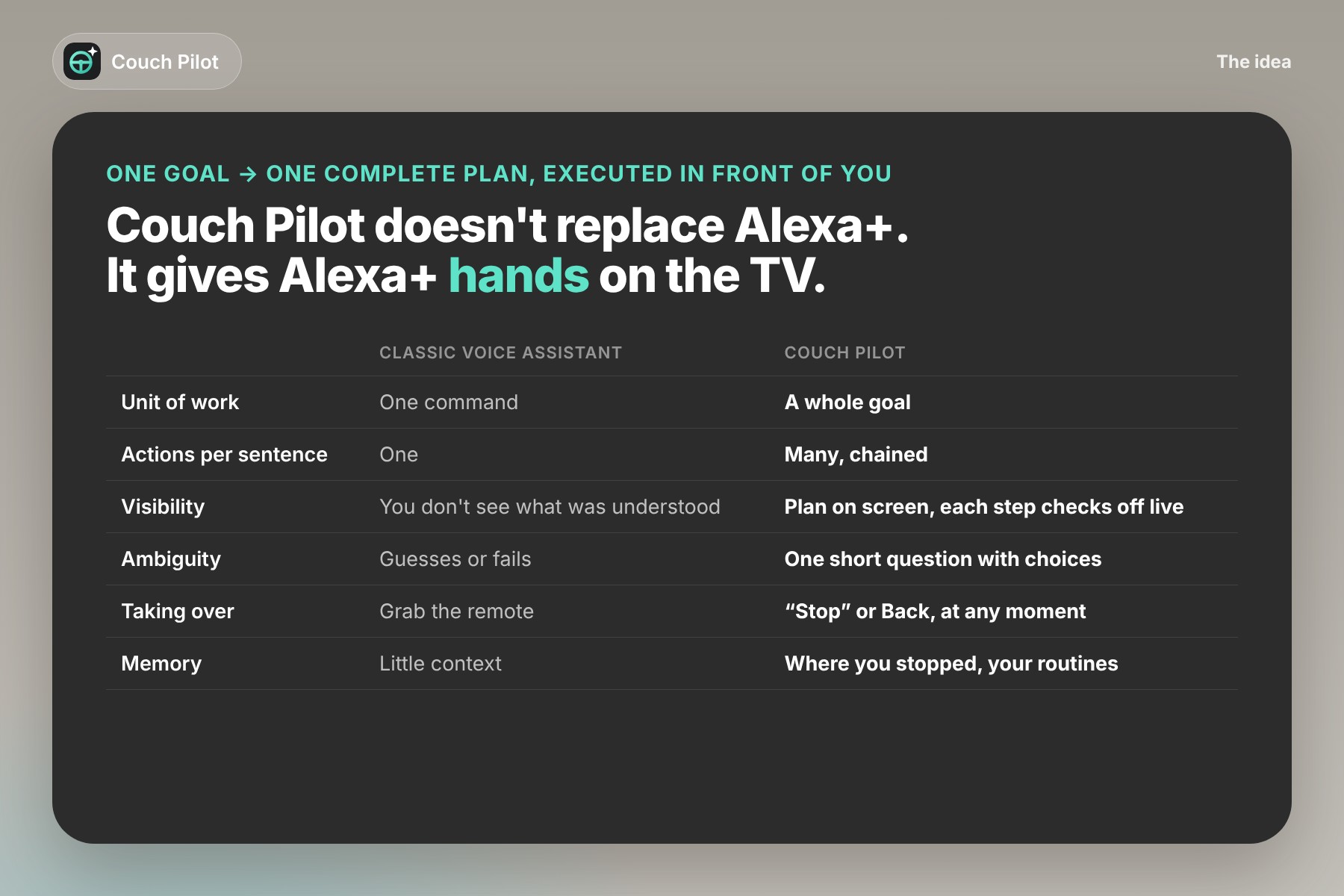
Voice assistants helped, but they still work one command at a time, and you can't see what they understood or what they're doing. The real problem isn't talking to the TV. It's handing the TV a whole task and trusting it to finish the job.
What it does
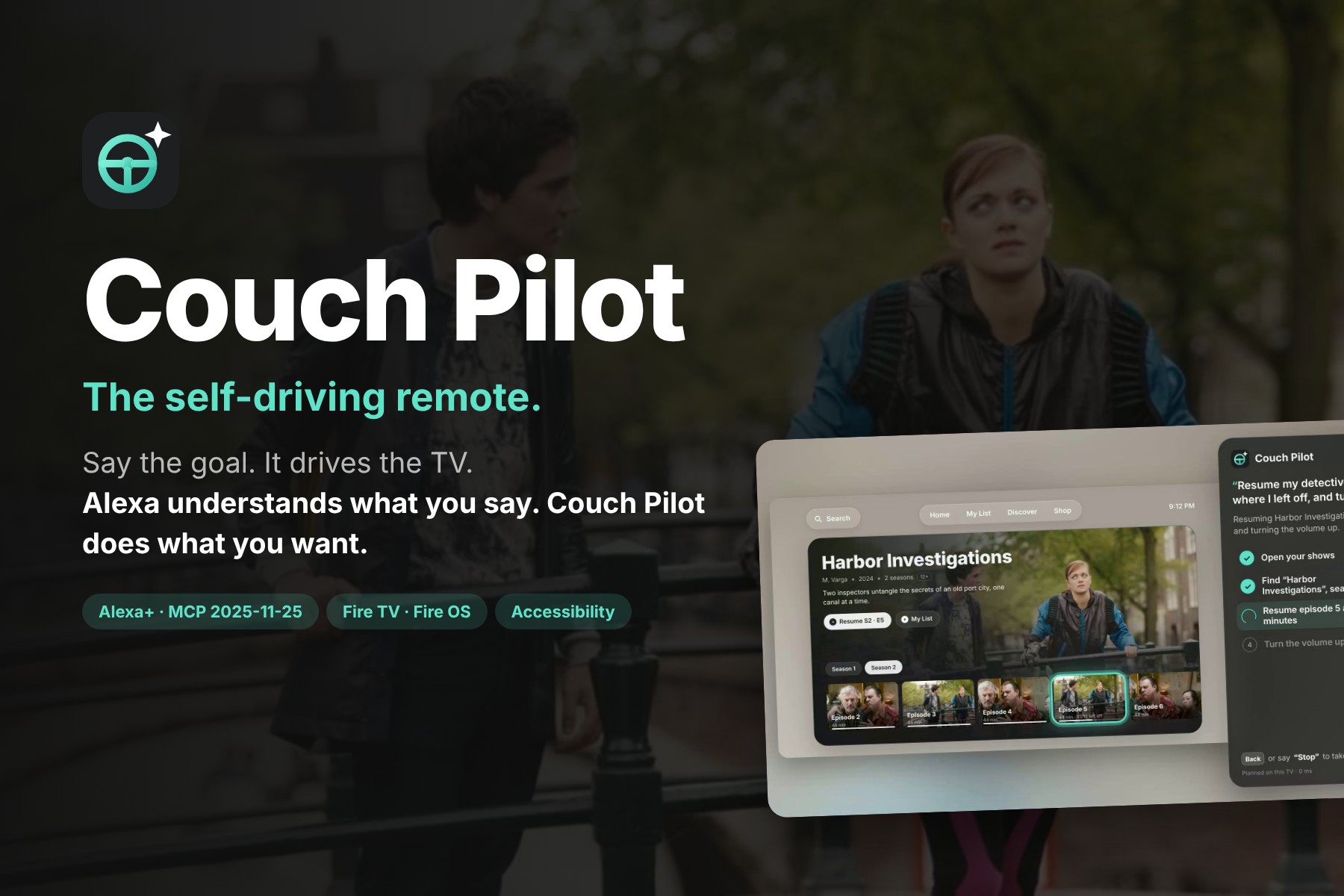
Couch Pilot is the self-driving remote. You say a goal in plain language:
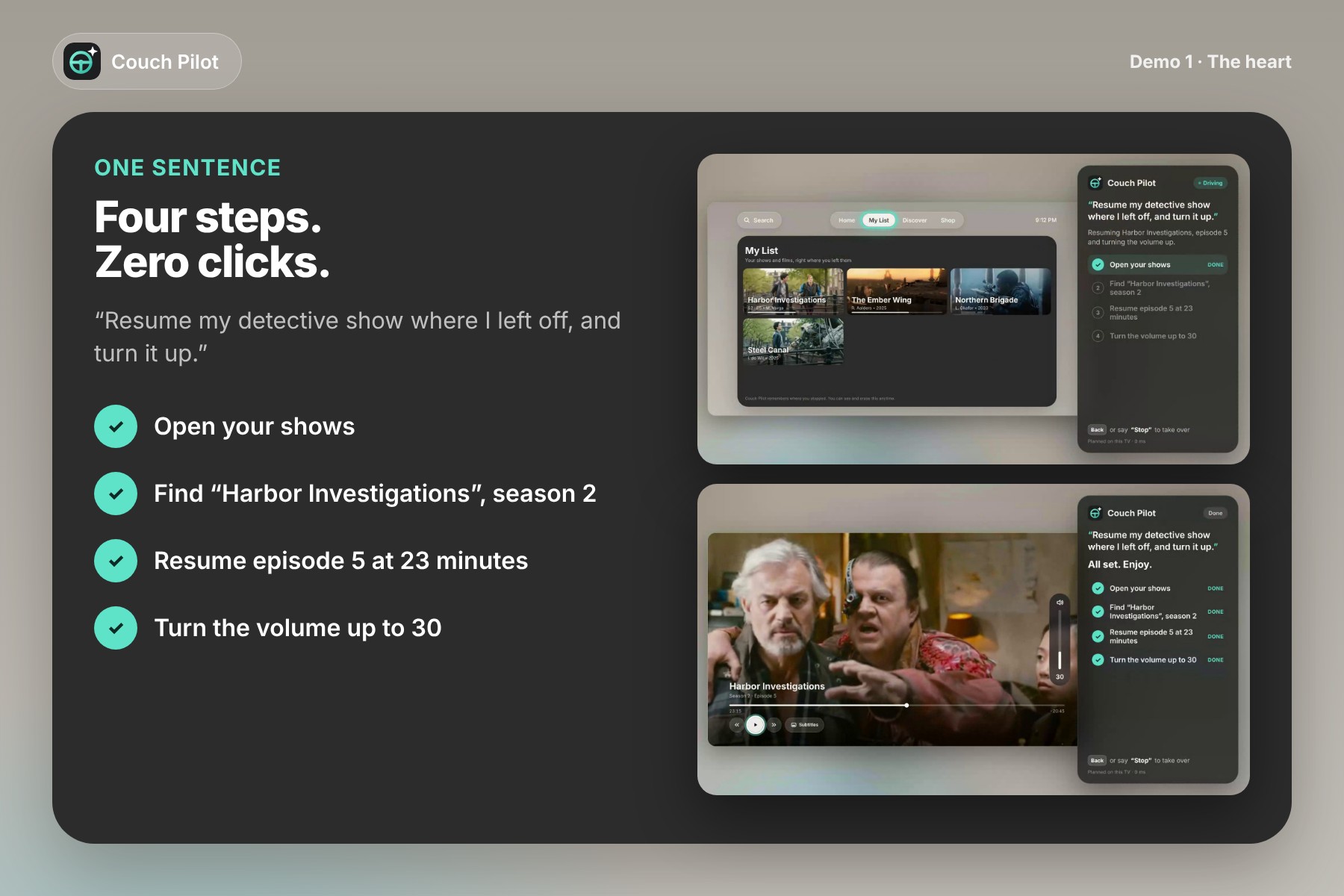
"Resume my detective show where I left off, and turn it up."
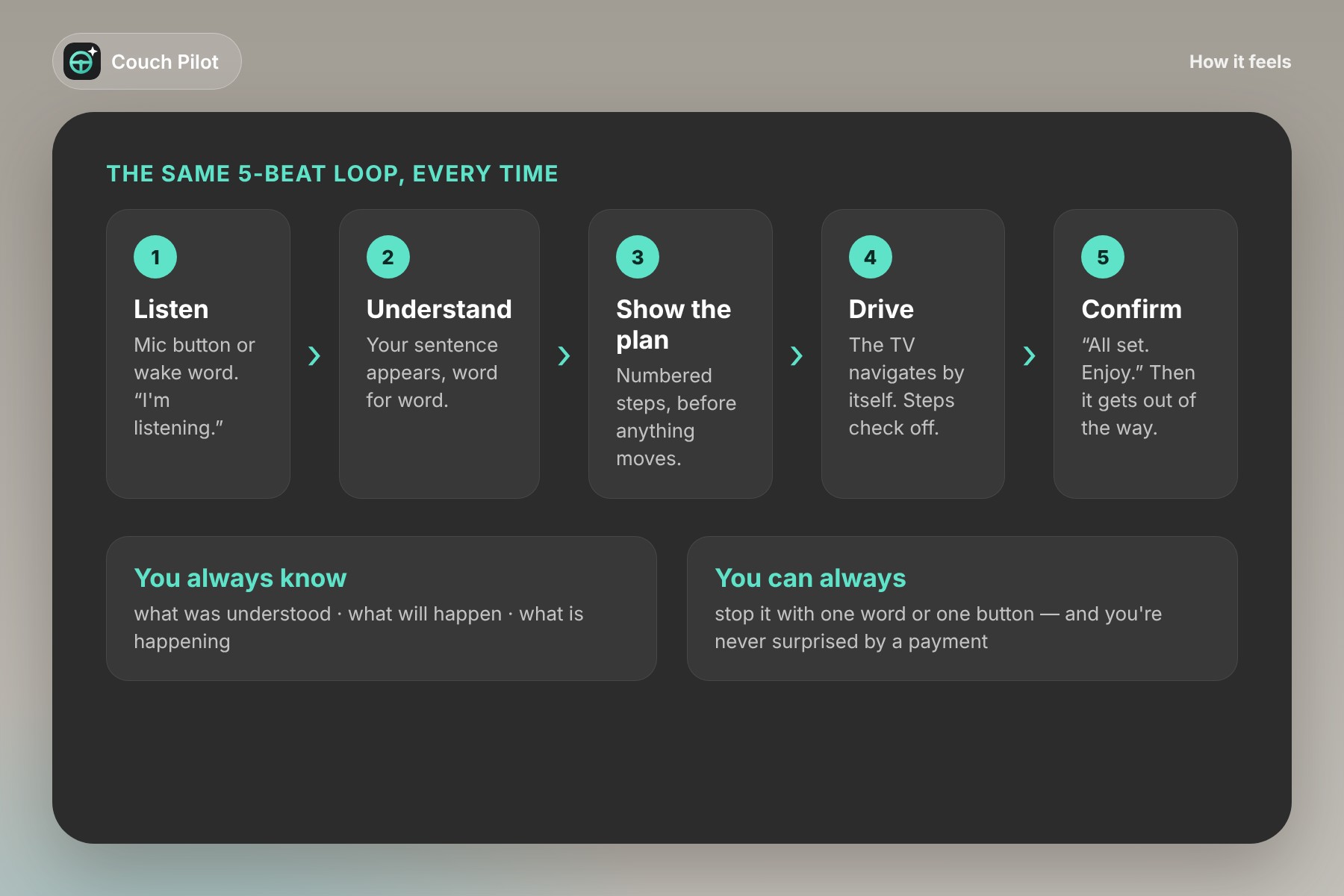
Couch Pilot turns the sentence into a plan, shows the plan on screen, and drives the TV itself while you watch: open your shows → find Harbor Investigations, season 2 → resume episode 5 at 23 minutes → volume to 30. Each step lights up and checks off in real time. Then it says "All set. Enjoy." and disappears. One sentence. Four steps. Zero clicks.
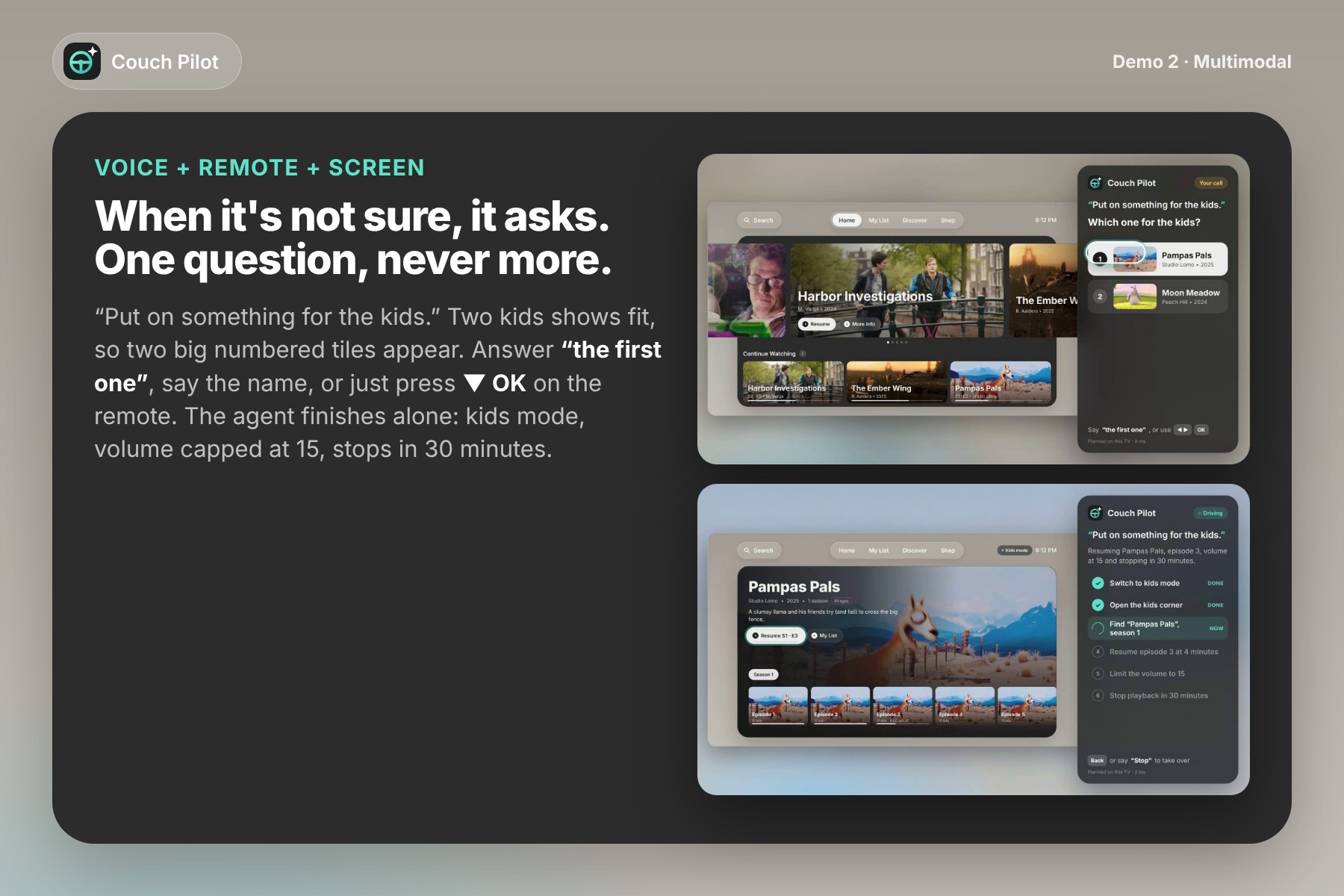
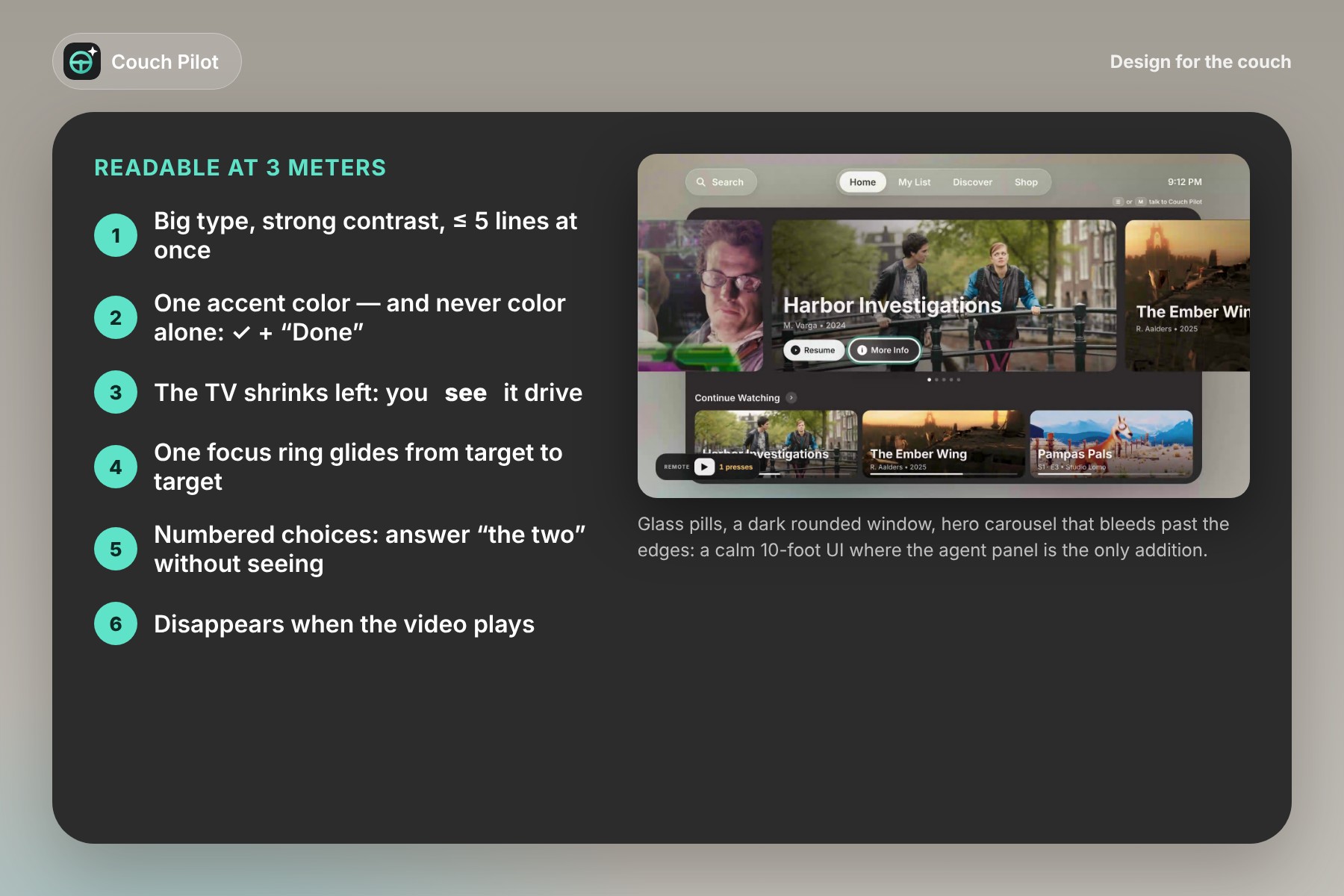
- It asks instead of guessing. "Put on something for the kids" matches two shows, so it asks one question with two big numbered tiles. Answer by voice ("the first one") or with the remote (▼ OK): voice, remote and screen in one flow. It then finishes alone: kids mode, volume capped at 15, playback stops after 30 minutes.
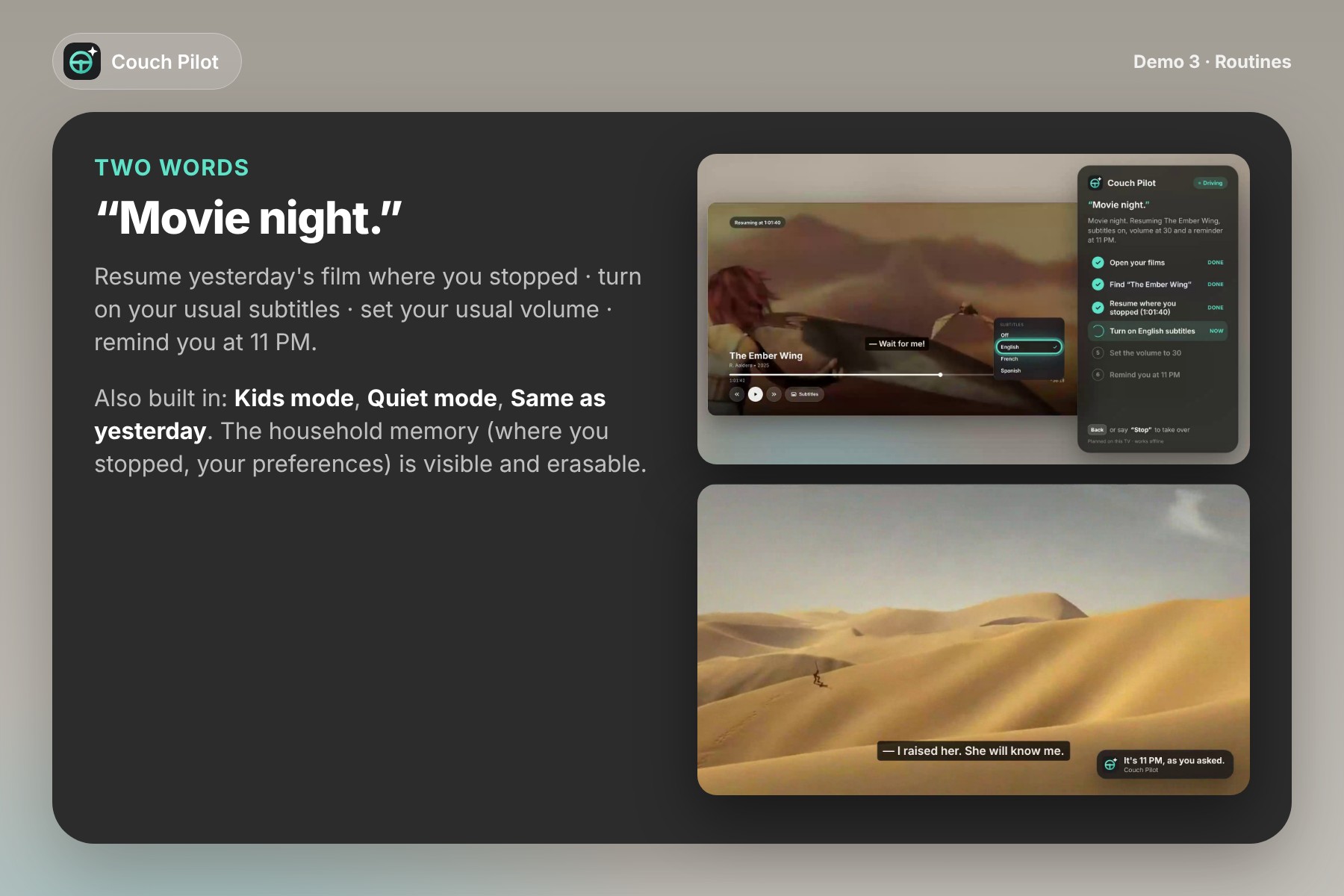
- Routines in two words. "Movie night" resumes yesterday's film where you stopped, turns on your usual subtitles (you watch it open the subtitle menu), sets your usual volume and reminds you at 11 PM. Also: Kids mode, Quiet mode, Same as yesterday.
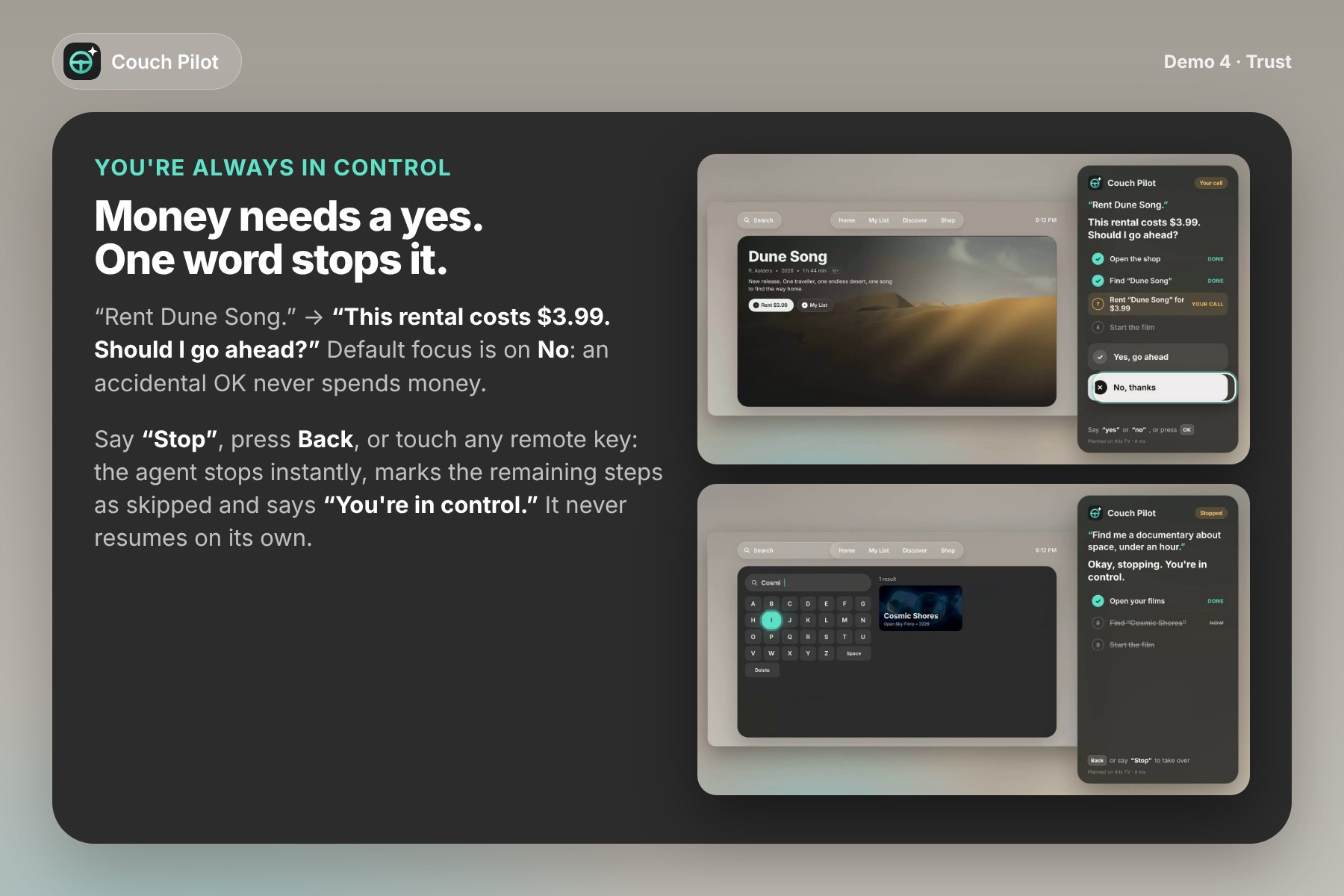
- You're always in control. Anything that costs money or can't be undone needs a clear yes ("This rental costs $3.99. Should I go ahead?"), with focus defaulting to No so an accidental OK never spends money. Saying "Stop", pressing Back or touching any remote key stops it instantly: "Okay, stopping. You're in control." Passwords, payment details and parental controls are refused outright.
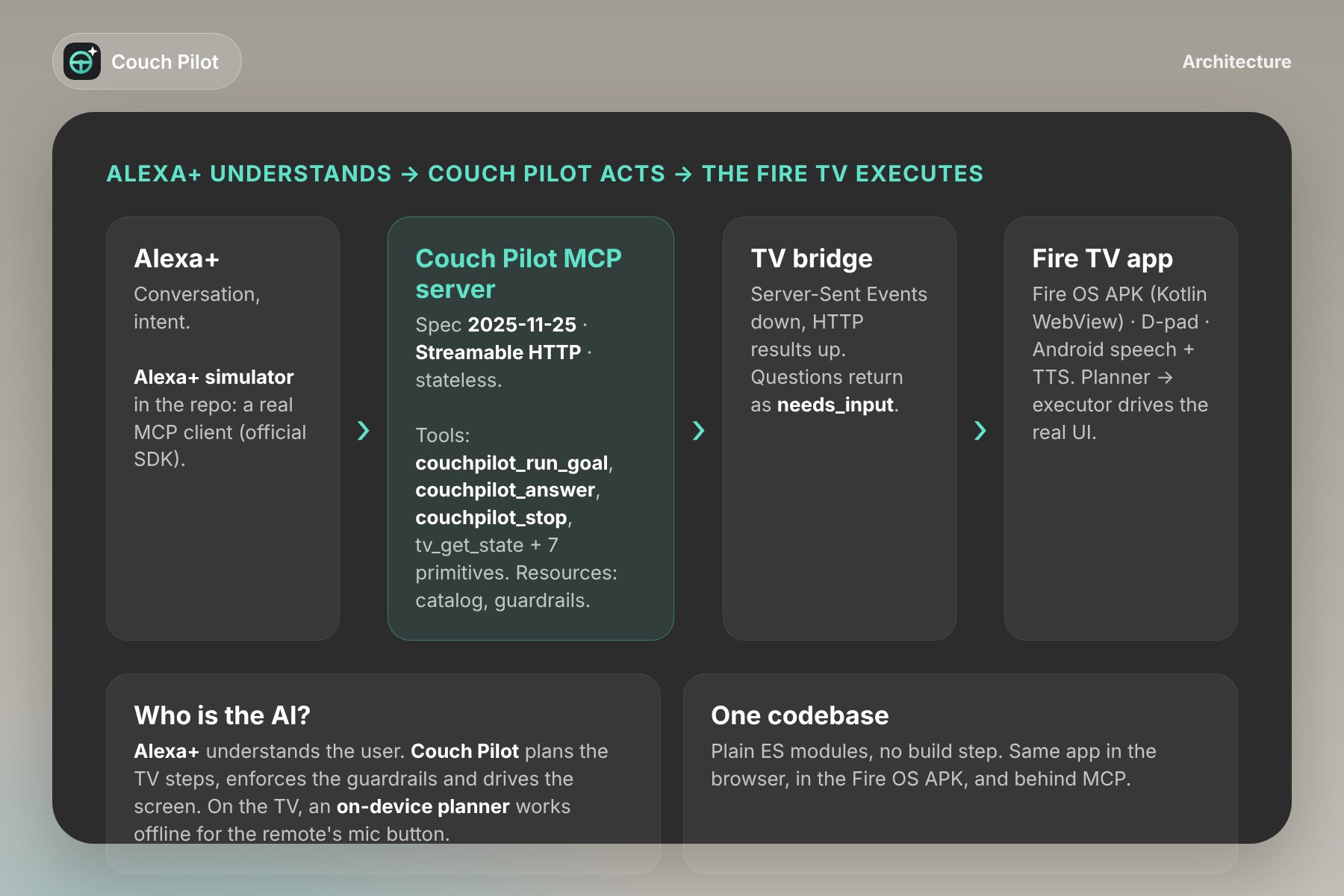
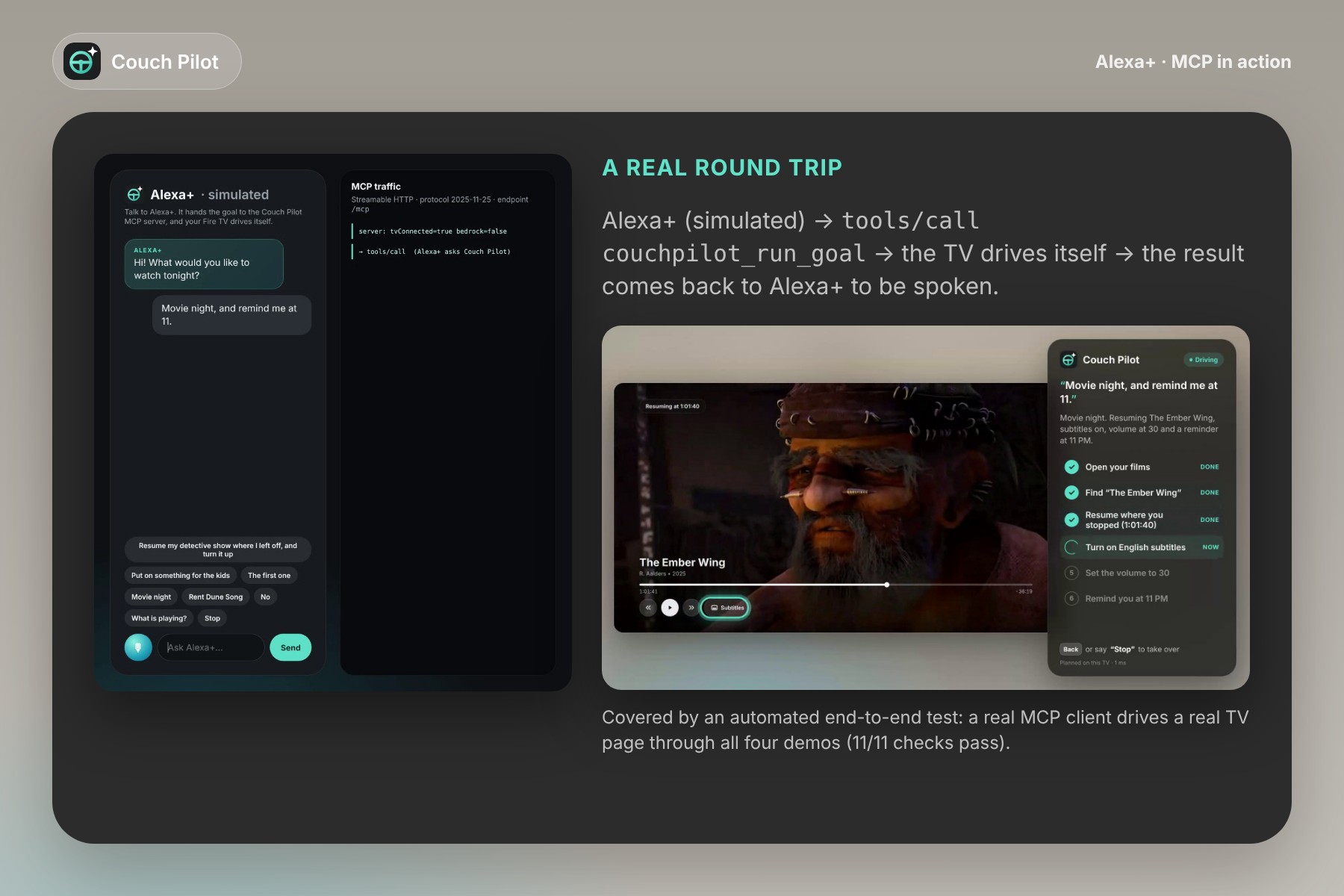
- Alexa+ gets hands. Couch Pilot is an MCP server (spec 2025-11-25, Streamable HTTP). An Alexa+ agent can call
couchpilot_run_goal("movie night")and the Fire TV drives itself. Questions come back asneeds_input, so the user always gives the final yes. Alexa+ understands what you say. Couch Pilot does what you want.
How we built it
- The TV app (
web/): a 10-foot UI on a fixed 1920×1080 stage (glass pills, dark rounded window, hero carousel bleeding past the edges, Continue Watching), with a spatial D-pad focus engine and a single focus ring that glides from target to target. Plain ES modules with no build step, so the same code runs in a browser, inside the Fire OS app and behind MCP. - The agent (
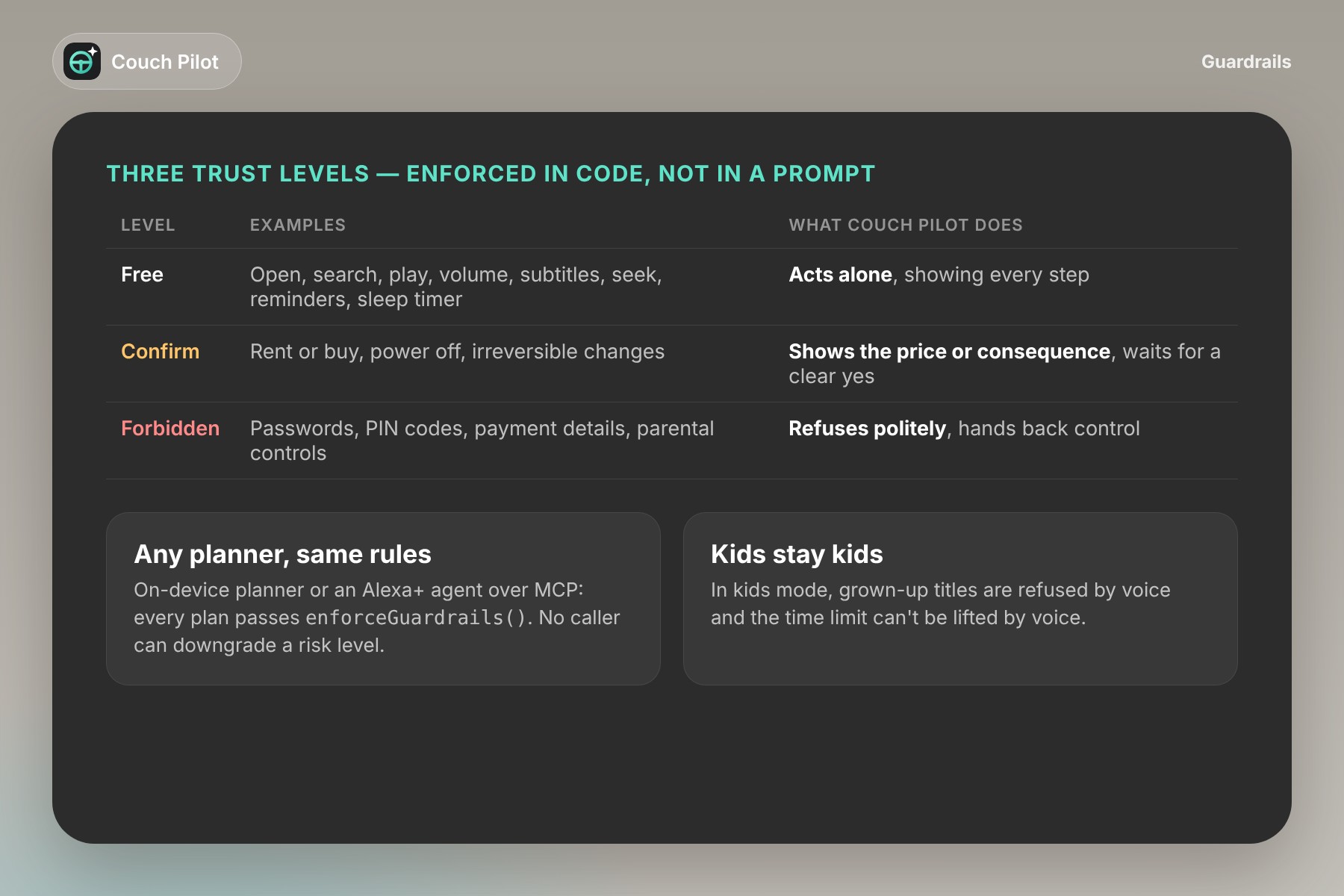
web/js/planner.js,web/js/pilot.js): a planner that splits a sentence into clauses (play, volume, subtitles, seek, reminders, sleep timers, rentals), resolves the target from the household memory ("my detective show", "the film from yesterday"), expands routines and asks when two titles fit. The executor drives the real UI with the same primitives as the remote (focus, press, type on the on-screen keyboard), which is what makes it visibly "self-driving". It retries a failed step once, then hands back control with a clear message. - Guardrails in code, not in a prompt: an action registry with three trust levels (free / confirm / forbidden) and
enforceGuardrails(), applied to every plan whoever produced it: on-device planner, an Alexa+ agent over MCP, or any other caller. No caller can downgrade a risk level. - Alexa+ track:
server/mcp.jsuses the official MCP TypeScript SDK (protocol2025-11-25, stateless Streamable HTTP): 4 high-level tools (couchpilot_run_goal,couchpilot_answer,couchpilot_stop,tv_get_state), 7 primitives (tv_play_title,tv_set_volume,tv_set_subtitles,tv_seek,tv_navigate,tv_schedule,tv_rent_title), 2 resources (catalog, guardrails) and tool annotations. A TV bridge (Server-Sent Events down, HTTP POST up) turns every tool call into visible steps on the TV. The simulated Alexa+ experience (/alexa) is a real MCP client that chooses the tool, relays questions and speaks the answer, with the MCP traffic shown live. - Fire TV:
android/is a Kotlin Fire OS / Android TV app: full-screen WebView serving the bundled app throughWebViewAssetLoader, leanback launcher banner, D-pad, ☰ Menu = talk, Back = stop, AndroidSpeechRecognizerwhen available, and the system TextToSpeech so the agent speaks. A prebuilt APK is indist/. - Testing: unit tests for the planner, plus an end-to-end test where a real MCP client drives a real TV page in headless Chromium through all four demos (11/11 checks pass). The demo video was recorded from the real app with Playwright. Nothing is mocked.
- Content: a fictional catalog with artwork and clips from Blender Foundation open movies (CC BY), credited in the repo. No third-party brands, no music.
Challenges we ran into
- Making it visibly self-driving. Executing commands instantly would have looked like magic and felt like a black box. We rebuilt the executor around remote-control primitives with readable pacing, and shrink the TV to the left while the agent drives so you can watch it work.
- Multi-turn flows over a voice protocol. A tool call that needs the user's choice or a payment confirmation can't just block. We designed a portable
needs_input+couchpilot_answerpattern, and the user can also answer on the TV with the remote, in the same flow. - Interrupting safely. Stop had to work from anywhere: voice, Back, any remote key, or MCP, and in the middle of a step. Every step checks an abort signal between micro-actions, and the agent never resumes on its own.
- Testing on a TV without a TV. The Fire TV/Vega simulator needs hardware virtualization our cloud build machine didn't have, and the remote's voice key is reserved for Alexa. We built a Fire OS WebView app (mapped to ☰ Menu), recorded the same app in the browser, and wrote it all down in our friction log.
Accomplishments that we're proud of
- A multi-step agent that acts visibly and stays interruptible at every moment.
- One flow that mixes voice, remote and screen without breaking.
- A real MCP integration with an automated end-to-end test, not a mock-up.
- A design a 78-year-old with low vision can follow from the couch: big type, colour never used alone (✓ + "Done" + accent), numbered choices she can answer without seeing.
What we learned
Trust is the product. An agent acting on your behalf is only acceptable if you can see what it understood, see what it's about to do, watch it do it, and stop it with one word. And for accessibility, fewer button presses beat more features.
What's next for Couch Pilot
- Testing with a dozen older adults and people with low vision, to tune the language and the panel.
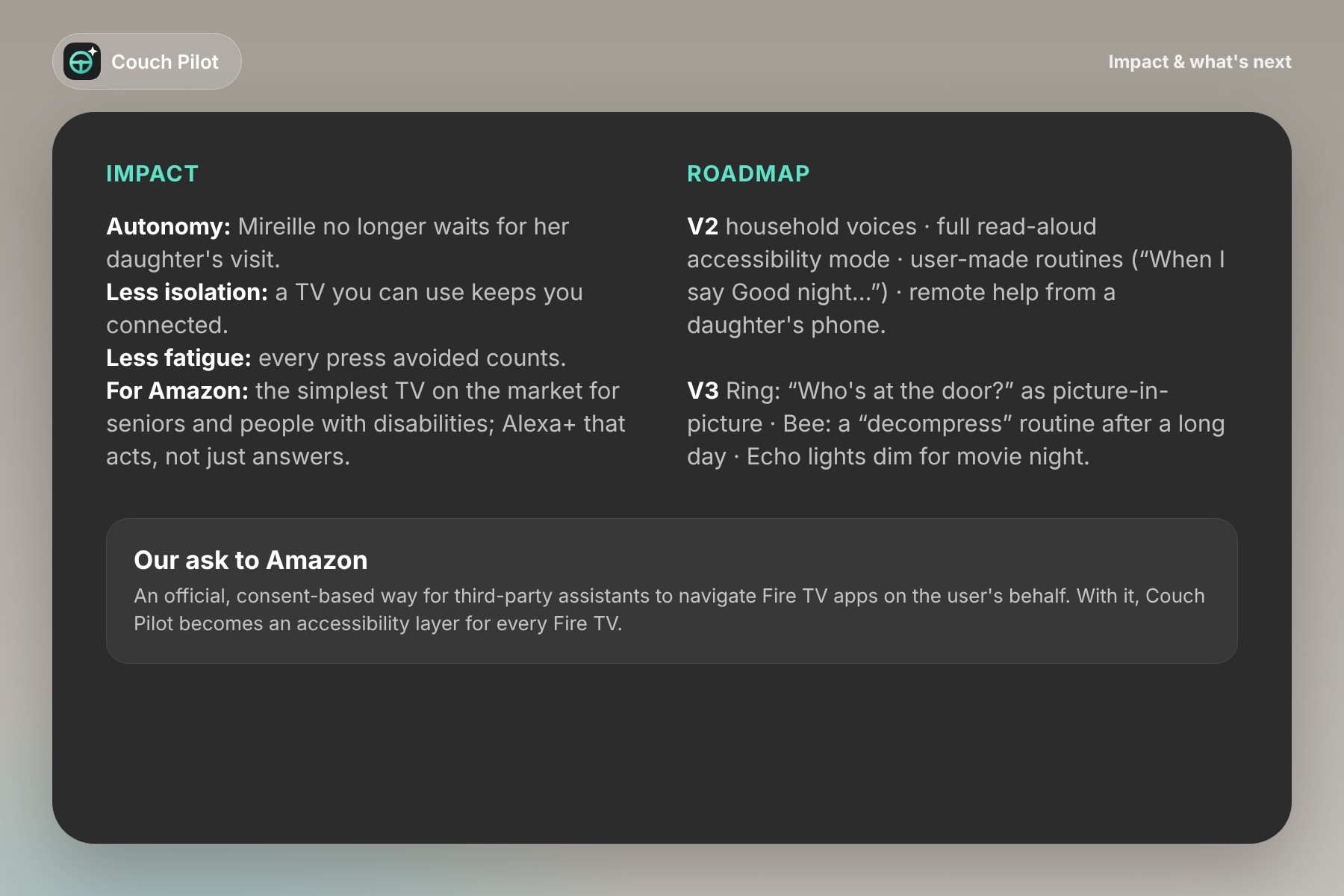
- A full read-aloud accessibility mode, household voice profiles, user-made routines ("When I say Good night, do this, this and this"), remote help so a daughter can set up her mother's routines from her phone.
- The wider Amazon ecosystem: Ring ("Who's at the door?" as picture-in-picture without leaving the movie), Bee (a "decompress" routine after a long day), Echo lights dimming for movie night.
- Our ask to Amazon: an official, consent-based way for assistants to navigate Fire TV apps on the user's behalf. With it, Couch Pilot becomes an accessibility layer for every Fire TV.
The remote has fifty buttons. Couch Pilot needs only one: the one that lets you speak.

Log in or sign up for Devpost to join the conversation.