-
-
CoTeacher
-
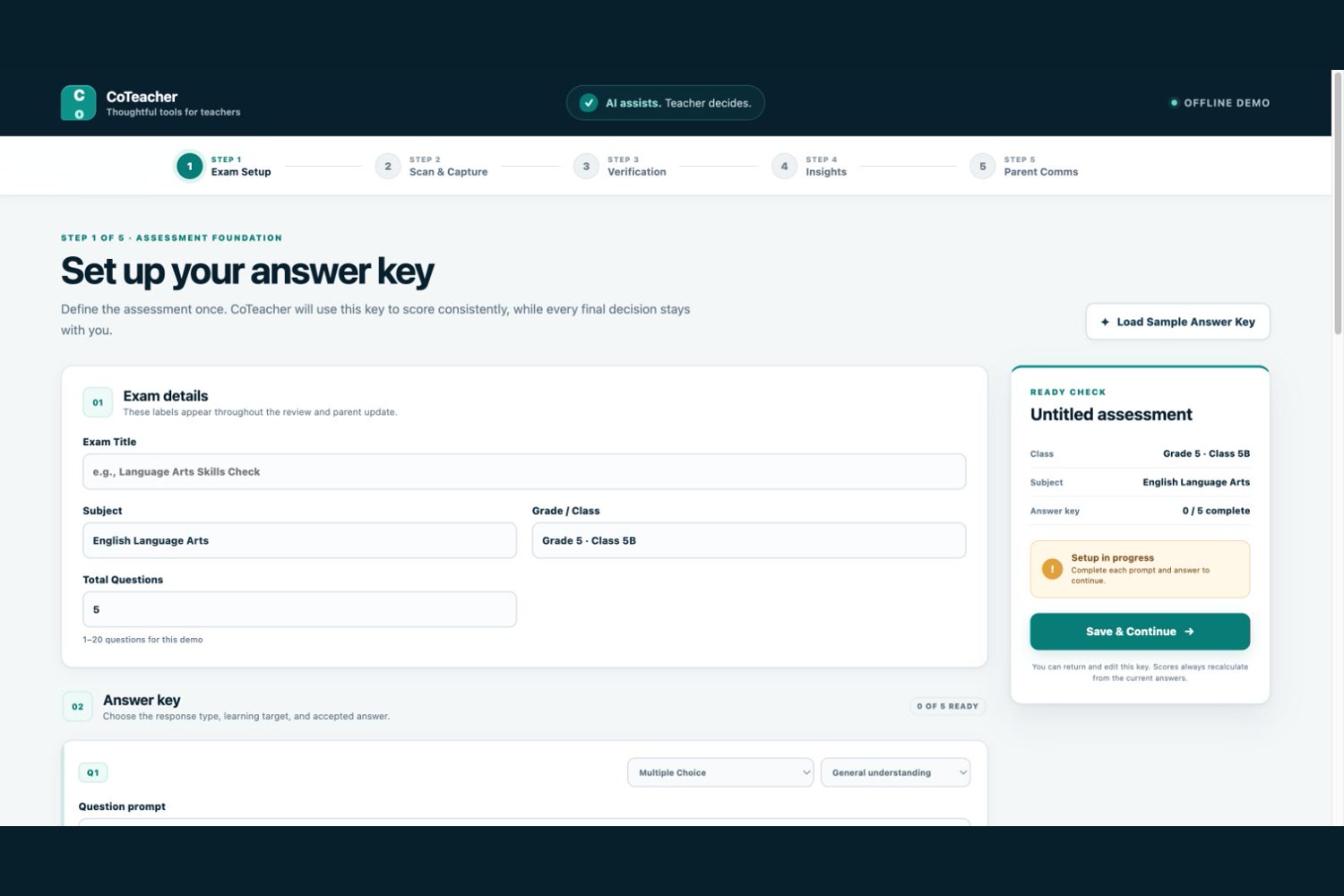
Exam Setup
-
OMR Scan & Capture
-
Teacher Verification
-
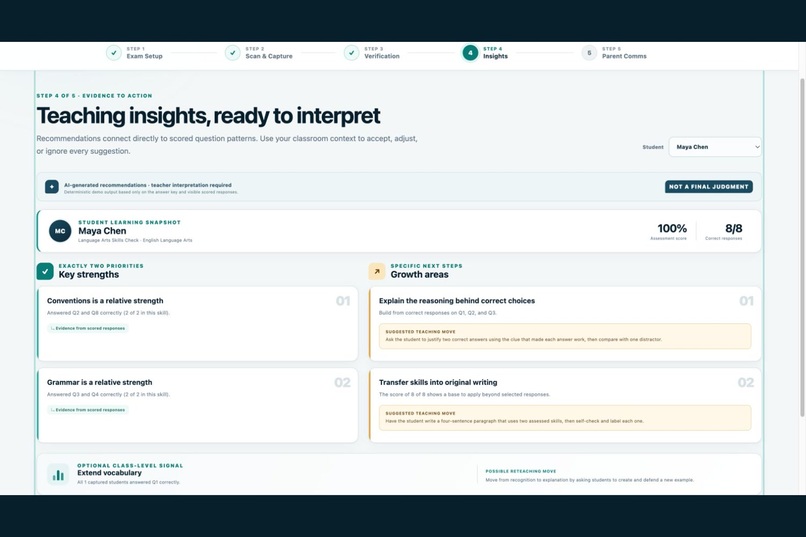
Teacher Insights
-
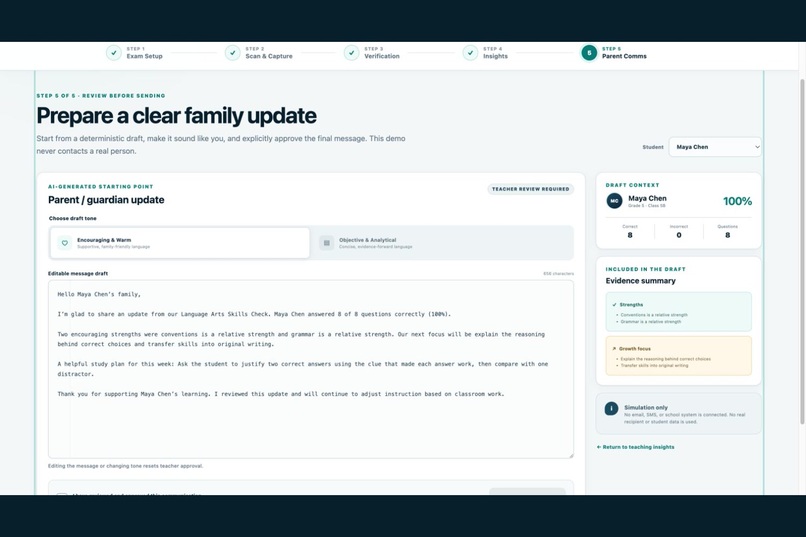
Parent Communication
Inspiration
Teachers lose valuable time after every paper assessment: grading, resolving ambiguous marks, identifying learning patterns, planning follow-up instruction, and writing thoughtful family updates. A score alone rarely explains what a student understands or what should happen next.
CoTeacher began with one trust principle: AI assists. Teacher decides. We wanted to reduce repetitive administration without turning an AI prediction into an unquestioned grade or replacing a teacher’s professional judgment.
What it does
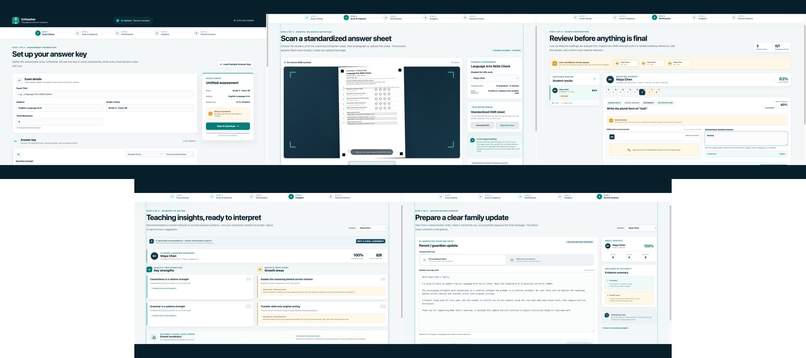
CoTeacher guides a teacher through one connected, five-step workflow:
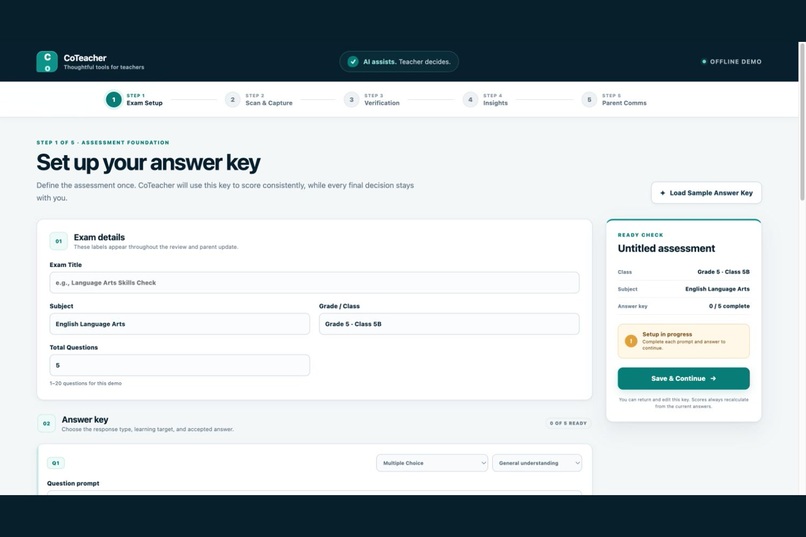
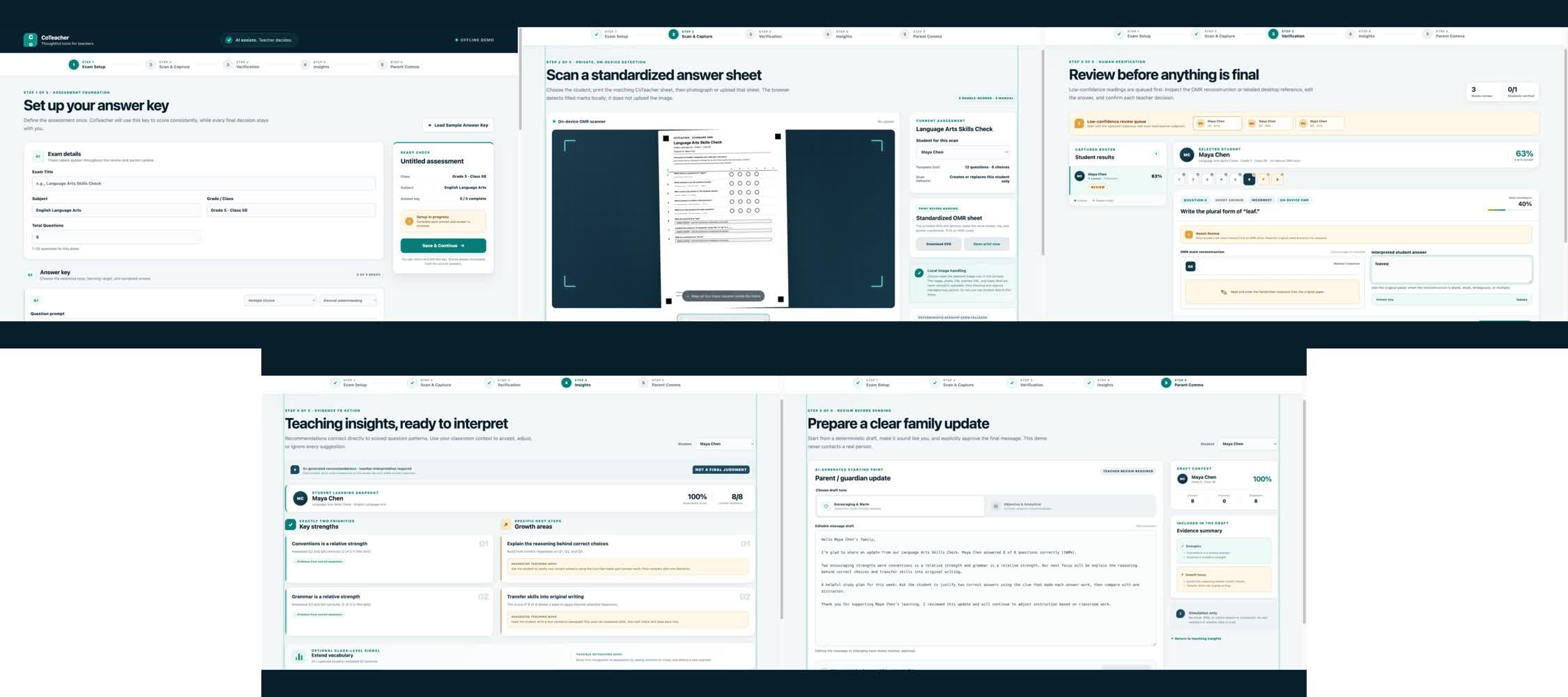
- Exam Setup — Build an answer key or load a coherent Grade 5 language-arts sample. Every question can carry a learning target, and short answers use explicit normalization rules.
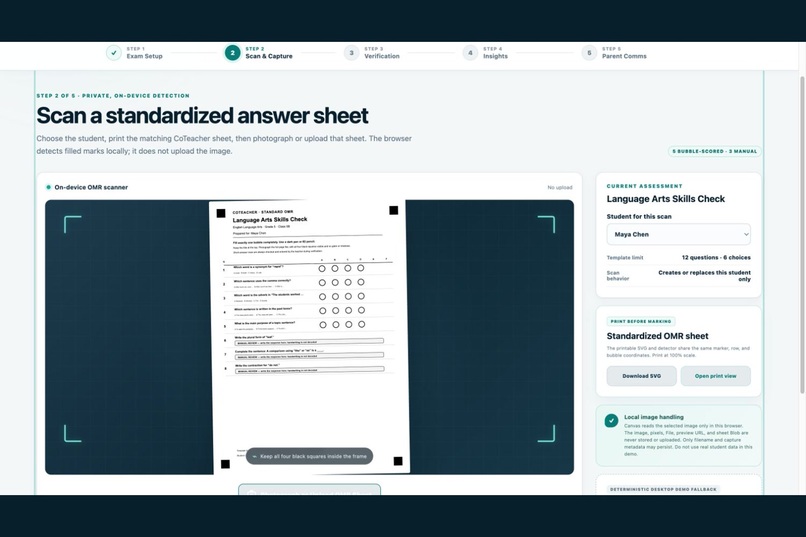
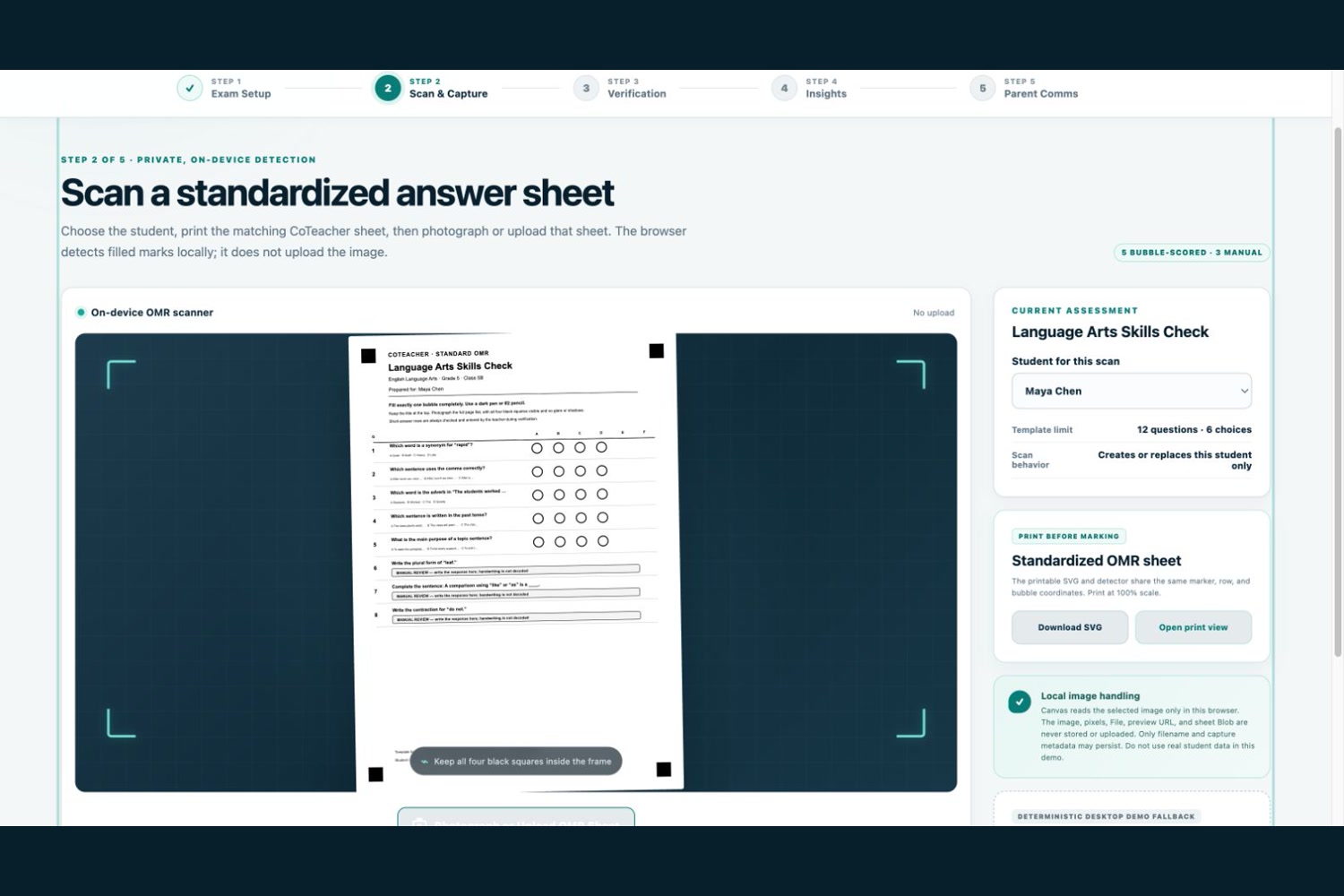
- Scan & Capture — Download or print CoTeacher’s standardized OMR sheet, photograph or upload the completed page, and analyze its multiple-choice marks locally in the browser.
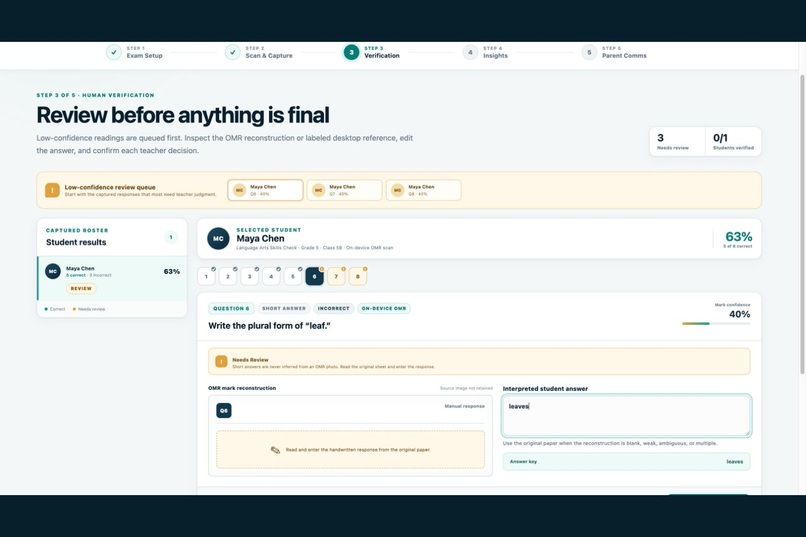
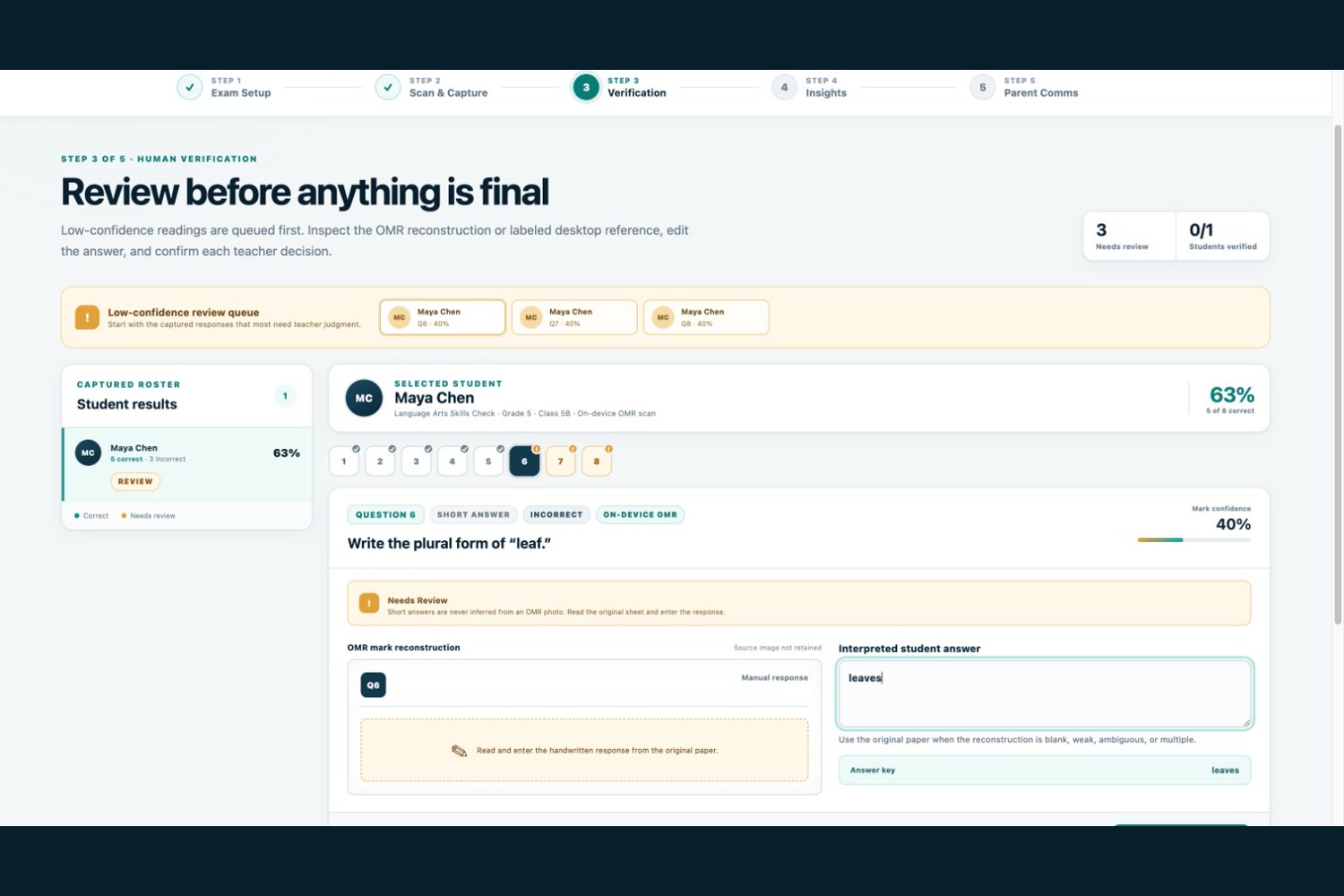
- Human Verification — Review blank, weak, ambiguous, multiple, and short-answer responses before anything becomes final. Every teacher confirmation recalculates the score and enters the decision trail.
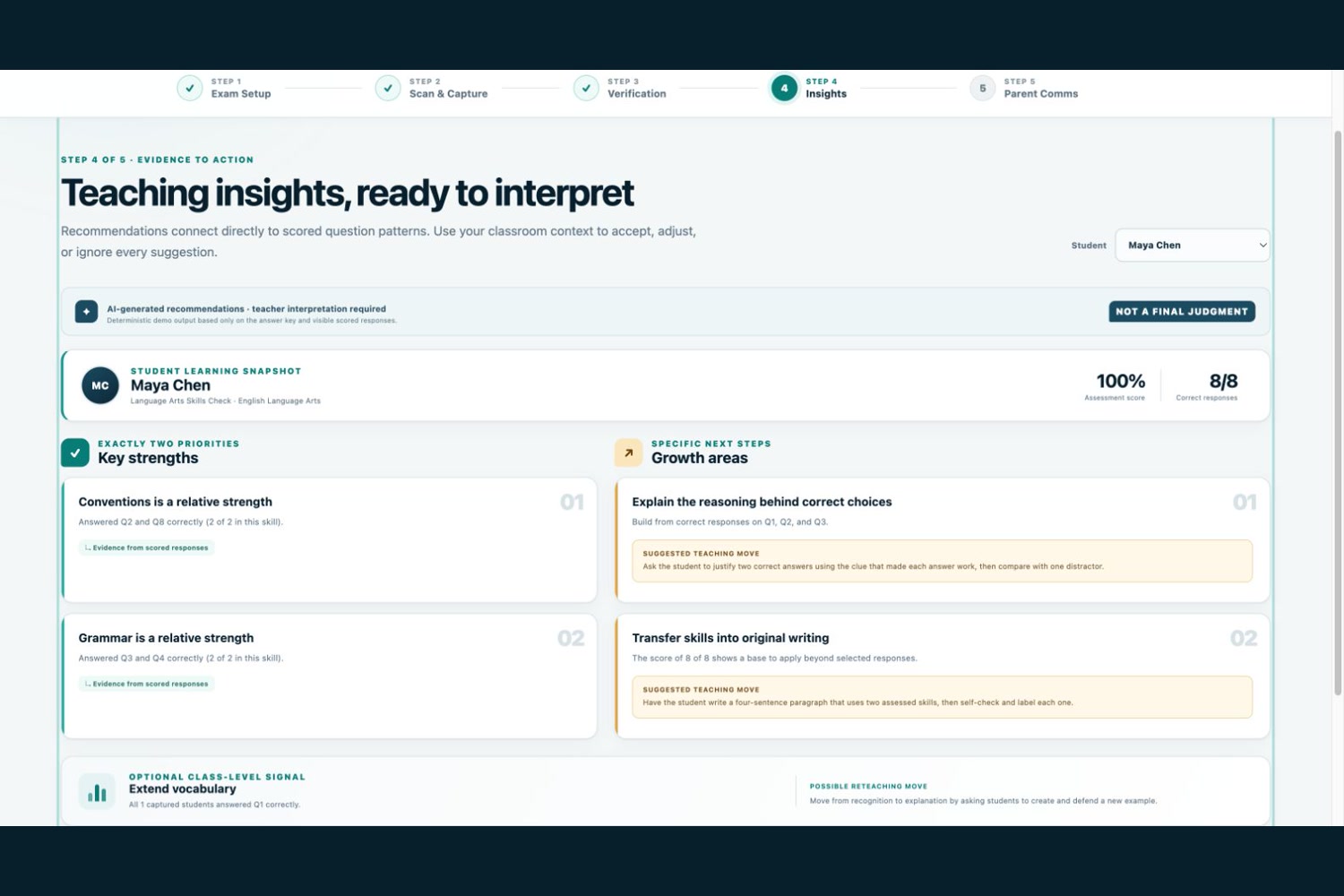
- Teaching Insights — Turn verified responses into exactly two strengths, focused growth areas, evidence-linked explanations, and concrete next-step teaching strategies.
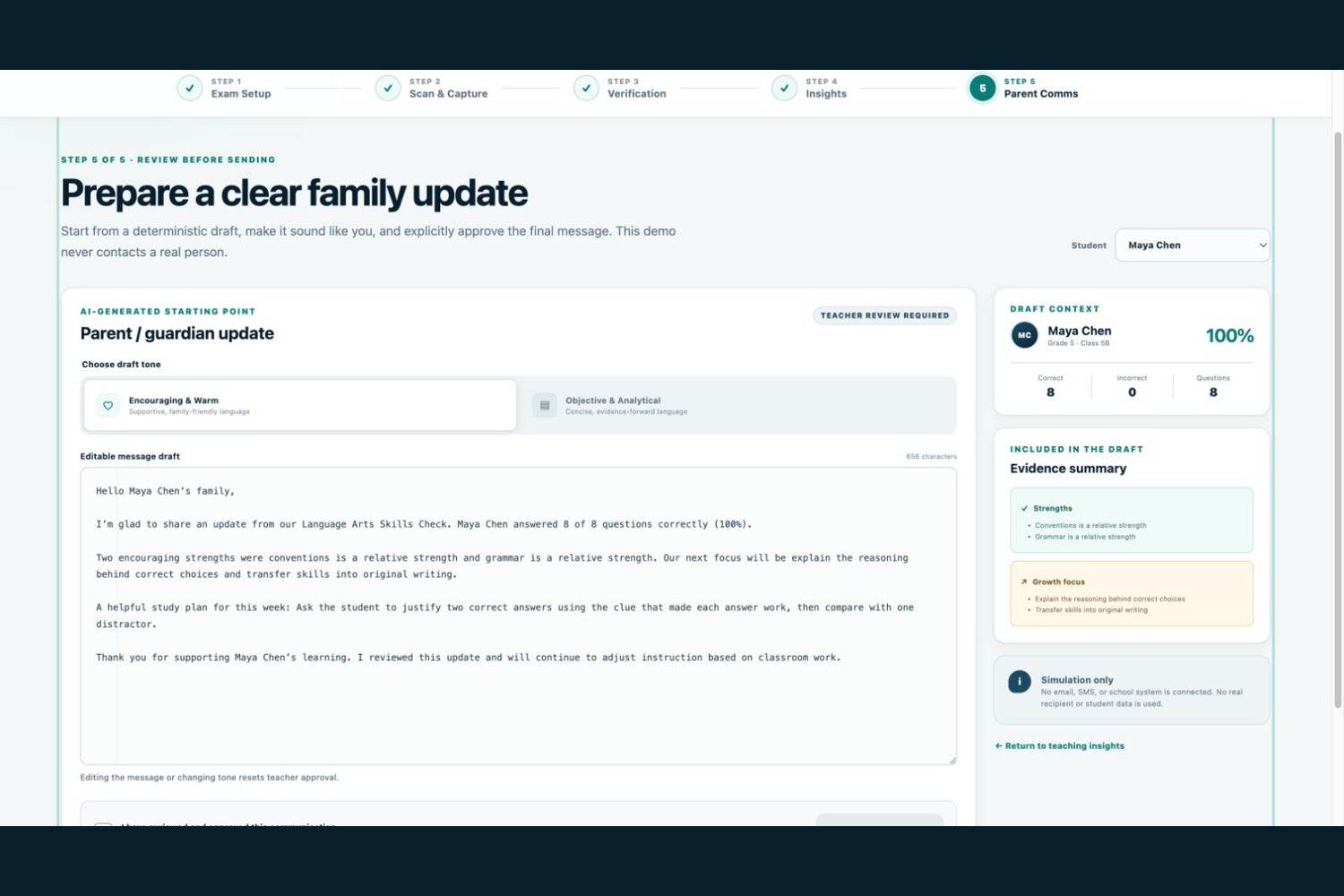
- Parent Communication — Prepare an editable family update, switch tone, add a teacher note, and require explicit approval. Any edit resets approval, and the demo never contacts a real recipient.
The real OMR path detects four registration markers, normalizes the photographed sheet with a planar homography, checks bubble contrast, and maps marks to the teacher’s answer choices. Short answers are deliberately labeled MANUAL REVIEW; CoTeacher does not pretend that OMR can read handwriting.
How we built it
CoTeacher is a responsive React 19 + Vite + TypeScript application deployed on Vercel. React Router supports direct links for all five stages, while a typed Context/reducer keeps the workflow consistent and persists only serializable demo state.
The OMR core is pure TypeScript. A shared geometry definition drives both SVG sheet generation and pixel sampling. The browser adapter decodes a selected raster image through Canvas and ImageData, runs registration and bubble classification locally, and immediately releases the temporary object URL. Image bytes, pixel buffers, Files, Blobs, base64 data, and object URLs are never stored or uploaded.
Scoring, fictional roster creation, insight generation, and communication drafting live behind documented service boundaries. They are deterministic mock implementations so the hackathon demo remains safe, reproducible, and fully offline at runtime. The current app makes no external AI, authentication, student-database, analytics, or messaging calls.
How Codex and GPT-5.6 helped
Codex, powered during development by GPT-5.6-Sol, accelerated the typed architecture, OMR implementation, reducer transitions, responsive component system, accessibility details, synthetic pixel tests, and documentation. Human product requirements defined the scope and trust model, and every consequential teacher-facing decision remains explicit.
GPT-5.6 is not called at runtime in this prototype. The project demonstrates how Codex and GPT-5.6 can help a small team build and verify a thoughtful product quickly, while the shipped experience remains honest about which capabilities are local, deterministic, mocked, or future-facing.
Challenges
The central challenge was not merely recognizing a dark bubble. Real paper is tilted, inconsistently lit, partially shadowed, and sometimes marked more than once. We needed registration-marker detection, homography normalization, relative contrast scoring, and conservative confidence thresholds that refuse to guess.
A second challenge was product truthfulness. The interface had to distinguish a real on-device OMR scan from the printer-free desktop fallback, keep short answers in human review, preserve per-submission provenance, and make approval state impossible to bypass accidentally.
Accomplishments that we’re proud of
- A working browser-local OMR path using a real uploaded or captured image
- A visible low-confidence queue with editable answers and teacher confirmation
- Pure, idempotent scoring that recalculates without cumulative drift
- Evidence-linked instructional strategies instead of generic AI summaries
- Approval-gated parent communication with no real sending integration
- Responsive, keyboard-operable UI with reduced-motion support
- Automated tests covering registration, perspective normalization, bubble classification, scoring, state transitions, and accessibility-critical behavior
What we learned
Trust is a workflow property, not a disclaimer. Confidence flags matter only when the teacher can inspect the evidence, correct the result, and see that their decision—not the model’s—controls the final state. We also learned that a constrained, testable OMR system can be more useful and honest than claiming general handwriting recognition before it is ready.
What’s next
A production version could add separately authorized OpenAI integrations for nonstandard assessment vision, rubric-aligned scoring support, richer evidence-linked insights, and localized family drafts. Those additions would require structured outputs, evaluation datasets, auditability, school-approved security and retention policies, and explicit human review. We would also add roster/SIS integrations, classroom-level trend analysis, multilingual communication, and field testing with teachers across different grade levels—without changing the core principle: AI assists. Teacher decides.
Built With
- canvas
- codex
- gpt-5.6
- omr
- openai
- react
- react-router
- responsive-web
- typescript
- vercel
- vite
- vitest

Log in or sign up for Devpost to join the conversation.