coSynth – AI Web Synthesizer
Sound design is hard to get into. A real synth has hundreds of knobs.
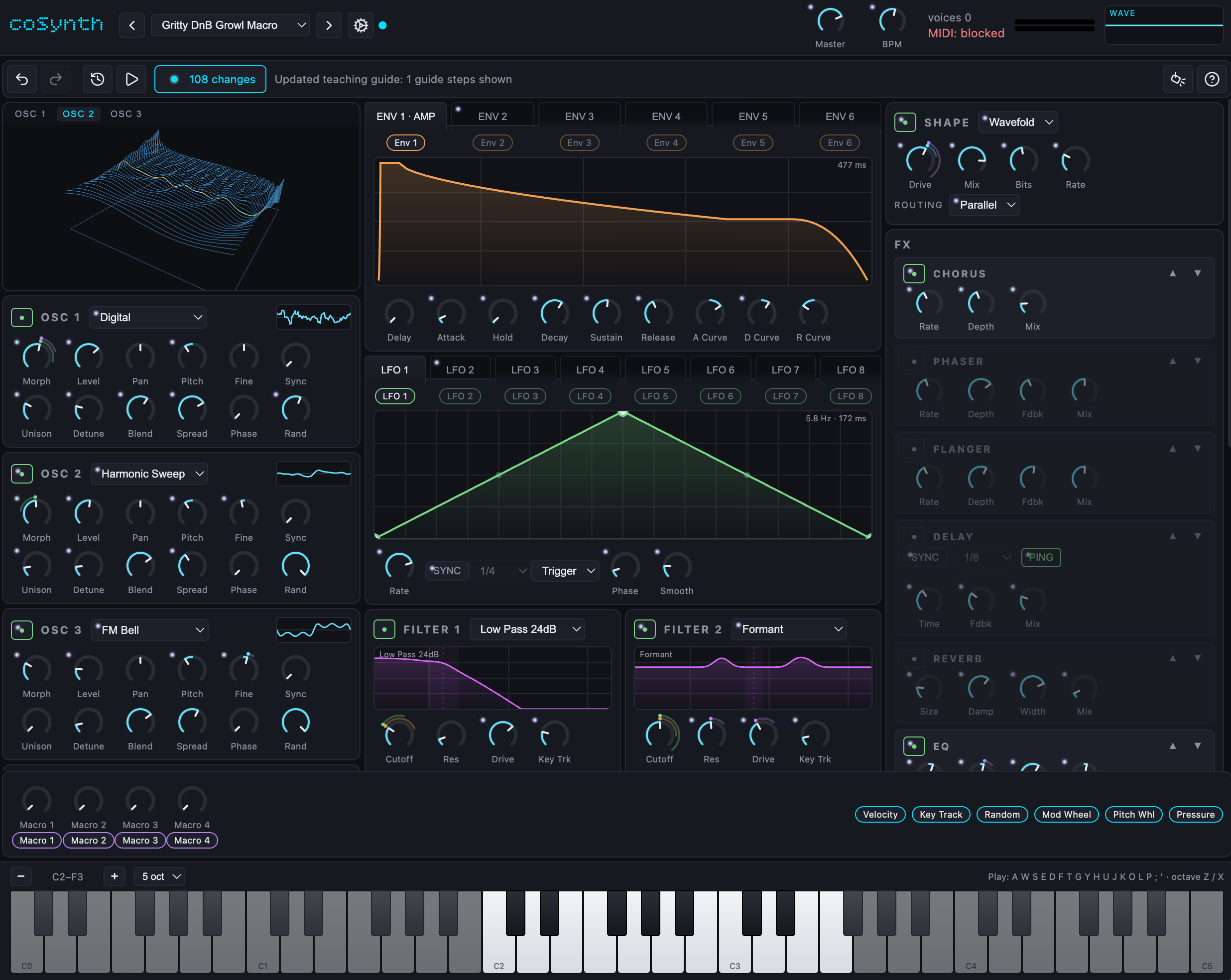
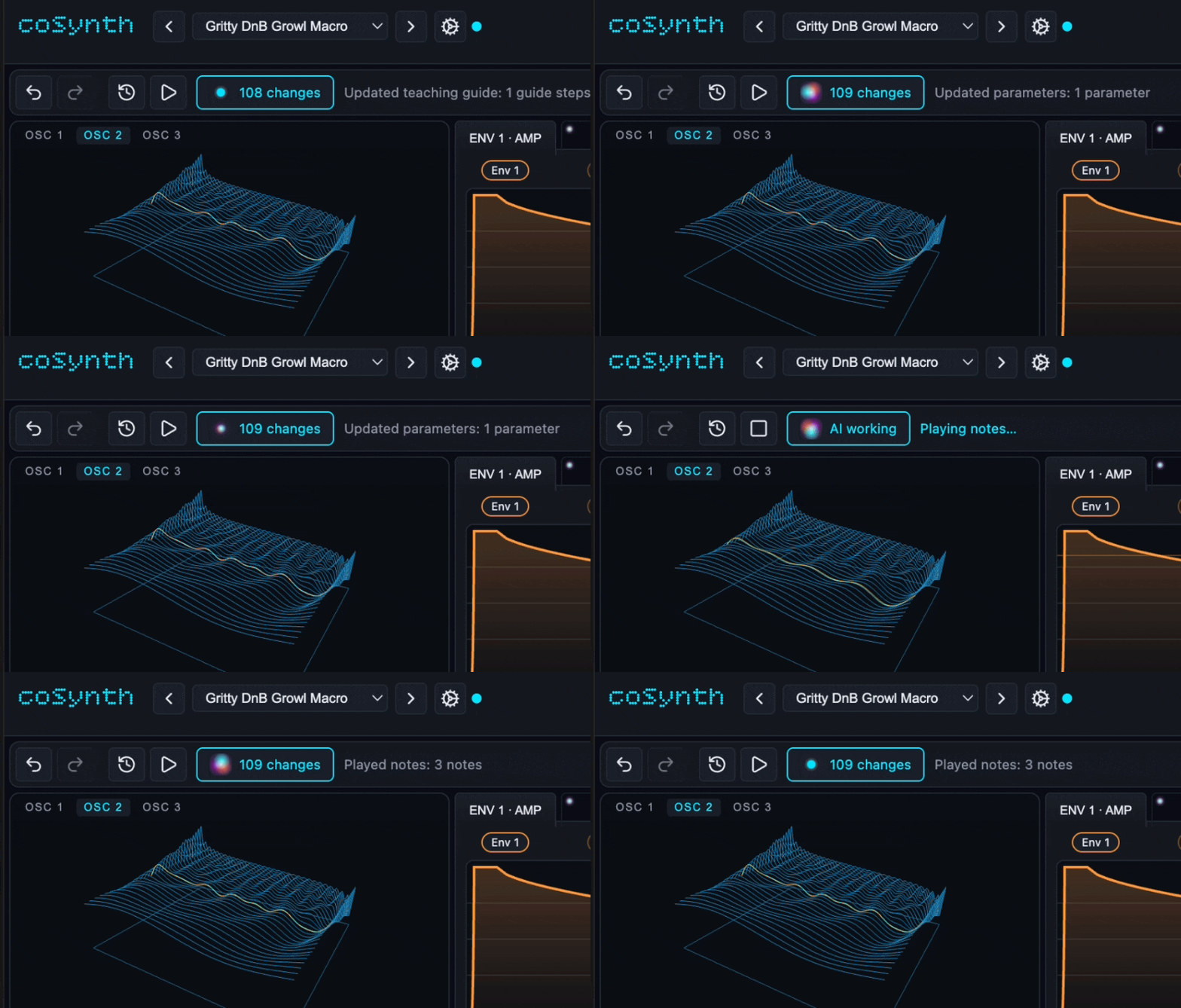
coSynth lets you describe and get a sound. The AI turns the knobs, plays the result, listens to what it made, and shows all the changes in the UI. You keep it, undo it, tweak it, or ask the AI to show you how it got there. You can also ask AI to teach a complext topic and AI will guide you through step by step.
Live: https://coSynth.vercel.app Code: https://github.com/brunnolou/coSynth (MIT)
Why WebMCP fits
A synth is a terrible thing to operate through text or screenshots. Too many parameters (in this case 224), knobs to drag, LFO curves to draw, etc. An agent can misclick, can miss an exact value, and can't hear the audio. The UI is too complex for someone to easily find things when they are not used to it.
That makes a synthesizer one of the best interfaces for WebMCP.
For the AI agent: It communicates to the synth directly. Every parameter has a name, a unit, and a range that can be edited directly in bulk. When the agent plays a note, it gets back attack time, decay, spectral centroid, and harmonics, then compares that with a reference clip. So it can "hear" with a tool call.
For humans Instead of starting from scratch, you get very close to what you want. Then you can see the exact changes and tweak manually. If you don't know a concept or want to find something, AI can show you the exact location or teach you step by step. You can leverage AI's world knowledge to create any synth sound! What used to need trained ears you now can achieve by sending a reference sound and asking AI to replicate.
How I Made the AI<>Human UX Better
- Each knob the AI touched gets a small animated marker.
- A status line shows which tool is running.
- You can reject a whole AI iteration and keep your own edits.
- Undo covers AI changes and yours. Old branches stay reachable in history.
- The AI can highlight controls step by step and explain them.
- Every AI performance is saved, so "play that again with my new adjustment" is one click.
- AI can save as a preset, and you can download it.
How I implemented WebMCP
Vanilla TypeScript and Vite. DSP in an AudioWorklet, UI in Canvas, WebGL2 and DOM. WebMCP sits on top of the same engine the UI uses, and the synth works without it.
Tools register with document.modelContext.registerTool(tool, { signal }). There are 24, each with a JSON Schema input and a readOnlyHint:
- Reading:
get_synth_state,get_parameter_schema,get_ui_targets,list_presets,get_history - Editing:
update_parameters,set_modulation,set_fx_order,apply_patch,save_preset,load_preset,delete_preset,export_preset - Sound:
play_notes,render_audio,capture_audio,analyze_audio,analyze_reference_audio,compare_audio,suggest_patch,stop_performance - Together:
show_ui_guide,navigate_history,replay_history
All 24 register at page load. play_notes needs the human to click Start first, because browsers won't play audio without a gesture. render_audio uses an OfflineAudioContext, so the agent can design and measure before anyone clicks anything.
The page also documents itself. A clipped agent brief in the DOM, a JSON descriptor, ai-tools meta tags, llms.txt and robots.txt. An agent given only the URL can read the page and know what to do.
How I tested the agent experience
I want to ensure AI could call the tools easily. So I built a loop. A harness exposes only what a real WebMCP client sees, and logs every call. A fresh agent gets a fixed prompt and is never allowed to read the repo. Each round runs on Claude and Codex. When *both trip in the same place(, the tool is wrong. Fix the top blocker, run again. In self-improving loop.
Four evals, each asking one question.
- Can the agent find out what to send (docs/agent-ux-eval.md).
- Can it steer toward a sound it cannot hear (docs/agent-match-eval.md).
- Given a "how do I" question, does it teach rather than edit (docs/agent-teaching-eval.md).
- Given only a URL, does it find the tools at all? Prompts, agent reports and raw logs are all in the repo.
Learning all 224 parameters went from 45 calls to 1. Failed calls went to zero on both models. The matching loop went from 87 calls to 36.
How to test
- Open https://cosynth.vercel.app in the ChatGPT in-app browser, or in Chrome 149+ with
chrome://flags/#enable-webmcp-testing. ChatGPT Desktop was the most reliable client for me. - Click "CLICK TO START AUDIO" once.
- Try:
- "Make a bright plucked bass and play a short riff."
- "Show me where the amp envelope is and how to shorten the release."
- "Save that."
- Watch the markers, click the status dot for before and after values, and use Keep or Reject.
No login. Presets and reference audio stay in the browser.
What was already there, what is new
I started from Soundgineer by noisyloop (https://github.com/noisyloop/soundgineer, MIT). Its DSP engine and original UI date from July 6 to 11, 2026, and that version is still up at https://soundgineer.vercel.app.
Everything WebMCP-related is from the submission period, August 26 to September 3, 2026, about 200 dated commits: the WebMCP layer and all 24 tools, offline rendering and audio analysis, change markers and Keep/Reject, shared undo history and replays, guided walkthroughs, the interface redesign, the four evals with their harness, and the in-page agent brief.
Built With
- driver.js
- evals
- javascript
- mcp
- midi.js
- synth
- synthesizer
- typescript
- vite
- web-audio
- webaudio
- webmcp


Log in or sign up for Devpost to join the conversation.