-
-
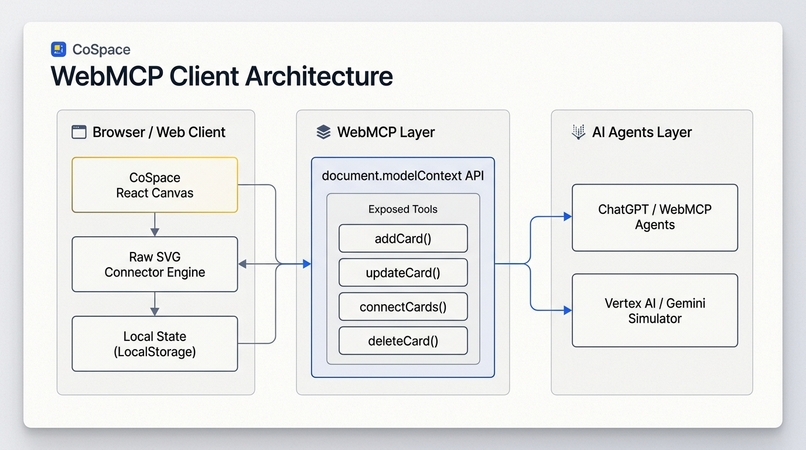
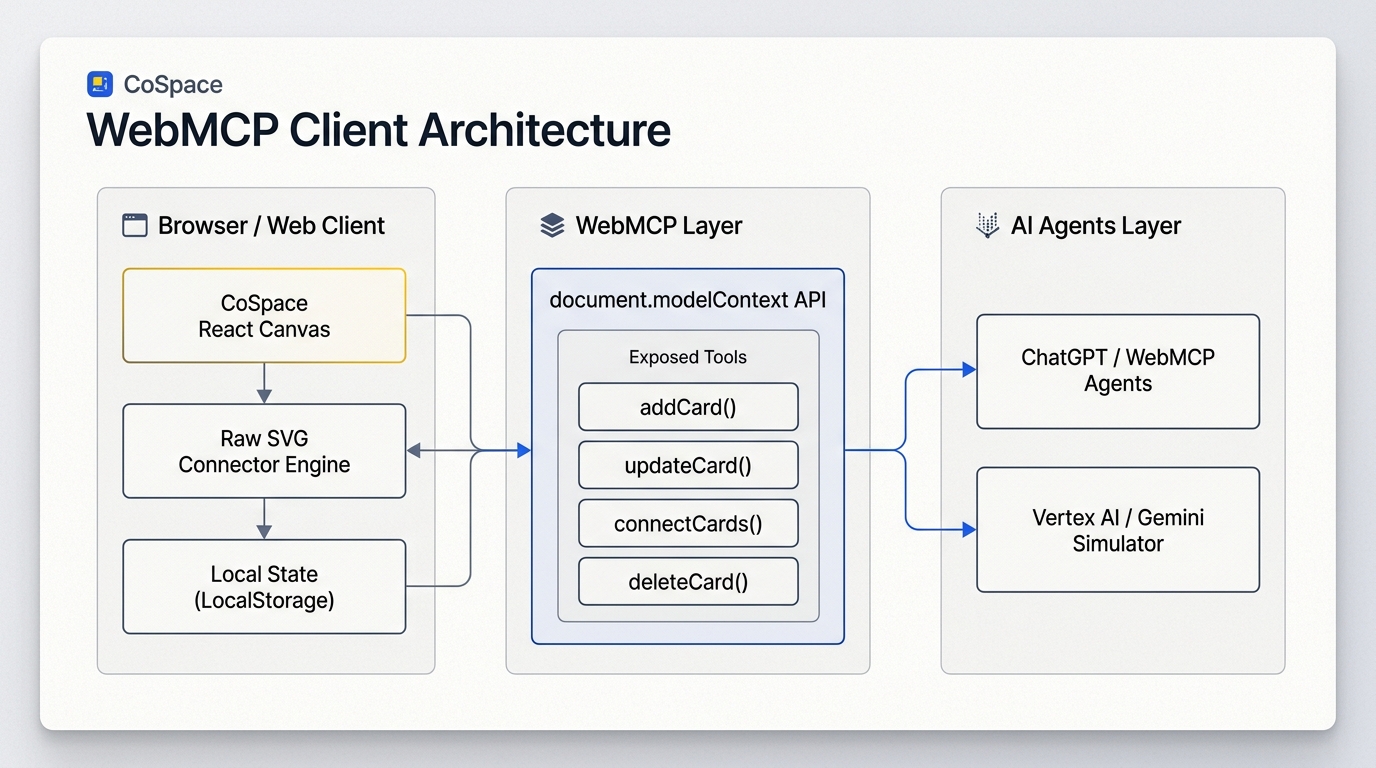
Shows WebMCP client layer, exposed browser tools, and agent connections.
-
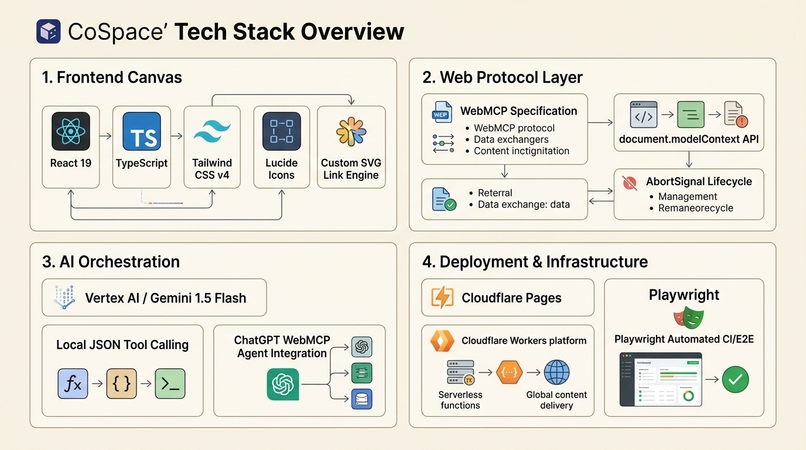
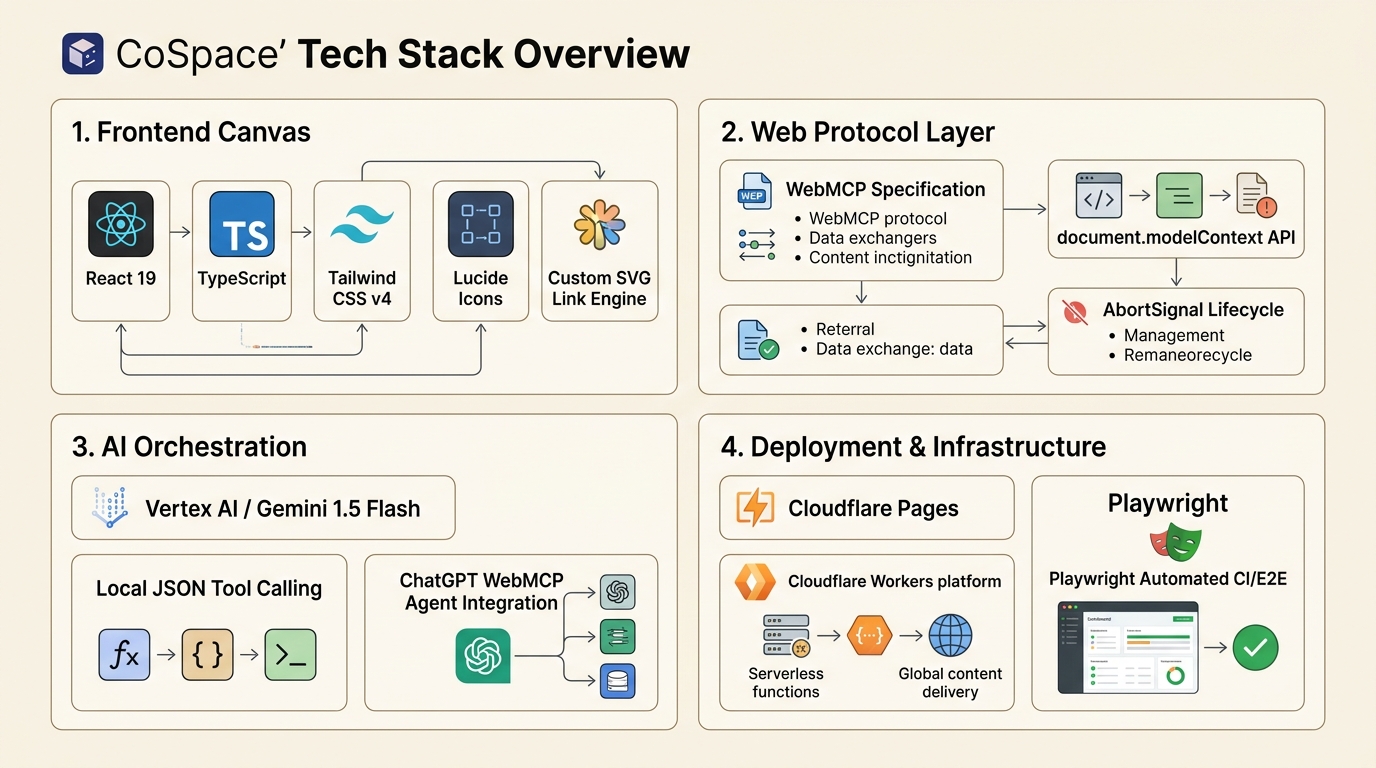
Breakdown of Frontend, Protocol Layer, AI Orchestration, and Cloudflare CI/CD.
-
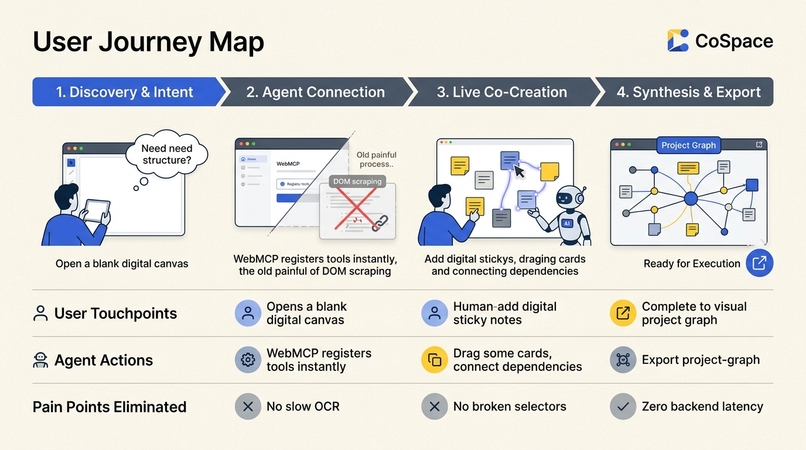
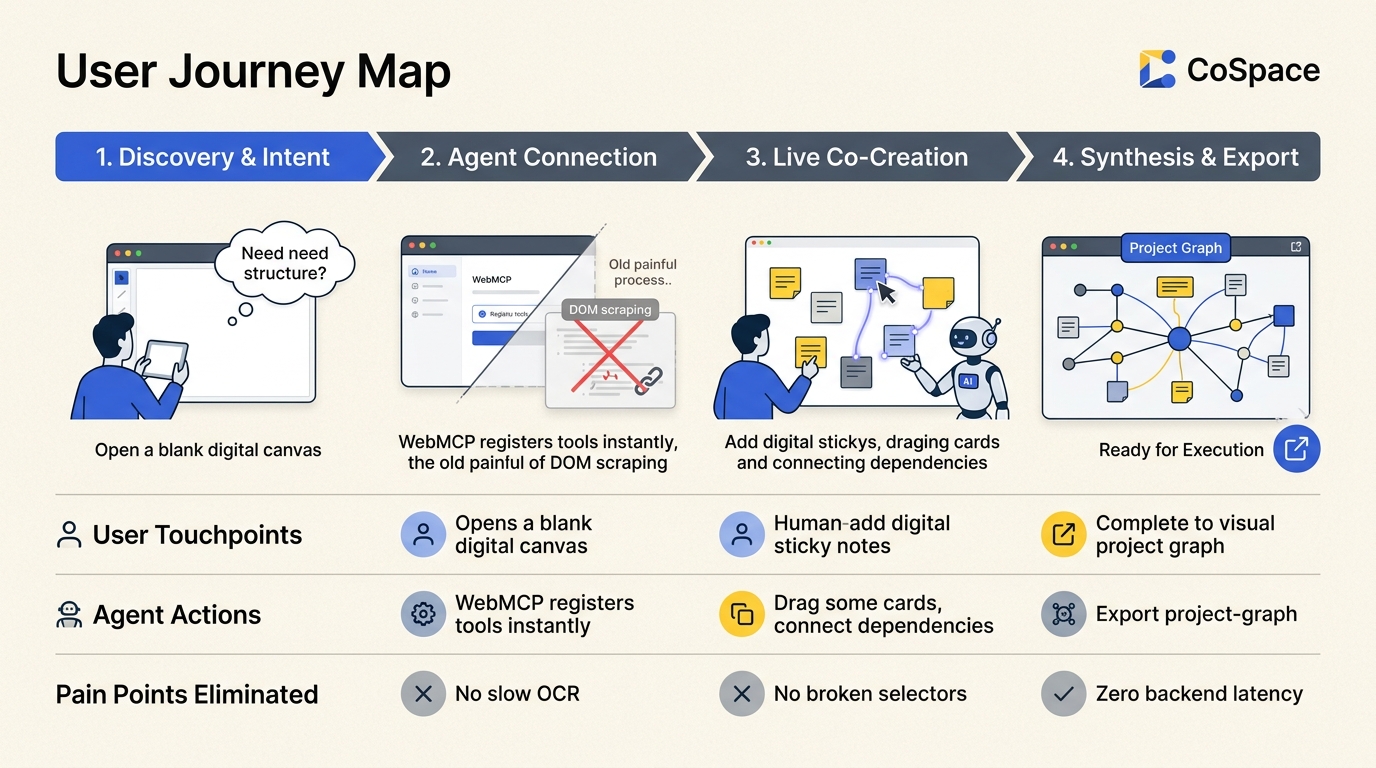
4-stage map showing human touchpoints, agent actions, and eliminated pain points
-
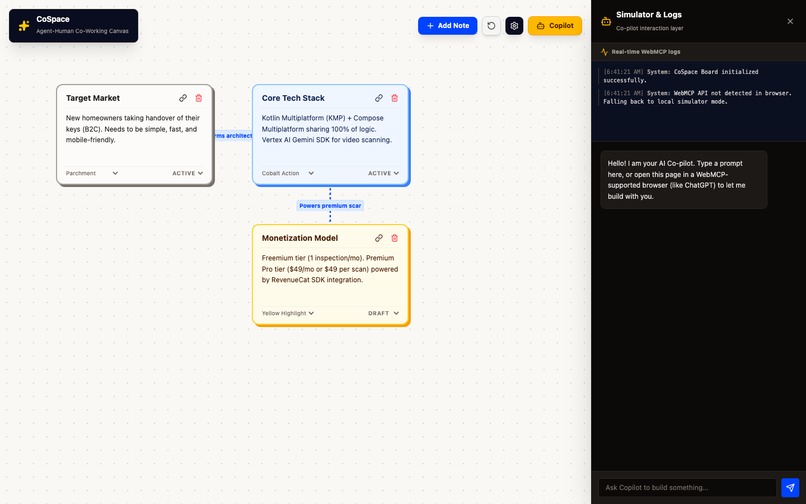
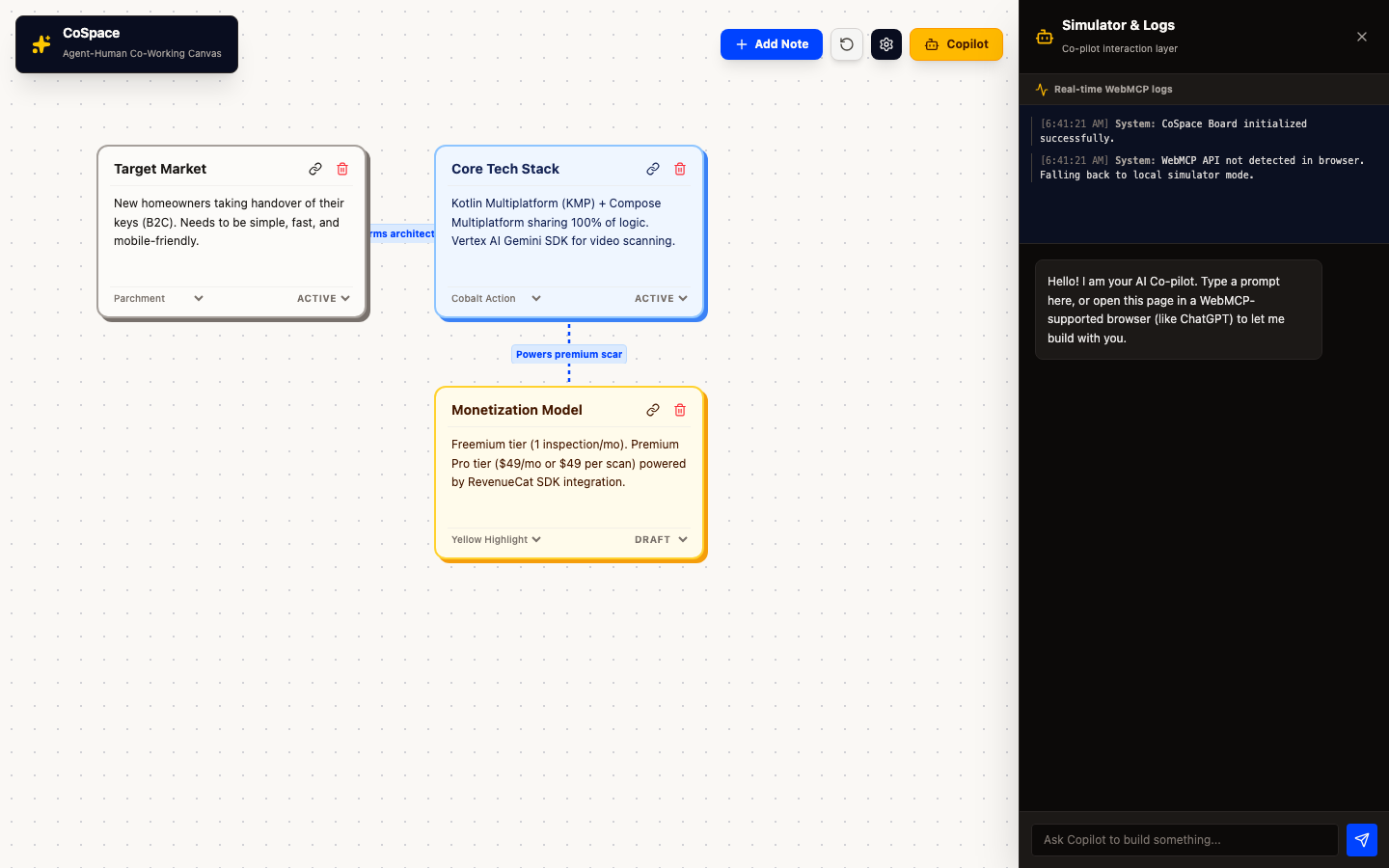
High-res real screenshot showing canvas notes with active Copilot drawer.
-
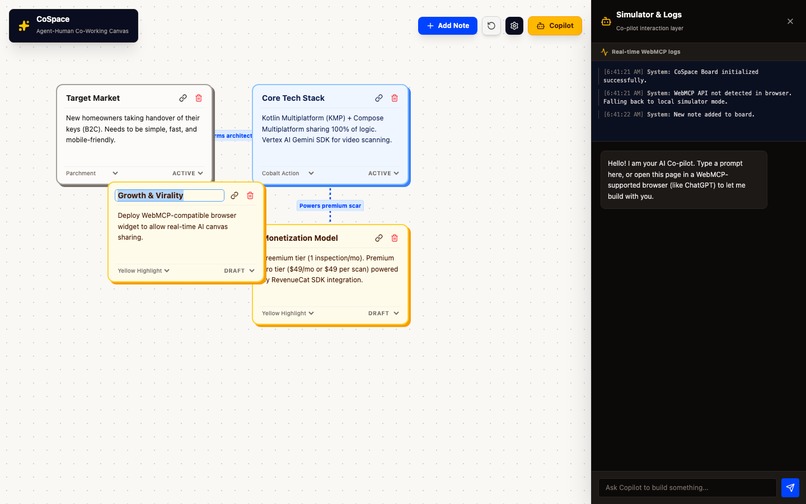
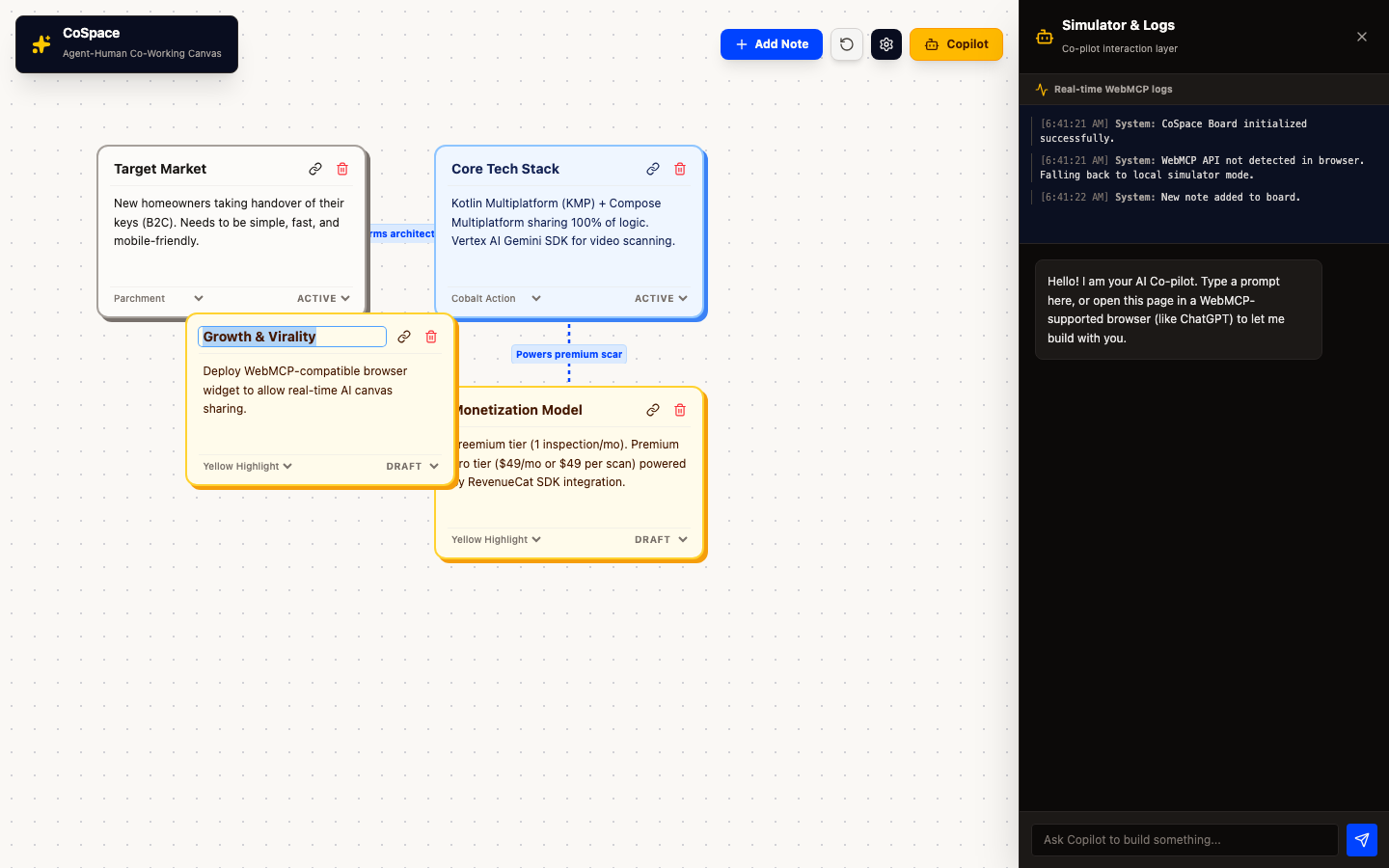
High-res real screenshot showing multi-node canvas with dynamic SVG links.
-
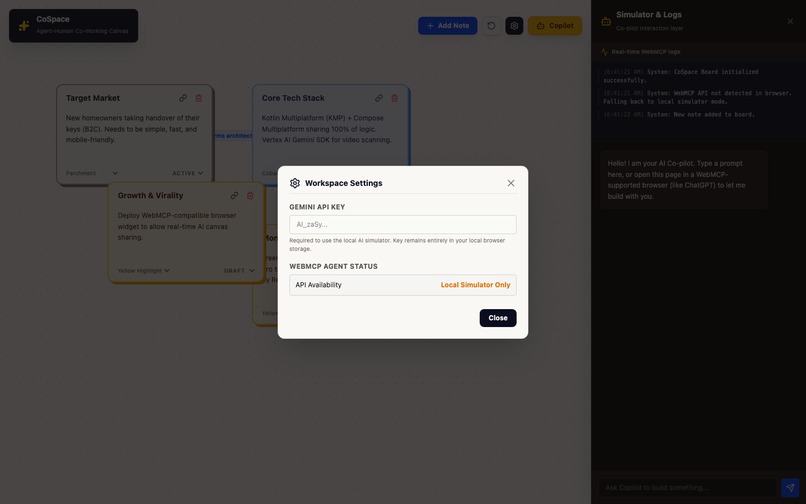
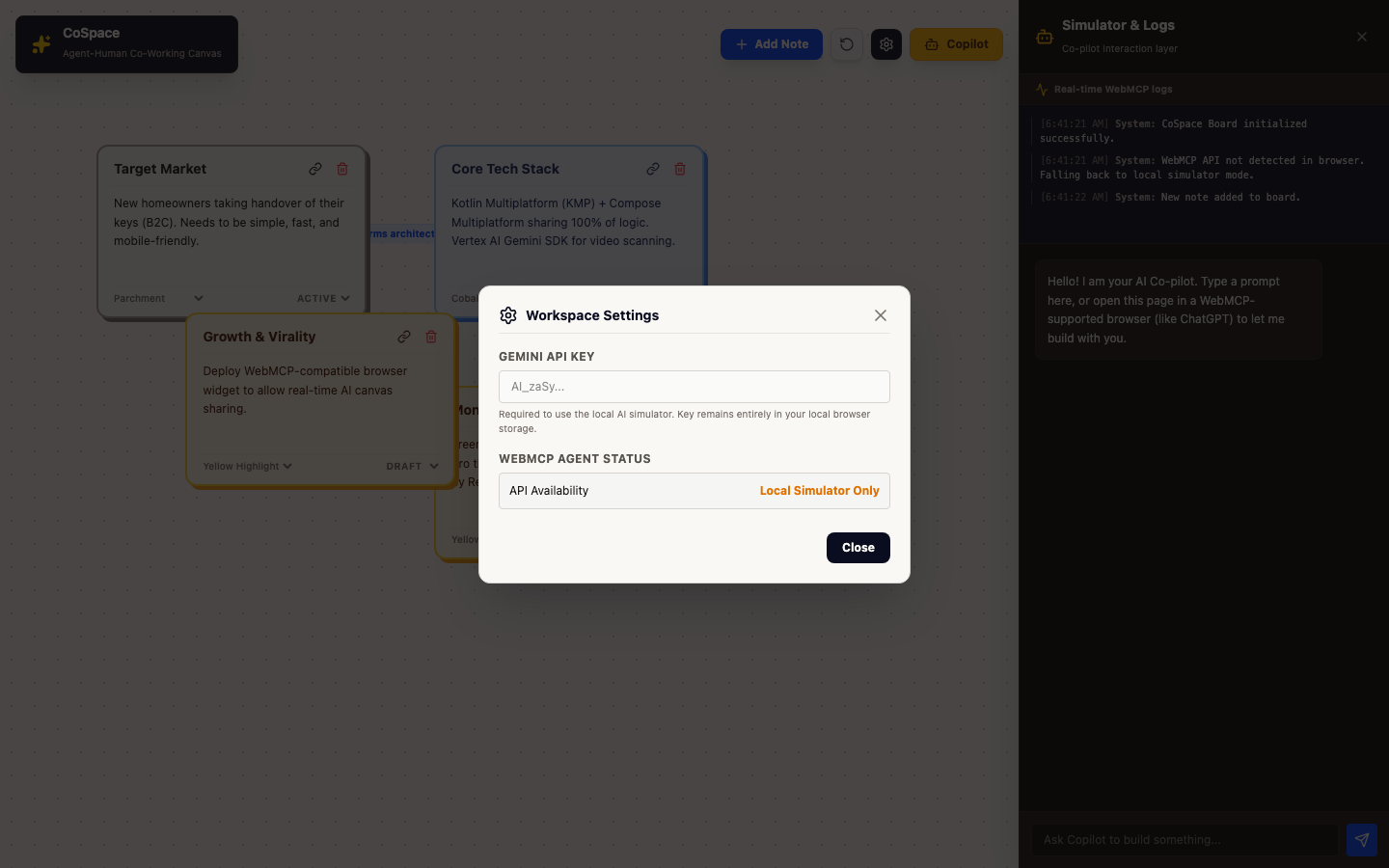
High-res real screenshot of the Settings dialog and WebMCP status monitor.
CoSpace: Agent-Human Co-Working Canvas
A collaborative web workspace designed for humans and AI agents to brainstorm, structure ideas, and plan projects together using the WebMCP standard.
- Live Web App: https://cospace.dcontessa100.workers.dev
- GitHub Repository: https://github.com/dcontessa/cospace
💡 Elevator Pitch
CoSpace is a parchment-themed collaborative canvas that turns standard web elements into structured, agent-actionable tools—exposing them directly to your AI agent via the browser-native WebMCP standard.
⚠️ The Problem: The Fragility of the Visual Web
Today, when an AI agent interacts with a website, it has to guess its way through the interface. It parses raw HTML, takes screenshots, guesses DOM selectors, and attempts to click buttons or fill out text areas. This approach is:
- Fragile: Any minor styling or layout tweak breaks the agent's selector path.
- High-Latency: Taking screenshots and running visual OCR loops adds massive latency.
- Unstructured: The agent doesn't understand the underlying semantic boundaries of what it is looking at.
🛠️ The Solution: WebMCP-Native Co-Creation
CoSpace is built from the ground up to explore the future of the agent-native web. Instead of forcing agents to guess our UI, CoSpace explicitly declares its visual capabilities.
When you open CoSpace in a WebMCP-supporting browser or agent sidebar (like ChatGPT), the site registers browser-side JavaScript tools directly into the browser context. The agent can now manipulate the canvas programmatically, bypassing selectors entirely:
-
addCard: Instantly spawn idea and task cards. -
updateCard: Edit titles, bullet points, status, and theme colors. -
connectCards: Draw visual dependency arrows between notes. -
deleteCard: Remove outdated ideas from the workspace.
⚙️ How We Built It
- Frontend: React + TypeScript scaffolded via Vite, styled using the brand-new Tailwind CSS v4 for clean, modern utility classes and modular parchment layout.
- SVG Connection Pipeline: Rather than relying on a heavy React Flow library that bloats the package size, we custom-built a lightweight SVG rendering layer. It auto-calculates card centers and draws arrow markers between absolute-positioned nodes in real-time.
- WebMCP Browser Hook: We implemented a unified React hook that registers tools via
document.modelContext.registerTool(with a fallback fornavigator.modelContextused in earlier browser drafts). We bind the lifecycle of these tools to anAbortControllersignal to clean them up automatically when nodes unmount. - Audit Logging: Built a live execution console that logs when tools are triggered by WebMCP or the simulator, proving the agent-native loop works transparently.
- Gemini Chat Simulator: For environments without native WebMCP browser support, we integrated the Vertex AI / Gemini API directly inside a sliding sidebar panel. When you prompt the Co-pilot, it acts as a local agent, compiling prompts into structured operations and updating the board in real-time.
🏆 Accomplishments We're Proud Of
- Zero Server-Side Latency: By executing the WebMCP tools directly in the client's browser DOM, the AI agent updates the board instantaneously with no backend database roundtrips.
- Tactile Design Hierarchy: A clean, print-inspired design using asymmetric layouts, Ink Navy headers, Signal Yellow highlights, and a dotted parchment grid.
- 100% Type-Safe & Serverless: The entire codebase builds into an optimized, lightweight static bundle deployed instantly to the latest version of Cloudflare Pages.
🧠 What We Learned
WebMCP represents a massive paradigm shift. As developers, we no longer design interfaces purely for human eyes—we must architect clean, programmatic action seams for AI agents. Namespace safety and state isolation are key as websites transition into agent-ready tools.
🔮 What's Next for CoSpace
- Collaborative Multiplayer: Integrating WebSockets to allow multiple humans and multiple agents to edit the same canvas concurrently.
- B2B Integration Rail: Exporting canvas tasks to Jira, GitHub Issues, or Trello automatically through background agent actions.
- Metaphysics Planning Lens: Bringing elements of Ba Zi and temporal charting into the canvas to calculate optimal planning milestones dynamically.
Built With
- ai-agents
- browser-automation
- cloudflare-pages
- cloudflare-workers
- css3
- e2e-testing
- gemini
- html5
- human-ai-collaboration
- javascript
- localstorage
- lucide-icons
- model-context-protocol
- node.js
- playwright
- react
- serverless
- svg
- tailwindcss
- tool-calling
- typescript
- vertex-ai
- vite
- web-standards
- webmcp

Log in or sign up for Devpost to join the conversation.