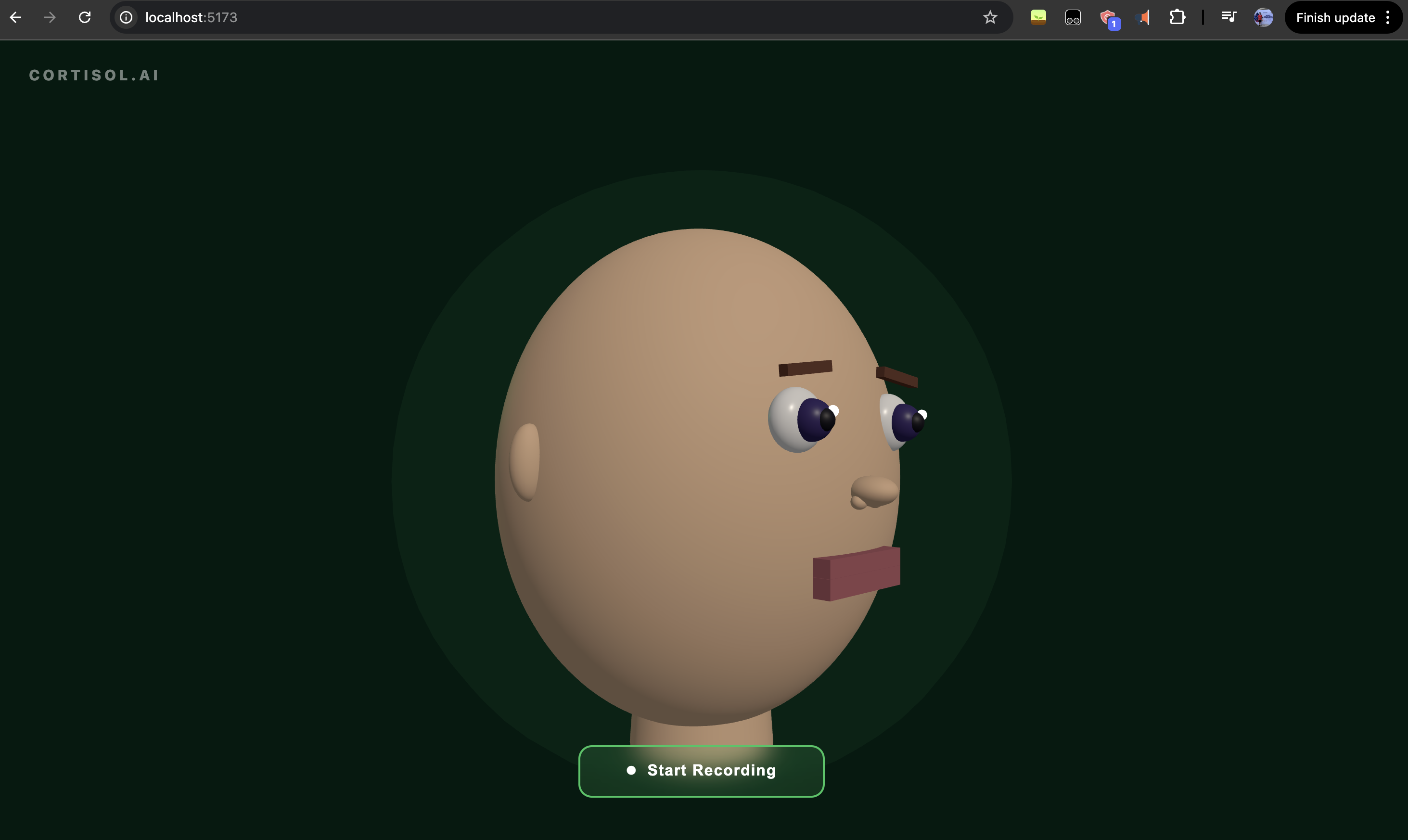
Cortisol.AI Inspiration Stress is invisible. You can feel it building in your voice long before you consciously register it, yet most people have no real-time window into their own emotional state. We wanted to change that. The idea was simple: what if your voice could tell you how stressed you actually are, and an AI could reflect it back to you in a way that felt human? That question became Cortisol.AI.
What We Learned Building this project taught us how much nuance lives in audio. Emotion detection is not just about words, it is about pitch, rhythm, and energy encoded in raw waveforms. We learned how sliding window inference works in real time, how to keep a WebSocket pipeline alive across multiple async tasks, and how browser autoplay policies make audio playback surprisingly tricky. We also learned that stitching together multiple AI services into a single coherent experience requires careful orchestration: every piece of the pipeline has to trust the piece before it.
On the product side, we learned that the best feedback is not just accurate, it is warm. A stress score in isolation feels clinical. A voice that speaks back to you feels like something cares.
How We Built It
The backend is a FastAPI server that accepts a live WebSocket stream of raw PCM audio from the browser. Every 1.5 seconds, a sliding window is fed into a HuggingFace wav2vec2 model (superb/wav2vec2-base-superb-er) fine-tuned for emotion recognition. Results are streamed back instantly, updating the UI with the current stress color (green, yellow, or red) and dominant emotion.
In parallel, audio is batched and sent to ElevenLabs Scribe for live speech-to-text transcription, which surfaces in a live panel and feeds the final analysis.
When the session ends, two things happen concurrently via asyncio.gather: Featherless AI (meta-llama/Meta-Llama-3.1-8B-Instruct) generates a clinical session analysis, and a second Featherless AI call produces a short, warm spoken summary. That spoken text is then synthesized into MP3 audio via ElevenLabs TTS and sent back to the browser as base64.
The frontend is React with Vite. The centerpiece is a Three.js 3D head built entirely from geometric primitives, no model files. Its mouth opens proportionally to real-time RMS amplitude from a Web Audio AnalyserNode, so it animates naturally whether the user is speaking or the AI is talking back. When the AI speaks, the head stops rotating and faces forward. The summary card only appears after the voice finishes.
Challenges
The hardest part was the WebSocket lifecycle. The backend needs to stay open long enough to finish TTS synthesis and send the audio after the final summary, but the natural instinct is to close the connection once analysis is done. Getting that sequencing right, and making sure the frontend never showed the summary card prematurely, required careful coordination between pendingSummaryRef and the onended audio callback.
We also wrestled with the Gemini API. After integrating it for spoken summary generation, we hit persistent 404 and 429 errors across multiple API keys and model versions. Rather than continuing to debug quota issues, we pivoted entirely to Featherless AI, which already powered our analysis layer. This turned out to be the right call, one fewer API key to manage, and the results were just as good.
Finally, making the 3D mouth look right took more iteration than expected. The mouth geometry was initially positioned behind the face surface, making the upper lip invisible. Pushing the pivot forward and thickening the lip geometry solved it, but it was a reminder that 3D coordinate math is unforgiving.


Log in or sign up for Devpost to join the conversation.