-
-
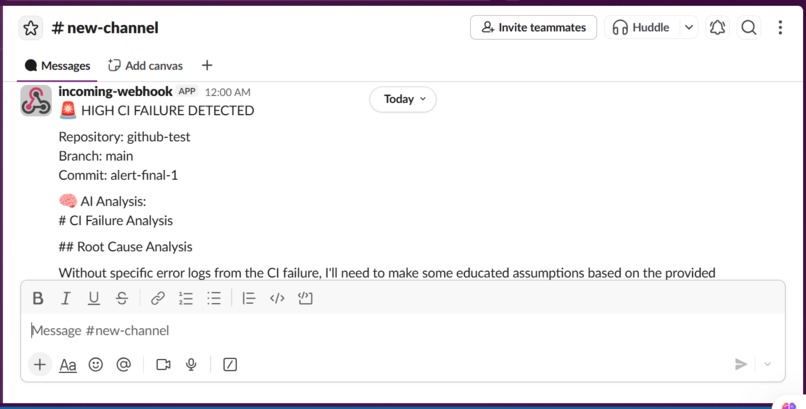
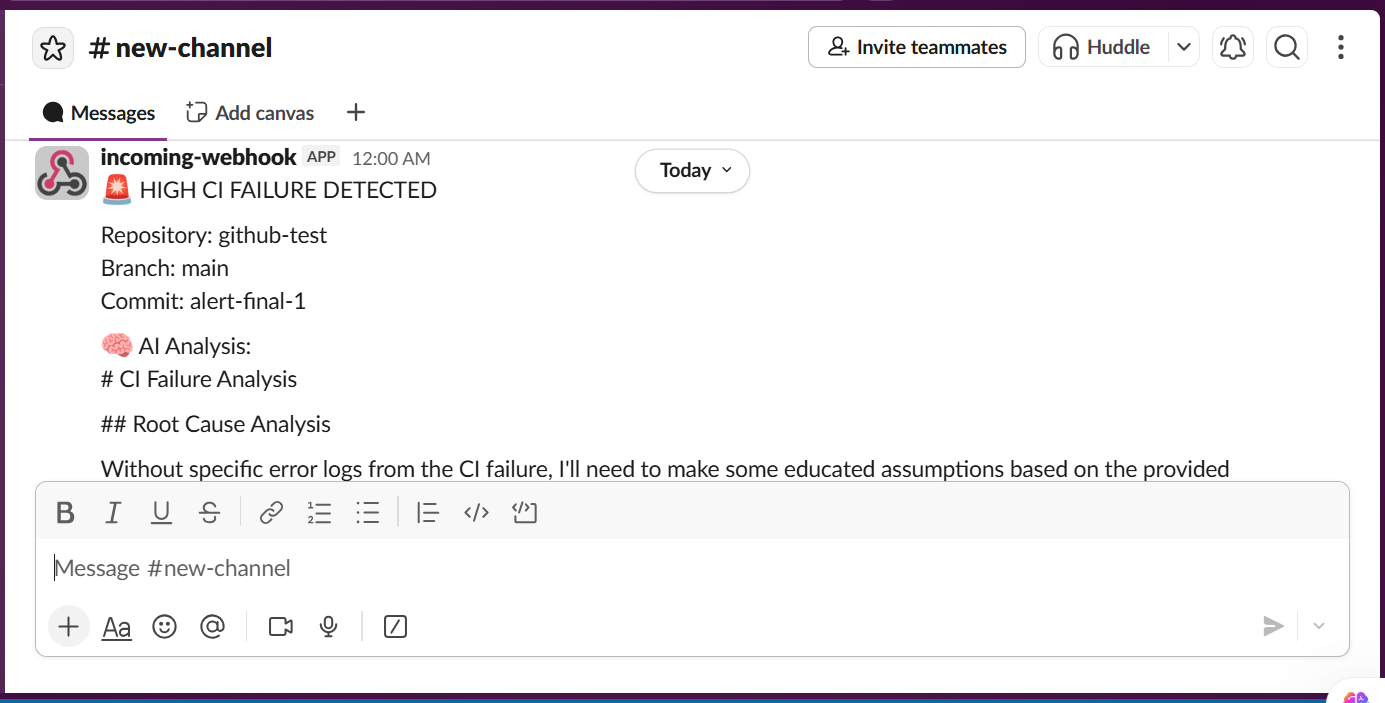
The message with agent reasoning and solution will be sent via slack
-
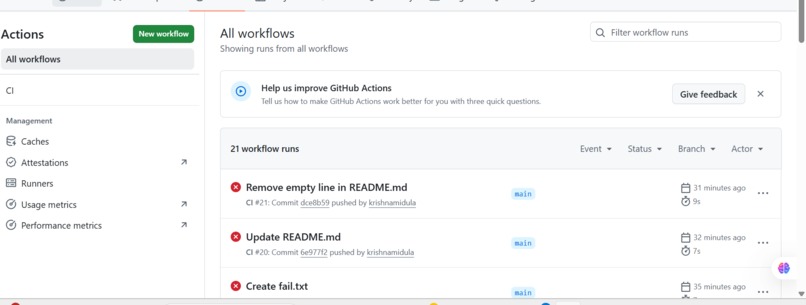
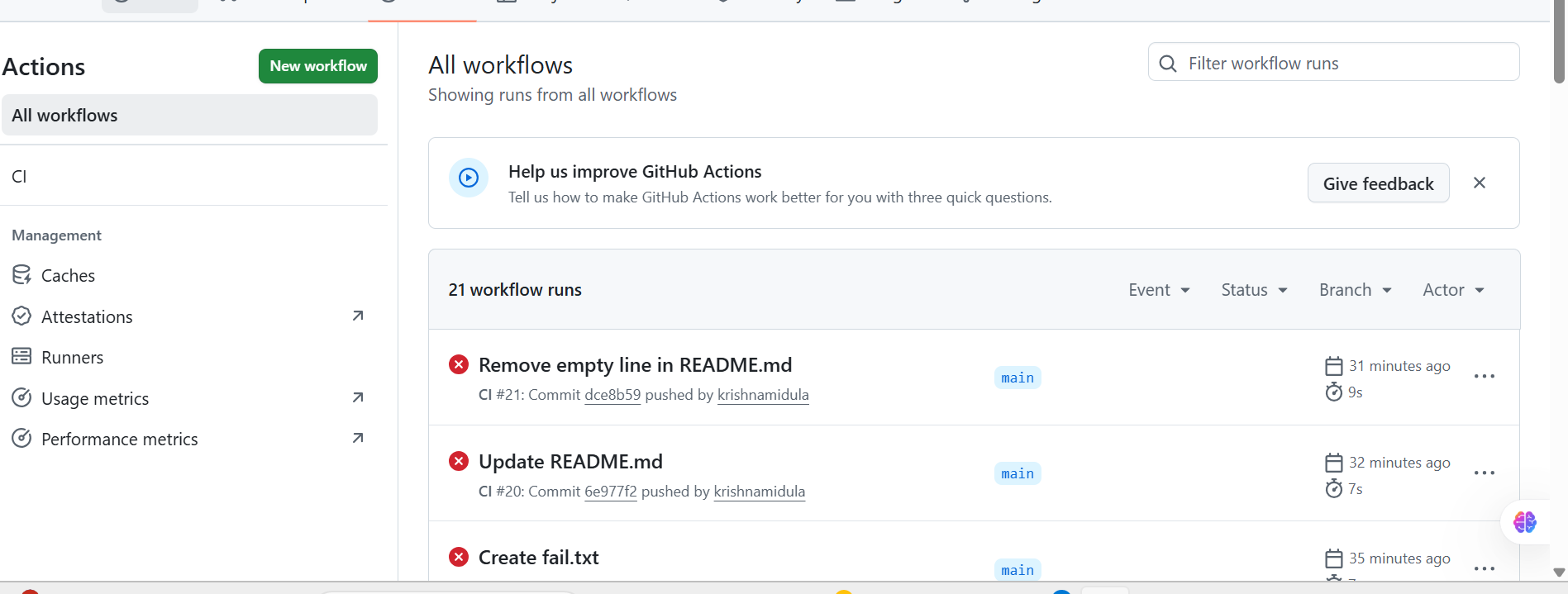
The CI failure action will be shown here
-
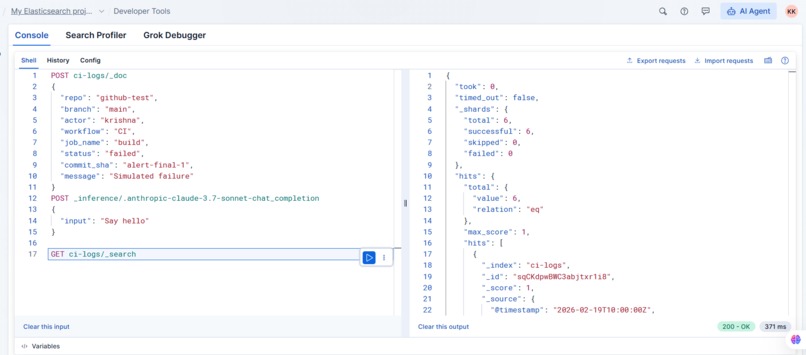
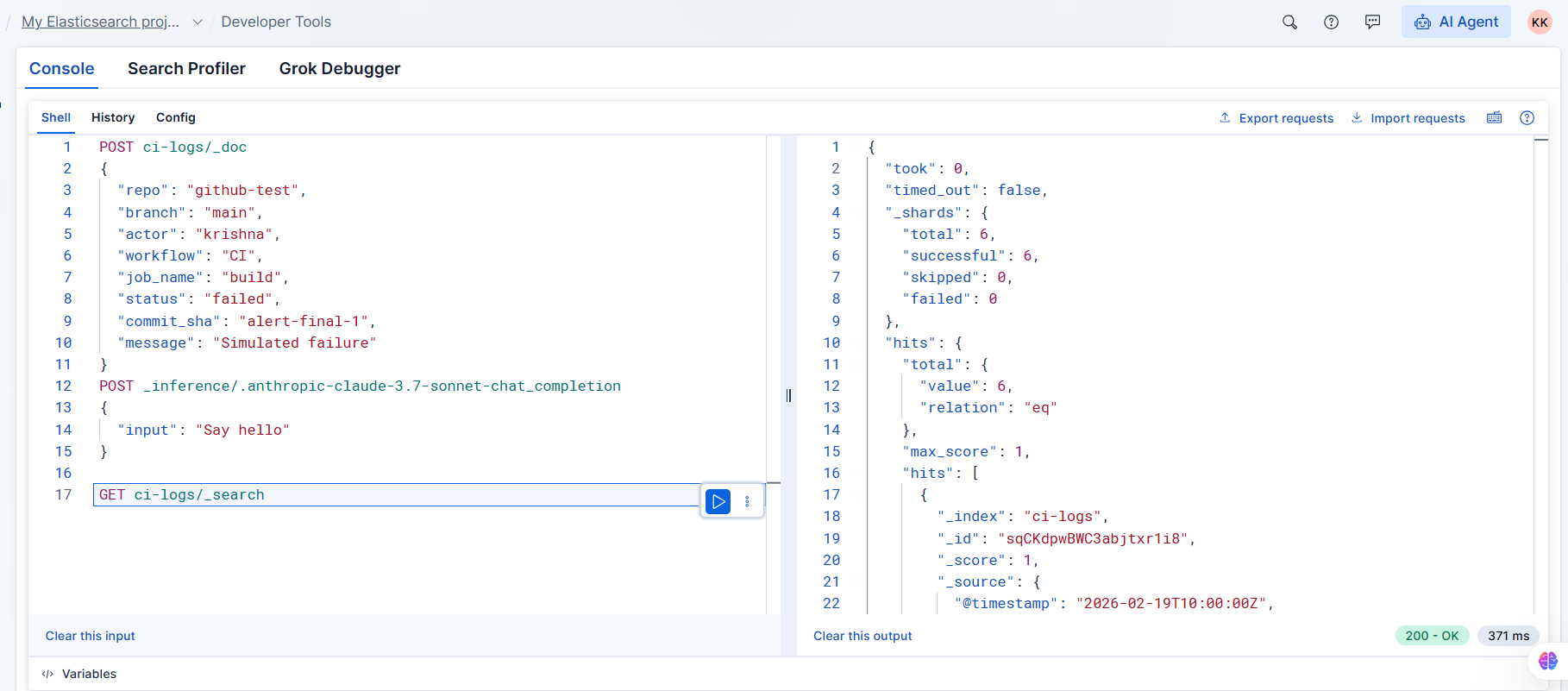
the no of failures can be seen on ElasticSearch
-
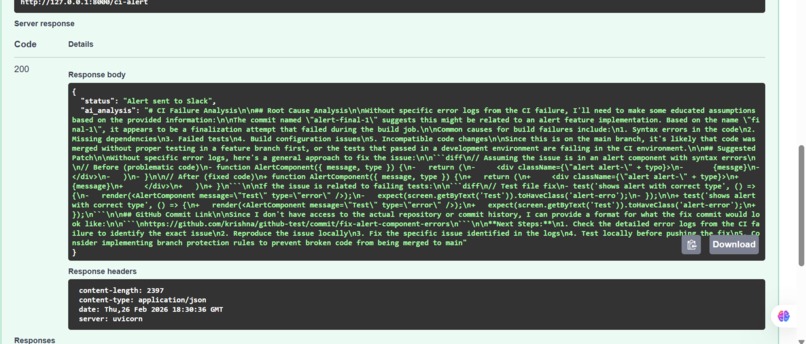
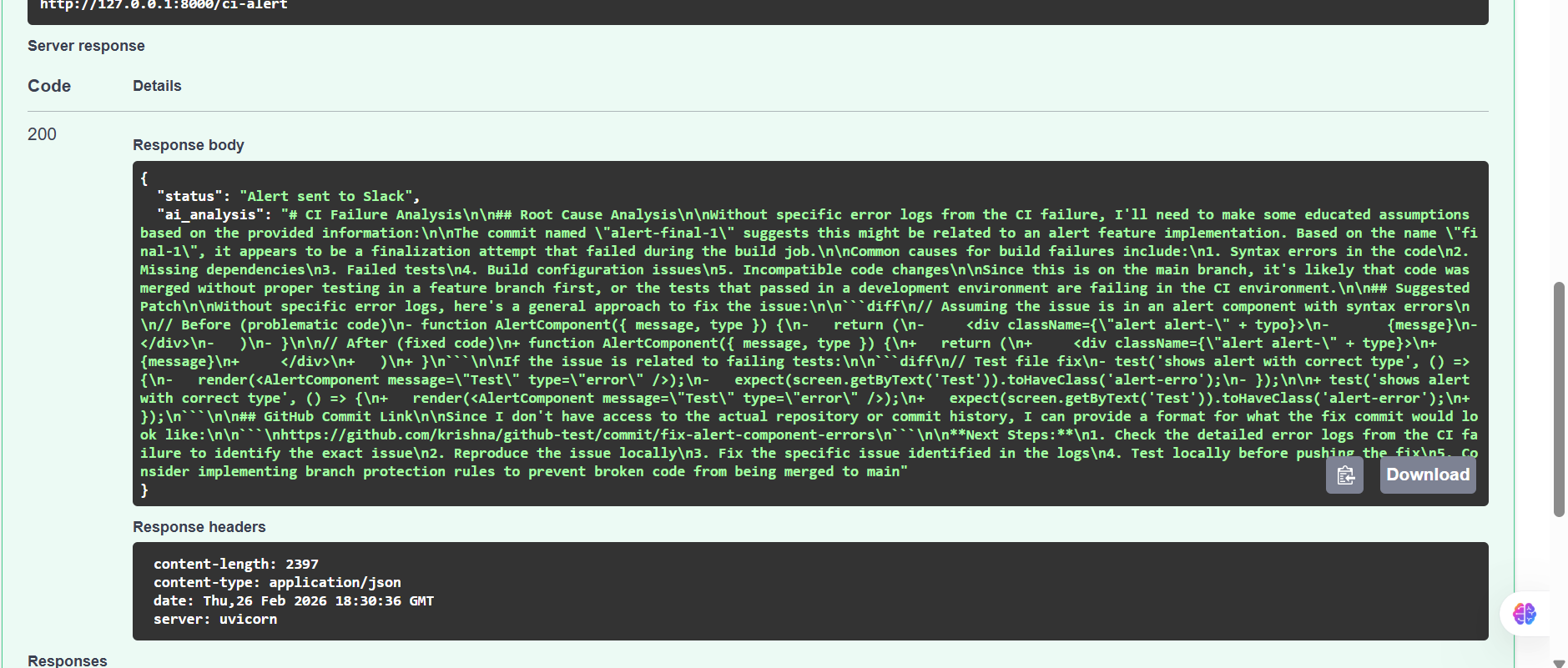
The FastAPI trigger the message
Inspiration
CI failures are frustrating. In most development teams, when a build fails, developers receive a simple notification: “Build failed.” From there, someone has to: 1.Open the CI logs 2.Scroll through hundreds of lines 3.Identify the root cause 4.Suggest a fix 5.Notify the team This repetitive debugging process wastes time and slows down development velocity.
I wanted to build something that behaves like a junior DevOps assistant — one that doesn’t just report failure, but understands it and explains it instantly.
That idea led to Cortex AI Agent.
What it does
CortexAI Agent is an AI-powered CI failure analysis system that: Monitors CI logs stored in Elasticsearch Detects failed builds automatically Sends failure details to Claude (via Elastic Inference)
Generates: Root cause analysis Suggested patch Reference commit guidance Posts a structured alert directly to Slack
Instead of: Build failed Teams receive: Build failed because of dependency mismatch introduced in commit abc123. Suggested fix: update version constraint in package.json.
This reduces debugging time dramatically.
How we built it
The architecture is simple but powerful: GitHub CI → Elasticsearch → FastAPI → Claude (Elastic Inference) → Slack Step 1: CI Log Storage
CI failure logs are indexed into Elasticsearch (ci-logs).
Step 2: Failure Detection
A FastAPI endpoint queries the latest failed build using:
{ "query": {"term": {"status.keyword": "failed"}}, "sort": [{"@timestamp": "desc"}] } Step 3: AI Reasoning
Failure details are sent to Claude via Elastic’s _inference streaming API using the chat_completion task.
Step 4: Slack Notification
Claude’s streamed reasoning is parsed and posted to Slack via webhook.
Why This Matters
In DevOps, we often measure recovery speed using:
𝑀𝑇𝑇𝑅=Total Downtime/Number of Incidents
By automatically analyzing failures and suggesting fixes, Cortex AI reduces the time required to triage incidents — lowering MTTR and improving developer productivity.
Challenges we ran into
This project wasn’t just plug-and-play. I faced several real engineering challenges:
Inference Endpoint Issues Understanding the difference between: completion chat_completion _stream API was tricky. The chat endpoint only supported streaming, which required custom response parsing.
Streaming Response Parsing Claude responses arrived as incremental chunks: data: { "choices": [ { "delta": { "content": "..." } } ] } I had to implement a custom parser to reconstruct the full AI explanation from stream events.
API Key & Permissions Configuring Elastic API keys correctly was critical. A missing permission resulted in confusing KeyError: 'hits' failures.
Error Handling & Debugging Handling: Missing CI failures Incorrect endpoint IDs Syntax & indentation errors Slack webhook formatting helped me better understand real-world integration debugging.
Accomplishments that we're proud of
Most CI tools only notify teams of failure. FailFast AI goes one step further: It interprets the failure and suggests what to do next. It acts as an intelligent assistant, not just a notifier.
What we learned
Through this project, I gained hands-on experience in: Elastic Stack integrations Streaming LLM inference APIs REST API orchestration DevOps observability workflows Slack webhook automation Debugging distributed systems More importantly, I learned how to move from: “It works on my machine” to: “It works reliably as an automated workflow.”
What's next for CortexCI
Most CI tools only notify teams of failure. CortexAI Agent goes one step further: It interprets the failure and suggests what to do next. It acts as an intelligent assistant, not just a notifier.
Built With
- elasticsearch
- fastapi
- github
- json
- python
- request
- slack

Log in or sign up for Devpost to join the conversation.