-
-
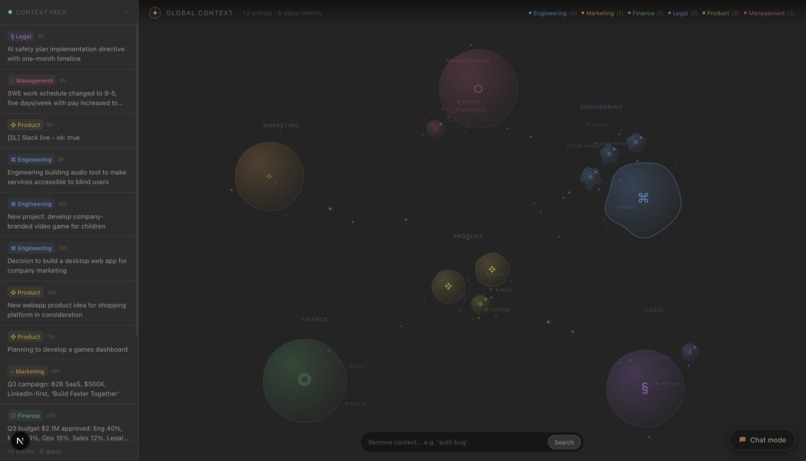
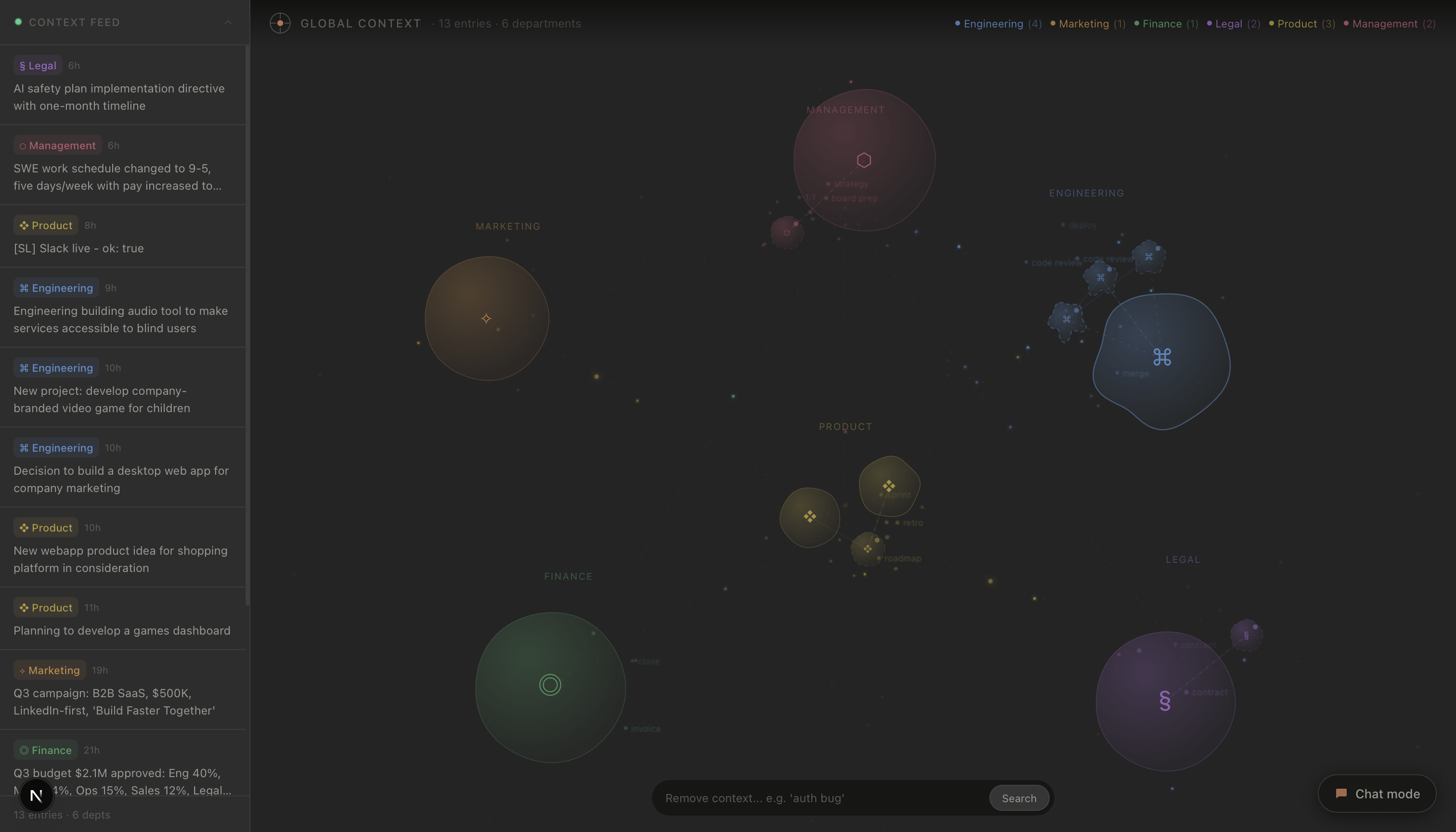
Content View for different teams/departments
-
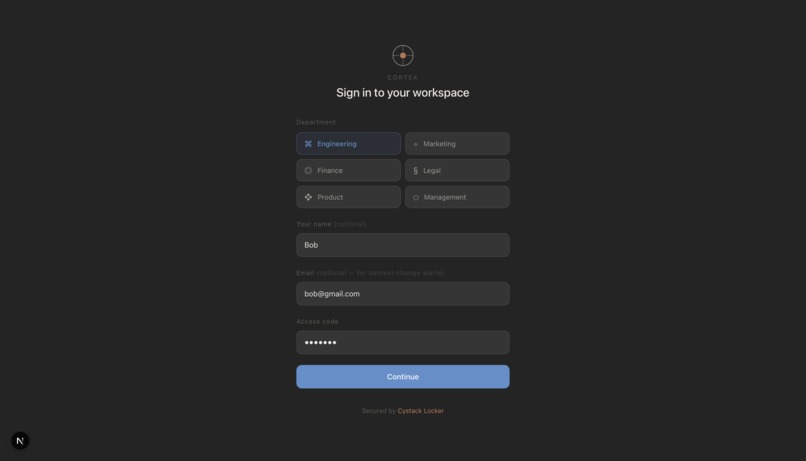
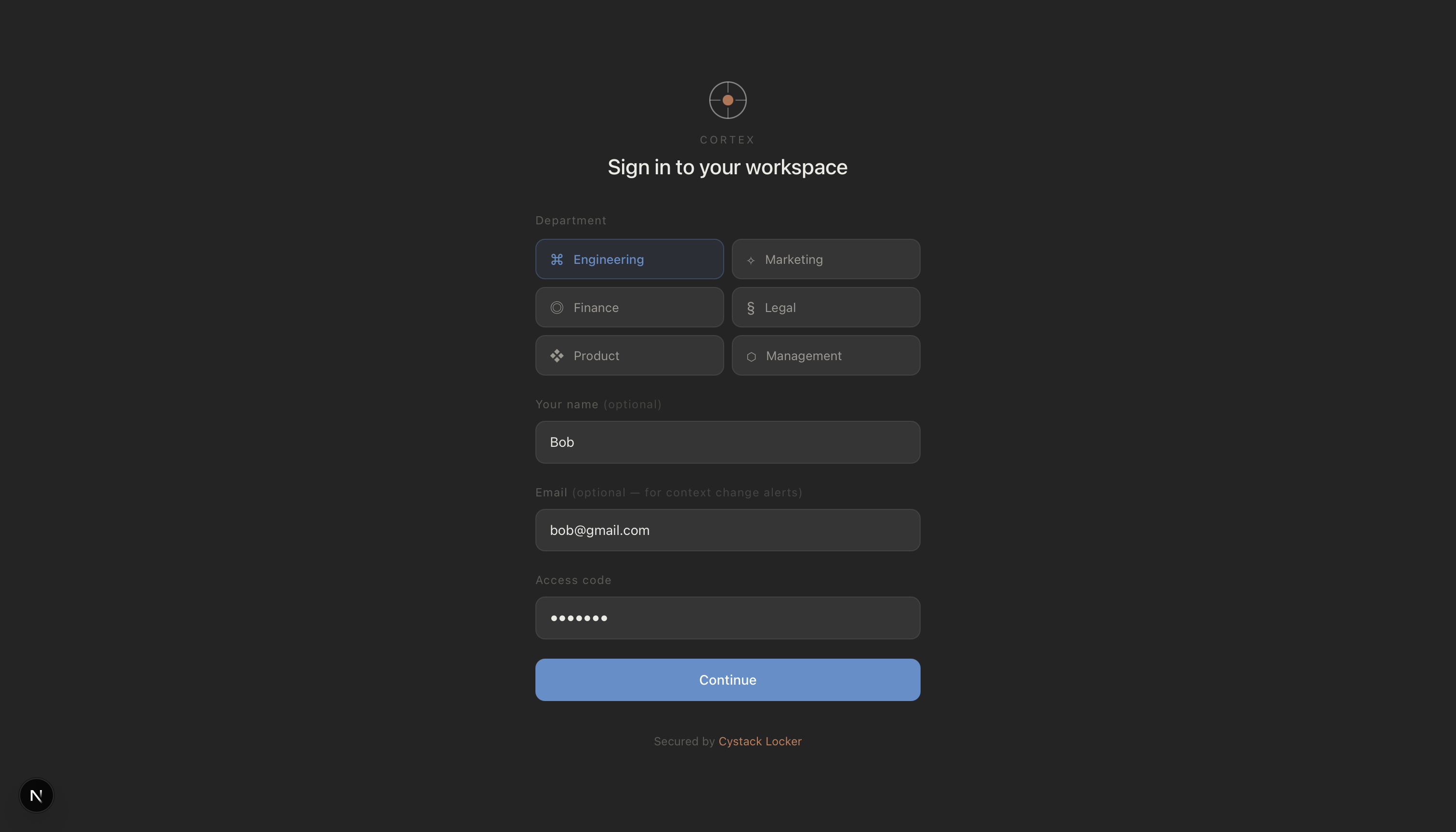
Employee sign in in their specific team
-

-
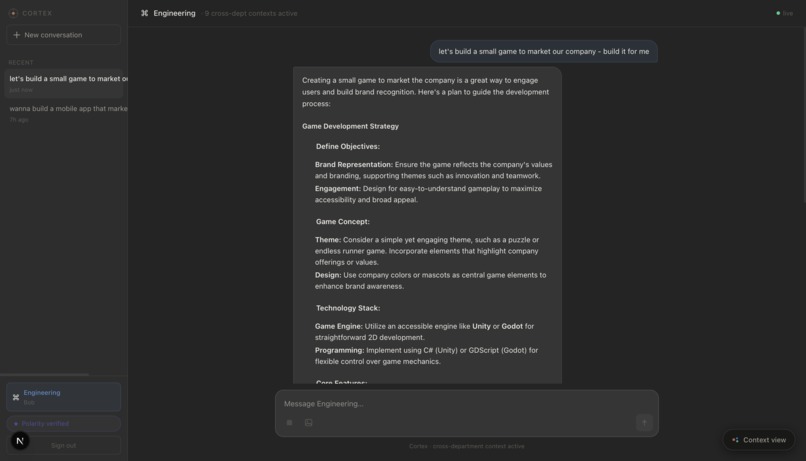
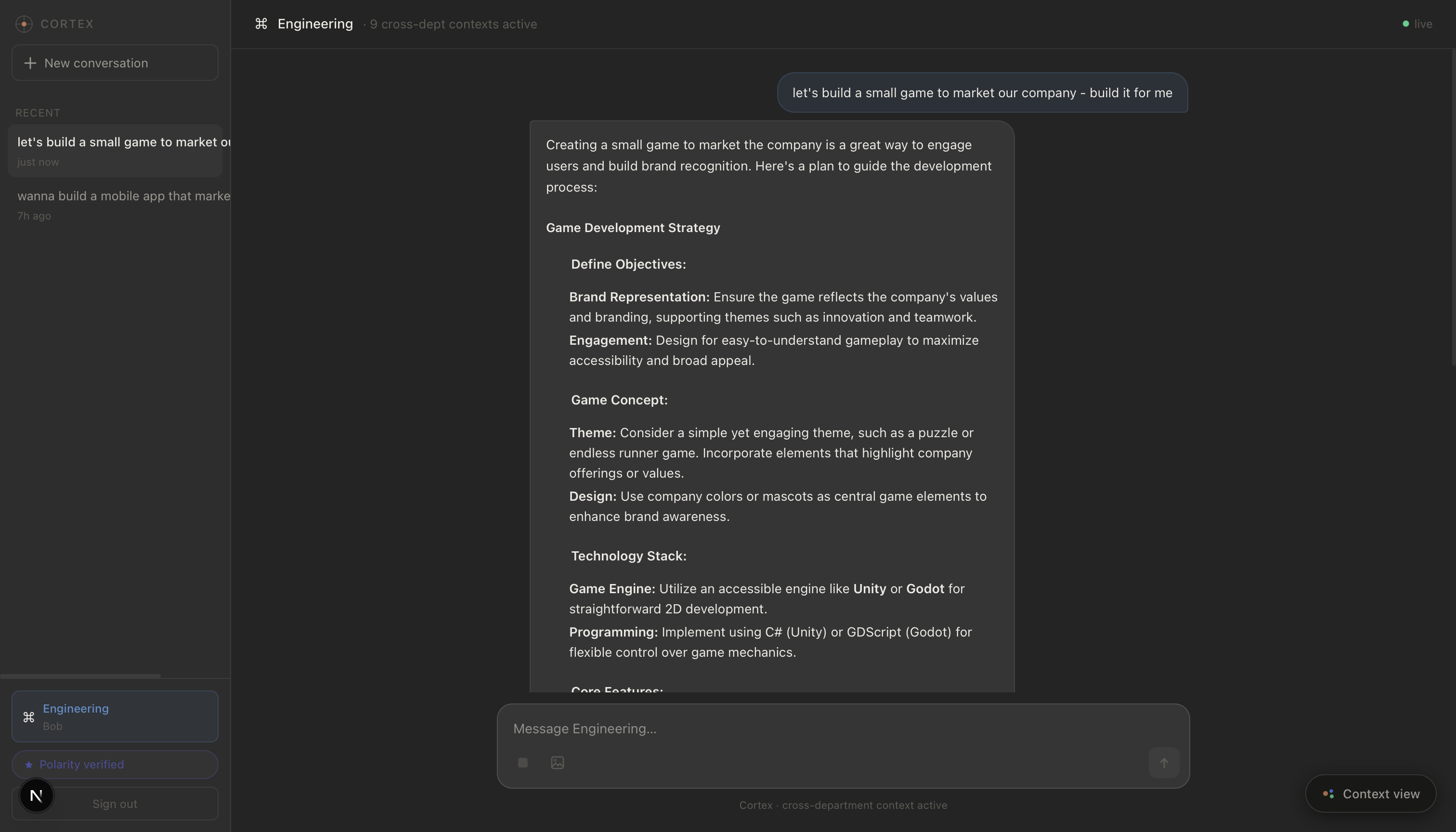
LLM prompting for creating context
-
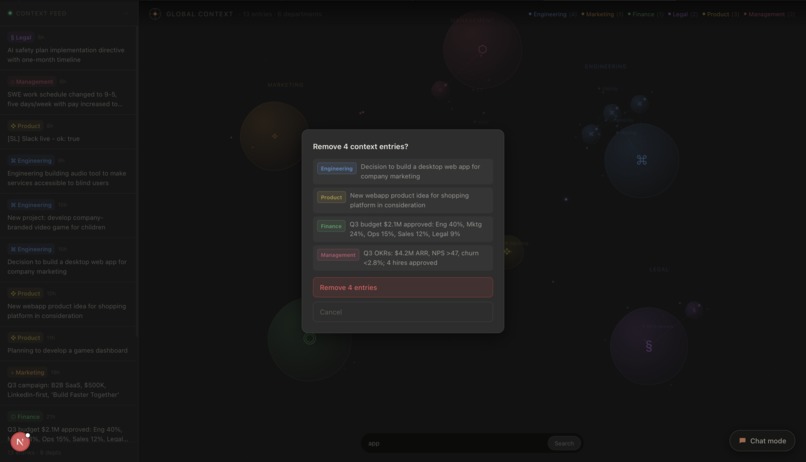
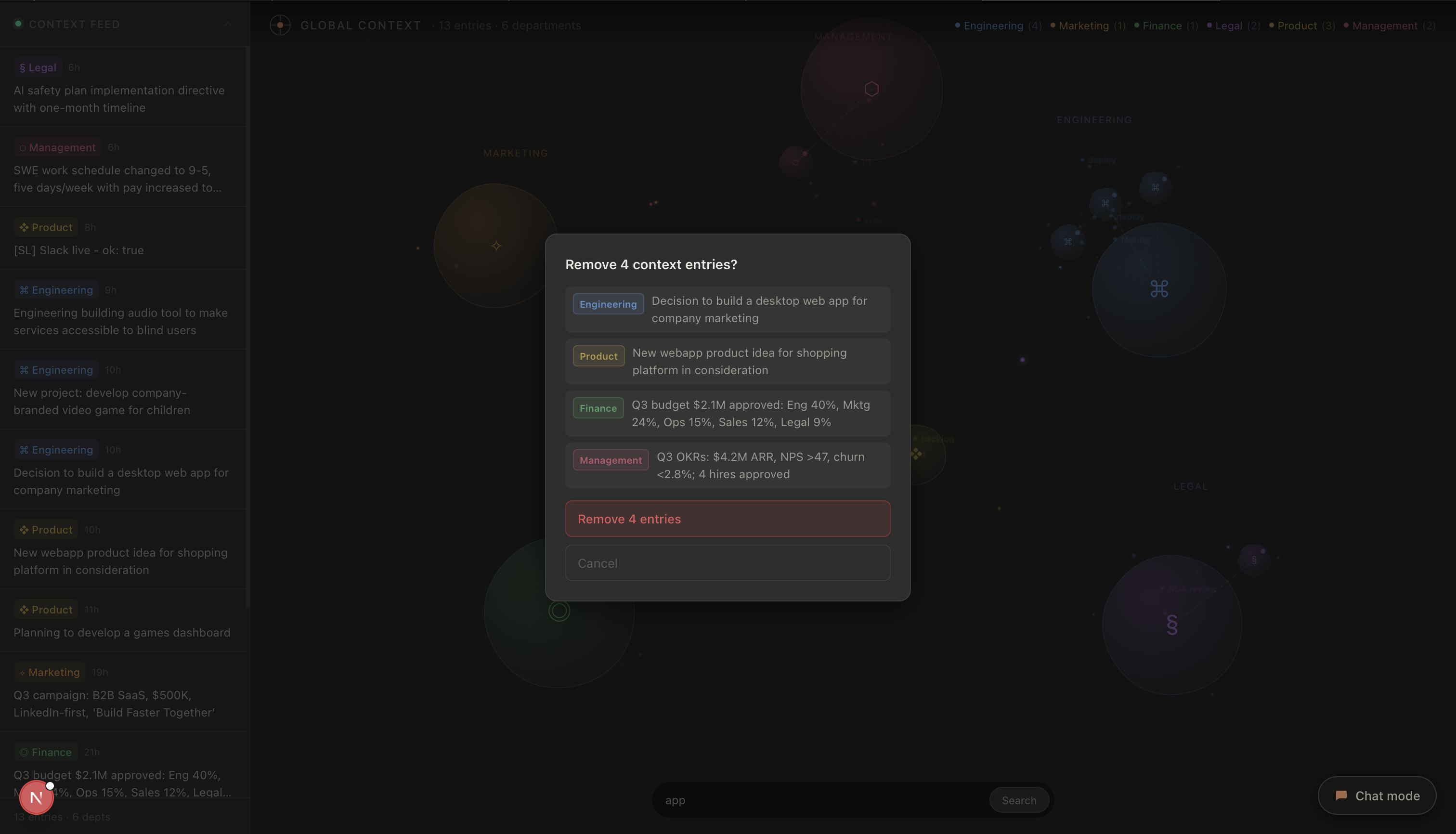
Context entries

Inspiration
AI is growing at an unprecedented rate. Beyond its macroeconomic impact, it has largely changed how work gets done, especially in engineering and product teams where vibe coding has gone from a novelty to standard practice, adopted not just by developers but by managers, marketers, and ops teams alike.
But there's a real problem baked into how this works today.
Every individual manages their own context. Before each session, you're feeding your agent the same files, the same references, the same background, hoping it's up to date with whatever changed in the last standup, sprint, or Slack thread. Context is critical; vibe coding with weak context produces weak results, and vibe coding with precise, current context can produce surprisingly polished output. Yet despite how much it matters, context stays siloed per person, falls out of sync constantly, and has to be manually rebuilt every session.
So, say hello to Cortex.
What It Does
Cortex integrates into a company's vibe-coding workflow and maintains a living global context (a shared, real-time picture of the company's current goals, priorities, and state) built automatically from the work people are already doing.
It has two core layers:
1. Vibe Coding Interface
Cortex works either as an integration with existing CLI tools (like Claude Code) or as a standalone web app capable of generating text, code, and images. As you work, it automatically pulls from global context, so your agent already knows what the company is focused on, what changed last week, and what's currently being built across other teams. No briefing required.
2. Global Context
Global context is the aggregated, cross-departmental state of the company (engineering, product, marketing, legal, finance, management, etc.) updated in real time as people work.
The key is automatic inference. Cortex doesn't blindly log everything. Brainstorming a feature or asking a clarifying question? Ignored. Committing to an implementation, shipping a plan, or taking a concrete action? Cortex recognizes the signal, extracts what's relevant, and propagates it to global context immediately, visible to every user across every department.
How We Built It
The architecture has three main layers: a React/Next.js frontend, a Next.js App Router backend, and a set of external service integrations.
On the frontend, the app runs in two modes: Chat Mode (a standard AI assistant interface with conversation history, image attachment, and tool selection) and Context Mode (a live, interactive visualization of global context entries rendered as an animated bubble universe using D3 force simulation and canvas particle effects). A 2-second polling loop keeps the context feed live.
On the backend, /api/chat handles streaming responses via SSE. It reads from the in-memory context store, injects cross-departmental context into the system prompt, and routes to Backboard (a persistent LLM thread per department with memory across reloads) with a direct Anthropic claude-sonnet-4-6 call as fallback. /api/context manages context entry creation and fans out email notifications via Pingram (NotificationAPI). Images are uploaded through /api/media to Cloudinary, returning a permanent CDN URL appended to the message. External tools like, Slack, are bridged through Composio with no per-tool OAuth management. API keys are pulled from a Cystack Locker vault at server startup via instrumentation.ts, with process.env fallback for local dev. Polarity was used to validate the quality of our code base.
Challenges We Ran Into
- Incorporating multiple sponsor tracks meant integrating a significant number of external services under one coherent architecture so keeping that clean and debuggable under time pressure was non-trivial.
- Cortex is fundamentally a backend-heavy project. Making the data flow and real-time context propagation feel tangible and visually engaging on the frontend required deliberate effort.
- Half-way everything in the frontend broke 😭 and while trying to refactor, the LLM API calls stopped working 😂.
Accomplishments That We're Proud Of
- Real-time, shared global context that stays consistent across users and departments without any manual syncing
- Automatic inference on what's worth storing. Cortex automatically manages the signal/noise filtering keeping the system usable rather than just noisy
- Slack integration that gives agents reference to real conversation history, decisions, and plans, so no more re-explaining what was decided in a thread three days ago
- A fresh frontend that makes an abstract, backend-heavy concept feel concrete and alive
What We Learned
Building Cortex pushed us into territory that looked straightforward but wasn't. Using an LLM as a filtering layer (not to generate, but to decide what's worth keeping) required prompt design that was precise enough to be consistent across wildly different conversation types.
Integrating Slack taught us that pulling data from a third-party platform is the easy part. Normalizing it, stripping the noise, and making it actually useful inside an AI's system prompt was a different problem entirely.
Real-time sync across departments also forced sharper thinking around polling strategies and in-memory store design than we anticipated going in.
The biggest learning experience though was definitely with respect to creating a visual, interactable representation of a backend focused project. In production, a tool like Cortex would work largely in the background and/or through the terminal. However, for the hackathon, we needed to be able to visually represent Cortex, which required us to both think outside the box with our data representation, and also implement it in a way that didn't feel tacky or unnecessary.
What's Next for Cortex
This hackathon, we managed to implement a very polished core loop for Cortex, with infrastructure that's both versatile and reliable. The next steps would probably be more closely aligned with expanding the functionality and integrations Cortex offers.
On the capture side: deeper passive ingestion from Slack and other communication tools, moving beyond manual triggers to continuously distilling decisions, blockers, and commitments from ongoing conversations.
On the consumption side: native VS Code and JetBrains extensions so context is available directly in the editor, not just through the web app or a CLI wrapper.
On the infrastructure side: granular access control (department-scoped visibility so sensitive entries aren't surfaced to the wrong people), context versioning with diffs and audit trails, and a self-hosted deployment path for enterprises where routing internal context through external APIs isn't an option.
Longer term, an analytics layer for team leads visibility into what's being built across departments, where context is sparse, and where there's duplication of effort would turn Cortex from a productivity tool into something closer to organizational memory.
Built With
- anthropic-sdk
- backboard
- claude
- cloudinary
- composio
- cystack
- next.js
- polarity
- sql
- supabase
- typescript


Log in or sign up for Devpost to join the conversation.