-
-
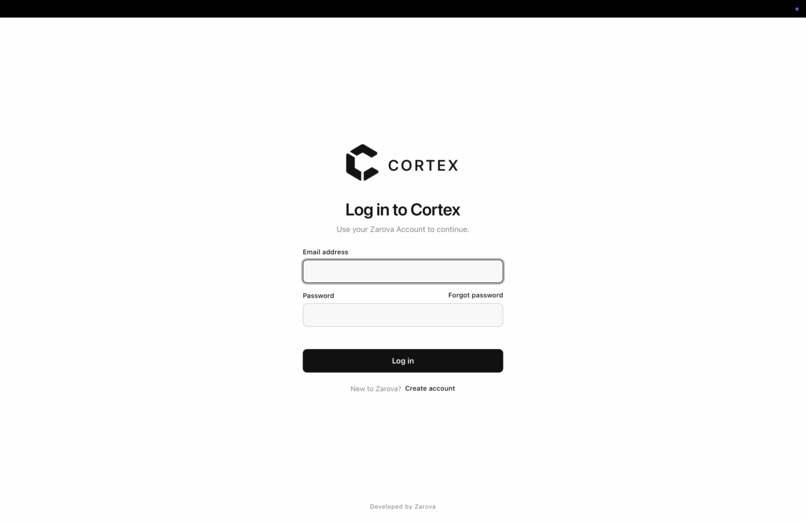
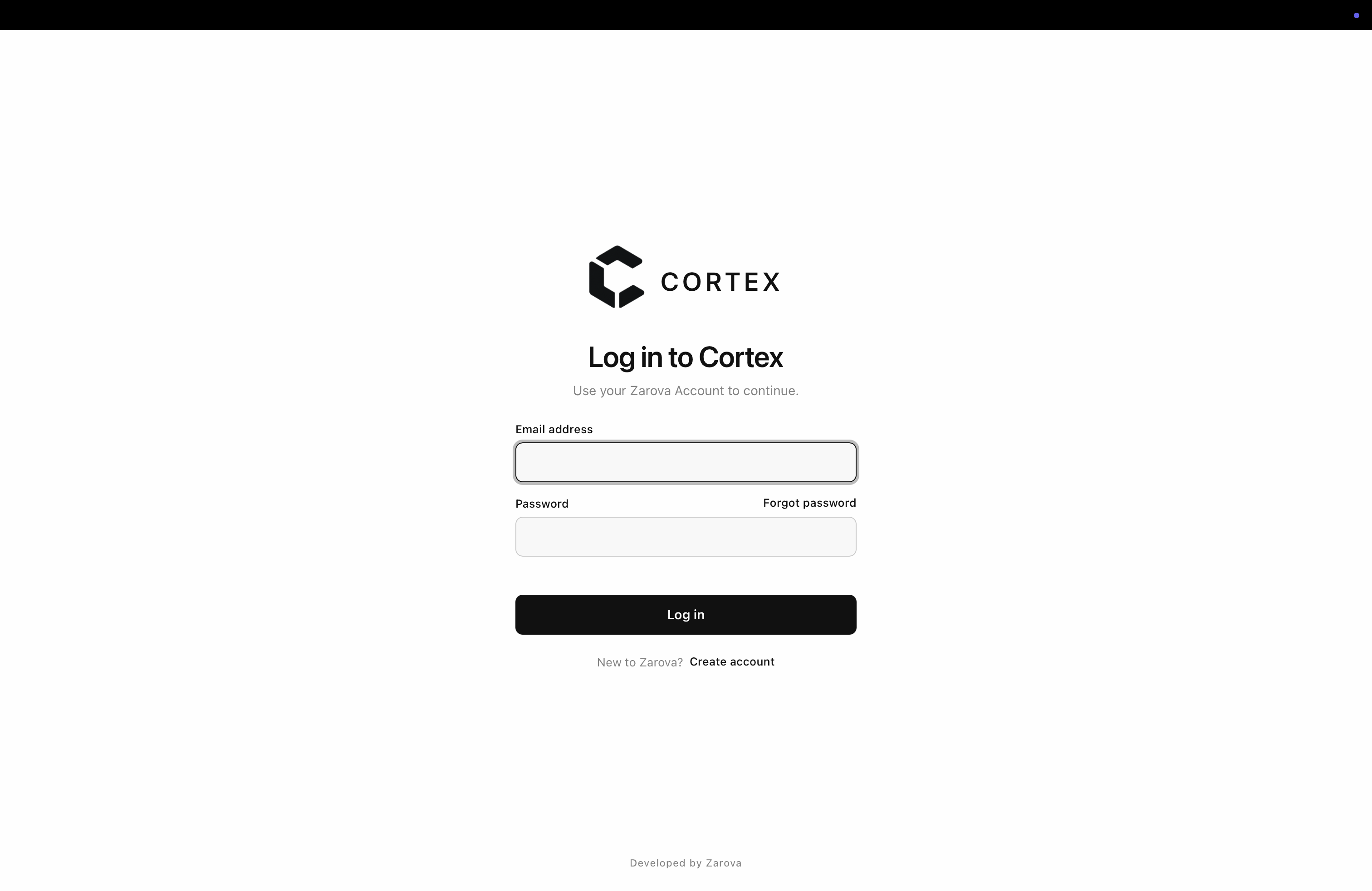
Fully implemented login auth system with a web based sign up and password rest system via the Zarova website.
-
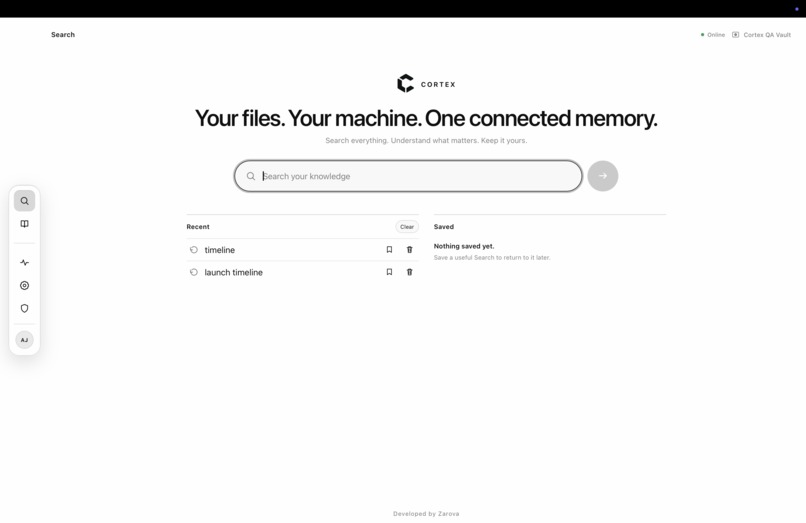
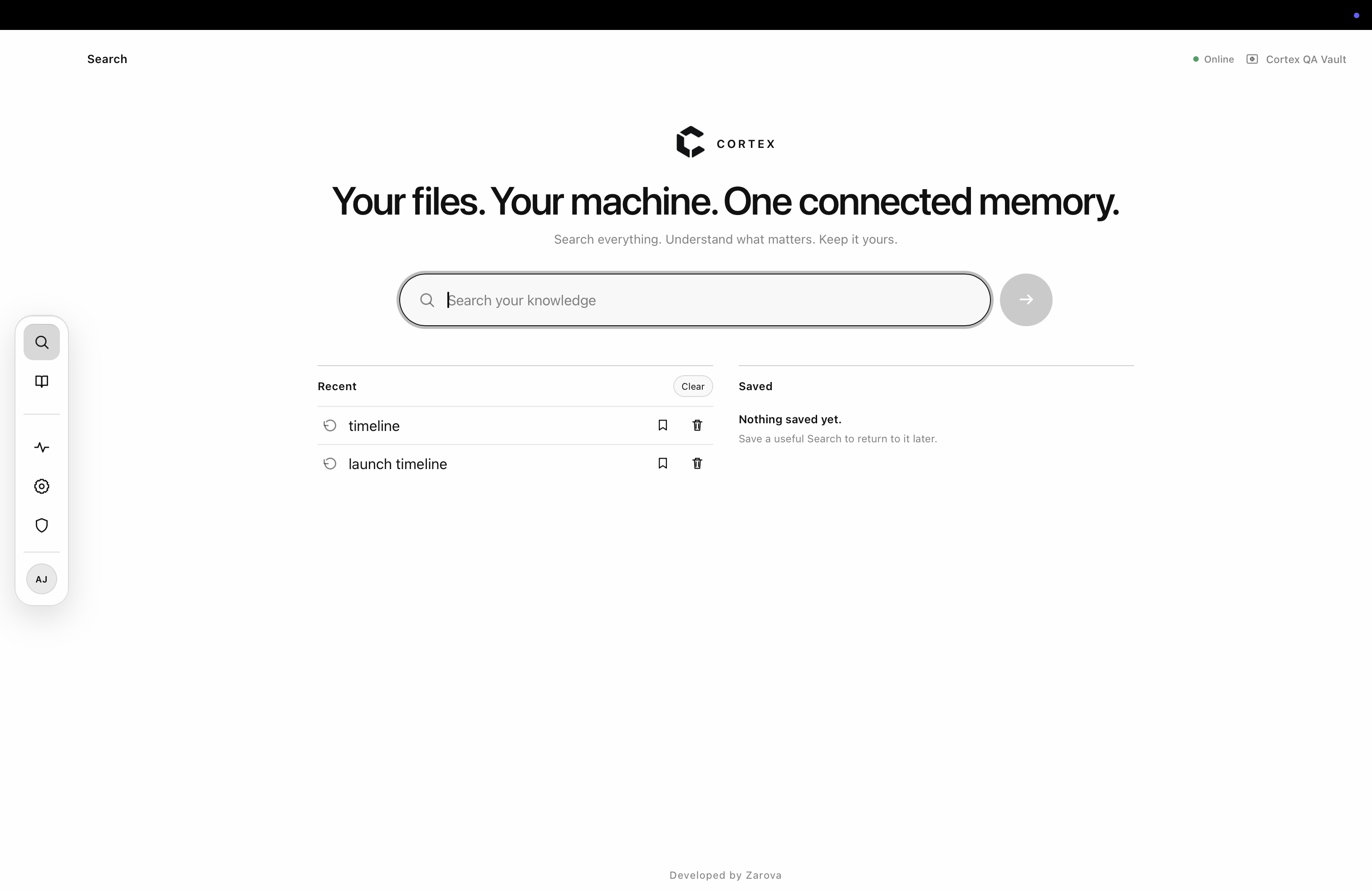
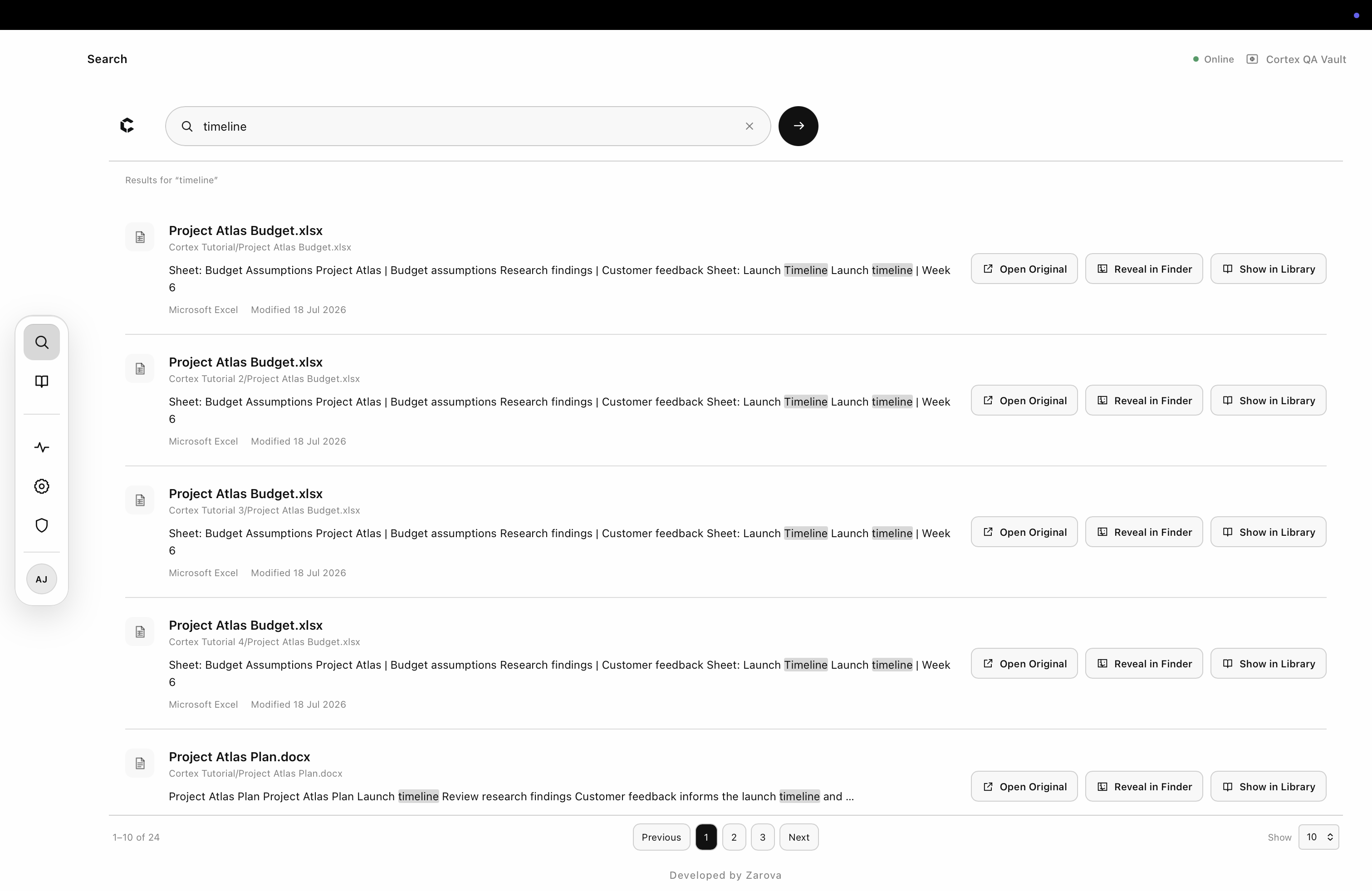
A fully dynamic and offline search engine used to navigate and inspect data within files.
-
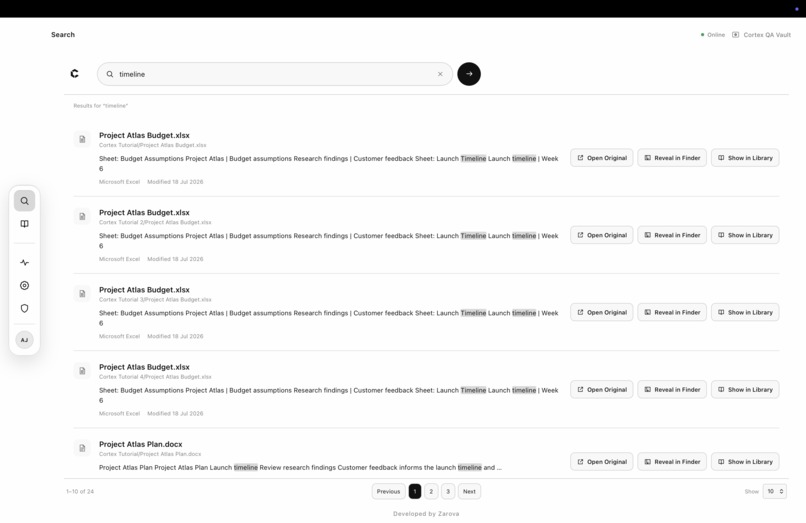
Search results resembling the familiarity of online search engines.
-
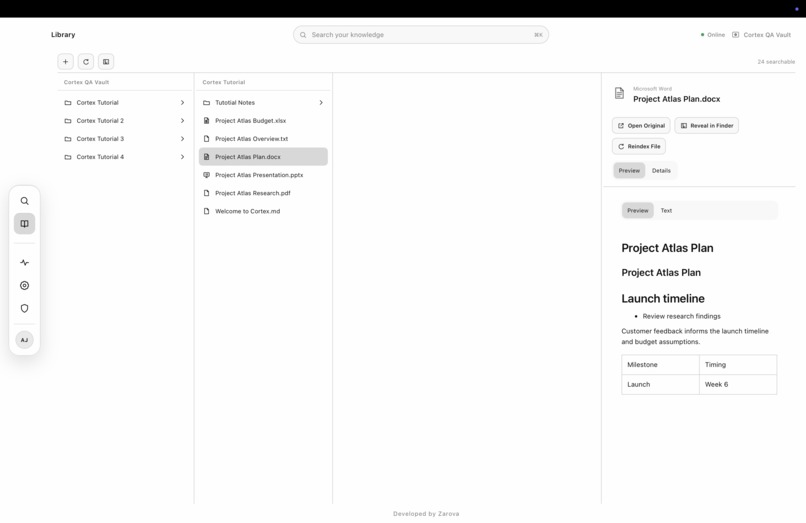
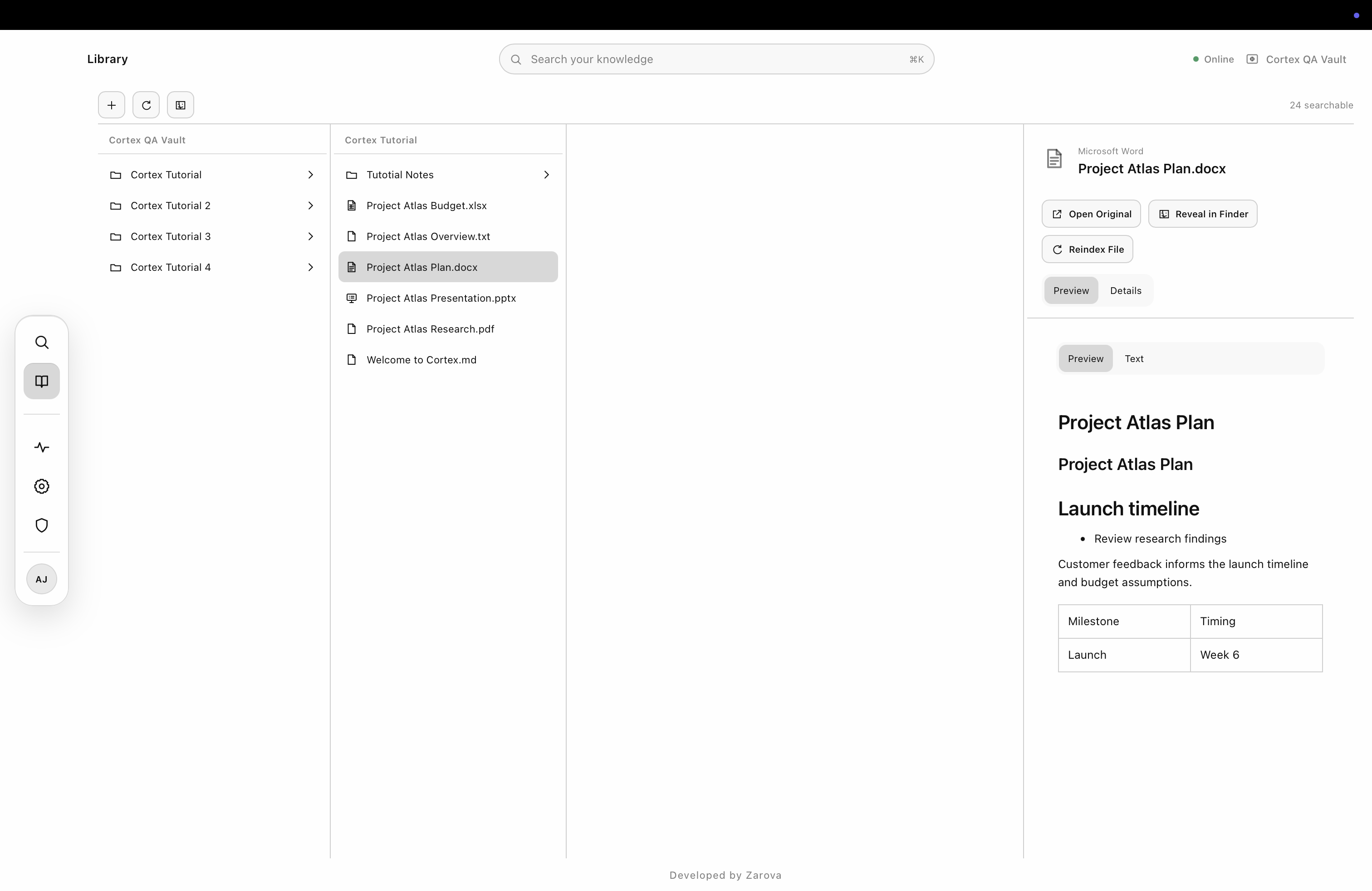
An in-app library resembling a native file explorer for better navigation and organisation.
-
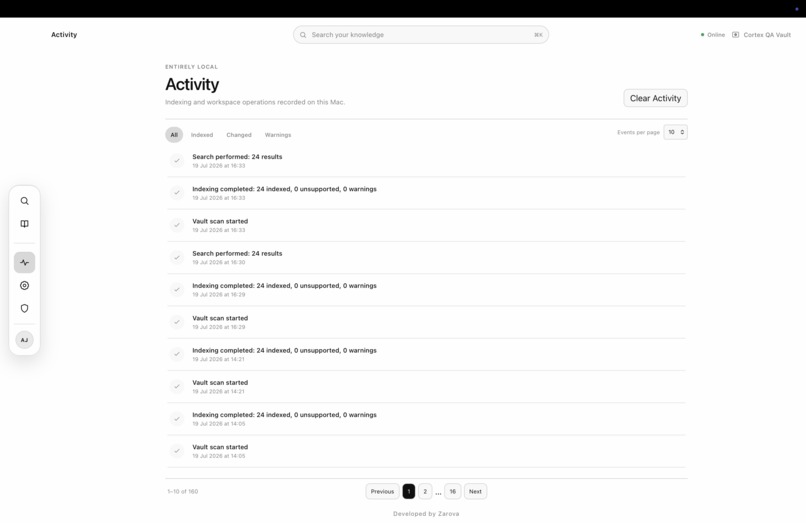
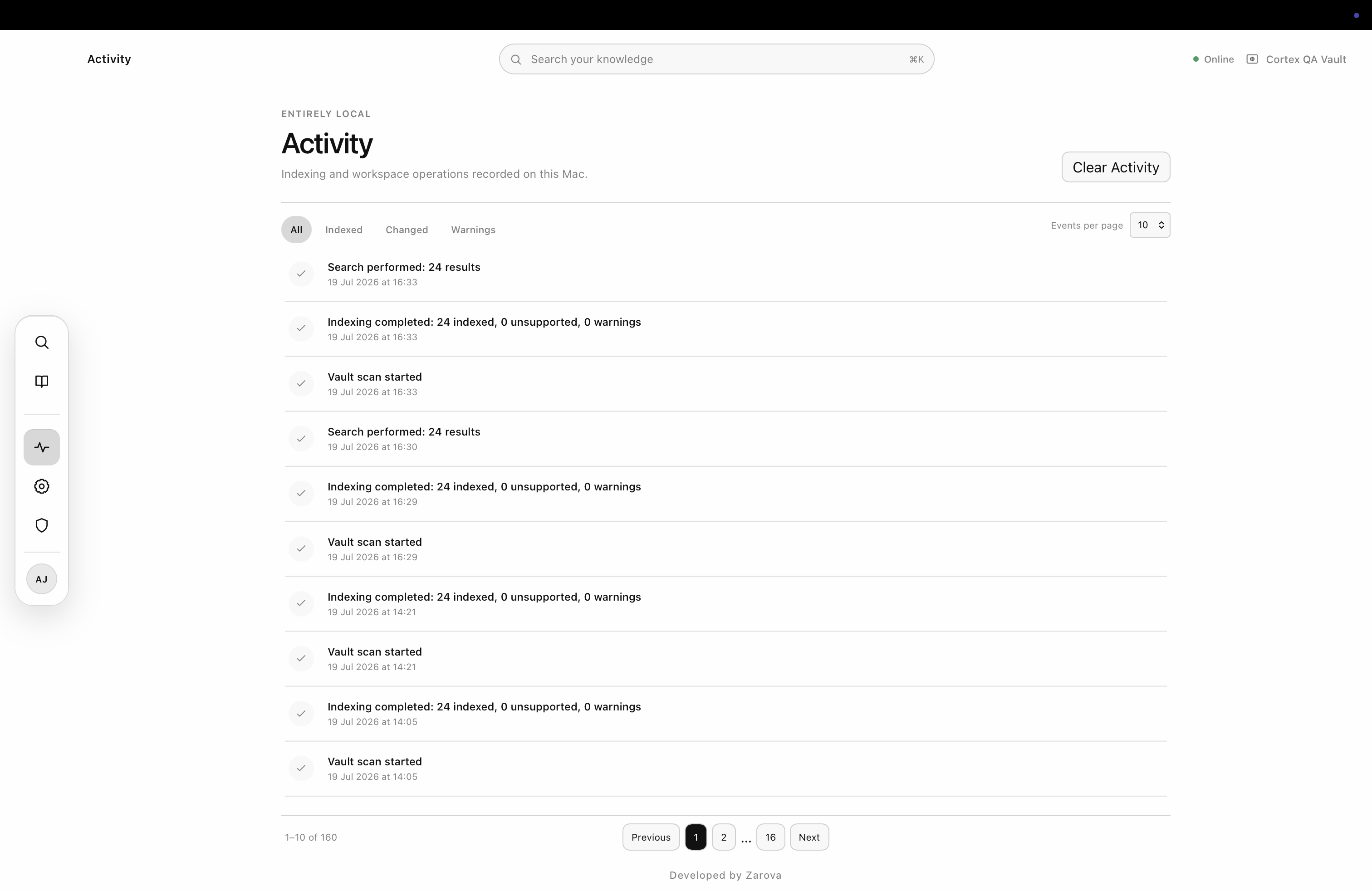
An activity log page, used to highlight everything that the app is doing along with viewing any warning signs.
Inspiration
People rarely remember their work as filenames and folder paths. They remember an idea, a figure, a recommendation, a sentence from a report, or something discussed several projects ago.
That knowledge is often scattered across PDFs, notes, Word documents, presentations and spreadsheets. Finding it usually means searching folders, guessing filenames and opening documents one at a time. The alternative is often moving everything into another cloud platform.
I built Cortex around a different premise:
Your files. Your machine. One connected memory.
Cortex is designed to make the documents already on a Mac meaningfully searchable while leaving the original files under the user’s control.
What it does
Cortex turns an ordinary local folder into a continuously updated knowledge workspace.
A user creates or selects a Cortex Vault, and Cortex:
- discovers and indexes supported documents locally;
- searches filenames, paths and extracted document content;
- provides live search suggestions and highlighted result excerpts;
- previews TXT, Markdown, PDF, DOCX, PPTX and XLSX files;
- preserves source provenance so a result can be opened in Finder or located inside the Library;
- monitors the vault for additions, edits and removals;
- records indexing and workspace events through Activity;
- supports local workflows after the authenticated session has been restored.
Cortex also includes a strict, task-gated guided tutorial. Instead of showing passive tooltips, the tutorial asks users to complete real actions such as creating files, searching their contents, opening evidence, navigating the Library and reviewing Activity.
The current Build Week Preview is a native macOS application for Apple Silicon.
What makes Cortex different
Cortex does not ask users to rebuild their knowledge base inside a proprietary cloud library.
The source files remain ordinary files inside a folder chosen by the user. Cortex builds a separate local catalogue and search layer around them.
It is not intended to replace Finder or turn every workflow into a chatbot. Cortex focuses on one clear task: helping users retrieve information from files they already own.
The current release uses local full-text search. It does not currently include semantic retrieval, OCR, Neural Map rendering or in-app AI inference.
How I built it
Cortex is a native macOS desktop application built with:
- Tauri 2 for the desktop shell;
- Rust for filesystem access, indexing, validation and native operations;
- React and TypeScript for the interface;
- SQLite with FTS5 for the local catalogue and full-text search;
- Supabase Auth for account access;
- macOS Keychain for secure session persistence;
- local document extraction and preview pipelines for PDF, DOCX, PPTX and XLSX;
- a recursive filesystem watcher that reconciles changes into the catalogue.
Sensitive filesystem operations are exposed through narrow Rust and Tauri commands rather than unrestricted frontend access. Paths are canonicalised, vault boundaries are enforced, symlink escapes are rejected and copy operations do not silently overwrite files.
Cortex had an experimental foundation before the Build Week submission period. During Build Week, I meaningfully extended and hardened it through a substantial product and engineering pass that included:
- redesigning and polishing the core product experience;
- improving onboarding and named vault creation;
- building robust document previews;
- strengthening indexing and Activity reconciliation;
- creating the replayable 12-step guided tutorial;
- improving loading, empty and error states;
- implementing Keychain-backed session restoration;
- building and validating the updater;
- generating a deterministic fabricated demo vault;
- expanding automated frontend, Rust and release tests;
- preparing the application for external testing and distribution.
Codex and GPT-5.6 were used throughout Build Week to help analyse the repository, refine product requirements, implement features, debug failures, design tests, review release infrastructure and investigate native macOS behaviour.
I made the final product, privacy, design, architecture and scope decisions. Suggestions were reviewed rather than accepted automatically. Several proposed features, including Ask Cortex and Neural Map, were deliberately removed from the submission so the core product could remain coherent and reliable.
Challenges I ran into
One of the largest challenges was making Cortex feel simple while preserving strict local-data boundaries.
The search interface is straightforward, but underneath it Cortex must:
- extract several document formats;
- maintain a durable local catalogue;
- handle additions, edits and removals;
- prevent overlapping indexing jobs;
- preserve source provenance;
- validate native file operations;
- restore authentication securely;
- continue supporting offline local workflows after session restoration;
- remain stable across development and packaged release builds.
The guided tutorial exposed an especially subtle race condition. A folder could be created while indexing was already running, which meant the filesystem mutation existed before its Activity record appeared. I fixed this by coalescing indexing requests, guaranteeing post-mutation reconciliation and validating completion against durable catalogue state rather than a transient event.
macOS application identity created another challenge. Repeated ad-hoc development builds can be treated as different applications by Keychain and Gatekeeper. I built a deterministic release pipeline with a fixed bundle identifier, repeatable arm64 builds, updater signing, private updater testing, package inspection and DMG verification.
The updater was then tested from end to end. Cortex 0.1.0 discovered a controlled 0.1.1 QA release, verified its signature, downloaded it, replaced the same application inside Applications, relaunched automatically and preserved the session, vault, catalogue, tutorial, settings, searches and Activity.
Developer ID signing and Apple notarisation remain the final trusted-distribution steps.
Accomplishments that I am proud of
- Built a functioning native macOS application as a solo founder.
- Implemented local full-text search across six document formats.
- Created dedicated PDF, DOCX, PPTX and XLSX preview experiences.
- Built automatic vault monitoring and durable indexing reconciliation.
- Added safe in-app file and folder management.
- Implemented secure session storage through macOS Keychain.
- Created a replayable 12-step tutorial driven by real product actions.
- Built a reproducible private arm64 application and DMG release pipeline.
- Implemented a signed updater with replace-in-place installation and automatic relaunch.
- Preserved user state across a verified application update.
- Reached 294 passing frontend tests and 136 passing Rust tests in the final verified release.
- Preserved a clear boundary between implemented functionality and future ideas.
What I learned
I learned that a local-first product is not simply a cloud product with the upload button removed.
It requires deliberate decisions about filesystem safety, data ownership, indexing consistency, authentication, offline behaviour, application signing and recovery from partial operations.
I also learned how valuable Codex can become when it is used as an engineering collaborator rather than a one-shot code generator. The strongest results came from giving it tightly scoped requirements, requiring verification, reviewing the native application myself and feeding real QA findings back into focused correction passes.
The project also reinforced the importance of scope discipline. Adding visible AI functionality would have been easy to market, but it would have weakened the submission if the core product was not ready. I chose to prioritise a complete and coherent application instead.
What’s next for Cortex
The immediate priority is completing trusted macOS distribution through Developer ID signing and Apple notarisation.
After Build Week, the roadmap may include:
- OCR for scanned and image-only documents;
- semantic retrieval and optional source-grounded Ask Cortex;
- encrypted catalogue and vault-security options;
- Cortex Lock and Touch ID;
- multiple vaults and advanced search filters;
- a visual Neural Map for connected files and topics;
- richer document previews;
- broader desktop and mobile platform support.
These capabilities are not presented as current functionality. The Build Week Preview focuses on one clear promise:
Turn the files already on your Mac into a searchable, continuously updated workspace without giving up control of the originals.
Built With
- codex
- file
- fts5
- gpt-5.6
- keychain
- local-first
- macos
- pdf.js
- react
- rust
- sqlite
- supabase
- system
- tauri
- typescript
- vite
- webkit

Log in or sign up for Devpost to join the conversation.