-
-
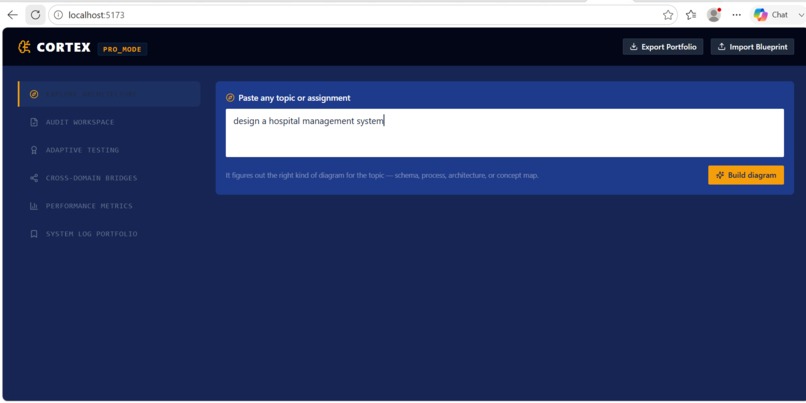
cortex-app dashboard
-
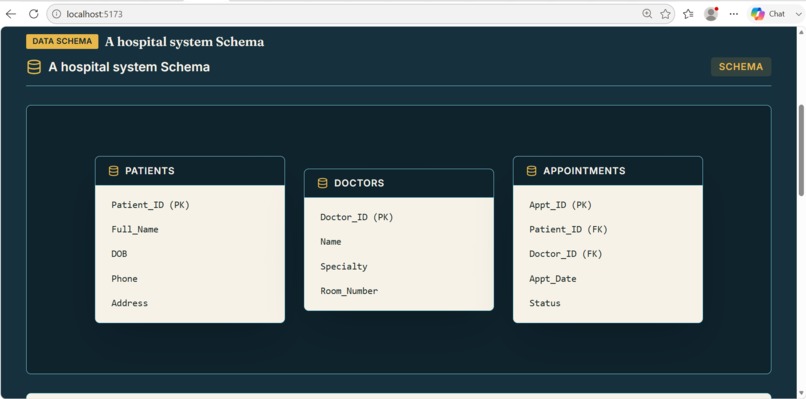
cortex generated schema
-
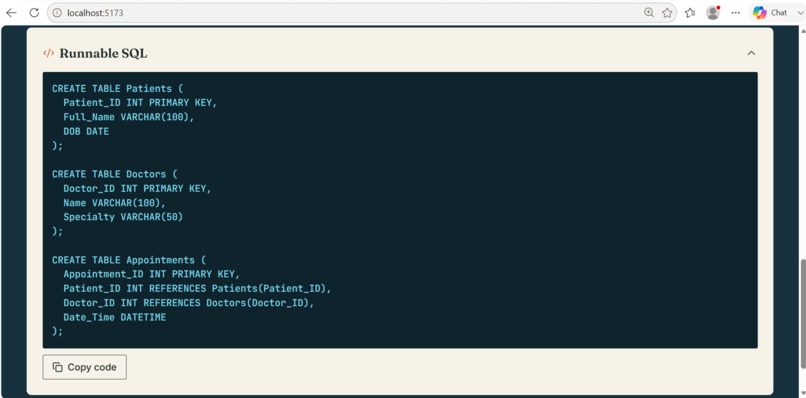
runnable generated code
-
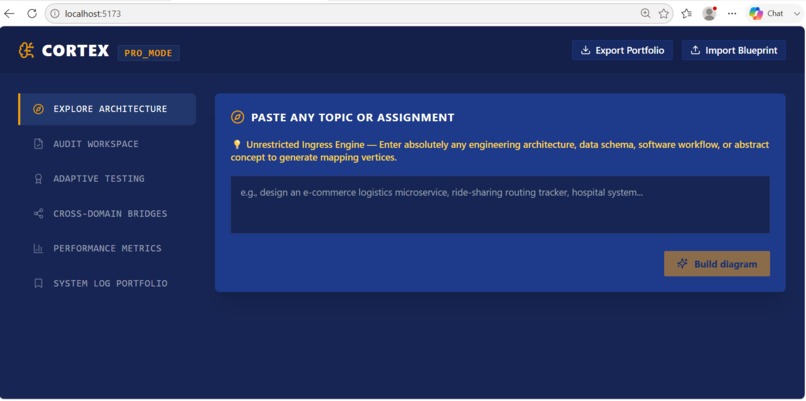
cortex interface
-
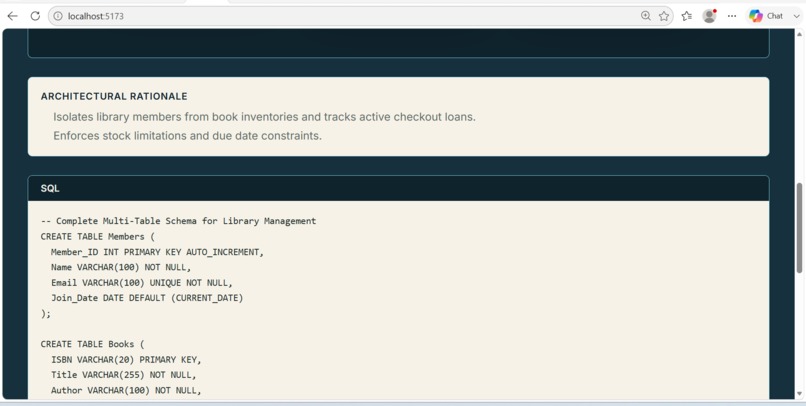
cortex sql code
-
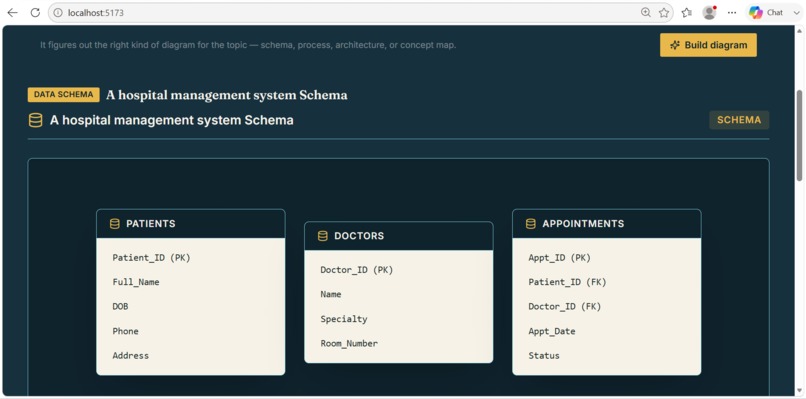
generated schema diagram
-
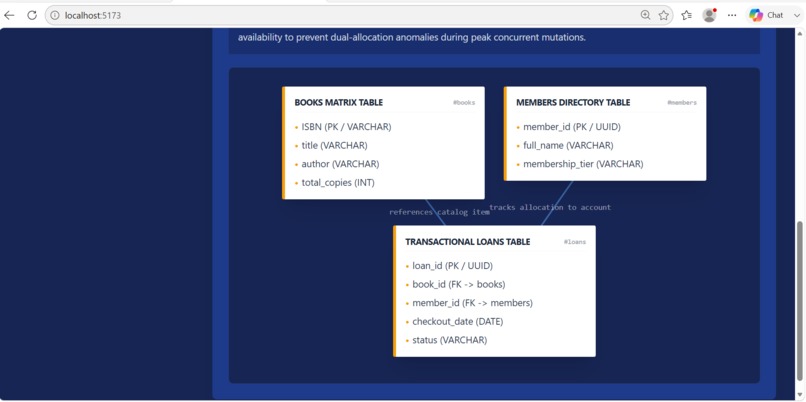
generated schema diagram
-
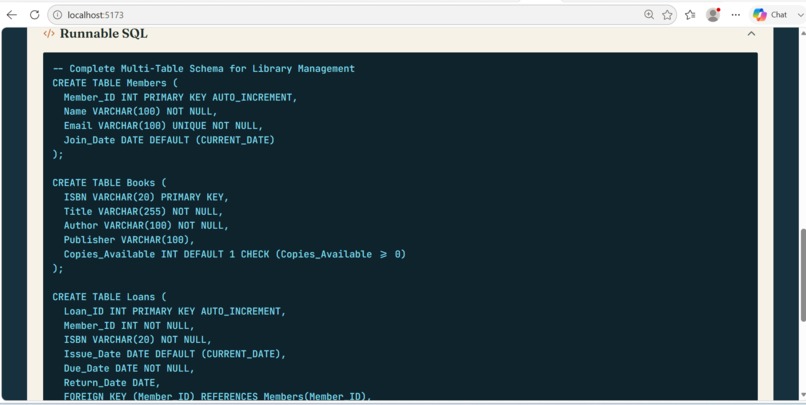
-
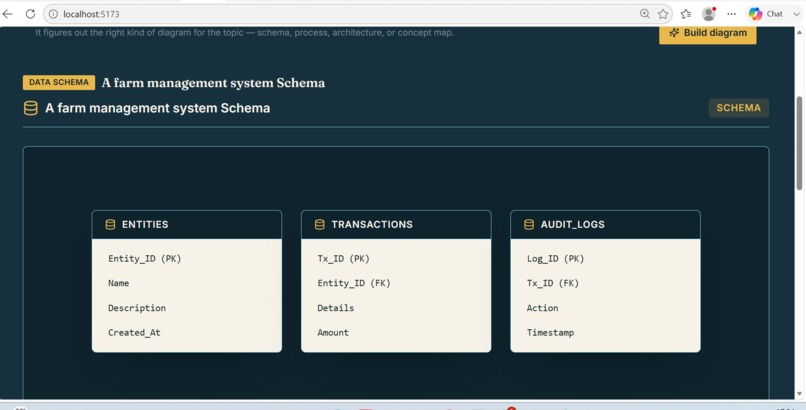
generated schema diagram
-
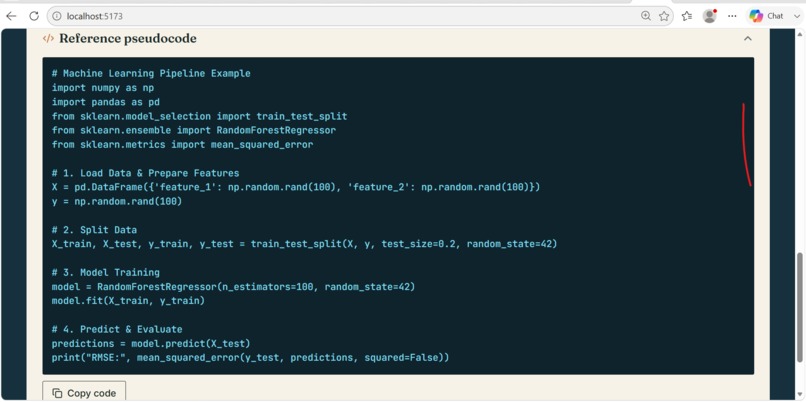
-
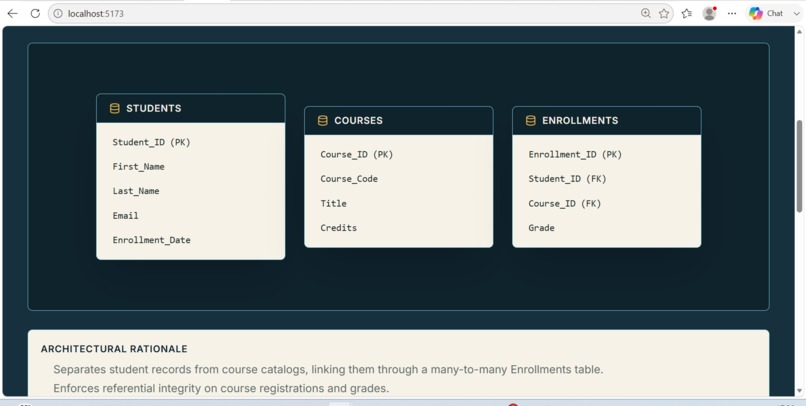
generated schema diagram
-
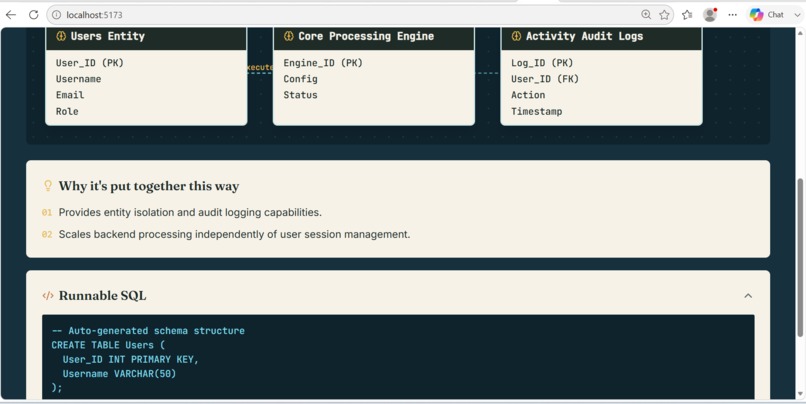
generated schema diagram
-
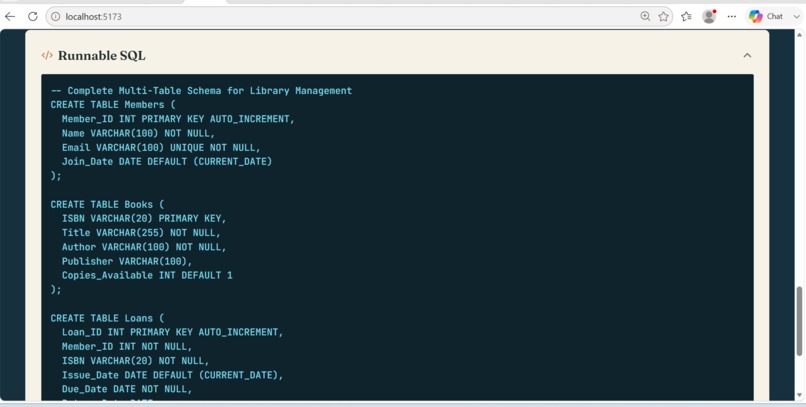
runnable code
-
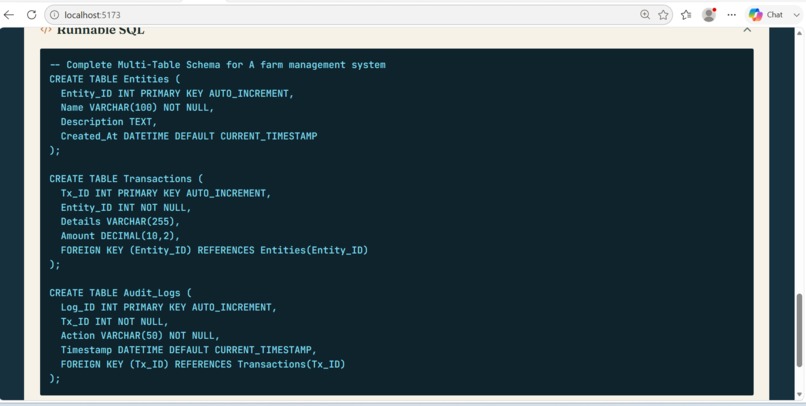
runnable code
-
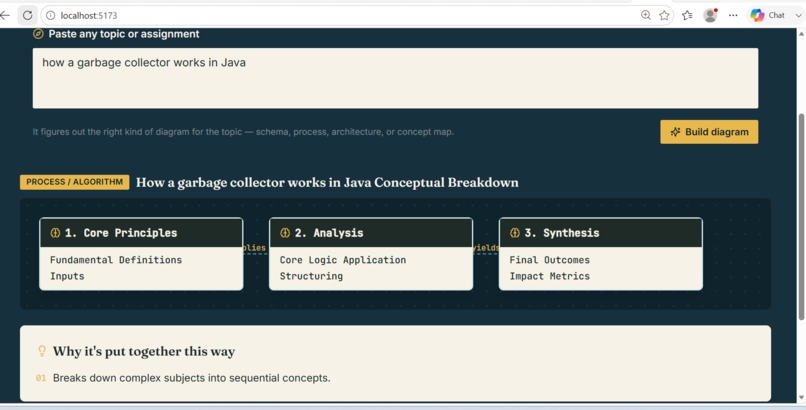
generated schema diagram
-
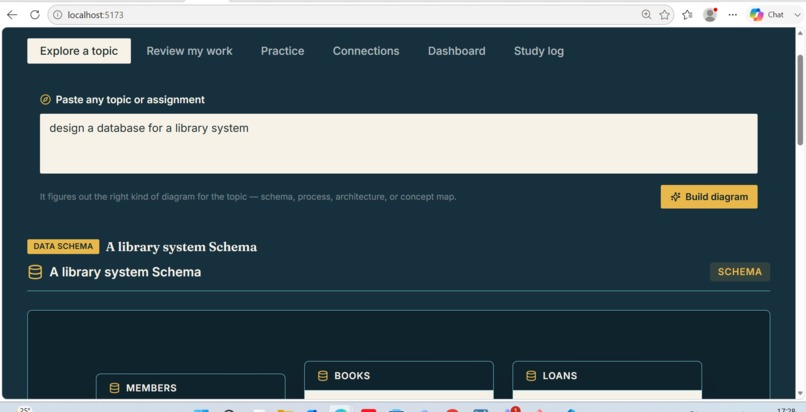
design interface
-
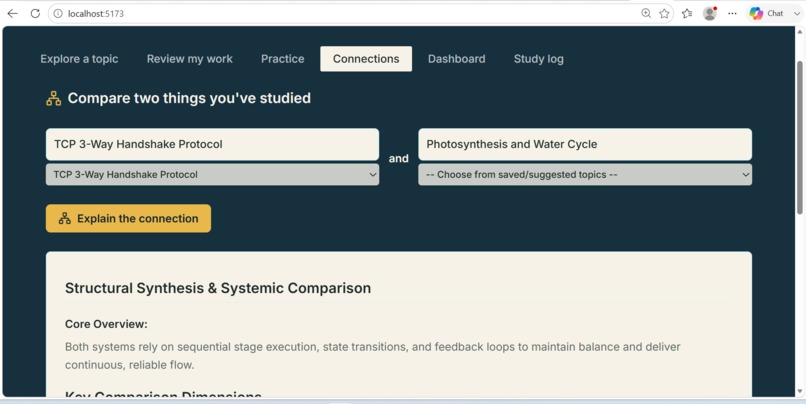
comparison
-
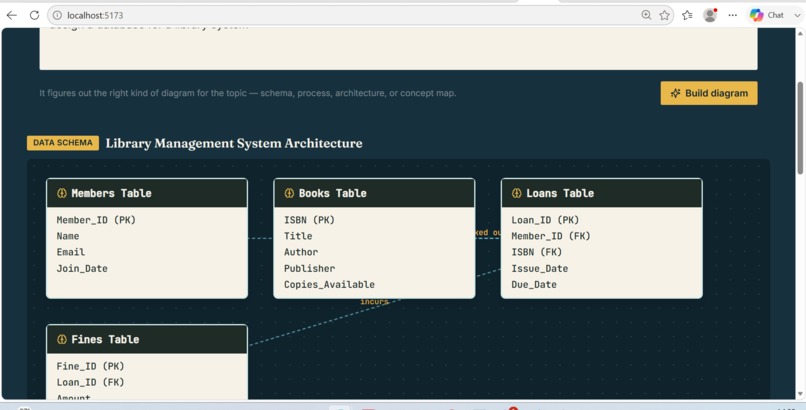
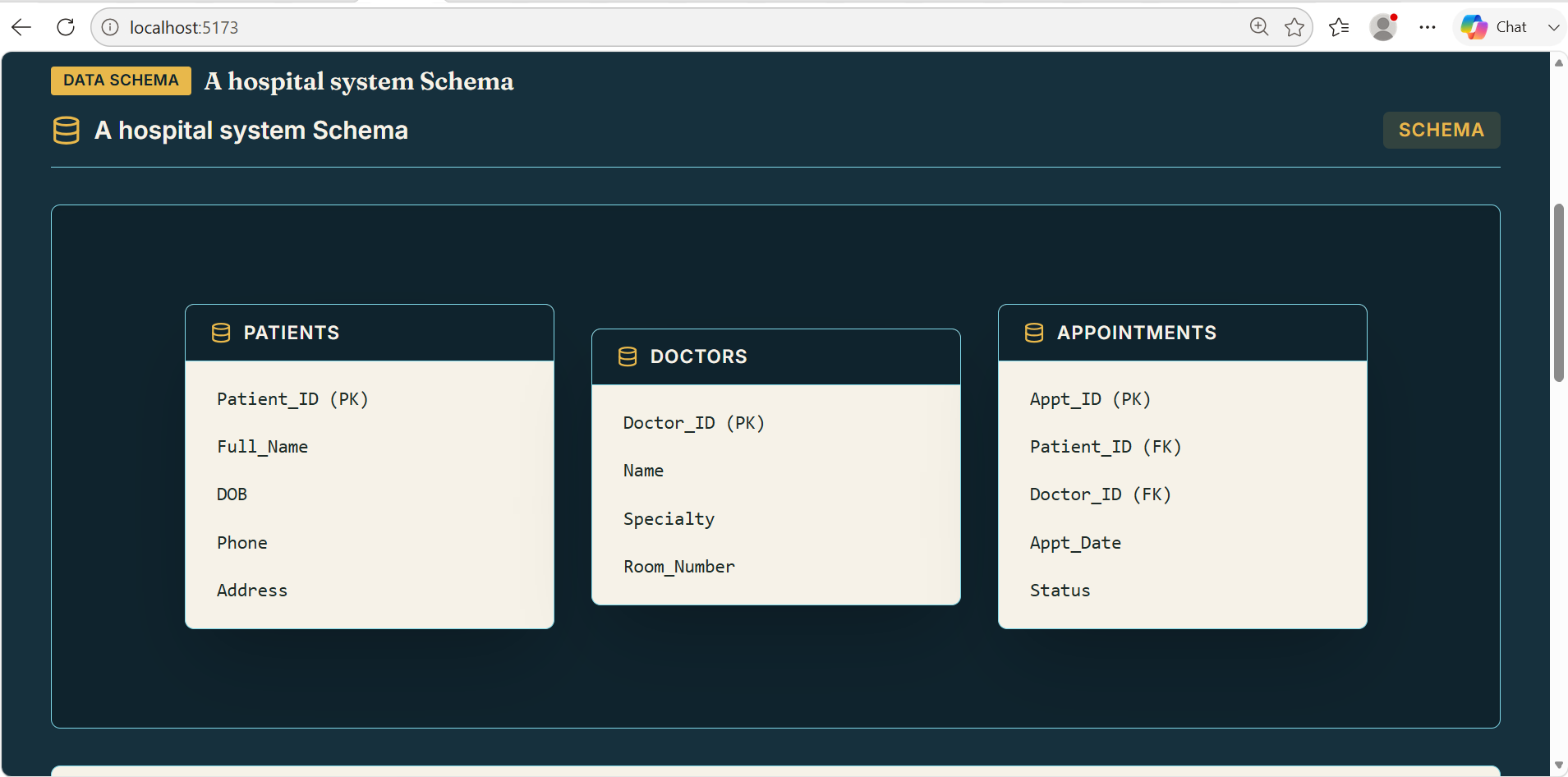
generated schema diagram
Inspiration
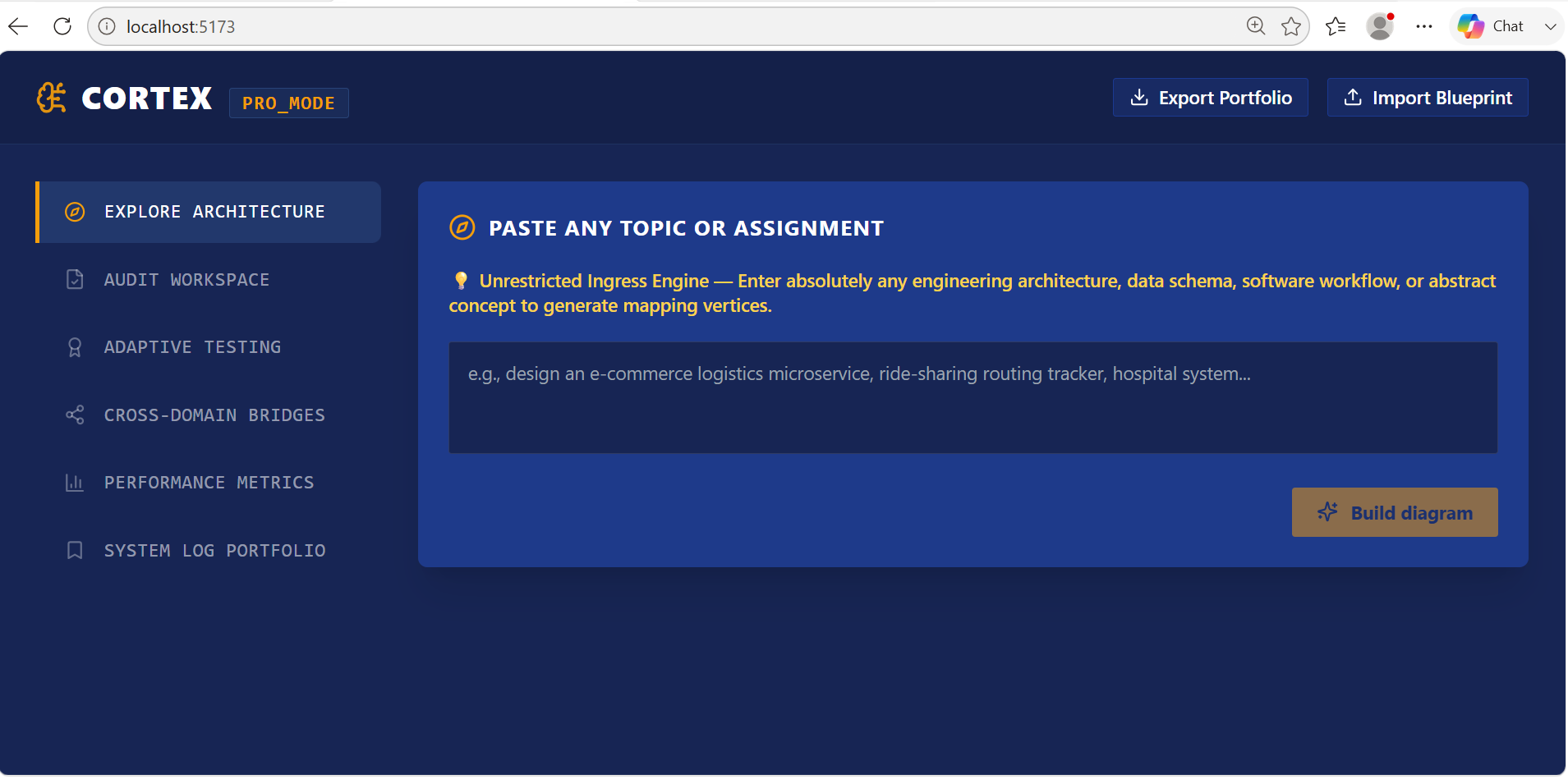
Studying across different classes means constantly switching tools — a diagram app for one assignment, flashcards for another, a text editor for notes on a third — and none of them adapt to what you're actually learning. The idea for Cortex started with a much narrower tool: a database-schema helper for a single course. But the more useful question turned out to be broader — what if one tool could look at any topic, figure out what kind of visual and practice format actually fits it, and remember what you've studied over time?
What it does
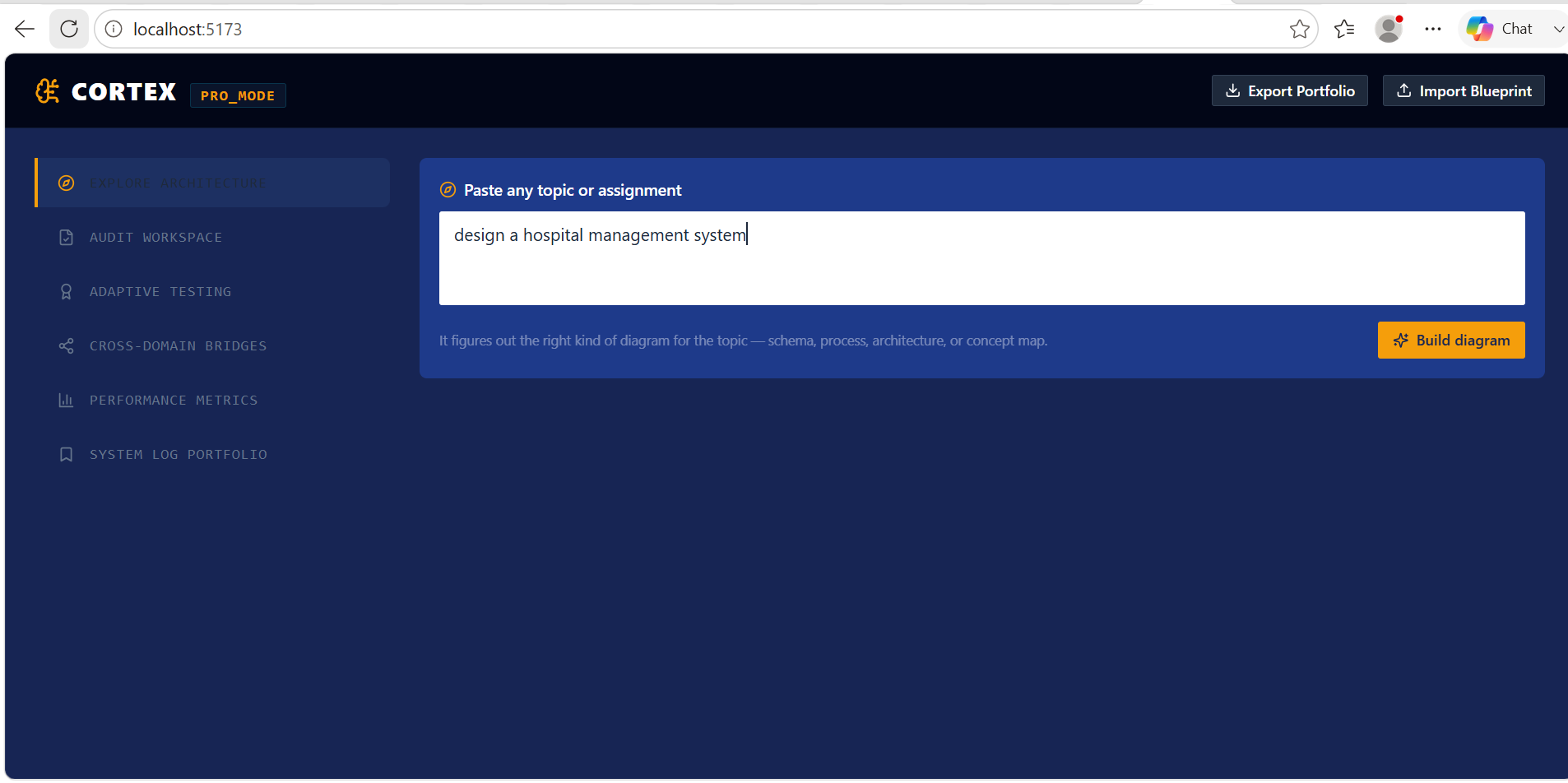
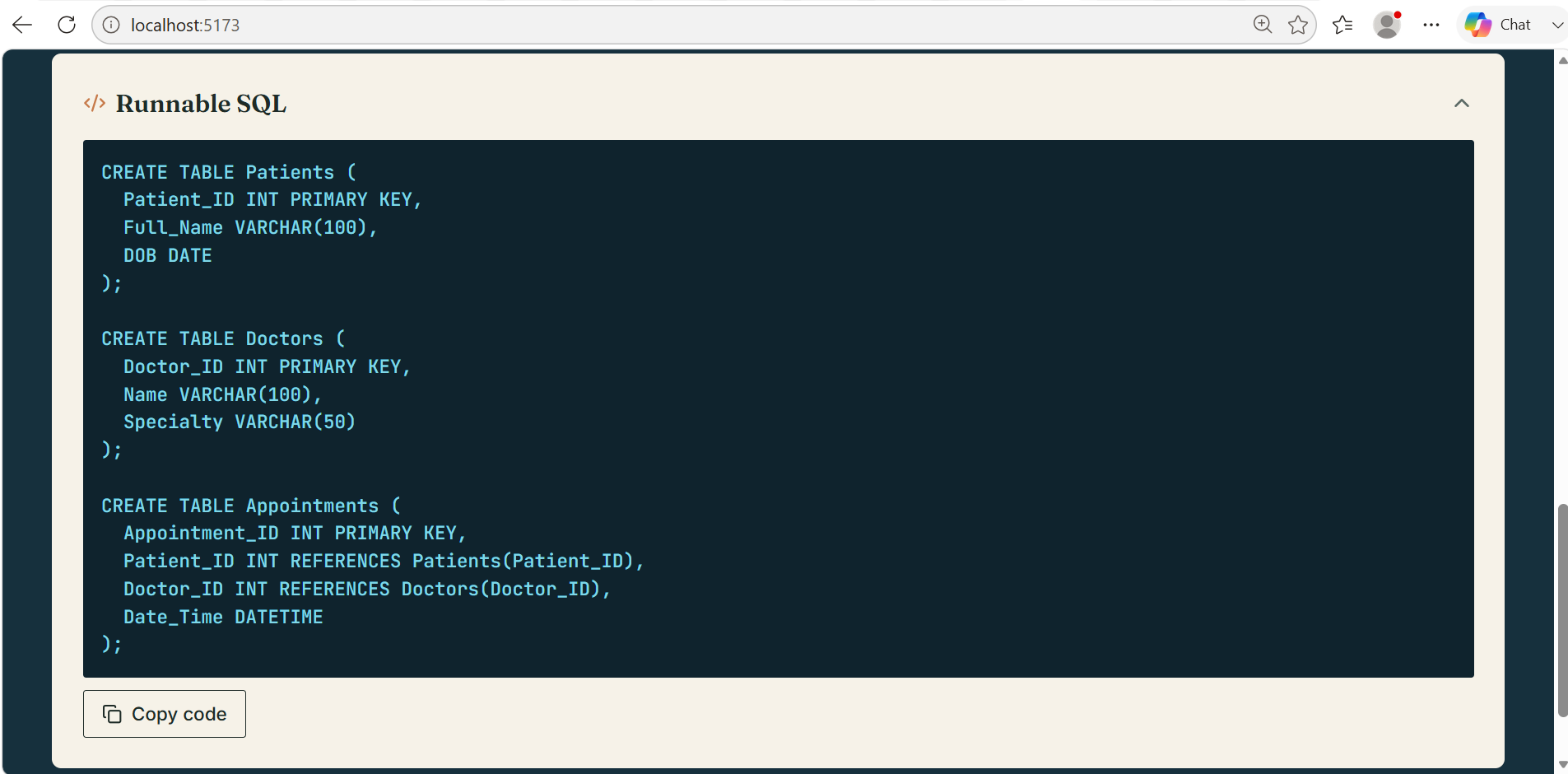
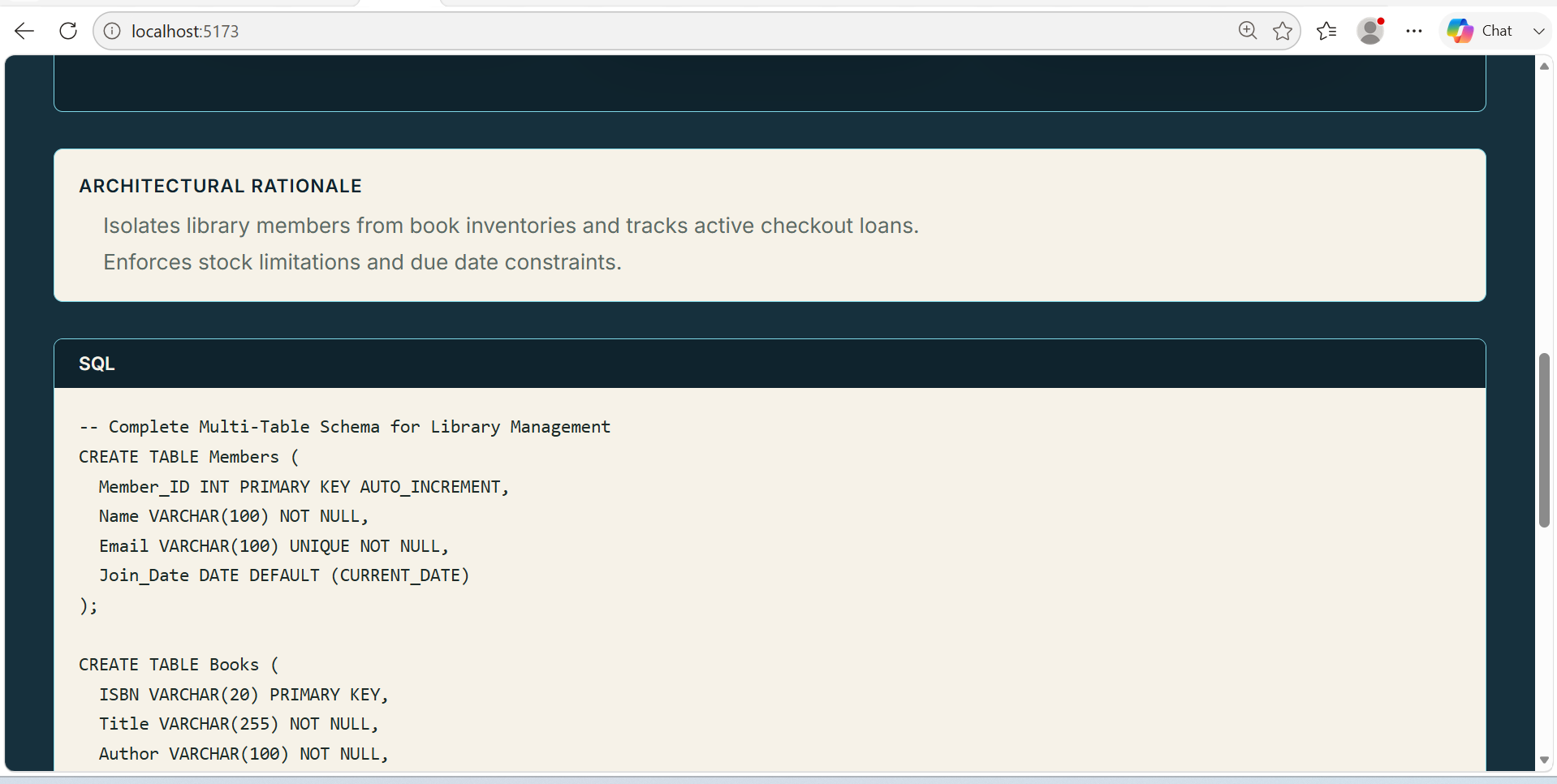
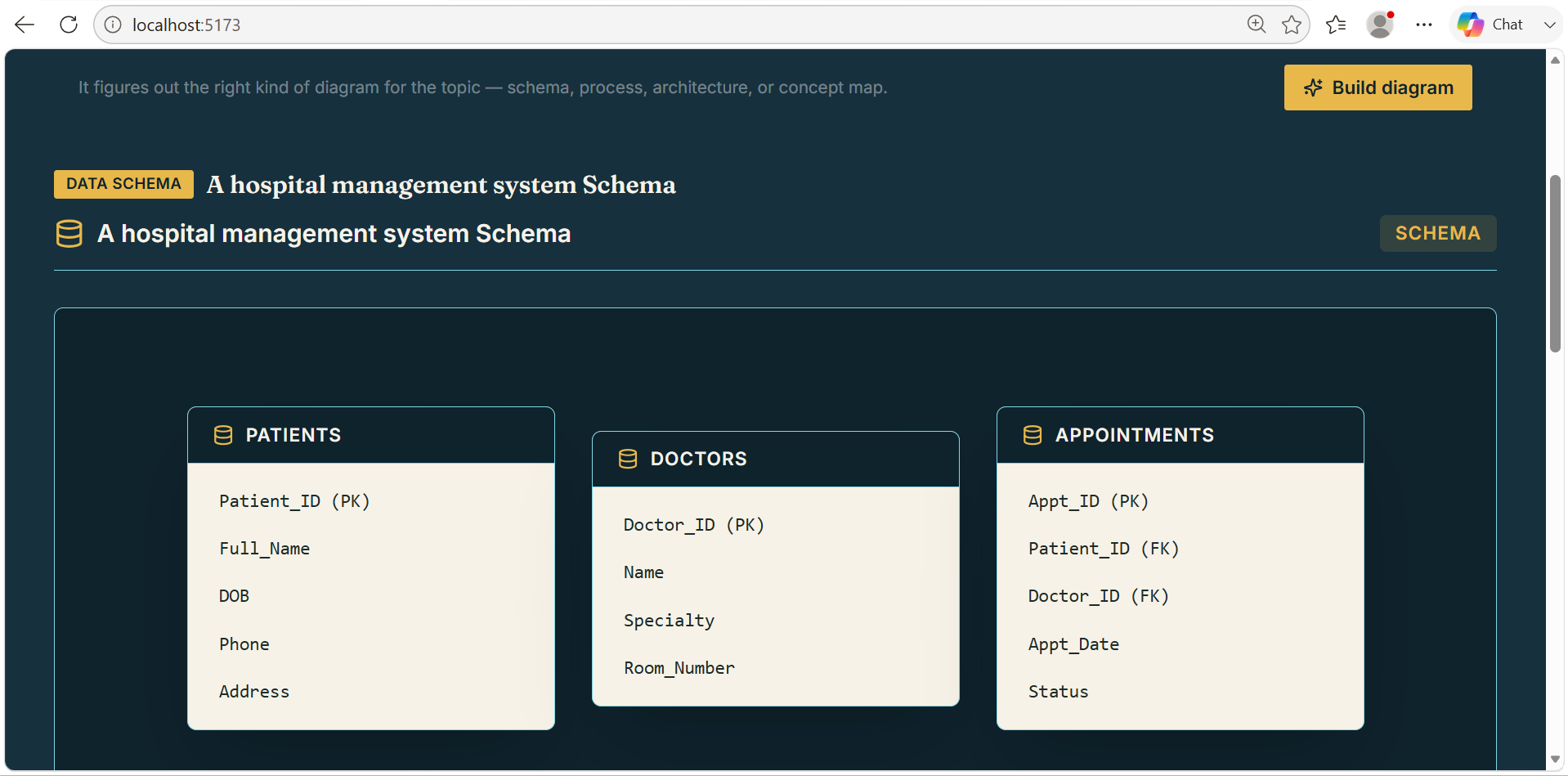
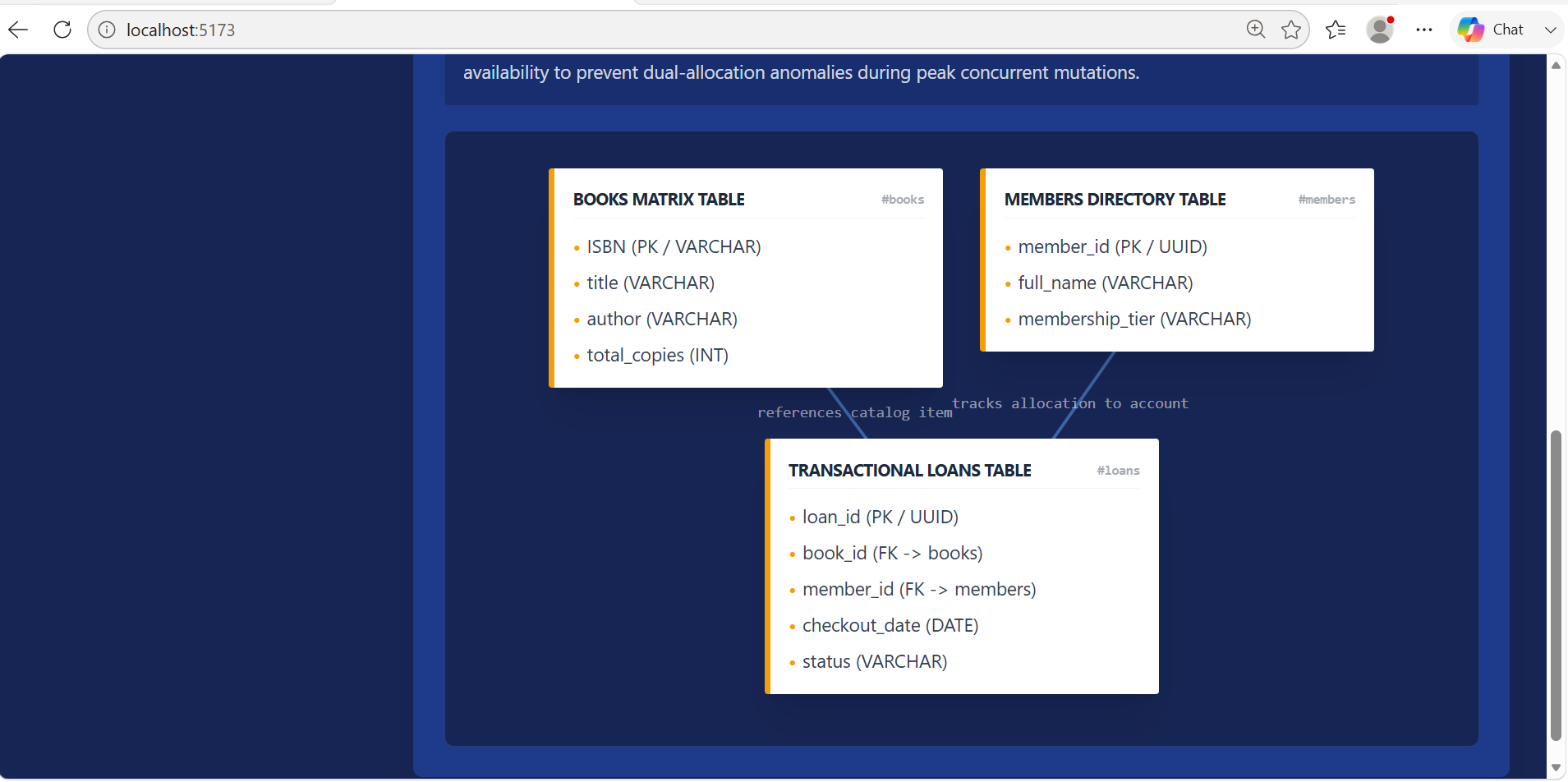
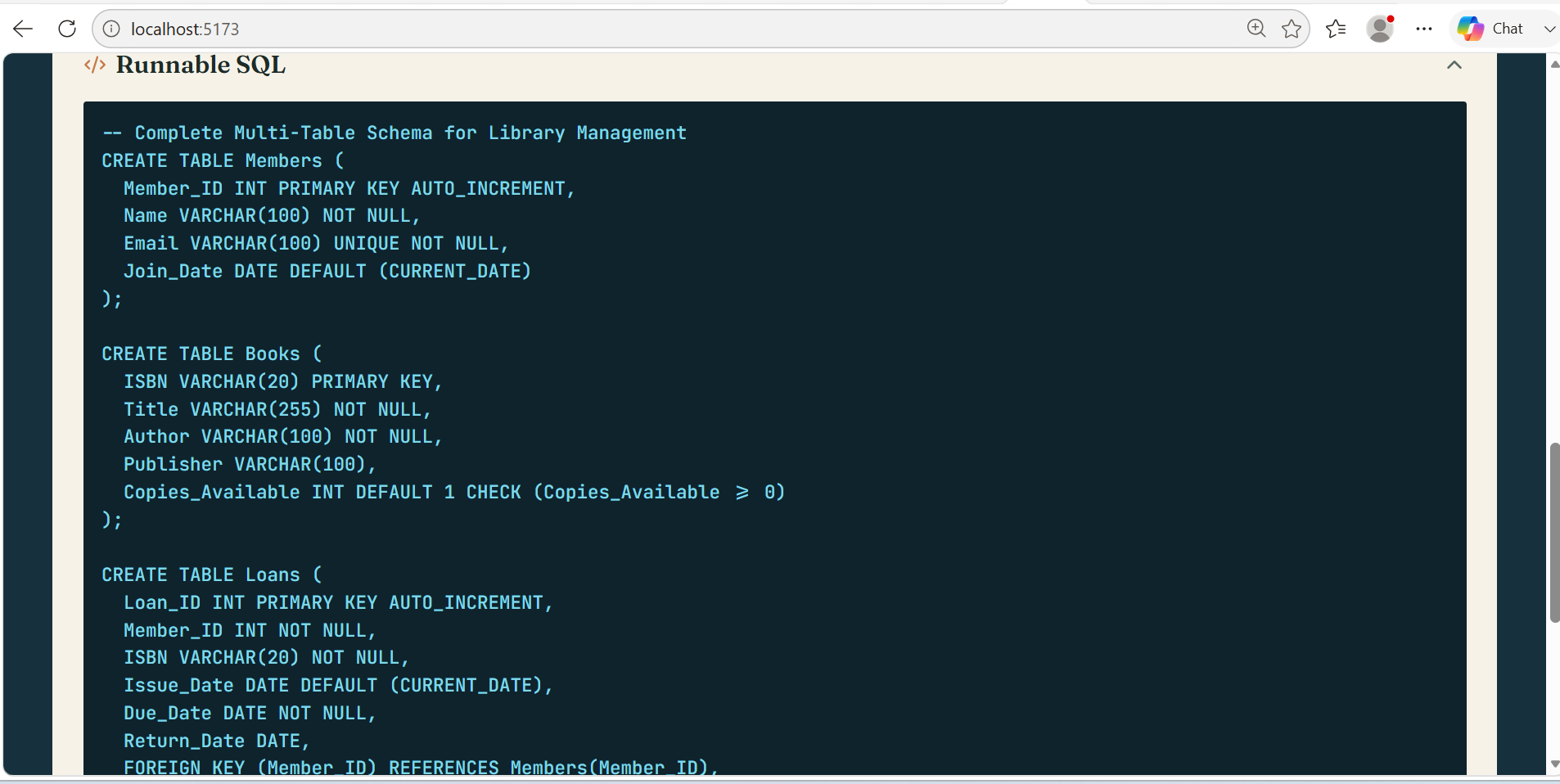
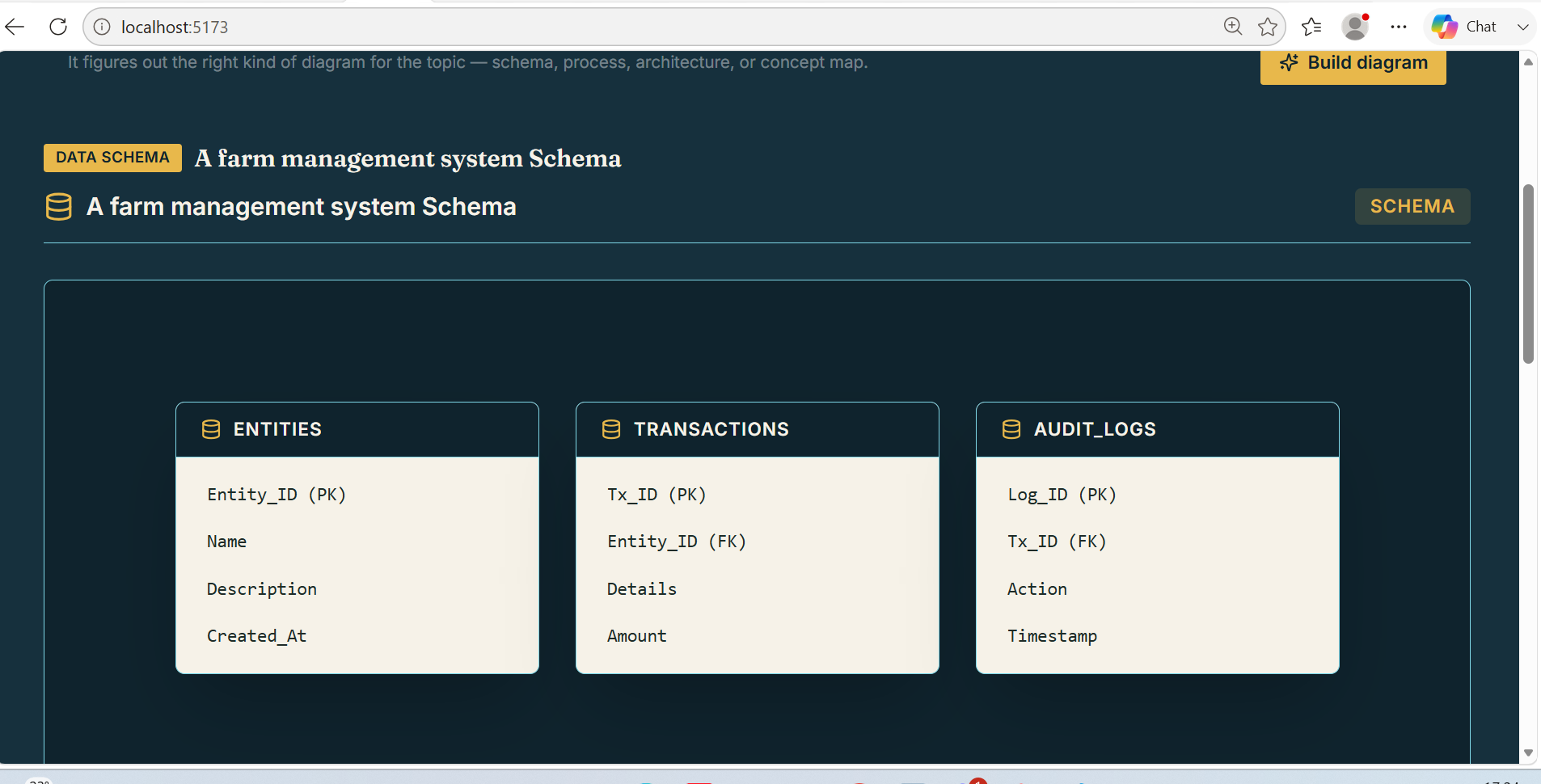
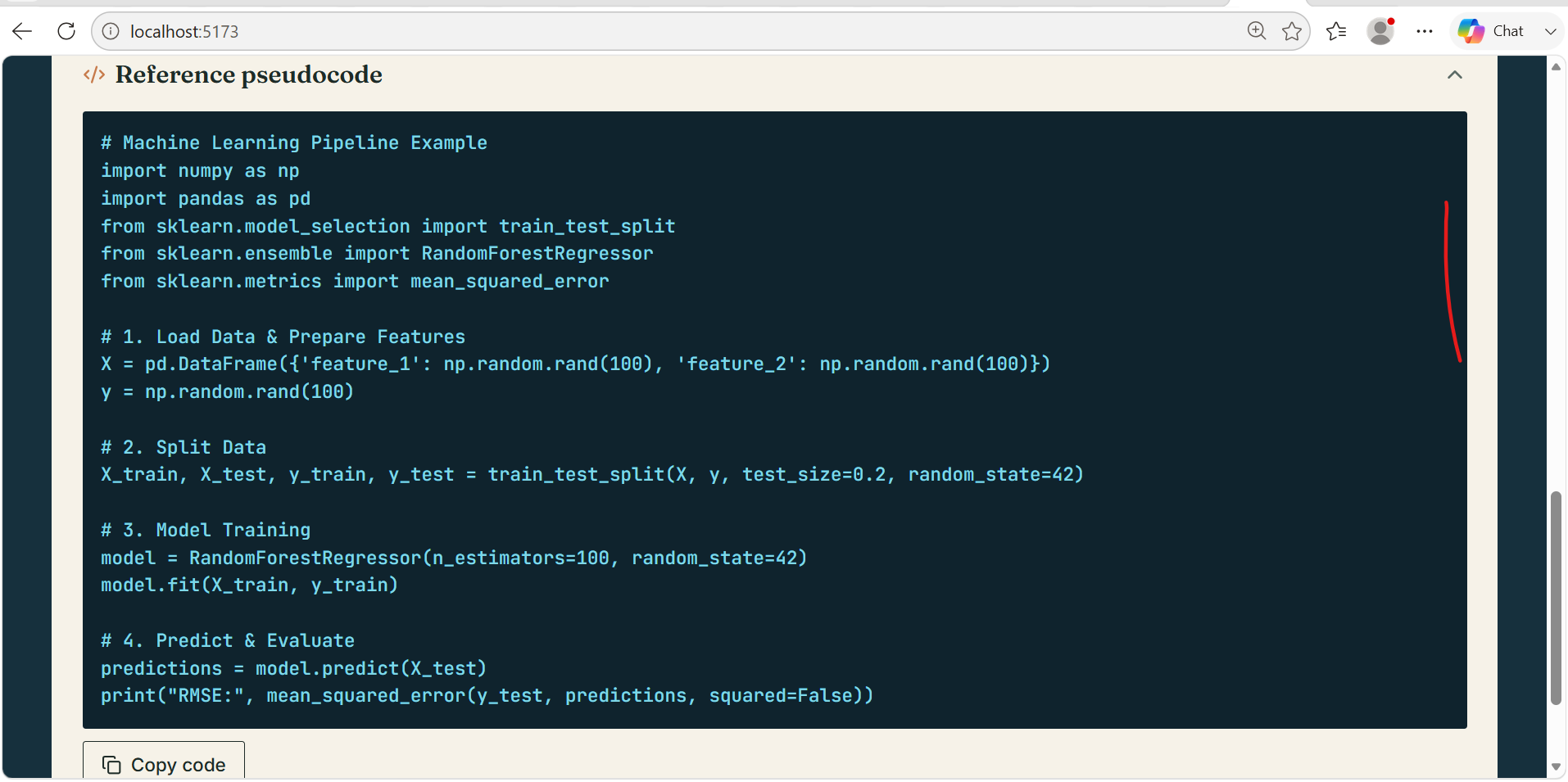
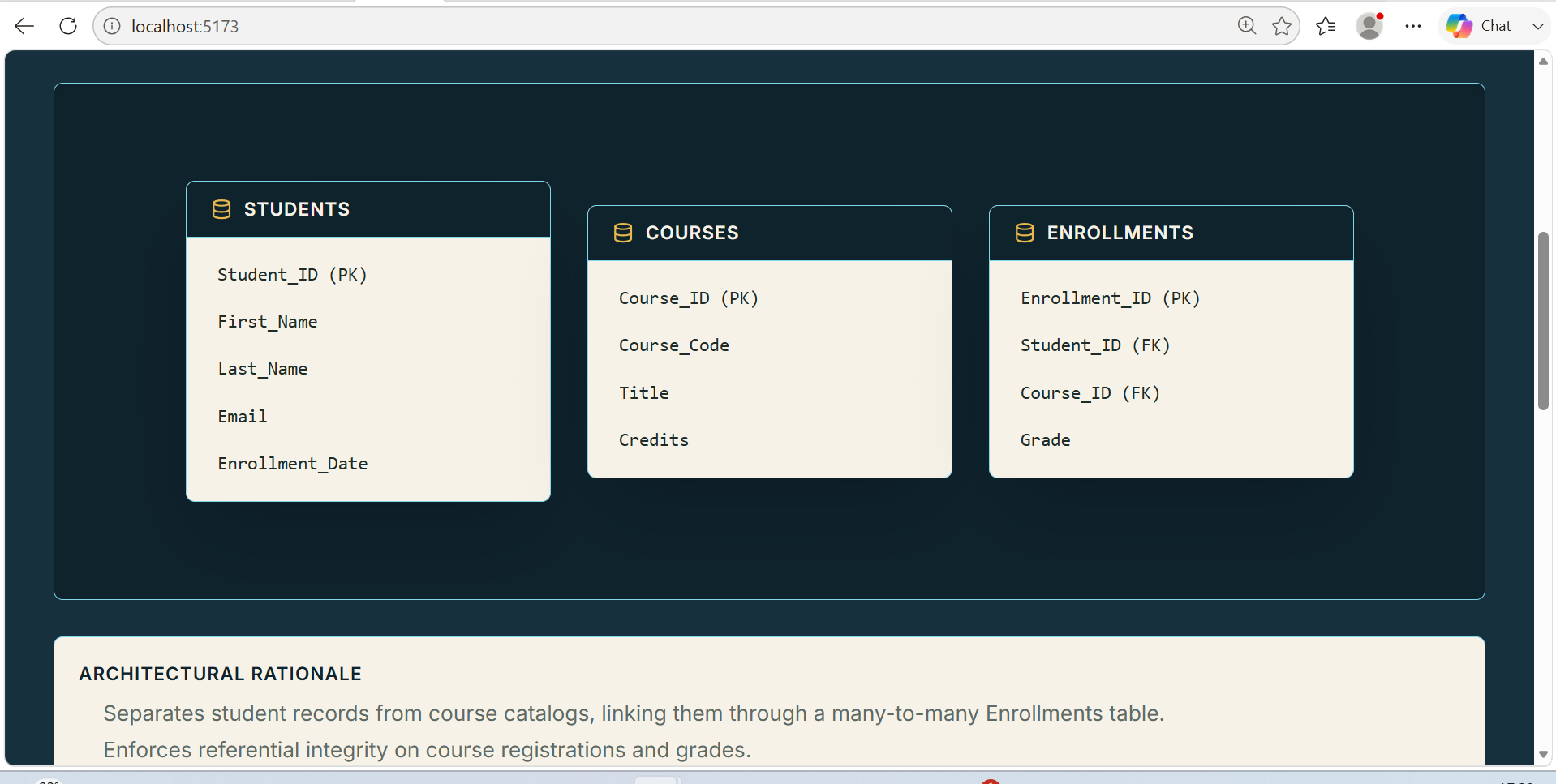
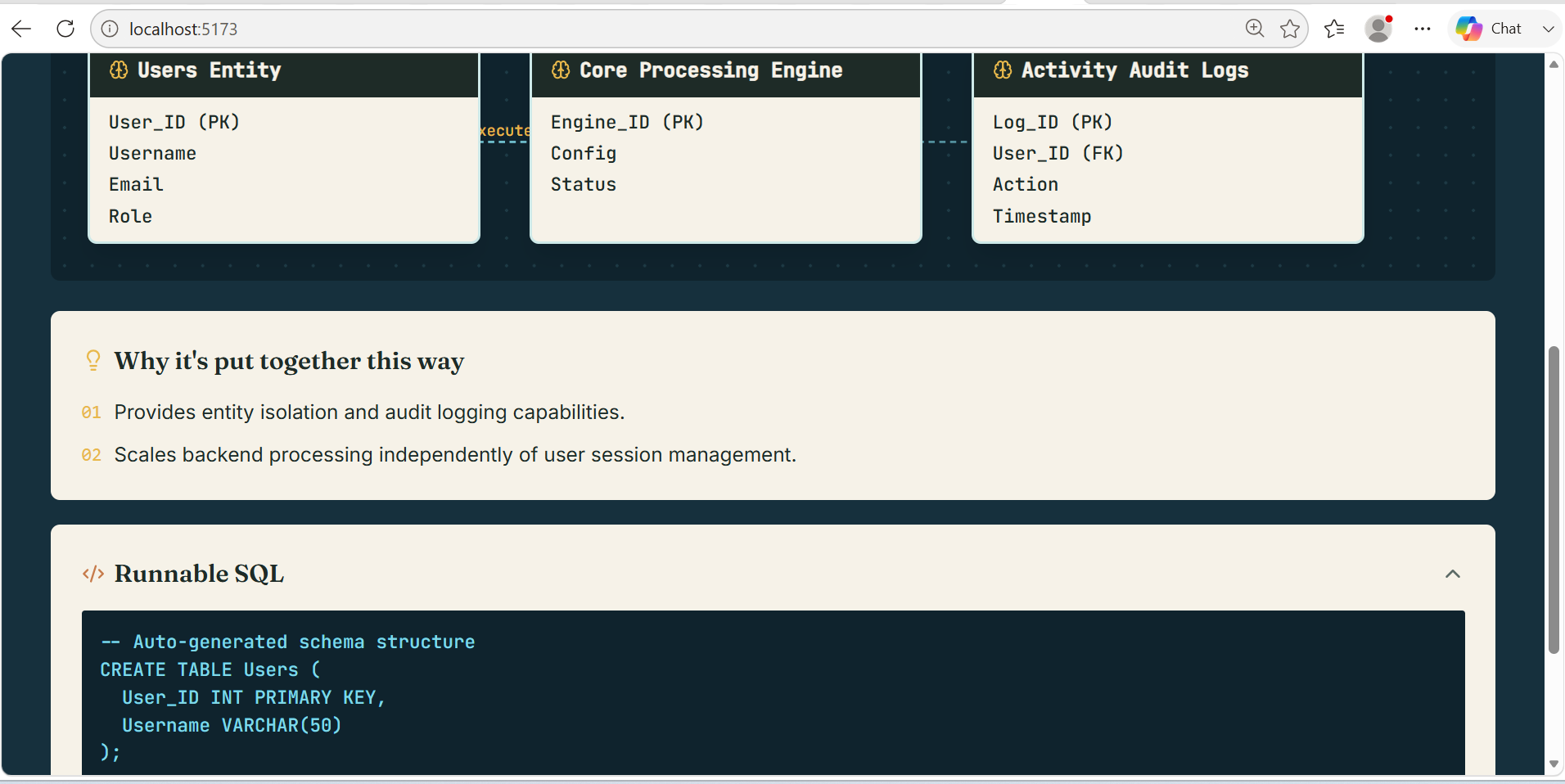
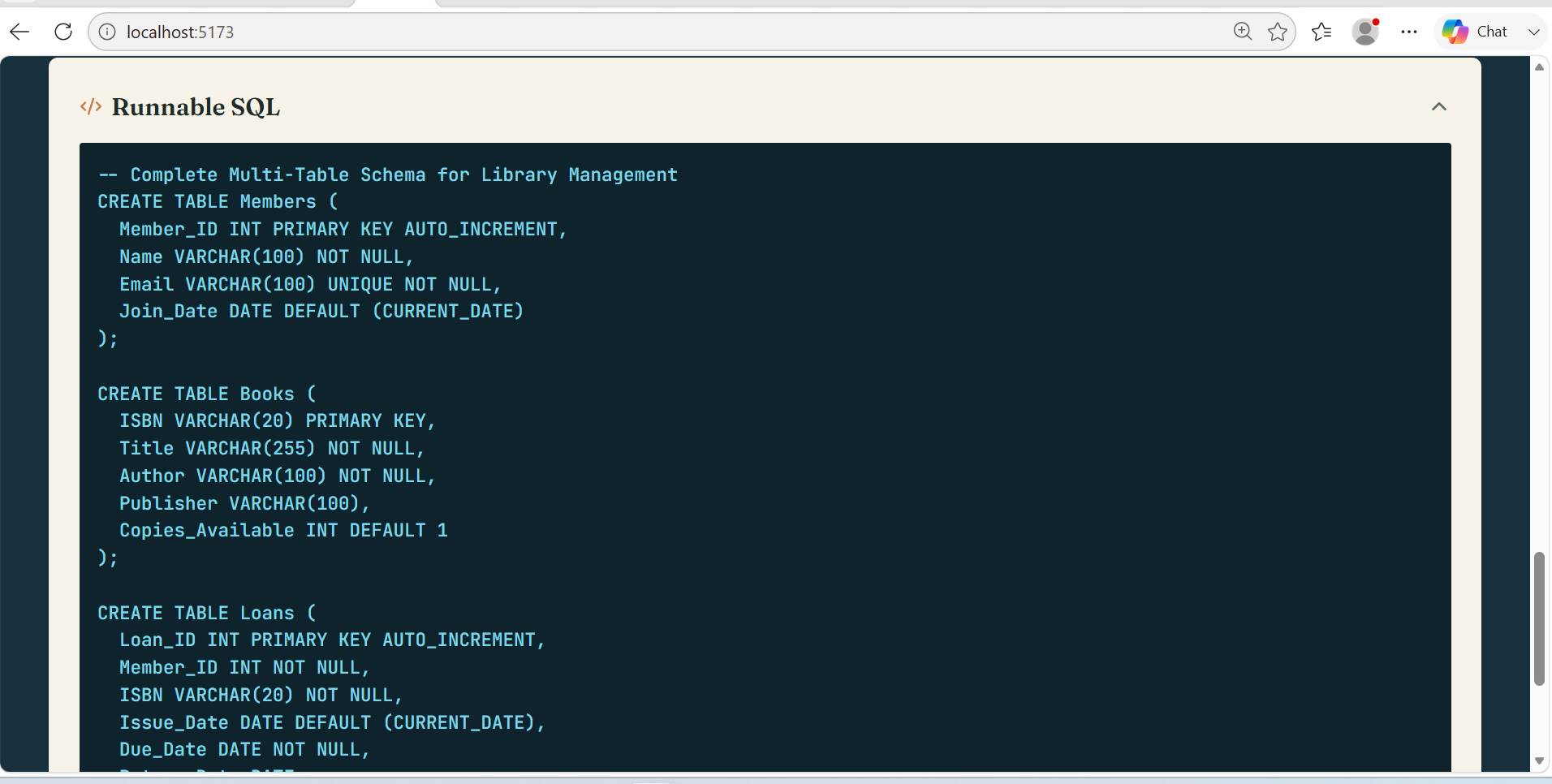
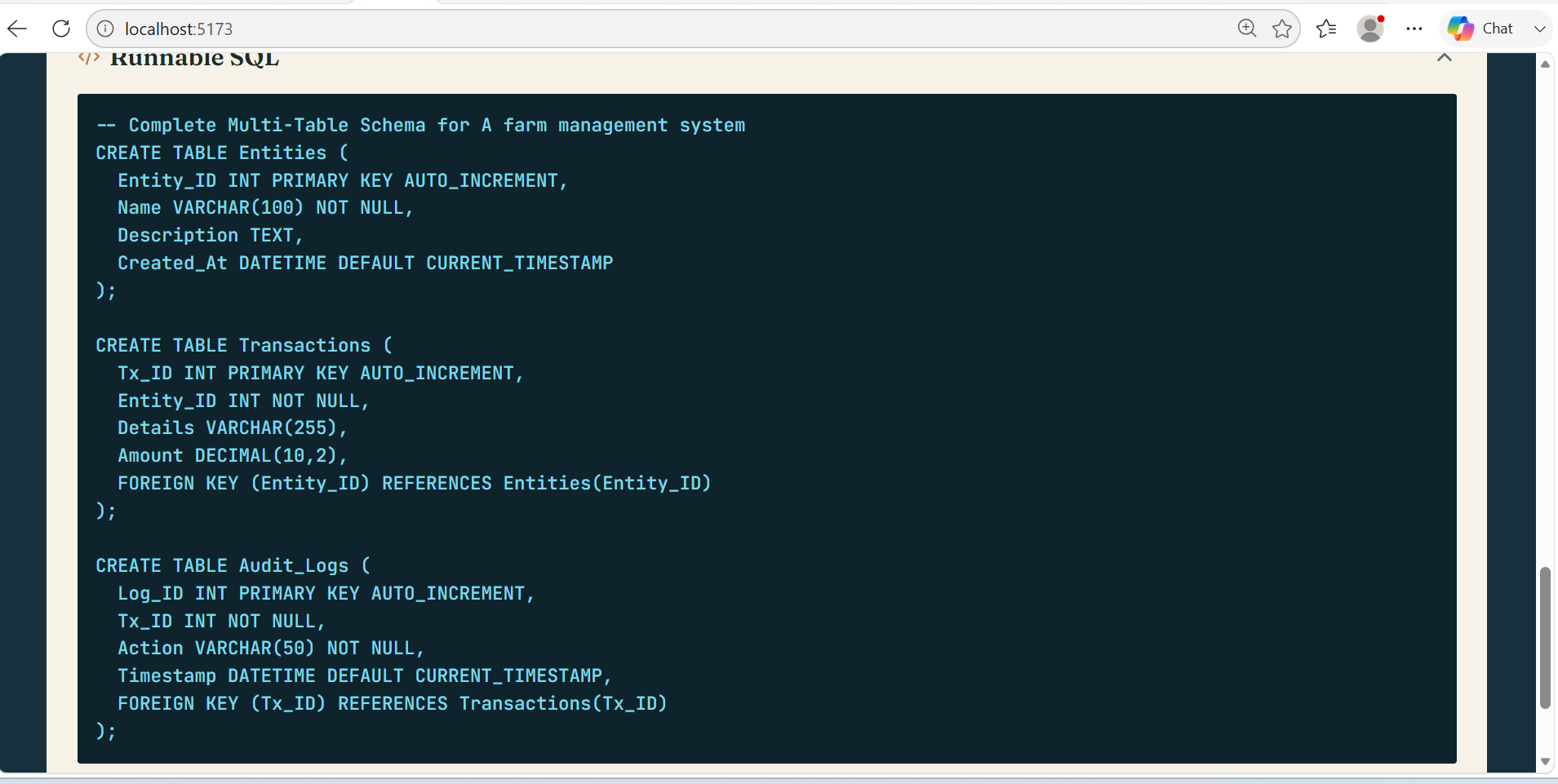
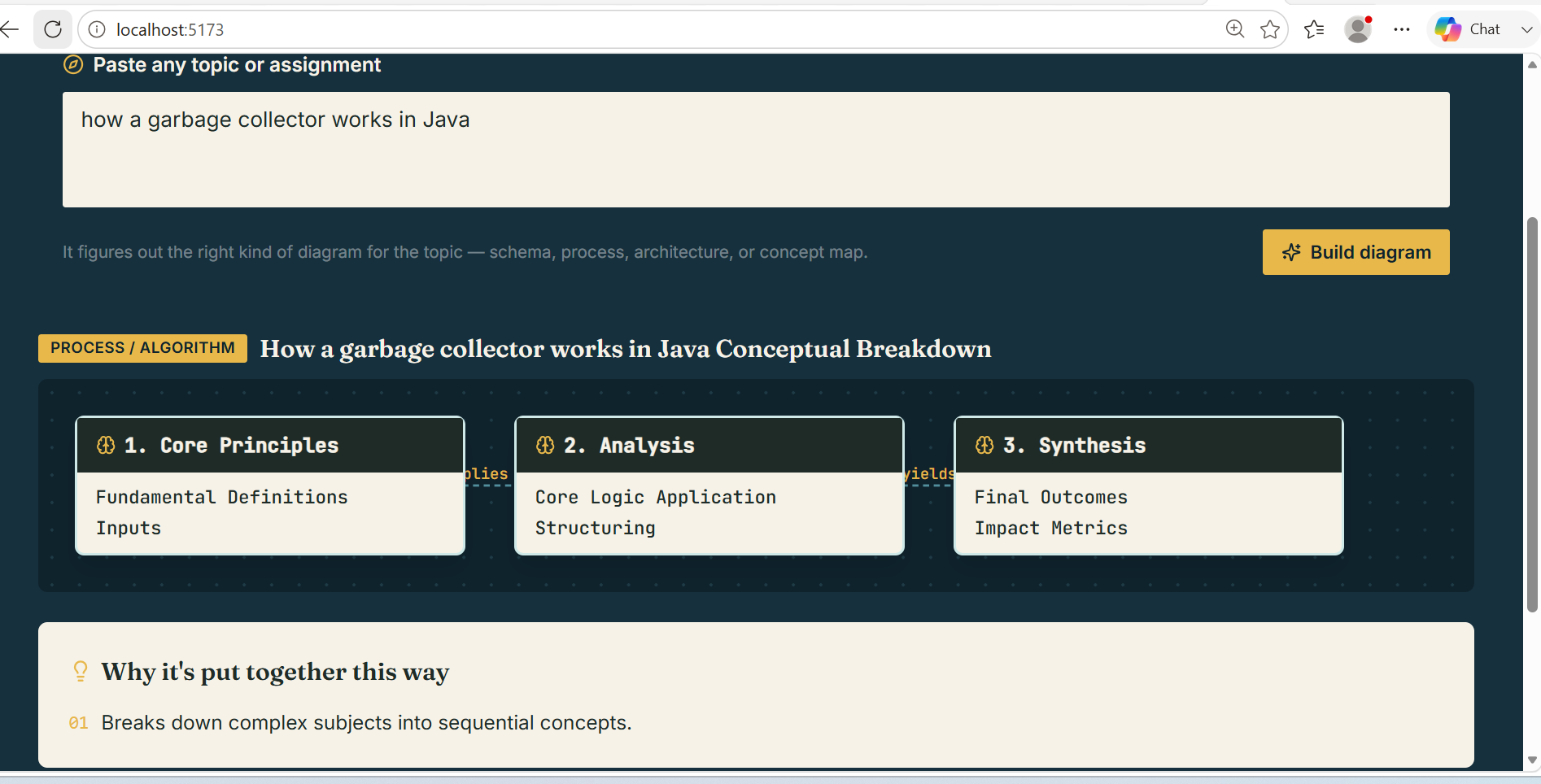
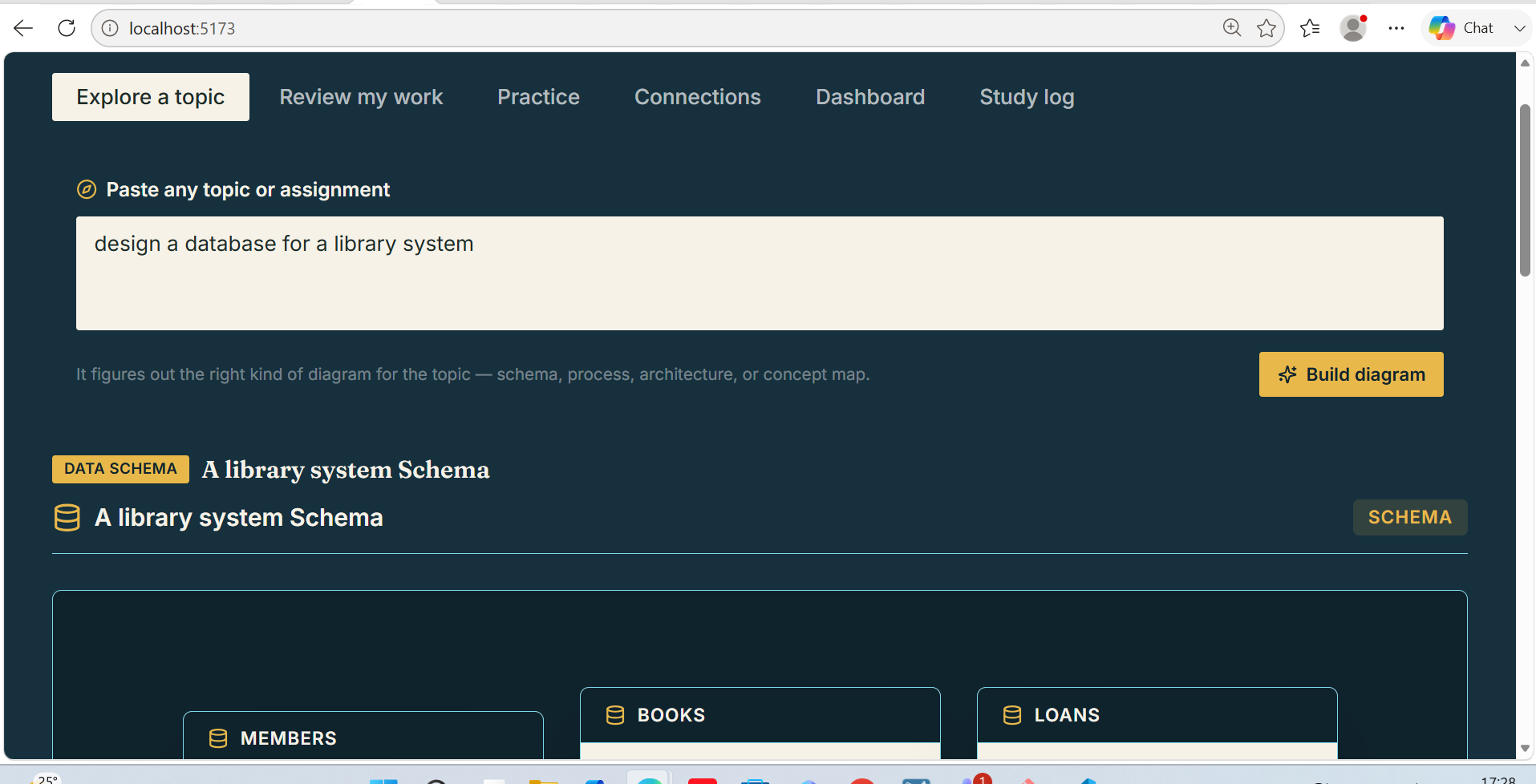
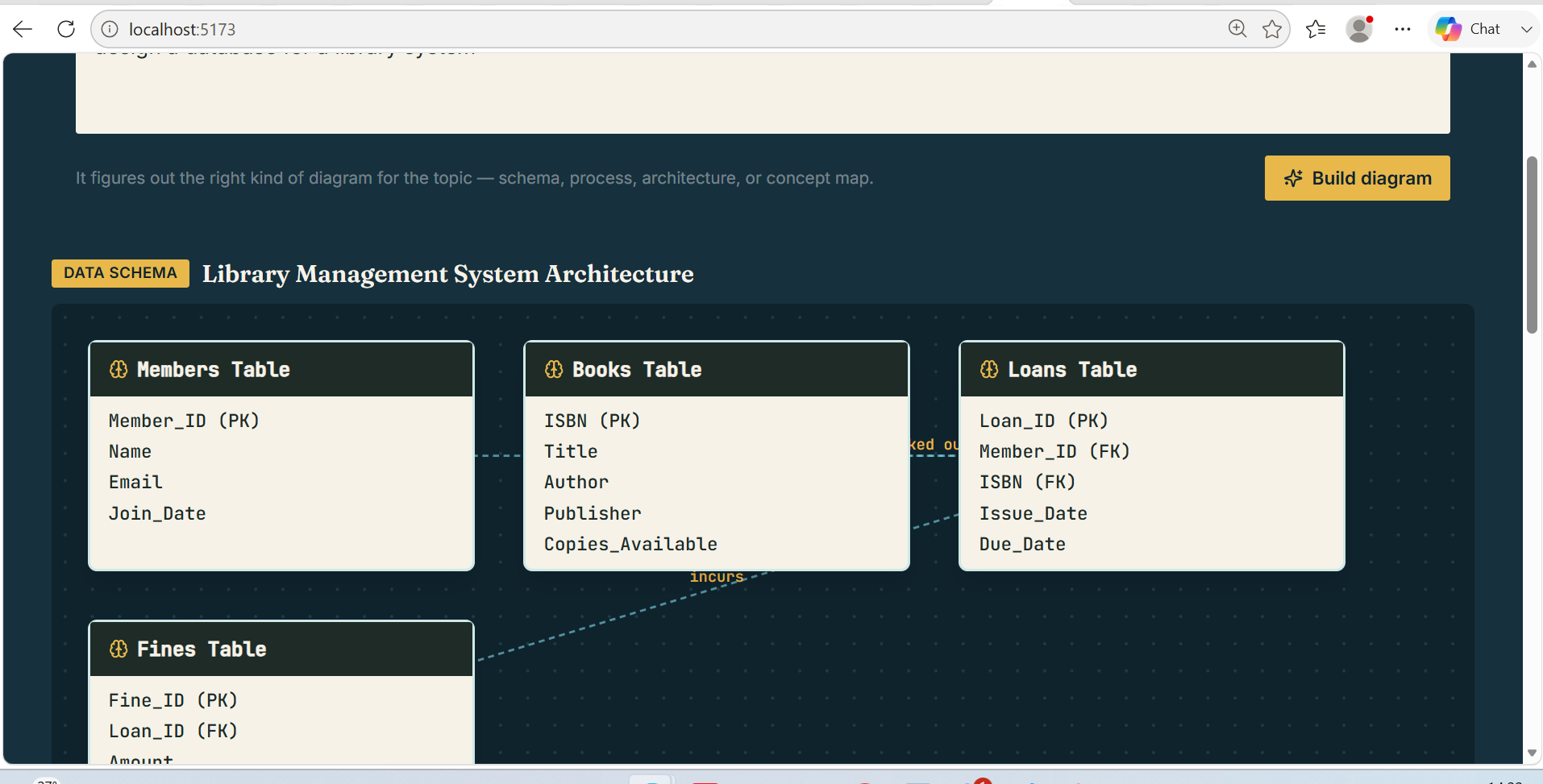
Paste any topic or assignment, from any subject, and Cortex decides the right way to represent it — a data schema for a database question, a process diagram for an algorithm, a system architecture for something like networking, or a concept map for theoretical material. It explains the reasoning behind that structure in plain language and generates real code where it's genuinely useful (runnable SQL for schemas, pseudocode for algorithms). From there:
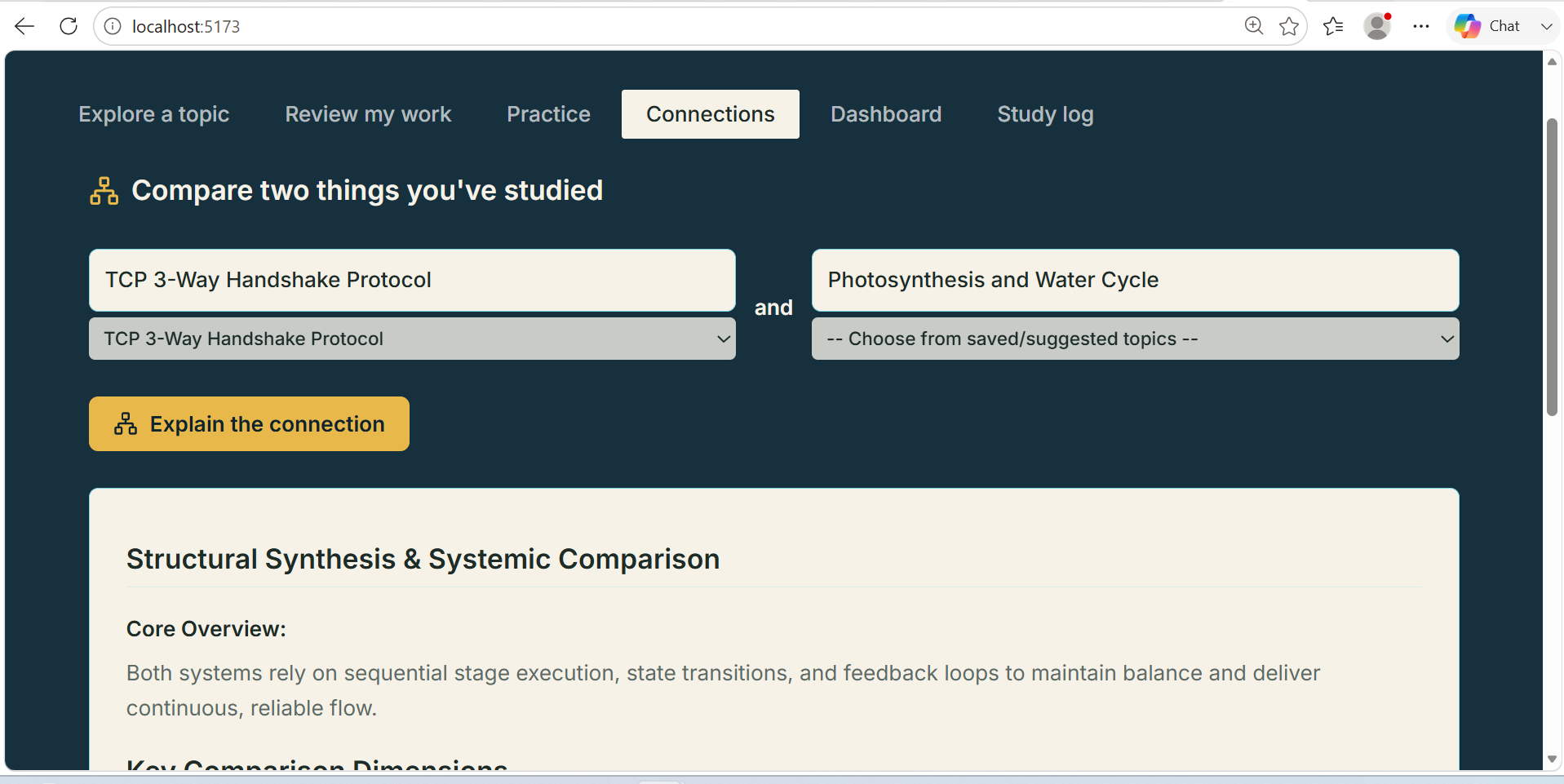
Review my work gives specific feedback on your own attempt at anything — a schema, code, an outline Practice generates questions in the right format for that diagram type, and adjusts difficulty based on how you've been doing Connections picks two things you've studied and explains how they actually relate Dashboard and Study Log track everything across sessions, so it becomes a running study portfolio rather than a one-off tool
How we built it
The frontend is a Vite + React app with one shared diagram engine — every topic type (schema, process, architecture, concept map) is represented the same way under the hood (nodes, edges, rationale, optional code), which is what let one renderer draw all four kinds of diagrams instead of building four separate tools. A small Express backend proxies requests to GPT-5.6 so the API key never reaches the browser, and study history persists in the browser rather than requiring an account or database. Codex scaffolded the core structure and helped wire the adaptive-difficulty logic and the cross-topic reasoning prompt.
Challenges we ran into
Getting one tool to handle genuinely different subject matter well was harder than building a single-purpose tool. A diagram engine that looks right for a database schema doesn't automatically look right for a workflow or a concept map — we had to design a generic node-and-edge structure flexible enough for all four types without losing the specific detail (like primary/foreign key markers) that makes the database case actually useful. Calibrating practice-question difficulty to real performance, rather than just generating generic questions, also took more prompt iteration than expected.
Accomplishments that we're proud of
Getting from a single-purpose database tool to a genuinely multi-subject study companion without losing depth in any one area — the schema diagrams are still detailed enough to be useful for a real assignment, even though the tool now also handles algorithms and abstract concepts equally well. We're also proud of treating the API key handling and persistence properly (server-side proxy, not a client-exposed key) rather than cutting that corner for the sake of a demo.
What we learned
The most useful AI-powered study tools aren't the ones that do one thing well — they're the ones that correctly figure out what kind of help a piece of material actually needs before generating anything. A lot of the real work went into getting that first decision right, not into making any single feature fancier.
What's next for Cortex
Multi-user support so study logs and connections can be shared within a study group or class Exporting a topic's diagram and practice set to PDF for offline review Expanding the diagram engine beyond four types as we see what other subjects need Direct LMS integration so an assignment description can be pulled in automatically rather than pasted by hand
Built With
- api
- codex
- css
- express.js
- gpt-5.6
- html5
- javascript
- localstorage
- lucide-react
- node.js
- openai
- react
- rechart
- rest
- tailwind
- vite


Log in or sign up for Devpost to join the conversation.