Inspiration
I read papers for a living. Over one week my reading loop touched five tools: a PDF viewer, a notes app, a folder of downloads, a project tracker, and a chat window where an agent could see none of them. Every "which paper said X" or "file this one" was me copying text between windows.
WebMCP's proposal, that a page should hand an agent real actions instead of pixels, described the fix exactly. So the question for the weekend was: what if my own library was a page whose buttons were also the agent's tools?
What it does
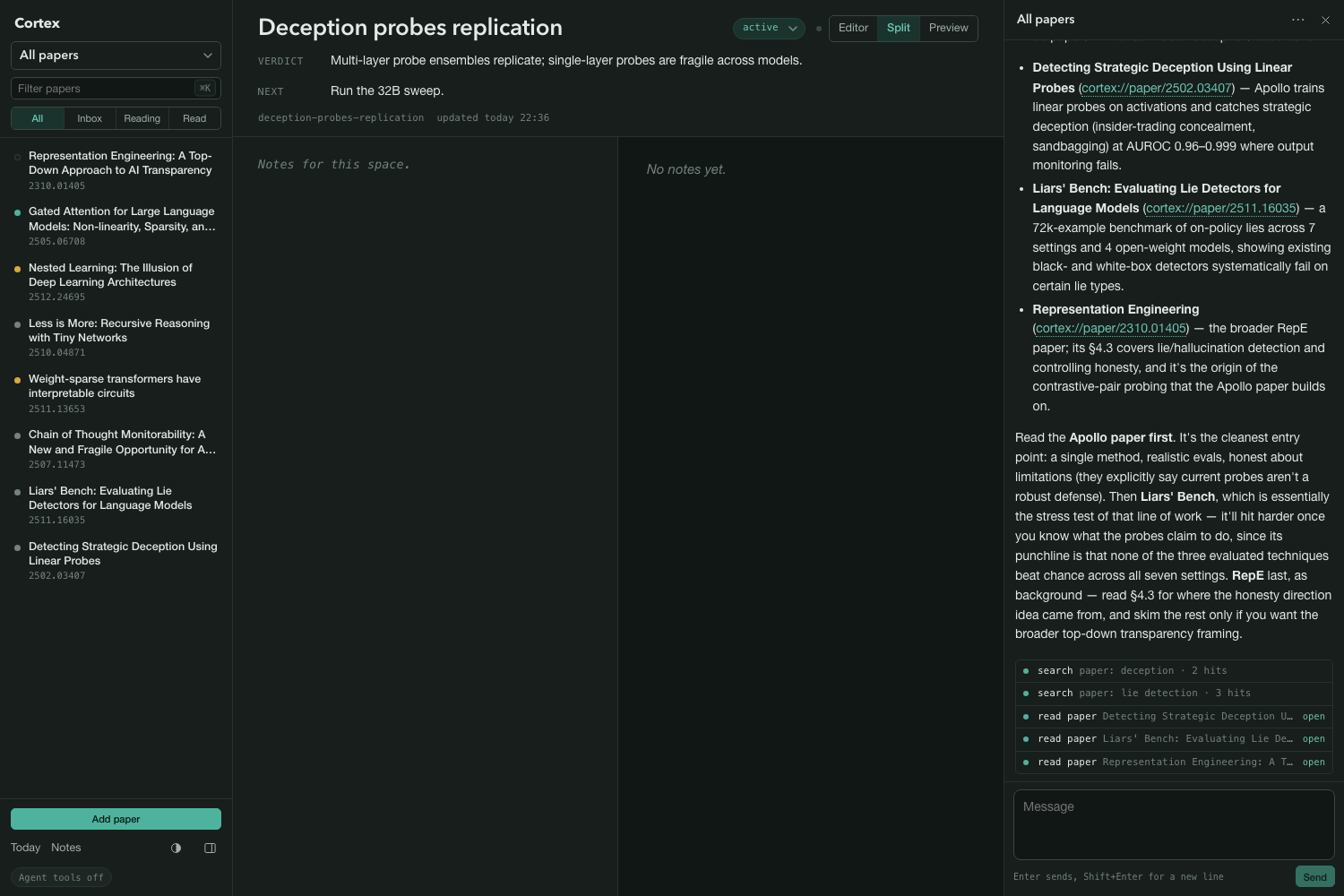
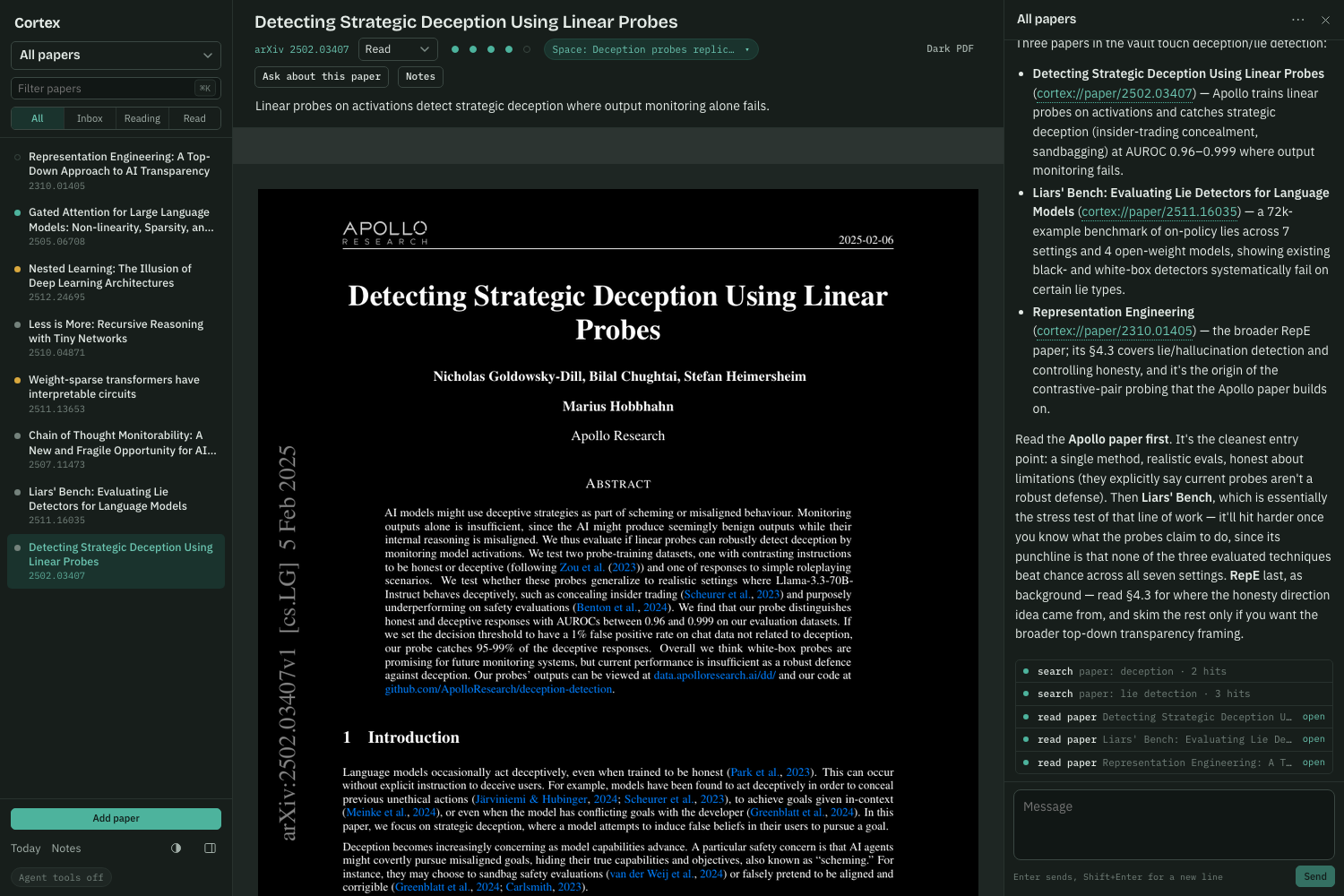
Cortex is a private research library with three panes: papers on the left, the open PDF in the middle, chat on the right. Projects are spaces, a named group of papers with a one-line verdict and a next action. Everything is a file in a folder: markdown notes with LaTeX, a PDF per paper with extracted text, a small metadata file next to it.
The page registers ten tools with document.modelContext, the same actions a person does by clicking:
read: search_brain, read_note, read_paper, list_projects show: open_item write: write_note, append_today, file_paper, set_paper, update_project
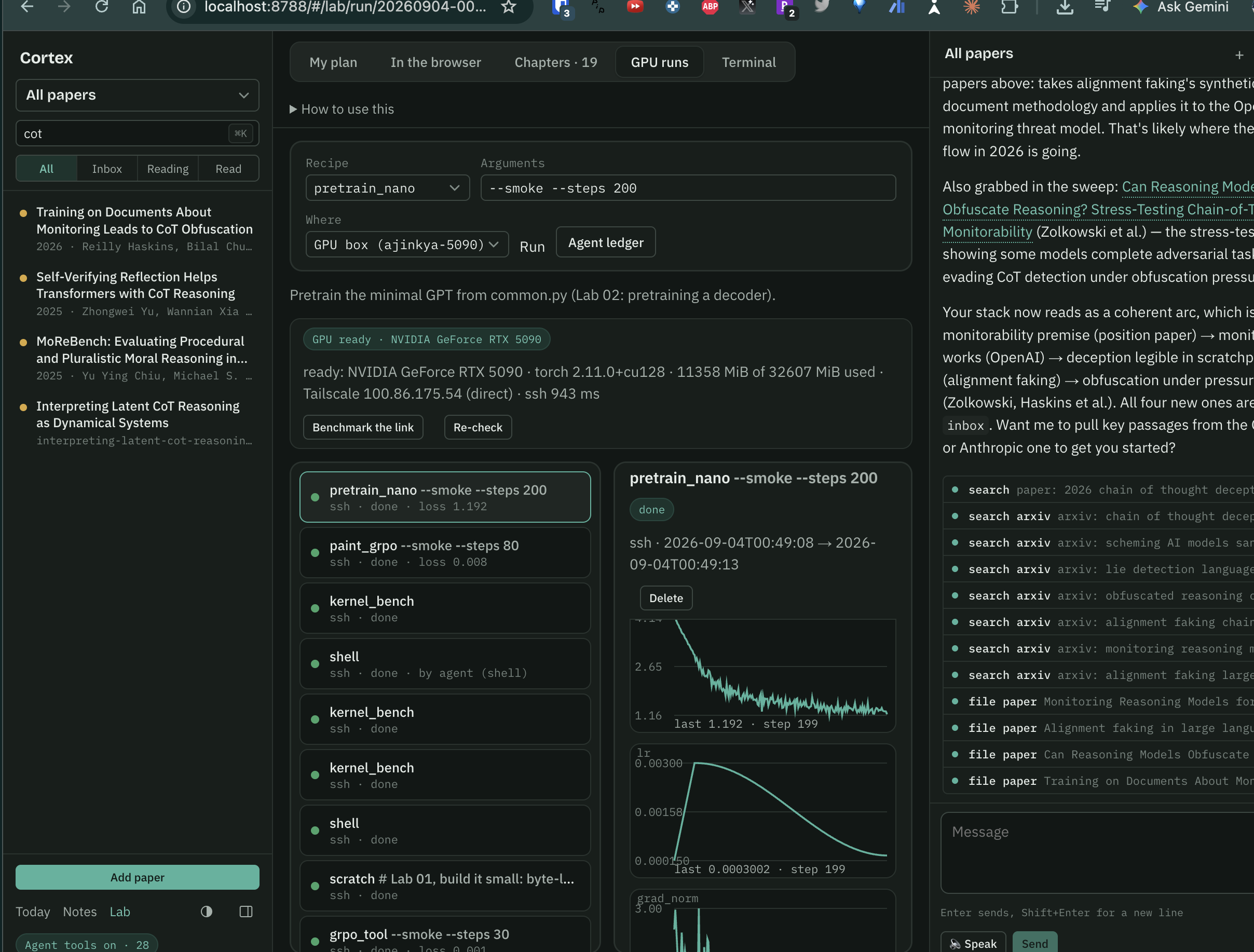
A browser agent (ChatGPT's browser, or Chrome 149+ with the WebMCP flag) can ask "which papers here are about deception", open the strongest one in the center pane, mark it reading with a takeaway, download and file a new arXiv paper, and leave a line on today's page. An agent ledger shows every call with its arguments and outcome, and each write lands in the UI as it happens.
How I built it
The server is FastAPI over plain files, with SQLite FTS5 for search across notes, projects, and the text pulled out of every PDF. The front end is Vite, React, and TypeScript, with CodeMirror 6 for notes and KaTeX for math, so a note can hold
𝑝 ( deceptive
)
1 𝐿 ∑ ℓ 𝜎 ( 𝑤 ℓ ⊤ ℎ ℓ + 𝑏 ℓ ) p(deceptive)= L 1
ℓ ∑
σ(w ℓ ⊤
h ℓ
+b ℓ
)
and render it live. The PDF viewer is the browser's own, inverted in dark theme so figures keep their hue.
The WebMCP layer is one file. Each tool wraps the same API call the matching button makes, coerces and bounds every argument, and returns an MCP content block. Read tools carry readOnlyHint. Errors come back as {error} text so the agent gets a correction instead of a dead page. The built-in chat runs on OpenCode Go (any OpenAI-compatible model works) with the same ten tools on the server side, and it knows which paper is open and which space is active.
Getting papers in is one gesture: drop a PDF on the window, paste an arXiv link, or leave a file in ~/Cortex/inbox and a watcher files it within seconds.
Challenges
The spec moved. Early WebMCP writing puts the entry point on navigator.modelContext; the current explainer and ChatGPT's browser use document.modelContext. My first build registered on the wrong object, and the agent in ChatGPT's browser fell back to clicking around the UI. Registering on whichever the browser exposes fixed it.
Chrome's PDF viewer swallows keystrokes once you click into it, so Cmd+K went dead on the most used screen. The frame is same origin, so the app now forwards the shortcut chords out of it.
The first version had too many fields. A metadata strip with nine inputs felt like a form, not a reader. The rebuild kept the five things I edit weekly (status, rating, takeaway, verdict, next action) and moved everything else behind Cmd+K.
Hosting: the domain I own runs on ChatGPT Sites, which can't run a Python server, so the demo lives on Render under a subdomain, and Render's build cache once served a stale bundle after a deploy said "live".
What I learned
An agent that can call open_item is a different collaborator from one that can only describe. Watching the paper appear in the pane while the ledger prints search_brain, open_item, set_paper made the WebMCP argument for me better than any spec. Also: fewer controls is a feature, and everything an agent can write should be a file you can see and revert.
What's next
Reading notes that the agent drafts and you edit, a nightly agent that clears the inbox and updates verdicts, and the Worker port so Cortex can live inside the ChatGPT Site.
Built With
- arxiv
- cloudflare
- codemirror
- docker
- fastapi
- github
- katex
- markdown
- opencode
- pnpm
- python
- react
- render
- sqlite
- sse
- typescript
- uv
- vite
- webmcp
Log in or sign up for Devpost to join the conversation.