-
-
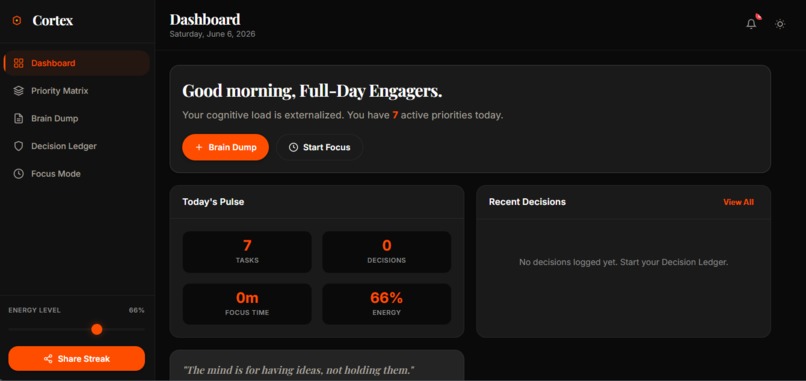
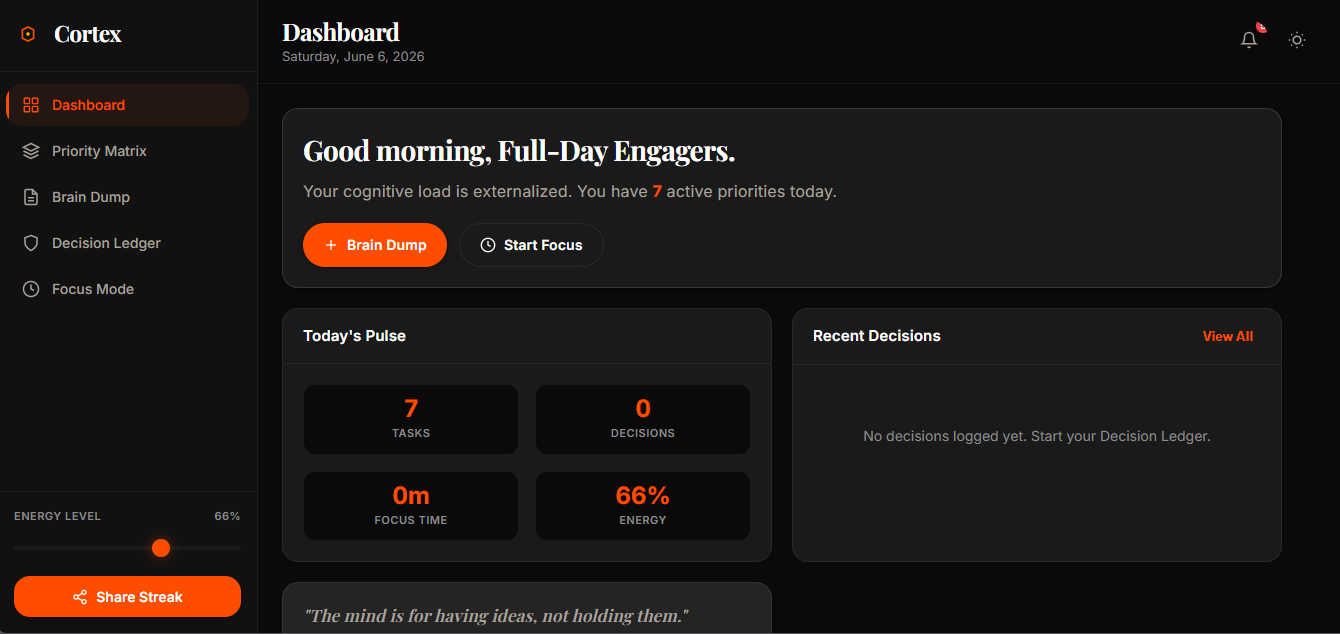
Desktop View
-
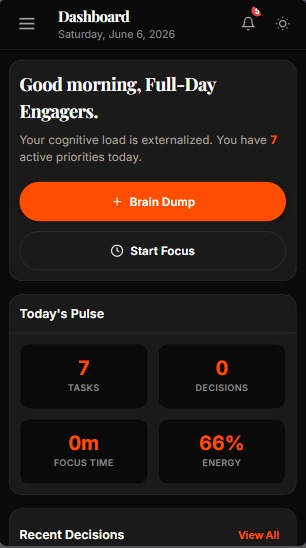
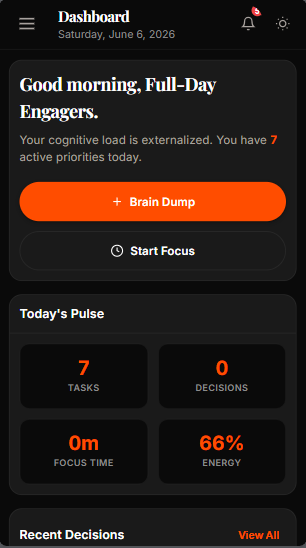
Mobile View
Inspiration
It began after reading the hackathon's theme; yet, I can refer to it as a long-term underlying issue that will be addressed when I open its book of memories. Every morning, I work from an itinerary. I opened my laptop, looked at a blank to-do list, and felt the usual weight of overwhelm settle on my chest. Three deadlines, two meeting requests, a half-completed side project, and an increasing sensation that I was always busy but never actually productive. My head was a browser with forty-seven tabs open, and I couldn't tell which one was playing the audio. I had experimented with every productivity app available.
Each one helped for a day or two before adding to the list of the things I couldn't keep up with. The issue wasn't a shortage of tools. The issue was that these tools encouraged me to do more organizing when what I really needed was to think less about organizing. The drama shifted years ago after reading the books Awaken the Giant Within and 7 Habits of Highly Effective People, which emphasized categorization into quadrants: urgent, important, not urgent, not important, and so on by having a book specifically for daily itinerary. So it occurred to me: if this approach has been effective, why not share it with the world, supported by an Eisenhower decision matrix, etc.?
Lastly, the focus mode on my device did not account for the fact that my energy at 9 AM was different from my energy at 3 PM. So, I made a conscious decision, to build something that didn't just organize tasks. I wanted something that understood the human behind them.
What it does
Cortex a Cognitive Command Center basically treats your mind like a mission control center. Instead of trying to squeeze you into rigid structures, it conforms to how you actually think It captures your raw thoughts, intelligently organizes them, helps you make decisions with precision, and guards your focus time like a sentry. It was not just another productivity application. It is was an attempt to externalise the invisible cognitive load we all carry but rarely talk about.
How we built it
I made a deliberate choice to keep the tech stack lean. Cortex Command is a vanilla HTML, CSS, and JavaScript application -- no build tools, no frameworks. This was not a limitation.
It was a philosophical decision. I wanted the app to be as lightweight and frictionless as the Cortex experience I was trying to create. The entire application lives in four files: index.html, styles.css, app.js, and a favicon. That is it. No node modules. No webpack config. No deployment pipeline. Just open the file and start using it. The app runs entirely in the browser with localStorage for persistence. This means zero server costs, zero latency, and zero privacy concerns. Your data stays on your machine. I deployed it to Vercel for free with a single click. The entire deployment took lesser time.
Cortex Features
- The Eisenhower Priority Matrix is a key skill for categorizing tasks into four quadrants:- Do First (important and urgent)
- Schedule (not urgent but important)
- Delegate (important but not urgent)
Remove (not either)
The Brain Dump feature is a textarea for users to dump their thoughts without any constraints. Connected to the Brain Dump feature is the ‘Auto-Categorize’ function that helps in categorizing the dumped thoughts into the Priority Matrix.
The Decision Ledger is a formalized journal for tracking the decisions you make. It gives you a perspective on your patterns, biases, and decision-making process over time.
Focus Mode features a Pomodoro timer to help with focused work sessions of 25, 45 or 60 minutes, and tracks performance to correlate it with energy levels.
Streak Sharing enables shareable flashcards that display streaks for users, bringing a social aspect to boost motivation.
Color Palette The visual design of Cortex Command was deeply intentional. I chose an orange and amber accent palette because those colors evoke energy, warmth, and alertness with two mode version (light and dark). With daily quotes that inspires the heart and soul to take action.
Challenges we ran into
On a personal level, writing this project story was its own kind of challenge. Sharing something you built with the world means opening yourself to criticism, indifference, or silence. But I realized that the act of building Cortex was never about impressing anyone. It was about solving a problem I genuinely cared about. And if this story resonates with even one person who feels the same overwhelm I felt on, then putting it out there was worth it.
While for the technical aspect, I would say the brain dump auto categorize button. I wanted it to take an unstructured brain dump and sort items into the four Priority Matrix quadrants. Without an AI API (to keep the app fully offline and private), I had to use heuristic keyword matching. Words like 'urgent', map to the urgent axis. Words like 'schedule', map to the important axis. The challenge was making this feel smart without being wrong. I iterated on the keyword lists for days, testing them against real brain dumps from my own notes. It is not perfect, but it is surprisingly useful, and the beauty is that you can always manually adjust.
In addition, Making it responsive for all mobile device breakpoints, that was a whole lots of headache on it own because I utilized graceful degradation method.
Accomplishments that we're proud of
To start with, Proud to bring the project to fruition Making it responsive on all break points
What we learned
Building this project taught me that the best tools are not the ones with the most features. They are the ones that understand you.
What's next for Cortex Cognitive Command Center
Progressive Web App Decision relays And other reviews gotten from users that have been sent the links to test it out


Log in or sign up for Devpost to join the conversation.