-
-
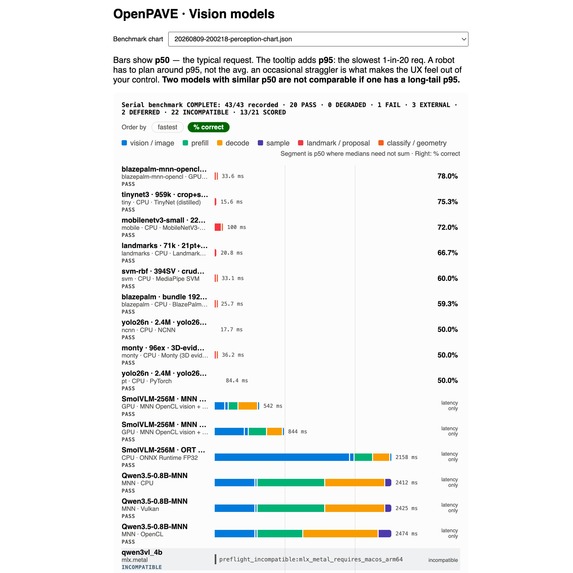
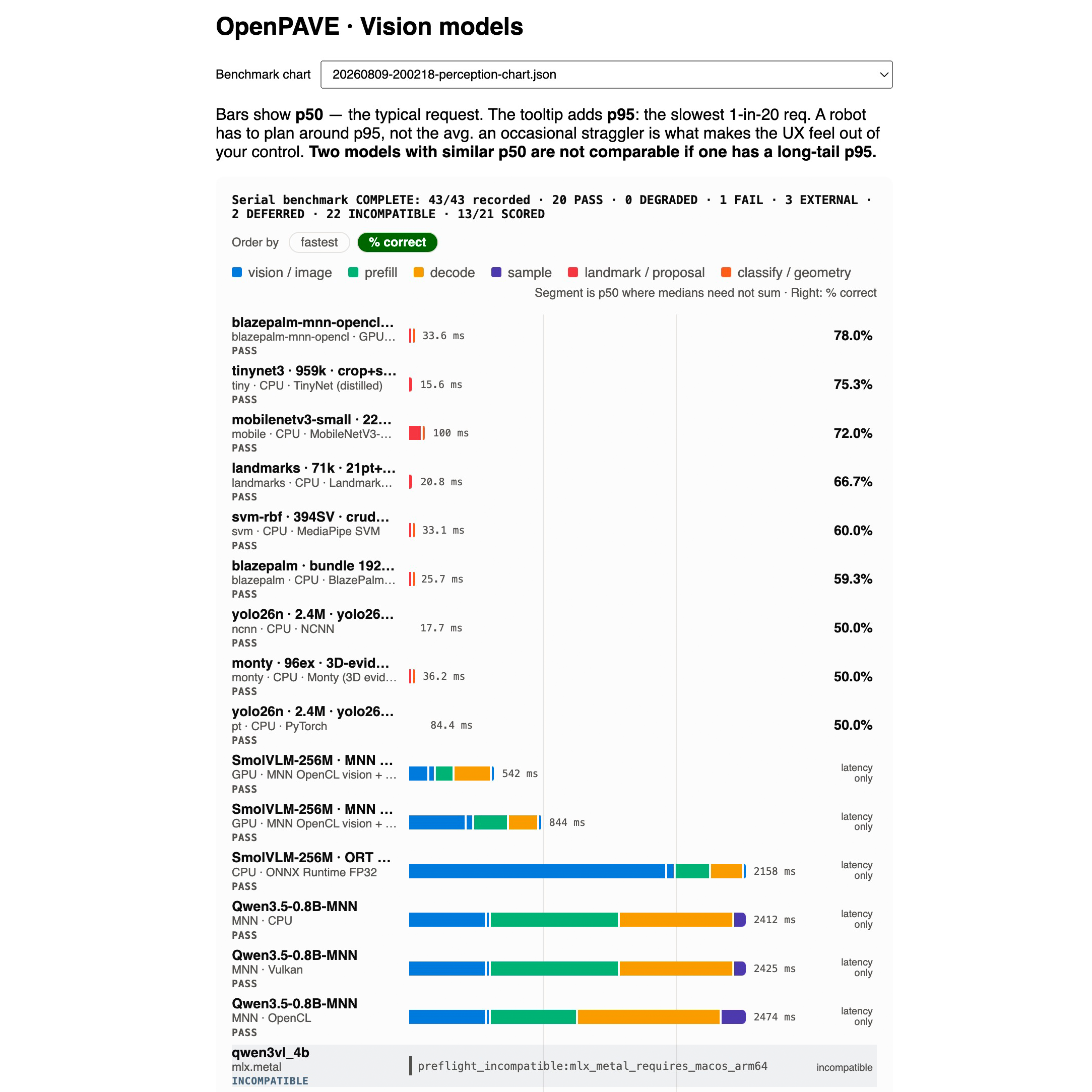
GPU benchmark OpenCL SmolVLM MNN
-
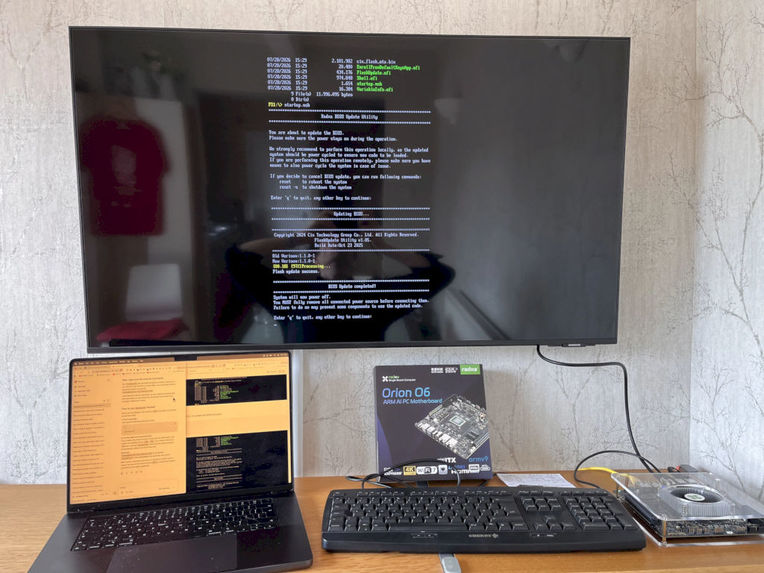
Installing Debian
-
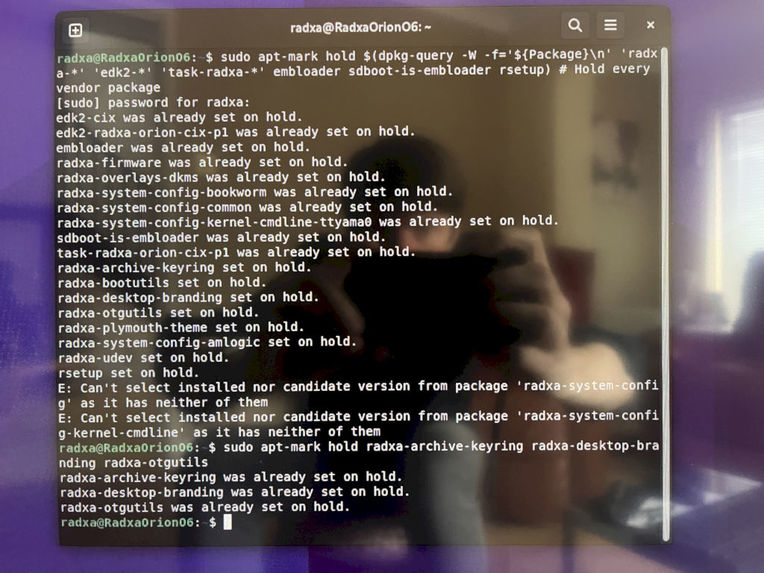
Holding packages that would spoil the display
-
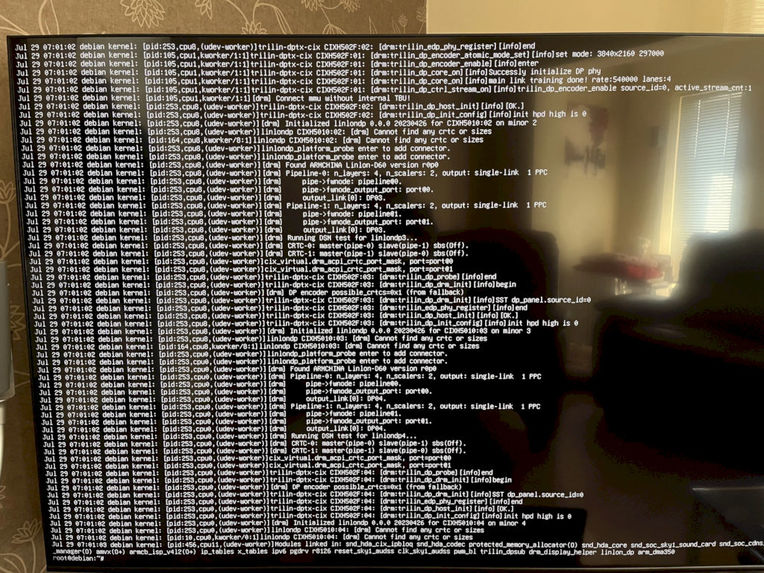
Forced Display Ports
-
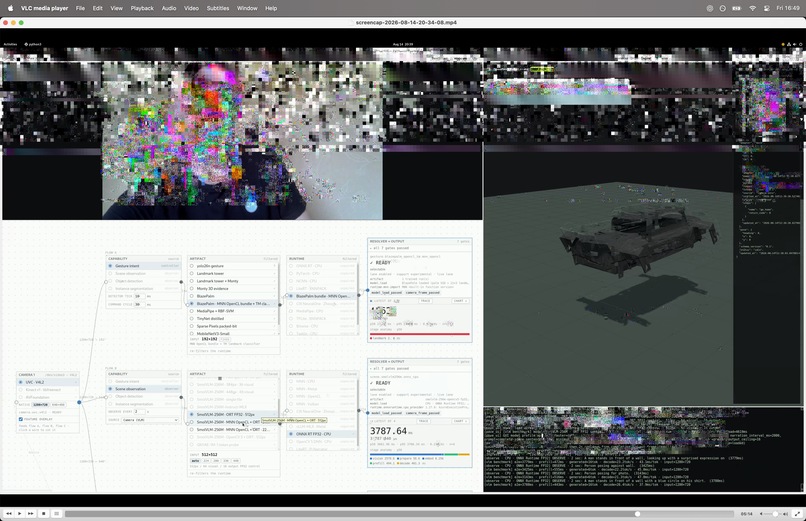
GPU issue with Ai screen capture
-
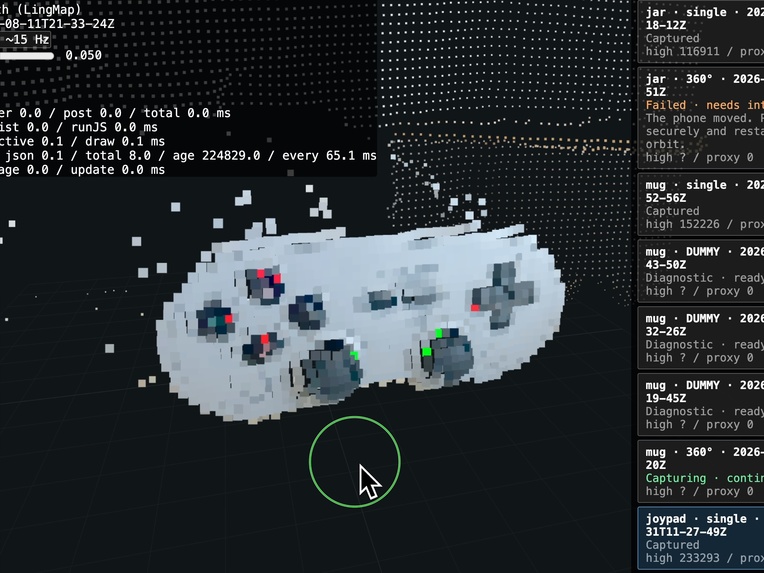
Spacial data capture for future OpenPAVE Reference Frame knowledge graph
-
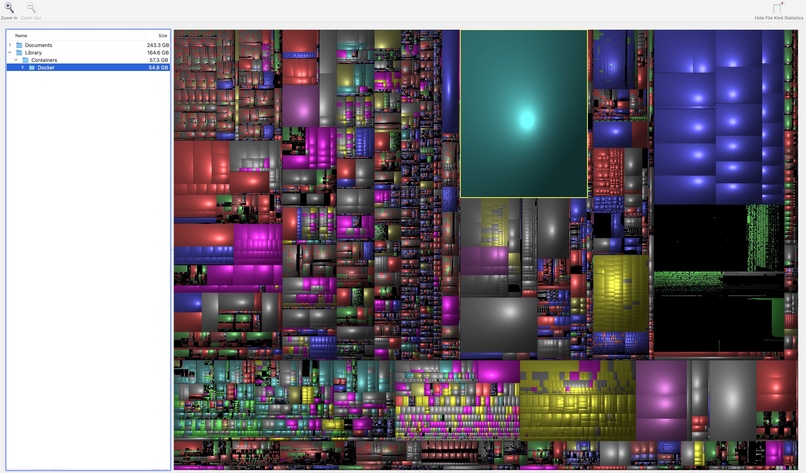
Radxa Orion O6 Docker container to debug the system
-
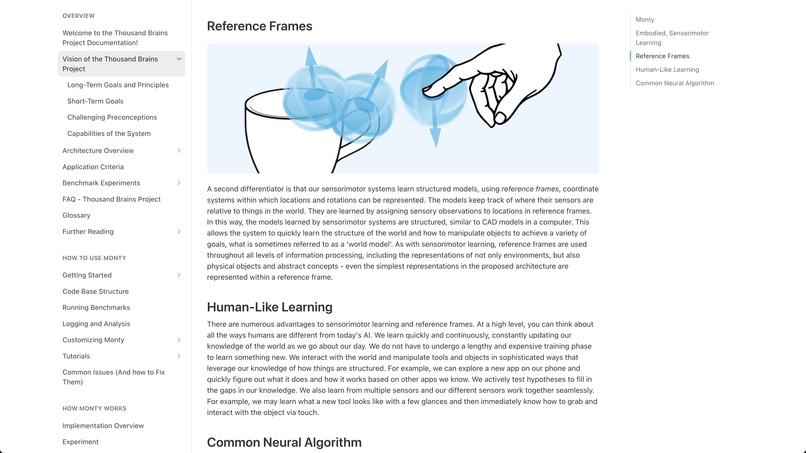
Sensorimotor Learning for Ai without back propagation
-
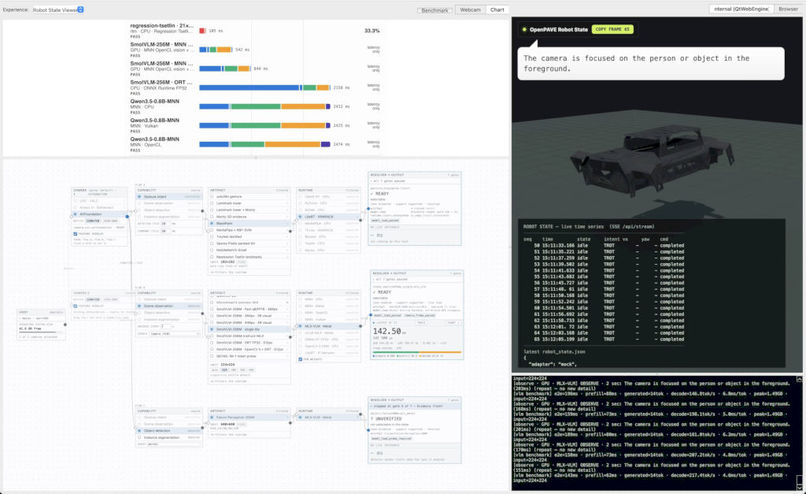
Svelte5 interactive flowchart UI
Overview:
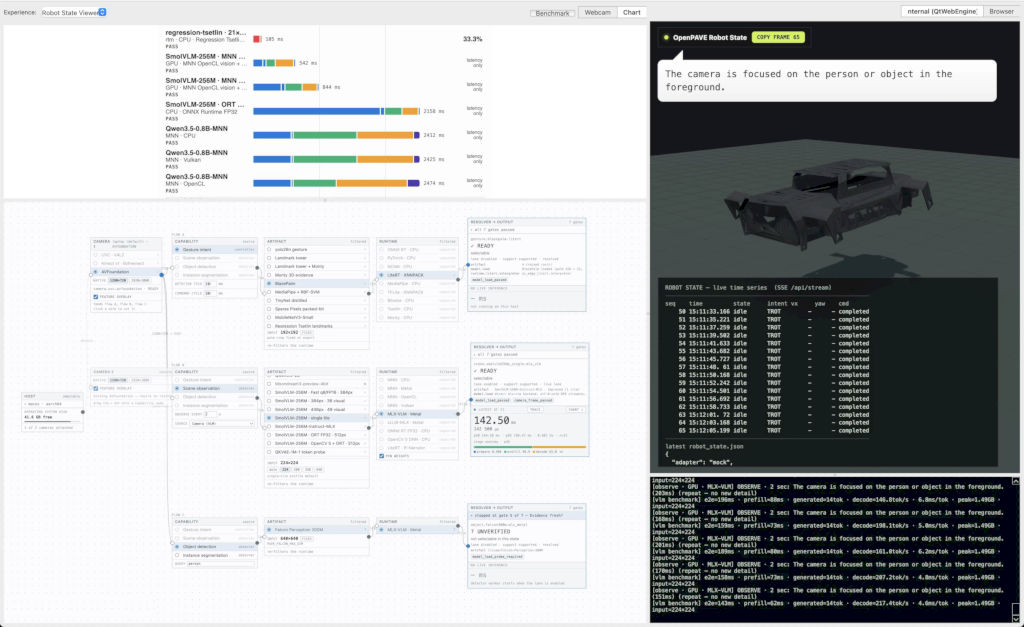
Using the scientific method I ran 50 experiments to get a robot to accurately respond to gestures. This was achieved by radically rethinking what OpenPAVE's architecture could be – while paying close attention to the aspirations of the original Developer's target User Experience (UX), and wrapping all of that in a User Interface (UI) designed to bridge disciplines in the form of an interactive flowchart to help people understand what's actually going on in a complex system such as a robot. I managed to bring down the time it takes to control a robot – rather than 4 seconds of VLM inference it now works accurately at under ONE millisecond of classification work using
BlazePalmwith OpenCL runtime (33ms) on on Mali on an Orion O6. BOTTOM LINE: by trainingBlazePalmI can guarantee predictable gesture capture with no wrong false-positives.
Inspiration
Odin Shen asked for my opinion on a Physical Ai project called OpenPAVE – specifically, is it possible to improve the Ai's performance?
The project started life running an enormous model called: Llava-v1.6-mistral-7b, on a 128GB DGX Spark, this provides an excellent accurate baseline to measure.
For speed, you can see it running with an average latency of ~4s. This is expected because a 7 Billion parameter model can produce sophisticated inference but at the cost of it being energy intensive.
Obviously, this leads to the question what would a low-energy version be capable of?
Before we answer that, let's cover the basics.
What is OpenPAVE and why is it important?
Today, OpenPAVE is a ROS2 control plane that with an Ai test-suite to guarantee accuracy. The core idea is summerised as:
Prevent wrong actions that could move a robot, but make action decisions in real-time.
Normally, when logic is added into a system it can steal precious compute cycles and introduce latency. With robots though it's imperative that control happens instantly to reassure people that the system shares their sense of urgency.
This project explores how optimising latency+accuracy together can result in a system that's reliable, scalable and inspired Human Neuroscience (specifically Sensorimotor Learning).
When a robot does indeed respond instantly and share people's expectations – that's a step in the direction to building trust in Physical Ai and robotics.
The starting point: OpenPAVE
I was given a GitHub repo link for the following:
- A Cloud-free, robot platform for experimentation.
- ROS2 robot endpoint, an inference node, an intent schema, a control daemon behind a robot adapter.
- OOTB, it ran a VLM that could observe the scene and capture gestures to pass into the control ingress.
- OpenPAVE's first demo runs a PuppyPi (a quadruped robot with a Raspberry Pi).
VLMs come with a UX issue!
People are rightly excited by Vision Language Models (VLM). After all, they are general purpose chatbot that can "see" the world. Although this comes at a cost... they run slowly and can consume a lot of energy.
When I first ran OpenPAVE it ran the VLM very slowly and felt very unresponsive... as if the robot was being stubborn and ignoring my actions. Very frustrating and possibly dangerous.
Why don't we just make the VLM faster? That'd be most people's instinct – but today, I'll explain how to make the UX fundamentally better by splitting CONTROL from OBSERVATION.
Originally, the VLM captured hand gestures AND scene observations together but this was done by forcing the user switch between modes via a web interface. From an implementation point-of-view, this is straightforward: one VLM to control the robot and describe what it can "see" from the on-board camera.
What is Gesture Control & how is that different from Scene Observation?
Hand gestures are used to control what a robot should do. In our case this will be turning, STOP, TROT and return to HOME for our PuppyPi. Starting out, a typical gesture capture took up to 4 seconds with Llava-v1.6-mistral-7b.
Our goal is making that instant.
And what's Scene Observation?
An observation is a text description. This is created by turning pixels into tokens and feeding them into an LLM to write about what it "sees".
We don't want these draining the battery.
Typically, running a VLM is very intensive, but why? Streaming data from a camera into a LLM covers a lot of computational phases:
- capture camera pixels.
- split image into patches.
- convert these patches into tokens.
- process and decode the input tokens.
- write a description of the scene and output these tokens as text.
And that's just a simple interpretation of what's happening – but I'm sure you can appreciate the shape of the problem!
How was OpenPAVE developed & what are we measuring?
At first, I needed to familiarise myself with what had already been built: a ROS2 robot endpoint, an inference node, an intent schema, a control daemon behind a robot adapter. All these fit perfectly into the category of GOFE (Good Old Fashioned Engineering) – but they weren't the bottleneck!
The OpenPAVE User Experience (UX)
What OpenPAVE got right was also it's biggest limitation...
That idea sounds like a contradiction, but OpenPAVE had the right target UX: safely control a robot while being able to understand what the robot can "see".
The first decision was knowing where speed improvements are going to come from. By understanding that a VLM should not be in the command and control loop that meant I could keep the intended UX while separating tasks and think about the problem as two discrete responsibilities:
- instant gesture input.
- rich scene observations.
That's how I decided to split the experiment into these categories:
- provide a predictable, robust input controller and interpret hand gestures as close to realtime as possible.
- and, take the camera stream and describe the scene ...all while paying close attention to doing so with as little energy as possible.
This architecture is called Ensemble Ai – and is widely known in the robotics community to deliver better scientific results. For example, with a bit of digging online you'll be able to find this method in commercial deployment by companies like Boston Dynamics on Hyundi's Atlas platform.
The OpenPAVE development setup
The deployment target was not my daily driver (Mac) that means I cannot emulate everything in the intended hardware target – it's close, but it has some important differences:
Deployment target: Orion, O6 Dev board:
- 12 Core SOC (SBC).
- 8GB system memory (LPDDR5).
- Mali Imortalis G720 MC10 GPU.
- NPU processor.
- Firmware 1.1.0-1 (for Debian 12 Bookworm).
Orion O6 capabilities for the OpenPAVE:
- for the interactive flowchart, GUI and
Benchmarkfeature:QtWebEngine/WebGL,Node/SvelteKit. - Various model artifacts, mock control plane for synthetic
Benchmark. - Runtimes to compare for each Ai:
MNN CPU/OpenCL,ONNX Runtime CPU,PyTorch CPU,OpenCV/V4L2 backend(Vulcan).
Key Challenges
Screen Capture Failed
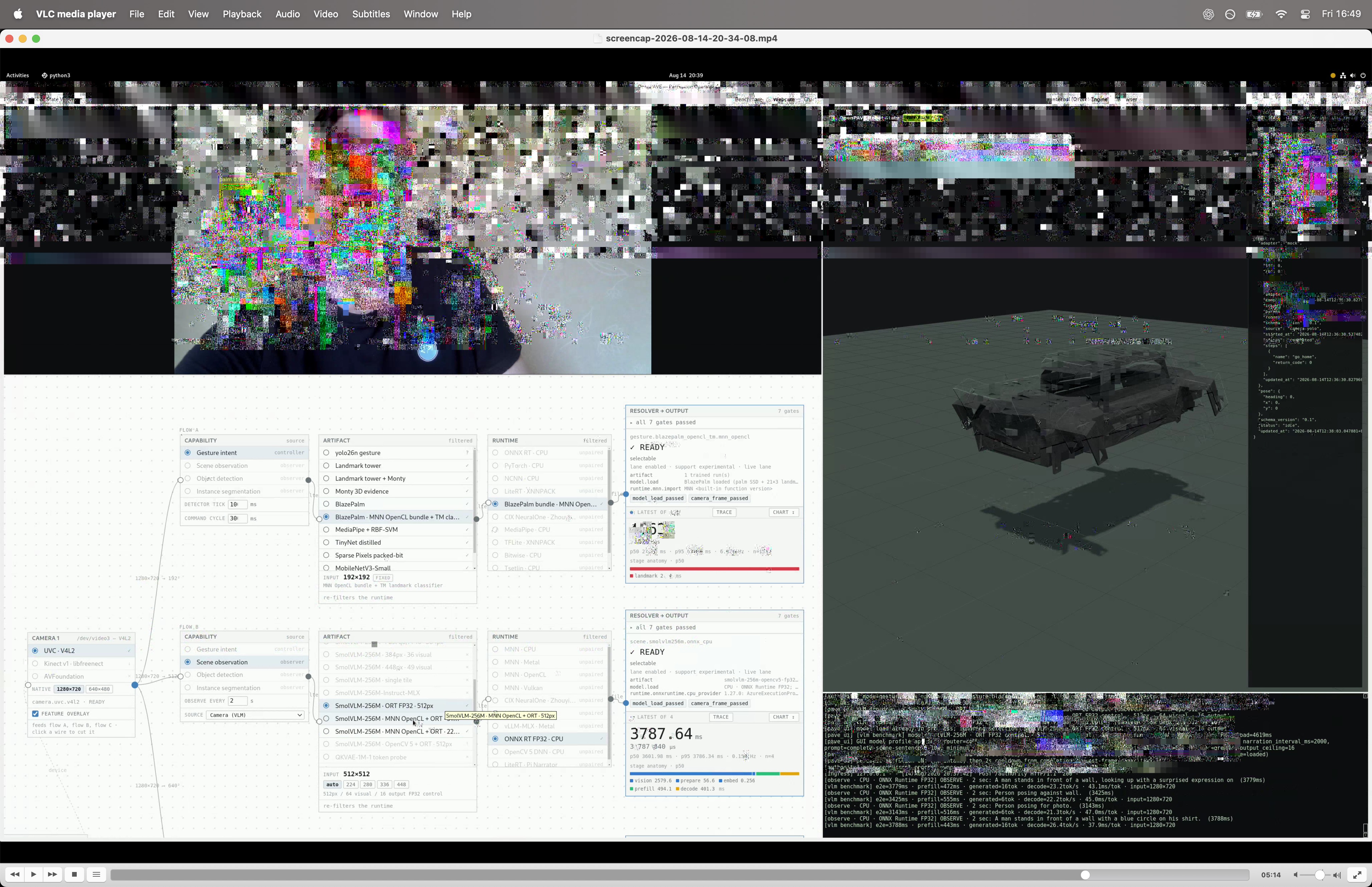
Right from day 1, the GPU driver couldn't be updated. Ultimately I had to film the screen with a camera, rather than using a screen capture utility:
cd "$HOME/Documents/GitHub/radxa/openpave-aarch64" && ./scripts/record-gnome-wayland.py --file 'screencap-%d-%t.webm' --framerate 30 # Start 30fps Recording
I have attached a still image to show what happed when I ran screen capture and Ai together. You can also see a 1min capture excerpt here.
Driver Installation & Environment Setup
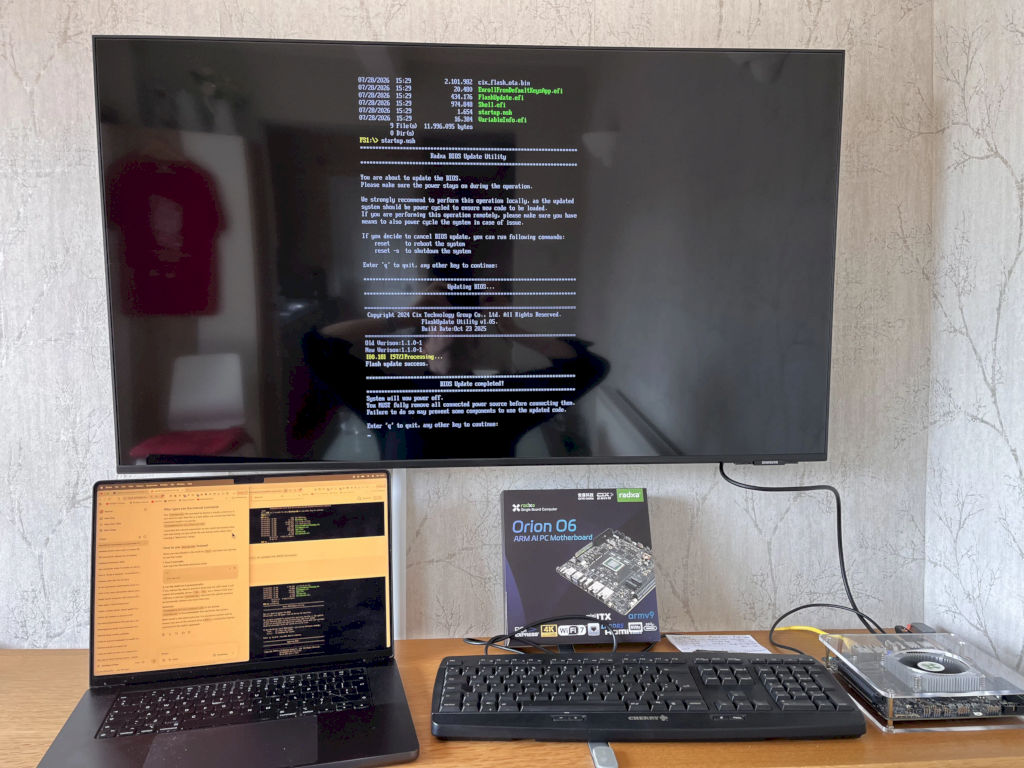
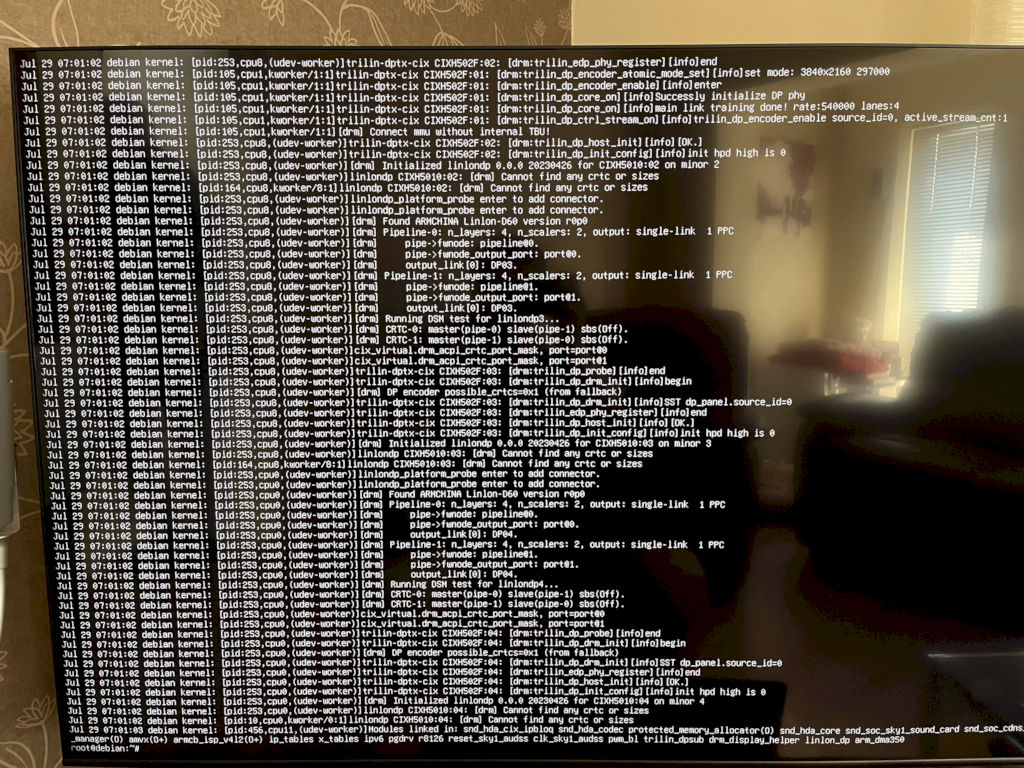
Configuring the O6 to bring stability to Debian 12 Bookworm was more complicated than I expected. Along the way, I noticed that the graphics drivers appear to force decisions on the user.
If I had an analogy here, it'd be that the doors have been permanently nailed open – it certainly does make it easy to come and go, but it's not the anticipated, expected behaviour.
To speculate, I expect that someone has decided to make the board's GPU and display ports act in a certain way while they work on the Neural core. This will likely simplify their comparable performance tests.
I draw that conclusion from:
- changing the default boot-loader from
Grub. - evidenced by consistent console output (see: DRM lines photo).
- loosing HDMI every time I reboot following
apt update.
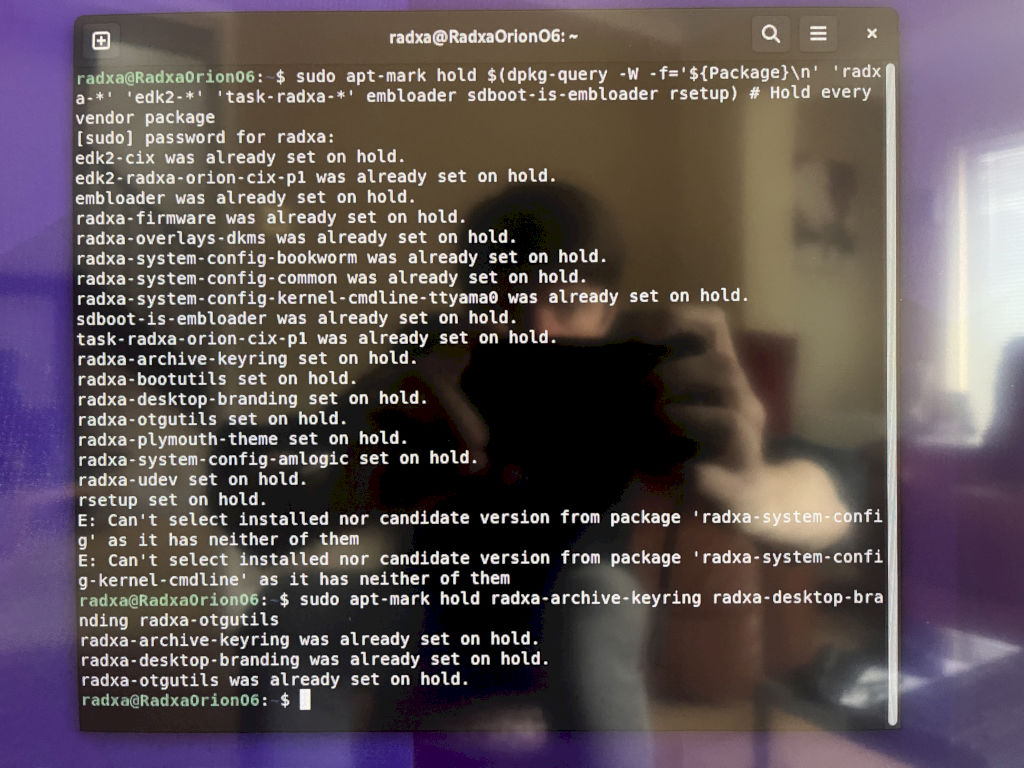
You can see me explain why I needed to hold packages here.
O6 Stability Solution
My solution was simply to use the hold command:
sudo apt-mark hold edk2-cix edk2-radxa-orion-cix-p1 embloader sdboot-is-embloader radxa-system-config-bookworm radxa-system-config-common radxa-system-config-kernel-cmdline-ttyama0 radxa-firmware radxa-overlays-dkms task-radxa-orion-cix-p1 # One or several of these force driver changes that break HDMI out
Following this the Radxa O6 didn't force driver changes on me, or loose the HDMI port! Once this was complete, I copied the image back onto my laptop to simulate it then SSH changes directly to the GitHub repo on-board.
Background
Cortical Column Research
Recently, I have been reading research into Sensorimotor Learning. This is the behaviour found in organic neural networks – specifically Cortical Columns. In a human brain they occupy 75% of the surface area, so being able to mimic these has been an area of research for over 60y. Now, Ai can leverage this and the results for energy efficiency are simply revolutionary in two key ways...
- With Sensorimotor Learning it's possible to train an Ai without back propagation.
- Using simple classifiers means that data can be added AND updates are non-destructive.
Let's break that down:
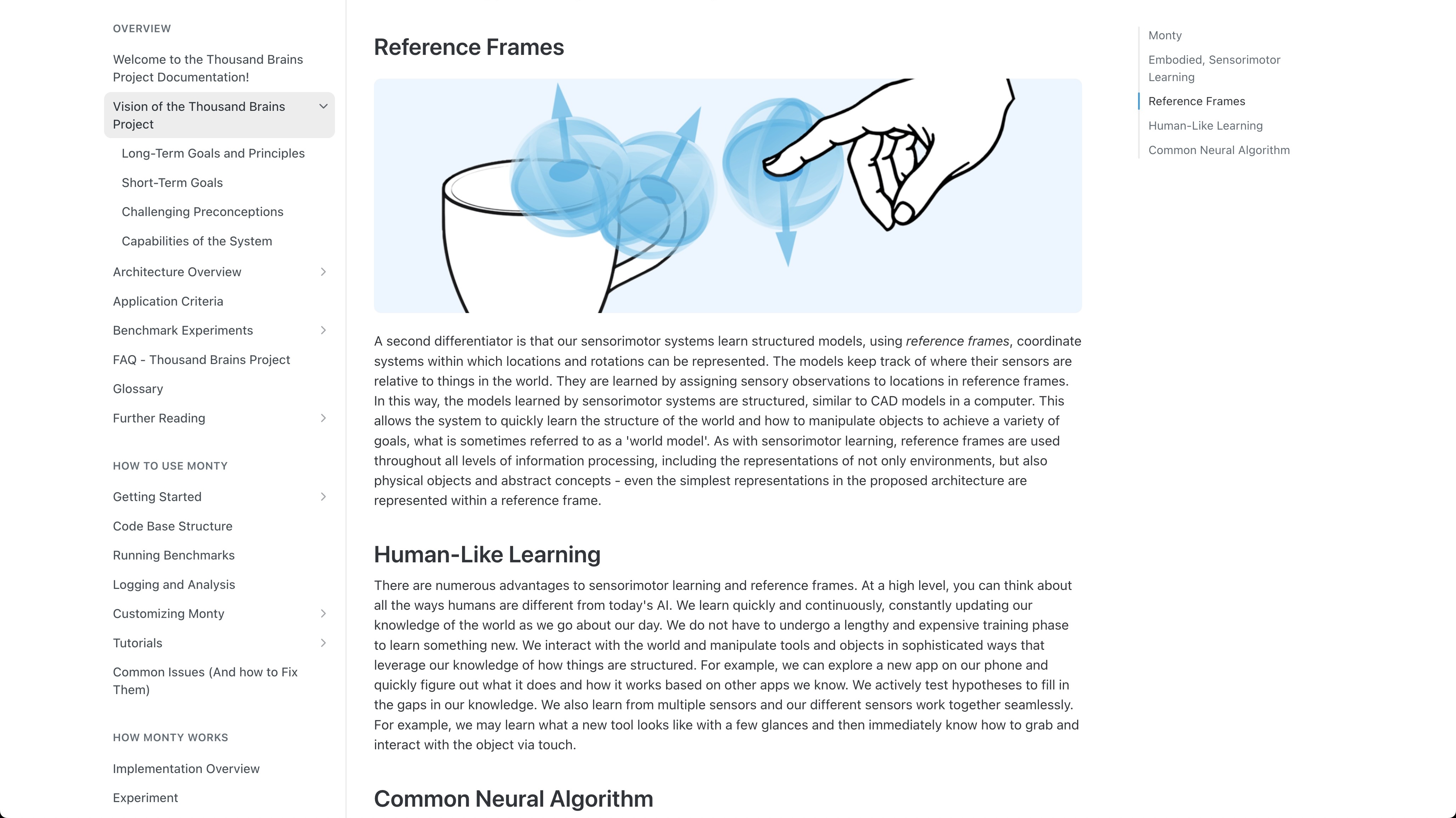
By using Sensorimotor Learning it's possible to train an Ai without back propagation and leverage simple classifiers where inference operates on accumulated evidence of a pose hypothesis (called: Reference Frames). That means you can train the Ai to "walk" across features and build a knowledge graph. This removes the need for back propagation from the training-loop entirely.
Using simple classifiers means that your data can be added to and updates are non-destructive. Reference Frames, are akin "walking" across features. If you're wondering what that means practically it's simpler than you think... normally, Ai uses colour and texture to determine differences... but with Sensorimotor Reference Frames use we can use shape, like how human brains work.
Reference Frames search spacial data so you do NOT need to recognise the world through images at all – and by using 3D geometry you can add entries to a knowledge graph which is elementary.
For more information: https://youtu.be/BbkRY9KU0uY?t=160
What Experiments Ran and Why?
I produced a Benchmark application to test for Correctness+Latency:
- The latency to use the Ai artifact.
- The accuracy of the solution.
- The artifact's runtime and what changes can be applied to speed-up inference.
I ran these three kinds of experiments because with Physical Ai and Robotics you need: low-energy and an empirical way to derive safety.
The accuracy experiments I ran were to check that hand gestures were correct and also that there wasn't any false-positives. In robotics they're dangerous.
I also wanted a system that "felt fast", so reducing latency became a trade-off between the amount of pixels being process as input and the amount of tokens that the VLM processed.
The smallest accurate model I could find for scene observation was: Smol-VLM 256 million. About 27x smaller than the original Mistral 7B VLM on the DGX Spark.
How did the experiments connect with Sensorimotor Learning?
The Sensorimotor Learning was inspirational, but to make the project solve both Correctness+Latency I still had to convert pixels into 3D!
By using 80 different shapes of hands and passing them into a dismantled BlazePalm recognition is cheap and abstention is structural.
BOTTOM LINE: by training BlazePalm I can guarantee predictable gesture capture with no wrong false-positives. This provides the most robust direction for any future robotics control ingress.
This is how I made my Physical Ai entry predictable, although this certainty does come at a cost:
blazepalm CPU LiteRT, 25.7 ms, correct: 59.3% wrong: 3.3%.blazepalm-mnn-opencl Mali, 33.6 ms, correct: 78.0%, wrong: 0.0%.
Importantly, could it be even faster?
I worked on understanding how the NPU worked with MobileNetV3, and it does run fast with the Zhouyi runtime – but only works with static-shaped CNNs.
If I trained a completely new version of the Ai from scratch with this paradigm then it's possible that it could indeed be faster, but it would still require encoding camera pixels, and that is a large part of BlazePalms 33ms.
Overall NPU ranking is an untested hypothesis
NPU is usable for supported, fully quantized fixed-shape CNN graphs
That meant that the kind of workloads I was interested in (camera encoding models such as BlazePalm) couldn't be performed easily on the device.
It's likely that YoLo might be a better candidate – but that doesn't get us any closer to spacial understanding.
What I Learned
I learned 3 key things in this project:
- Containers are the right abstraction when working with Physical Ai and Robotics.
- Conditioning & Adaptation can speed up any Ai artifact (and guarantee predictable gesture capture).
- Encoding camera pixels is expensive AND low-fidelity!
Containers are the right abstraction
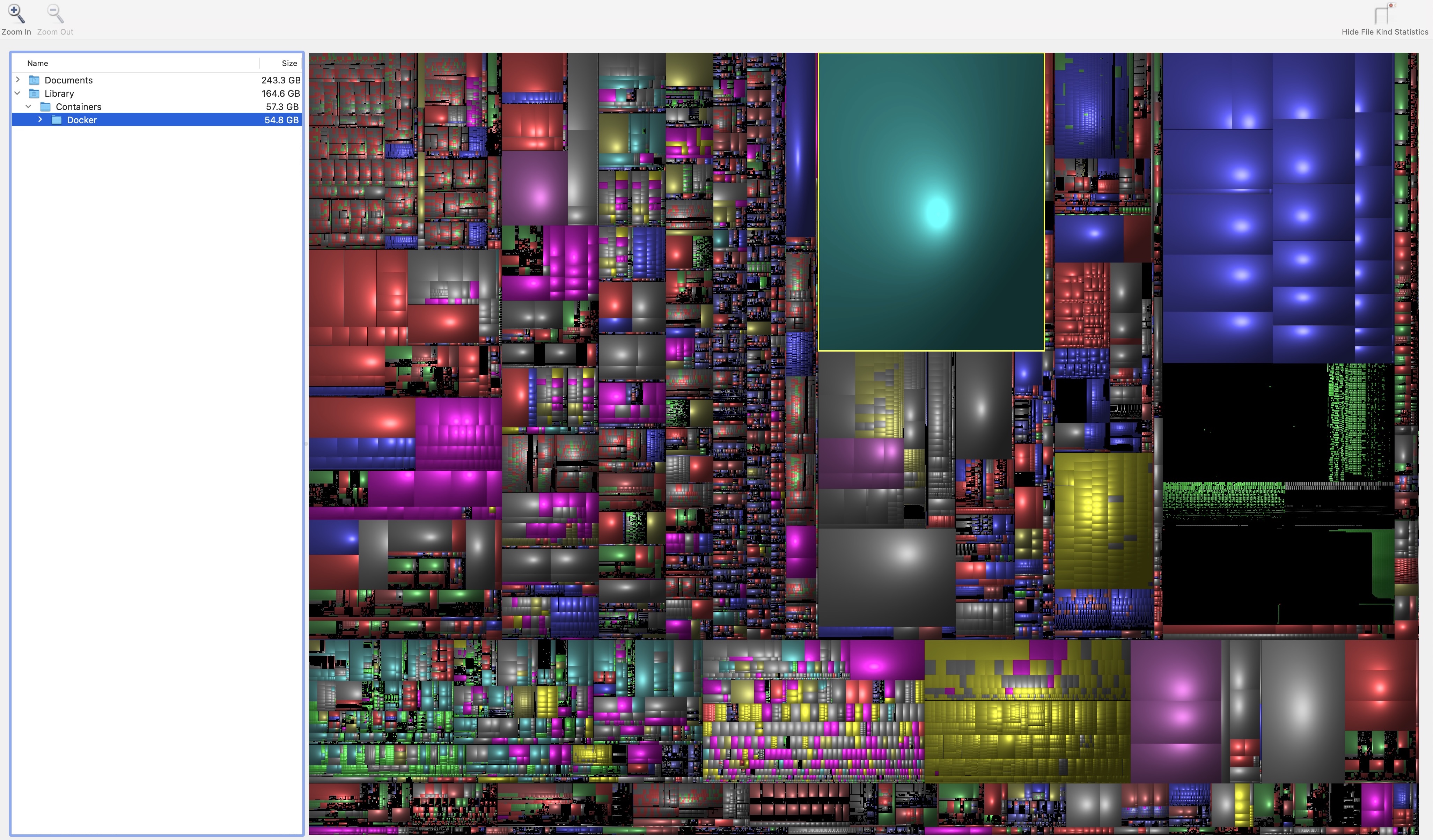
Containers are very elegant for robotics & Ai. Altogether I ran the following:
- A 55GB
Dockerfor a live Radxa simulator on my MacBook. This was 100% required as at first I was concerned about the stability of the O6 after numerous reboots without a working display adapter! - A 123GB
.cachefor datasets using different environments to experiment with custom Ai. - A 12.4GB Claude Code application (to spawn Python environments that could verify code before interacting with my actual codebase).
Conditioning & Adaptation can speed up any Ai artifact (and guarantee predictable gesture capture)
Part of the speed gains for both BlazePalm and the Smol-VLM came from conditioning and kernel-level adaptation.
Example:
BlazePalm turn camera pixels into cropped, rotated, scaled regions before producing 21 landmarks.
Left and Right hand gestures support mirror pairs as part of a kernel-level adaptation that did NOT require more data to train and improve the accuracy of gesture control. To guarantee predictable capture requires conditioning – required for mission-critical situations.
Encoding camera pixels is expensive AND low-fidelity!
In the original OpenPAVE 3D spacial awareness was not present in any VLM only solution... and at any speed.
BUT: "Computer Vision" needs cheaper spacial accuracy to be really useful to Physical Ai. While BlazePalm gives you 3D information where a VLM with a monocular camera does NOT there's still a large overhead. If this could be performed on an NPU or directly in the camera that'd solve multiple speed+accuracy problems.
Currently the Zhouyi runtime is too rigid to make this a reality.
The Future Direction for Physical Ai
Spacial Accuracy
If you have 3D information (similar to BlazePalm) it should be possible to use Sensorimotor Learning and "walk" through search problems using Reference Frames. With this in mind, I want to combine Physical Ai with spacial data:
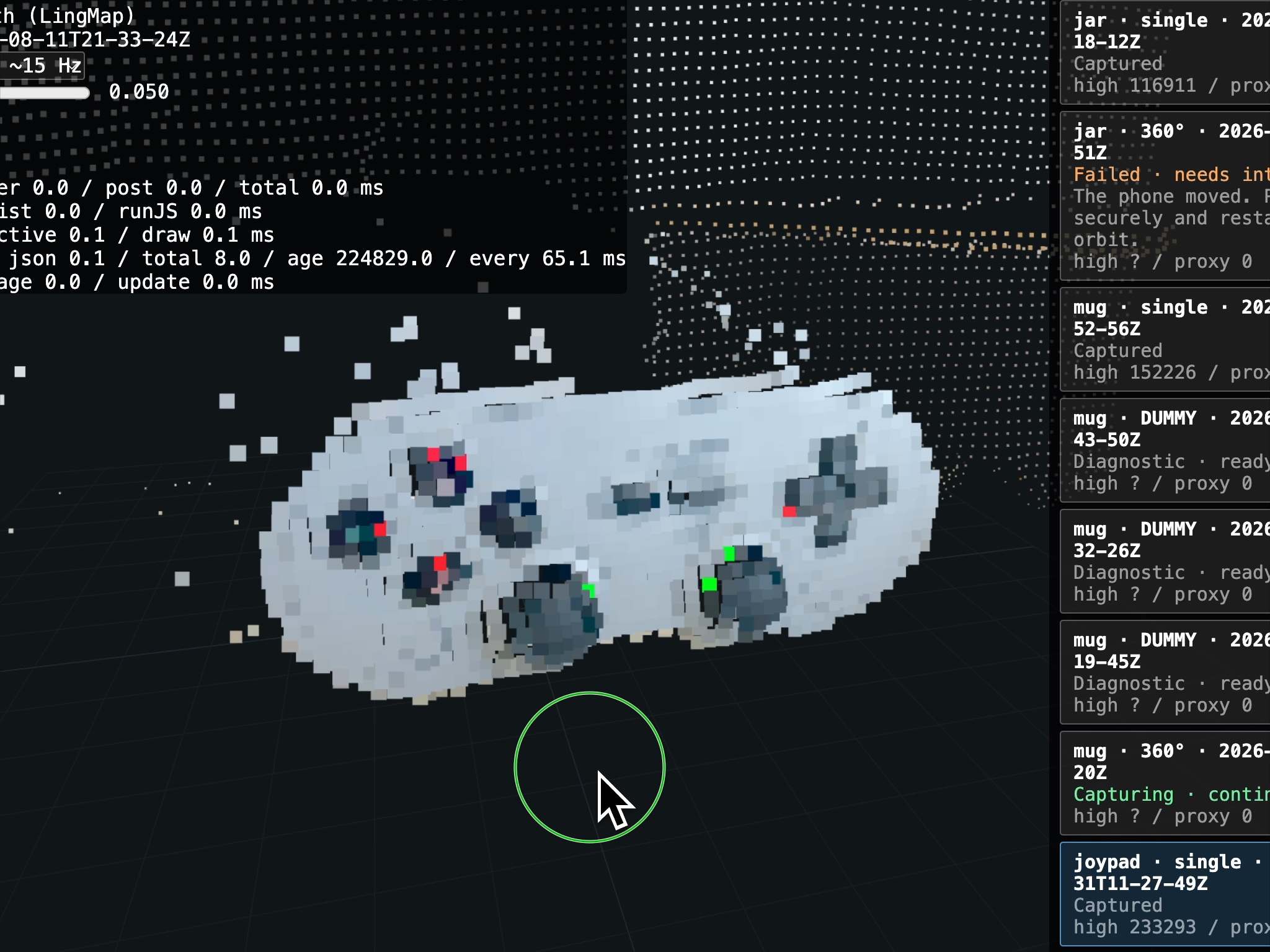
- A library for object recognition similar to the CoCo dataset but in 3D and use a stereo camera or find a spacial monocular camera solution (like DepthAnywhere or LingMap). I've already started experimenting with
TrueDepth, Xbox Kinect and building knowledge graphs. I'm going to call the project: Simple Spacial Objects (see 3D point-cloud image of the Joypad). - Before this Hackathon I built a low-energy Physics Simulator using an algorithm called Augmented Vertex Block Descent. The shapes in that project use SDF (Signed Distance Fields). This should make a good alternative to Google's MuJoCo and provide a Digital Twin solution in OpenPAVE.
Conclusion:
The original project combined gestures and observations in one loop, which ran slowly.
After running around 50 experiments, I was able to get incredible speed-gains on an Orion O6, by splitting the Ai's computation in two. Gesture Control started around 2-4s of VLM inference and I turned that into using a simple classifier under 1millisecond (using a modified version of BlazePalm).
As for the Scene Observation, rather than running a 7 billion parameter model – I geometrically conditioned a tiny 256 million parameter VLM to do EXACTLY the same task – with less computational overhead!
My solution pays close attention to the aspiration of the original developer's target User Experience to guarantee predictable gesture capture and I wrapped the application in a new User Interface (an interactive flowchart), to help people understand what's going on in a complex system like a robot.
I am Scott Phillips and this is my entry. Learn more:
- LinkedIn: https://linkedin.com/in/inspiredlabs
- Web: https://inspiredlabs.co.uk
- GitHub: https://github.com/inspiredlabs/openpave
And finally, if you're interested in finding the GPU benchmark OpenCL SmolVLM MNN JSON data skip to here: https://github.com/inspiredlabs/OpenPAVE/blob/main/web/RADXA_static/20260807-184341-perception-chart.json


Log in or sign up for Devpost to join the conversation.