Inspiration
Redness, dark circles and post-acne marks affect millions of people, and the usual fix is more foundation: it looks heavy, and the colour still shows through. Makeup artists do something smarter: they cancel the colour. Green cancels red; peach cancels blue shadow. But you can't swatch a corrector online, most colour-correction advice is written for fair skin, and on deeper skin the wrong shade turns ashy. So shoppers guess, and send it back. We wanted to put a makeup artist's eye in everyone's pocket, and in every beauty store.
What it does
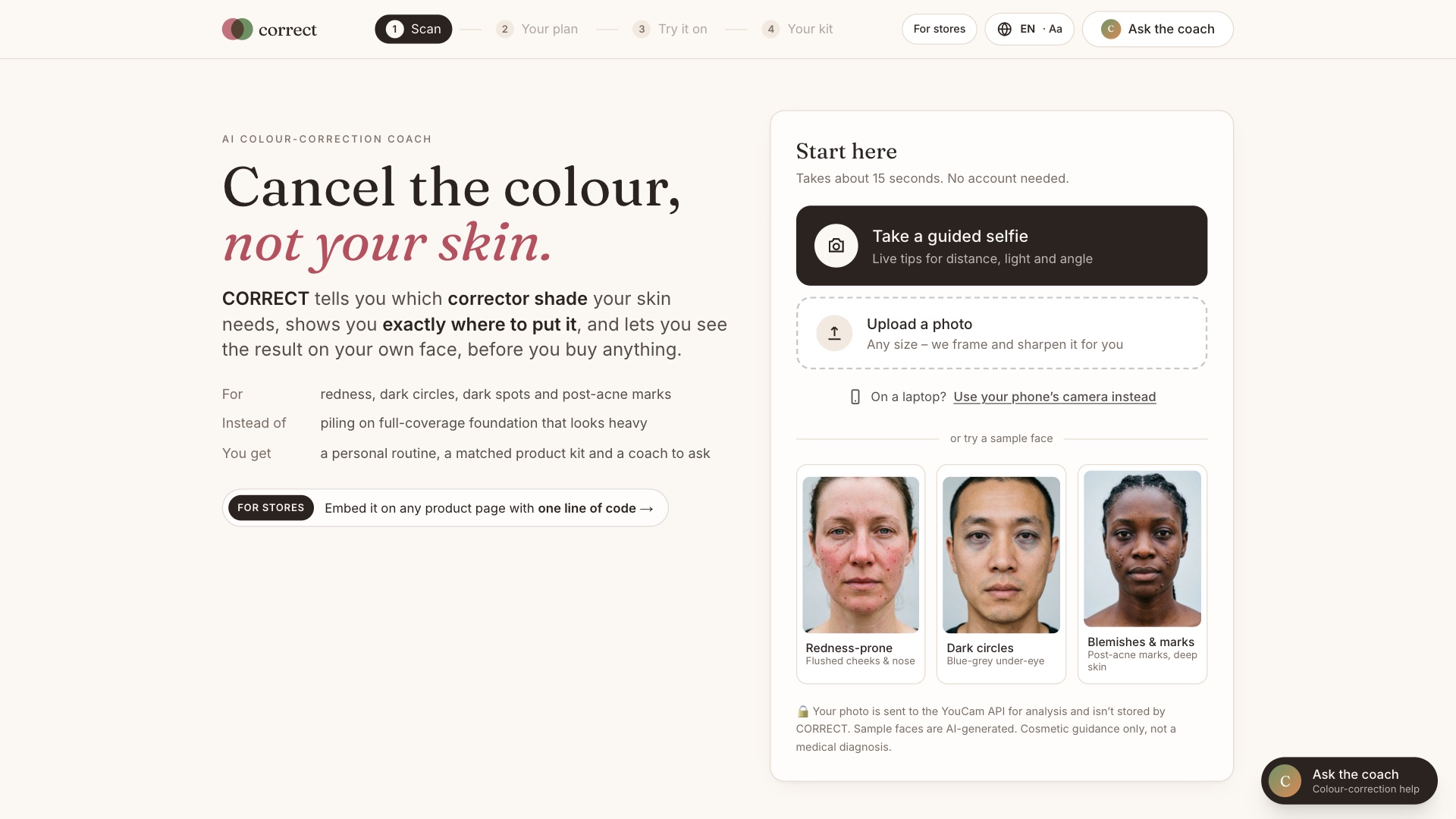
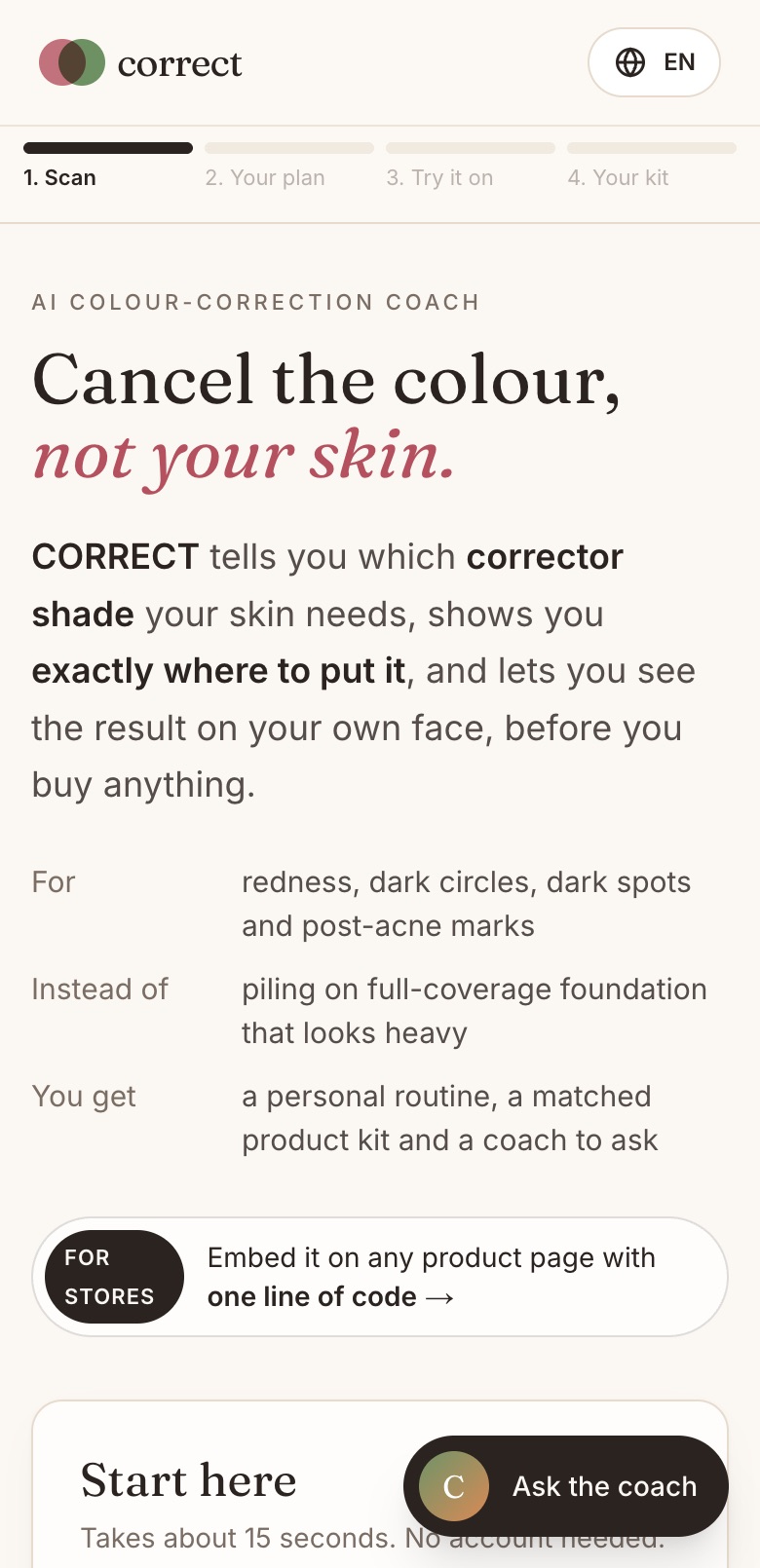
CORRECT is an AI colour-correction coach. One selfie tells you which corrector you need, where to put it, and how it looks on your own face, then matches it to real products.
- Guided selfie. On-device face detection coaches distance, light and angle, out loud if you like, and captures automatically. Any upload works too: CORRECT frames the face and sharpens low-resolution photos with YouCam AI Photo Enhance.
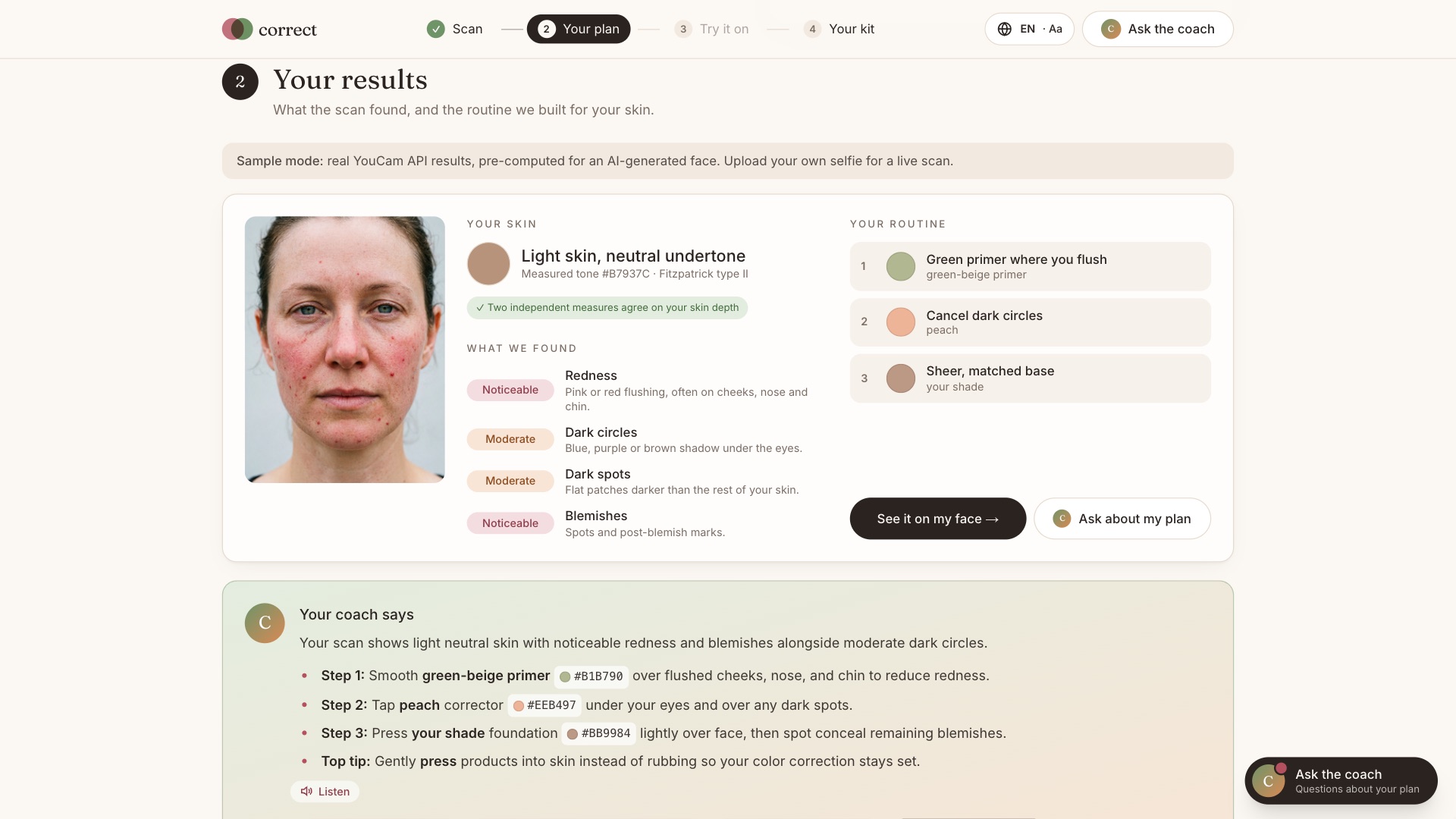
- Reads your skin. YouCam Skin Analysis HD scores redness, dark circles, dark spots and blemishes, with pixel-level masks. Skin Tone Analysis and the Fitzpatrick Skin Type model cross-check depth and undertone, so the shades also work on deeper skin.
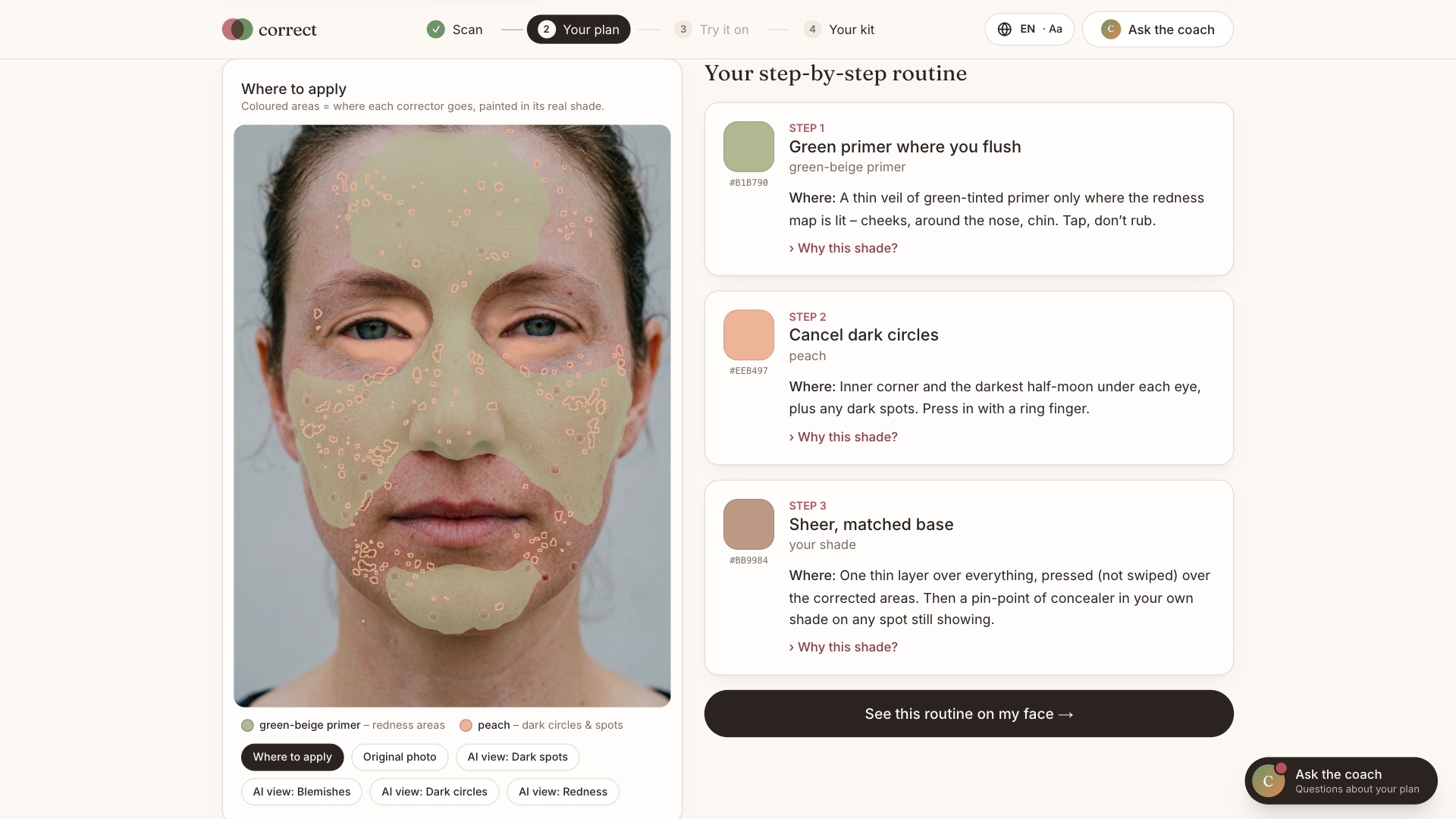
- Colour map. The masks become a personal "where to apply" map, painted in each corrector's real shade.
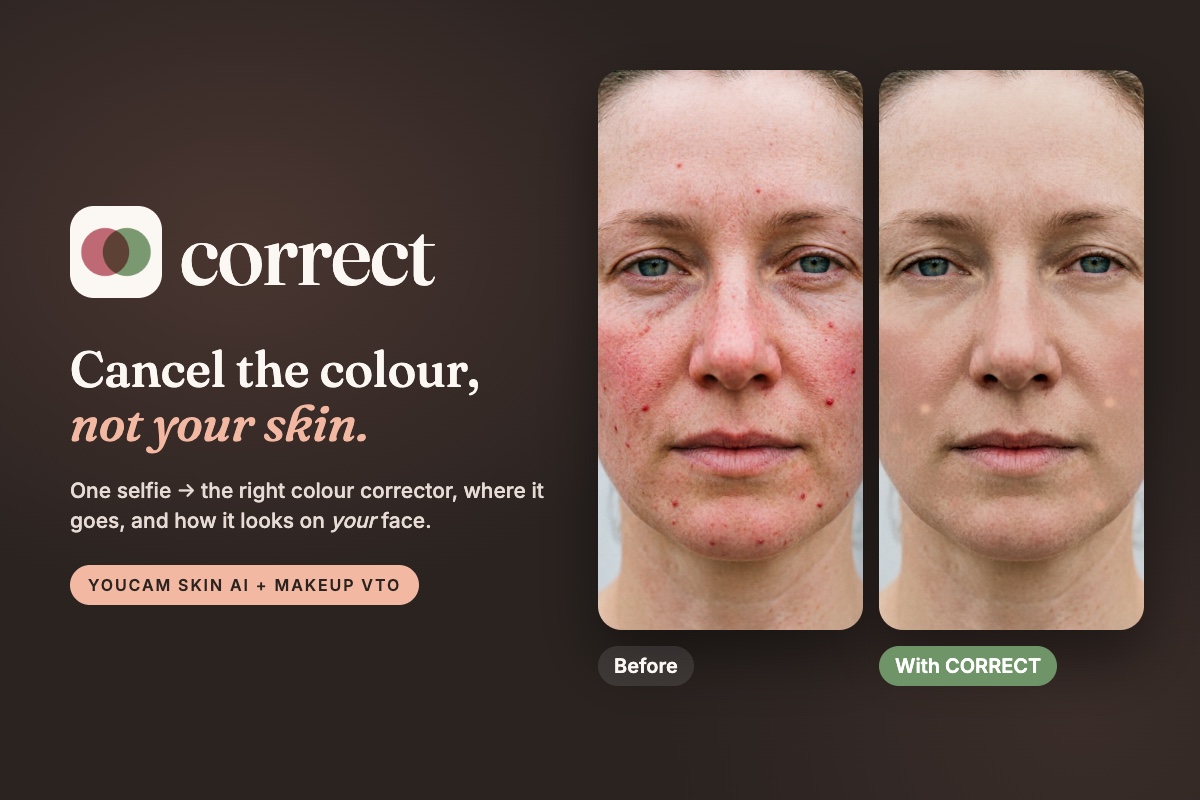
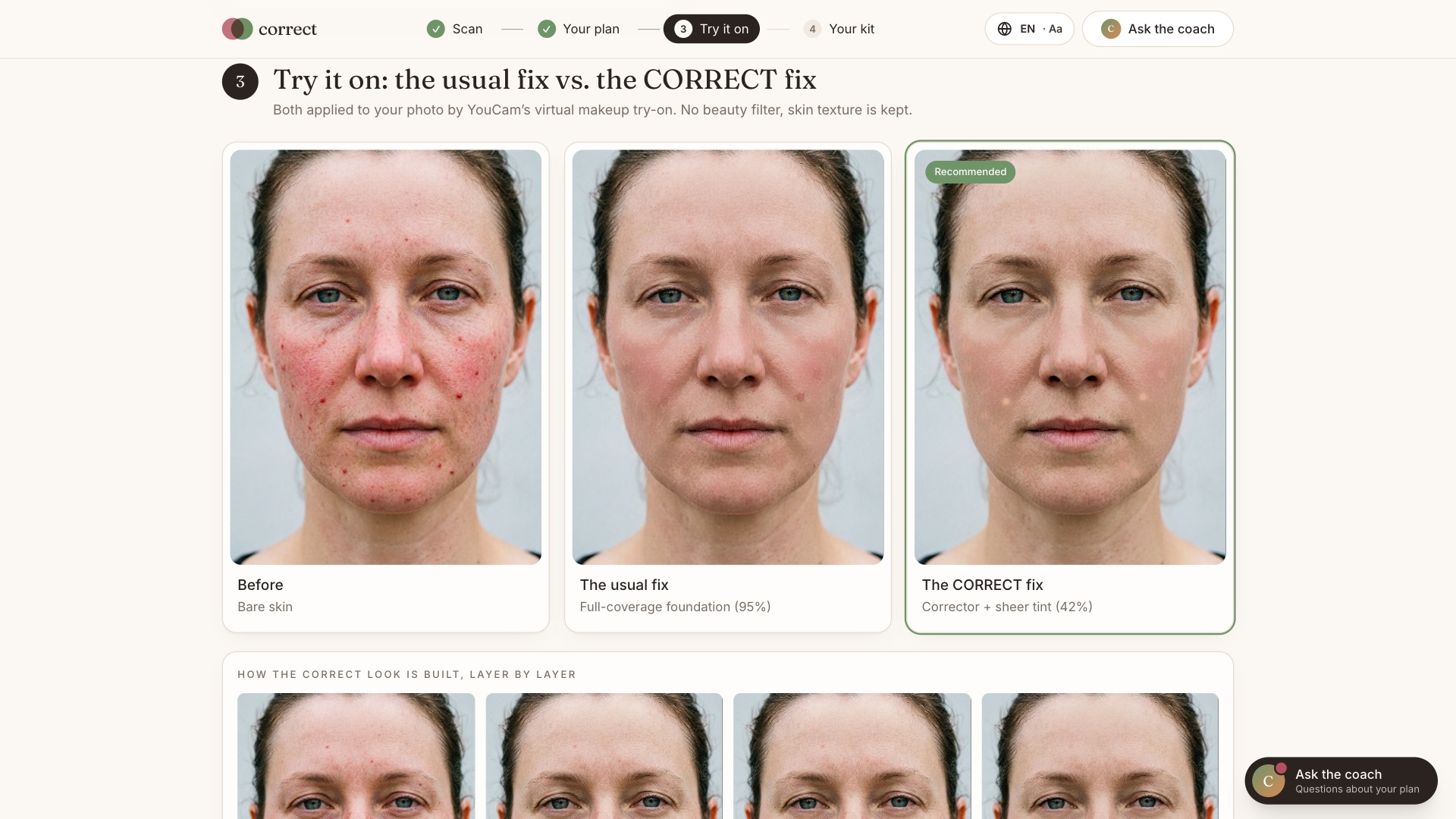
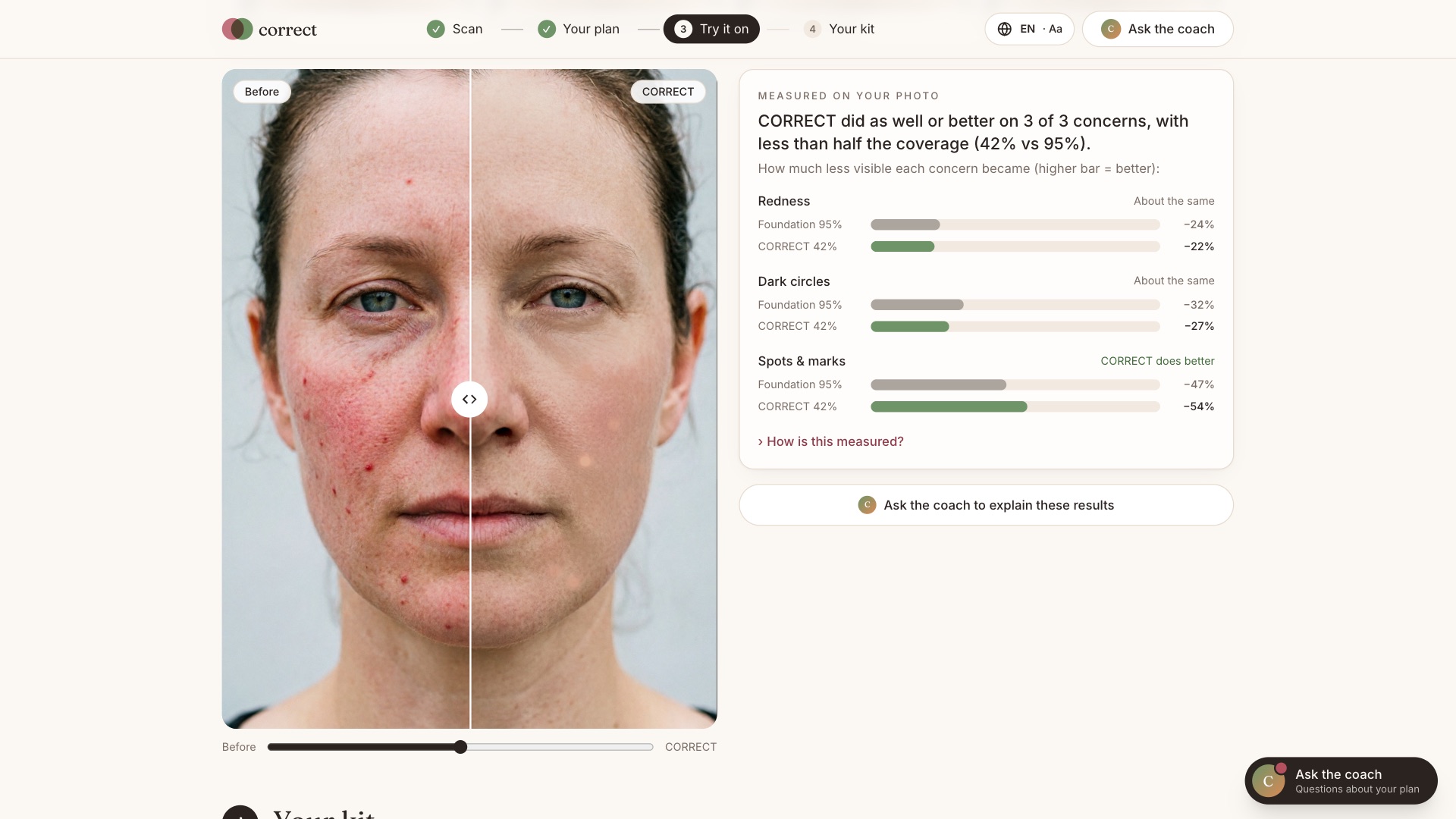
- Try it on, measured. YouCam Makeup VTO applies the routine layer by layer on your own photo, next to the usual full-coverage foundation. CORRECT then measures how visible each concern still is and reports it honestly, even when foundation wins. On the redness sample it hides more with 42% coverage than foundation does at 95%.
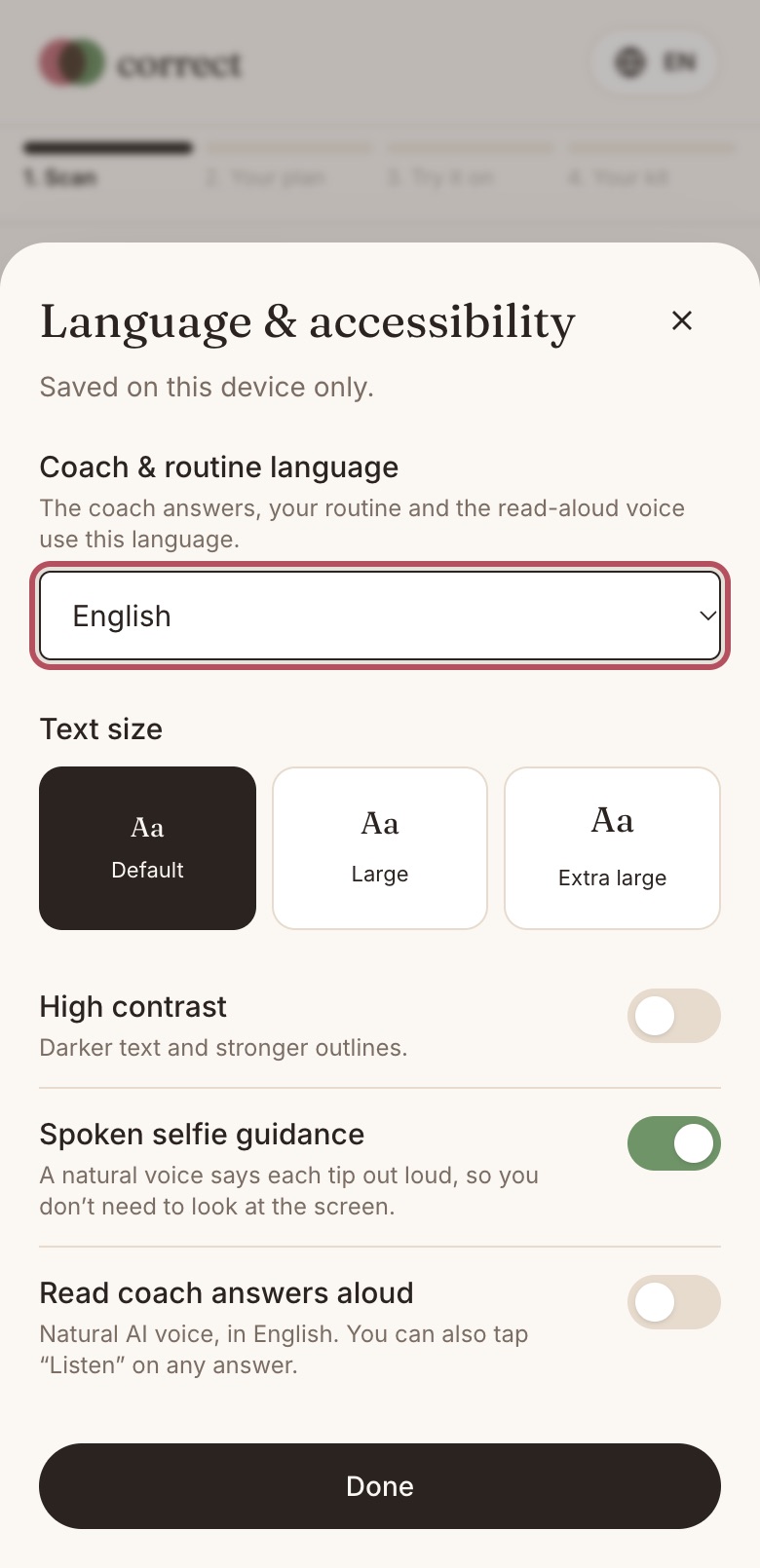
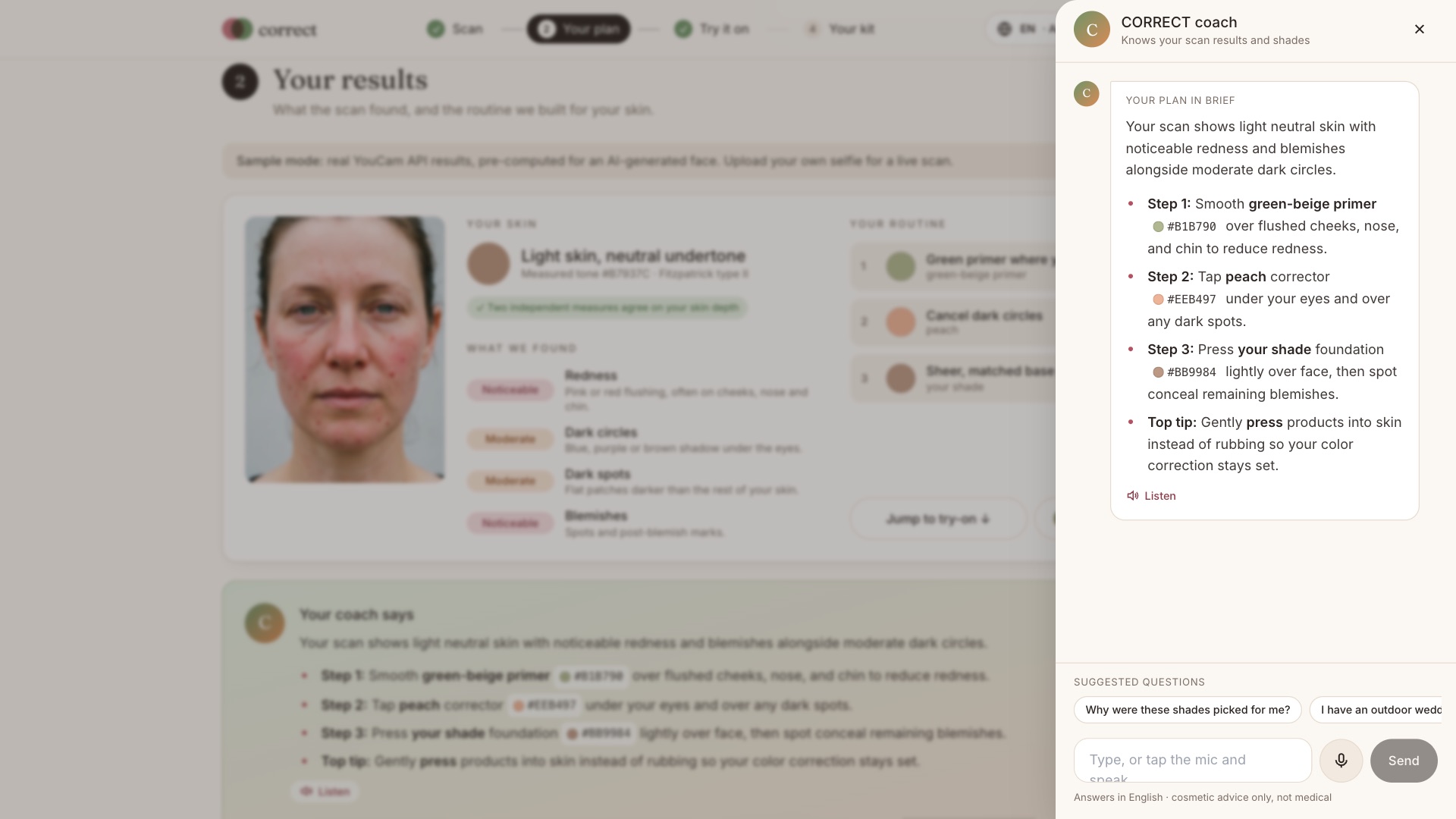
- AI coach. Knows your scan and answers follow-ups in 11 languages, typed or spoken, and reads answers aloud.
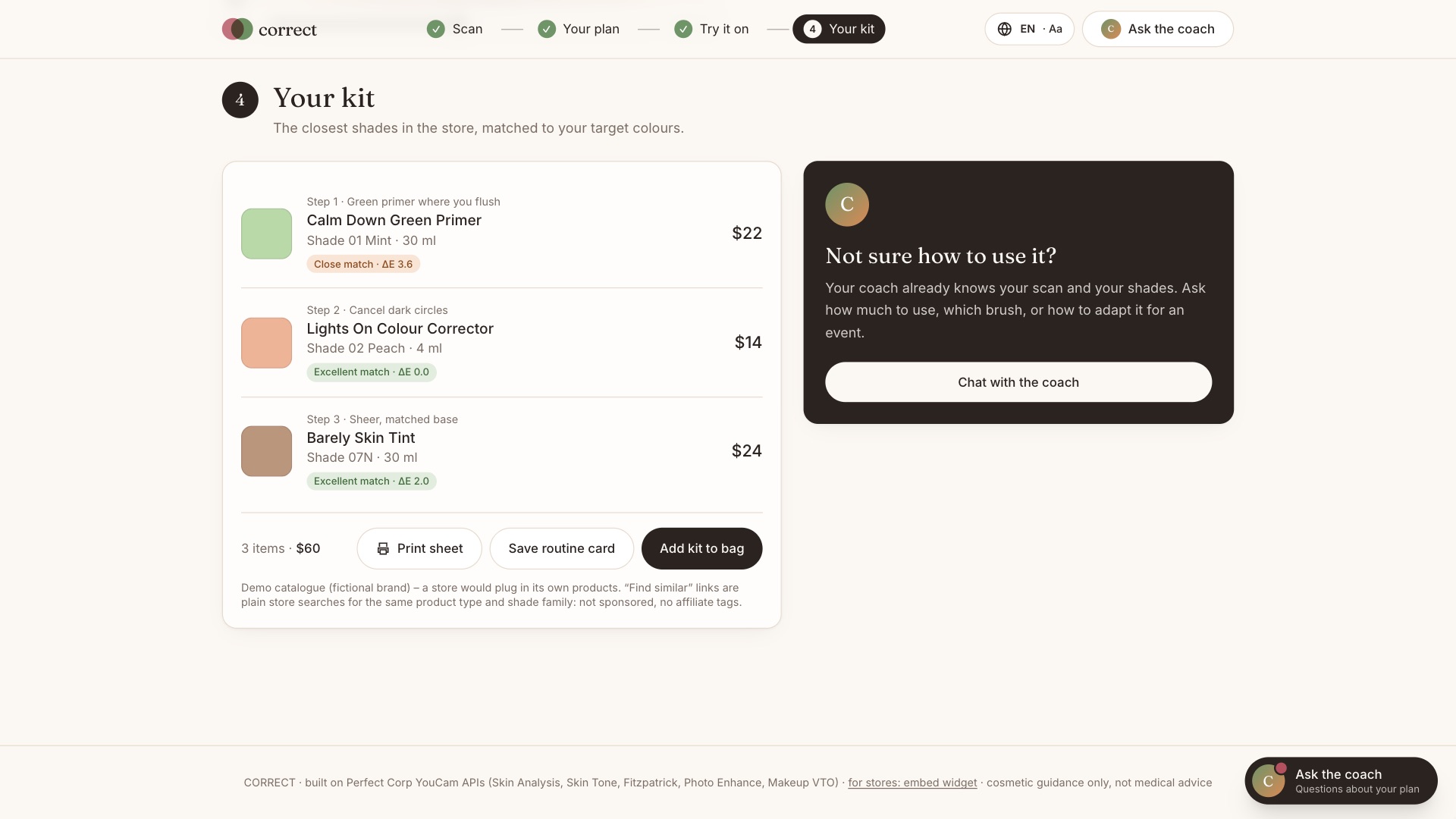
- Matched kit. Shades are matched to the store's catalogue with CIEDE2000 colour science. Save a routine card, or print a client sheet for your makeup artist.
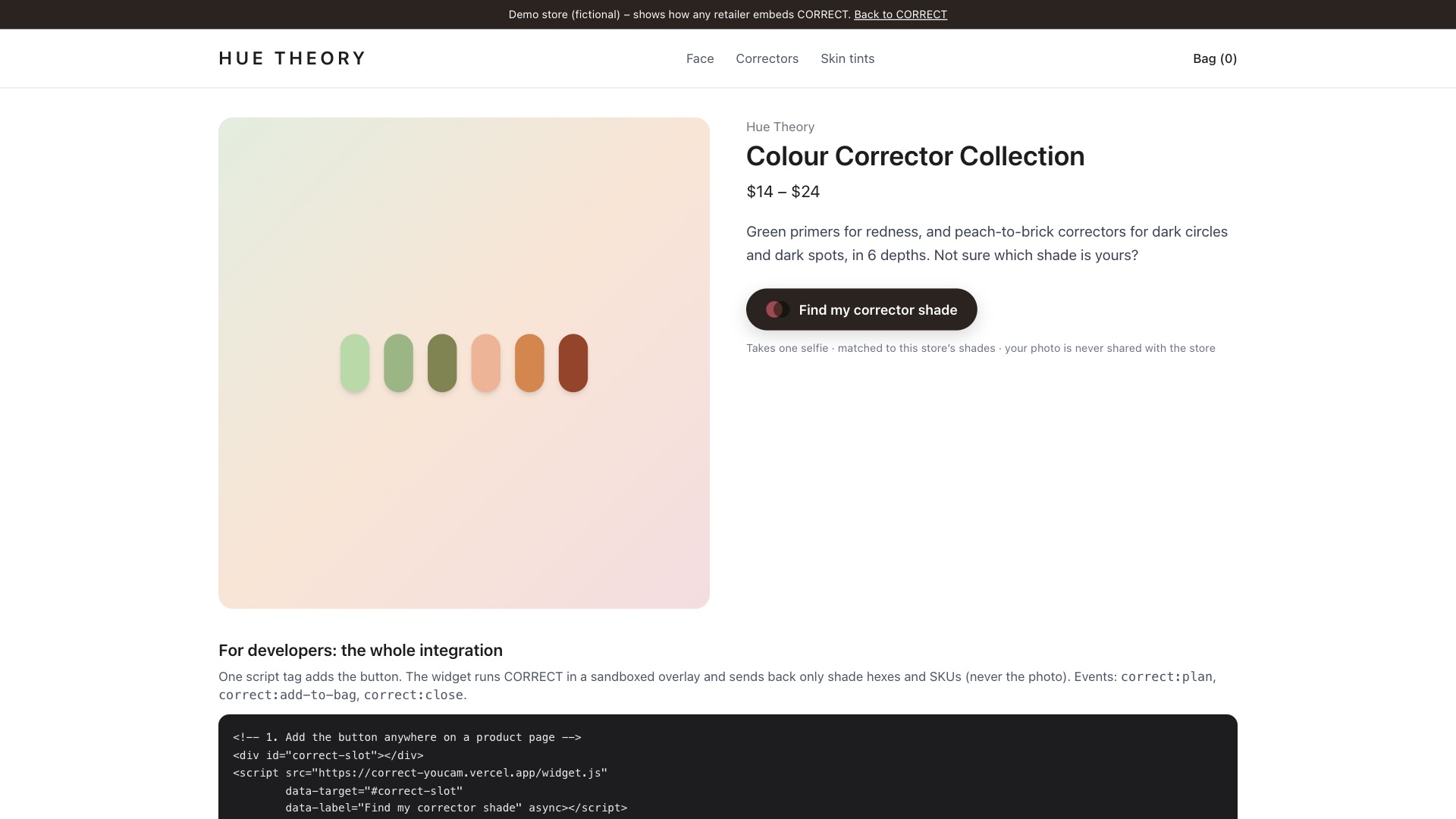
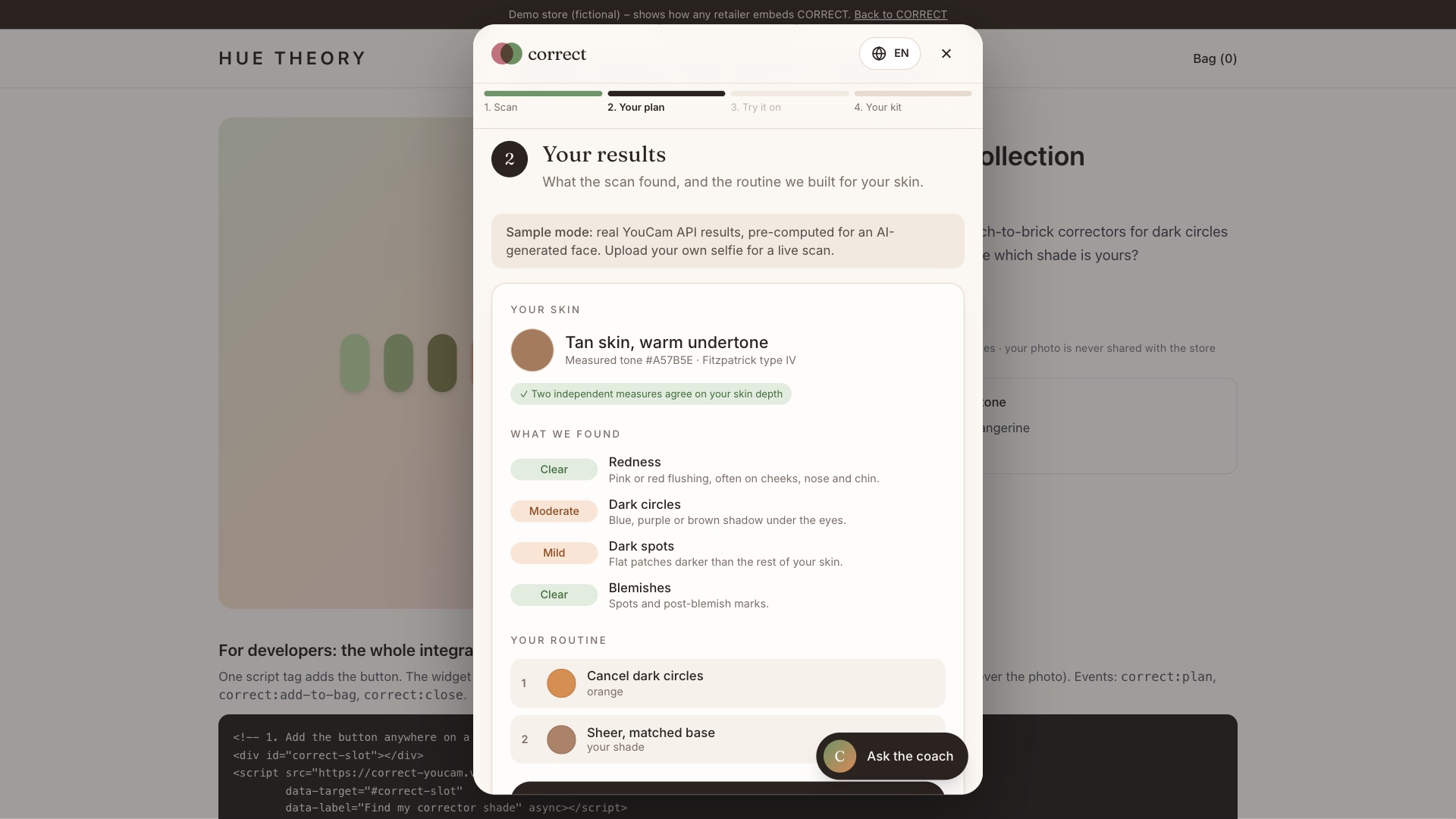
- For stores. One
<script>tag adds "Find my corrector shade" to any product page. The shopper scans once, the matched kit drops into the store's own cart (correct:add-to-bagevent with SKUs), and the selfie never leaves CORRECT. Live: https://correct-youcam.vercel.app/store-demo - For everyone. An installable PWA (sample faces work offline) with extra-large text, a high-contrast mode, spoken camera tips, voice in and out, 11 languages, and a QR hand-off from a laptop to a phone camera.
Consumer value: the right corrector the first time, a lighter base that still covers, and a result you can see before you buy. Retail value: one line of code turns one selfie into a matched basket from the store's own catalogue, which means more sales in a hard-to-sell category and fewer wrong-shade returns.
How we built it
- Next.js 14 (App Router), TypeScript and Tailwind, deployed on Vercel. Every YouCam call runs in a server route, so API keys never reach the browser.
- Six YouCam APIs:
- Skin Analysis HD (4 concerns + masks)
- Skin Tone Analysis
- Fitzpatrick Skin Type
- AI Photo Enhance
- Makeup VTO (foundation, concealer and smoothing layers chained through the previous result's URL)
- AI Image Generator, for the AI-generated sample faces
- Colour science:
- sRGB → CIELAB conversion
- Individual Typology Angle (ITA°) for skin depth, hue angle for undertone
- a 6-depth corrector rule engine
- CIEDE2000 catalogue matching, unit-tested against published reference pairs
- ΔE measurement inside the YouCam masks to grade each render
- MediaPipe face detection in the browser for the guided camera and auto-framing.
- Gemini for the coach, translation, speech-to-text and text-to-speech, with key rotation and a multi-model fallback.
- PWA service worker, and an embeddable widget:
widget.js→ sandboxed/embediframe →postMessageevents. - Cost control: response caching, per-visitor rate limits, a daily scan cap, and free pre-computed sample faces.
Challenges we ran into
- Makeup VTO adds
skin_smooth: 50on every call. Across three chained passes the face came out airbrushed, which ruined an honest comparison. We sendskin_smooth: 0on every pass, baseline included. - The
concealereffect dabs individual spots; it doesn't paint zones. A green concealer left green dots, so we rebuilt the routine the way an artist would: a sheer green-tinted primer layer, then the base, then a pin-point of concealer. - Real selfies were rejected by HD analysis. It needs a short side of 1080 px or more and a face wider than 60% of the frame. We added on-device face framing plus YouCam Photo Enhance upscaling, and every later step uses the exact prepared image so the layers line up.
- Credits spent on tasks we never saw finish. YouCam tasks time out if polling stops, but the credits are still charged. The client now always polls each task to completion, and results are cached by image and effect hash.
- Measuring "better" honestly. We decode the masks (RGBA overlays for redness and spots, alpha-only for dark circles) and compare ΔE inside each flagged zone against the surrounding skin, for foundation and for CORRECT.
- Unreliable camera colour. Lighting shifts the measured tone, so ITA° is cross-checked against the Fitzpatrick model. If they disagree by two or more bands, the model wins.
- Voice input across browsers. Browser speech recognition fails in Brave and Firefox, so audio is recorded in the page and transcribed on the server.
- Embedding in someone else's store without leaking the photo. CORRECT runs in a sandboxed iframe, and only shade hexes and SKUs reach the host page.
Accomplishments that we're proud of
- Skin AI and Makeup VTO working as one system: the masks (where) drive the try-on (how), and the measurement closes the loop.
- Shades that respect deep skin: ITA° and Fitzpatrick cross-checked, and no green corrector on deep skin.
- An honest result panel that tells you when foundation actually did better.
- A real store integration in one line of code, live at
/store-demo. - Accessible from day one: 11 languages, voice in and out, extra-large text, high contrast, spoken camera guidance, offline samples, an installable PWA.
- Judges can explore everything for free: the three sample faces ship with real, pre-computed YouCam results.
What we learned
- How the YouCam APIs behave in practice: default effects, input limits, mask formats, polling rules and result-URL expiry. Designing around those details made the product better.
- Measuring a render is far more convincing than describing it.
- Accessibility features such as spoken camera tips and large text help everyone, not only the users they were built for.
- A retailer cares less about the AI than about one line of code, their own SKUs, and keeping shopper photos private.
What's next for CORRECT
- Retailer dashboard: map a store's own SKUs, and see which shades are matched and sold.
- Progress over time: scan history is already stored privately in the browser; next is charting how a routine changes redness or marks week to week.
- More concerns: melasma, under-eye hollows and post-procedure redness.
- Camouflage coaching for vitiligo, scars and birthmarks with paramedical makeup partners.
- Live video try-on and native app-store wrappers.
Cosmetic guidance only, not a medical diagnosis. The sample faces are AI-generated.
Built With
- nextjs

