

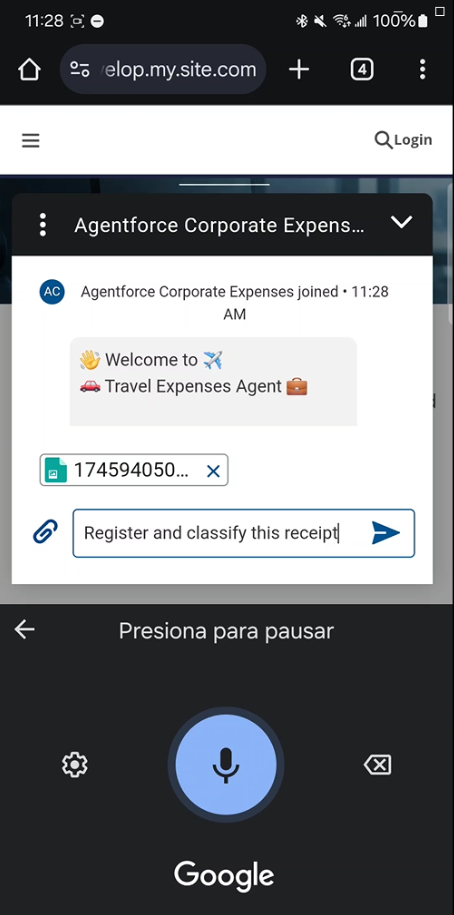

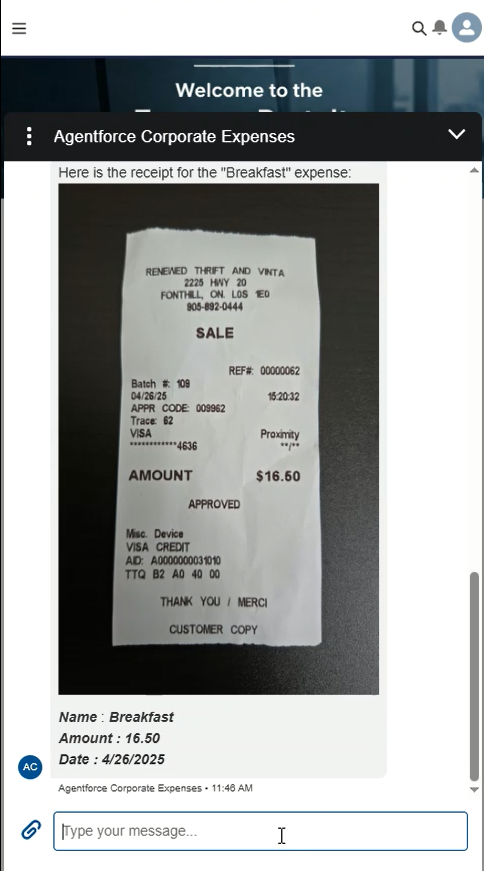
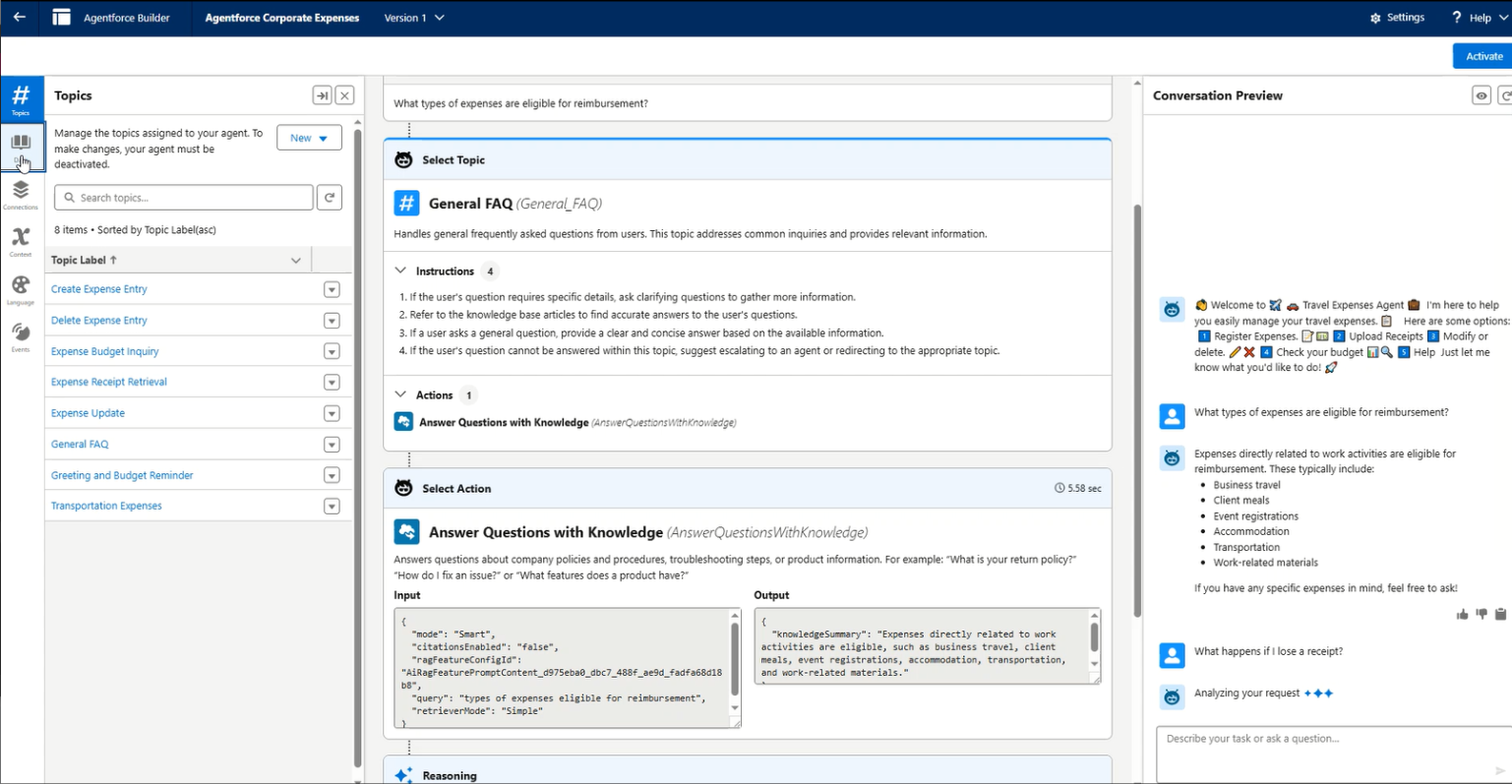
Inspiration: Corporate Expenses Portal was designed for sales representatives who are constantly on the move: traveling, visiting clients, and working from the field. We wanted to create a solution that allows them to manage their corporate expenses using just their voice, whether from a smartphone or even a smartwatch. With this assistant, they can easily record or modify expenses, check their remaining budget, and get real-time answers to common questions about the reimbursement system.
What it does:
- Allows sales reps to log expenses via voice from their phone or smartwatch
- Provides real-time budget tracking and updates
- Answers frequently asked questions about the company’s reimbursement policies
- Automatically categorizes expenses and suggests corrections if needed
- Enables quick modifications of previously recorded expenses
How we built it
- We created a custom object “Expenses”, where all the relevant information about each expense is stored: name, date, category, and amount.
- We also built a custom object named “Budget”, which stores the available budget for each sales representative.
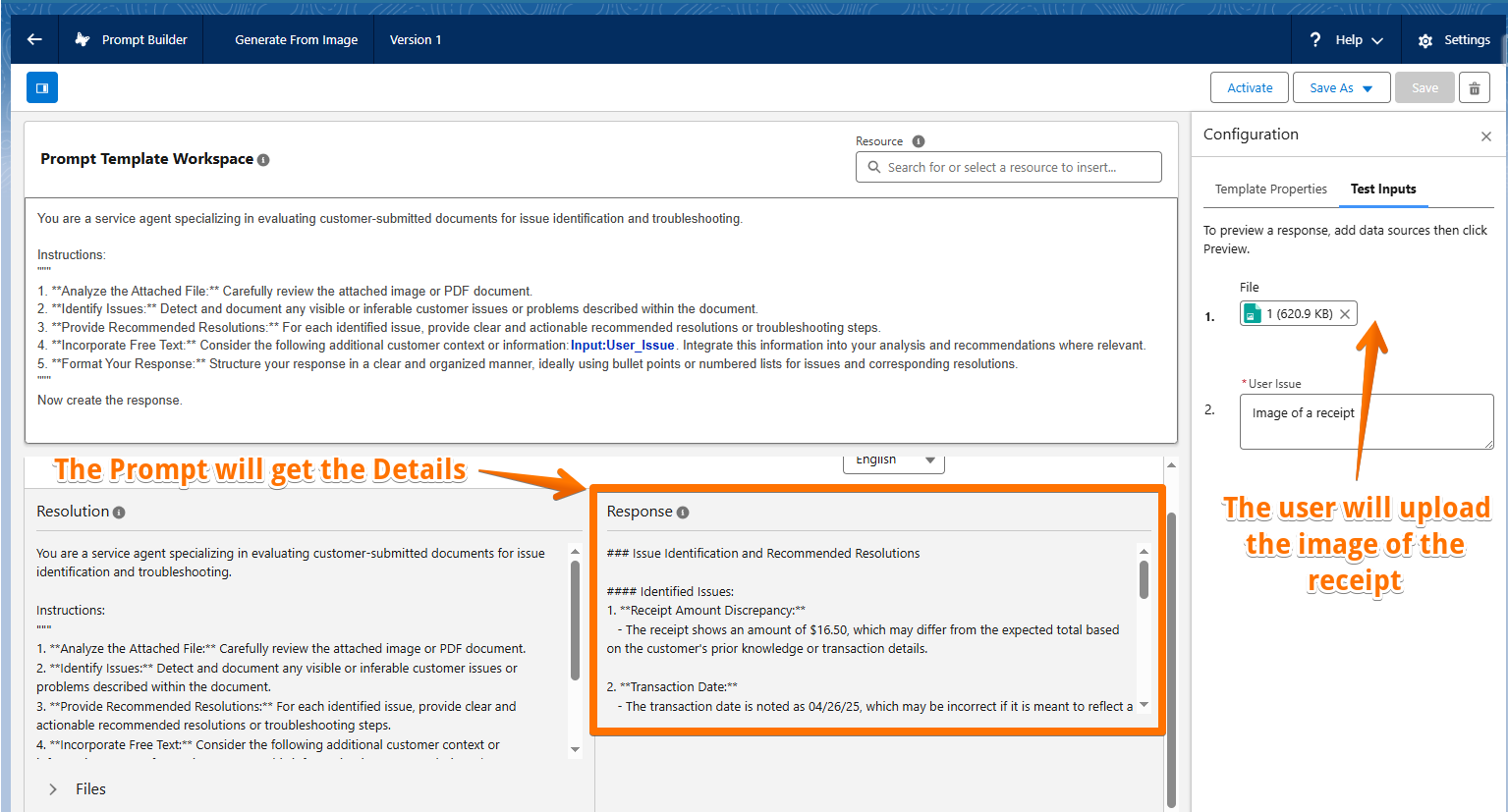
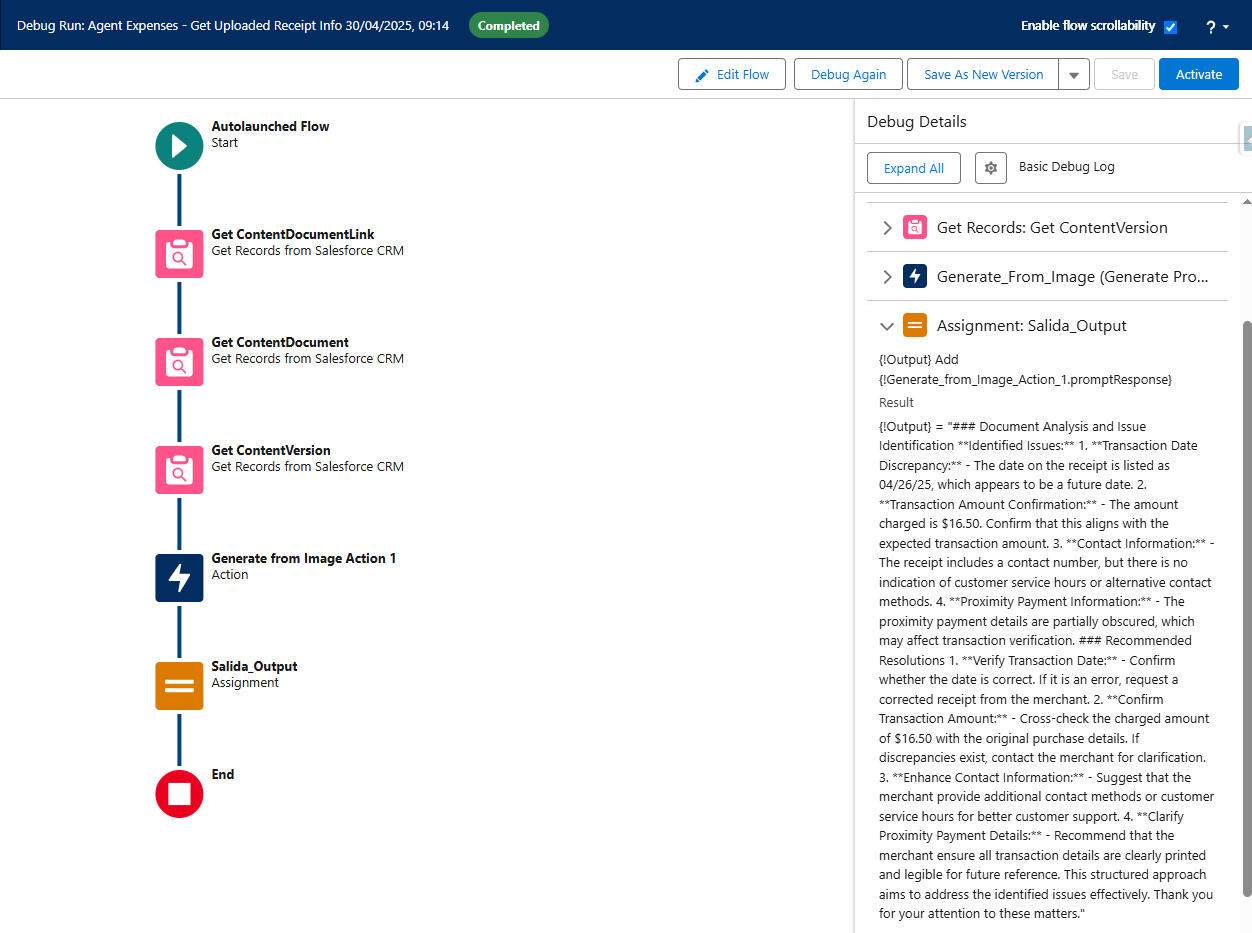
- A Service Agent was developed to handle the full expense lifecycle: users can create, modify, or delete expenses, and view their available budget based on submitted entries. To enable these actions, we created custom Flows that automate each process.
- The Service Agent also answers frequently asked questions using a Knowledge object. We uploaded a PDF with typical inquiries into a Data Library, allowing the agent to respond based on indexed information.
- Finally, the agent was published through an Experience Cloud site to make it accessible to sales representatives.
Challenges we ran into
- Integrating the Service Agent with Flows to ensure it could successfully update records such as expenses and budgets in real-time
- Configuring the Experience Cloud to properly deploy the agent on mobile phones and smartwatches was also challenging.
- Combining the Service Agent for record actions with the FAQ Agent into a single unified experience.
Accomplishments that we're proud of
- Improved user experience: Voice-enabled expense tracking, allowing sales reps to log and manage expenses hands-free from their mobile phones and smartwatches
- Automating repetitive tasks: With custom Flows in Salesforce, we’ve reduced manual entry, saving time and minimizing errors
- Real-time budget tracking: Sales reps can now view their available budget instantly based on the expenses they’ve entered, which improves financial transparency.
What we learned
- Experience Cloud
- Data Library
- Flows
- Custom Objetcs
- Agentforce Agents: Service Agent & FAQ Agent
What's next for Corporate Expenses Portal
- Creation of Dashboards to provide sales representatives and managers with real-time tracking and insights on expenses and budget usage.
- Expense Upload Notifications to remind sales reps to log their expenses regularly, ensuring timely updates to their records.
- Budget Overrun Alerts to notify sales reps when they exceed their allocated budget, helping them stay on track.
- Ticket Submission Deadlines: Notifications to remind sales reps to submit their receipts before the deadline, ensuring no expenses are missed.
- Anti Fraud Detection: The system will identify anomalies with the location of the user and the address of the facility and match the receipts as potencial fraud.
- Storytelling of all the expenses using a Visualforce page linked with google maps to track all the expenses
Built With
- agentforce
- data-cloud
- experience-cloud
- faq
- flow
- prompt-builder
- rag

Log in or sign up for Devpost to join the conversation.