-
-
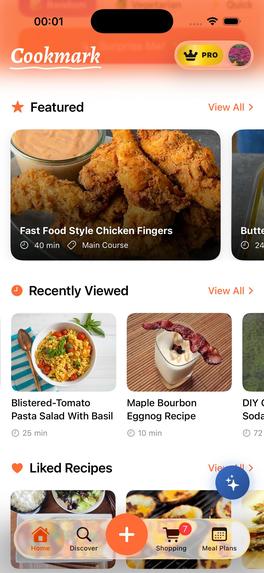
Home
-
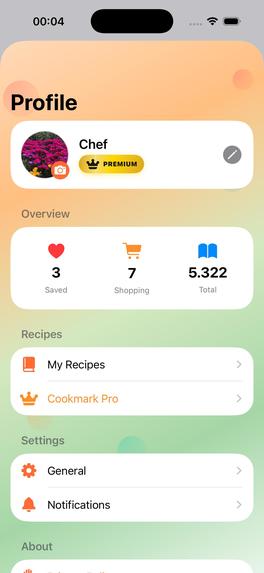
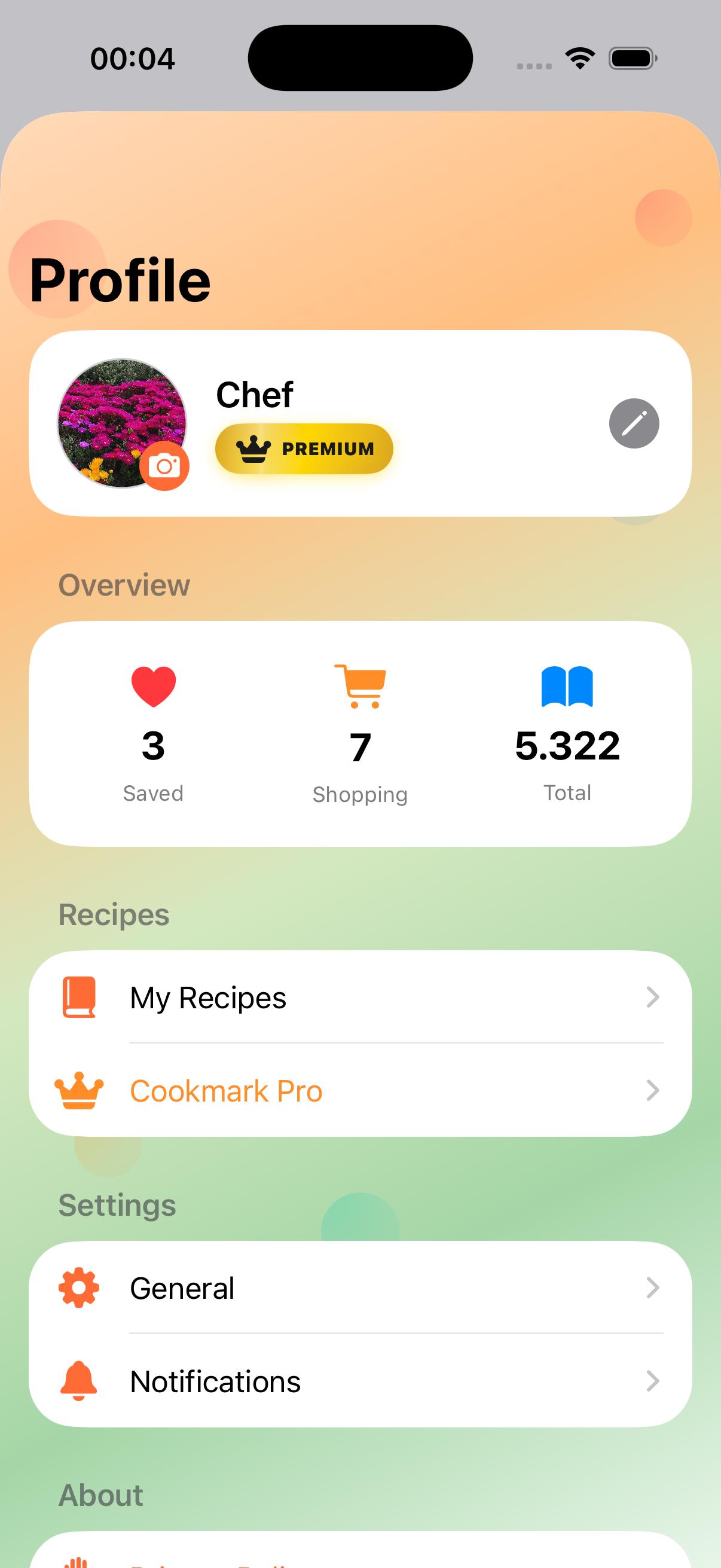
Profile
-
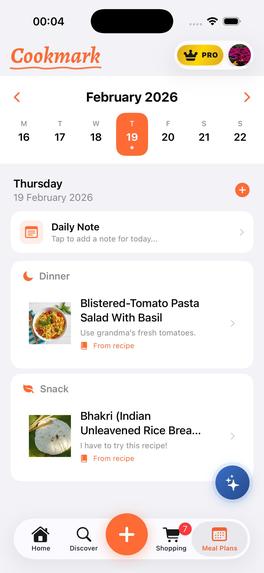
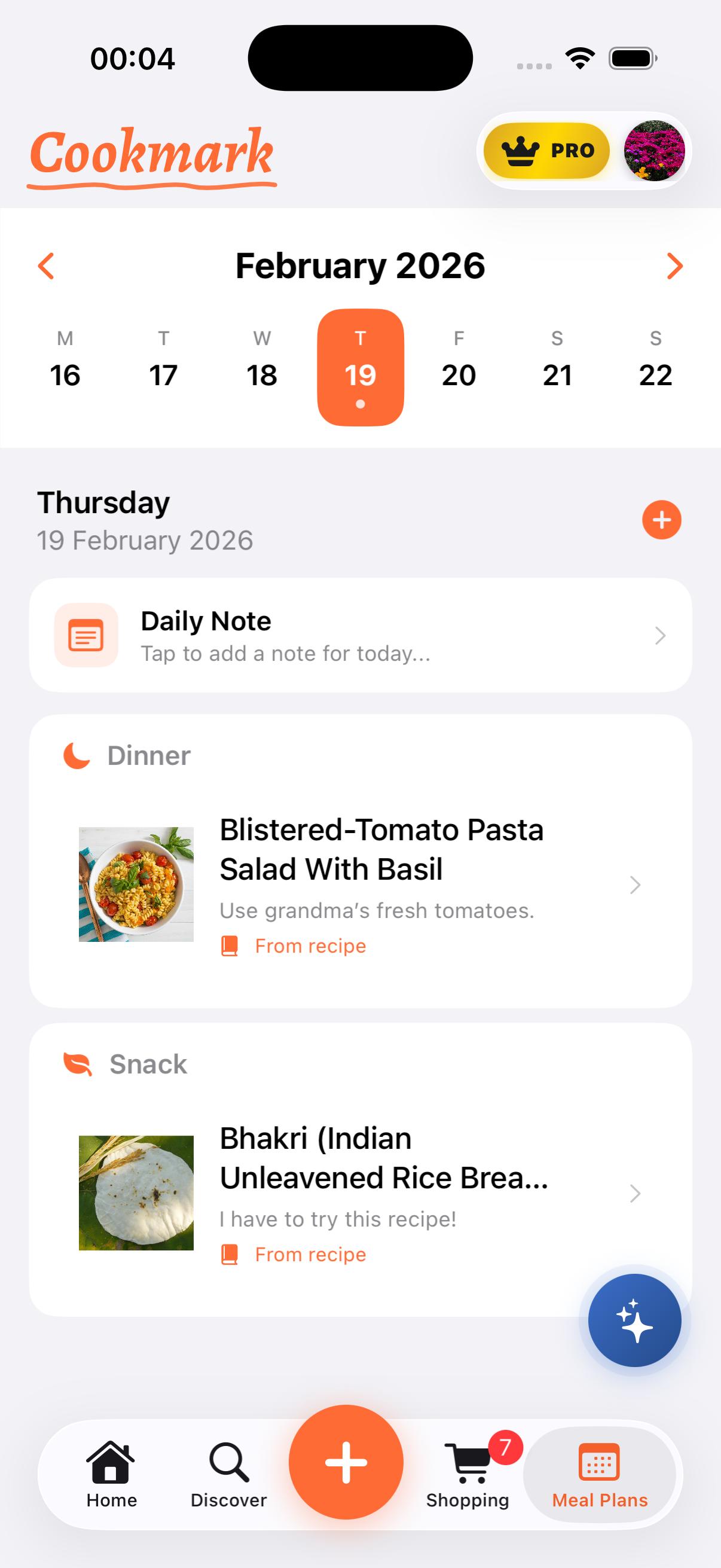
Meal Planning
-
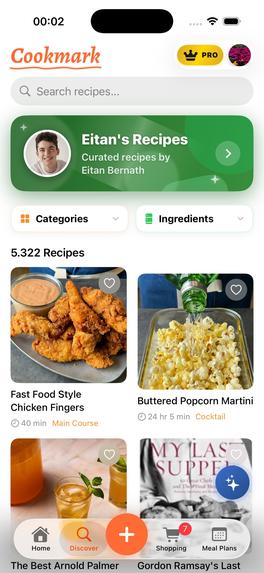
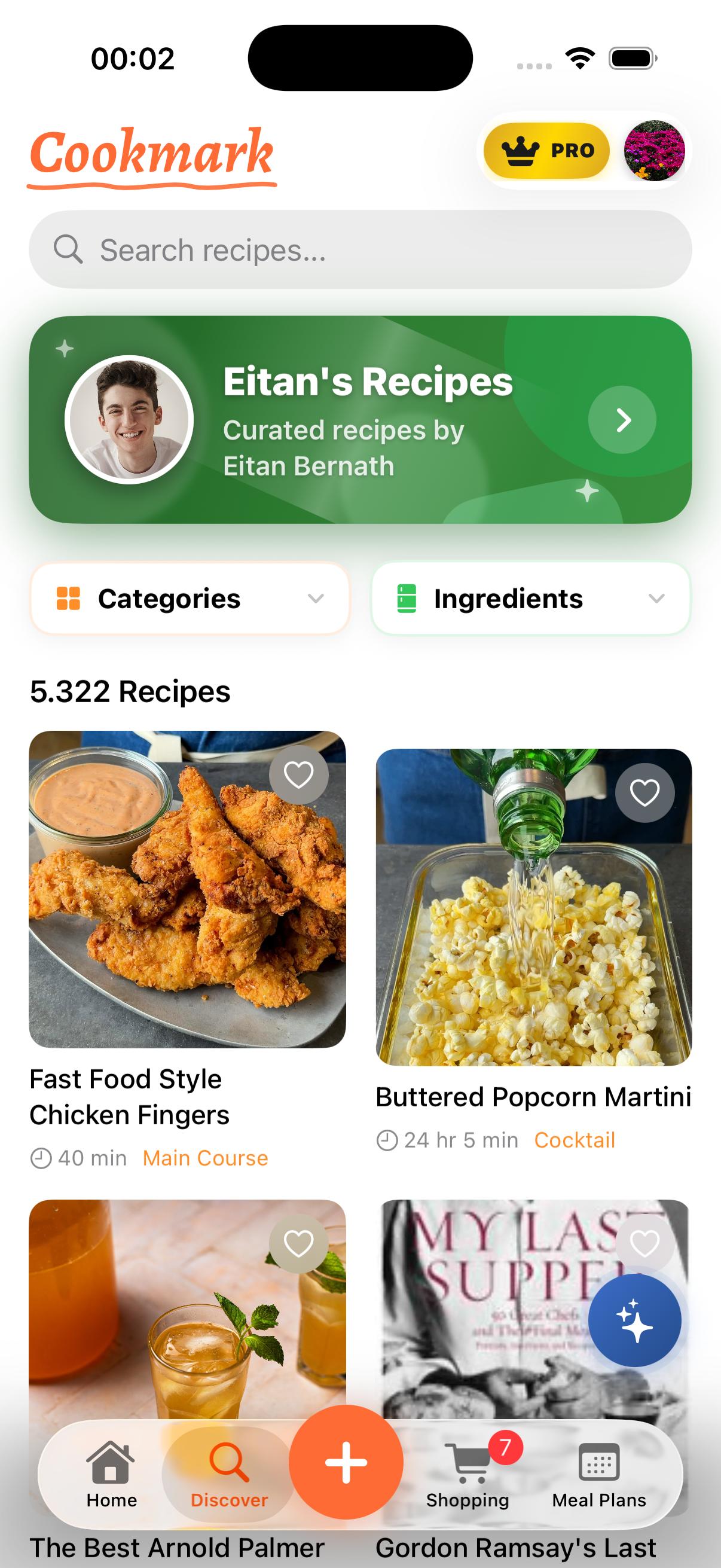
Discover
-
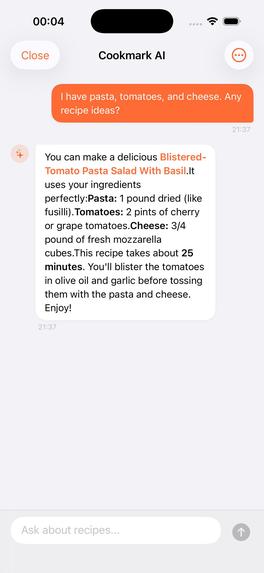
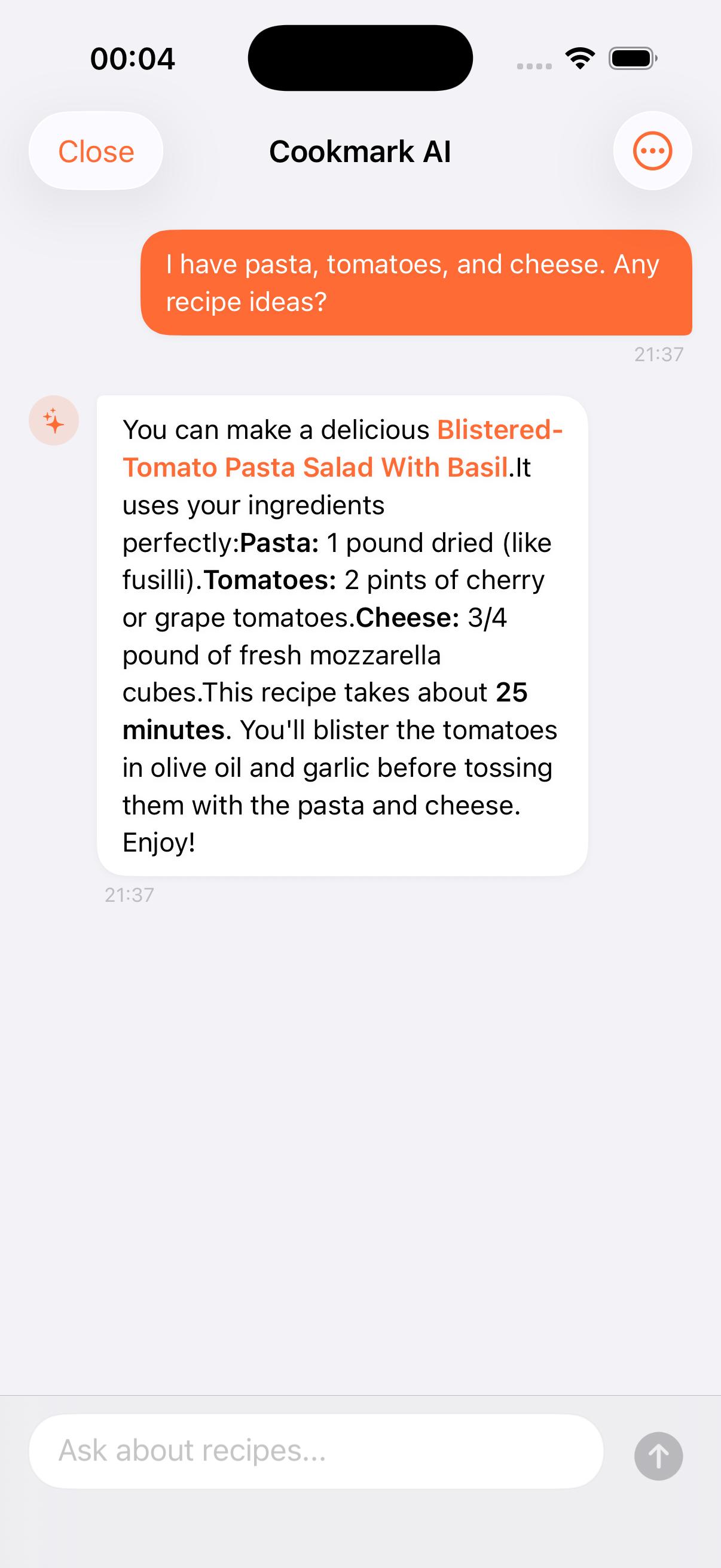
Cookmark Ai
-
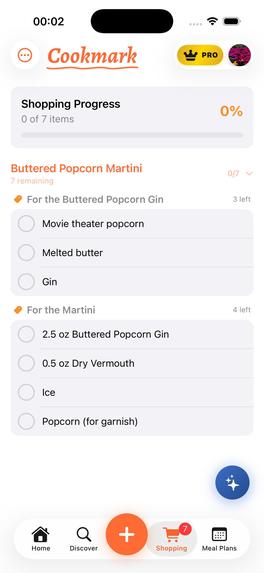
Shopping List
-
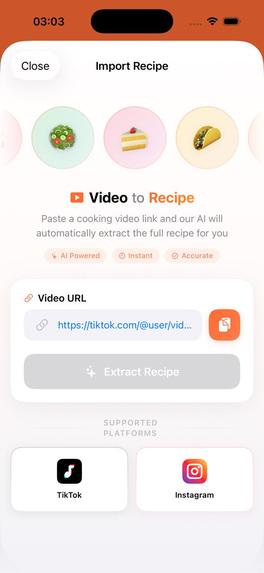
Video to Recipe
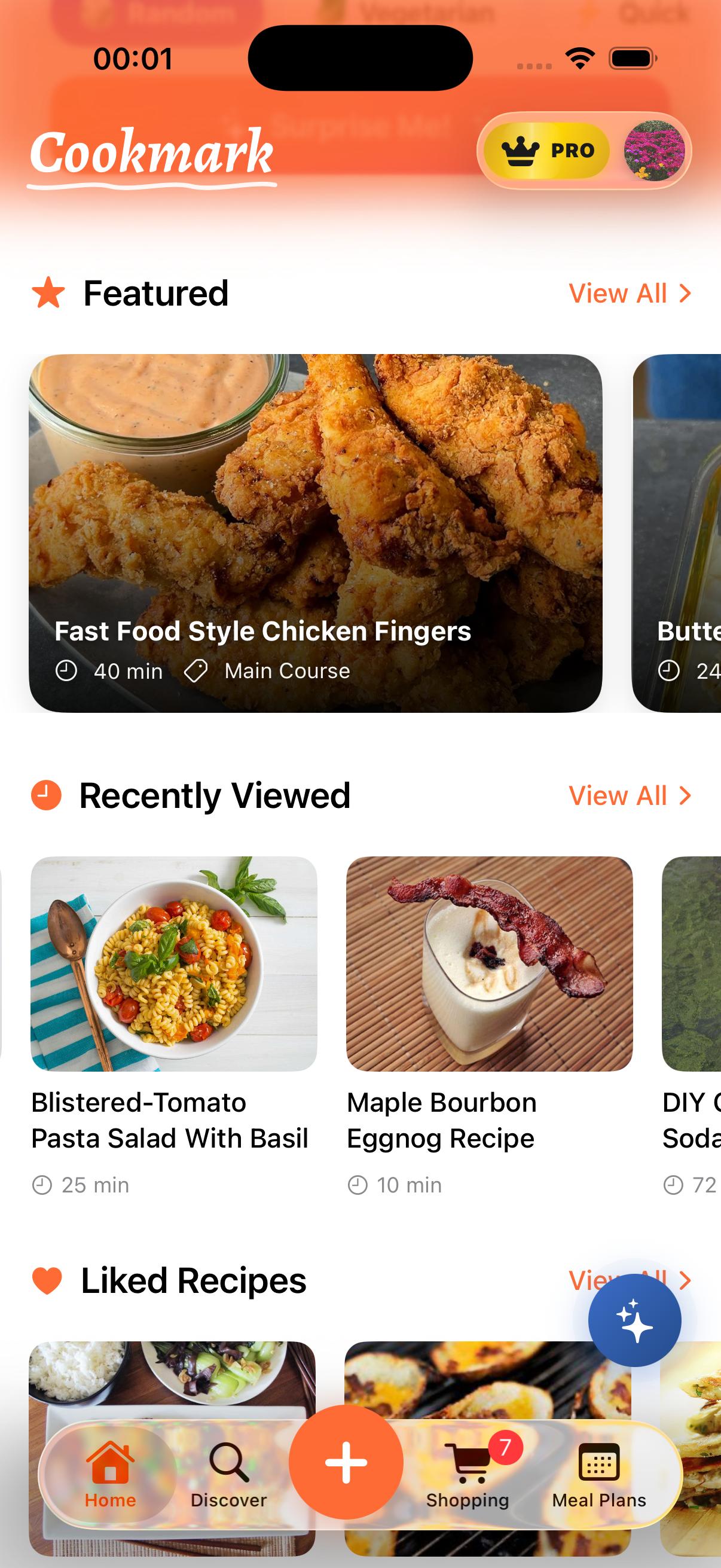
Inspiration
We've all been there — you're scrolling TikTok at midnight, you see a stunning pasta dish, you double-tap to save it, and you whisper "I'll make that this weekend." The weekend comes. You open your saves. There are 47 videos. You don't remember which one had the garlic bread trick. You have no idea what ingredients you need. You order takeout instead.
When we watched Eitan Bernath's brief, that frustration became a mission. As he put it: "Actually getting it from something you see and wanna make to in your kitchen can be a challenge for people." He wasn't describing a niche problem — he was describing a universal gap between recipe inspiration and recipe execution. We knew we could build the bridge.
What it does
Cookmark turns saved recipes into real meals. It is a native iOS app that closes the loop from "I saw this" to "dinner's on the table."
- Browse & Save — Explore a rich recipe catalog featuring Eitan Bernath's curated collection alongside community and user-generated recipes, all with rich detail: ingredients, step-by-step instructions, nutrition info, and video links. Save the ones you actually want to cook.
- Ingredient Checklist — Open any saved recipe and check off what you already have in the kitchen. Cookmark highlights exactly what's missing.
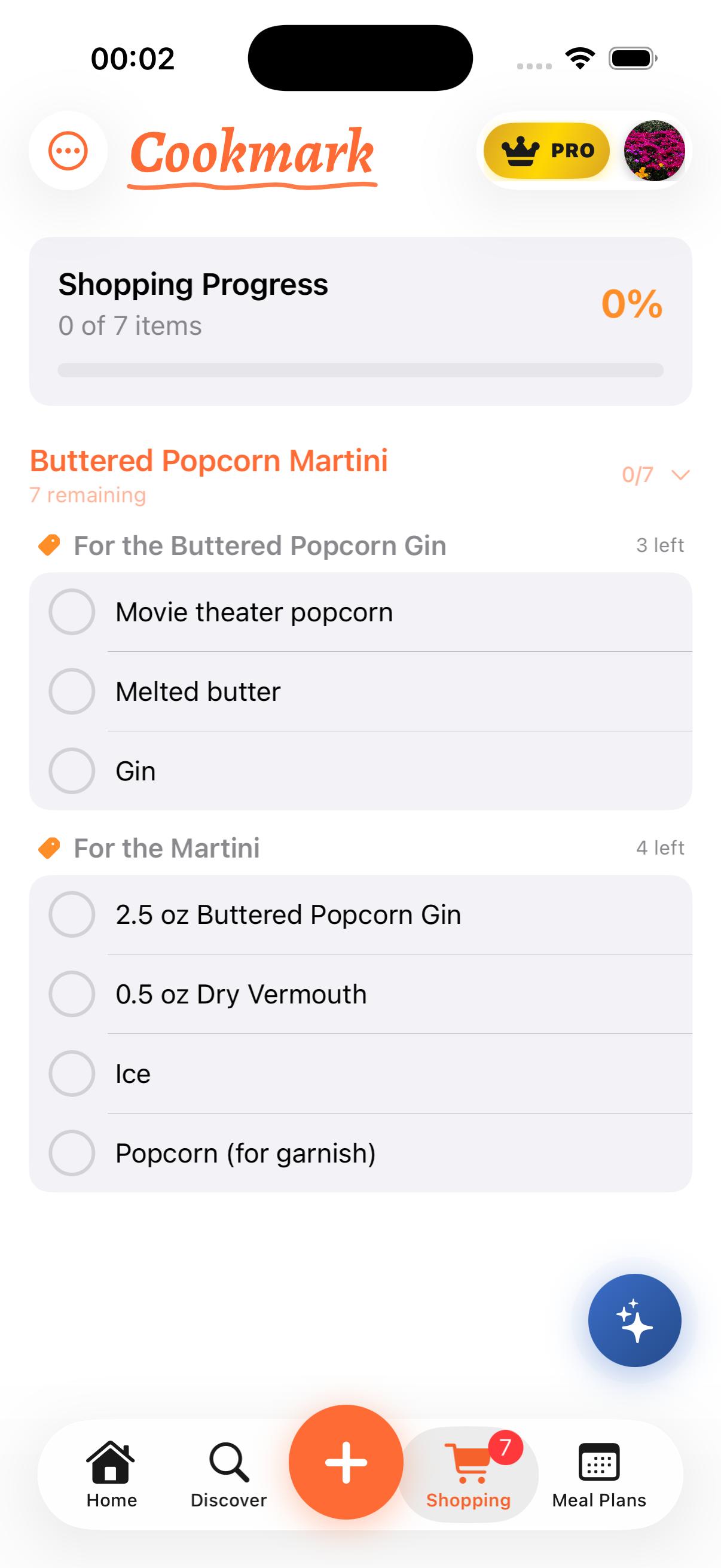
- Smart Shopping List — One tap adds all missing ingredients to a unified, recipe-grouped shopping list. Check items off as you shop — no more wandering the aisles guessing.
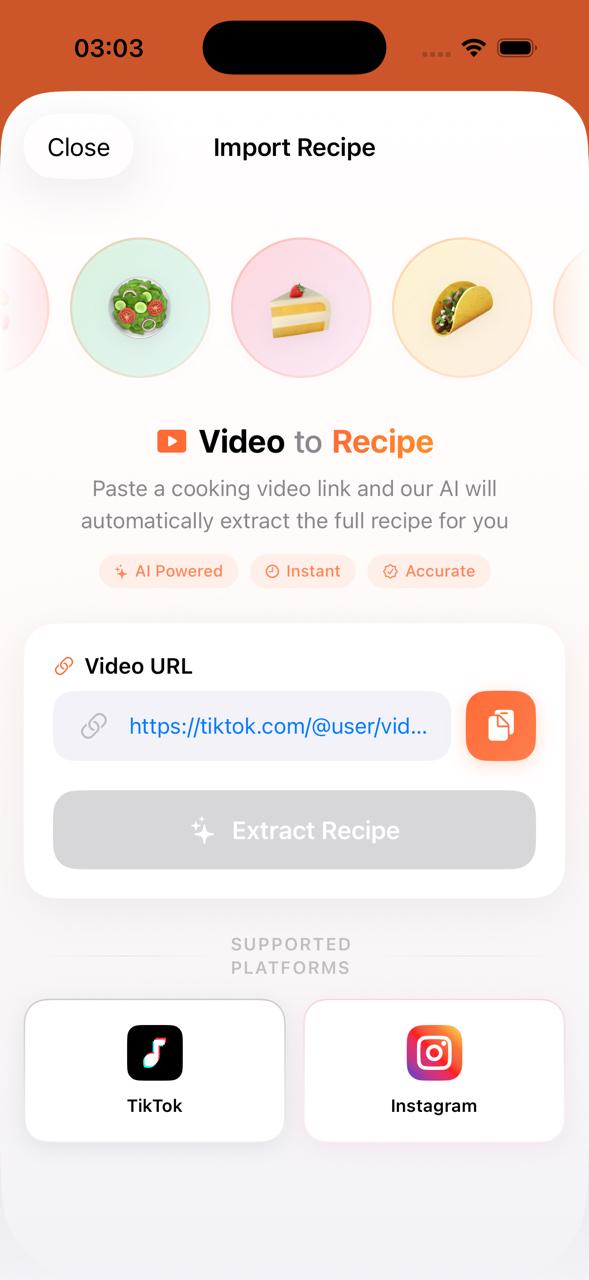
- Video-to-Recipe Extraction — Paste a link to any cooking video (YouTube, TikTok, Instagram Reels) and Cookmark transcribes the audio with OpenAI Whisper, then uses an LLM to extract a fully structured recipe with ingredients and steps. No more rewinding videos to catch measurements.
- Photo-to-Recipe Extraction — Snap a photo of any dish — or pick one from your library — and Cookmark's AI vision analyzes the image to generate a complete recipe with ingredients, steps, timing, and servings. No video needed, just a picture.
- AI Cooking Assistant — A built-in conversational AI chat (Cookmark AI) that knows your saved recipes, shopping list, and meal plans. Ask it for substitutions, meal ideas, cooking tips, or help planning dinner — it responds in real time with streaming answers and can deep-link you straight to recipes in the app.
- Meal Planning Calendar — A dedicated weekly planner where you assign saved recipes to specific days and meal slots (breakfast, lunch, dinner, snack). Add daily notes, swap meals around, and see your entire week at a glance.
- "What Should I Cook?" Discovery — Not sure what to make? Tap "Surprise Me" on the home screen and filter by preference tags — Vegetarian, Quick, Easy, Pasta, Chicken, Dessert, Breakfast — to get instant recipe inspiration from the catalog.
- Step-by-Step Cooking Mode — Follow instructions one step at a time with progress tracking. No scrolling, no losing your place mid-stir.
- Custom Recipe Creation — Pro users can add their own recipes with photos, grouped ingredients, and directions — or import them from a video link or food photo.
- Share Extension — Share a cooking video URL directly from Safari, TikTok, YouTube, or Instagram into Cookmark. The app opens the import flow automatically — no copy-pasting required.
- Two-Step Paywall Funnel — A freemium model with a conversion-optimized paywall flow, powered entirely by RevenueCat.
The entire journey — from "I want to make this" to "it's on the table" — lives inside one app.
How we built it
Cookmark is a fully native SwiftUI app targeting iOS 17+, built with a modern MVVM architecture using Apple's @Observable macro.
Frontend (iOS)
- Pure SwiftUI with no UIKit bridges. Every view — from the animated ingredient checkboxes to the two-step paywall — is declarative.
- Three
@Observablestores (RecipeStore,UserDataStore,ShoppingListStore) injected via SwiftUI's@Environment, keeping the data layer clean and testable. - Persistence through
UserDefaultswith JSON-encoded models for offline support. - Haptic feedback, spring animations, and careful attention to Apple Human Interface Guidelines throughout.
Monetization (RevenueCat)
- RevenueCat SDK integrated with StoreKit 2 for subscription management.
- A single
"pro"entitlement gates all premium features. - Two offerings: a default offering (annual \$29.99/yr + monthly \$4.99/mo) and a
weekly_upselloffering (\$0.99/wk) for a secondary paywall that appears when users dismiss the first — a classic conversion funnel technique. - Real-time entitlement listening via
Purchases.shared.customerInfoStreamensures subscription state is always current.
Video-to-Recipe Pipeline
- A custom Python FastAPI backend server handles video processing.
- Audio is downloaded with yt-dlp and transcribed using OpenAI Whisper.
- The transcript is sent to Google Gemini 3 Flash (via fal.run) which extracts a structured recipe JSON — title, ingredient groups, steps, timing, and servings.
- The iOS app communicates with this backend via
TranscriptService, anactor-isolated API client.
Deep Linking & Share Extension
- A
DeepLinkManagerhandles custom URL schemes, universal links, and App Group shared URLs from the Share Extension, so users can share a cooking video directly to Cookmark from any app.
Challenges we ran into
Transcription accuracy on short-form video. TikTok and Instagram Reels are fast, heavily edited, and full of background music. Whisper sometimes struggled with rapid speech or missing verbal measurements ("a pinch of this, some of that"). We mitigated this by combining the transcript with video metadata (title, description) before sending it to the LLM, giving the model more context to infer missing details.
Structuring unstructured recipes. Not every cooking video follows a clean "ingredients then steps" format. Creators ad-lib, skip amounts, or introduce ingredients mid-step. Getting the LLM to reliably produce a valid Recipe JSON — with grouped ingredients, proper units, and ordered instructions — required extensive prompt engineering and schema validation.
RevenueCat + StoreKit 2 sandbox testing. Subscription state in the Xcode sandbox can be unpredictable — transactions sometimes hang, renewals behave differently than production, and entitlement status can lag. We worked through this by relying on RevenueCat's customerInfoStream for real-time updates and building robust fallback checks.
Designing the paywall funnel. Striking the right balance between demonstrating value on the free tier and motivating upgrades was tricky. We settled on a generous free tier (browse everything, save up to 5 recipes, basic shopping list) with a natural upgrade trigger — the 6th save or first video extraction attempt — so the paywall appears at a moment of genuine intent, not annoyance.
Accomplishments that we're proud of
- End-to-end video-to-recipe pipeline — from a raw TikTok URL to a fully structured, editable recipe with ingredients and steps in under 30 seconds.
- Two-step paywall funnel — a conversion-optimized upgrade flow (annual/monthly → weekly fallback) that mirrors techniques used by top-grossing subscription apps, built entirely in native SwiftUI.
- Full RevenueCat integration — not just "drop in the SDK" but a complete lifecycle: initialization, real-time entitlement streaming, purchase handling, restore flow, feature gating, and two distinct offerings mapped to two paywall surfaces.
- Polish and UX quality — animated ingredient checkboxes with haptic feedback, spring transitions, grouped shopping lists, cooking progress tracking. This feels like a product, not a prototype.
- Shipped by a two-person team in four weeks — architecture, design, backend, iOS app, monetization, and all submission materials.
What we learned
- RevenueCat makes monetization approachable. The SDK abstraction over StoreKit 2 saved us days of boilerplate. The real-time
customerInfoStreamand offering-based architecture let us iterate on paywall strategy without touching purchase logic. - LLMs are powerful but need guard rails. Extracting structured data from free-form video transcripts is an inherently fuzzy problem. We learned to treat the LLM output as a draft that needs schema validation and sensible defaults, not a finished product.
- SwiftUI
@Observableis production-ready. Moving fromObservableObject+@Publishedto the@Observablemacro simplified our stores significantly and eliminated common pitfalls around redundant view updates. - The gap between "demo" and "product" is in the details. Haptic feedback, loading states, empty states, error handling, offline support — none of these are flashy, but they're what make the difference between something judges try once and something users come back to.
What's next for Cookmark
- Cookbook scanner — Photograph a physical cookbook page and extract a digital recipe using OCR + LLM processing. This was Eitan's original idea and we want to bring it to life.
- Meal planning calendar — Drag saved recipes onto a weekly calendar and auto-generate a consolidated shopping list for the entire week.
- "What can I make?" mode — Enter the ingredients you have on hand and surface matching recipes from your collection.
- Pantry tracker — Maintain a persistent list of staple ingredients so the shopping list only includes what you truly need to buy.
- Creator marketplace — Allow food creators beyond Eitan to publish curated recipe collections as in-app purchases, turning Cookmark into a platform.
Cookmark is not a hackathon demo for us — it is a product we intend to continue developing and growing.
Built With
- fastapi
- neon-db
- postgresql
- python
- revenuecat
- swift
- swiftui

Log in or sign up for Devpost to join the conversation.