Inspiration
We kept running into the same problem: “What should I eat?”
And it was never just that—it was also:
- Do I have the ingredients?
- Which grocery store is cheapest?
- Should I just order instead of cooking?
As students in Montreal, we realized we were bouncing between recipe apps, grocery store flyers, and delivery apps just to make one simple meal. Nothing connected recipes, realistic prices, and ordering into a single flow.
Cookly was our answer: a beautiful, mobile-first app where you can go from craving → recipe → cheapest store → Uber Eats/DoorDash cart → cooked meal without juggling four different apps.
What it does
Cookly is a smart recipe and grocery companion that helps you decide what to cook, where to buy, and how to get it delivered.
Discover recipes
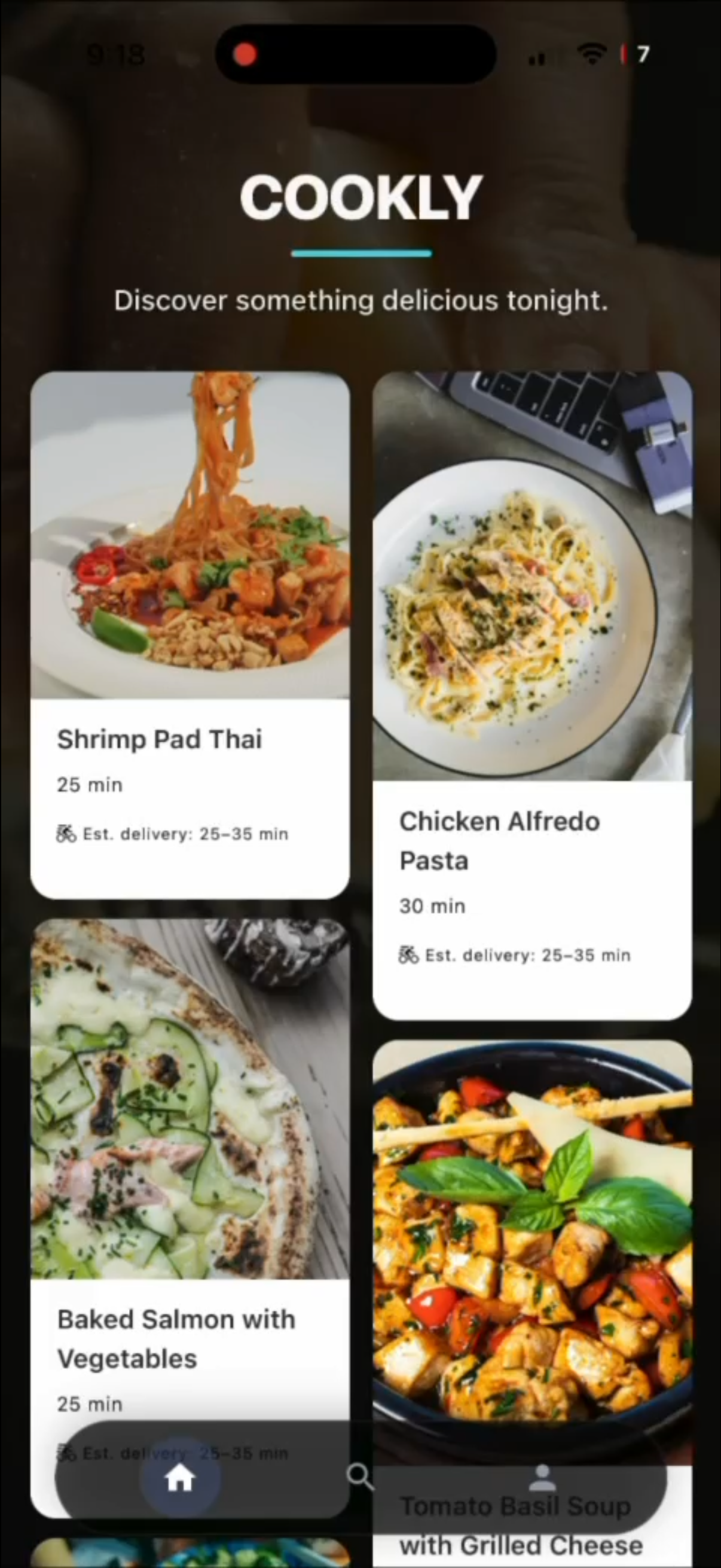
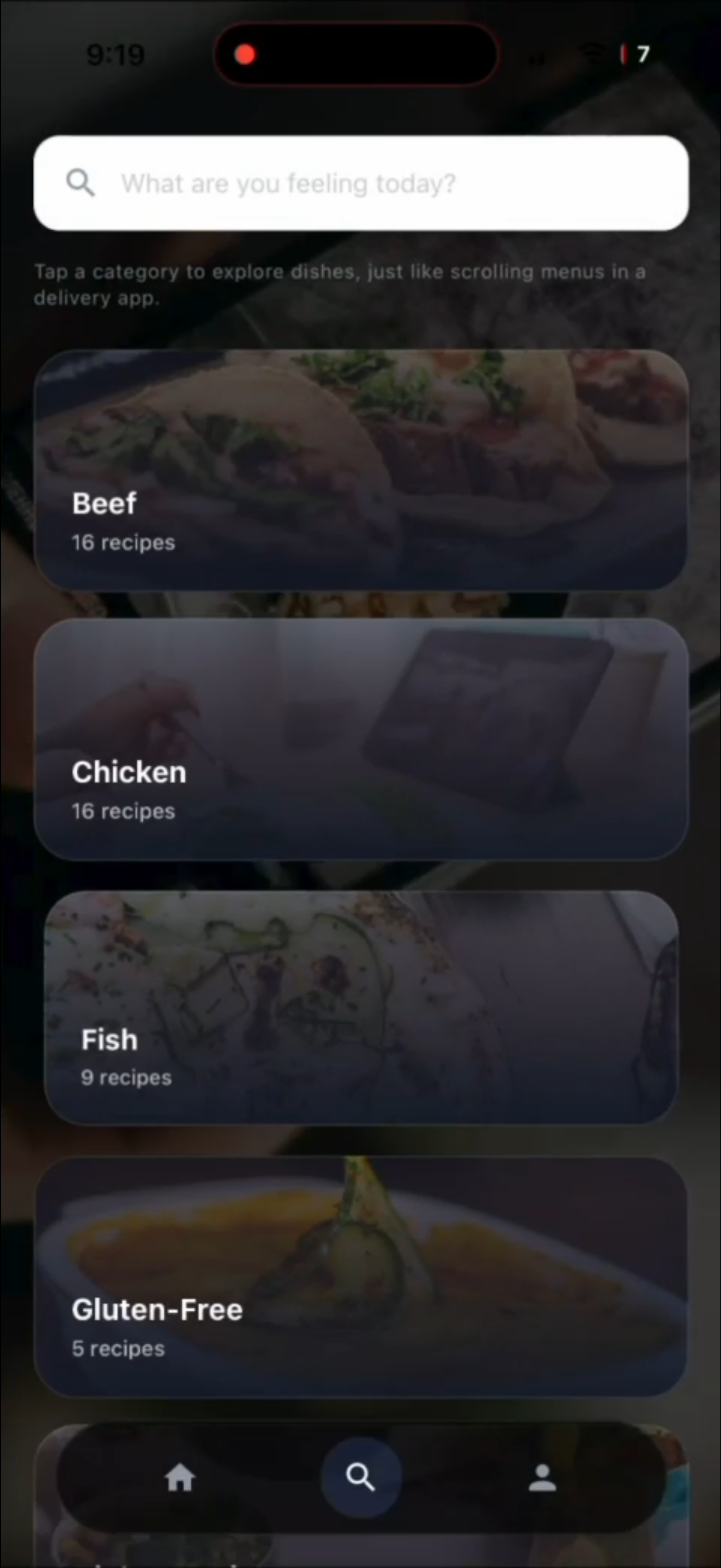
Browse a photo-rich Home feed, explore by category, or search by mood (“cheap high-protein pasta”, “quick vegetarian dinner”). Each recipe includes time, difficulty, ingredients, and macros.Compare store prices
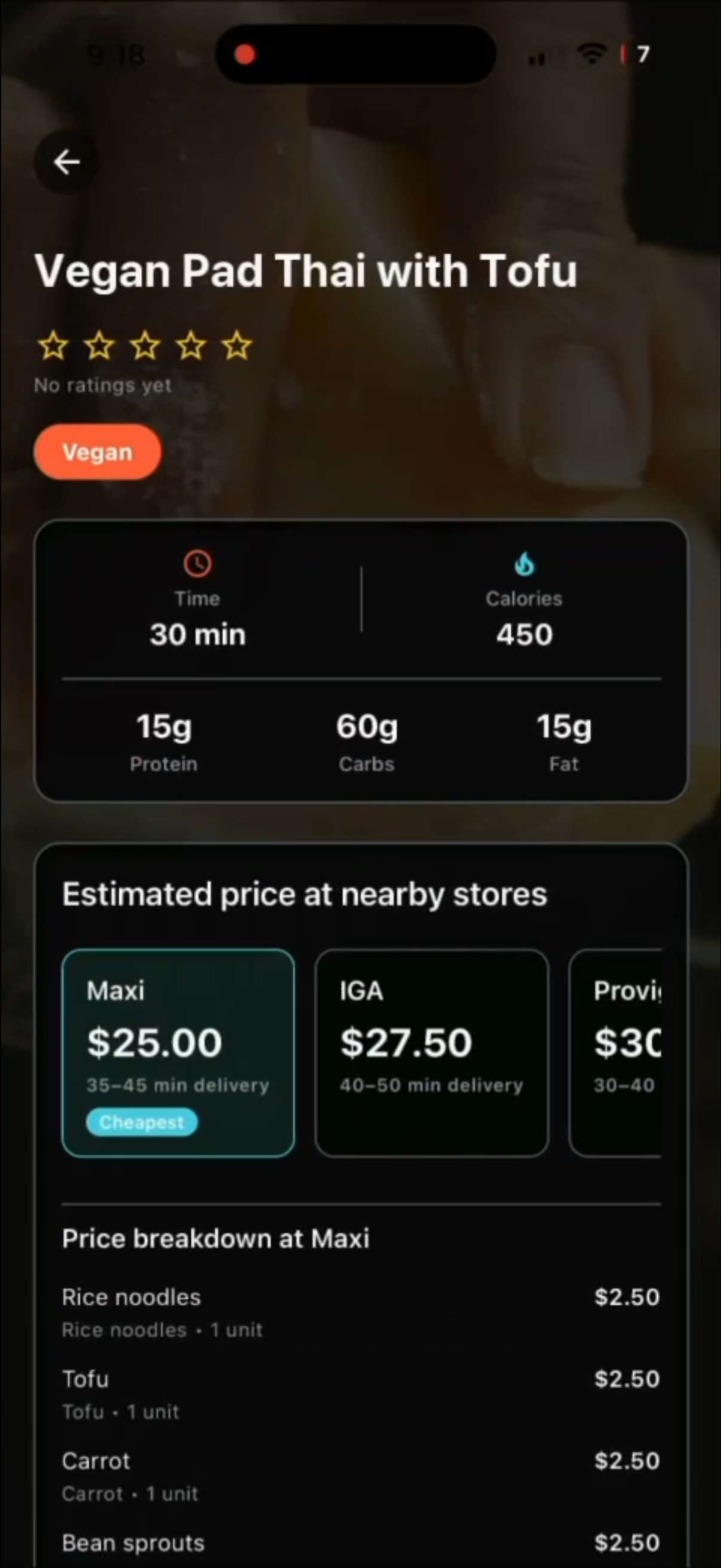
For every recipe, Cookly builds a shopping list and estimates the total cost at different Montreal stores (e.g., Provigo, Costco, IGA, Maxi). It highlights the cheapest option and lets you toggle which ingredients you already have.Order ingredients via Uber Eats / DoorDash
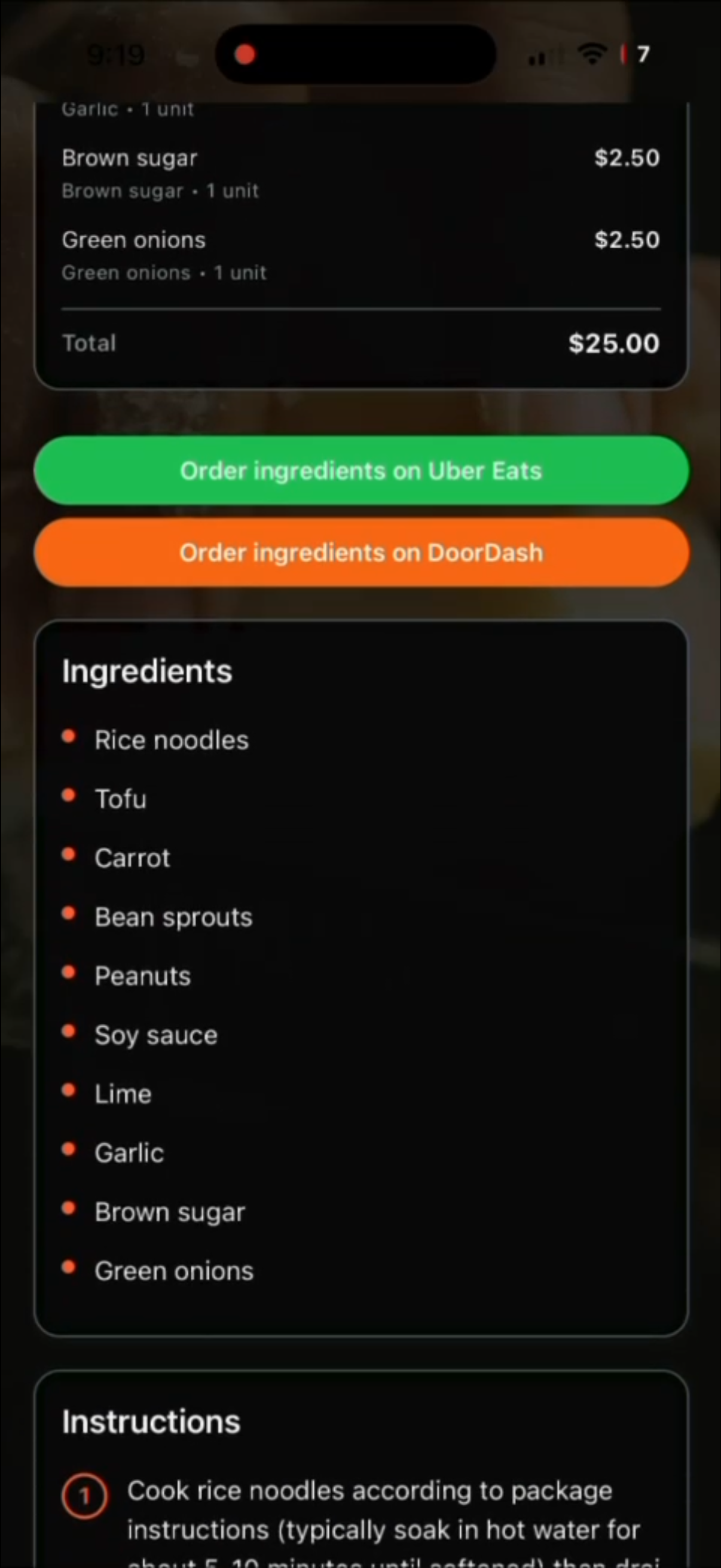
With one tap, Cookly sends the ingredient list to Uber Eats or DoorDash (through deep links / API integration) so you can order groceries directly. No manual copying of ingredients between apps.Cook and track your habits
Step-by-step instructions guide you through the recipe. After cooking, you can rate the dish and Cookly updates your personal cooking streaks and stats in your profile.
In short: Cookly turns “What should I eat?” into “Here’s a recipe, here’s the cheapest store, here’s the delivery link—go cook it.”
How we built it
We built Cookly as a cross-platform mobile app with a focus on clean architecture and realistic pricing.
Frontend & Navigation
- Expo + React Native (TypeScript) with Expo Router for file-based navigation.
- React Native Paper for theming, cards, chips, and lists.
- Custom floating bottom nav and glassmorphism UI over high-quality food photography.
Data & Recipe Engine
- Static TypeScript recipe catalog with time, macros, ingredients, and instructions.
- A converter that normalizes recipes into a single
Recipemodel reused across Home, Search, Category, and Detail screens. - A store & price model: each ingredient has a base unit price, and each store has its own price profile/multiplier so we can estimate total recipe cost per store.
Search & Filtering
useRecipeSearchhook for debounced, in-memory search over recipes.- Filters by category, max time, and style (Diet, High Protein, Student-Friendly, Gourmet).
Backend & Integrations
- Firebase Auth + Firestore for users, ratings, and cooking streaks.
- Collections for
recipeRatings,cookEvents, anduserStreaks. - Uber Eats / DoorDash integration via deep links and structured cart payloads derived from the recipe’s ingredient list and mapped store SKUs.
Challenges we ran into
Mapping ingredients to real-world products
Turning “2 cloves of garlic” into something that can be priced and added to a delivery cart required creating a lightweight internal mapping between ingredients, units, and store items.Price estimation without real APIs everywhere
We had to design a pricing model that felt realistic (different stores, different price levels) while still working with mostly local/static data and multipliers.Designing the price comparison UI
Showing multiple stores, prices, and the “cheapest” flag without overwhelming the user took several iterations of layout and hierarchy.Coordinating with Uber Eats / DoorDash flows
Making sure deep links and payload formats produced usable grocery carts—and handling failure cases gracefully—was more nuanced than just “open this URL”.Keeping the app snappy
With images, gradients, and glass cards everywhere, we had to be careful with caching, list rendering, and avoiding unnecessary re-renders to keep the app smooth on mobile hardware.
Accomplishments that we're proud of
End-to-end flow from craving to cart
You can search for a recipe, see the cheapest store, and jump straight into a pre-filled Uber Eats/DoorDash flow—all inside one app.A cohesive, modern UI
The combination of food photography, gradients, glass cards, and a floating bottom nav makes Cookly feel like a polished product, not just a hackathon prototype.A flexible recipe + store model
Our data model cleanly separates recipes, stores, prices, and user stats, making it easy to add new stores, recipes, or pricing logic without refactoring everything.Habit-building features that actually work
Ratings and cooking streaks are fully wired into Firestore, so the app doesn’t just recommend meals—it also nudges you toward cooking more often.
What we learned
Connecting multiple domains is powerful
Recipes, pricing, and delivery are usually separate worlds. Bringing them together taught us a lot about data modeling and real user flows.Approximate data can still be useful
Even with estimated prices and multipliers instead of perfect real-time data, users get clear value from knowing which store is likely cheaper.External integrations need graceful degradation
Deep links and APIs sometimes fail or change; building fallbacks and clear error states is essential for a good experience.Small UX details matter on mobile
Keyboard behavior, loading/empty states, and visual hierarchy around prices all significantly affect how “smart” and trustworthy the app feels.
What's next for COOKLY
Richer, real-time pricing
Connect to real grocery APIs where available to replace estimated prices with live data, including promotions and stock availability.Support for more cities and stores
Generalize our store model so Cookly can work in other cities and regions beyond Montreal, with localized supermarkets and currencies.Pantry & waste reduction features
Let users track what they already have at home and prioritize recipes that help them use up ingredients before they expire.Smarter recommendations
Use past ratings, streak data, and budget/diet preferences to build a more personalized recommendation engine.Deeper delivery integrations
Move from deep links to tighter API-level integrations where possible, to support richer cart editing and better price transparency inside Cookly itself.


Log in or sign up for Devpost to join the conversation.