Inspiration
I've always wanted to build a cooking app. The idea was simple: I'd see a cooking video online and want to make it, but never actually cook it. I just keep saving cooking videos to my gallery.
Then I received a DevPost email: RevenueCat Shipyard Creator Contest. Eitan Bernath's brief was "From saved recipe to dinner made." That was exactly my problem. He wanted an app that helps people actually cook what they save.
I'm an Arizona State University student with four years of mobile development and writing backend services experience.
What It Does
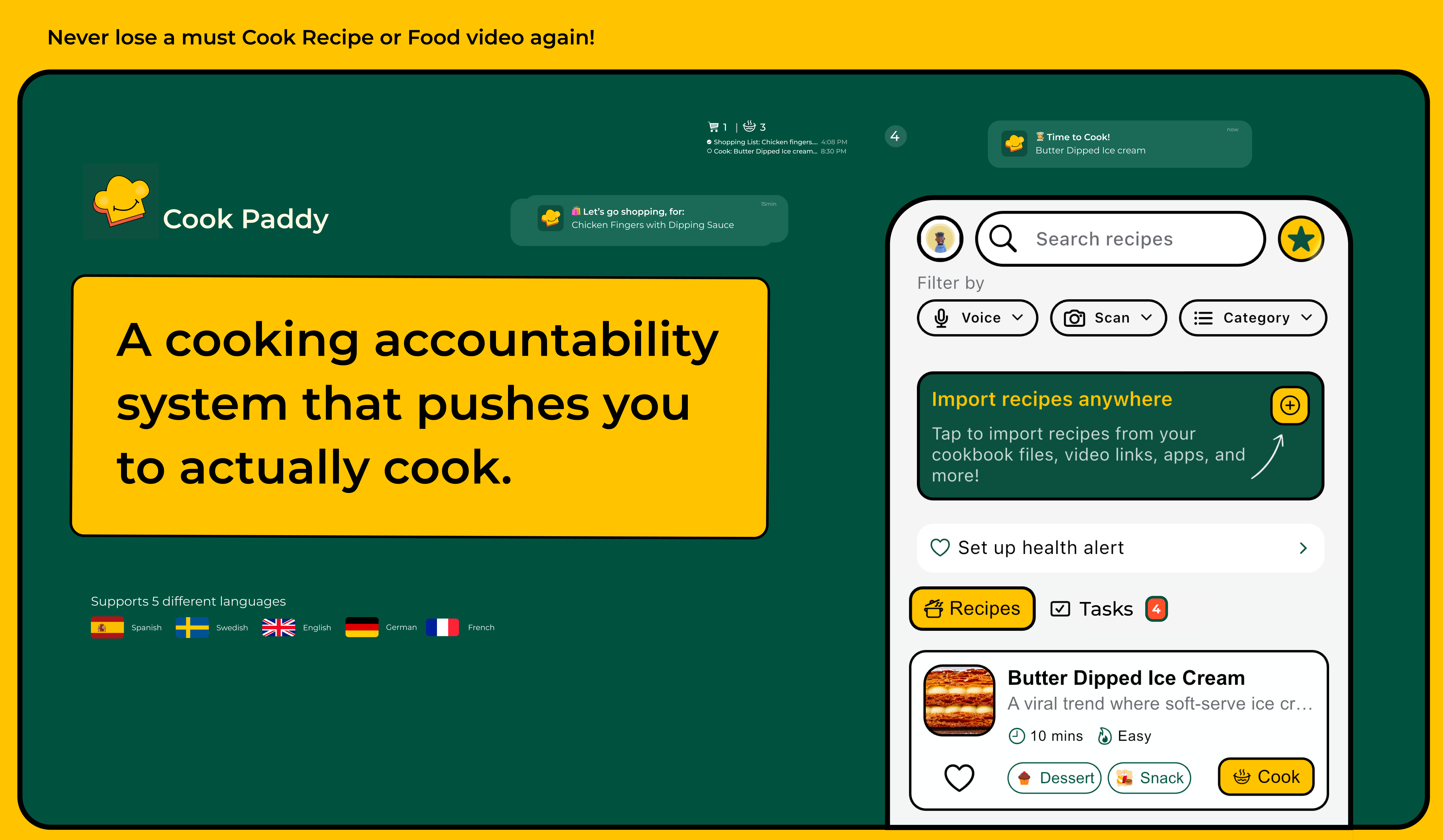
Cook Paddy is a cooking accountability system. It takes recipes from wherever you find them and pushes you to actually make them.
Recipe Import
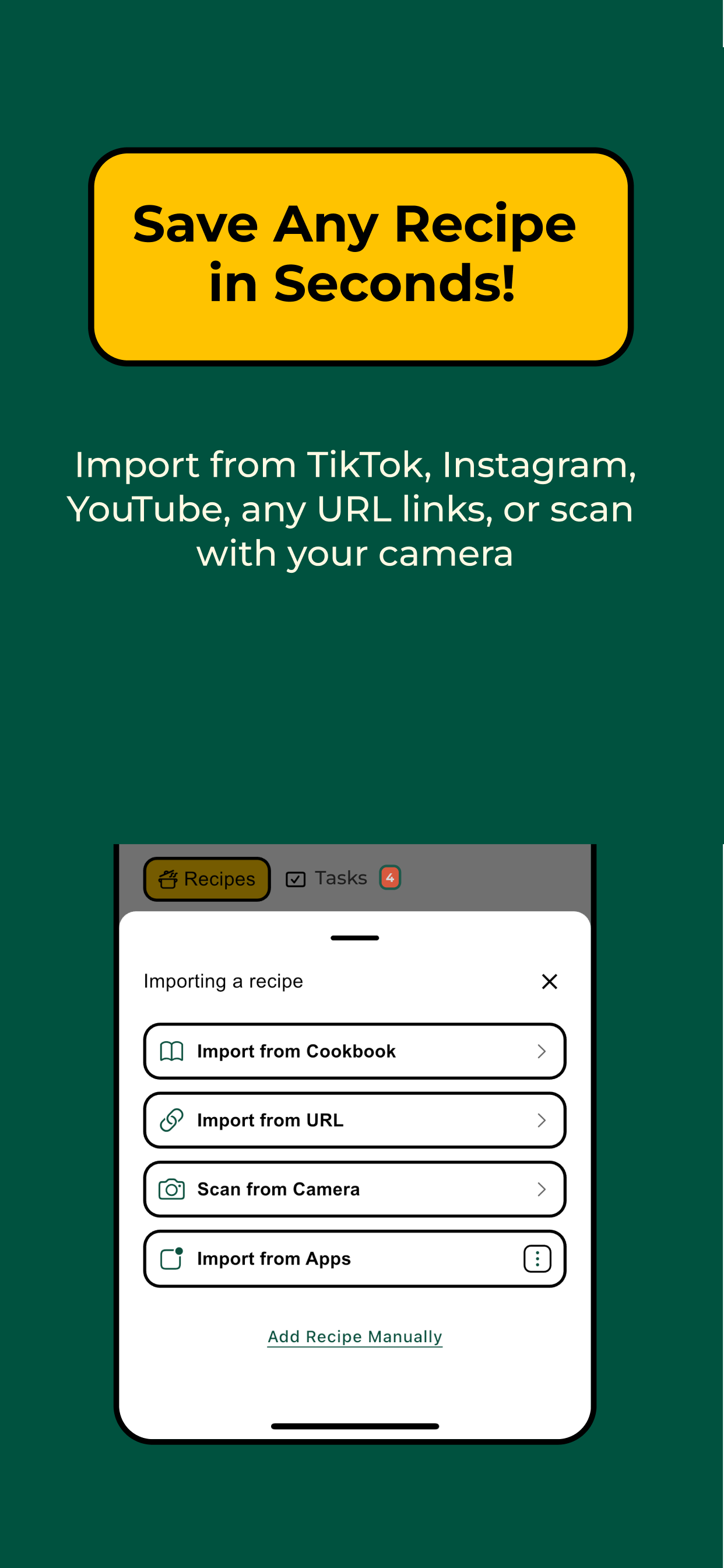
You can get recipes into the app from almost anywhere:
- URL import — paste a link from any recipe site and Cook Paddy extracts the full recipe automatically.
- Video import — share a cooking video directly from TikTok, Instagram, YouTube, or Facebook. The app downloads the video, watches it with AI, and extracts ingredients, steps, and timing.
- Cookbook import — drop in a PDF cookbook, and Cook Paddy parses out individual recipes.
- Camera scan — point your camera at a physical cookbook page and scan the recipe in.
- Manual entry — add your own recipes by hand.
Cooking
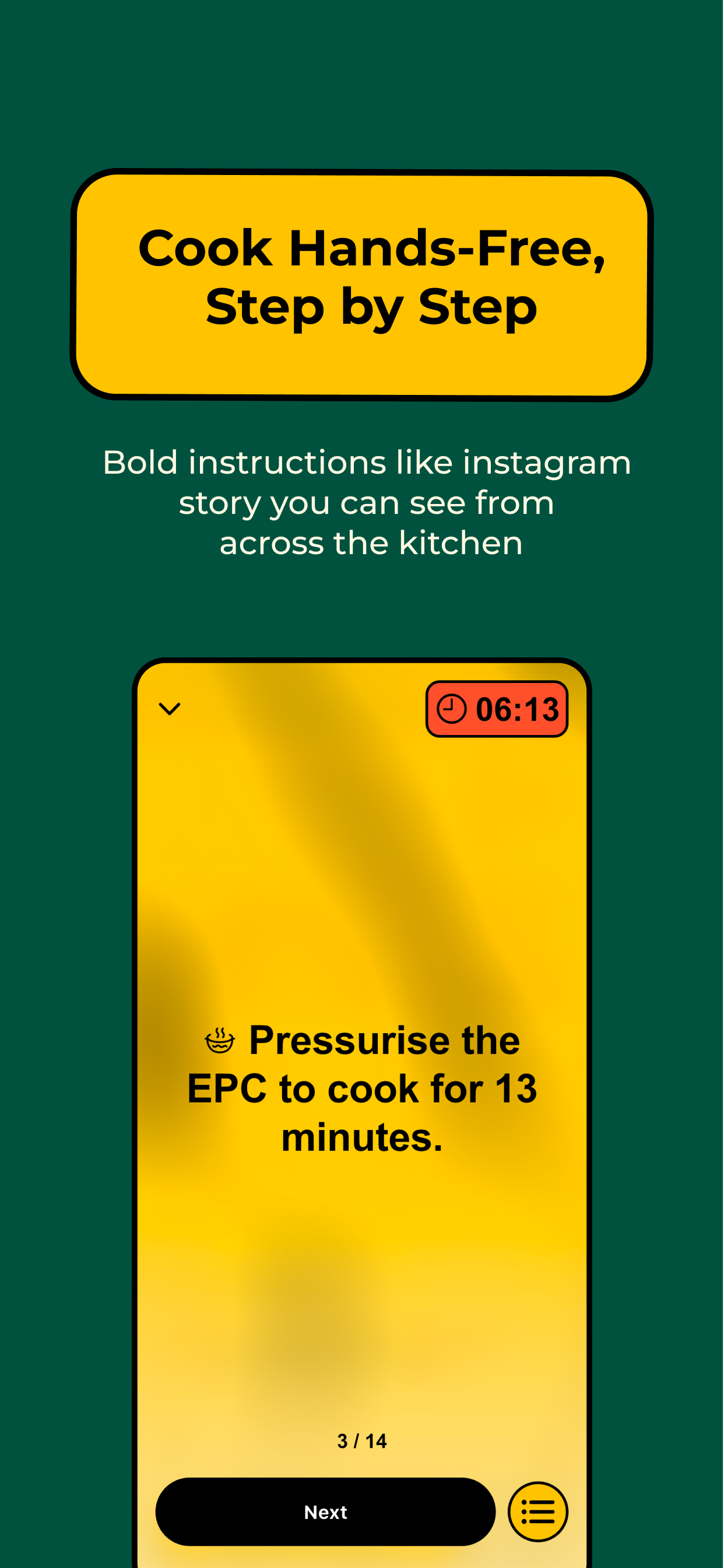
When you're ready, Cook Paddy switches to story mode — step-by-step instructions presented Instagram-style. Each step shows what you need, what to do, and how long it takes. Finish a recipe and confetti pops.
Search
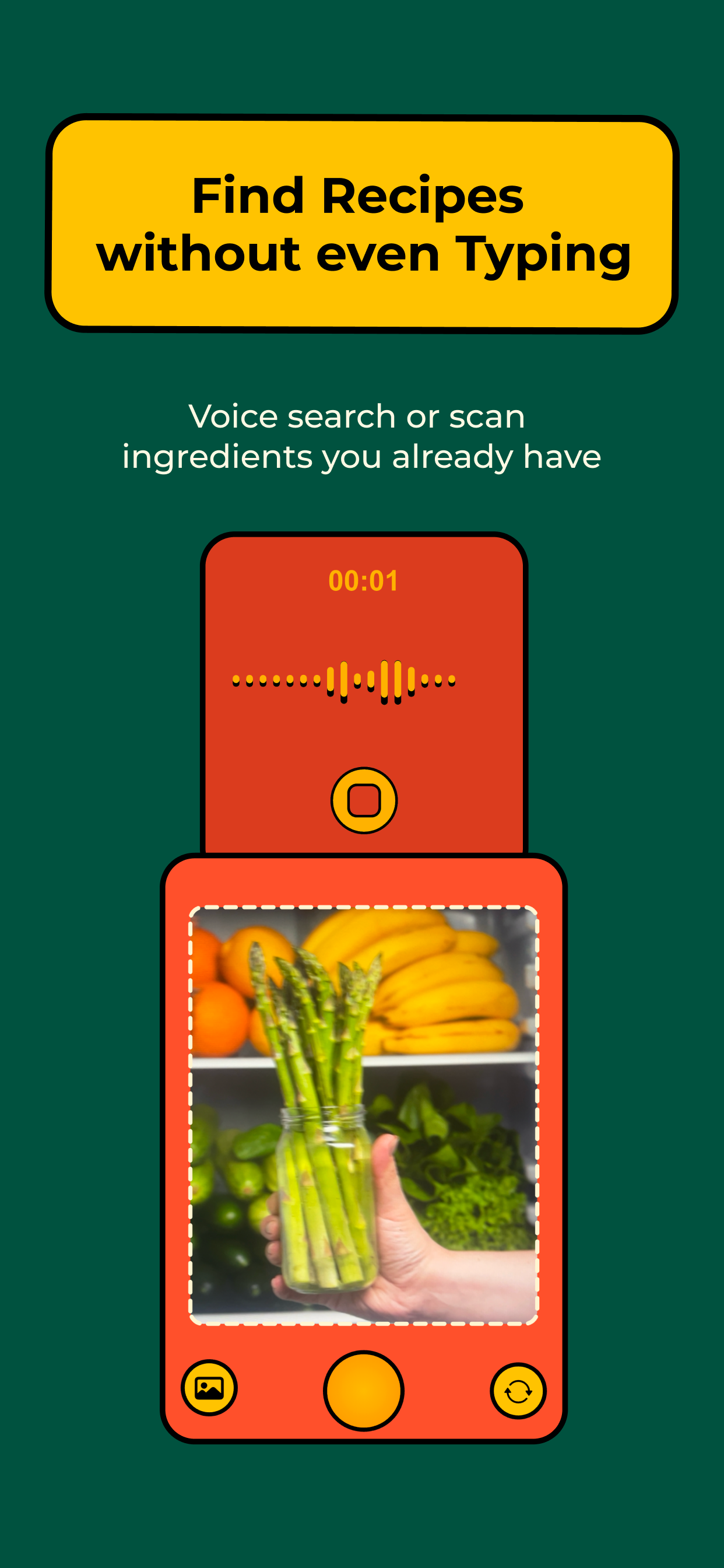
Find recipes with voice search, camera ingredient scanning, or natural language queries. Search is powered by Pinecone vector embeddings, so the system understands intent, not just keywords. Say "something with chicken and broccoli," and it works.
Organization
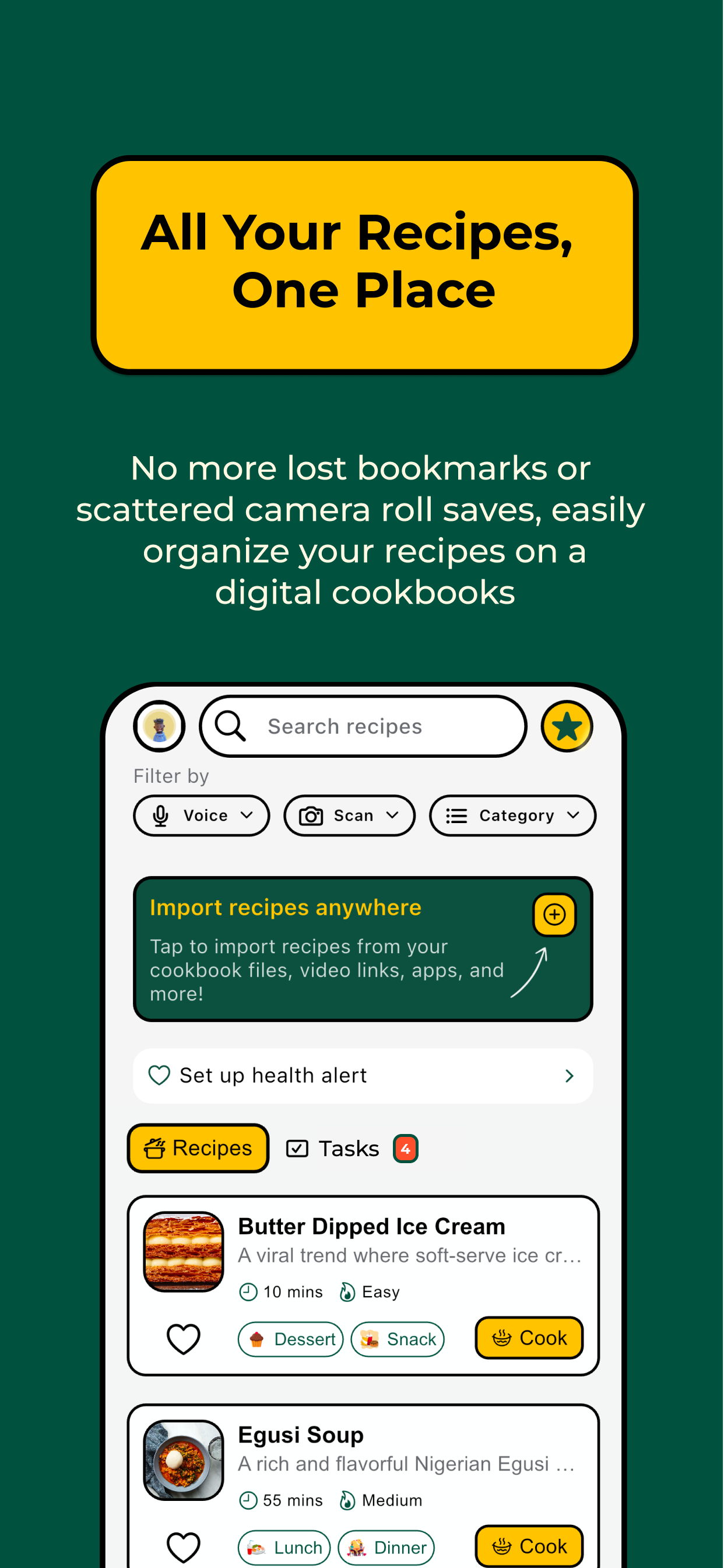
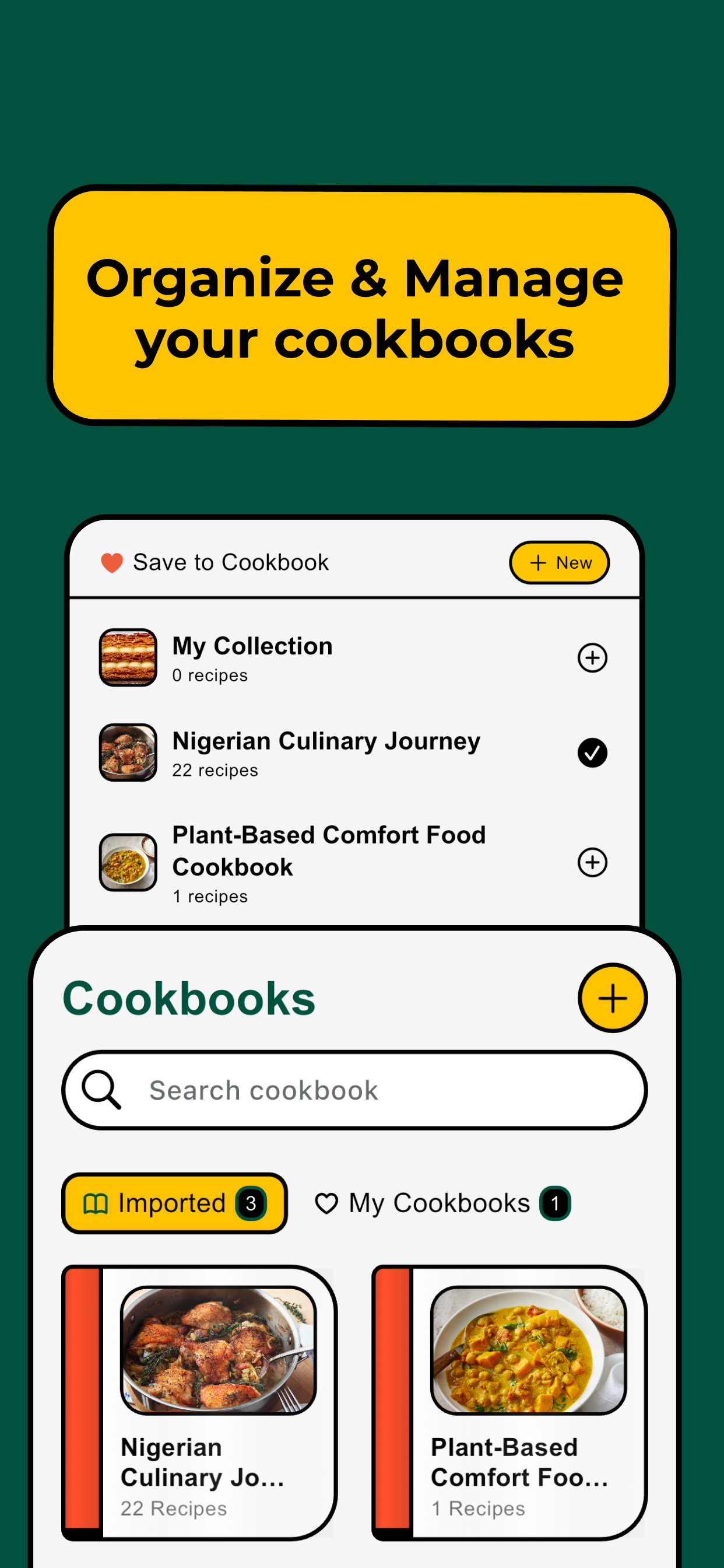
Create your own cookbooks inside the app to organize saved recipes however you want.
Tasks and Reminders
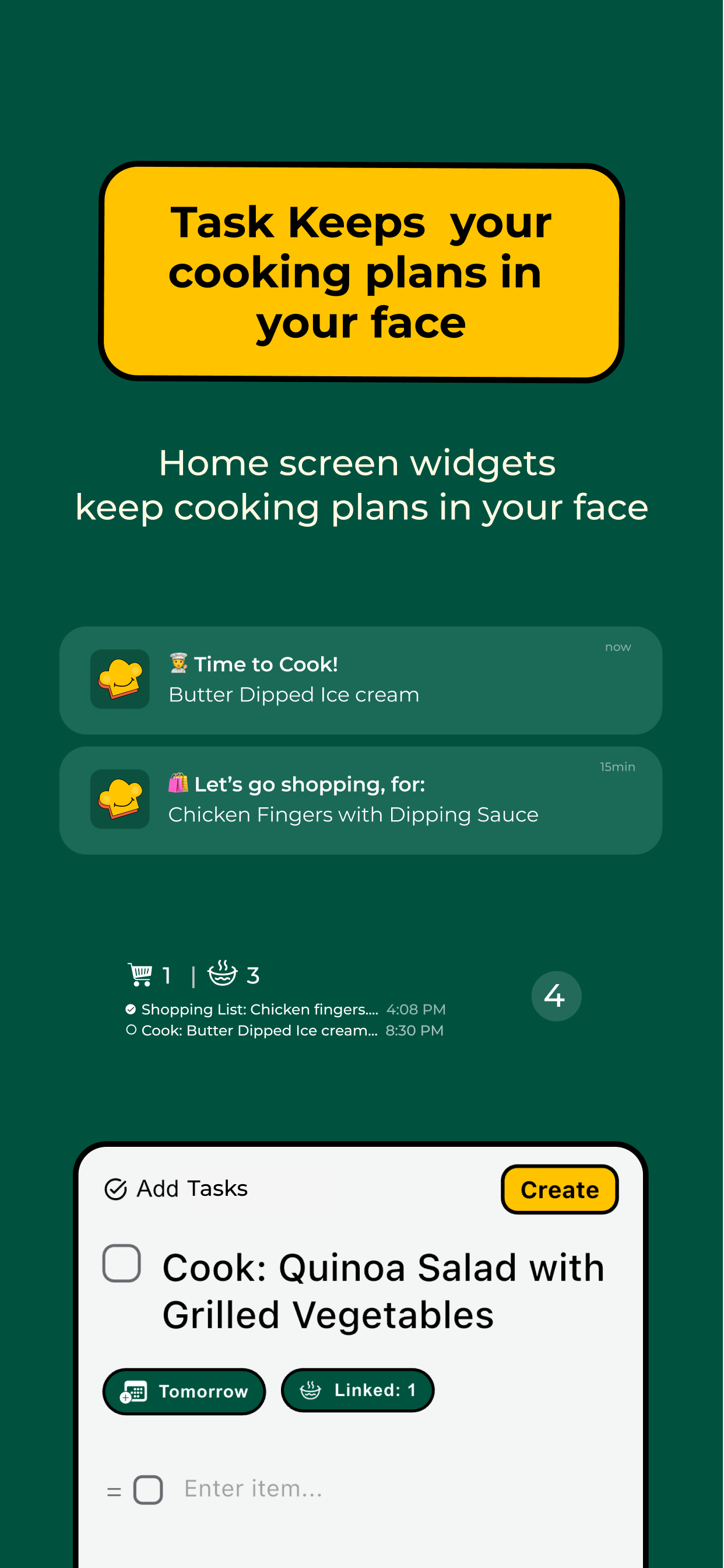
Decide to cook now or later. Choose later and set a reminder. Link a recipe or a grocery list to a task. Tap any ingredient to add it to your grocery list. The list becomes its own task with its own reminder.
Widgets
iOS widgets (small, medium, large, and lock screen) show what's in your tasks — what you're cooking, what you need to buy. Persistent visibility so nothing gets forgotten.
Export
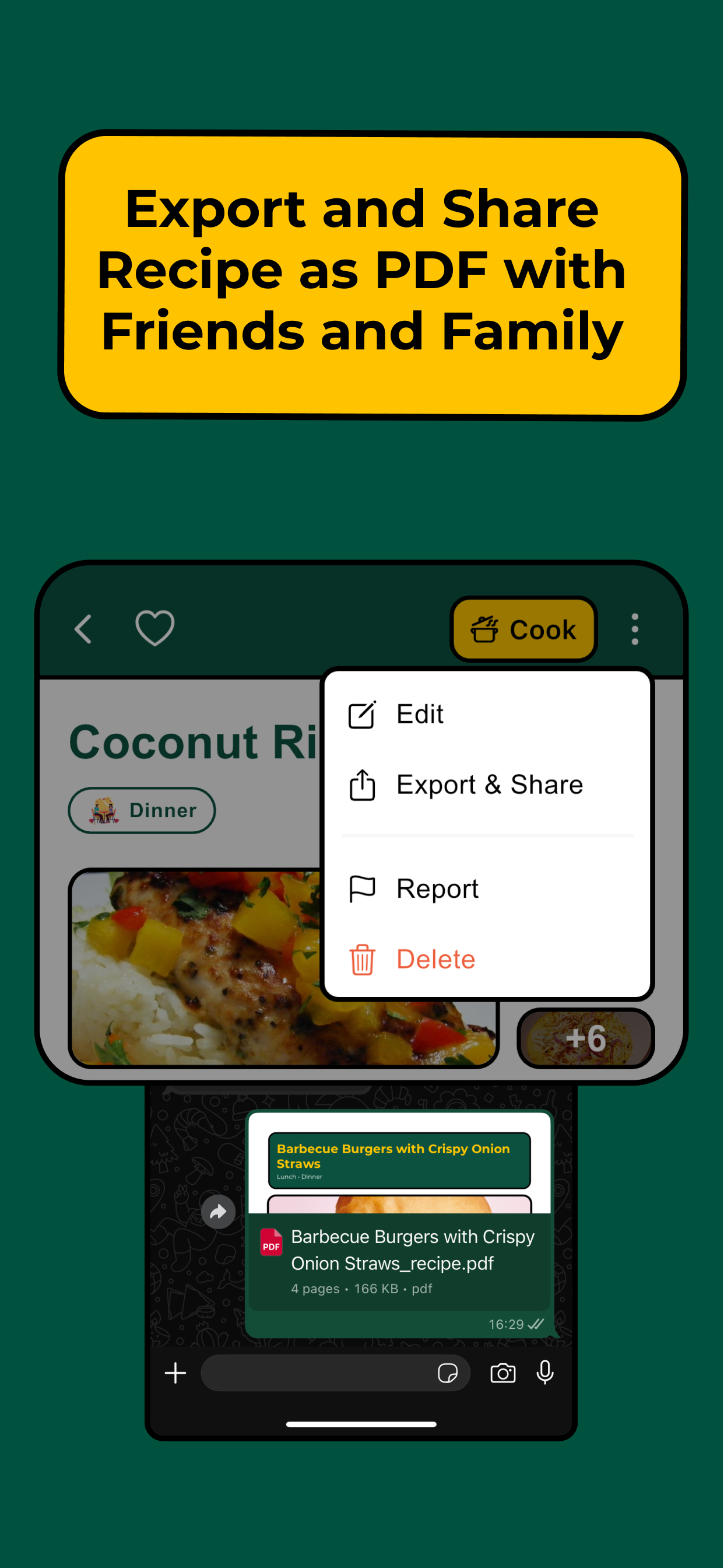
Export any recipe as a PDF and share it with anyone.
Health Benefit Alerts
Set your health goals — high protein, low carb, heart healthy, and more. When you save a recipe, Cook Paddy automatically analyzes its nutrition against your goals. If it's a match, you get a push notification and a cooking task is created with a reminder. The app doesn't just store recipes — it tells you which ones are good for you and reminds you to cook them.
How I Built It
I built Cook Paddy solo over 2.5 weeks of serious work.
Flutter was the obvious choice — four years of experience. Firebase handles auth (Apple and Google sign-in), Firestore, Storage, Cloud Functions, Messaging, and Analytics.
The core of the app is the AI pipeline. LangGraph powers an agent with attachable tools for web search, media extraction, document processing, and social media downloading. When you paste a URL, Flutter sends it to Cloud Run. The agent detects the source type and picks the right tool. For videos, Gemini's multimodal client watches the content and extracts ingredients, techniques, and steps. If anything is missing, the agent searches the web to fill gaps. Once structured, embeddings go to Pinecone for vector search.
Tech stack: Flutter, Firebase, LangGraph, Gemini, Pinecone, Cloud Run (TypeScript/Node.js)
Challenges
Social media downloading was the hardest challenge. Instagram, TikTok, and Facebook aggressively block automated downloads. My initial AI-assisted approach failed completely. I found a GitHub repo by Okramjimmy using Instagram's GraphQL API, gave it to Claude, and adapted the approach across platforms. But the server's IP could still get blocked. To reduce direct load on platforms, I implemented a device-first download — the user's device downloads the video, then sends it to the server for processing. This cut the risk significantly. It's not fully solved, but it's a strong foundation I'll keep improving.
LangGraph had sparse documentation. The breakthrough came when I stopped treating it as a framework to learn and started treating it as a pipeline with fallbacks. If one tool fails, try another. If extraction is incomplete, search the web. My first working agent took one to two hours after that shift.
Video extraction is harder than text extraction. Recipes aren't just what's said or shown — they're timing, visual cues, on-screen text, spoken instructions all at once. Gemini's multimodal client handles this by watching like a human would. When it misses details, the web search tool patches gaps.
Time was the scarcest resource. Classes, four-week deadline. I coded late nights to stay on track.
Design had to be functional first. Most recipe apps go minimal. But people use recipe apps in kitchens — messy hands, standing back from their phone. I chose bold text and high contrast colors because the design needed to work from across the room.
What I'm Proud Of
The first time I imported a cookbook PDF and watched structured recipes appear with everything parsed correctly — that was the moment it all connected.
The social media video pipeline is the technical achievement I'm most proud of. You can share a TikTok, Instagram, or YouTube cooking video directly to Cook Paddy and get a fully extracted recipe back.
The LangGraph agent handles every import type through one system. It detects intent, picks tools, fills gaps. Most apps hard-code each source. I built one pipeline that scales to all of them.
Everything works. All features are functional. Built and shipped in two weeks.
What I Learned
LangGraph: Context is everything. The more relevant context you give each tool in the pipeline, the better the output. Poor context leads to poor results no matter how good the prompt is.
LLMs need constraints. "Extract only what's explicitly shown, mark uncertain data as incomplete" performs far better than "extract the recipe."
AI product development is workflow design, not prompt design. Build systems where AI has tools, fallback paths, and validation — not just a single call.
Design for context. Users are in kitchens, not at desks. That one insight shaped every visual decision.
Clear briefs sharpen products. Every decision I made, I asked: does this help someone cook what they've saved? That constraint kept scope tight.
What's Next
Before submission, I'm cooking a meal using Cook Paddy as my only guide. I need to feel it as a user — story mode, the design from across the kitchen.
Monetization: $2.99/week, $20/2 months, $119/year. Pro unlocks cookbook imports, video extraction, OCR scanning, and voice search.
Immediate roadmap: Better timer controls, easier step navigation, and voice commands for hands-free cooking.
Six-month goal: 20,000 users and 100,000 recipe imports. Launching publicly regardless of contest results — App Store submission, marketing, and outreach to communities who actually have this problem.
Win or lose, Cook Paddy ships. The app works. It solves the problem. Now it's time to see if it matters to anyone else.
Note: This app was built independently by Paul Jeremiah. A co-contestant Andrea Ozuem, with app name RecipeReady, also built their own version of the app concept under the same Apple Developer account. Both submissions are separate, individual entries, as confirmed with the organizers.
Also, made a name change, on this day 21st February, 2026, from Cook IRL to Cook Paddy.


Log in or sign up for Devpost to join the conversation.