-
-
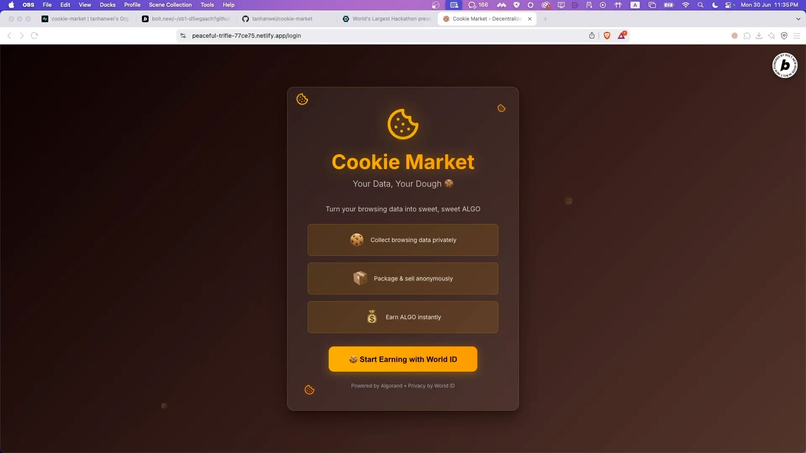
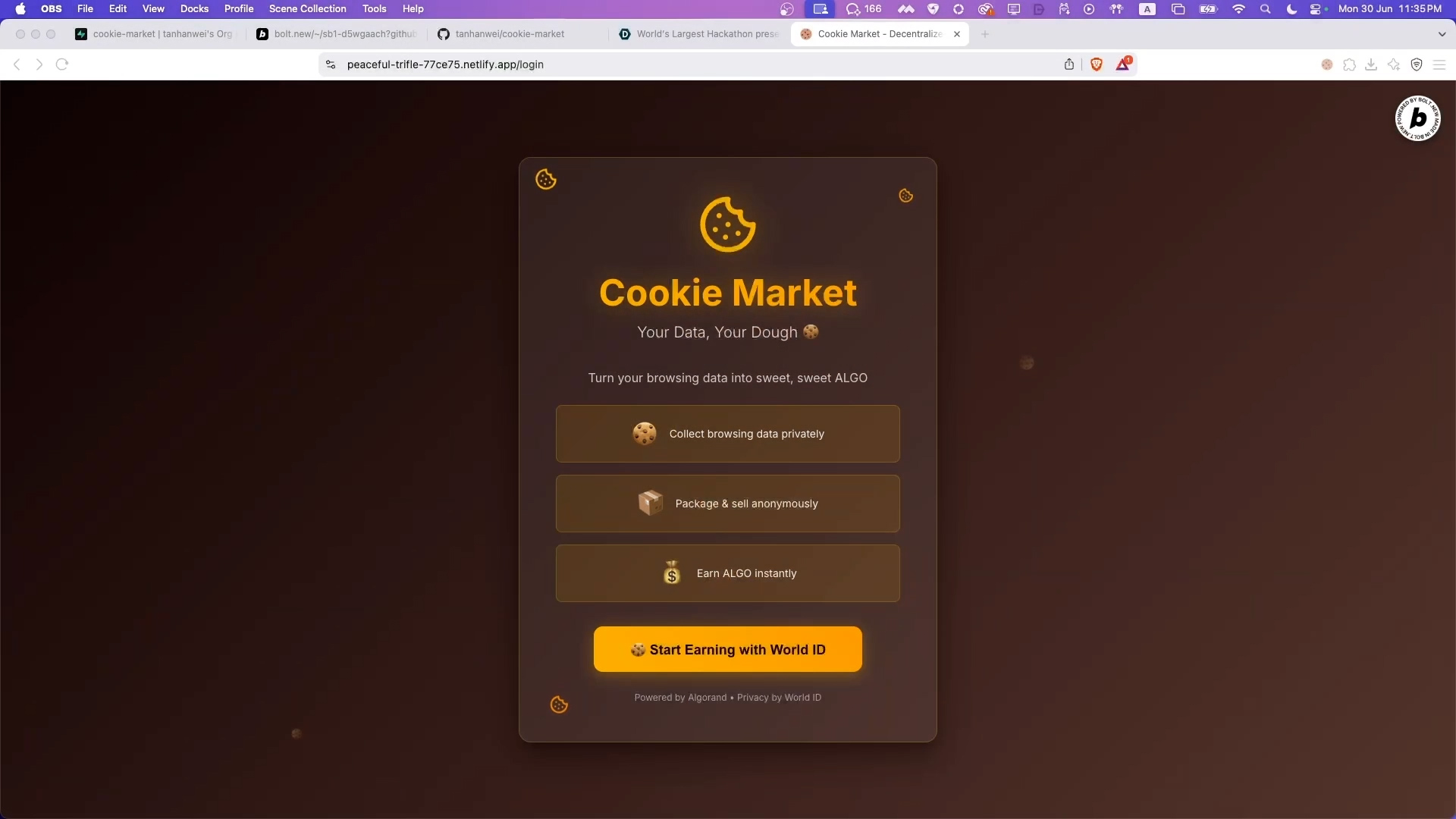
Log in screen
-
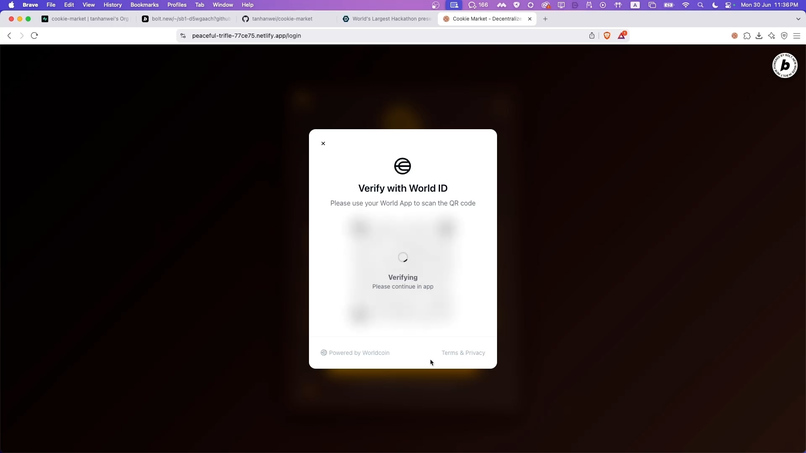
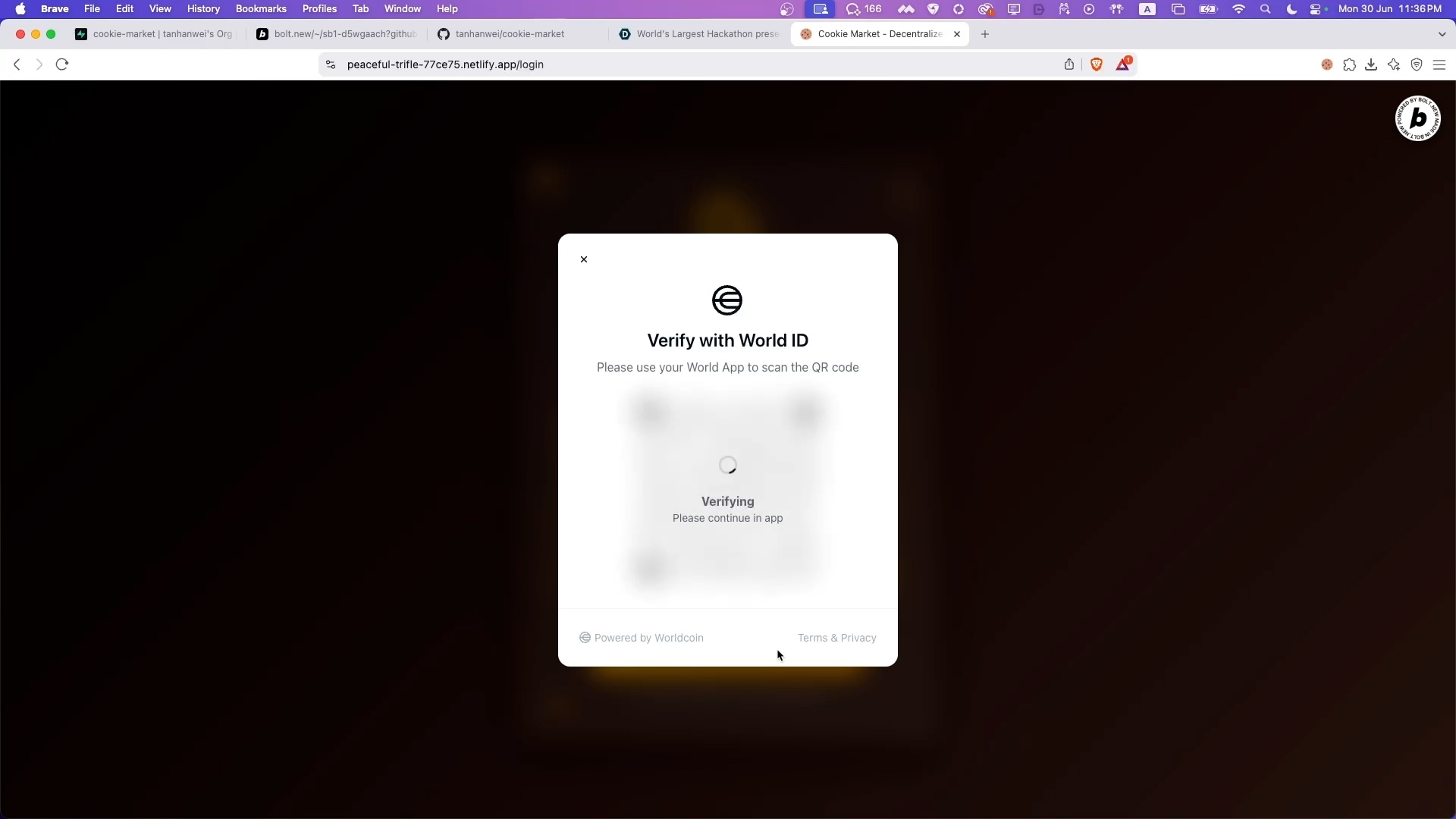
Log in with World ID
-
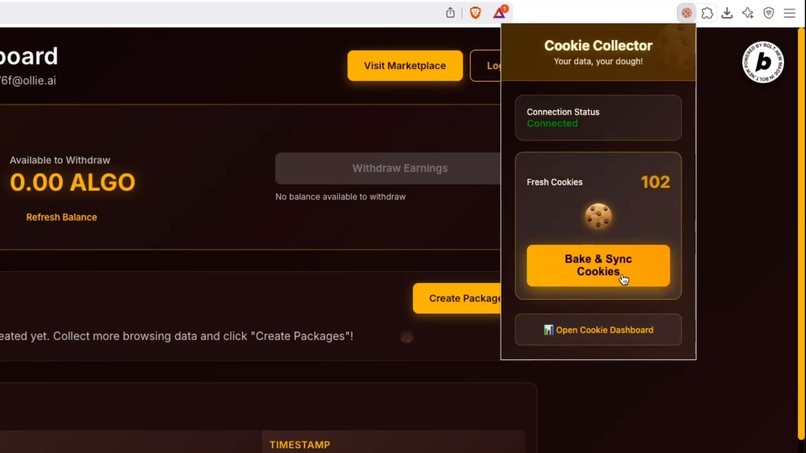
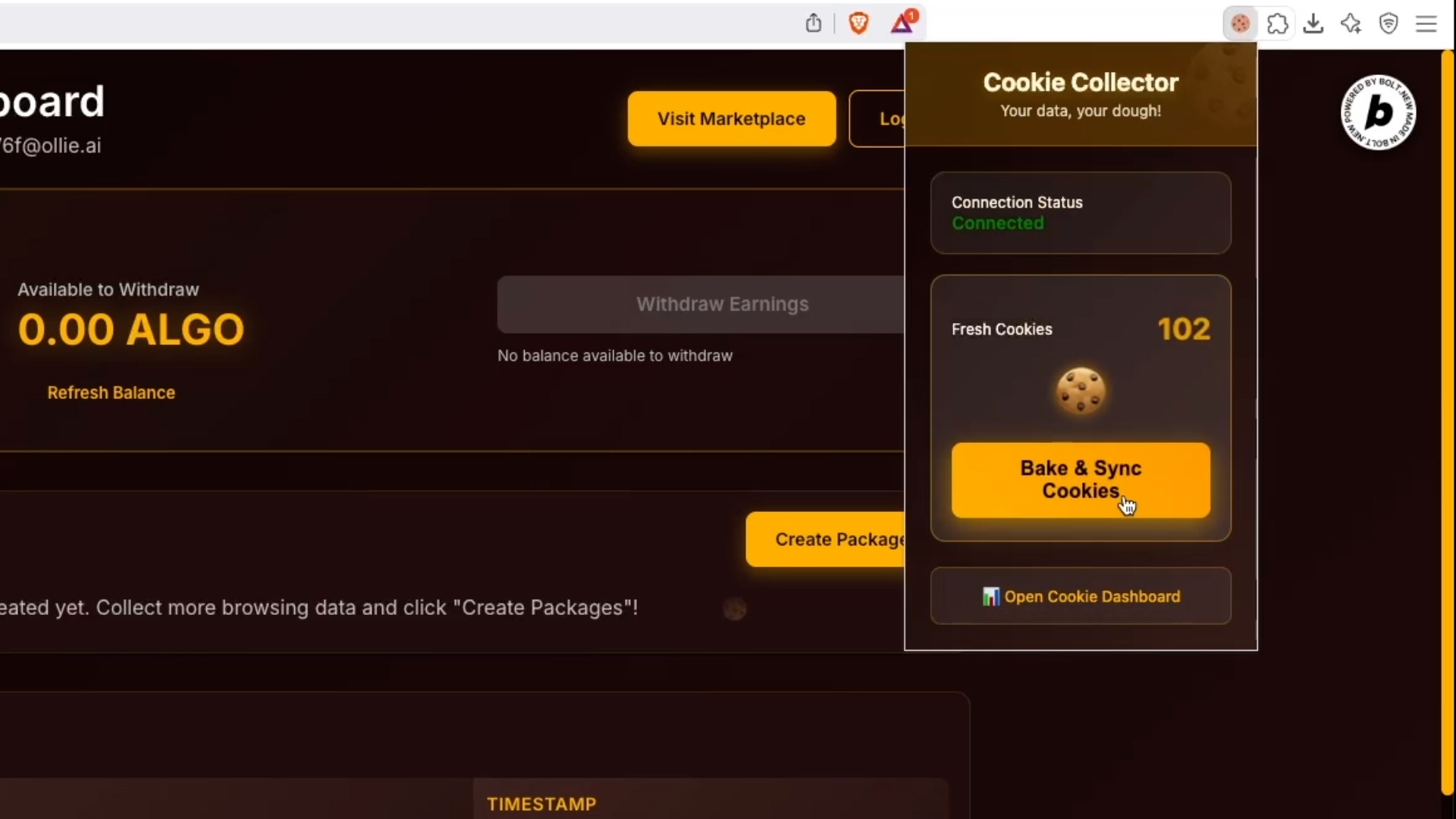
Chrome extension that collects data
-
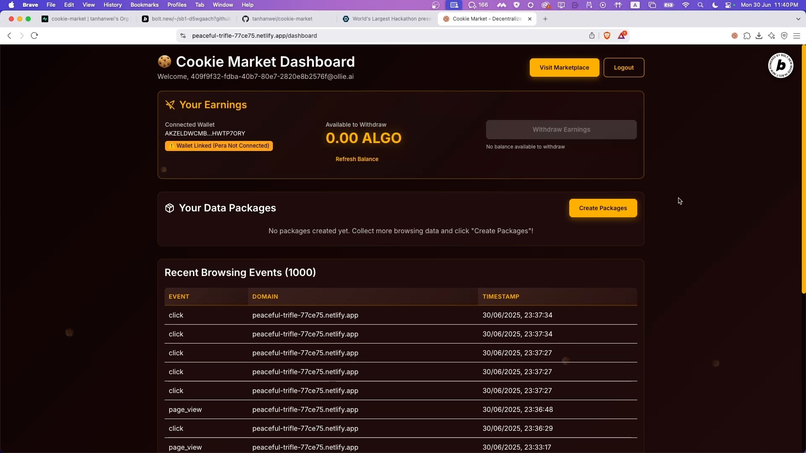
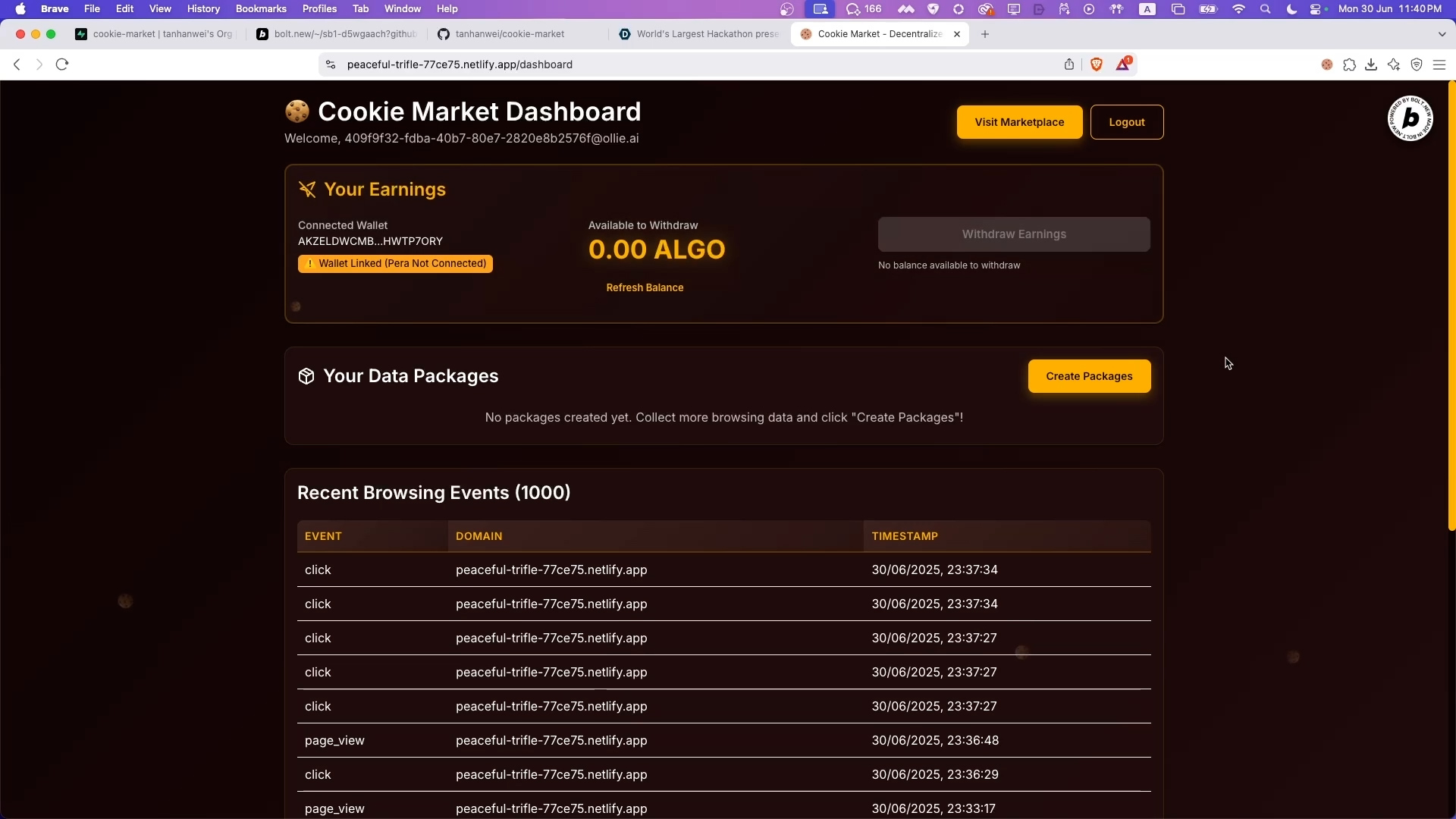
Seller Dashboard (Before creating data packages)
-
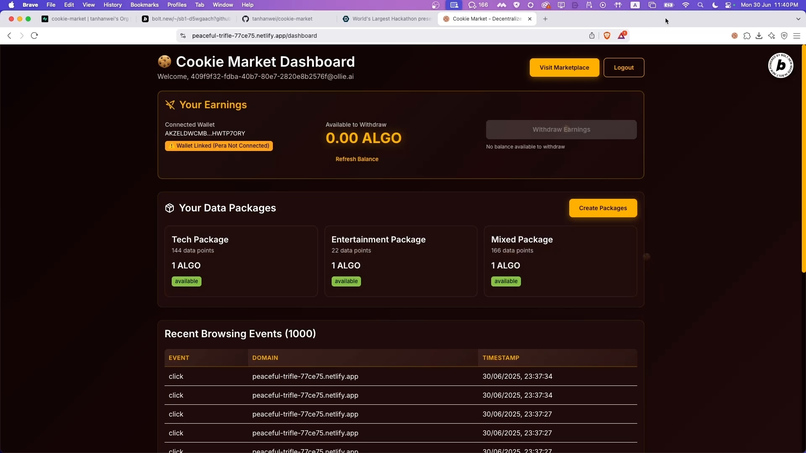
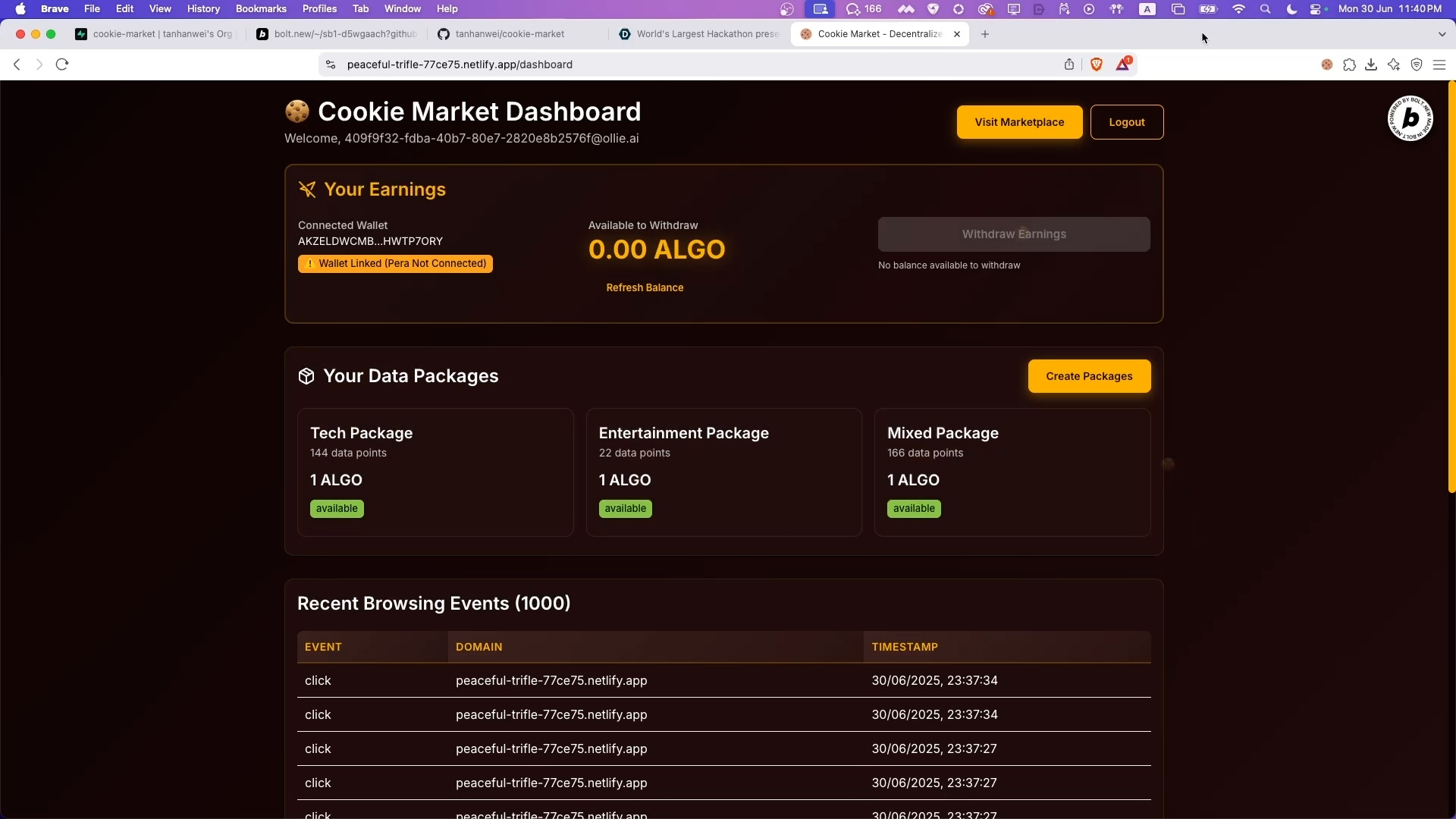
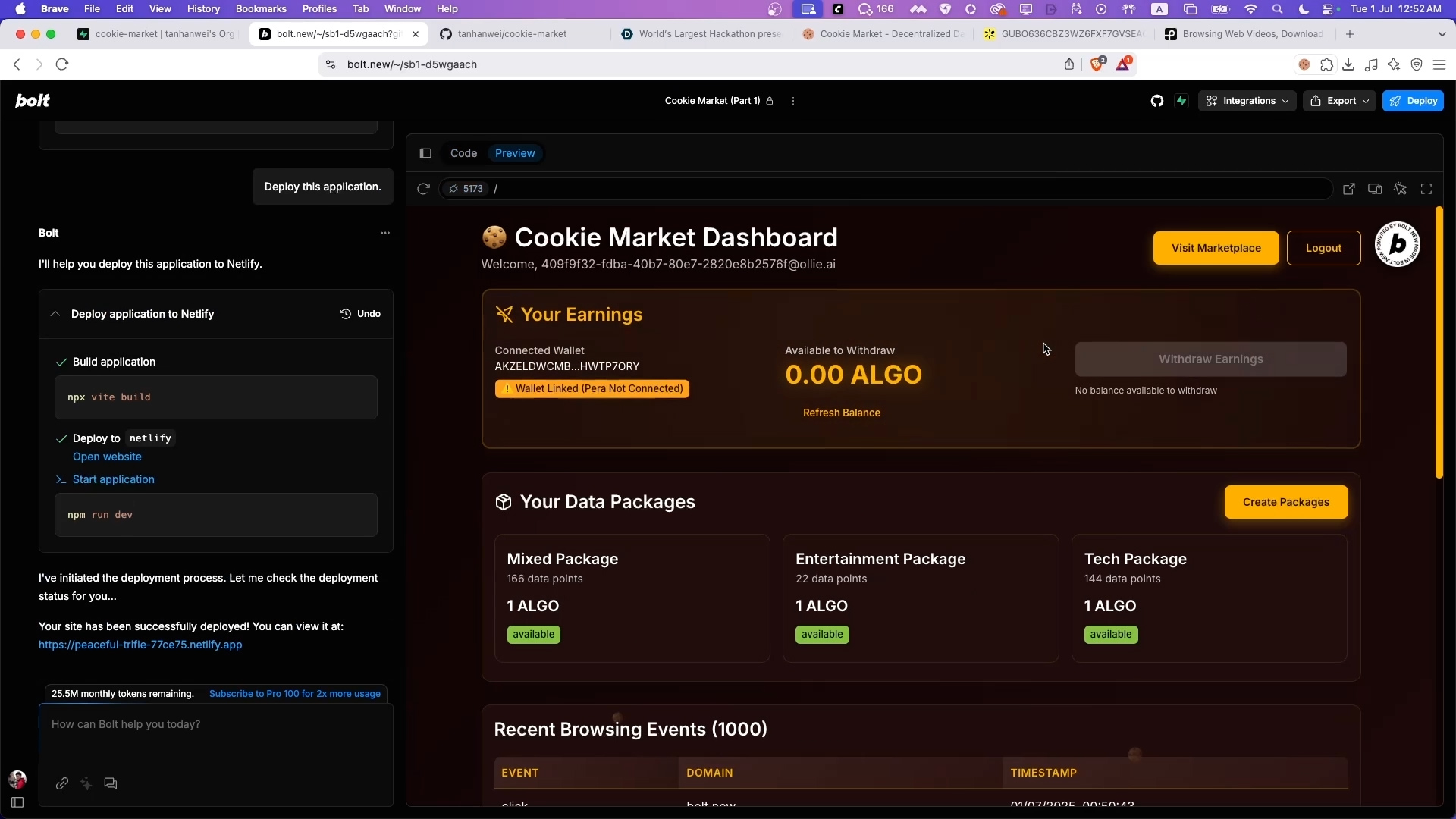
Seller Dashboard (After creating data packages)
-
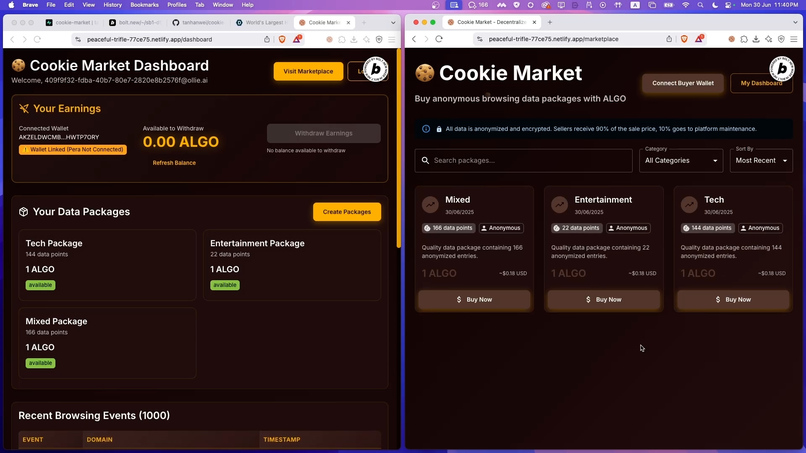
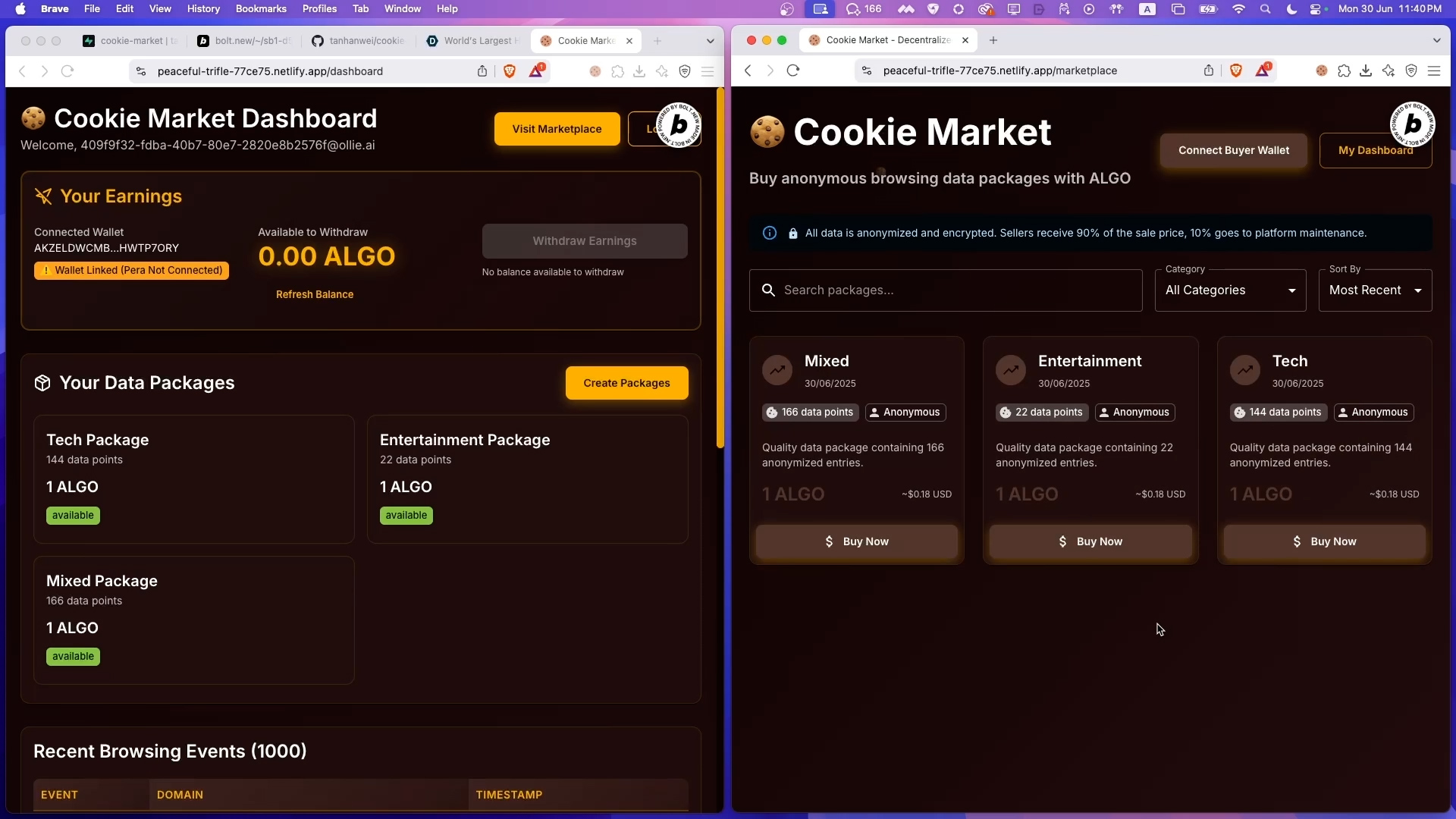
Marketplace for Buyers
-
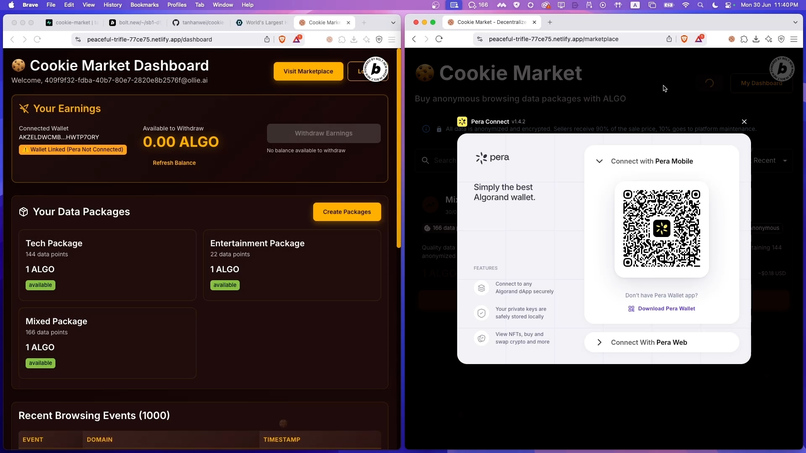
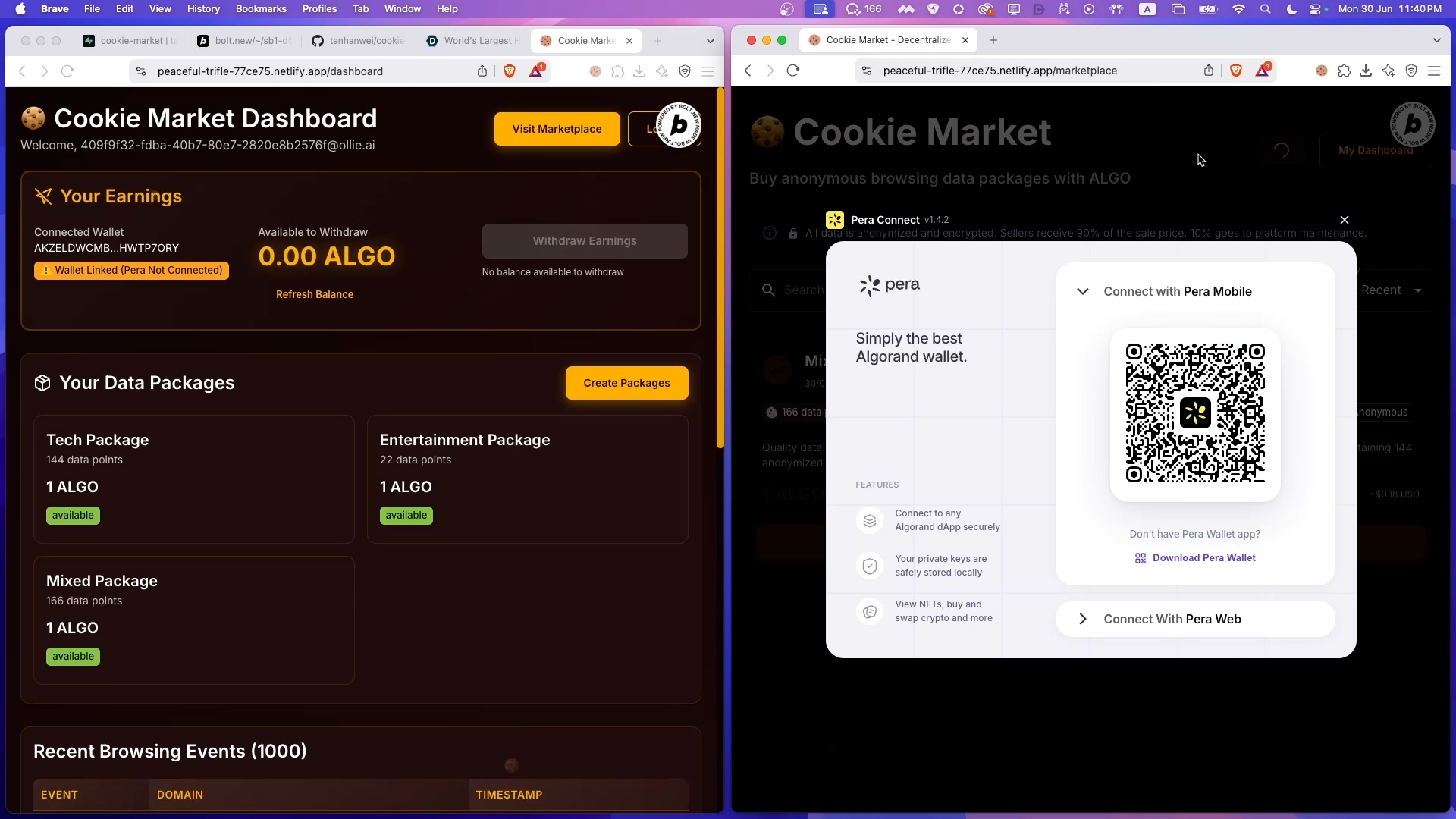
Buyers linking Algorand wallet via Pera
-
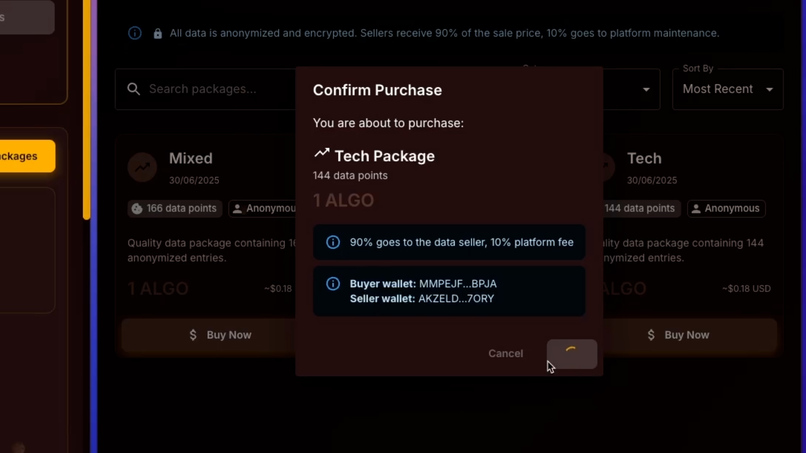
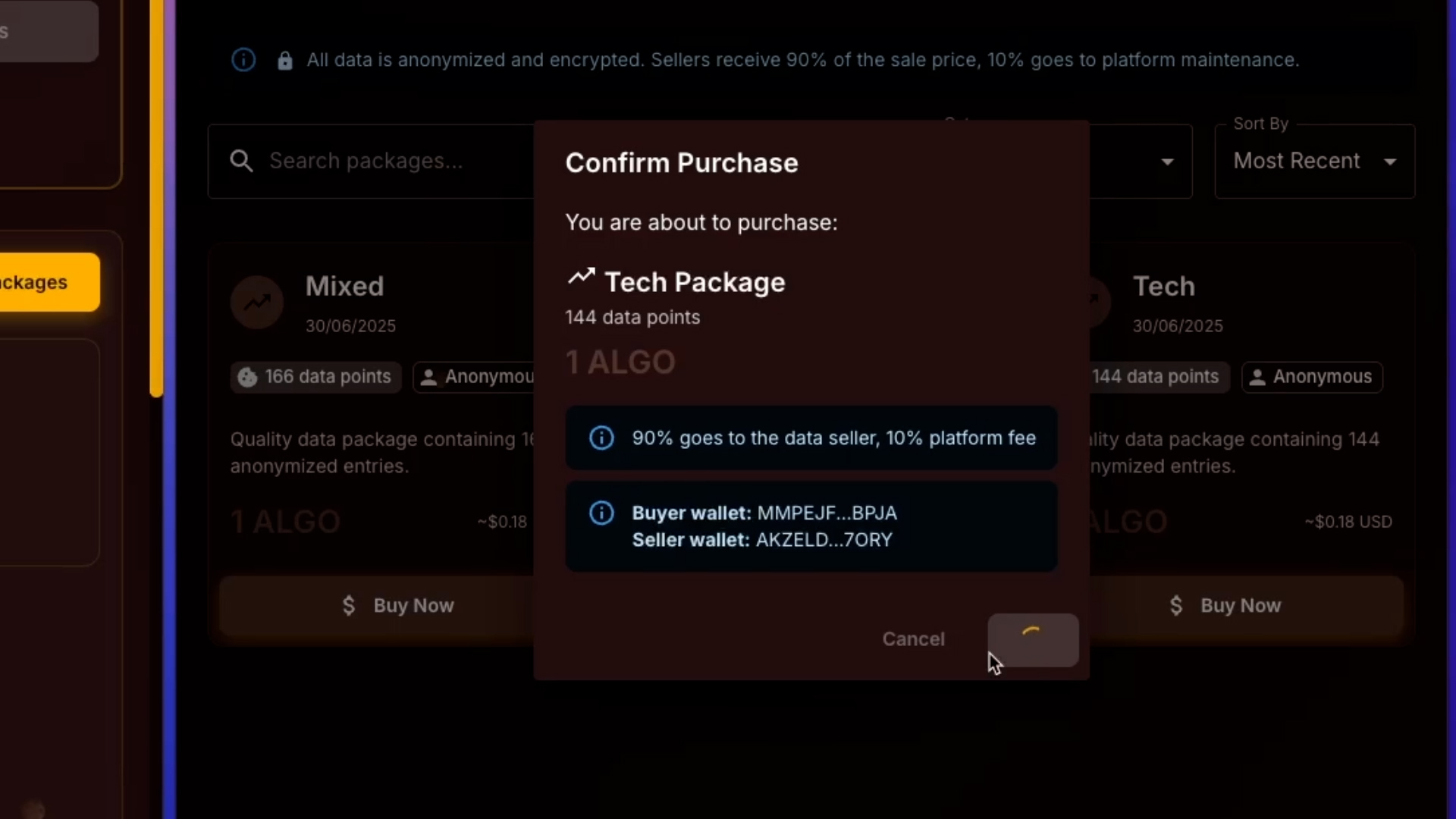
Smart contract automatically split payment
-
Built with Bolt.new
Inspiration
I spent months researching the data broker industry and discovered something that made me furious: it's a $433 BILLION industry built entirely on OUR data, yet we get exactly $0 from it. Facebook makes $68 per US user annually. Purchase intent data sells for thousands per month. This is digital sharecropping - we create 100% of the value but capture 0% of the profits.
I couldn't just stay angry. I had to build something. In 5 days, using Bolt, I created Cookie Market - a working prototype that proves users CAN and SHOULD get paid for their browsing data.
What it does
Cookie Market flips the exploitative data economy on its head:
- Chrome Extension collects browsing data (with user consent)
- World ID Integration verifies real humans, preventing bot-generated fake data
- Smart Data Packaging automatically categorizes browsing patterns into valuable insights
- Decentralized Marketplace where verified buyers purchase data packages with ALGO
- Algorand Smart Contracts automatically split payments: 90% to sellers, 10% platform
- Instant Withdrawals - sellers can withdraw earnings directly to their Pera wallet
No middlemen. No hidden fees. Just fair, transparent commerce where your data becomes your asset.
How we built it
Day 1-2: Architecture & Smart Contracts
- Designed the Algorand smart contract with box storage for seller balances
- Implemented automatic 90/10 payment splitting
- Built withdrawal mechanisms for both sellers and platform
Day 3: Core Platform
- Set up Supabase for data storage and user management
- Integrated World ID for human verification (no bots!)
- Built React dashboard with separate wallet contexts for buyers/sellers
- Created Chrome extension for privacy-preserving data collection
Day 4: Marketplace & Integration
- Developed data packaging algorithm (tech, shopping, news categories)
- Built marketplace UI with real-time ALGO pricing
- Integrated Pera wallet for seamless blockchain transactions
- Connected all components with edge functions
Day 5: Testing & Polish
- End-to-end testing of purchase flow
- UI/UX improvements
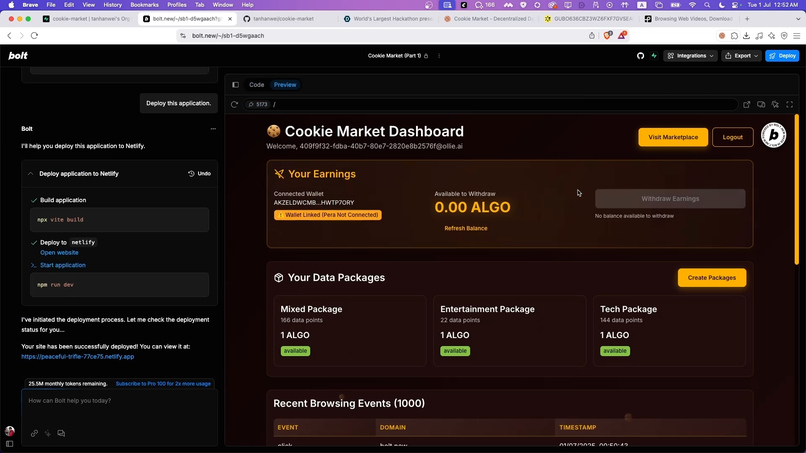
- Deployed to Netlify
- Created demo video
Tech Stack: Bolt.new, React, TypeScript, Algorand, Supabase, World ID, Chrome Extension API, Pera Wallet, Netlify
Challenges I ran into
Algorand Box Storage Learning Curve: Implementing persistent seller balances using box storage was complex. I had to understand how Algorand stores data differently than traditional databases.
Dual Wallet Context: Supporting both buyers and sellers with separate wallet instances in the same app required creative React context management to avoid conflicts.
World ID Integration: Simulating World ID verification while maintaining the security model for the demo required careful implementation to show the value without live iris scanning.
Chrome Extension Sync: Ensuring browsing data synced correctly between the extension and dashboard while respecting user privacy was technically challenging.
Smart Contract Economics: Balancing transaction fees with micro-payments to ensure the model remains profitable for small data packages.
Accomplishments that I'm proud of
- Built a WORKING prototype in 5 DAYS using Bolt that actually processes payments on Algorand testnet
- Solved the dual-identity problem - users can seamlessly switch between being data sellers and buyers
- Created fair economics - 90/10 split ensures users get the vast majority of value
- Privacy-first design - data is anonymized and packaged, protecting user identity
- Proved the concept - demonstrated that users CAN monetize their own data directly
- Clean, intuitive UI - made blockchain accessible to non-technical users
What I learned
- Bolt is incredibly powerful - I built a complex full-stack dApp in 5 days that would normally take months
- Users care deeply about data ownership - the response to my concept has been overwhelmingly positive
- Blockchain enables new business models - smart contracts make fair, automatic revenue sharing possible
- The data economy is ready for disruption - current models are unsustainable and users are ready for change
- Simplicity wins - making Web3 accessible requires hiding complexity behind clean UIs
What's next for Cookie Market
Immediate (Post-Hackathon):
- Launch on Algorand mainnet with real ALGO payments
- Implement granular privacy controls (users choose exactly what to share)
- Add more data categories and buyer use cases
- Mobile app development for broader reach
Medium Term (3-6 months):
- AI-powered insights to increase data value
- Subscription tiers for consistent user income
- B2B partnerships with ethical data buyers
- Community governance for platform decisions
Long Term Vision:
- Expand beyond browsing data to all personal data types
- Build data unions for collective bargaining power
- Create educational resources about data rights
- Scale to 500,000+ users earning $2,000-$10,000 annually
My mission is simple: End digital sharecropping. Return data profits to the people who create the value. Cookie Market isn't just a hackathon project - it's the beginning of the biggest wealth transfer in internet history, from corporations back to people.
Your data has value. It's time you claimed it.
🧪 Testing Instructions
Prerequisites
- Chrome browser (or Chromium-based browser)
- Pera Wallet mobile app (iOS / Android)
- TestNet ALGO (get free from Algorand Testnet Dispenser)
Step 1: Login with World ID (Simulator)
- Visit https://peaceful-trifle-77ce75.netlify.app/
- Click "Verify with World ID to Login"
- When the World ID modal appears, click "Or, try the Simulator" at the bottom
- Use this pre-configured simulator link: https://simulator.worldcoin.org/
- Click "Log in" in the simulator
- You'll be redirected to the dashboard
Step 2: Install Chrome Extension
- Download the extension from the dashboard (or from this repo's
/chrome-extensionfolder) - Open Chrome and go to
chrome://extensions/ - Enable "Developer mode" (top right)
- Click "Load unpacked"
- Select the downloaded extension folder
- The Cookie Market extension icon should appear in your toolbar
Step 3: Connect Seller Wallet (Dashboard)
- In the dashboard, click "Connect Pera Wallet"
- Scan the QR code with your Pera Wallet app
- Approve the connection
- Your wallet is now linked as a seller
Step 4: Collect Browsing Data
- Browse normally with the extension active
- Click the extension icon to see collected events
- Return to dashboard to see your data (may take 1-2 minutes to sync)
Step 5: Create Data Packages
- Once you have 10+ browsing events, click "Create Packages"
- The system automatically creates categorized packages (tech, shopping, etc.)
- Each package is priced in ALGO
Step 6: Test Marketplace Purchase
- Click "Visit Marketplace"
- To test as a buyer, click "Connect Buyer Wallet" (use a different Pera account)
- Browse available packages
- Click "Buy Now" on any package
- Confirm the transaction in Pera Wallet
- Watch the smart contract automatically split payment (90% seller, 10% platform)
Step 7: Withdraw Earnings
- Return to your dashboard
- Check your balance (should show earnings from sales)
- Click "Withdraw Earnings"
- Confirm in Pera Wallet
- ALGO transferred to your wallet!
Built With
- algorand
- bolt
- bolt.new
- chrome
- netlify
- pera-wallet
- react
- supabase
- typescript
- worldid



Log in or sign up for Devpost to join the conversation.