-
-
-
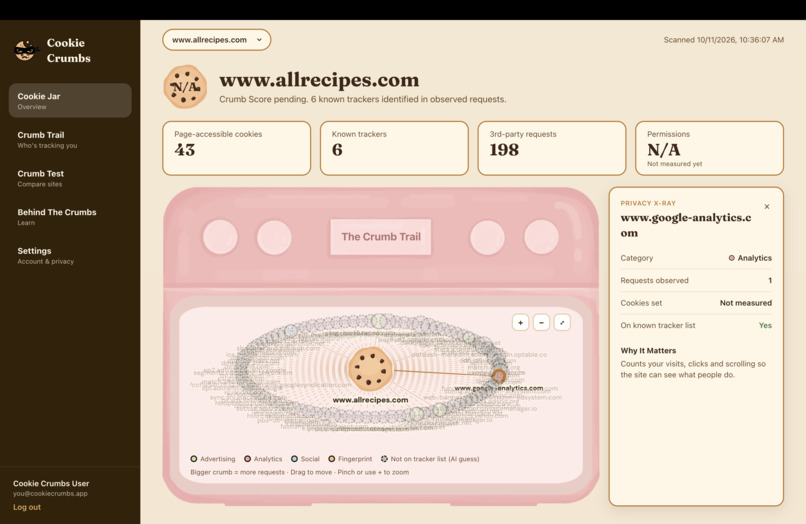
Cookie Jar (Overview)
-
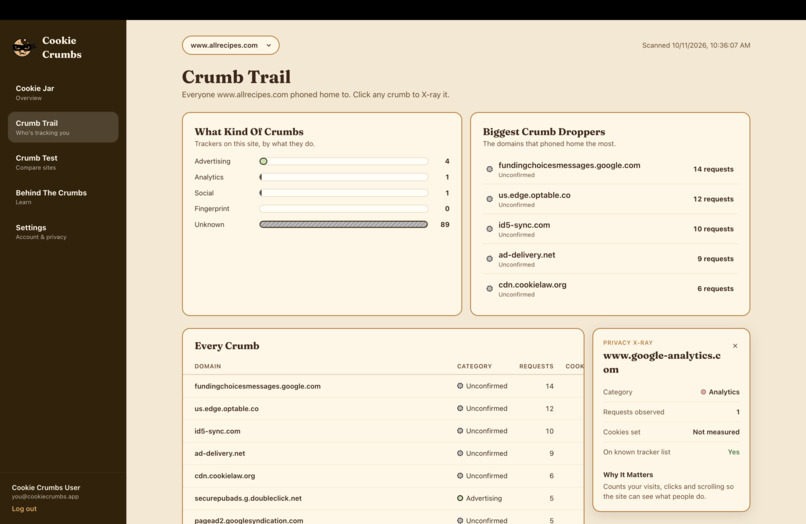
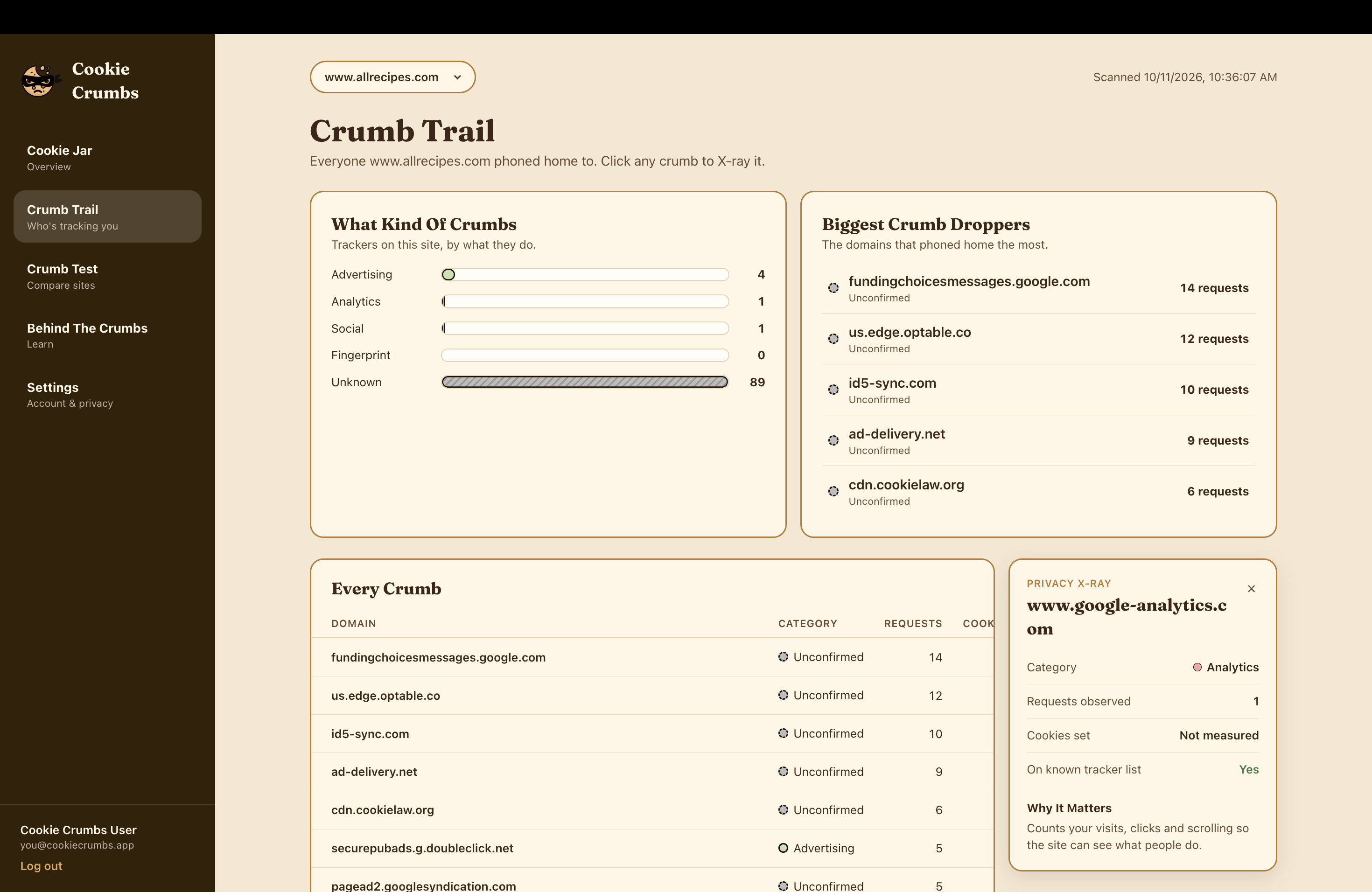
Crumb Trail (All Cookies Tracker)
-
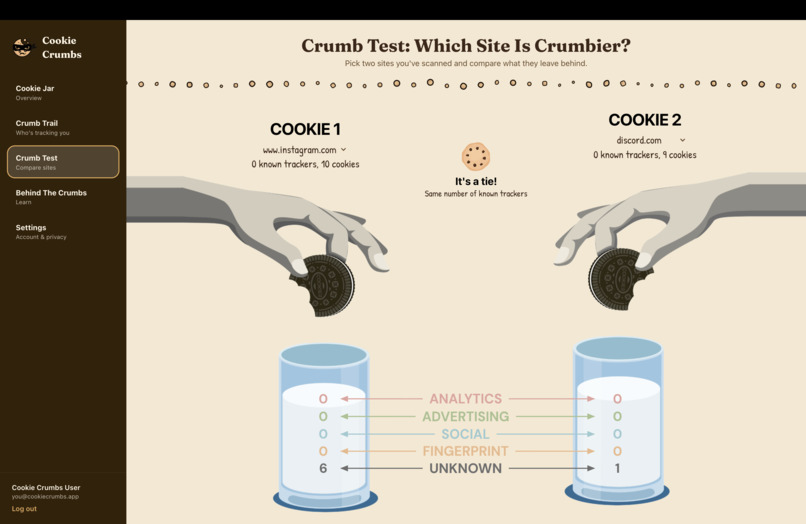
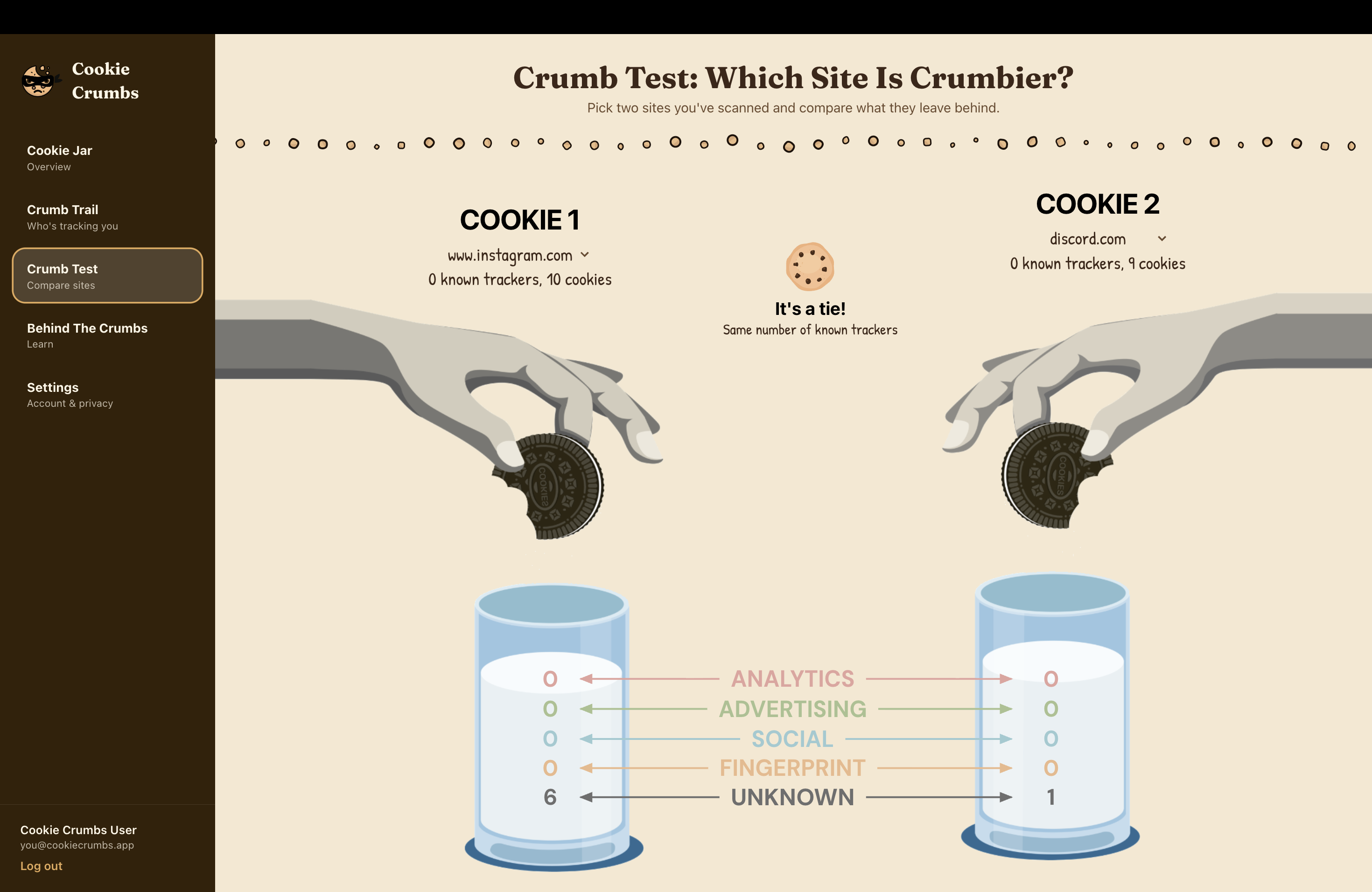
Crumb Test (Website Comparer)
-
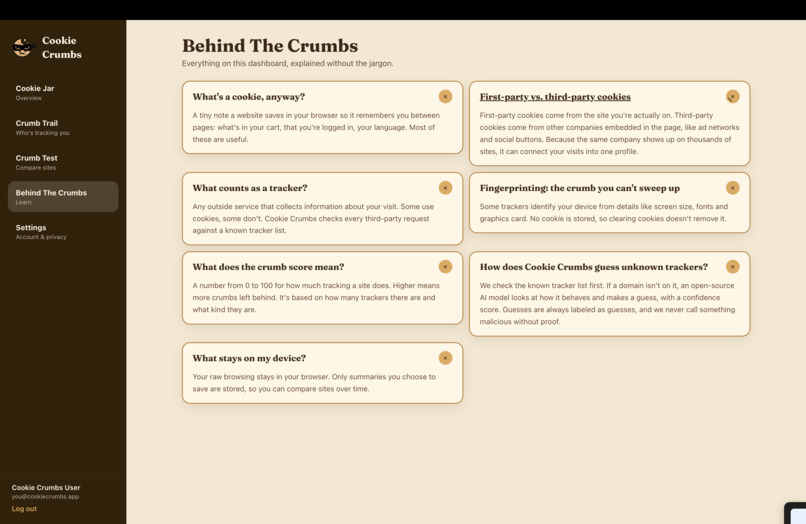
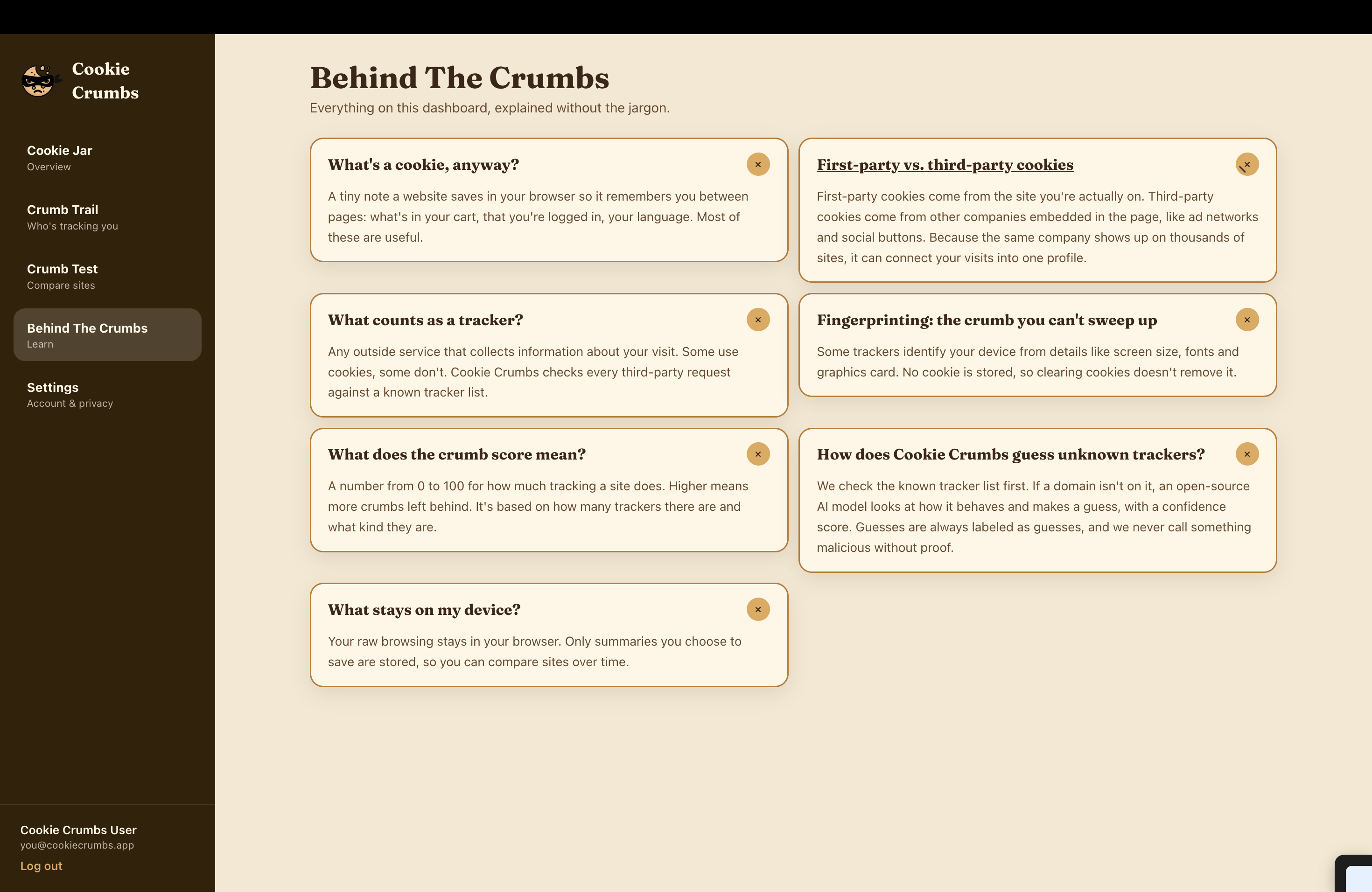
Behind the Crumbs (FAQ)
-
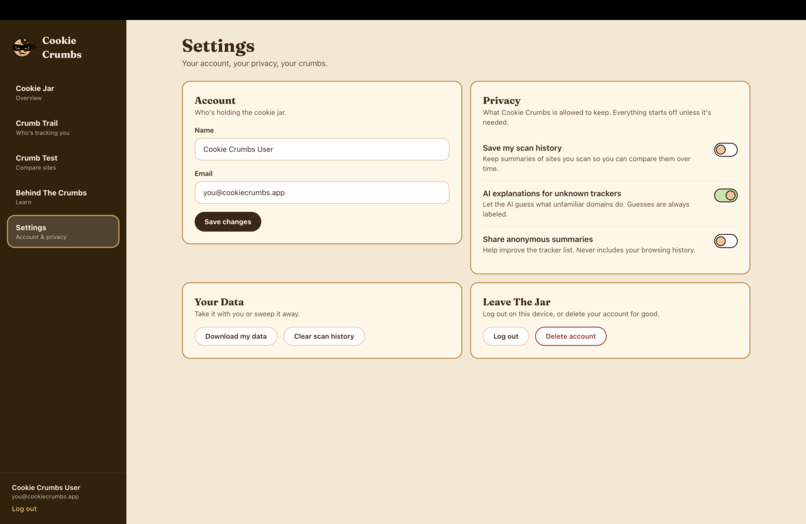
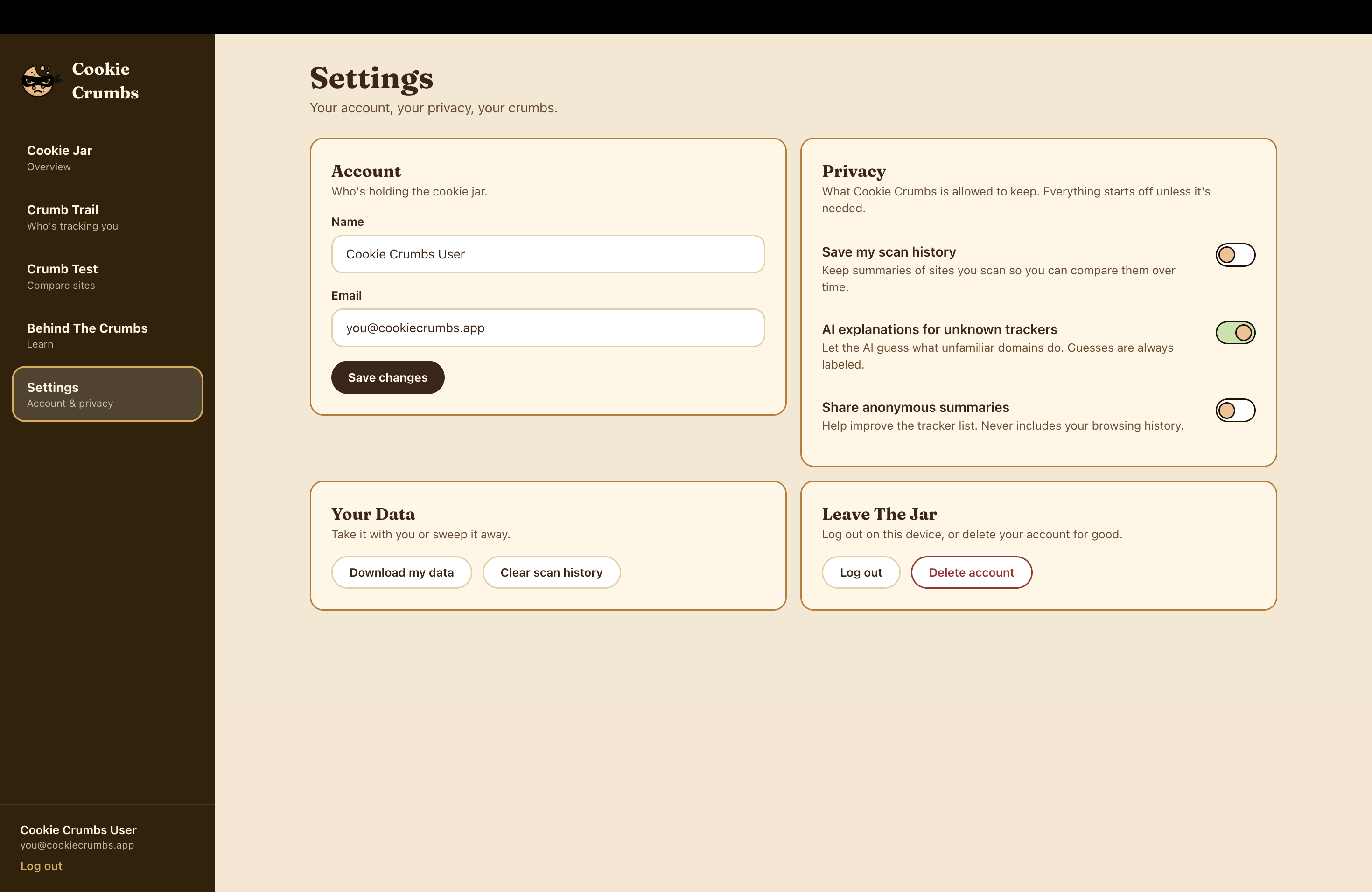
Settings Page
Inspiration
While brainstorming ideas, we always knew we wanted to create a product that we would use ourselves, one we could confidently say helps improve our everyday life. As computer science students, we know how important it is to keep our data safe and how easy it is to simply give it away. Hence, we created Cookie Crumbs to help educate people on their data and the places it goes.
What it does
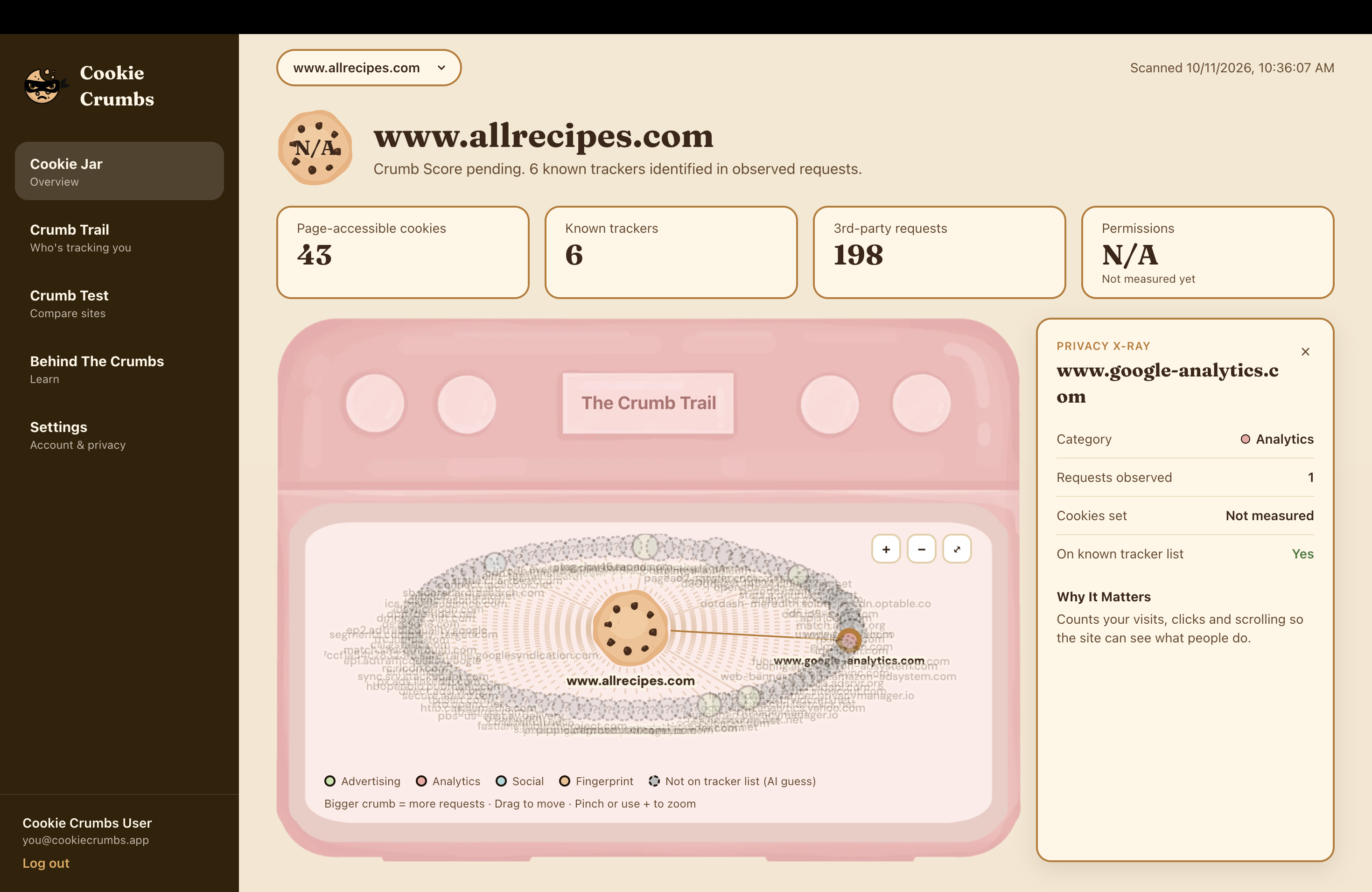
Cookie Crumbs is both an extension and website. You can access it through Google Extension or simply go to cookiecrumbs.club to join the Cookie Club. To use the application via extension, simply click on it while on the website you want to investigate. The pop up window will then display the number of known trackers, 3rd party requests, pages accessible and 3rd party domains while giving you the option to be directed to the website. On the website, you will see your cookie jar, a dashboard that shows you a detailed overview of the cookies on the website you last used the extension on. Additionally, you can see the categories of trackers, review the other websites you've used Cookie Crumbs on and their scores, compare websites and learn more about cookies through our Behind the Crumbs FAQ on our website as well.
How we built it
Frontend: React, TypeScript, Vite and Tailwind CSS, with every illustration designed in Canva and Adobe first. The Crumb Trail is an interactive Cytoscape.js graph where each tracker is a color coded crumb you can click to learn about and Crumb Test compares two sites as cookies dunked in milk. “Open The Cookie Jar” in the extension sends the real scan straight to the dashboard. We also integrated Neon Auth to support user sign-up, login, logout, and session management, allowing us to build a personalized dashboard experience with protected routes and user-specific scan history.
Extension: We built a Chrome extension using TypeScript and the Chrome Extensions API to analyze the websites users visit. It collects information about trackers, third-party requests, and external domains, then displays a quick privacy overview in a popup. Through our “Open the Cookie Jar” feature, users can transfer their scan results directly into the website dashboard. We implemented communication between the extension's background service worker, content scripts, and web application to make this handoff possible.
Backend: We built our backend using Python and FastAPI to process website scan data, classify trackers, and power the dashboard's privacy features. We used SQLAlchemy to interact with our database and organized API endpoints for scan analysis, history, user preferences, and AI-generated explanations. Our backend also supports consent-based data handling so users can control whether their scans are stored.
Database: We used Neon PostgreSQL as our cloud-hosted relational database, connected to FastAPI through SQLAlchemy and psycopg. We structured our database around websites, scans, trackers, scan-to-tracker relationships, and user preferences. This gives Cookie Crumbs a foundation for organizing scan results, maintaining privacy histories, and associating data with individual users.
AI: We used an open-source model from Hugging Face called "meta-llama/Llama-3.1-8B-Instruct". The model never decides who is tracking you. Our classifier and tracker list provide the facts, a small trusted knowledge base describes what each tracker category does, and the model only turns that into readable language. If the model is slow or unavailable, a built-in explanation built from the same knowledge takes over.
Challenges we ran into
Keeping the AI honest. An LLM will happily say a domain is “spying” on you. We solved it with facts-first prompts, hedged language (“can” and “may”), and verified/unverified labels with confidence scores. Model availability. The open model we first chose wasn’t served by any inference provider, and everything quietly fell back to the built-in answers. We added debug output and a script that tests candidate models, then switched to one that was live.
Accomplishments that we're proud of
An AI feature that can say “I don’t know” and tells users when a label is only an estimate. Consent enforced on the server so that nothing is saved without opt-in, users can only see their own scans, and AI features can be turned off. Another feature we're proud of is how our application is able to keep track of all the websites it was used on, building users a history that they can review and reflect on. We're also proud that Cookie Crumbs became more than just a prototype running on our laptops. We connected a working Chrome extension to a full-stack web application, integrated a cloud-hosted PostgreSQL database, and deployed everything to our own domain using Docker and Vultr. Seeing our extension and website communicate successfully in production was one of the most rewarding parts of the project.
What we learned
Grounding an LLM in trusted data makes it far more useful and far safer than letting it improvise. As users, we also learned how much our data is being tracked as some websites contain hundreds of disclosed and hidden cookies alike.
What's next for Cookie Crumbs
Fine-tuning a small open model on labeled tracker domains to improve the classifier, and publishing it on Hugging Face. We also want Cookie Crumbs to be the one stop cookie shop for all things cookies, so in the future we plan on adding an AI chatbot to out Behind the Crumbs FAQ, so users can ask questions and learn more about cookies at their own pace.
Built With
- docker
- fastapi
- hugginface
- huggingface
- neon
- postgresql
- python
- react
- tailwind
- vite
- vultr


