-
-
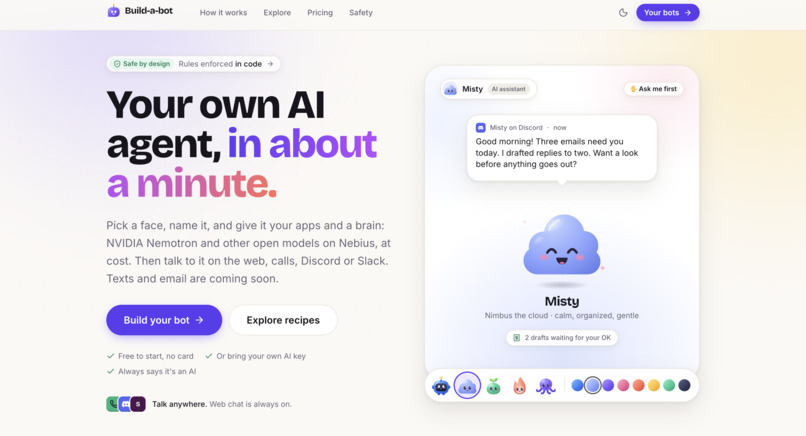
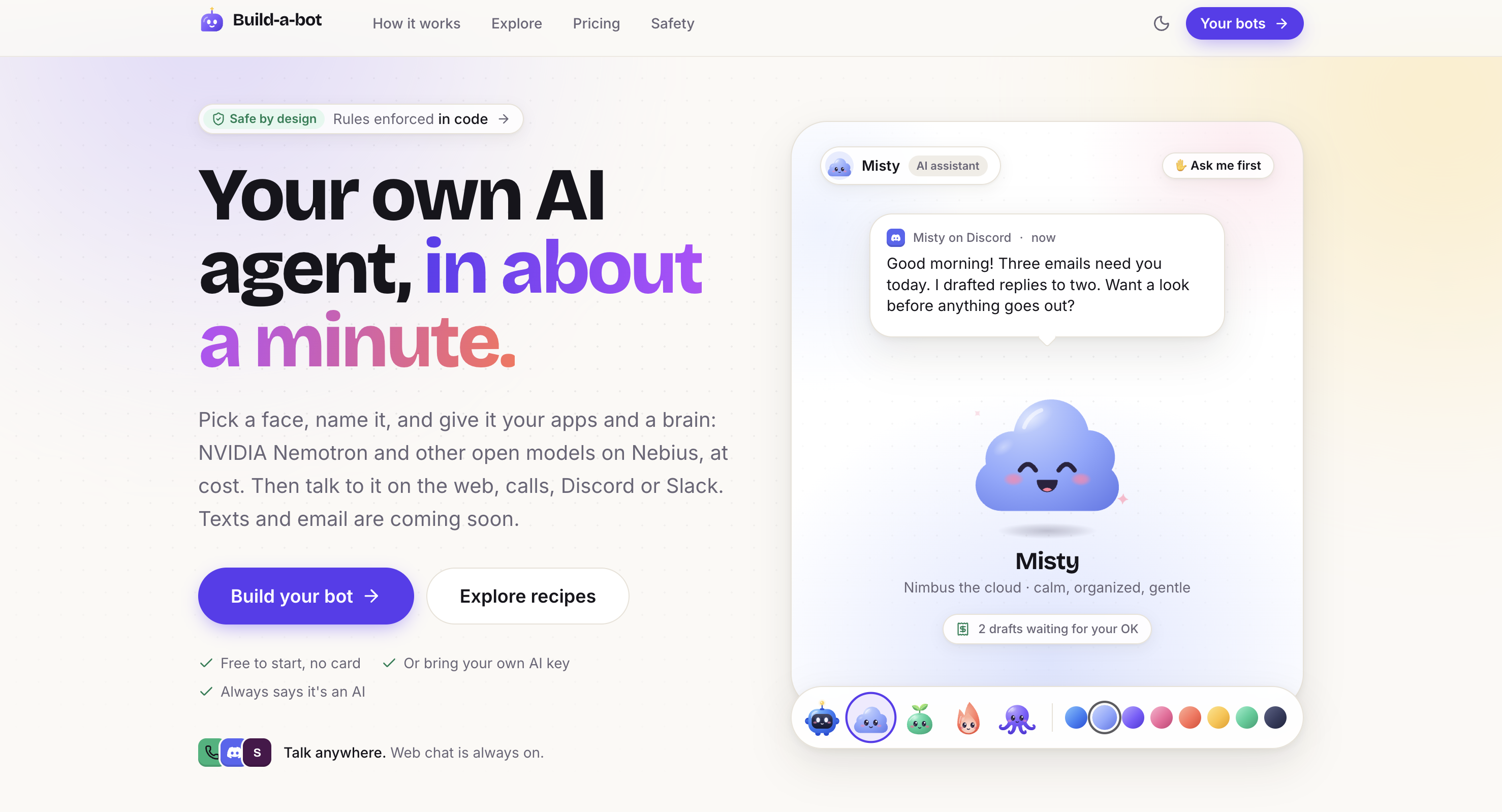
Build-a-bot.site landing page.
-
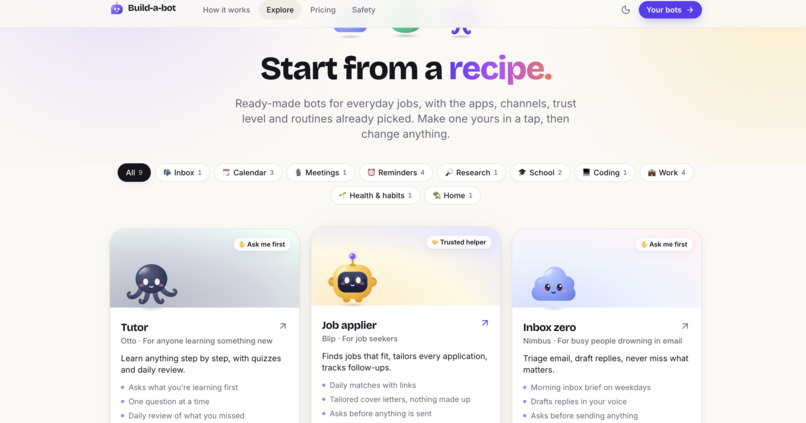
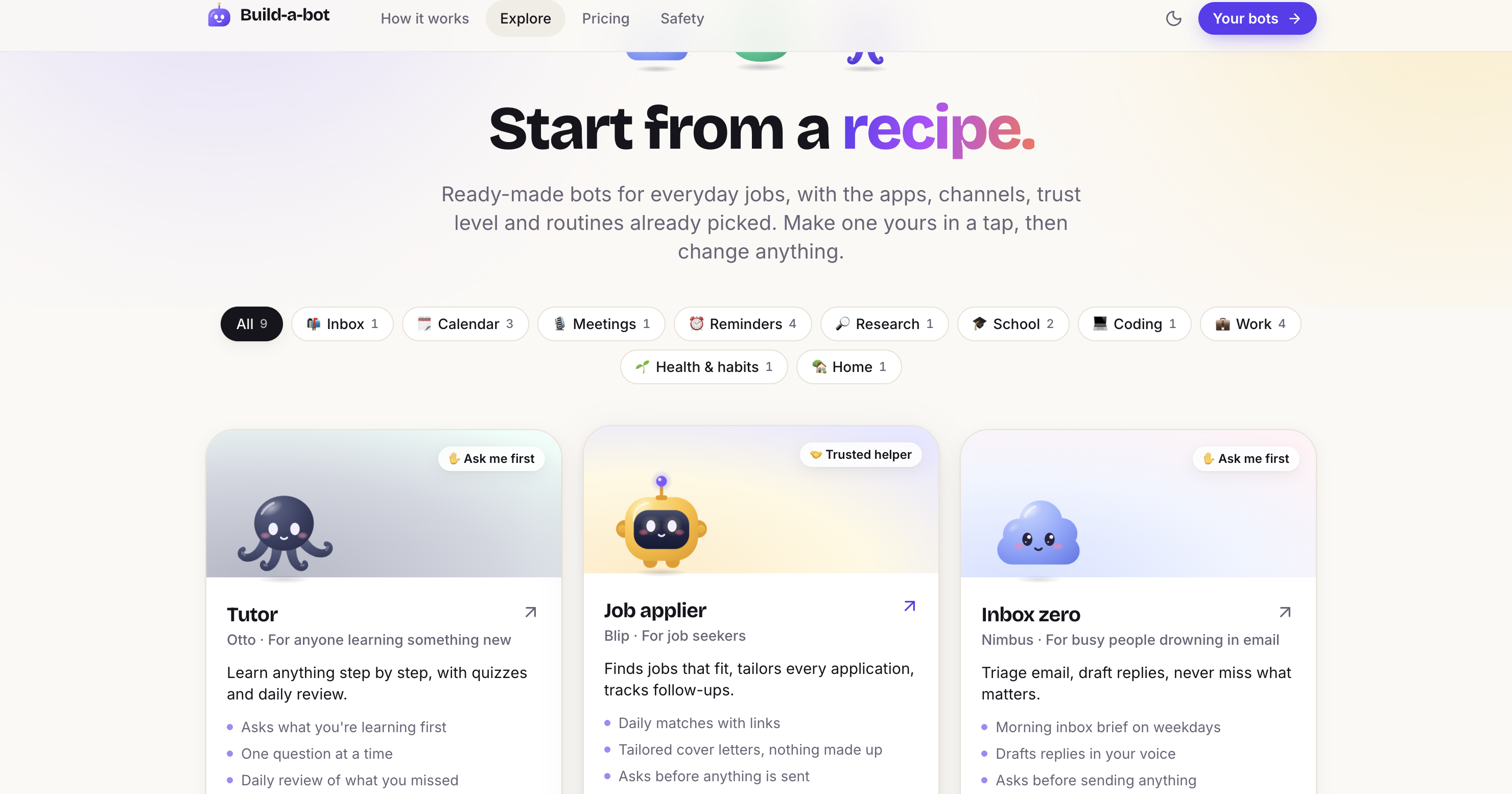
Choose from pre-made configurations / personalities for your bot, all running on NVIDA Nemotron models.
-
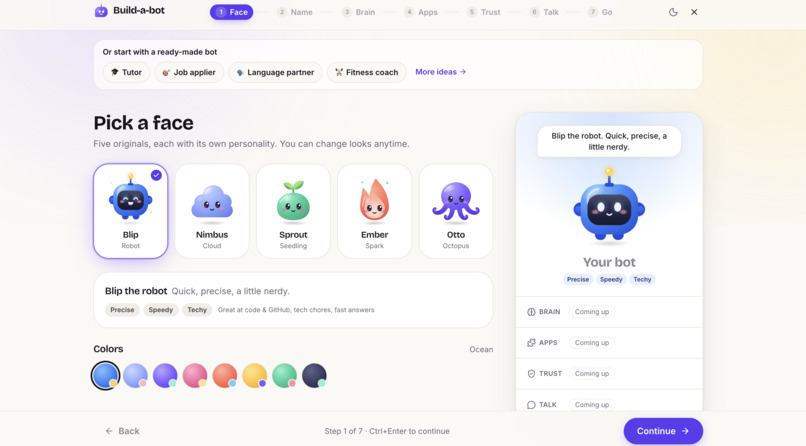
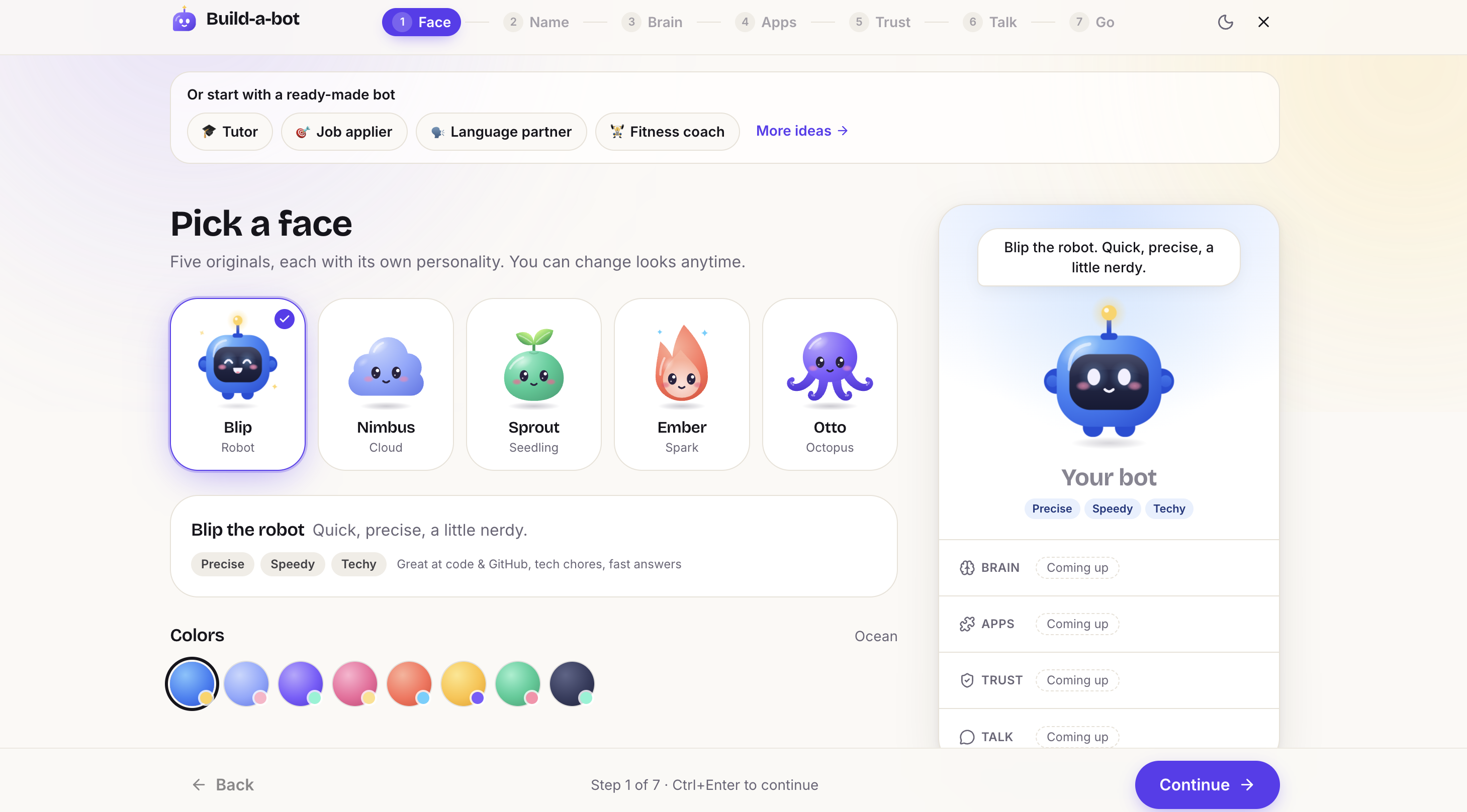
Step 1: Choose how you want your bot to look.
-
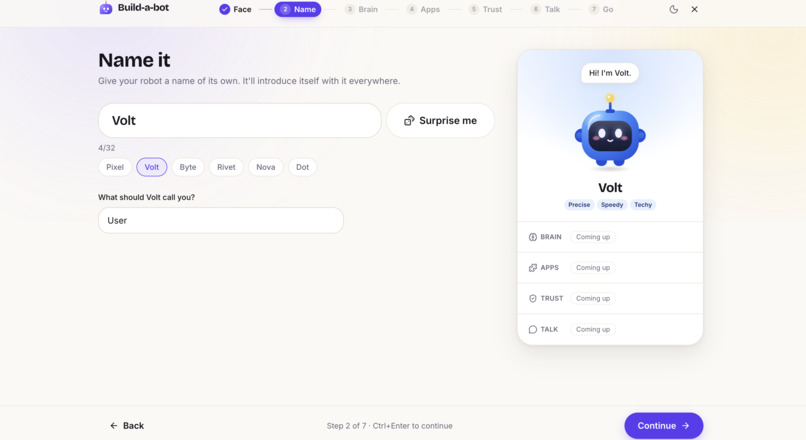
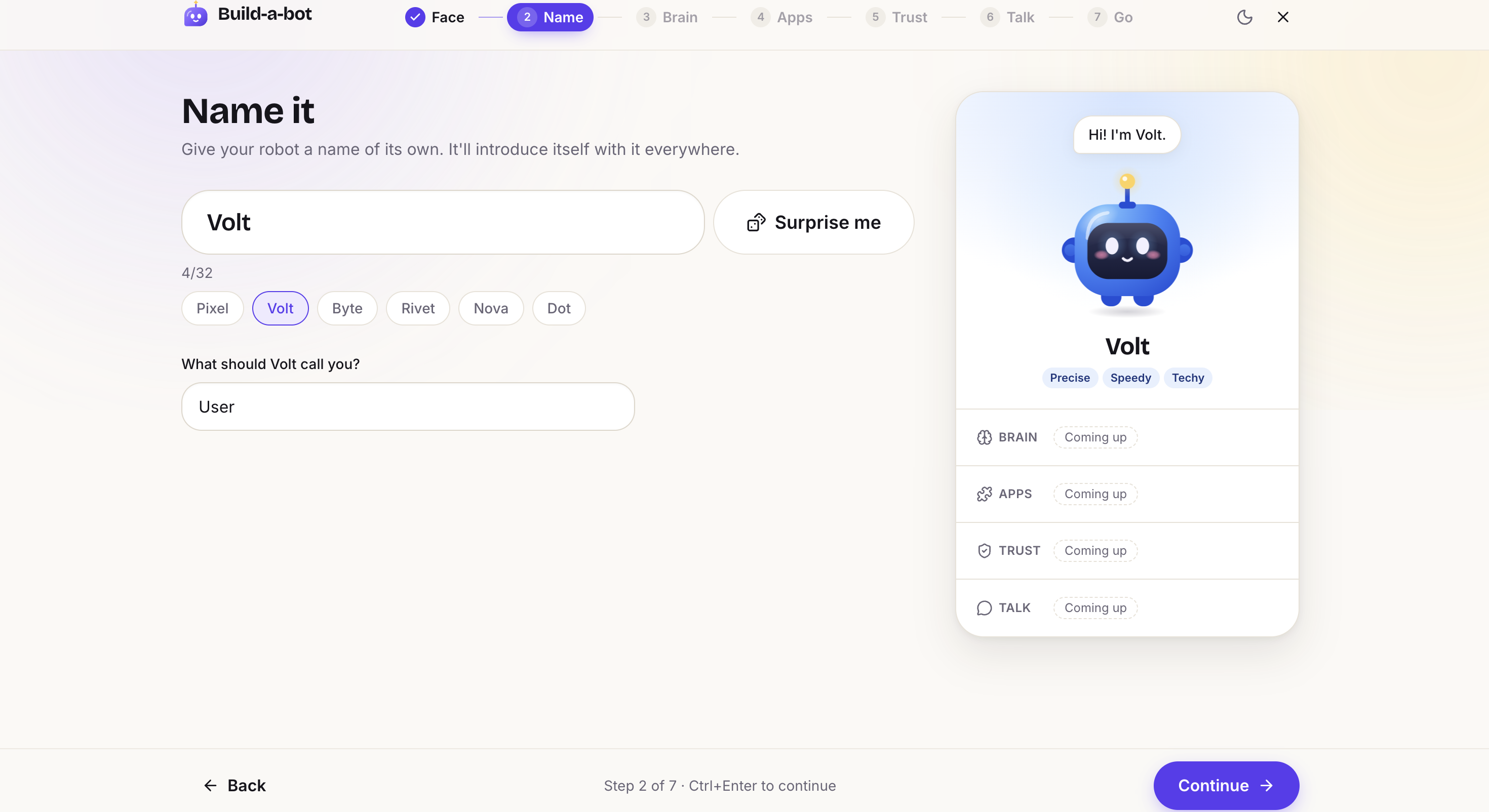
Step 2: Give your bot a name, and choose what it should call you.
-
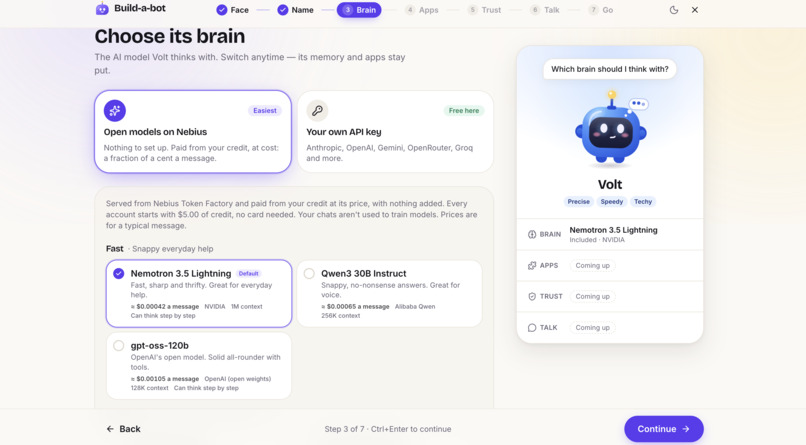
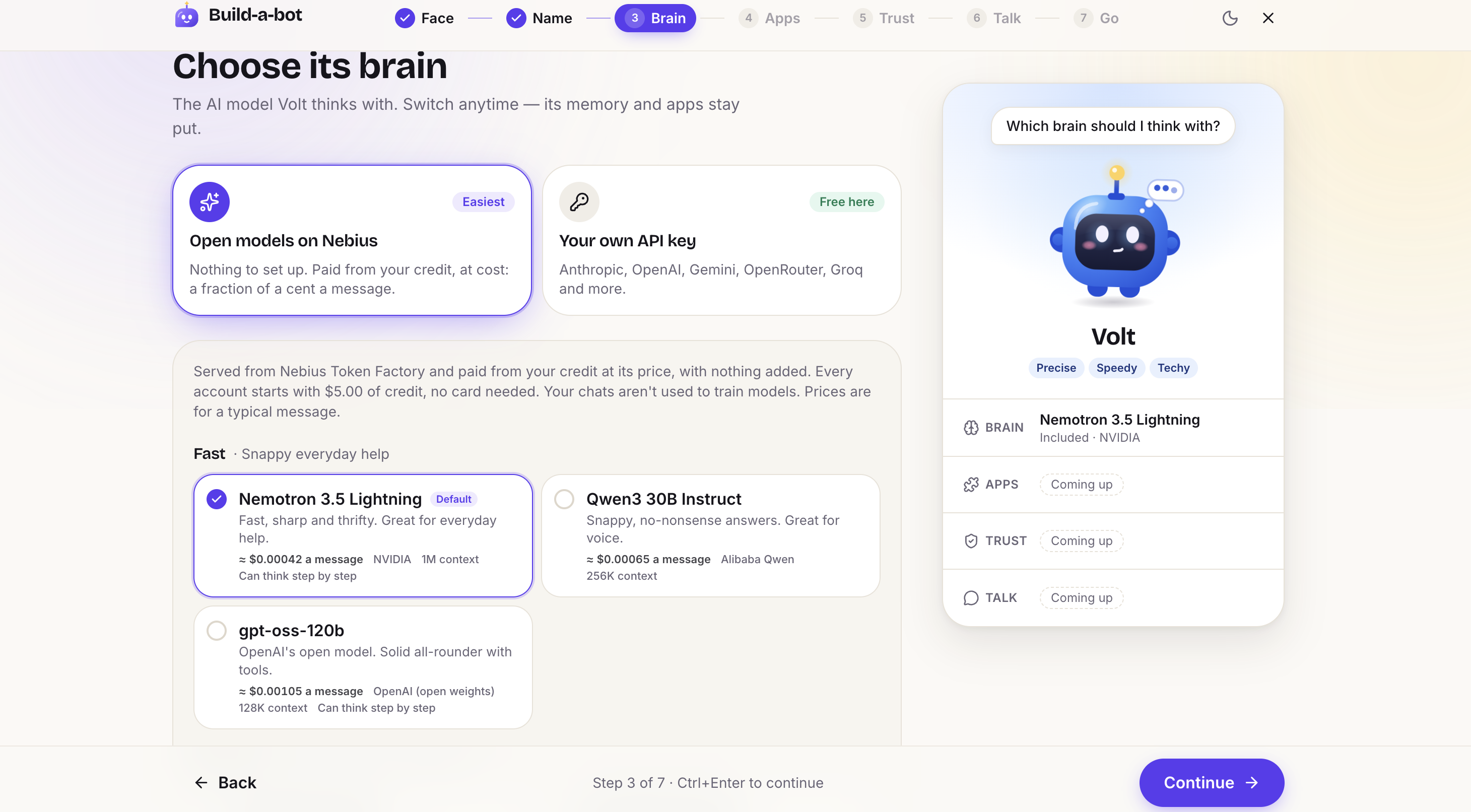
Step 3: Choose what open model your bot should run on from Nebius Token Factory.
-
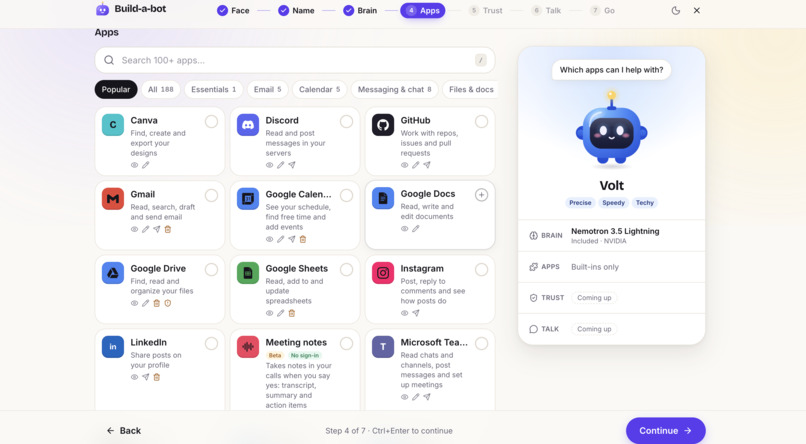
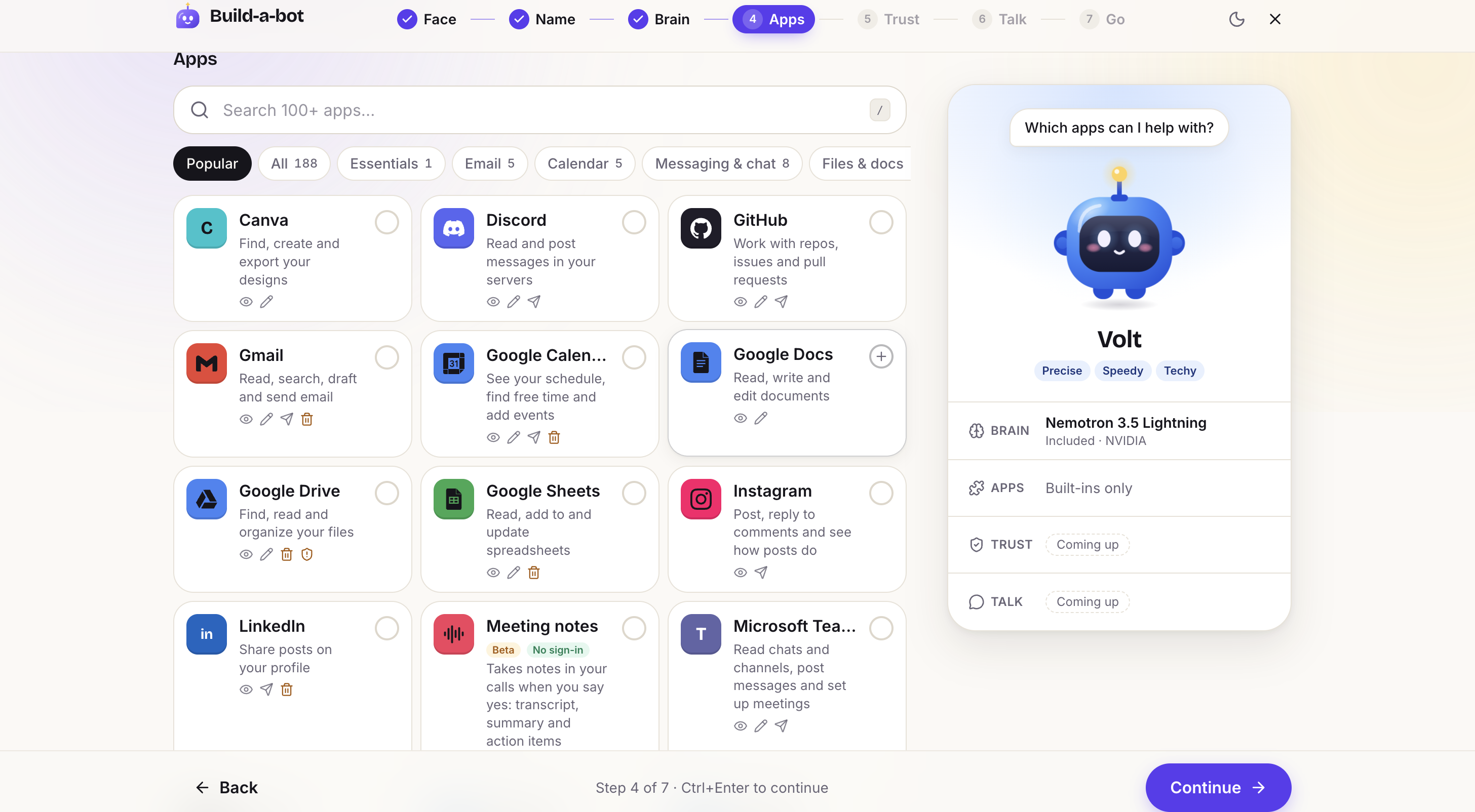
Step 4: Choose what apps you want your bot to have access to.
-
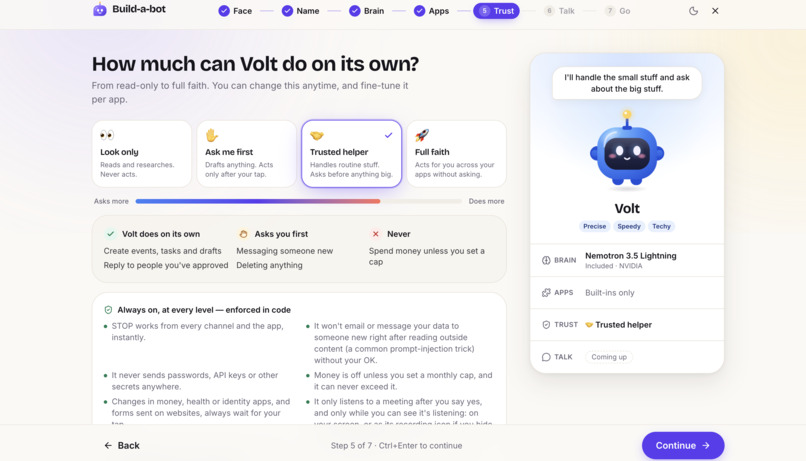
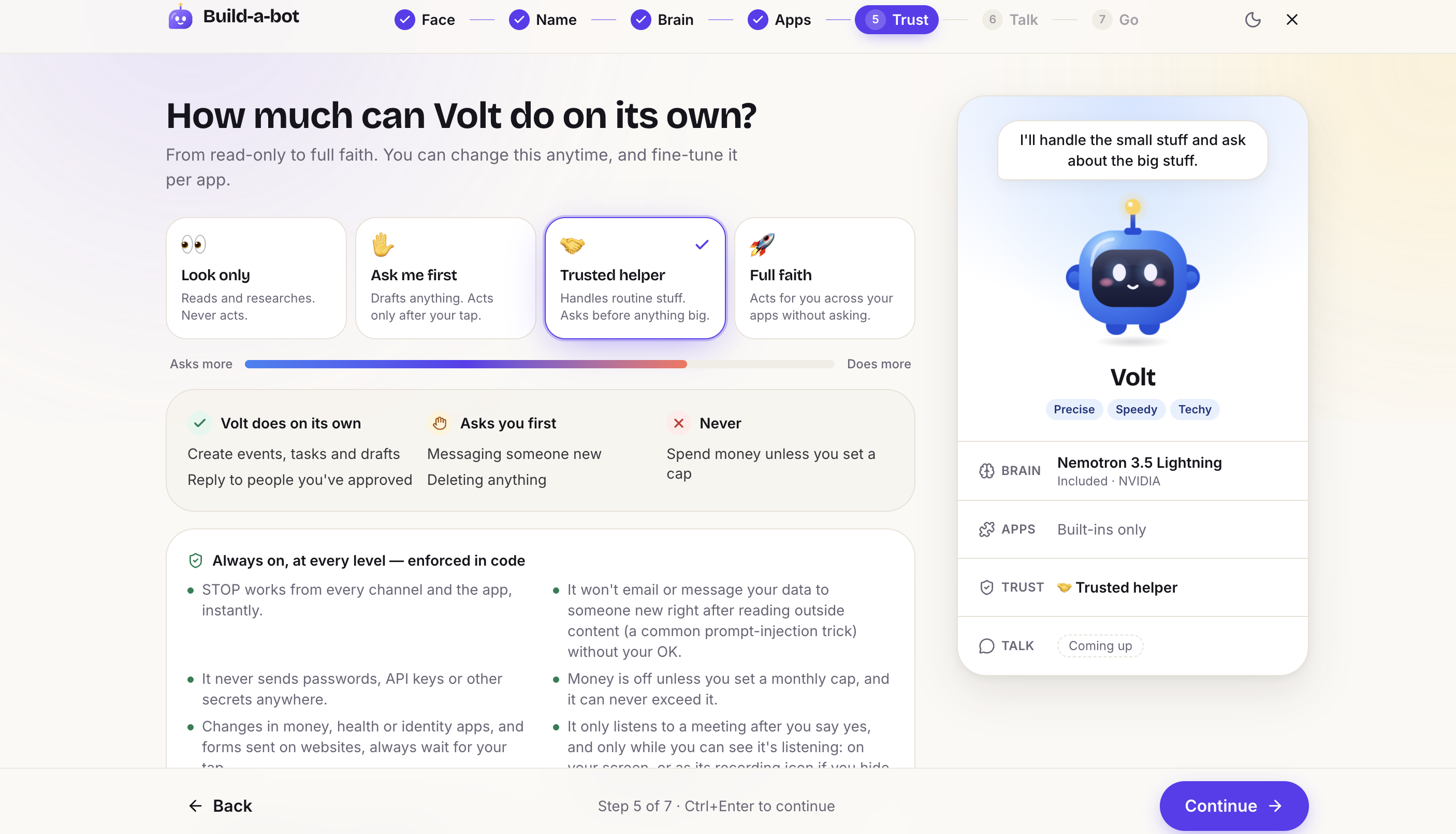
Step 5: Choose the autonomy and permissions your bot has.
-
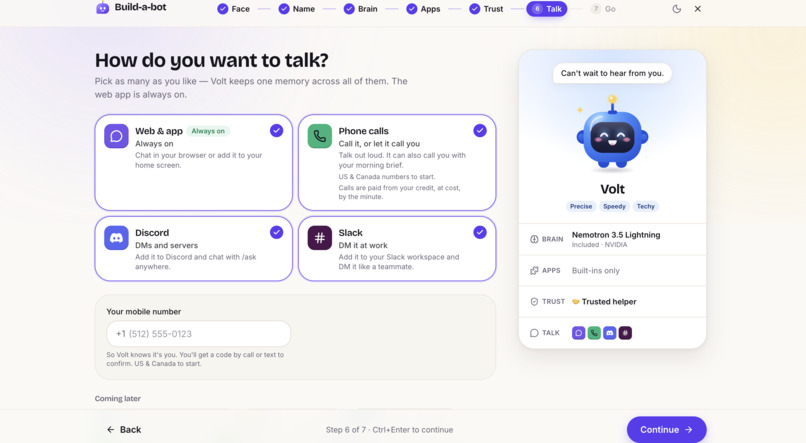
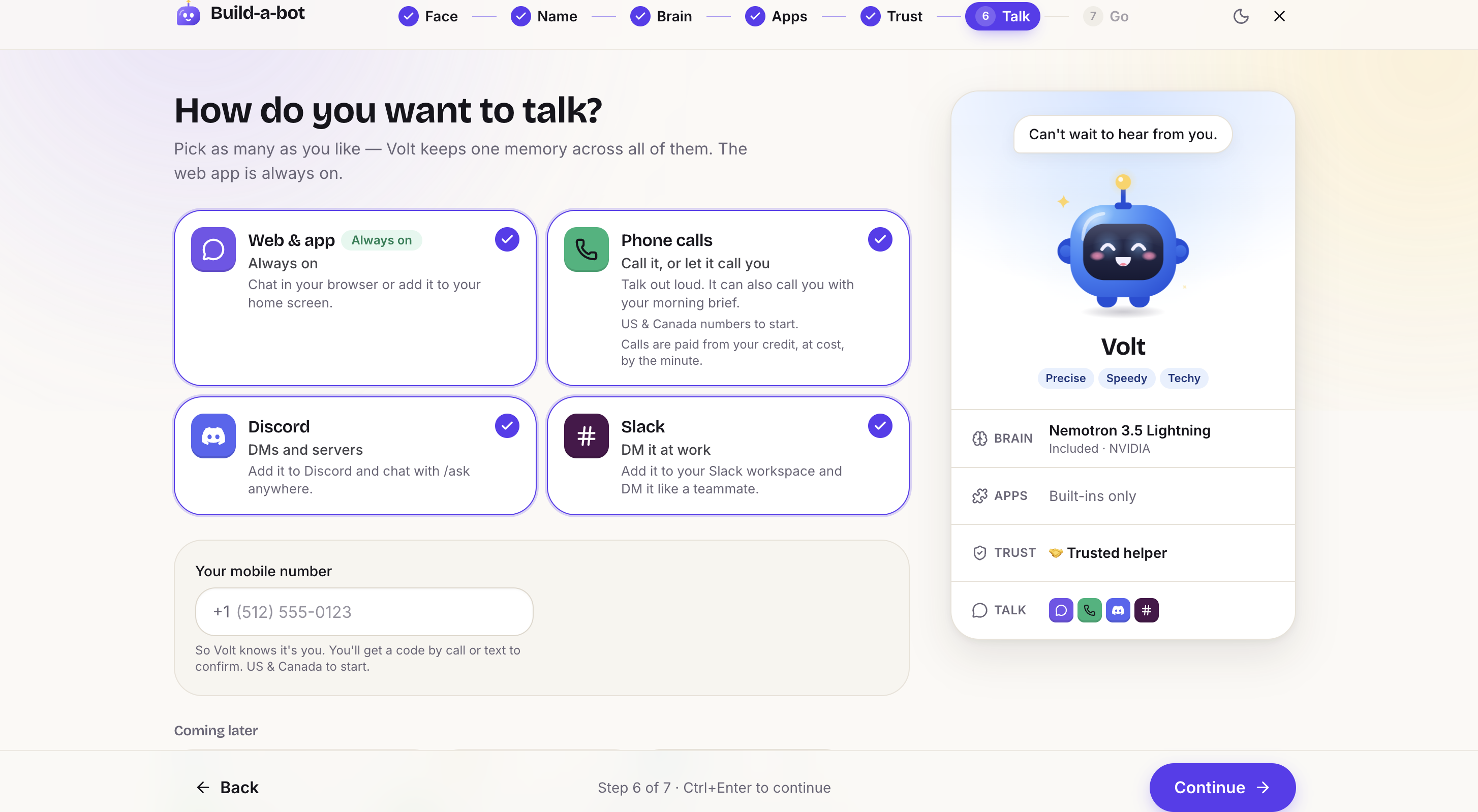
Step 6: Pick where you want to talk to your bot. You can call it, or talk to it via the site, slack, and discord.
-
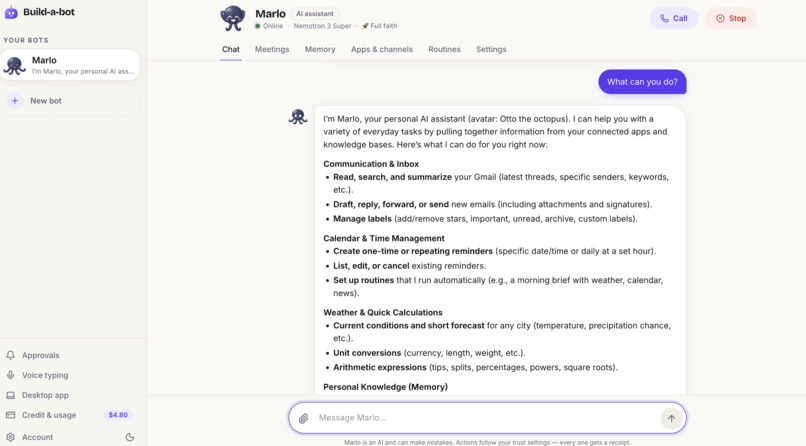
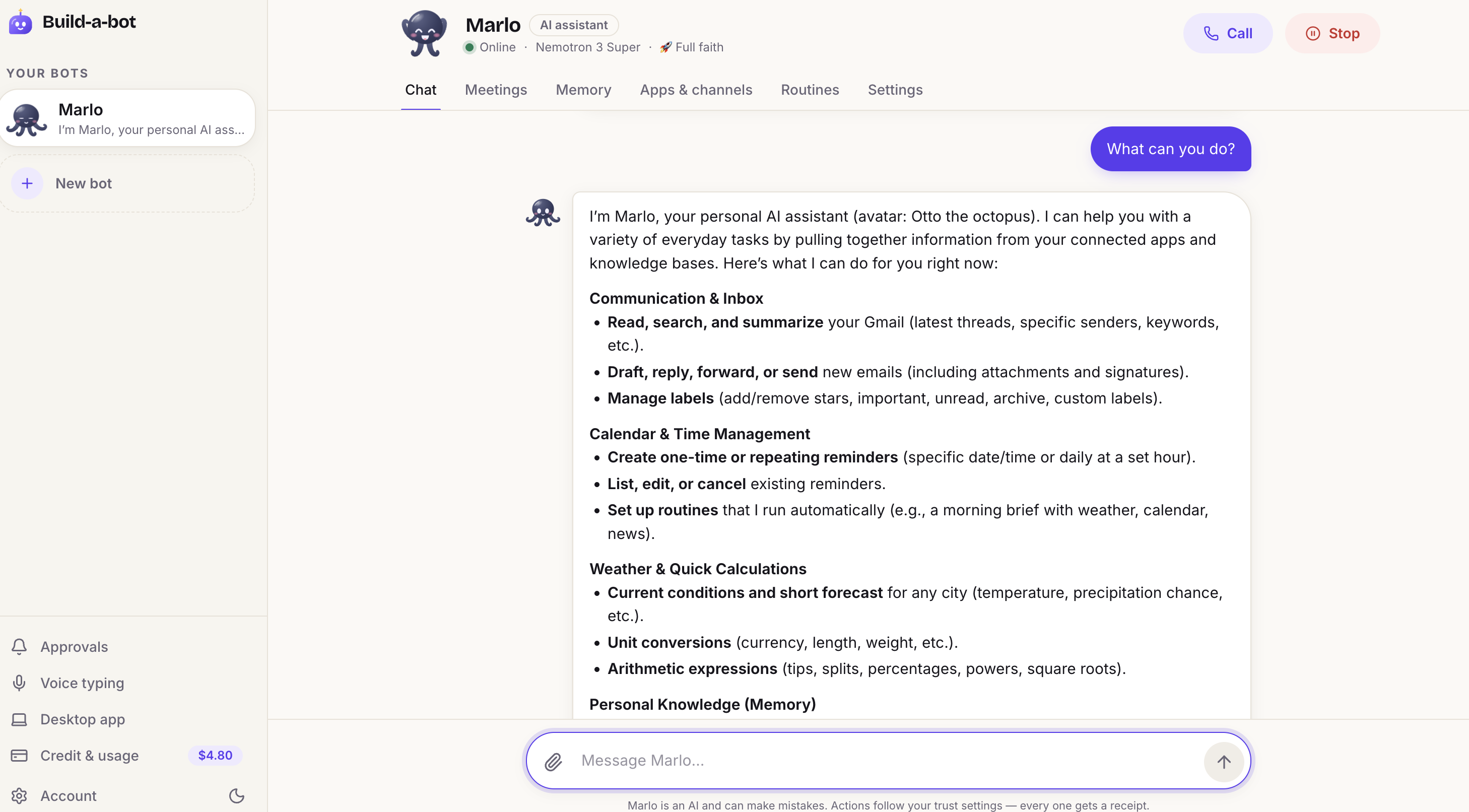
Here is what your bots home page looks like.
-
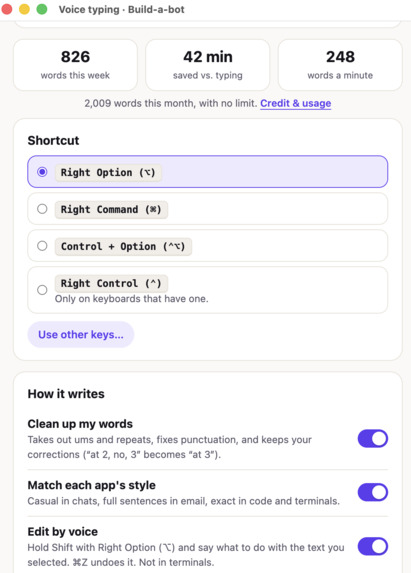
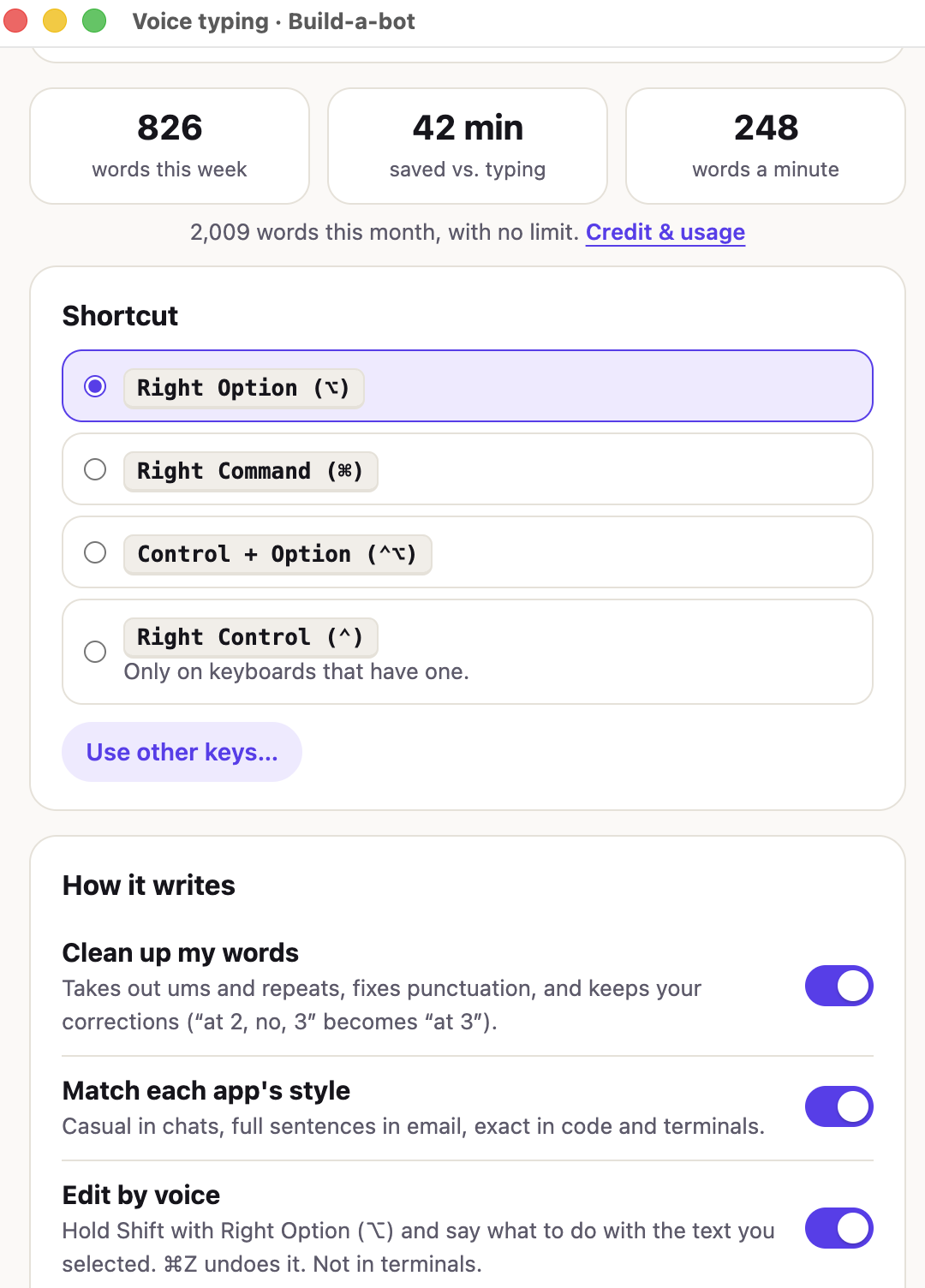
If you download the app, you can voice type anywhere (like Wispr) using NVIDIA Parakeet and choose what button on your keyboard to press.
-
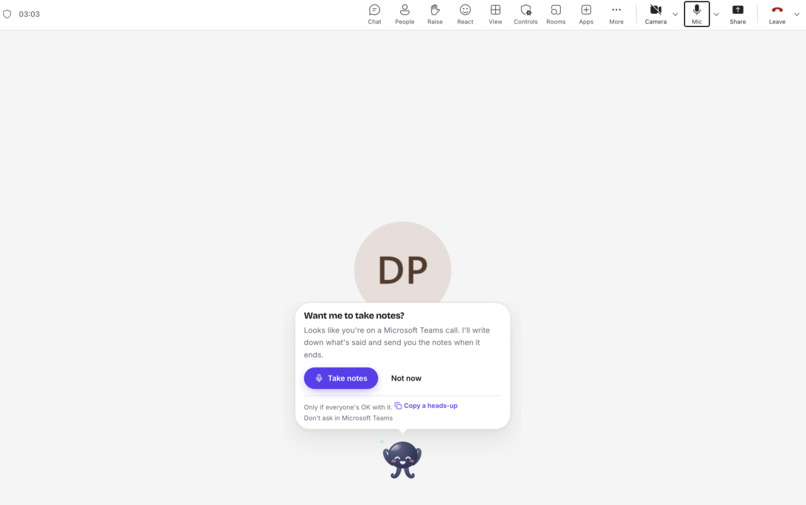
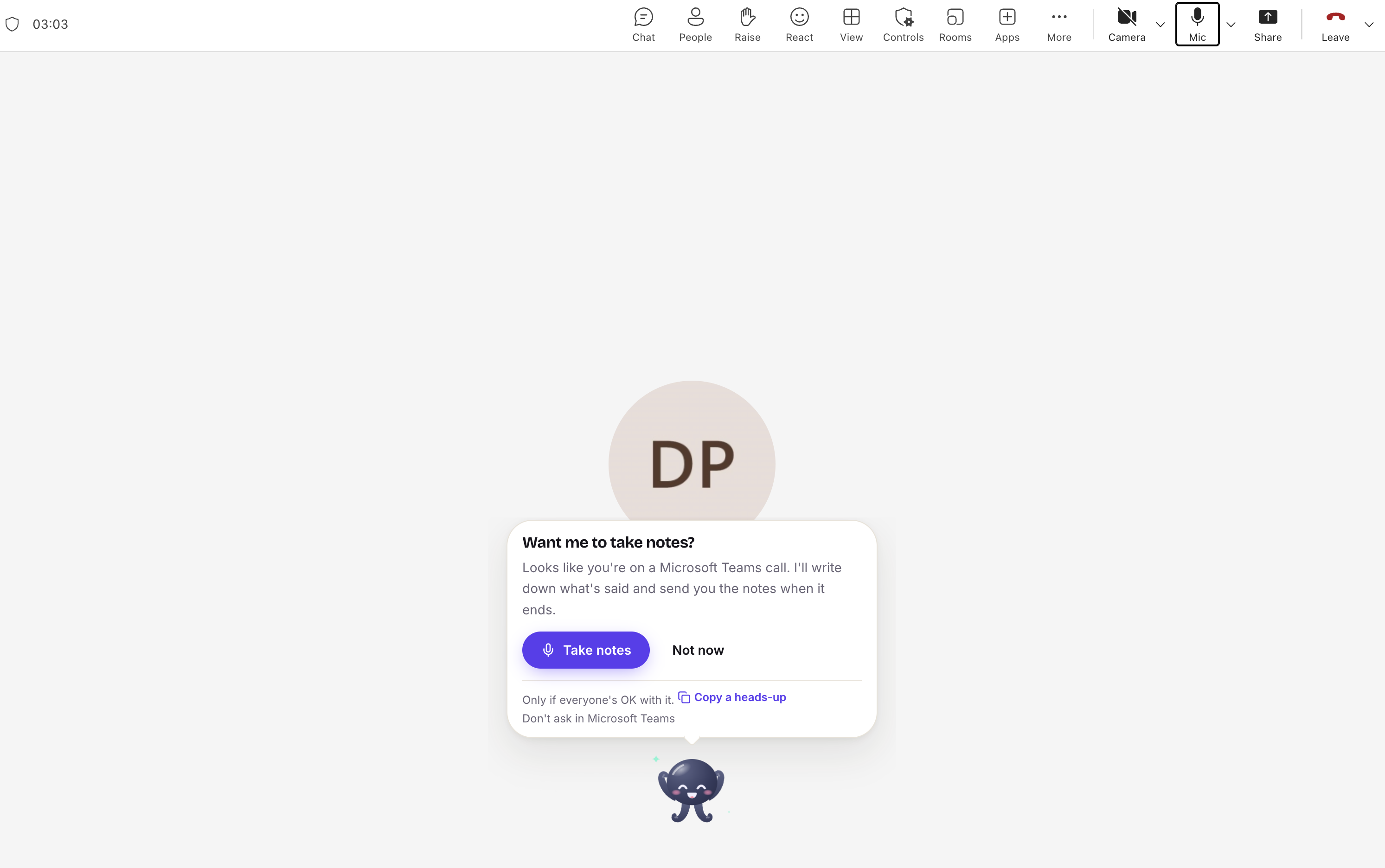
If you download the app, your bot can record your meetings, transcribe and summarize them, and remind you of action items from the meeting.
-
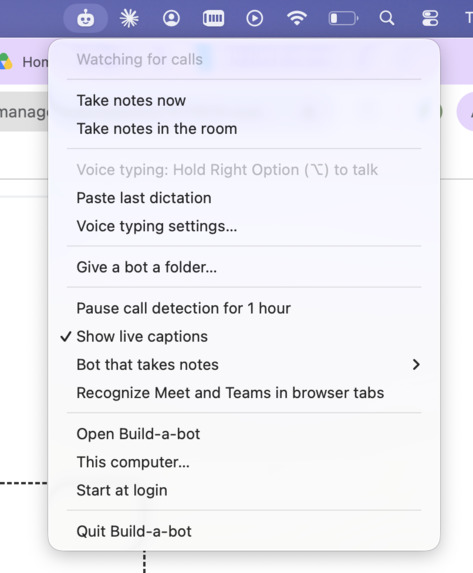
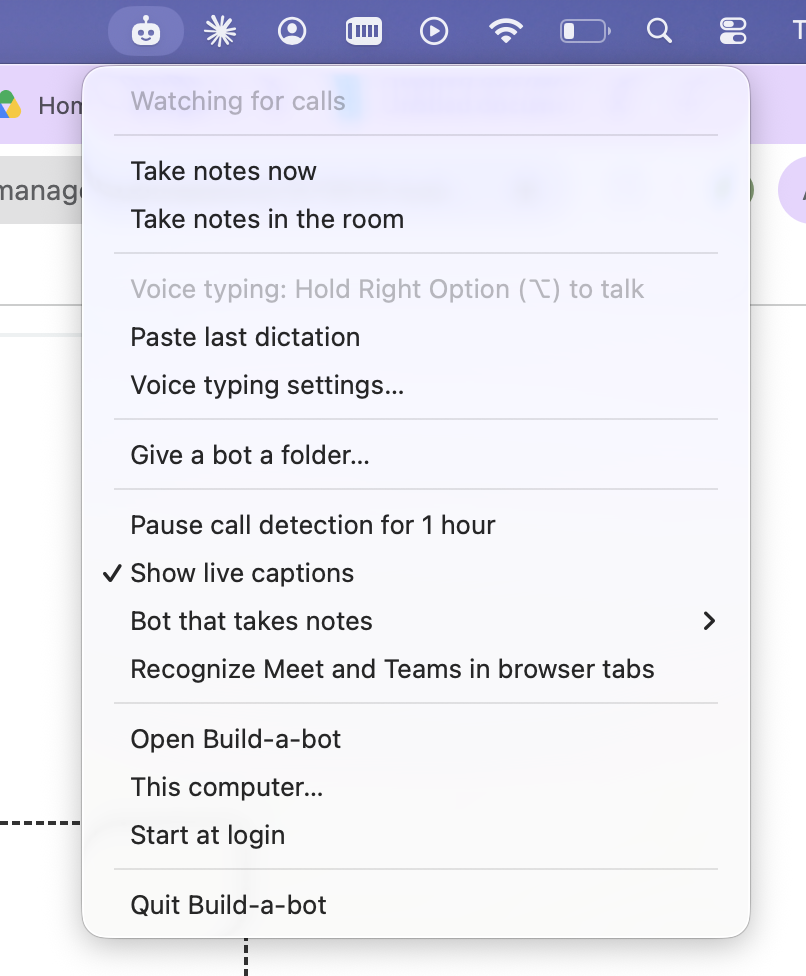
Build-a-bot lives in your menu bar: take meeting notes, hold Right Option to voice type, or give your bot a folder.
Inspiration
Personal AI agents are exploding right now, but in my opinion no one is doing it right. Open-source agents like OpenClaw are powerful, but running one yourself means a terminal, API keys and a computer that stays on, which is a lot to ask of a non-technical person. ChatGPT, Claude and Meta AI are easy to start, but many people don't trust those companies with their data, and their zero data retention is only for approved business customers. Even AI dictation apps like Wispr Flow send your voice to their servers to be transcribed.
I saw this firsthand. Friends and family got excited about using AI, then stopped when setting up OpenClaw became a hassle. They told me they didn't trust OpenAI, Anthropic or Meta with their data, especially with no zero data retention option.
So I built a personal AI assistant that's easy to set up, transparent, and keeps you in control of your data.
What it does
Build-a-bot lets anyone easily set up their own personal AI agent in about a minute.
- Start from a recipe, or build your own. Nine ready-made recipes, like a tutor, a job applier or a deep researcher, start on NVIDIA Nemotron. Or build your own: pick one of five avatars and a color, give it a name, and choose its “brain” from open models on Nebius.
- Choose its apps. Pick exactly which apps it can access: Gmail, Google Calendar, Drive and many more, plus any MCP server. Connect or disconnect them at any time.
- Set its limits. Four trust levels, from Look only all the way to Full faith. Every action gets a receipt that can't be edited.
- Pick where you'll talk. The website, Discord, Slack, or even a phone call. Texts, email, Telegram and WhatsApp are what I want to build next. I want your bot to meet you wherever is most convenient.
- It does real work. It searches and reads the web, remembers what matters, and keeps your reminders and routines. Take the Tutor for example; give it a syllabus, lecture slides or even a photo of handwritten notes, and it makes flashcards and quizzes, each card showing where it came from.
- The desktop app. When downloaded your bot takes notes in your Zoom or Teams meetings (it asks first), and the summary, decisions and action items are waiting when the call ends. It also does voice typing in anywhere. NVIDIA Parakeet (which runs inside the desktop app) hears it all on your own computer, so the audio never leaves it, meaning if you talk about something sensitive in a meeting, the audio stays with you. The transcript goes to your bot, to write the notes, on a model with zero data retention.
- You stay in control. The included models run with zero data retention. Build-a-bot doesn't sell your data or use it to train AI, and you can export or delete everything whenever you like. It's all open source.
How I built it
The brains: open models from Nebius Token Factory, with zero data retention.
- Every included brain is a Token Factory call. NVIDIA Nemotron 3.5 Lightning is the default because it's fast and cheap. Nemotron 3 Super and Ultra take the harder jobs, and Qwen, DeepSeek, GLM, Kimi, MiniMax, gpt-oss and Hermes models are a tap away. People can also bring their own api key from Anthropic, OpenAI, Google Gemini, OpenRouter or any OpenAI-compatible endpoint.
- Zero data retention is on for Build-a-bot's whole Token Factory organization.
- No plans and no markup: people pay Token Factory's price.
Your voice stays on your computer: NVIDIA Parakeet in the desktop app.
- The desktop app downloads Parakeet TDT 0.6B v3 and runs it right on your computer with NVIDIA's NeMo-Speech.cpp. On Apple silicon Macs it runs on the GPU, and on the CPU everywhere else.
- On Windows, NVIDIA's runtime ships inside the installer, signed with Build-a-bot's own certificate, because Windows 11's Smart App Control won't run unsigned code it doesn't know.
- Voice typing sends only the words to the server, where Nemotron cleans them up.
- Meetings are heard and only the transcript lines go to the server, where Nemotron writes the summary, decisions, open questions and action items. That step has no tools at all, so nothing said in a meeting can make the bot act.
- The audio never leaves the computer, and there's no speech server to pay for.
Calls on NVIDIA's speech models, on Build-a-bot's own server.
- For calls, a server on Google Cloud keeps Parakeet (to hear you) and NVIDIA Magpie (to talk back) loaded and ready, on CPUs alone. To make Magpie fast enough, I built NVIDIA's engine for that exact processor (AVX-512 and AMX) and shrank Magpie to 8-bit weights (Q8_0).
- Silero VAD and a turn detector decide when you've finished. Nemotron 3.5 Lightning holds the conversation and hands real work to the bot's own agent, with its apps, memory, approvals and receipts: the front and back agents of NVIDIA's voice agent blueprint.
- Magpie's audio streams as it's made, and stops mid-word when you cut in.
- In a benchmark with a scripted caller, the first word comes about 1.3 seconds after you stop talking. On live calls, where Nemotron thinks first, it's usually about 3 seconds.
- Phone calls come in over Twilio Media Streams.
Apps and the web.
- Apps connect through Composio's one-click sign-in or the app's own MCP sign-in, anyone can add a remote MCP server.
- Tavily is every bot's web search and page reader, and the tutor's fact checker.
Safety in code, not in the prompt.
- Four trust levels, enforced by a policy engine.
- Approvals and receipts for every action.
The stack: Next.js on Vercel, Postgres, a signed, self-updating Electron app for Mac and Windows, and a Google Compute Engine VM for calls. It's all open source under Apache 2.0.
Challenges I ran into
- Keeping an agent with real access safe without making it useless. The answer was trust levels and approvals enforced in code, with hard limits that hold even on Full faith.
- One engine for voice typing and meetings at once. A dictation goes ahead of the meeting's pieces.
- A call that feels like a conversation, on CPUs alone. On NVIDIA's prebuilt binary, Magpie ran at about half of real time on the call server, too slow to stream. Building it for the CPU's AVX-512 and AMX, switching to Q8_0 weights and splitting the cores between Magpie and its codec made it fast enough. Then came turn-taking: starting the answer at the first pause, knowing when someone has really finished, and remembering exactly what the caller heard before they cut in, so the bot never claims to have said something it didn't.
- One phone number for everyone's bots. Early on, a tester called and got my bot instead of his own. It treated him as a stranger, so he could only leave a message. Now the caller's verified phone decides which bot answers.
Accomplishments that I’m proud of
- It's live. Nothing on build-a-bot.site is simulated. Anyone can build a bot, chat with it, call it, connect their apps and install the desktop app today, and it went from first commit to live in under a month.
- A real phone conversation with your own agent, on CPUs alone. NVIDIA Parakeet and Magpie on Build-a-bot's own server answer in about three seconds, and you can interrupt mid-word.
- NVIDIA's speech model on people's own computers, in a signed app for Mac and Windows, so voice typing and meeting notes never send audio anywhere.
- Privacy that's real, not a promise: zero data retention on every included model, and your voice stays on your computer.
- Safety that lives in code. A bot can't talk its way past an approval, because a policy engine decides, not the prompt.
- A tutor that shows its work. Every flashcard shows its source, and answers that aren't from your files are checked with Tavily first.
- Fair, at-cost pricing: $5 of starter credit is about 12,000 messages.
- It's open source, under Apache 2.0.
What I learned
- Safety belongs in code, not in the prompt. Prompts can be argued with. A policy engine with approvals and receipts can't.
- On a call, timing is crucial. Starting at the first pause, knowing when someone's really done and tracking what the caller actually heard are what make it feel like a conversation.
- CPUs can carry a voice agent if you build for them. Compiling for the machine's AVX-512 and AMX, Q8_0 weights and splitting cores with the codec took Magpie from about half of real time to fast enough to stream.
- On-device is the private choice and the affordable one. Running Parakeet on the user's computer made speech-to-text free to run and kept the audio at home.
- Test with real people. A friend's real phone call is what found the shared-number bug.
- Fast, cheap open models make cheap pricing possible. At about $0.0004 a message on Nemotron 3.5 Lightning, Build-a-bot charges exactly what it costs.
What's next for Build-a-bot (build-a-bot.site)
- Bots that work together. Your bot could work things out with a friend's or a coworker's bot: find a time to meet, split up a group project or plan a trip. Each one shares only what its owner allows, and asks before it agrees to anything.
- More ways to talk: texts and email, as soon as the phone number's carrier registration and a mail domain are done, then Telegram and WhatsApp.
- Your bot calls you back when a long job is done.
- Knowing who said what in meetings, with NVIDIA's Sortformer in the same engine, so every action item has the right name.
- One call to run your other agents: your own coding agent on your computer, research, a cloud browser.
- A front desk for small businesses.
Built With
- c++
- composio
- electron
- google-cloud
- mcp
- nebius-token-factory
- nemo-speech.cpp
- next.js
- node.js
- nvidia-magpie
- nvidia-nemotron
- nvidia-parakeet
- onnx-runtime
- postgresql
- react
- silero-vad
- supabase
- tailwindcss
- tavily
- twilio
- typescript
- vercel

Log in or sign up for Devpost to join the conversation.