
Inspiration
As meeting hosts and educators, it may be difficult to discern audience engagement and get live feedback from presentations. We want to offer a quick and efficient method for hosts to gauge how well the participants might be digesting their content, such that they can easily reflect on others' experiences to better recognize students' learning styles and adapt teaching approaches to improve quality of learning for more students.
As students ourselves, we feel that sometimes it could be uncomfortable providing direct feedback to our instructors. Traditional methods to the feedback cycle often require students to offer feedback at certain time intervals, such as at the middle and end of a course. It can be a struggle to verbalize our thoughts and we exponentially lose recollection of details as time passes. Despite the insights that these methods offer, they can lack accurate representation of all students at relevant time intervals.
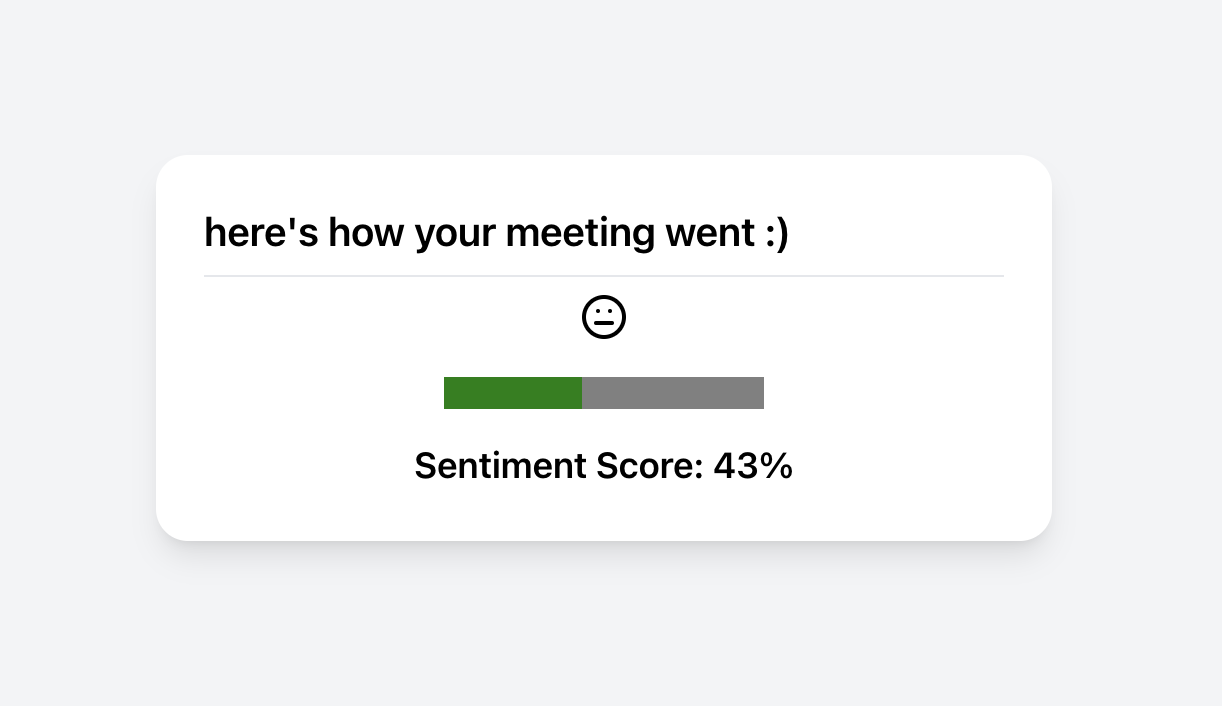
With ZoomPulse, Zoom hosts can automatically receive aggregated and immediate feedback about their meeting based on participant expressions, post end of the recording.
What it does
Once ZoomPulse is running in the background, hosts can run and record their Zoom meetings. After the recording is complete and the host has finished the meeting, ZoomPulse quickly generates the average sentiment of the participants and display it onto the website. ZoomPulse's approach to determining the sentiment involves taking snapshots of the Zoom recording, analyzing each frame for emotions, and taking aggregates of the sentiment to determine overall meeting satisfaction.
How we built it
ZoomPulse is a web application built on the Flask framework, with Python running in the backend and ReactJS materializing what our users see and interact with. We implemented a webhook to receive events sent by Zoom to our application's endpoint on our server side. The webhook has been developed such that any Zoom meeting video recorded on Cloud will be retrieved after the corresponding meeting ends. We also employed the Python Deepface library to assist in facial attribute analysis in regards to participant emotions throughout the meeting recording.
Challenges we ran into
- Zoom
- Setting up webhook with Zoom
- Trying to work with Real-Time Media Streams, ultimately deciding to pivot our approach
- Web Dev
- Learning how to use ReactJS and building a full-stack web application from scratch
Overall, our team have gained tremendous experiences with web development and with the features of the Zoom Developer portal.
What's next for ZoomPulse
So much! We see lots of potential features and verticals that ZoomPulse can embark in during the near future.
- Line charts for visual fluctuation of sentiment: we would like to implement a visualization of the change in attendee sentiment throughout the meeting. With the support of AI tools to analyze the topic of discussions at certain points of the meeting, we can help hosts identify positive and negative sentiments for specific parts of the meeting. This can also be adapted for visualization of per-user engagement.
- Evaluate levels of participation => user participation leaderboard page for post-meeting: with data about each user's use of the polling feature and raise hand feature, ZoomPulse can offer another way to share engagement results with Zoom meeting hosts. As well, this feature allows ZoomPulse to also increase engagement for the users by building a leaderboard page that users can view after the meeting. This can be an incentive for the attendees to be more engaged and interact with the host more throughout the meeting through polls and reactions.
Exploring the use of ZoomPulse in the workplace: In addition to fostering more inclusive, accessible learning experiences for students everywhere, we anticipate ZoomPulse's ability to enhance empathy between people to be valued in general workplaces. Just as student engagement is important in effective teaching, team meetings are most productive when the attendees are engaged and participating as well. ZoomPulse can contribute to a collaborative space that brings more transparency to the team, helping team leads and managers determine areas for improvements, keep track of the team's mental well-being and note tasks for prioritizing.


Log in or sign up for Devpost to join the conversation.