-
-
Logo
-
-
-
-
-
Inspiration
Modern project management tools treat user feedback and issue tracking as separate worlds. Teams collect feedback in spreadsheets, Slack channels, and survey tools, then manually translate insights into tickets — losing context along the way. We wanted to build a tool where feedback flows directly into actionable work items, powered by AI that understands what your users are actually asking for. The vision: what if your project tracker could listen to your users and tell you what to build next? Furthermore, what if we remove the friction layer of having to think deeply about spec sheets and writing down long pages of things, only for it to be incomplete? We aim to streamline the entire process, for all members of a team, be it an engineer or a PM.
What it does
Convex (cnvx) is an AI-powered project management platform that connects user feedback directly to engineering workflows, and now that code is cheap, we utilize a code-first approach to development as opposed to purely spec-driven development.
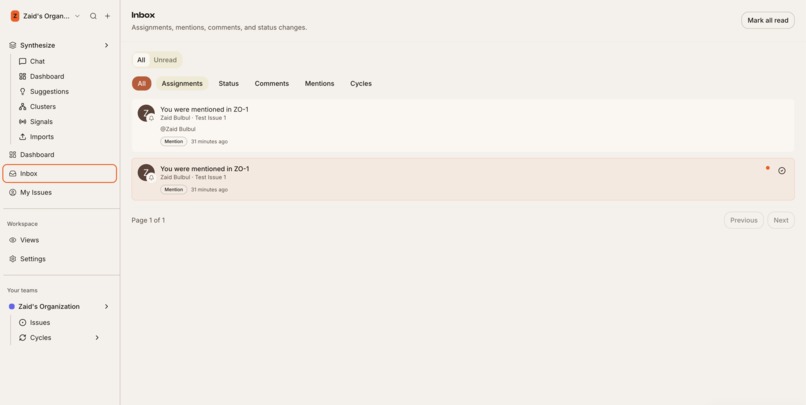
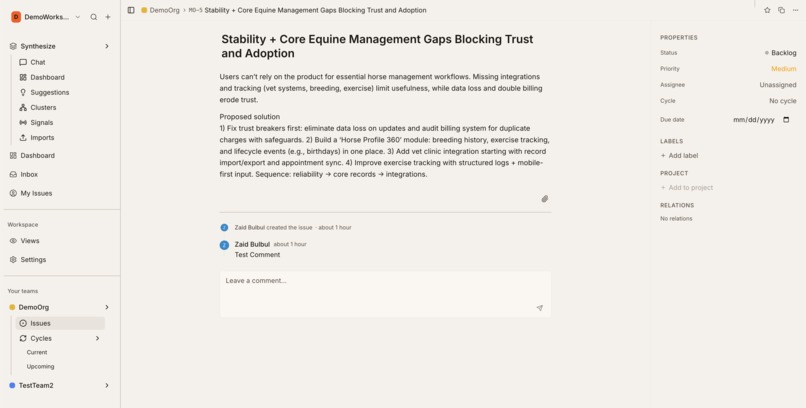
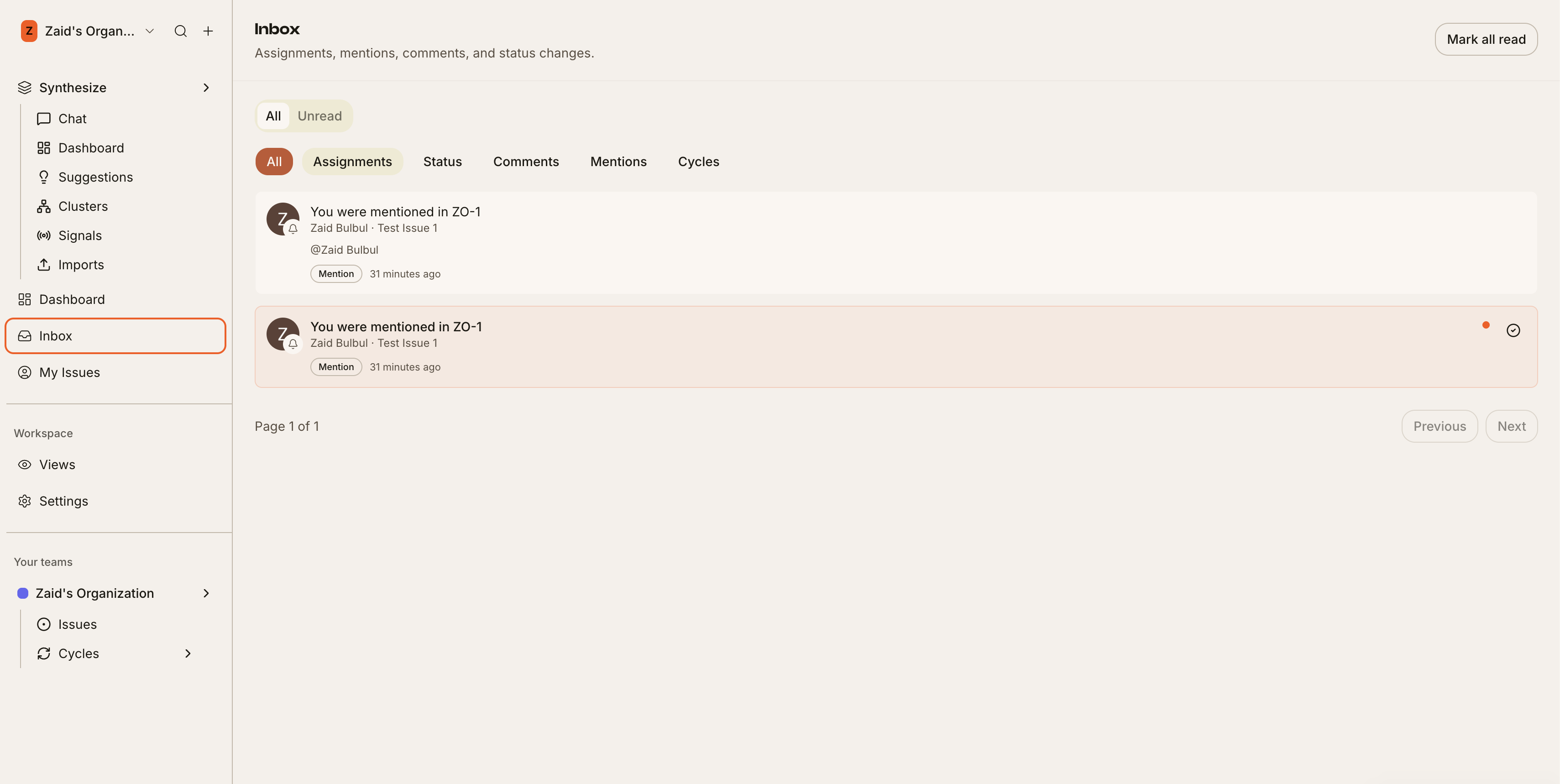
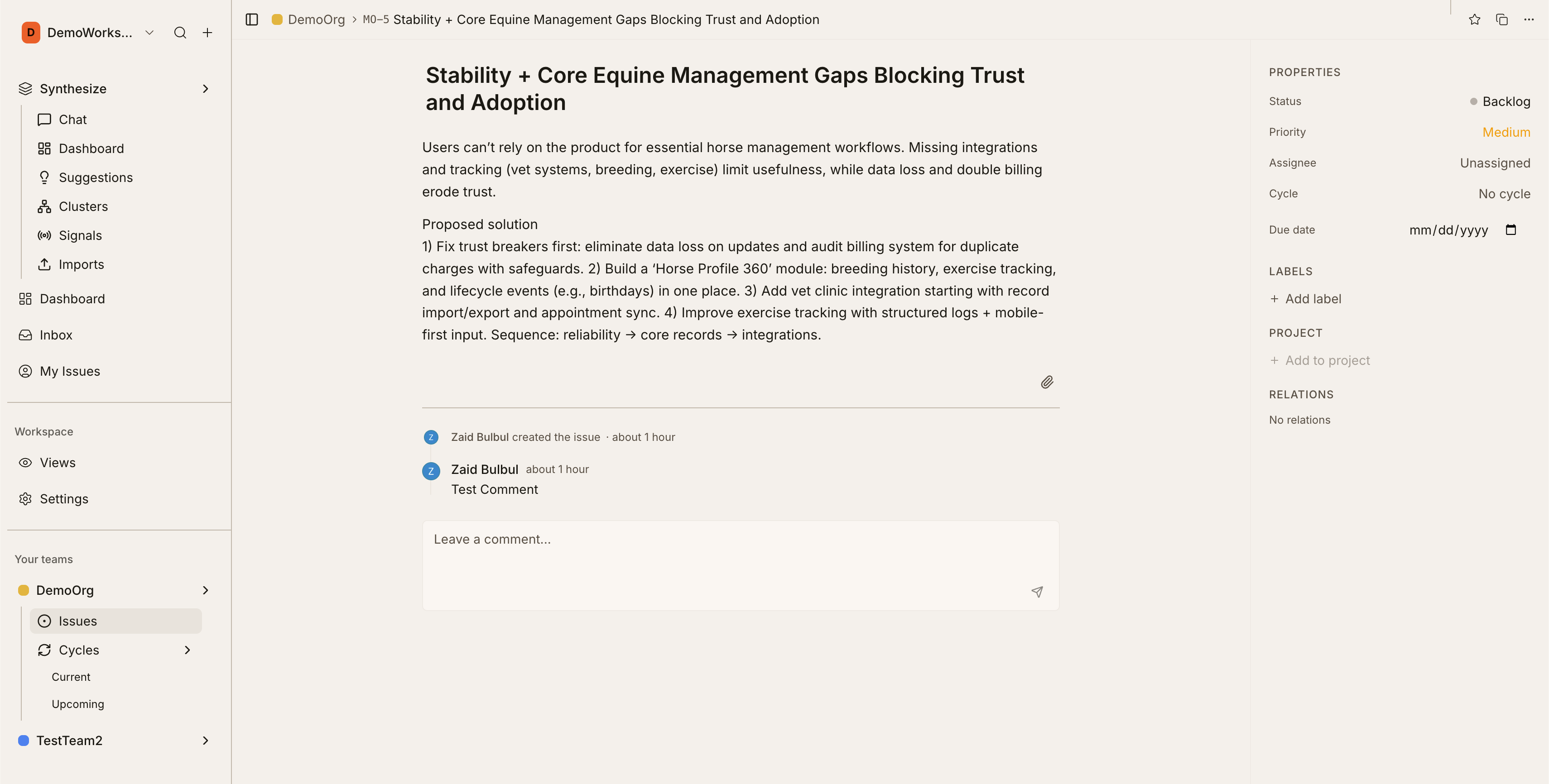
Issue Tracking & Sprint Planning — A full-featured issue tracker with Kanban boards, list views, sprint cycles (current/upcoming), priority scoring, labels, team-based workspaces, saved views with advanced filters, activity feeds, and a command palette for power users.
AI Feedback Intelligence — The standout feature. Users upload raw feedback (CSV, JSON, text files) into an AI chat assistant that:
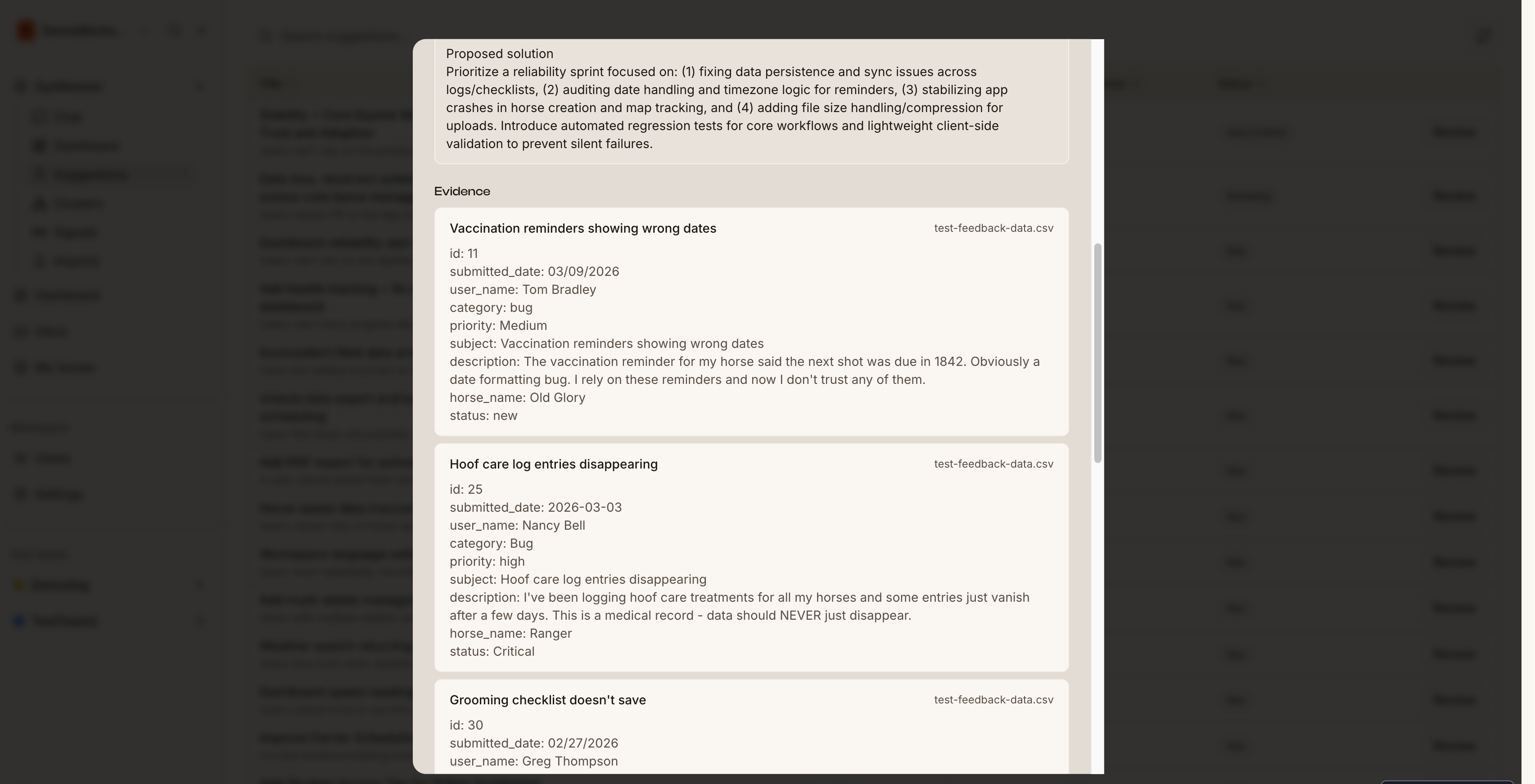
- Ingests and parses feedback files automatically — the AI reads directly from the database so it handles files of any size reliably
- Asks structured discovery questions through interactive step-by-step forms to gather context about the feedback source, timeframe, and feature areas
- Shows its work in real-time — users see tool executions, thinking states, and progress as the AI processes their data
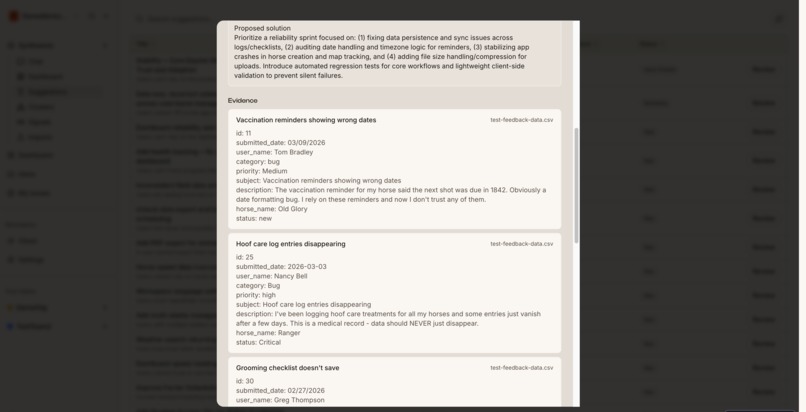
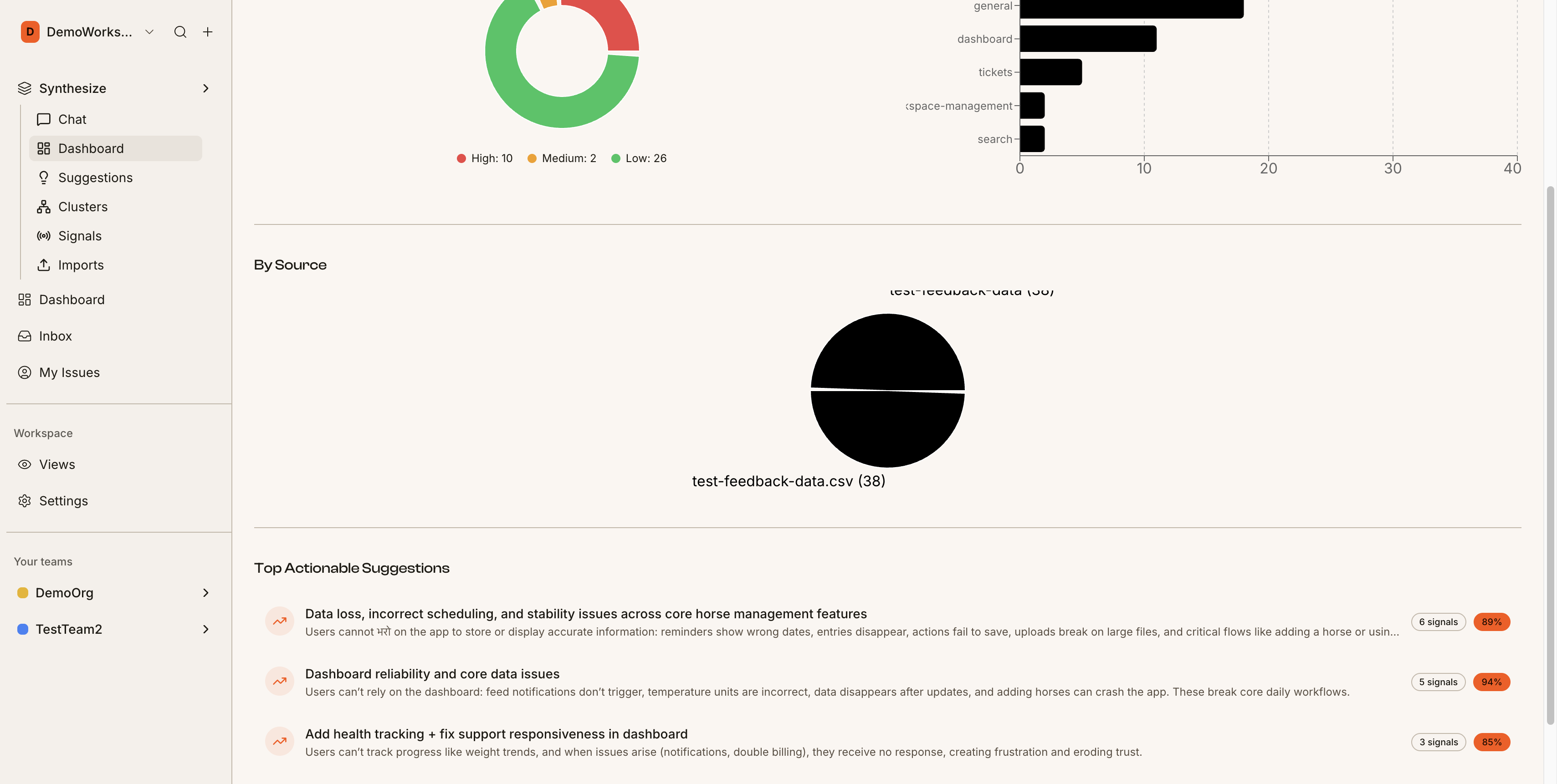
- Clusters related feedback, identifies patterns, and scores severity
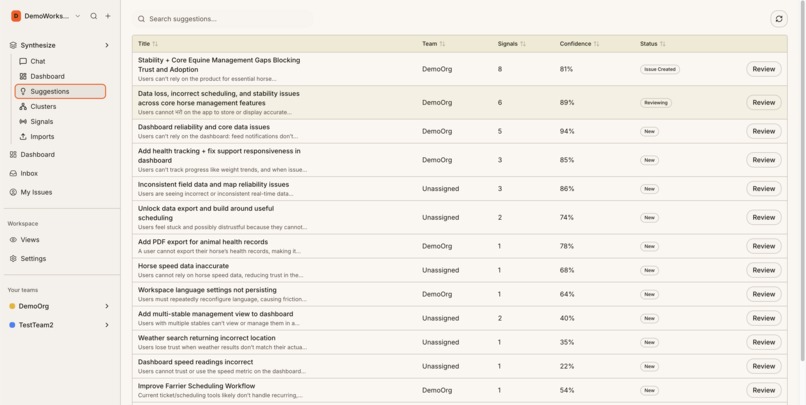
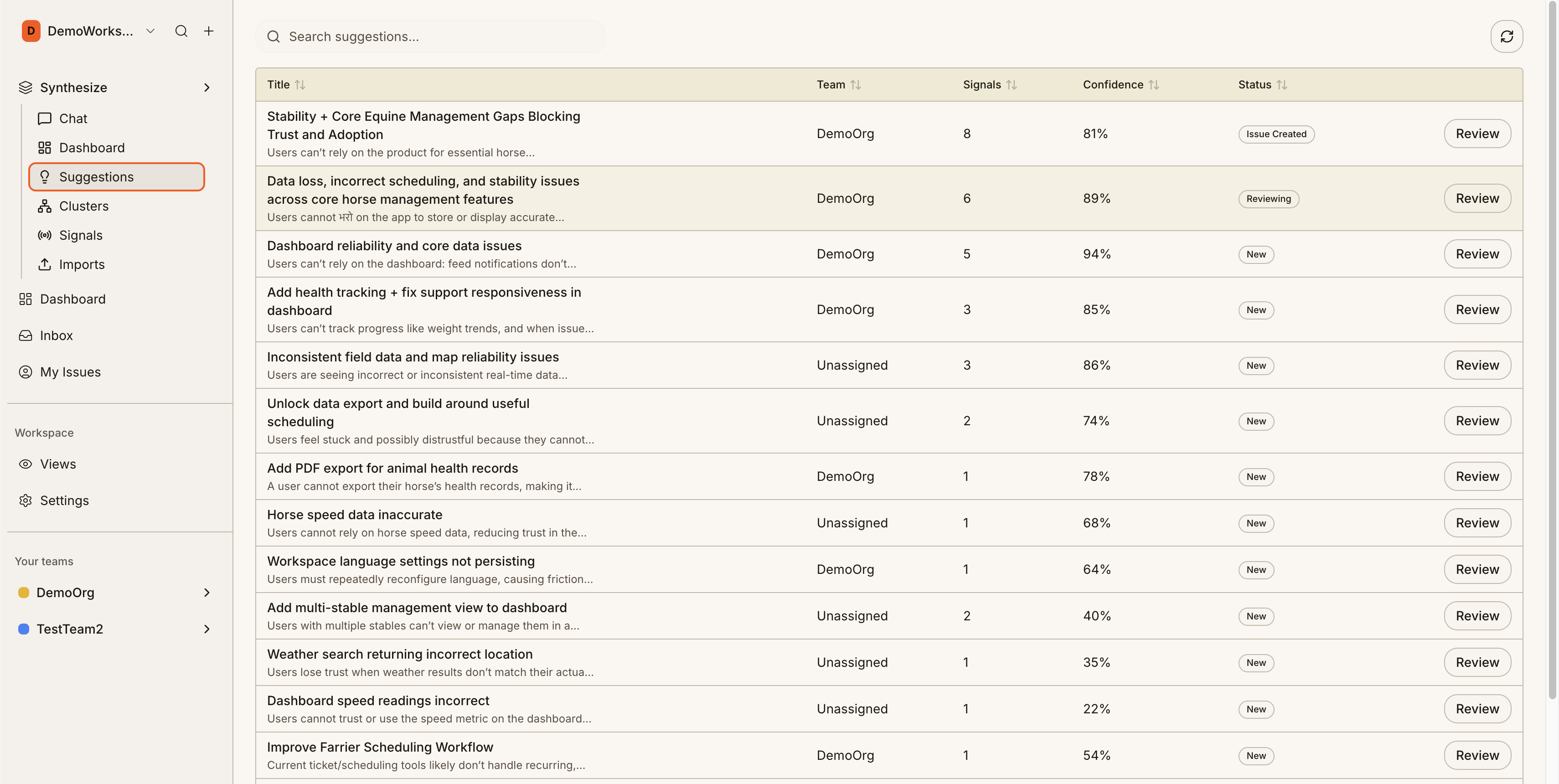
- Generates actionable feature suggestions with confidence scores
- Auto-creates issues from approved suggestions, closing the loop from user voice to engineering backlog
- Escalates issues to developers, and handles simple tasks on it's own
- Allows for PM's to take care of quick MVPs and iterate on ideas quickly, leaving the heavy lifting for the Engineers
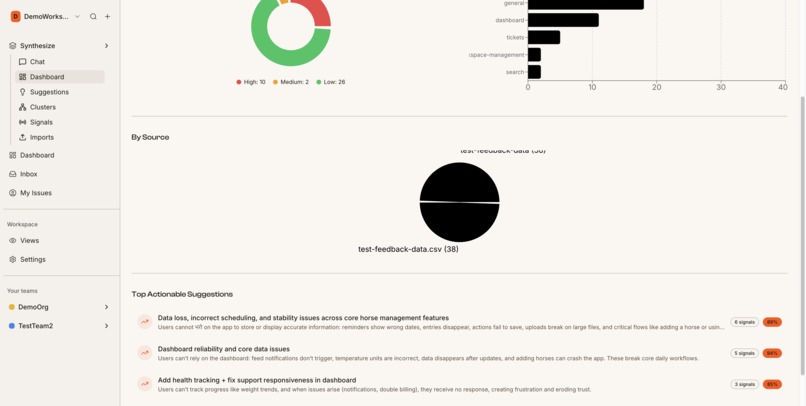
Analytics Dashboard — Visualizes feedback patterns with severity breakdowns, cluster distribution charts, and trend analysis across imports.
How we built it
Stack: TanStack Start (React 19 + SSR) with TanStack Router for file-based routing, TanStack Query for data fetching, and TanStack Table for data views. Turso (libSQL) for the database with Drizzle ORM. Clerk for authentication. Tailwind CSS v4 with shadcn/ui components.
AI Layer: Vercel AI SDK v6 with OpenAI models. The feedback chat uses the AI SDK's UI Message Stream protocol — streamText with toUIMessageStreamResponse on the server, useChat with DefaultChatTransport on the client. This gives us structured message parts (text, tool calls, reasoning) flowing in real-time.
Tool System: The AI agent has four tools — processUploadedFile (ingests feedback files by reading content directly from the database), askStructuredQuestions (a client-resolved tool that pauses the stream and renders an interactive form), updateReadinessScore (tracks analysis readiness), and getExistingFeedbackContext (checks for duplicate data). Each tool has a dedicated UI component showing real-time execution state.
Feedback Pipeline: A multi-stage analysis pipeline that clusters feedback items, calculates severity, identifies feature areas, and generates prioritized suggestions — all persisted and viewable in the analytics dashboard.
Challenges we ran into
The file upload bug was a design lesson. Our original approach had the AI model relay raw file content back through tool call arguments — essentially asking GPT to memorize and recite a CSV file. It silently truncated large files, reporting "0 files received." The fix was elegant: store the file in the database first, then have the tool read it directly by ID. The AI only needs to know which file, not what's in it.
AI SDK v6 API differences — The latest Vercel AI SDK v6 has a fundamentally different API from v5. useChat no longer has input/handleSubmit — it uses sendMessage with a transport layer. streamText uses stopWhen: stepCountIs(8) instead of maxSteps. toDataStreamResponse became toUIMessageStreamResponse. These are undocumented breaking changes we had to discover by reading the TypeScript definitions directly.
Tailwind v4 + Typography — We assumed @tailwindcss/typography worked as a CSS import in Tailwind v4, but v4 has prose utilities built-in natively. The v3 plugin crashed the Vercel build. Small thing, but a 30-minute head-scratcher.
Drizzle push failures — drizzle-kit push failed on a pre-existing orphaned index, blocking schema migrations. We worked around it by running ALTER TABLE statements directly against Turso via the libSQL client.
Accomplishments that we're proud of
The interactive questions flow. When the AI needs context, it doesn't just ask in plain text — it renders a polished step-by-step form with progress dots, select/multi-select buttons, an "Other" option, review screen, and back/forward navigation. Users fill it out inline in the chat, hit submit, and the AI seamlessly continues its turn. This is the same client-resolved tool pattern used in production AI agents.
Real-time tool visibility. Every AI action is visible — spinning loaders when tools execute, green checkmarks when they complete, file processing progress, readiness score updates. Users never wonder "what is the AI doing right now?"
Feedback-to-ticket pipeline. Upload a CSV of user feedback → AI processes it → clusters emerge → suggestions generated with confidence scores → one click to create issues in the backlog. The entire journey from raw user voice to prioritized engineering work happens in one tool.
Zero-downtime schema migration. Adding the parts_json column to both dev and prod Turso databases with full backward compatibility — old messages without parts still render correctly through a synthesis layer that reconstructs parts from legacy fields.
What we learned
- AI SDK v6 is a paradigm shift — The transport-based architecture with structured message parts (text, tool-invocation, reasoning) is much more powerful than the old text-stream approach, but the migration path is rough. Reading
.d.tsfiles is sometimes the only documentation. - Client-resolved tools are incredibly powerful — Having the AI stream pause, render a rich UI, collect user input, and resume is a pattern that makes AI interactions feel native rather than chatbot-like.
- Don't make AI relay data it doesn't need to understand — The file upload fix taught us that AI tools should read from authoritative data sources, not depend on the model's ability to faithfully reproduce input.
- Tailwind v4 is a different world — CSS-first configuration, native prose,
@importinstead of plugins. Worth it, but expect surprises migrating from v3 patterns.
What's next for Convex
- Feedback signals view — Real-time tracking of emerging patterns across feedback imports, surfacing trends before they become clusters
- Multi-model support — Letting users choose between OpenAI, Anthropic, and open-source models for the feedback assistant
- Feedback widgets — Embeddable components that let end-users submit feedback directly into the pipeline
- Team analytics — Sprint velocity, feedback response time, and suggestion-to-issue conversion metrics
- Collaborative chat — Multiple team members in the same feedback analysis session, with shared context and annotations
Built With
- clerk
- drizzle-orm
- lexical
- libsql
- nitro
- react
- react-markdown
- tanstack-form
- tanstack-query
- tanstack-router
- tanstack-start
- tanstack-table
- turso
- typescript
- upstash-qstash
- upstash-realtime
- upstash-redis
- vercel
- vercel-ai-sdk
- vite
- zod


Log in or sign up for Devpost to join the conversation.