Main Idea
Conversationalist transforms the way people interact in conversations, helping those who struggle to “read the room” or have difficulty hearing—such as individuals who are neurodivergent, have facial blindness, or are hard of hearing.
Inspiration
All of us grew up around close friends and family members with neurodivergence. We often witnessed how hard it can be to engage in conversations and navigate social cues, like knowing when to speak or how someone feels. These moments can easily lead to misunderstandings or awkward situations.
We wanted to create something that helps people feel more confident and relaxed in social settings, so they can focus on connecting with others and enjoying conversations instead of stressing about them.
What it does
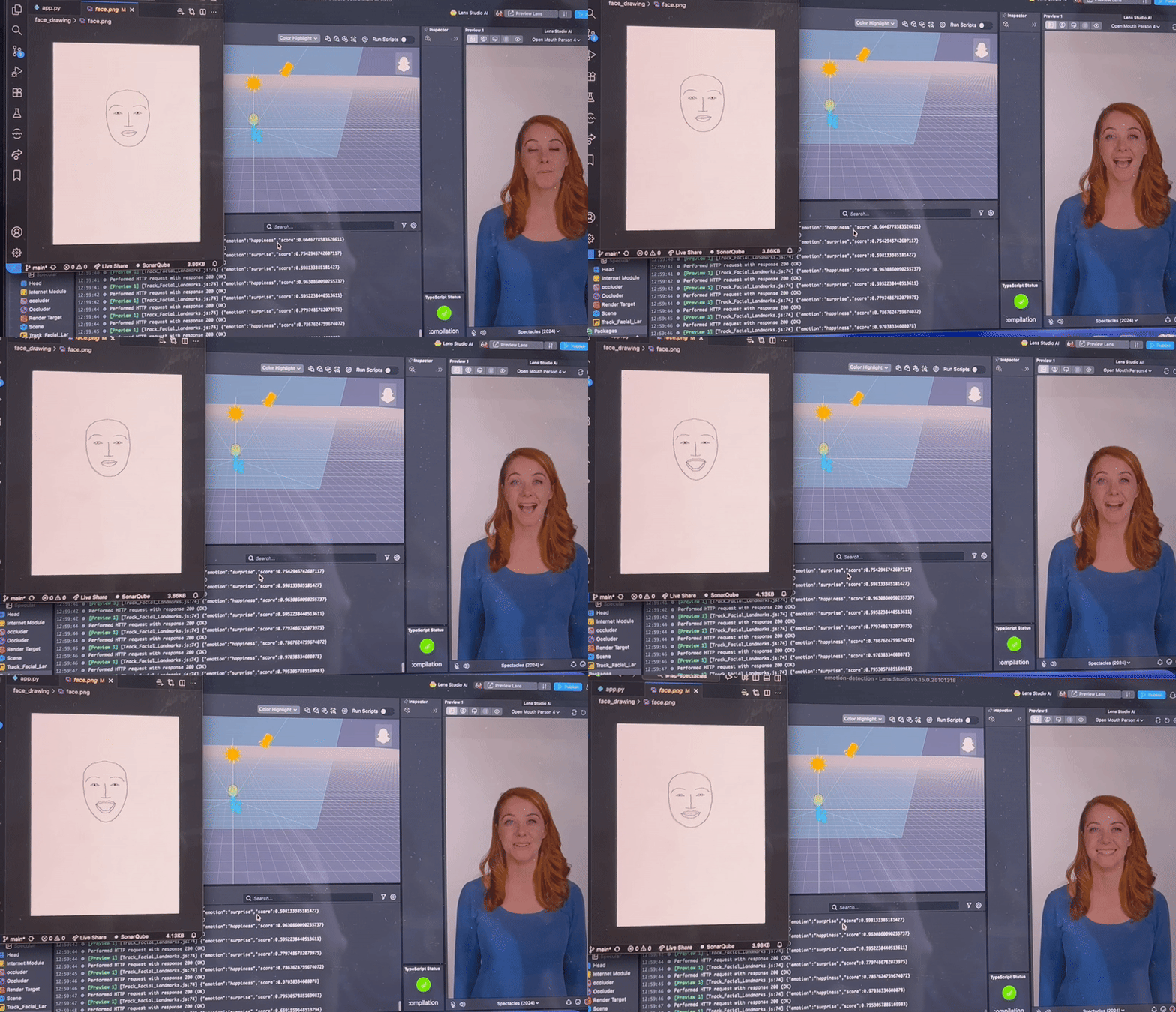
Conversationalist captures facial landmarks of the person a user is talking to at set intervals, then sends those coordinates to a server that analyzes the data to detect the most likely emotion. It also provides live transcriptions to help users follow conversations more easily.
Importantly, because Conversationalist only processes coordinate data, not full photos, it’s not only faster, but also preserves the privacy of everyone involved.
How we built it
We used Lens Studio to handle most of the coding related to the Snap Spectacles. Using the Spectacles’ dual cameras, we captured still images of the closest person facing the user and identified 93 facial landmarks, which we then sent as a JSON file to a Python web server.
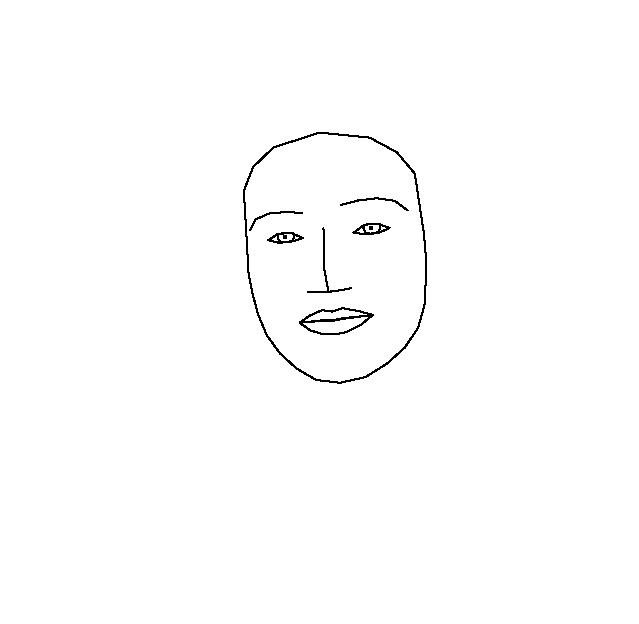
There, the Pillow library was used to draw an abstract face from the landmarks. We searched for tools to analyze emotions and eventually used Google Gemini, which leverages custom ML models to predict emotions from the generated image.
Once the emotion was returned to the Spectacles, we used an asset from Lens Studio’s Asset Library called Face Text Controller to anchor a text box above the person’s head. This box updates dynamically with the current emotion.
For live transcription, we explored several built-in modules and eventually found the ASR module, which provides real-time speech-to-text. We displayed this text at the bottom of the user’s view to keep faces clear and the interface minimal.
Challenges we ran into
One of our biggest challenges was missing or removed documentation, especially when working on sentiment analysis and live transcription. We had to improvise after realizing that the documentation for those features disappeared, leading us to pivot to the ASR module.
Another issue came from trying to integrate py-feat’s Detector class, which refused to work with our server setup even after hours of debugging. Switching to Gemini turned out to be a blessing, it made emotion processing much faster and more reliable.
We also ran into performance issues with slow Wi-Fi and learned the hard way: never use guest Wi-Fi for API calls.
Accomplishments that we're proud of
We’re proud of how we optimized the emotion detection process by sending landmarks instead of full images, it made our system both faster and more private.
Seeing those landmarks come together to form recognizable facial structures was extremely rewarding, especially since linking them correctly was a key part of making the emotion analysis work.
We also spent a lot of time learning how to track faces accurately and anchor the UI elements to them, which gave our project a responsive and intuitive feel.
Finally, switching from a local Flask server to a hosted one running Gemini completely saved our project, it made the whole pipeline functional on the Spectacles themselves.
What we learned
Developing cutting-edge technology comes with its own unique set of challenges. With limited examples or documentation, we learned to think creatively and find alternative solutions fast.
We also gained valuable experience in integrating AI into real-time applications and learned how to fine-tune it to our specific needs.
Most of all, we learned the importance of teamwork and persistence, seeing a complex idea turn into a working prototype was incredibly rewarding.
What's next for Conversationalist
If we get the chance to continue this project, we’d love to integrate live language translation into the transcription system, since the ASR module already supports multiple languages.
We also plan to expand our UI features. Right now, we only show the current emotion and transcription, but we wanted to build a system that tracks a person’s emotions throughout an entire conversation. The idea is to have a gesture or voice command to start and stop emotion tracking—so users can later review the emotional patterns of their interactions. This could be a powerful tool for both accessibility and emotional awareness.
A feature cut for time was the idea that the detected emotion would be displayed above that person’s head, inside a color-coded container that matches the emotion (for example, red for anger, blue for sadness). This would have improved clarity on a person’s emotions and allowed the user to better understand when an emotional shift happens.
Built With
- conda
- flask
- gemini
- javascript
- lens
- pillow
- python
- spectacles
- typescript


Log in or sign up for Devpost to join the conversation.