-
-
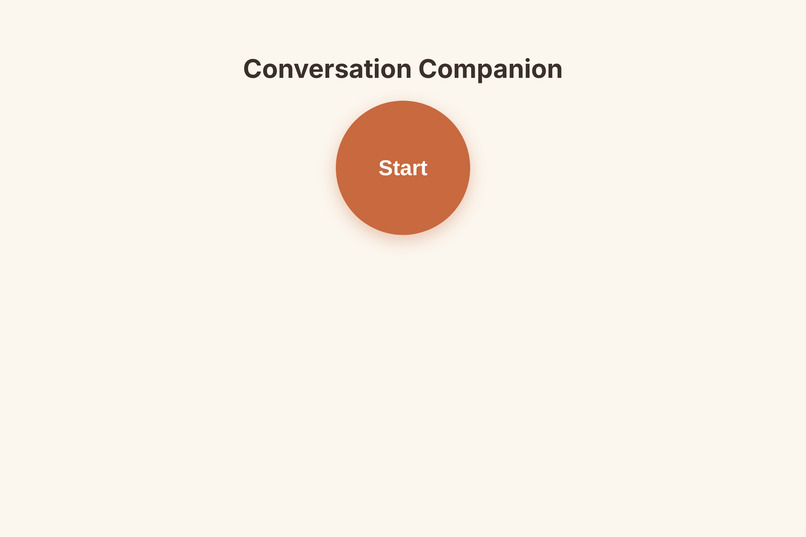
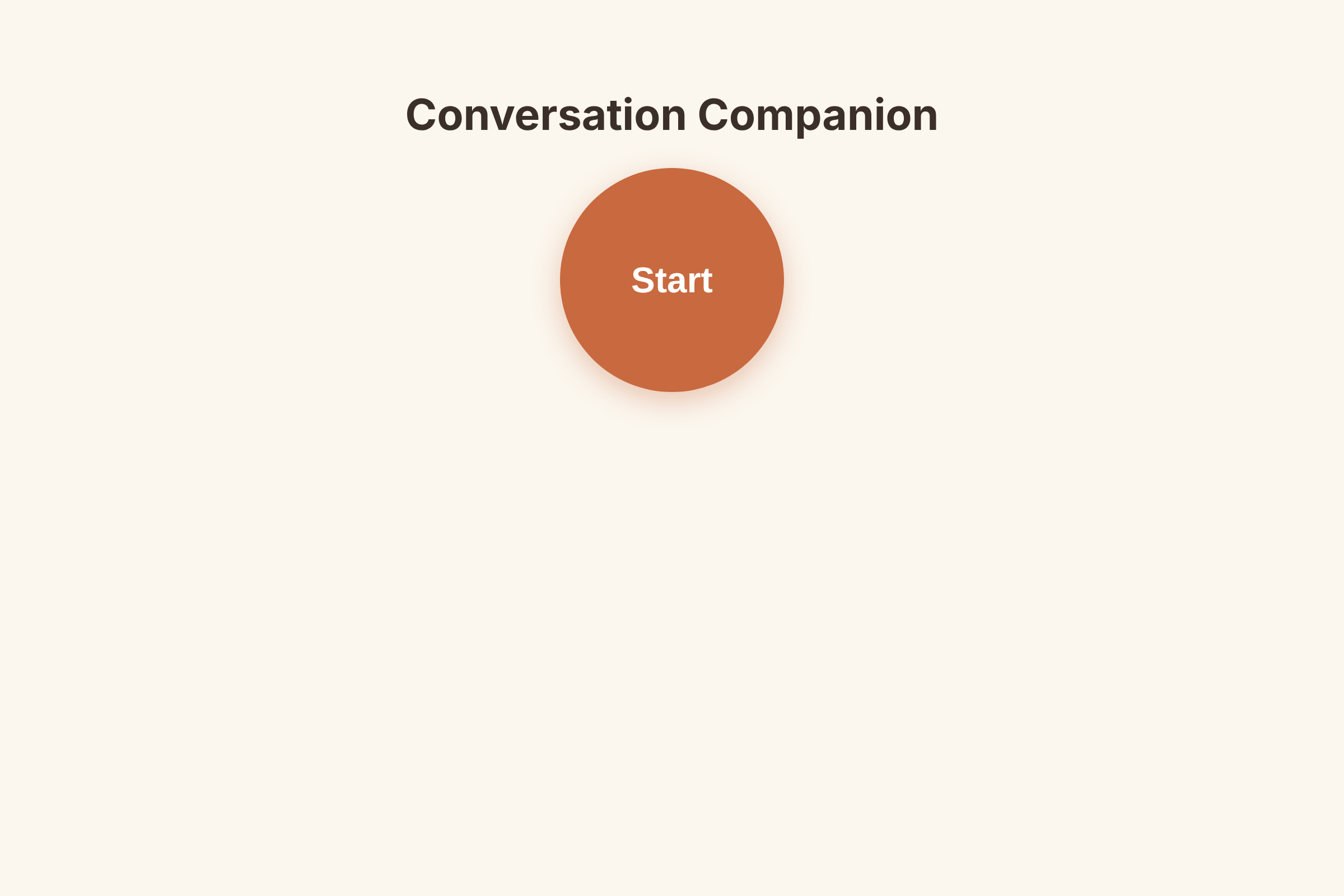
The Start button
-
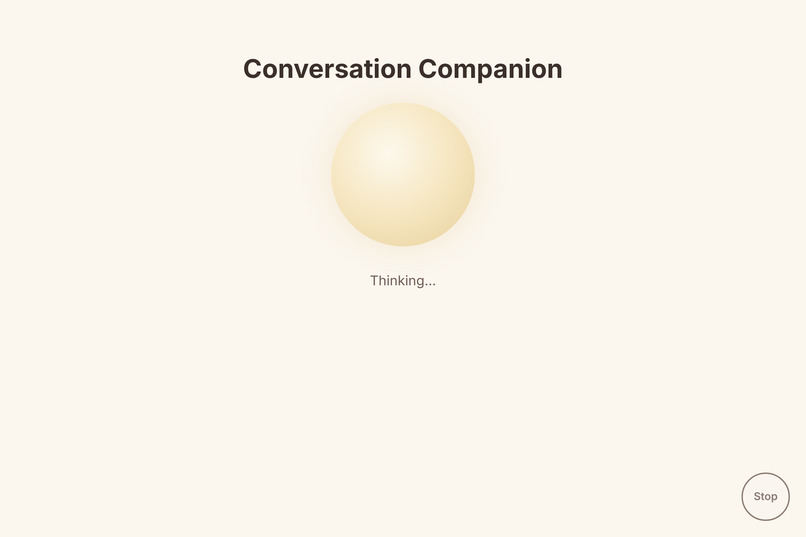
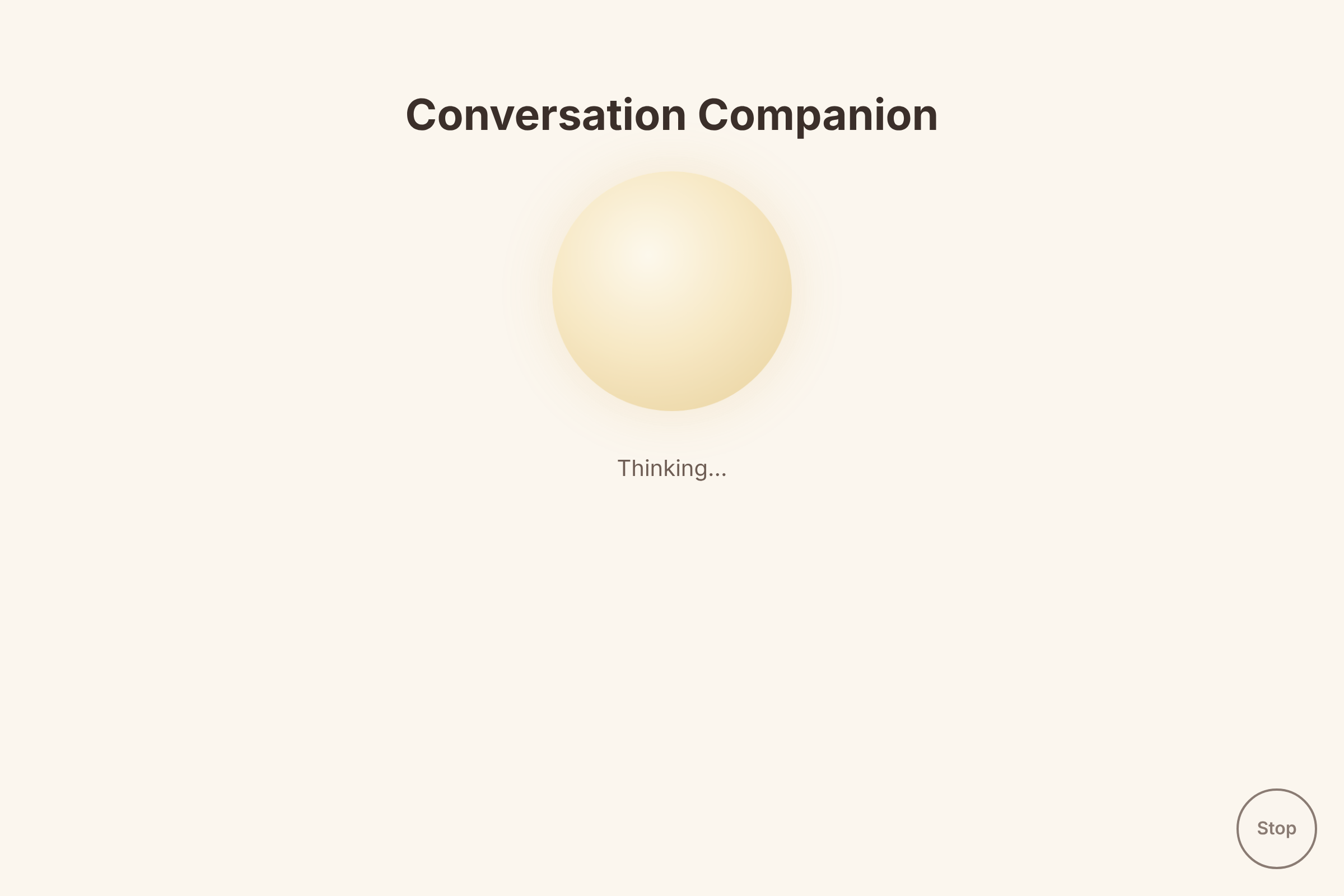
Thinking (gold): the companion is thinking
-
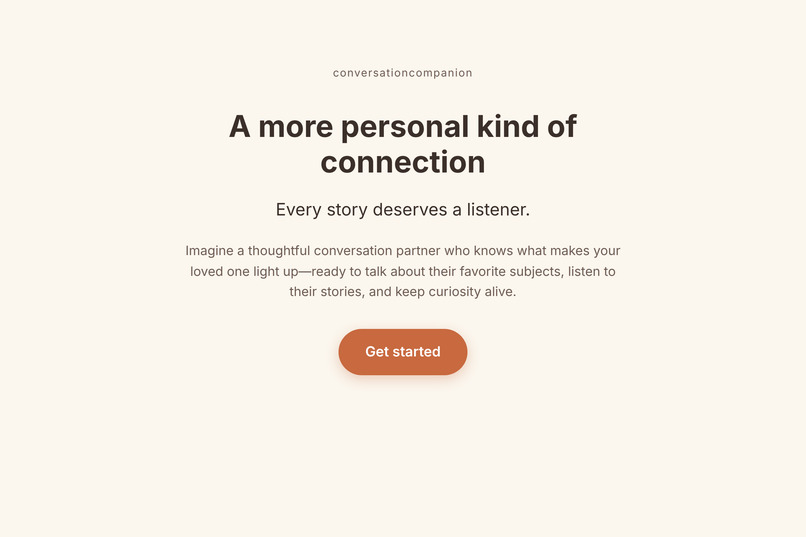
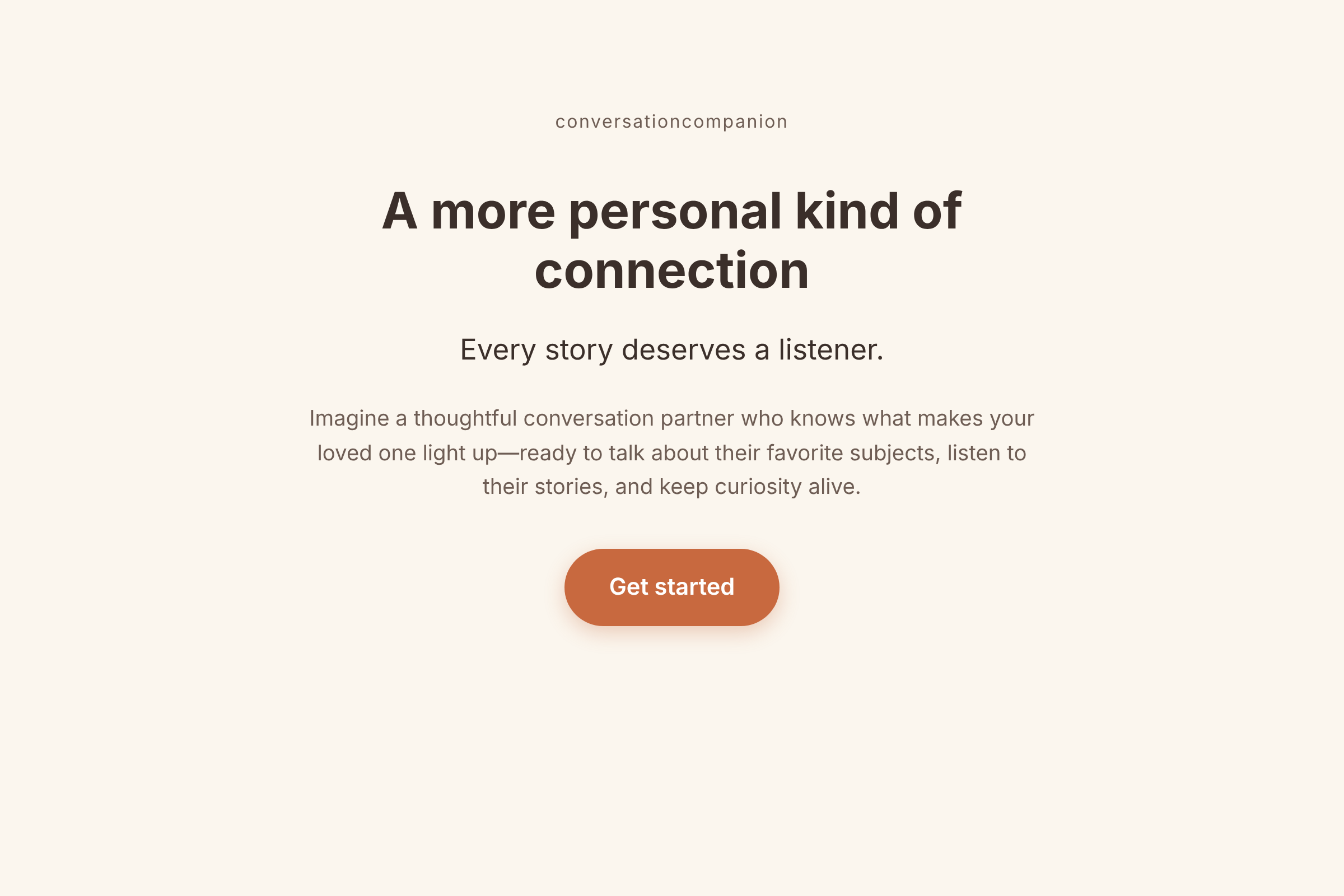
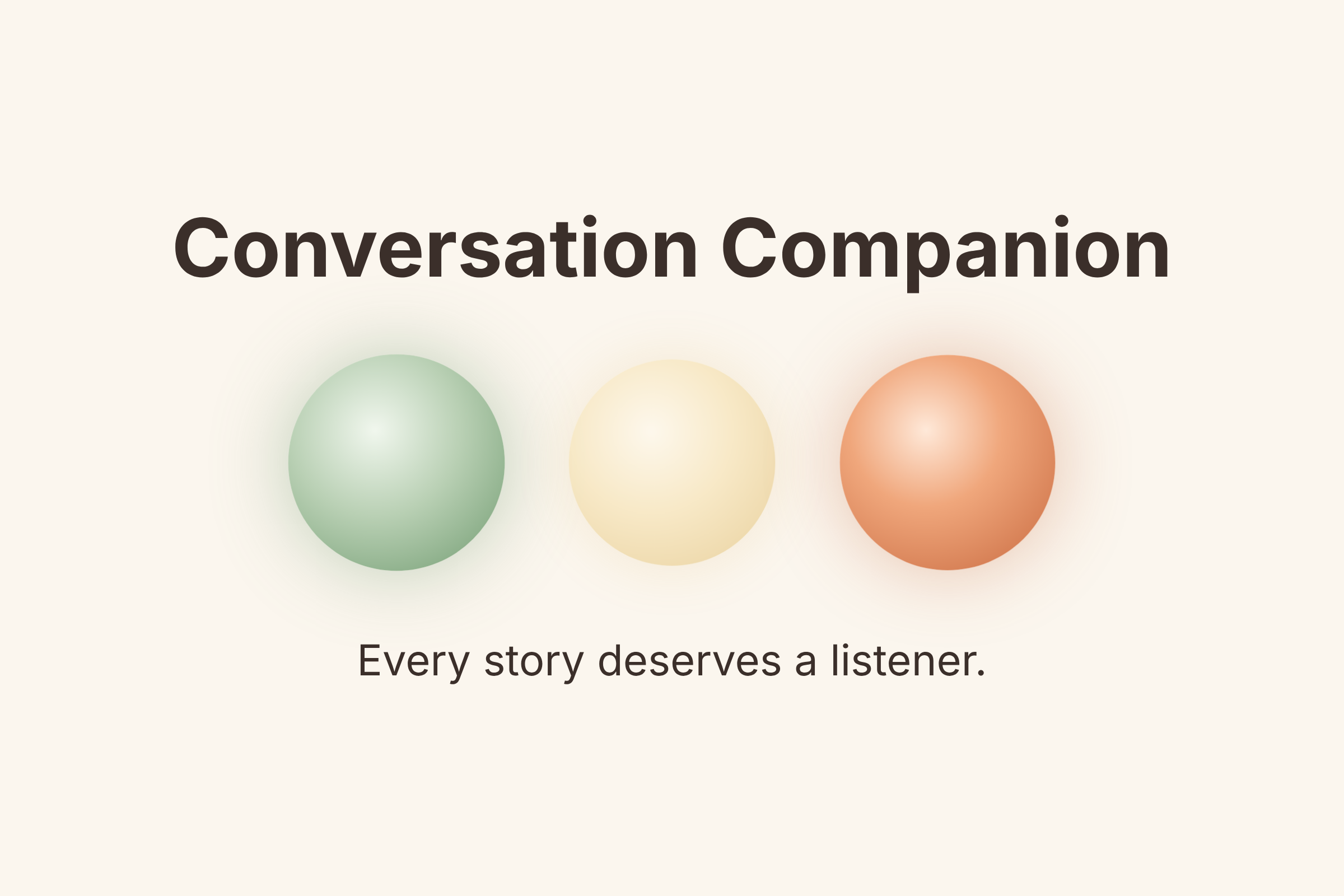
Home: the welcome page with “Every story deserves a listener” and the Get started button.
-
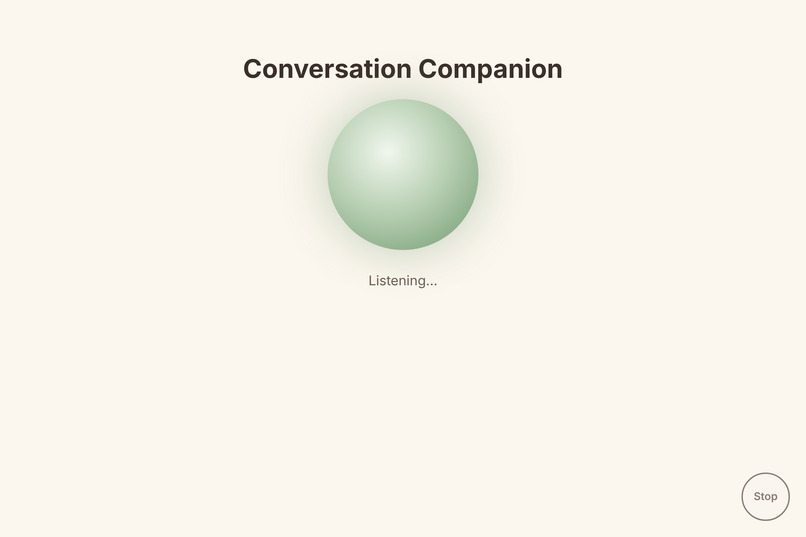
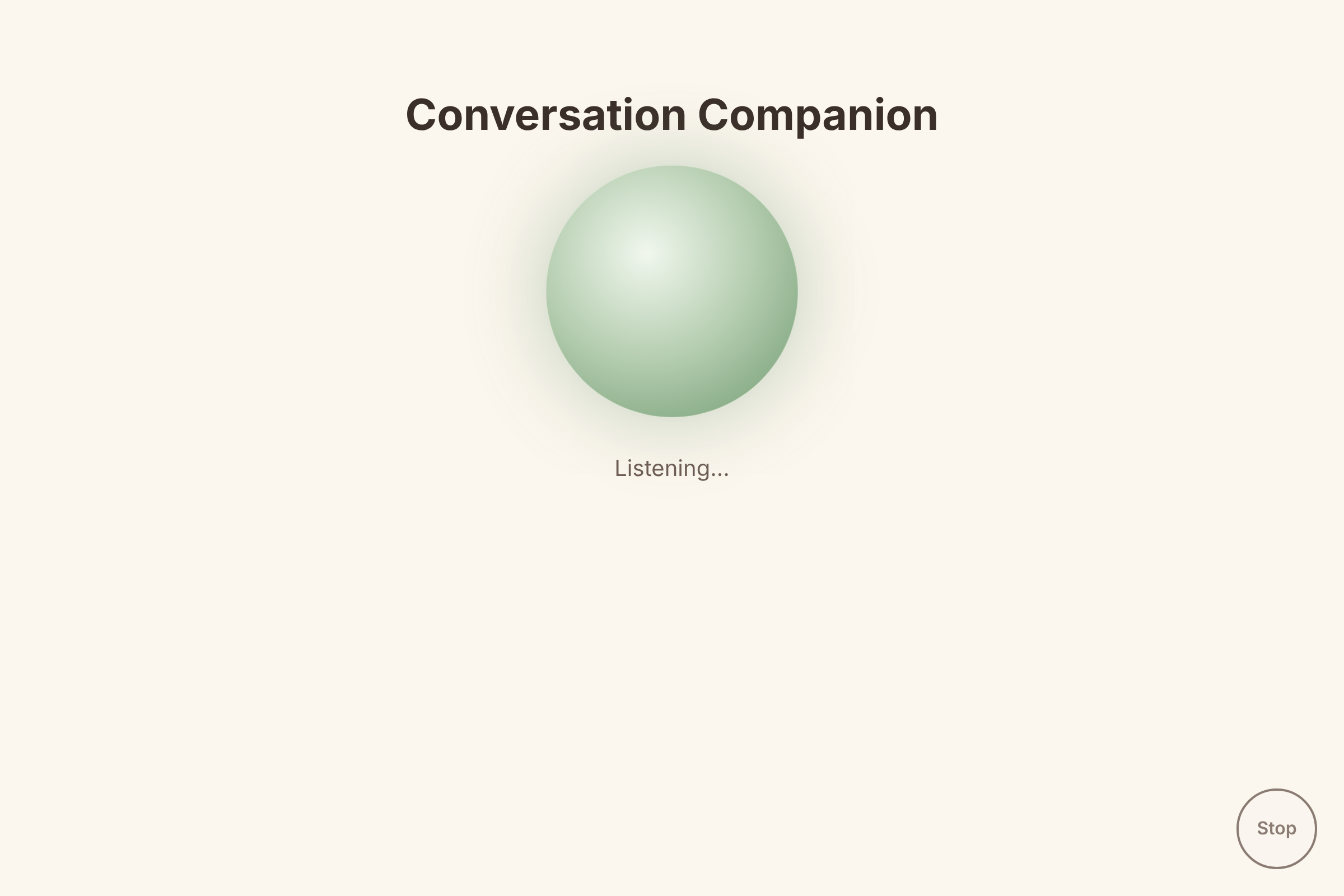
Listening (green): the companion is listening; no reading or typing needed.
-
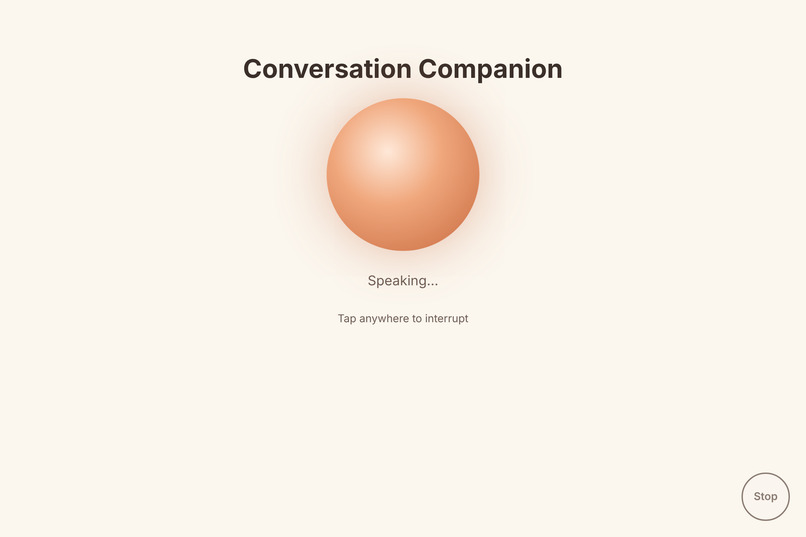
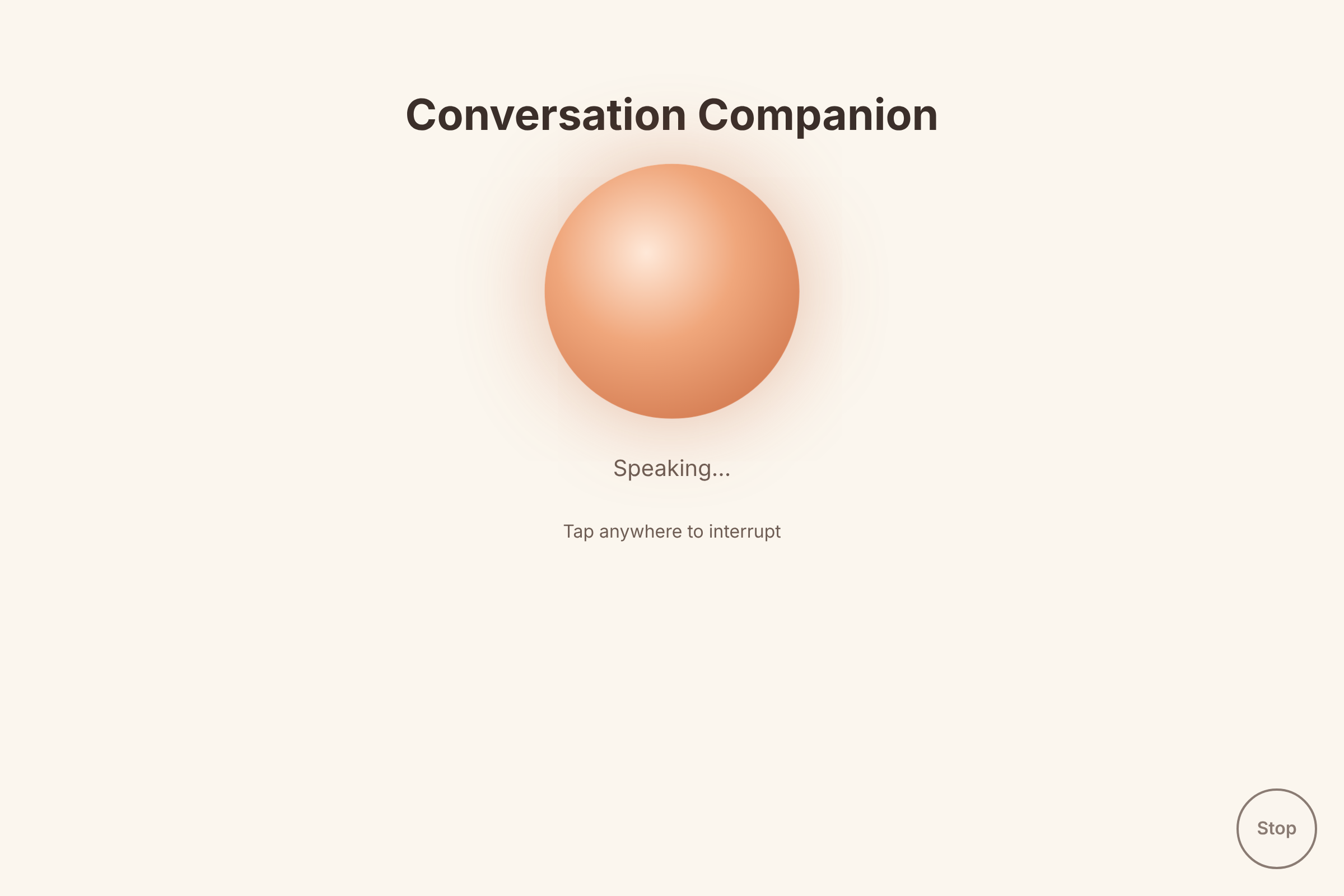
Speaking (orange): the companion talking, with the tap-to-interrupt hint and the Stop button.
-
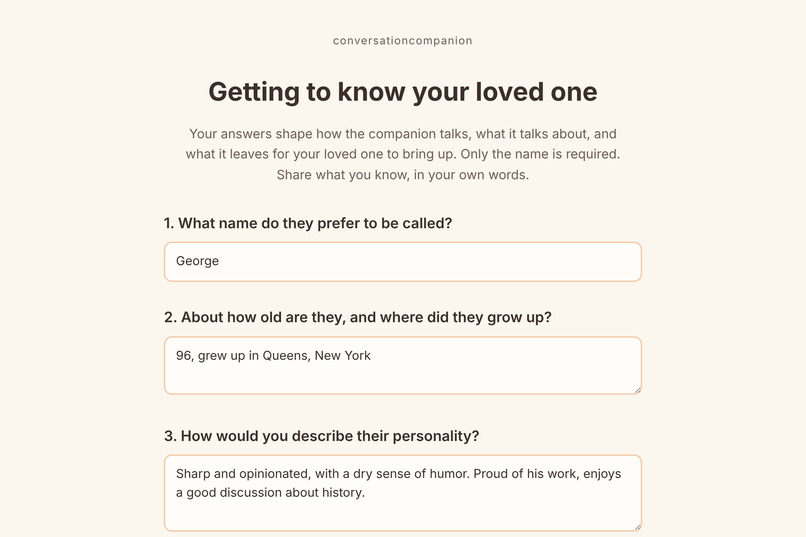
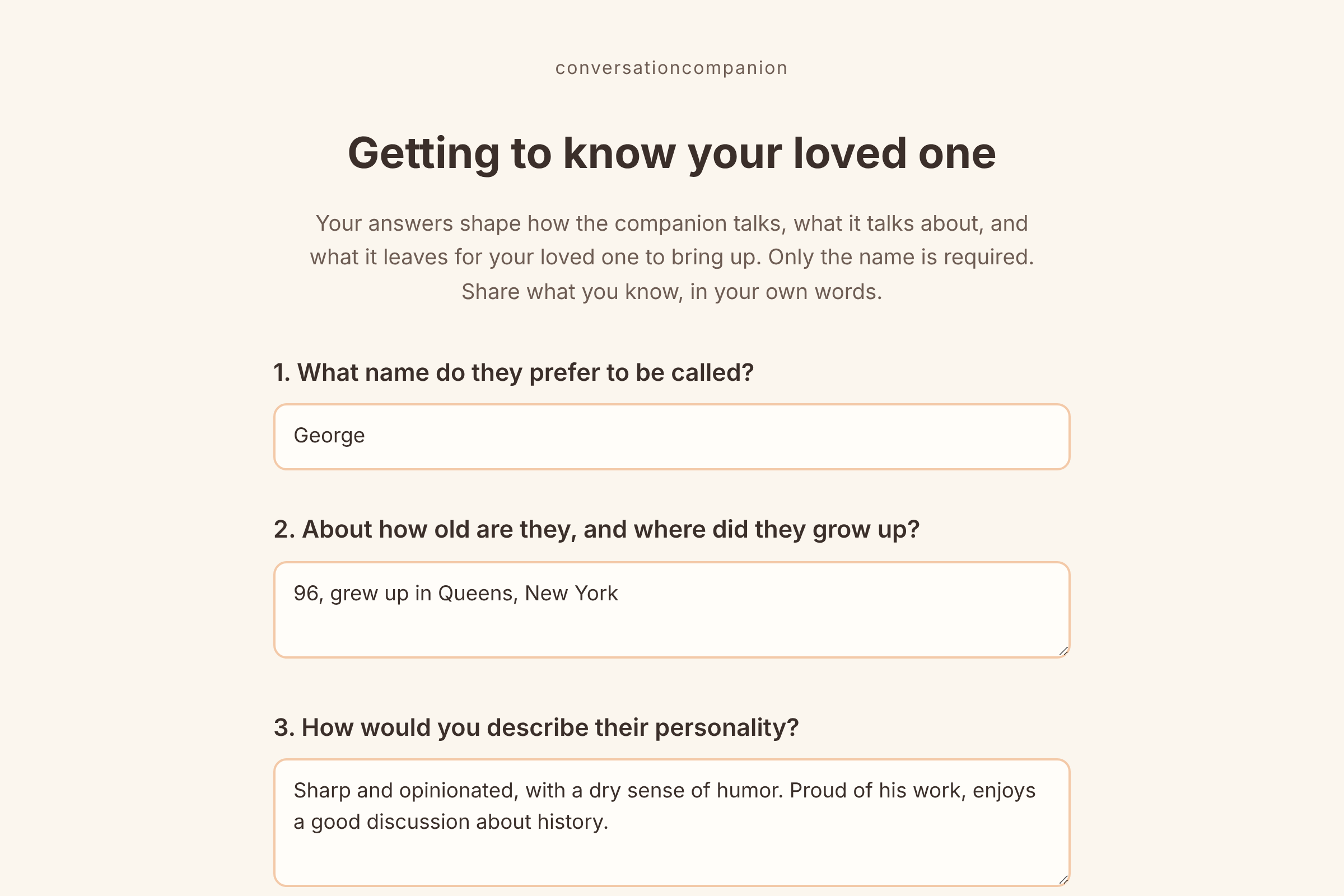
The start of the questionnaire
-
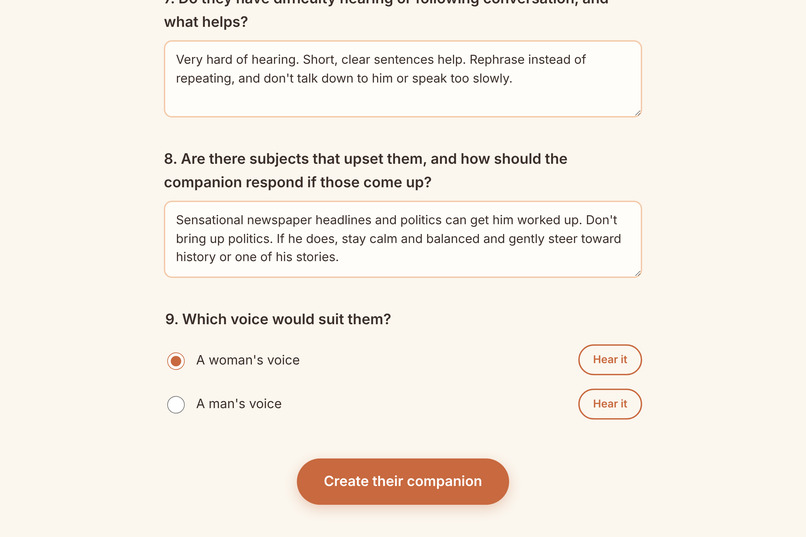
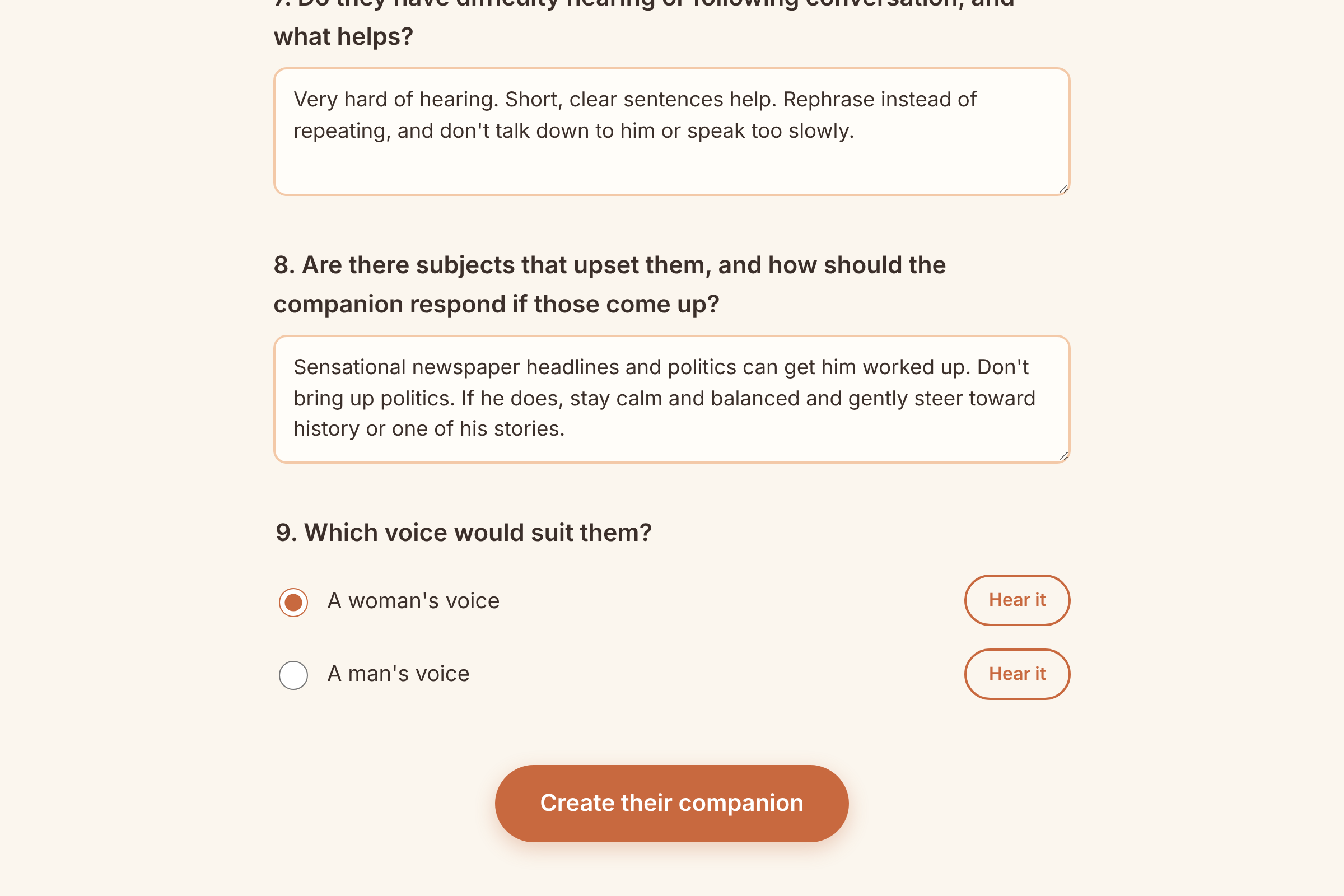
Voice choice: question 9, choosing a woman’s or man’s voice, each with a sample.
-
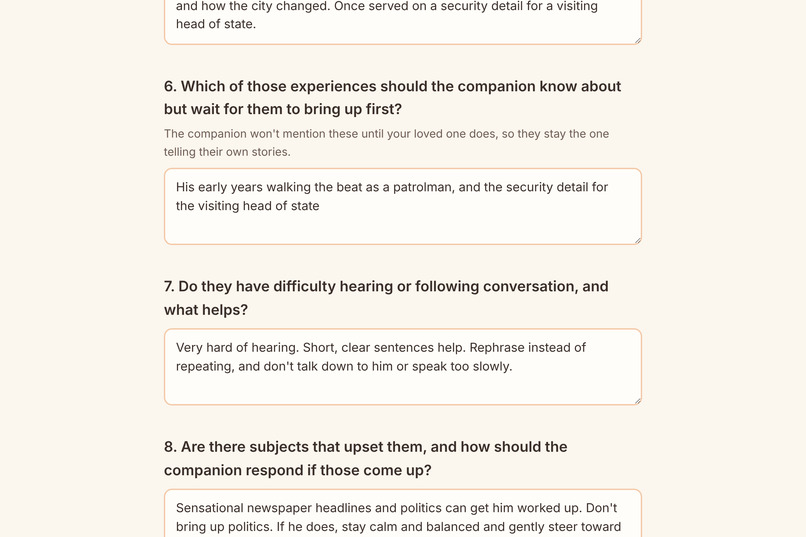
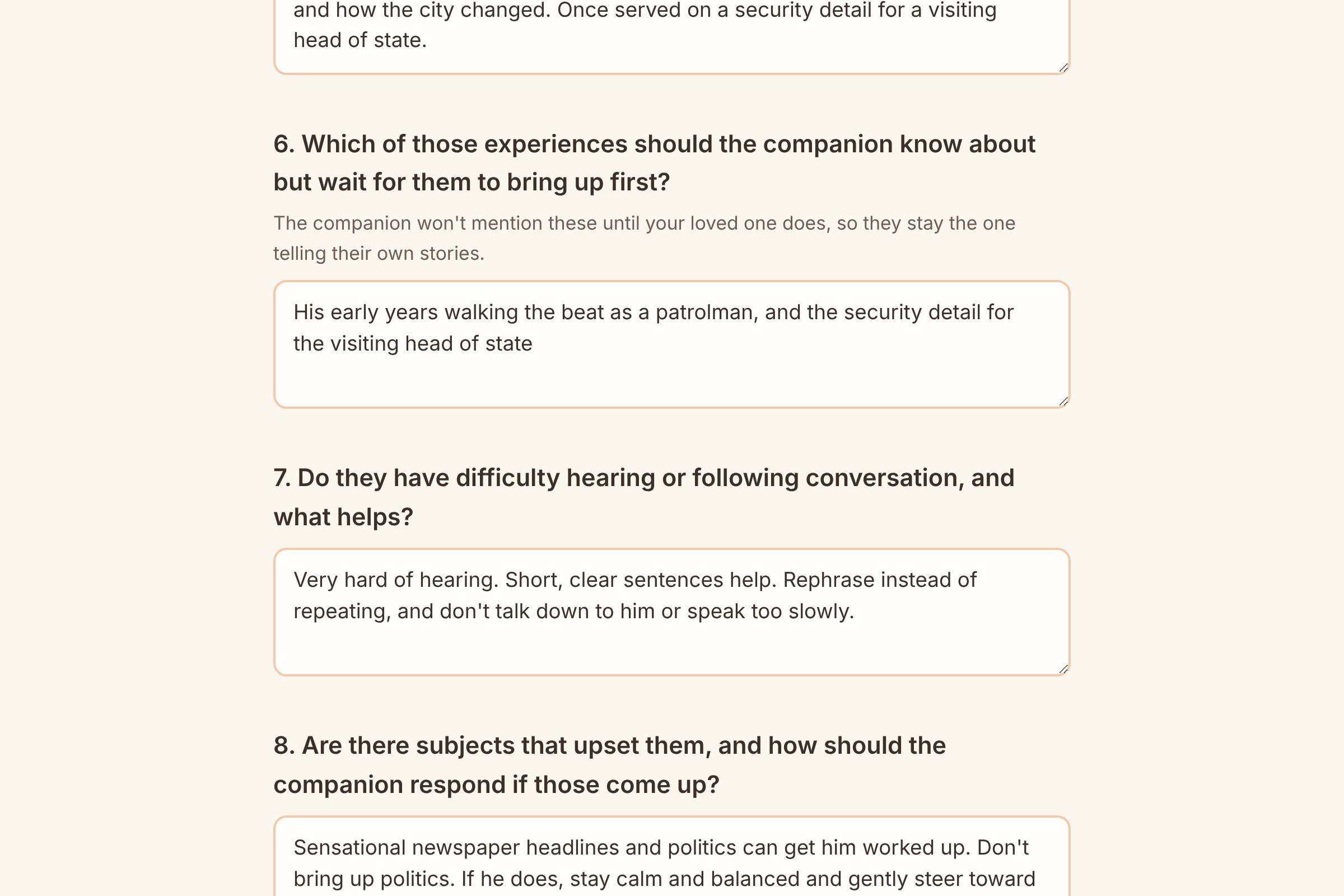
Hold-back question: question 6, where the family lists stories the companion knows but waits for the elder to raise.
-
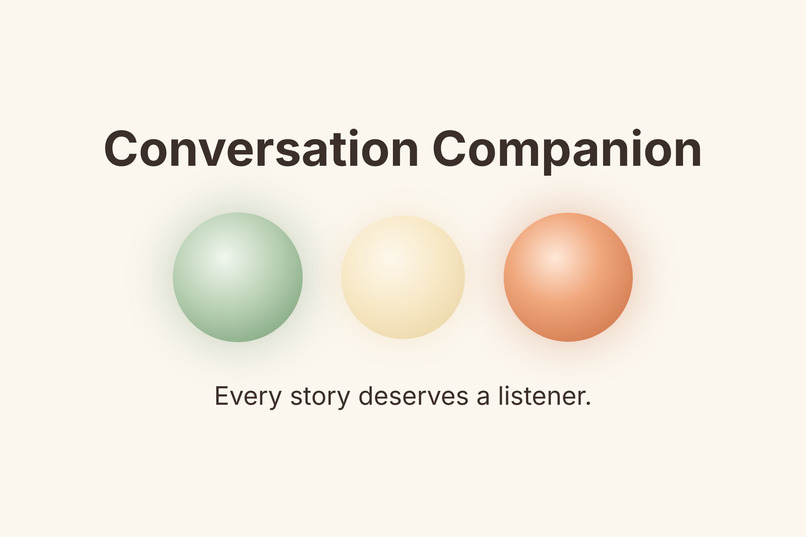
The three types of circles for listening, thinking and speaking
Inspiration
For a few years I’ve been trying to create a program to help isolated homebound people, particularly the elderly, inspired by the experience I’ve had with my own family members. There is a large international problem of aging people who wind up alone with no companionship as family members are often separated by various life circumstances compounded by distances that make regular communication challenging. I wanted to help my family with this situation, although it might be too late for them. I know so many others, even in my own network, who are in the same situation, so I can only imagine how many other people this affects. I’ve witnessed that even with help for the physical requirements, opportunities for conversations were minimal with limited social engagement, which led to increased dementia symptoms over time. Over the past year, I have tried to create a program to help provide volunteers to visit homebound seniors for more companionship, but security concerns over vetting the volunteers put that on ice. I also considered just giving the family member a subscription to an LLM with voice, but there would be no guardrails there to make sure the person was safe. An attempt to create a GPT after registering for this hackathon also hit a wall as GPTs are being discontinued and did not provide the required voice capability.
What it does
The Conversation Companion is a personalized voice companion for isolated older adults, shaped by them and their families. It knows their stories but lets them tell them with no need for typing or reading except for the setup procedure, which can be done by a family member.
A simple webpage, Conversation Companion, has a clearly labeled Get started button, which, when clicked, brings the family member or even the elder themselves to a set of eight questions to personalize the experience – one can fill out with as much or as little detail as desired – along with an option to choose either a male or female voice. After completing the form, one clicks the Create their companion button, which then brings them to the completed Conversation Companion page ready to start a conversation. When the large orange Start button is clicked or touched, it disappears and a glowing circle appears in its place: green while listening, gold while thinking, and orange while speaking. Listening… is written underneath the green circle, and the elder person can start the conversation by saying Hello or whatever they like. After the elder speaks, the circle changes to gold briefly while the app is thinking, which is also written on the screen. Then, when the Companion is talking, the circle turns to orange with Speaking… written underneath as well as the message Tap anywhere to interrupt under that. So, if the Companion misunderstood anything, the user can tap the screen to say something. The conversation ends when the user says goodbye or indicates they are done or have something else to do, which elicits a warm goodbye from the Companion. If there are no words coming from the user, the Companion will check after 45 seconds to ask if they’re still there, and after another 20 seconds, if there is no response, it will also warmly end the conversation. In addition, there is a Stop button at the bottom right corner that will shut down the Companion right away if desired. As privacy is a big consideration, the answers given by the user will stay in the browser for that visit only and not be stored. During the conversation, the answers and conversation are shared with Claude to create the replies but are not saved anywhere.
How we built it
While I followed Claude Code’s instructions from the installed skill, I didn’t just follow along. I made the decisions at each step, and my testing found most of the problems.
I brought the idea and used the GPT instructions I had just created, including the 50-question family questionnaire I had developed, which became the Companion’s rules and the 9 questions used for creating the Companion. I, with Claude Code’s guidance, made the planning decisions in four documents: scope (what’s in and out), PRD (how it should behave), spec (technical choices), and the build plan. In addition, I chose the key options: voice through the browser, Claude Haiku for speed, Vercel hosting, at first, Guy’s voice (at the last minute I decided it sounded too robotic, so I changed to a woman's voice, Jenny), the 1.5-second pause, no name spoken aloud, the Stop button, and the additional voice option. Lastly, I tested every step myself in Edge and found most of the problems that were then fixed by Claude Code. Furthermore, as this was my first hackathon and use of Claude Code, I appreciated having its help to set up the GitHub and Vercel accounts and get the Anthropic API key. Claude Code explained options and tradeoffs throughout, wrote the code and ran automated tests after every change, about 130 checks in the end.
The app consists of three plain web pages that use HTML, CSS, and JavaScript. It uses the browser’s built-in speech for listening and speaking, and a small helper on Vercel that holds the secret key and asks Claude Haiku 5.5 for each reply. The code resides on GitHub, and Vercel publishes it automatically.
There are a few technical pieces that I believe make it stand out:
- It knows but doesn’t mention information first. The family’s question 6 answer goes into the companion’s instructions as background: it must not bring up the information until the elder does. Often, AI companions do the opposite and show off what they know.
- It is built for how older people actually talk. The page waits longer after unfinished phrases like “yeah… um…”, and gives more time during longer stories. It uses a sound meter so a hesitation isn’t mistaken for the end of a turn, while a TV in the background can’t hold it open forever.
- I tested it in Edge the way it would really be used, which found real-world quirks such as Edge cutting people off, stuck voices and reactions to mumbling, which were then tested and corrected by Claude Code.
Challenges we ran into
As mentioned, this was my first hackathon and first time using Claude Code, so the whole thing could have been seen as a difficult challenge. It was a challenge, but not difficult, as I had a clear vision of what I wanted to achieve.
Because of family circumstances that inspired this build, I had actually forgotten that I had registered for the hackathon, and was experimenting with ChatGPT to create a GPT that elder family members could use. But as I said, that hit a wall actually just days before I got the reminder that the hackathon was ending - just in time! At first, I was worried about being able to set up GitHub and Vercel, never mind how to get the Anthropic API key, but Claude Code walked me through everything, also suggesting anonymizing some of my family’s info to keep it out of a public project.
Of course, during the build, there were many technical challenges to get the app to work as envisioned.
- In the very first test, one sentence produced several replies. Claude Code found the cause and fixed it.
- Then the Companion started to cut me off mid-sentence, several times and for different reasons. I learned various traits of Edge’s capabilities or lack thereof and pivoted accordingly.
- A big issue was getting the delay before it answered to a reasonable length. I measured it - the pause and Claude and voice - and decided to shorten the pause from 2.5 to 2 and finally to 1.5 seconds.
- There were a few glitches when it got stuck on “Speaking…” with no sound, or when the silence check-in never came. Another time I forgot to close the window or stop the app and it kept listening and I was then surprised when it replied to a stray remark. That led to setting up proper goodbyes and turning the microphone off.
- A major issue was that the chosen voice started to sound robotic, and the cause took several rounds to find. In the end, I had to accept the browser voice as the limit for now.
- Mumbling or gibberish got a reply instead of “say that again.” Edge evidently was fully confident in what it heard even for gibberish, so the fix had to go into Claude’s instructions instead.
- While the Companion used the user’s name, it kept on tacking it onto sentences, which sounded very robotic, so I opted to not have it say the name aloud, and it also said “nice to meet you” every time, as if it were a first meeting.
- Towards the end of the build, it was noticeable that it was often making up details and repeating topics, such as asking unprompted about baseball on the radio when I never mentioned radio, and also referencing things that were out of season.
Accomplishments that we're proud of
Maybe I should stop thinking it’s no big deal when I accomplish things? I had an idea born out of what my family needs and what I have not been able to find or provide, and now I have a working prototype, so maybe that is in fact a big deal and something I can and should be proud of.
I built something inspired by my family’s real needs that is meant to help others in similar situations. From my idea, which started with a GPT experiment that had hit a wall, I now have a real, standalone voice app that works.
Any family can now create their own personalized Conversation Companion by filling out a 9-question form, sharing their loved one’s interests, personality and hearing needs, plus topics to avoid. A Unique Selling Proposition is that it knows their stories but holds back the ones that the family flagged until the elder raises them, then responds naturally. To make it easy for the elderly person, there’s no need for typing or reading more than a few words. They merely press the Start button and then just talk and listen, with a glowing circle that indicates listening (green), thinking (gold) and speaking (orange).
It is somewhat amazing for me to think that this idea is now a working public website on Vercel, with the code on GitHub, and that anyone can try it with the demo profile. Compared to using a GPT, I’m glad for the better privacy, as the app doesn’t store anything about the family on a server, and the answers stay in the browser only until the tab is closed. They are sent to Claude only to create each reply. While I’m aware of improvements that can be implemented going forward, I feel this prototype gives a feeling of having a conversation and not just talking to a bot. Replies come fairly quickly, although not as fast as voice mode in AI chat apps, and through lots of live tests, I was able to address and fix many of the challenges encountered. I also like how it ends the conversation gracefully and warmly, with a Stop button available for quick endings.
What we learned
Before the hackathon and actually until just the last days before the deadline, how to build with AI or use Claude Code was a complete black box for me. Now, with the help of the hackathon’s installed Build With AI skills, I learned how to create an actual working app.
Working through the steps in the skills, I learned to plan first, then build, and that product definition and technical specs come before any coding. Having the vision of what I wanted to create and making clear decisions along the way allowed me to work easily with Claude Code to carry out the coding on my behalf. Starting with the first version based on my description, I tested and described what I experienced, and then requested improvements. While I still do not feel like an expert in GitHub, etc., I was easily able to follow along with all explanations and ask questions when I didn’t understand something. I also learned that many of the fixes didn’t require recoding but instead a change to the instructions given to Claude.
Using a webpage in a browser for the app does have its limitations, such as a somewhat robotic-sounding voice, especially when using names or for short lines, and speech recognition could be better, but it has afforded me a working prototype that can be further developed.
As I was designing for older adults, I made sure to keep the interface simple with large text and one big button, with limited need for any reading, to focus fully on voice usage as with any normal conversation. I also learned to keep such a prototype simple to get out a usable first version that can be improved later in further iterations.
What's next for Conversation Companion
The existing version of the Conversation Companion is novel and can be easily used and set up, but during the development many items were added to a wish list for a better app. With rapid technological development these days, I believe the app can be improved and ultimately be the backbone for the communications part of some form of robotic home health aide.
Some of the things I’d like to add or improve:
- Premium voice (such as Microsoft’s Azure voices): the browser voices sound robotic, especially names and short lines, and that was my biggest unsolved challenge.
- Interrupt by speaking: tapping isn’t natural in conversation. It needs a real-time voice model so the companion doesn’t hear itself.
- Start by voice (“Hey, let’s chat”): the elder wouldn’t need to find or press a button.
- Saved profiles and multiple families: families could set it up once and come back, instead of refilling the form every visit.
- The elder adding or correcting their own info: it would give them more control and keep things up to date.
- The full 50-question questionnaire: richer, more personal conversations.
- A family summary: families could see what the companion was told, which builds trust.
- Family feedback (“Is it making a difference?”): to learn whether it actually helps with isolation.
- Smart speaker or dedicated device: many older adults don’t use computers comfortably.
- More languages and voice choices: to reach more families.
I hope that this app can help not just my family but also many other families around the world to address such a critical issue in elder care.
Built With
- anthropic-api
- claude
- claude-code
- claude-haiku
- css
- github
- html
- javascript
- microsoft-edge
- node.js
- playwright
- vercel
- web-speech-api

Log in or sign up for Devpost to join the conversation.