-
-
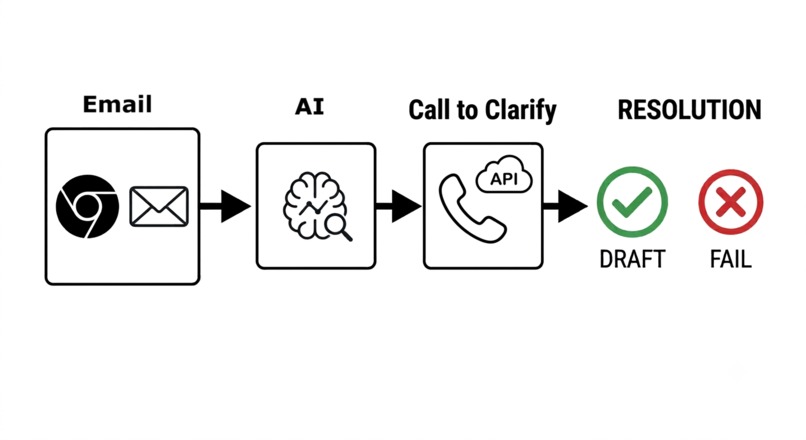
workflow (email extension, AI classifier, Call-E API, draft email)
-
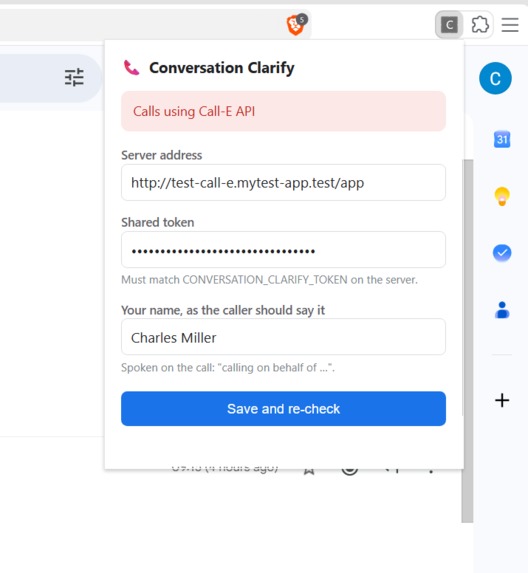
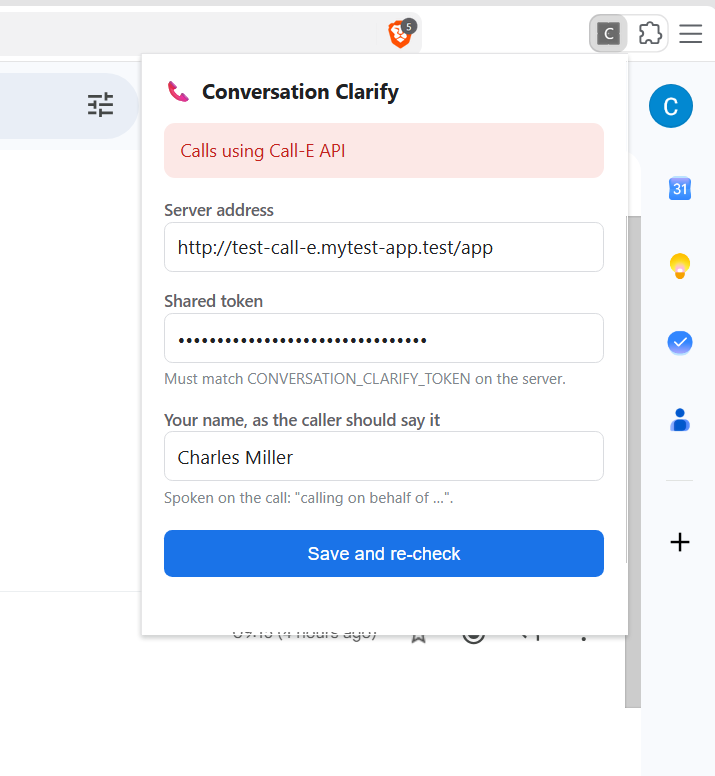
browser extension for gmail
-
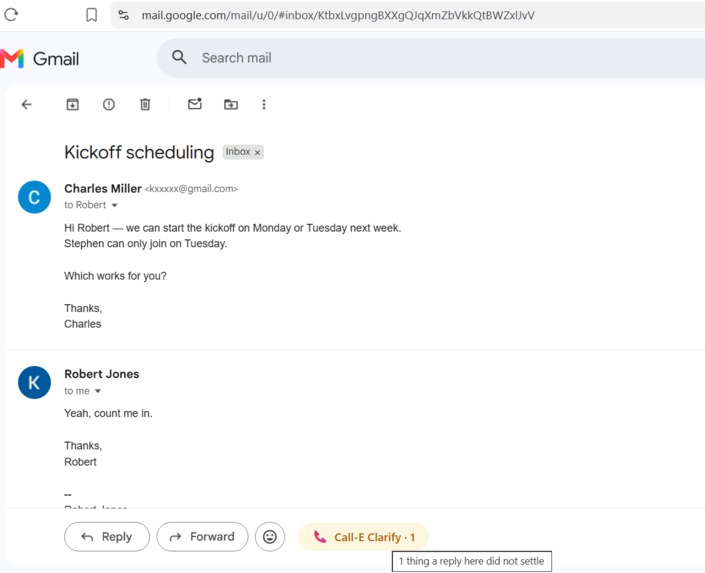
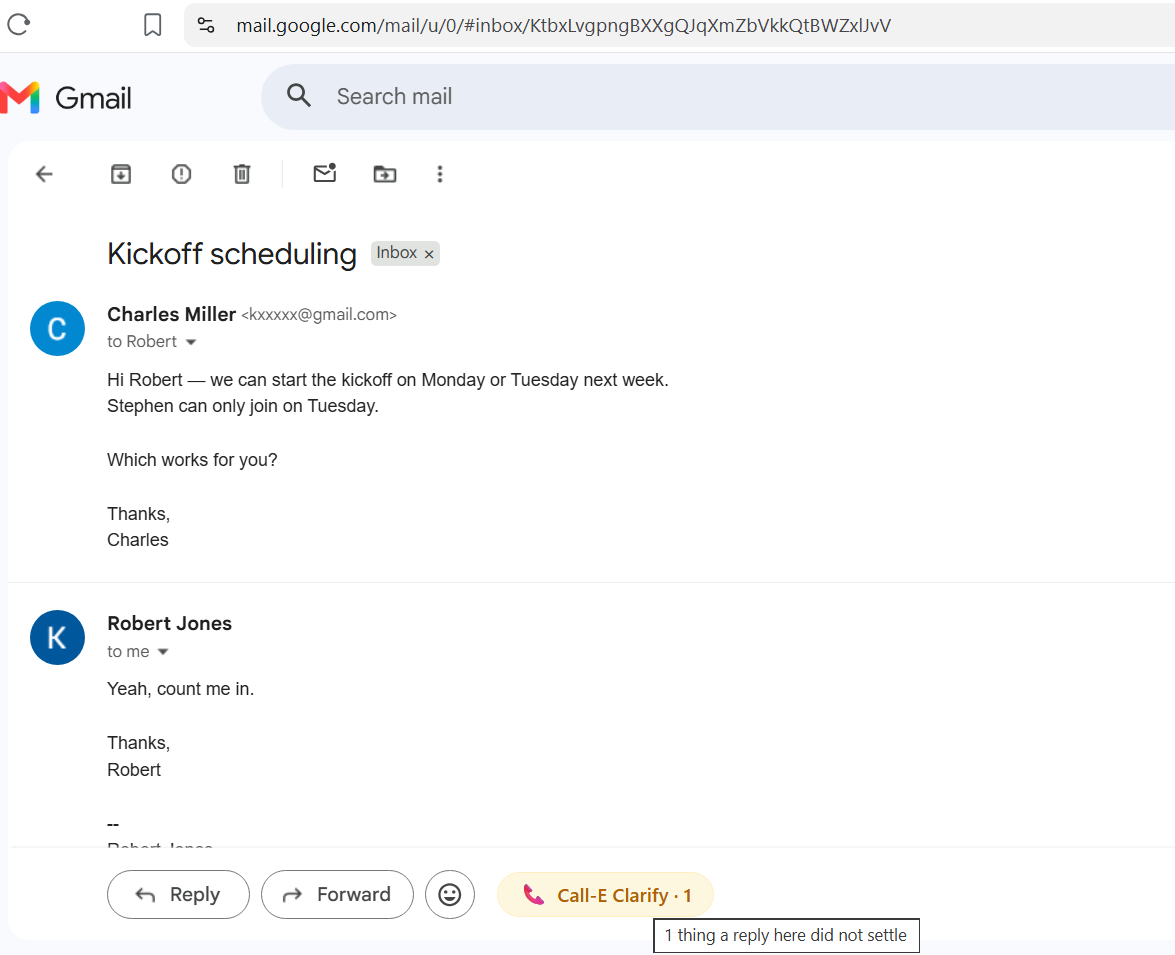
ambiguous conversation, call-e clarify button from extension
-
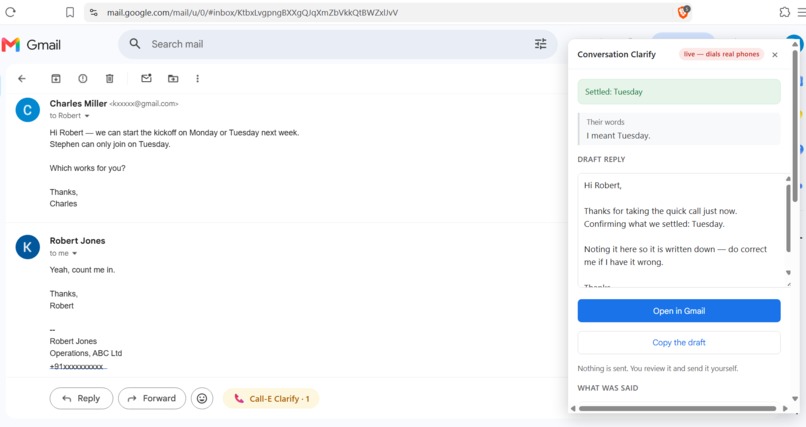
user response and draft message
-
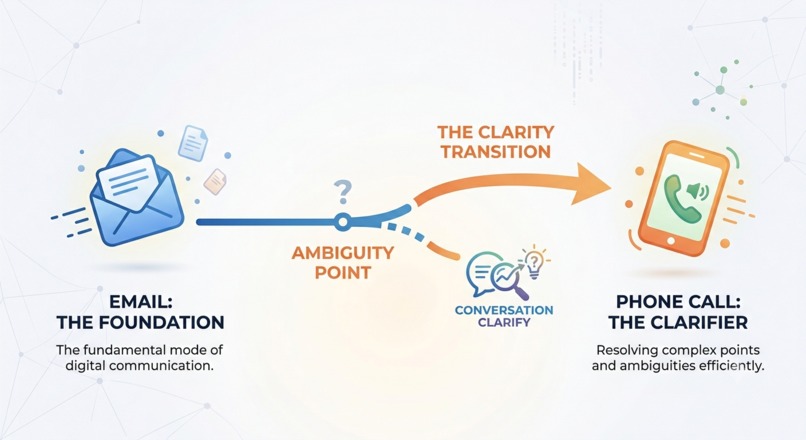
conversation clarify for email
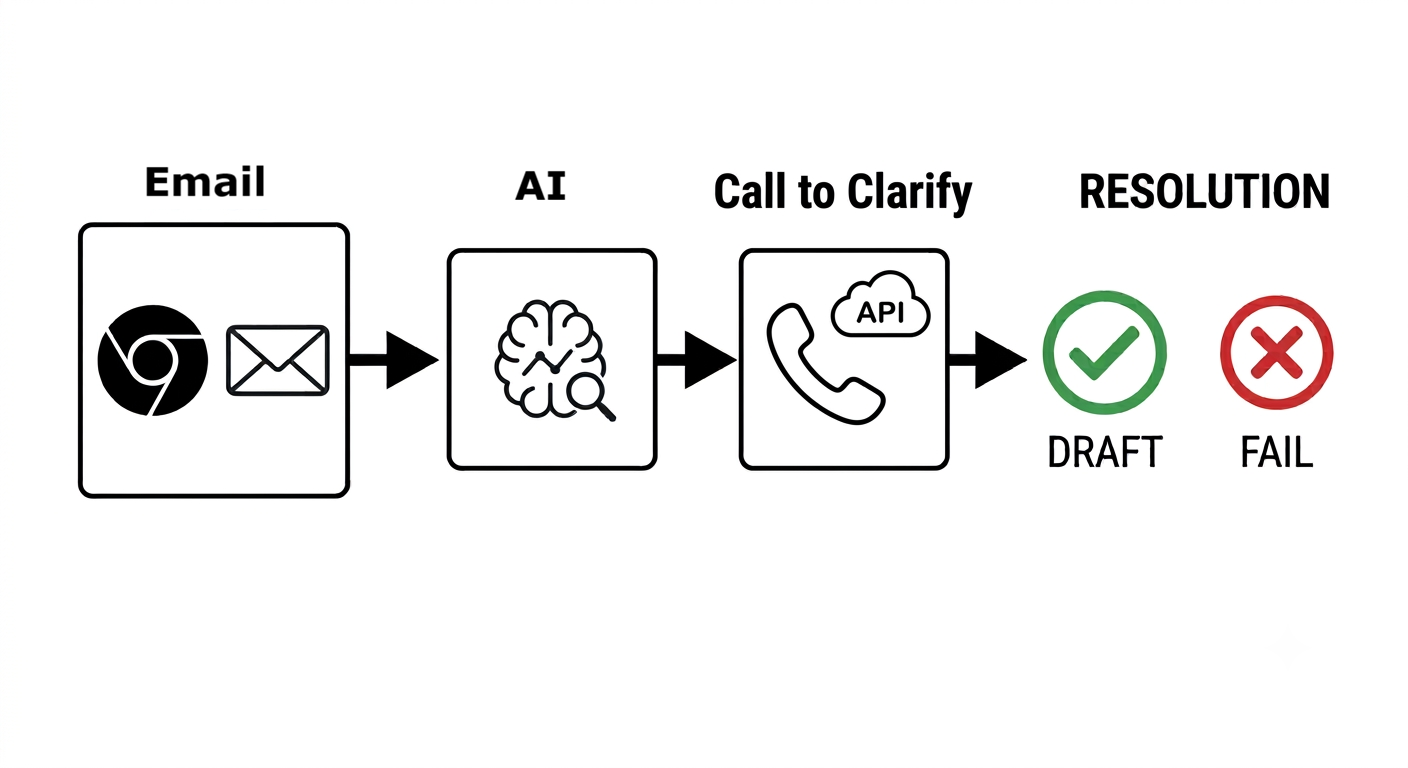
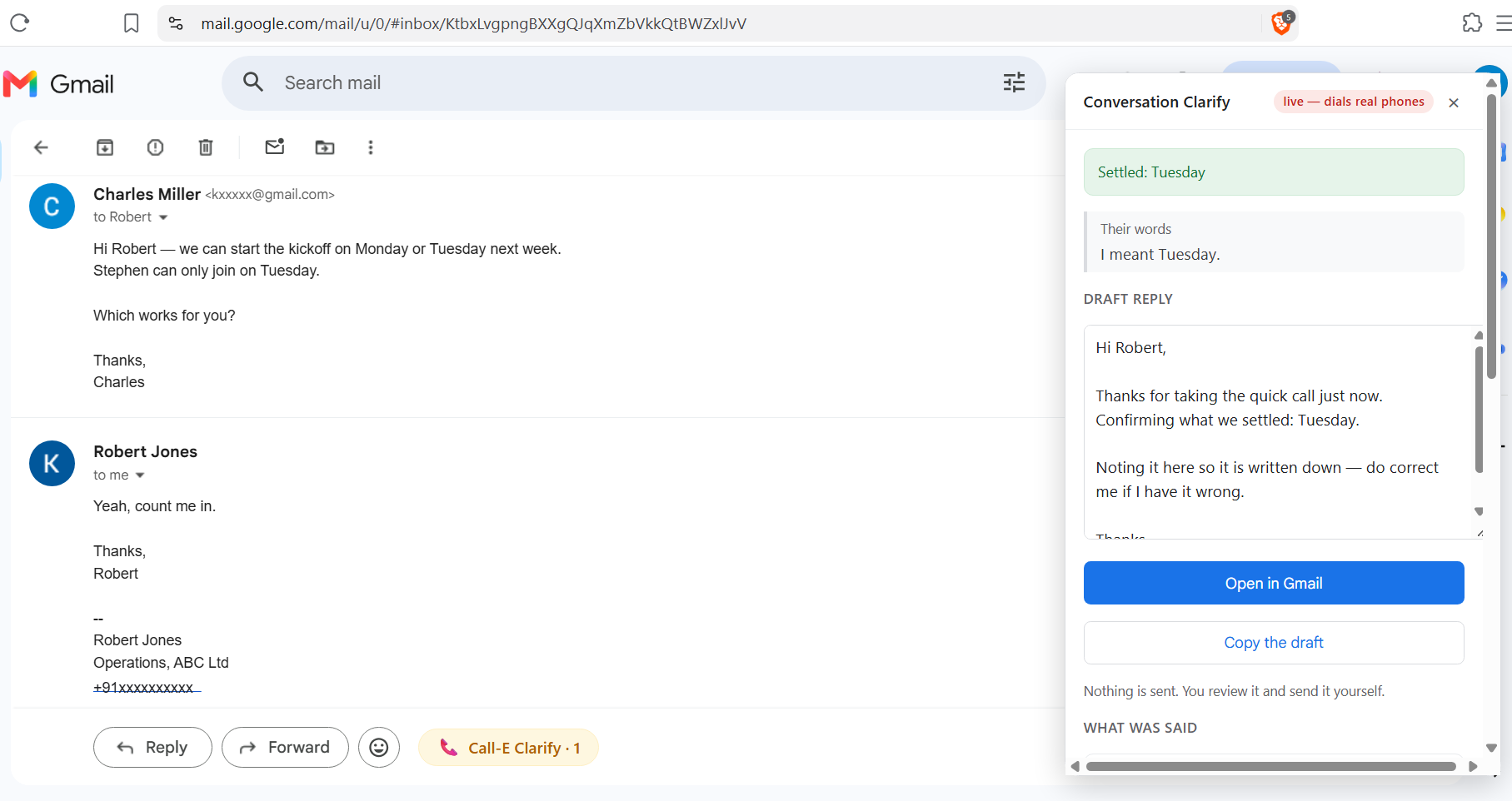
What it is
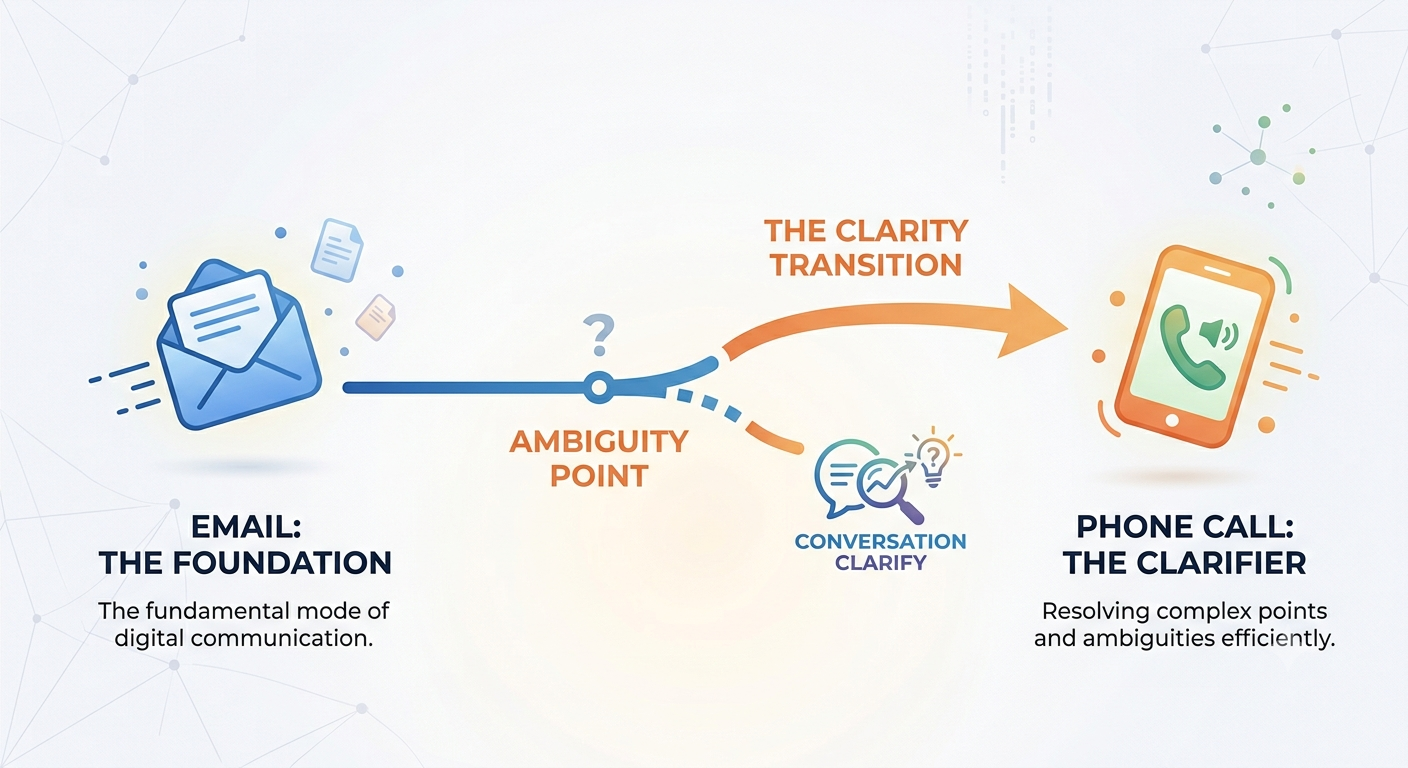
Conversation Clarify spots the email reply that reads like an answer but doesn't actually answer anything. It makes one short phone call to get the real answer, then writes it back into the email thread.
Use-Case: Email → Clarify by Phone
"Reply" and "Forward" buttons always existed in email inboxes, but the "Call to Clarify" button was the missing piece to super-charge emails.
Email inboxes need a "Call to Clarify" button next to your email threads. Emails keep the conversation. The phone call happens at moments when the email reply becomes ambiguous or unresolved. That is the thing email has always been missing: a way to reach a person exactly when reaching them is what the conversation actually needs.
The kind of reply it catches
- "Monday or Tuesday for the kickoff?" → they reply "Yeah, I'll be there." — You still don't know which day.
- "Is that 11% flat or 11% reducing?" → they reply "Yes, that's the rate we agreed." — Those are two very different loans; they didn't answer clearly.
- "Can you send the signed NDA before the board meeting?" → they reply "Will do." — No date confirmed. The meeting is Thursday.
- "Shall I send the board the two-page summary or the full version?" → they reply "Yes please, that works." — But, which one?
- "Could you share the revised quote?" → they reply "Sure, I'll send it over soon." — But, soon is not a date.
Every one of these reads fine. Both people move on. Nobody notices until it's too late.
Why it's needed
Email doesn't tell you when it failed. A reply that answers nothing looks like one that answers everything, so both people move on.
Another email costs a day or two and can fail the same way. A call costs thirty seconds and a few cents.
Making the call is the easy part. The hard part is knowing when one is worth making, and not writing anything down when the call didn't settle it. A confident wrong answer is worse than none.
How it works
- Install the browser extension and configure the server & Call-E settings
- It reads the Gmail thread you already have open. It fetches nothing and stores nothing.
- It finds the reply that didn't answer and shows you the exact two lines so you can judge for yourself.
- It takes the phone number from the thread itself, usually the signature. It never looks one up.
- You see the question it will ask and the number it will dial. Then you press one button.
- CALL-E makes the call. It says it is an AI, asks that one question, reads the answer back to check it heard right, and ends the call.
- Eight checks run on the result. If they all pass, you get a draft reply with the answer in it. If any check fails, nothing is written, and you are told exactly which one failed.
You read the email draft and send it yourself.
A real call, from the demo
This is the call, placed from Gmail through CALL-E:
CALL-E: Hello, I'm an AI assistant. I'm calling on Charles Miller's behalf. Am I speaking to Robert Jones?
Robert: Yes.
CALL-E: Hi Robert, thanks for confirming. This is about the email thread titled "Kickoff scheduling", and it will take less than a minute.
Robert: Okay.
CALL-E: Charles Miller offered Monday or Tuesday next week for the kickoff, and your reply said you were in but didn't specify which day. Which one did you mean, Monday or Tuesday?
Robert: I meant Tuesday.
CALL-E: Thanks. Just to confirm, you mean Tuesday next week for the kickoff, correct?
Robert: Yes.
CALL-E: Thank you. Bye.
Four things are happening there on purpose. It checks who answered before saying anything about the thread, so a stranger who picks up learns nothing. It asks one question and no more. It reads the answer back, because that is the recipient's only chance to correct a mishearing before it gets written down. And it ends.
What's in the pull request
Two contributions, as an Agent Skill and a User-facing App.
The skill — skills/conversation-clarify/. The reusable part. When a written exchange has gone wrong, how to settle it with one call: what the caller must say, what it must never do, and the eight checks that decide whether the answer can be trusted. Plus safety notes, worked examples including the ones that must not trigger a call, and the further patterns deliberately not built yet.
The app — apps/web/conversation-clarify/. The working version. A Chrome extension that sits in Gmail, and a small Python server that talks to CALL-E.
Configurations & Testing
Fixture modeis the default, so a fresh checkout has no way to dial anyone directly. It runs with no API key, no network, and no phone calls. 105 tests, all offline.DEMO.mdwalks through the whole thing in four commands with real output, including the case where it refuses to act.extension/test/harness.htmlruns the real panel against the real server without installing anything.- The CALL-E key stays on the server. The browser never sees it, which is what CALL-E's own docs ask for.
- It uses the
calle-aiPython SDK:calls.createwith a result schema built per finding, then polls until the call reaches a final state.
Live calls work end to end. The whole flow has been run against real phones from the extension: detected, approved, dialled, answered, read back, checked, drafted.

Log in or sign up for Devpost to join the conversation.