-
-
I just contributed!
-

Thanks for being here; enjoy your day!
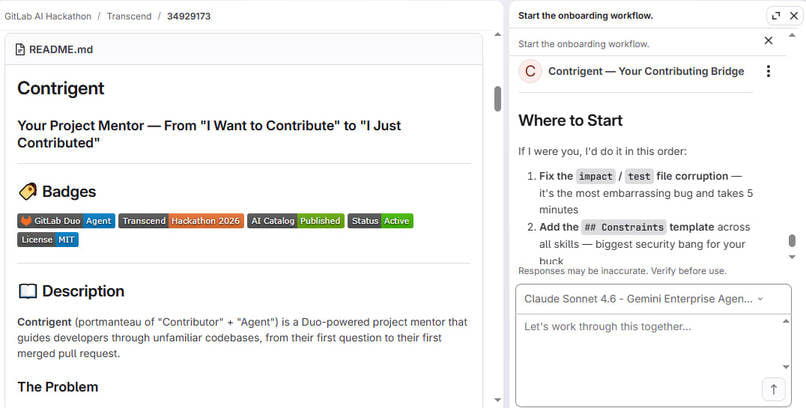

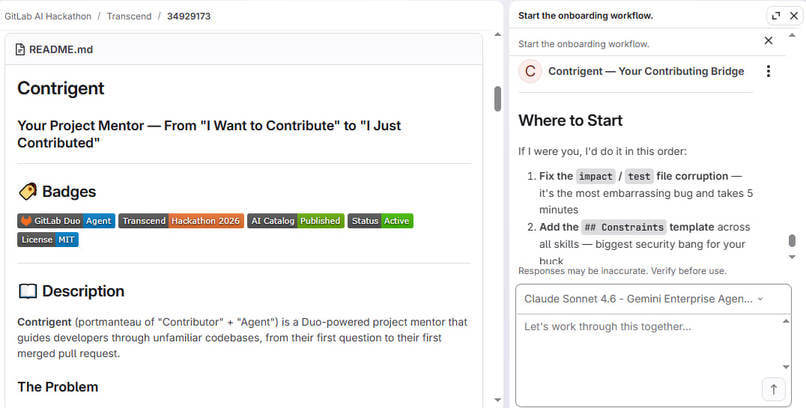
Contrigent — Your Contributing Bridge
From "I Want to Contribute" to "I Just Contributed"
Inspiration
Every developer knows this moment: you find an open-source project you absolutely love. The code is brilliant, the community is welcoming, and you're excited to contribute. So you fork the repo, clone the codebase... and freeze.
- Where do I start?
- What does this file even do?
- Who owns this code?
- What breaks if I touch this?
- What if my PR is rejected?
- What if I really break something?
So you close the tab and move on. The project loses a potential contributor. The community loses fresh perspectives. And you lose the chance to grow as an engineer.
Contrigent exists to bridge this.
We've all been the "new person" on a project. We've all felt the anxiety of opening that first PR. Contrigent is my aspiration to counter ages of "contributing is hard" conversations. It's not just a tool—it's the guidance I wish I had when I was starting.
The name comes from "Contributor" + "Agent." It's a reminder that Contrigent isn't just answering questions — it's actively helping you become part of the community.
What It Does
Contrigent is an AI-powered project mentor that guides developers through unfamiliar codebases, from their first question to their first merged merge request. It's built as a custom GitLab Duo Agent that leverages GitLab Orbit's knowledge graph to understand every file, function, and relationship in the codebase.
Core Capabilities
| Capability | Description |
|---|---|
| Code Explanation | Explains any file, function, or code block line-by-line, including what it does, why it exists, where it's called from, and what depends on it. Uses Orbit to trace callers and callees automatically. |
| Contributor Onboarding | Walks users from selecting an issue to opening their first merge request. Provides step-by-step guidance, identifies relevant files, and helps write good commit messages and PR descriptions. |
| PR Analysis | Reviews pull requests with structured feedback on code correctness, test coverage, performance, security, and documentation. Highlights strengths and suggests improvements constructively. |
| Bug Hunting | Proactively identifies logic errors, edge cases, and code smells. Prioritises findings by severity and suggests actionable fixes. |
| Security Analysis | Explains vulnerabilities in plain language, traces the blast radius using Orbit, and provides secure code examples. Can create issues for affected files. |
| Test Generation | Generates comprehensive unit tests for any function or module, covering happy paths, edge cases, error scenarios, and boundary conditions. |
| Breaking Change Detection | Maps the impact of PRs across the entire codebase, identifying API changes, database migrations, and dependencies that will be affected. |
How It's Different
- No generic answers. Contrigent provides context using Orbit's code graph.
- No vague advice. Contrigent offers actionable, step-by-step guidance.
- Say goodbye to robotic responses. Contrigent talks like a real developer you'd want to work with.
What Contrigent Is
- 7 Custom Skills:
contributor-onboarding,pr-analysis,codebase-expert,bug-hunter,security-expert,test-generator, andbreaking-change-detector - Slash Command Support: Users can trigger skills with commands like
/onboard,/review 17, or/explain src/auth/login.py - Deep Orbit Integration: Every query about code uses Orbit to trace relationships, dependencies, and ownership
- Human-Centred System Prompt: The agent's personality is direct, warm, and encouraging—but never patronising
How I Built It
The Platform
Contrigent is built on the GitLab Duo Agent Platform, which provides the infrastructure for creating custom AI assistants that interact with GitLab projects. The platform includes:
- Agent Framework: The core system that powers custom agents like Contrigent
- Skill System: The
SKILL.mdfiles that provide specialised knowledge and workflows - Orbit Integration: The knowledge graph that understands code relationships across the entire codebase
- Tool Access: Built-in GitLab tools for reading files, searching code, and querying issues and merge requests
The Architecture
Contrigent consists of four layers:
Personality Layer: The System Prompt defines the agent's identity, communication style, and core expertise. It's designed to feel like a senior developer who's been working on the codebase for years—direct but encouraging, honest but constructive.
Skill Layer: Seven custom skills handle specific tasks. Each
SKILL.mdfile contains detailed instructions for the agent, including workflows, response structures, and examples. Skills are loaded on demand based on the user's request.Tool Layer: The agent has access to GitLab's built-in tools for reading files, searching code, and querying issues, merge requests, and the Orbit graph. This enables Contrigent to fetch real data and provide accurate, contextual answers.
Orbit Layer: GitLab Orbit provides the knowledge graph that traces relationships across the codebase. Contrigent uses Orbit to answer questions like "Who calls this function?" and "What breaks if I change this?"
The Skills
Each skill was written as a SKILL.md file. Skills follow a consistent structure:
nameanddescriptionin the front mattermetadata: slash-command: enabledfor slash command support- A clear "When to Use" section
- Step-by-step workflows
- Example responses
- A human-centred, non-robotic tone
The System Prompt
The system prompt is where Contrigent's personality lives. It was iteratively refined to sound like a real person, not a customer service bot. Key principles:
- Direct, not rude
- Uses plain English
- Honest when something is hard or ugly
- Celebrates small wins genuinely
- Admits uncertainty and suggests how to verify
- No "great question!" or "Let me break it down" clichés
The Tools
Contrigent uses these GitLab tools:
- Files: Read Files, Find Files, Get Repository File
- Search: GitLab Blob Search, GitLab Issue Search, Get Issue
- Merge Requests: GitLab Merge Request Search, Get Merge Request, Get Merge Request Diffs
- Orbit: Query Graph, Get Graph Schema, Invoke Command, List Commands, Get Graph Status
Challenges I Ran Into
1. Making the Agent Sound Human
The biggest challenge wasn't technical—it was linguistic. Early versions of Contrigent sounded like every other AI: polite, generic, and forgettable. "Great question!" "Let me break that down for you." "I'd be happy to help!"
The Fix: I rewrote the system prompt entirely. AI-isms and corporate buzzwords went in Recycling. No patronising encouragement. Just honest, direct, helpful guidance.
2. Understanding Orbit's Potential
Orbit is powerful but complex. Early on, I didn't fully understand how to use it effectively. I saw Orbit as a file-finding tool rather than a relationship-graph tool.
The Fix: I studied the Orbit documentation and experimented with different queries. There I realised Orbit's real value is tracing relationships—callers, callees, dependencies, and ownership. I rewrote the skills to prioritise Orbit queries before reading files.
3. Keeping Skills Focused
I started with too many skills, some of which overlapped. first-contribution-guide and onboarding-journey were almost identical. pr-analysis and mr-review-instructions.yaml served similar purposes.
The Fix: I merged overlapping skills and deleted redundant ones. In the end, I came up with 7 distinct skills, each with a clear purpose and no overlap.
4. The "Hallucination" Problem
In early testing, Contrigent sometimes invented functions or files that didn't exist. It would confidently say "This function is called by src/api/login.py" when Orbit showed no such relationship.
The Fix: I updated the system prompt to prioritise Orbit queries before answering. I had Contrigent stand by this rule: "If you're not sure, say so honestly and suggest how to verify." I also added confidence estimates to responses: "Based on my analysis, I'm 85% confident or completely vague that..."
5. Writing Good SKILL.md Files
The skill files are instructions to the agent, not to humans. It took several iterations to find the right level of detail. Too vague and the agent would fill in with hallucinations. Too specific and the agent would ignore relevant context.
The Fix: I settled on a pattern: clear "When to Use" triggers, step-by-step workflows with examples, and a "What NOT to Do" section. I also added "Success Metrics" to each skill to help the agent know when it had achieved its goal.
Accomplishments I'm Proud Of
A Human-Centred Agent — Contrigent doesn't sound like a robot. It sounds like a senior developer who wants to help. I'm proud of breaking the mould of generic AI assistants and creating something that actually feels like a mentor.
Deep Orbit Integration — Instead of using Orbit superficially, Contrigent uses it as its core source of truth. Every answer about code is grounded in Orbit's knowledge graph.
Complete Contribution Lifecycle Coverage — Contrigent doesn't just answer questions — it guides users through the entire contribution journey. From selecting an issue to writing code to getting a PR merged, Contrigent is there at every step.
Polished Developer Experience — Slash commands, structured responses, actionable next steps, confidence estimates—these small details add up to a professional, polished experience that's ready for real-world use.
7 Custom Skills — Seven distinct, well-documented skills covering onboarding, PR review, code explanation, bug hunting, security analysis, test generation, and breaking change detection. Each skill is focused, actionable, and grounded in Orbit.
What I Learned
AI Agents Are Only as Good as Their Context — An AI agent without context is just a chatbot. The power of Contrigent comes from Orbit's knowledge graph and GitLab's unified data model. I learned that context is everything.
Tone Matters More Than Features — Contrigent's features could be replicated by any AI. What makes it special is how it communicates. I learned that investing in the system prompt—writing it like a human, not a bot—is the most important thing I did.
Skills Are a Powerful Abstraction — The
SKILL.mdsystem is elegant. It allows agents to have specialised knowledge without being overloaded. I learned how to write skills that are detailed enough to be useful but flexible enough to handle real-world complexity.Orbit Is a Game Changer — I started the hackathon not fully understanding Orbit. By the end, I saw how transformative it is for AI agents. Tracing relationships across a codebase is the secret to making AI truly useful for developers.
Open Source Is More Welcoming Than It Seems — The "I want to contribute but I'm scared" problem is real, but it's also solvable. Contrigent showed that with the right guidance, anyone can become a contributor. The barrier would be more psychological than technical.
Hackathons Accelerate Learning — I went from "what is GitLab Orbit?" to "here's a complete agent with 7 skills." The hackathon format made me learn fast, prioritise ruthlessly, and build something real.
What's Next for Contrigent
The Ultimate Vision
I aspire Contrigent to become the default onboarding and contribution guide for every open-source project. A world where the question isn't "Do I contribute?" but "Where do I start?" And Contrigent is always there with the answer.
Thank You
To the GitLab team for building the Duo Agent Platform, Orbit, and for hosting the Transcend Hackathon. To the judges for taking the time to evaluate submissions, to anyone who stumbled upon Contrigent and took the time to read this. And to the open-source community everywhere — Contrigent exists to help us grow.
This project was inspired by every developer who ever felt intimidated by a codebase. Contrigent's mission is to help contributors feel welcome!
Agent Stats
| Metric | Value |
|---|---|
| Skills Created | 7 |
| Lines of Instruction | ~150 in SKILL.md files |
| System Prompt | ~50 lines |
| Tools Enabled | 13 |
| Orbit Queries Used | 4 distinct query types |
Contrigent is alive and raring to go! Ready to make your first contribution?
Built With
- gitlab
- gitlab-duo
- gitlab-orbit

Log in or sign up for Devpost to join the conversation.