-
-
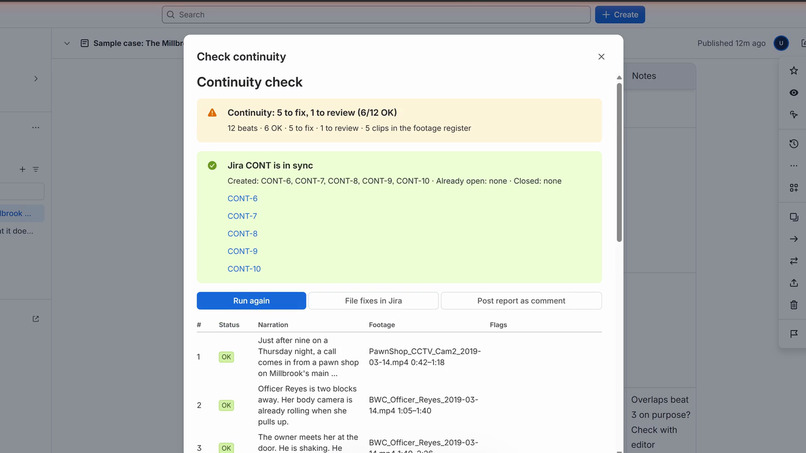
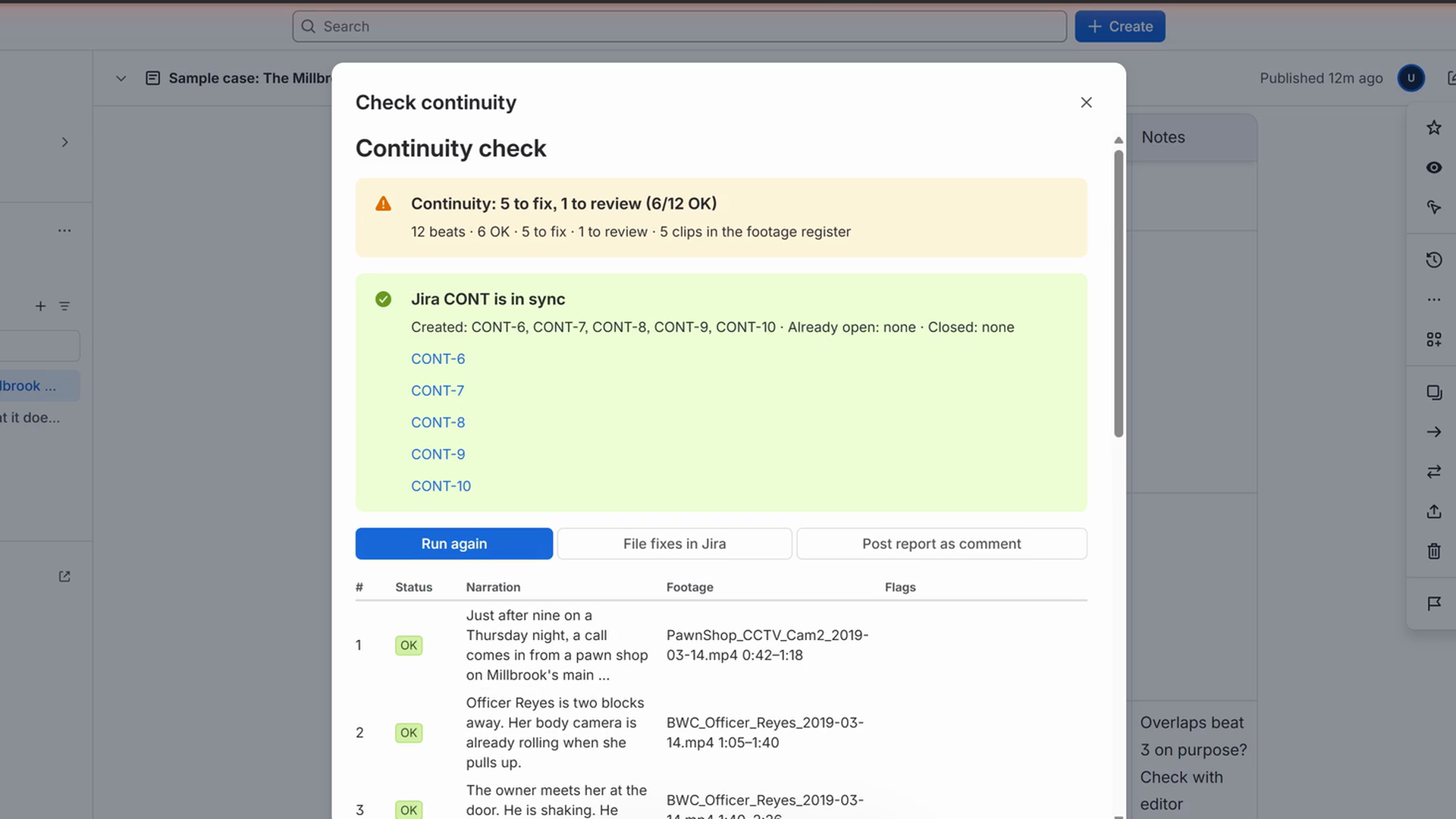
File fixes in Jira: one task per problem on the CONT board, nothing duplicated on a second click
-
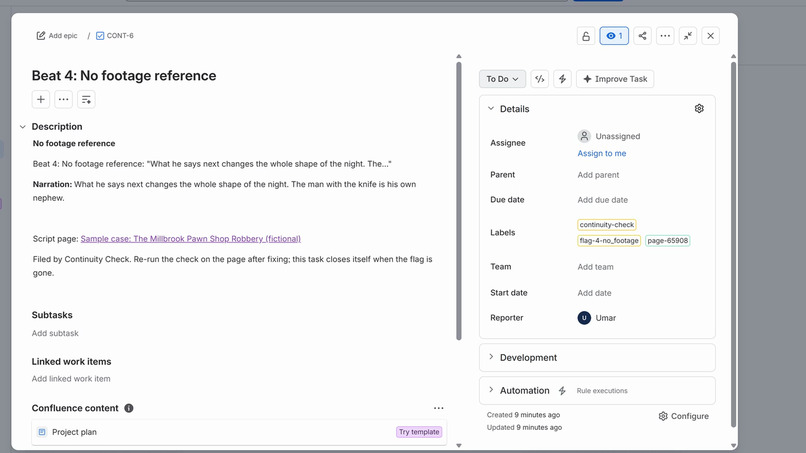
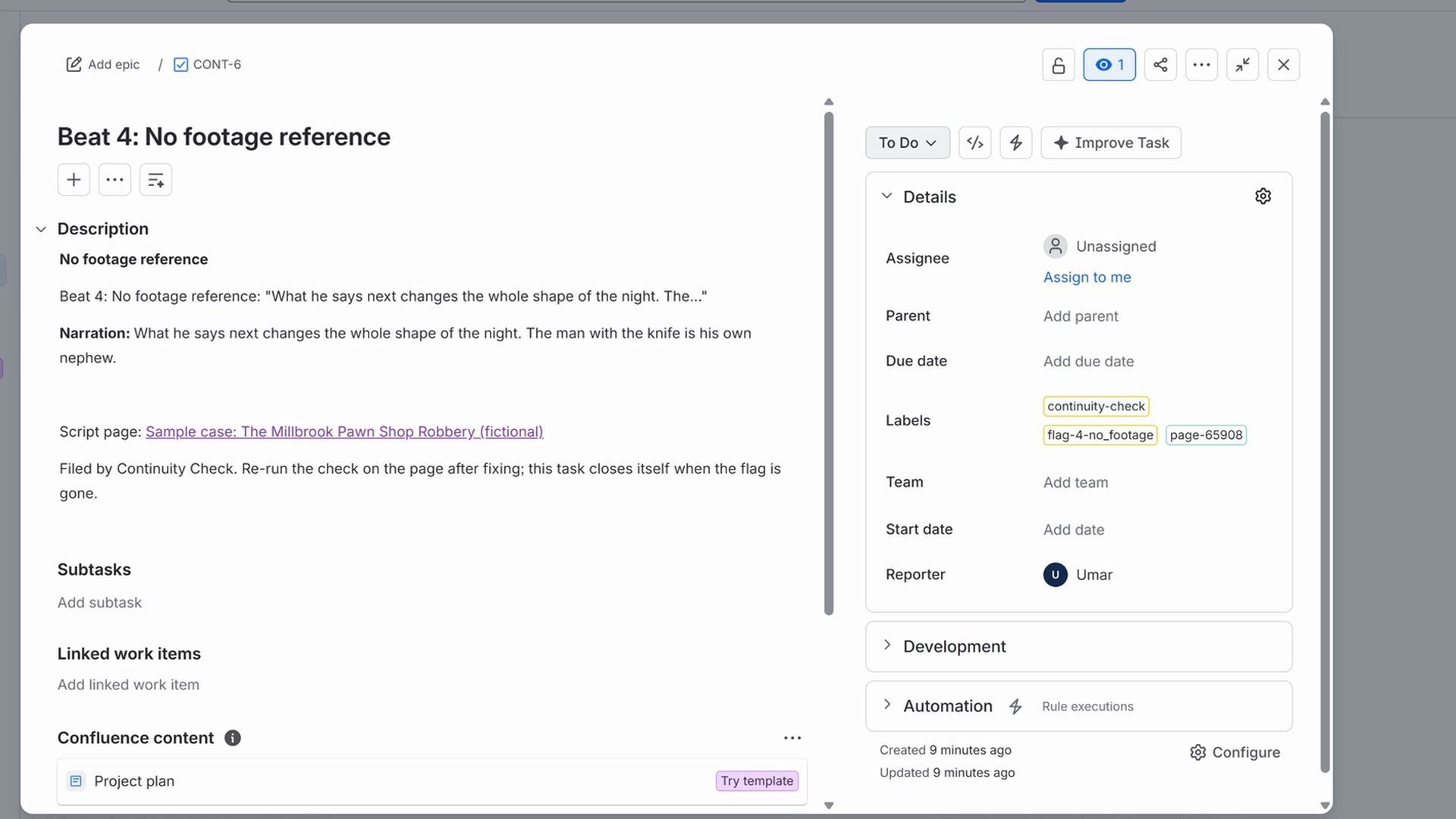
A fix task with its labels and the Confluence link back to the script page
-
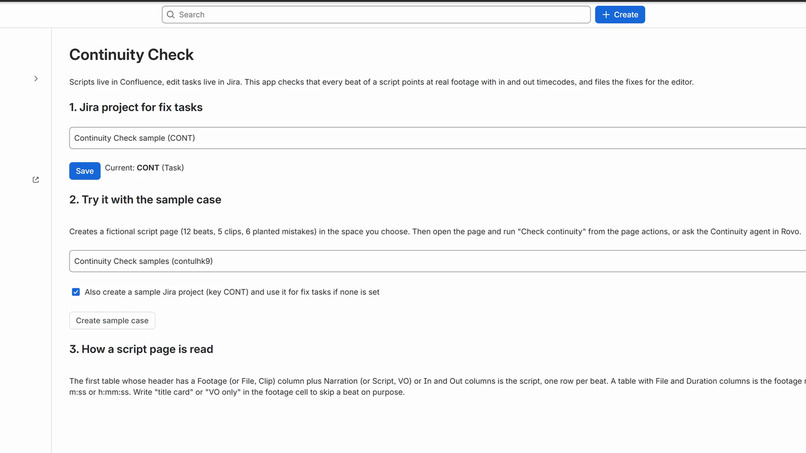
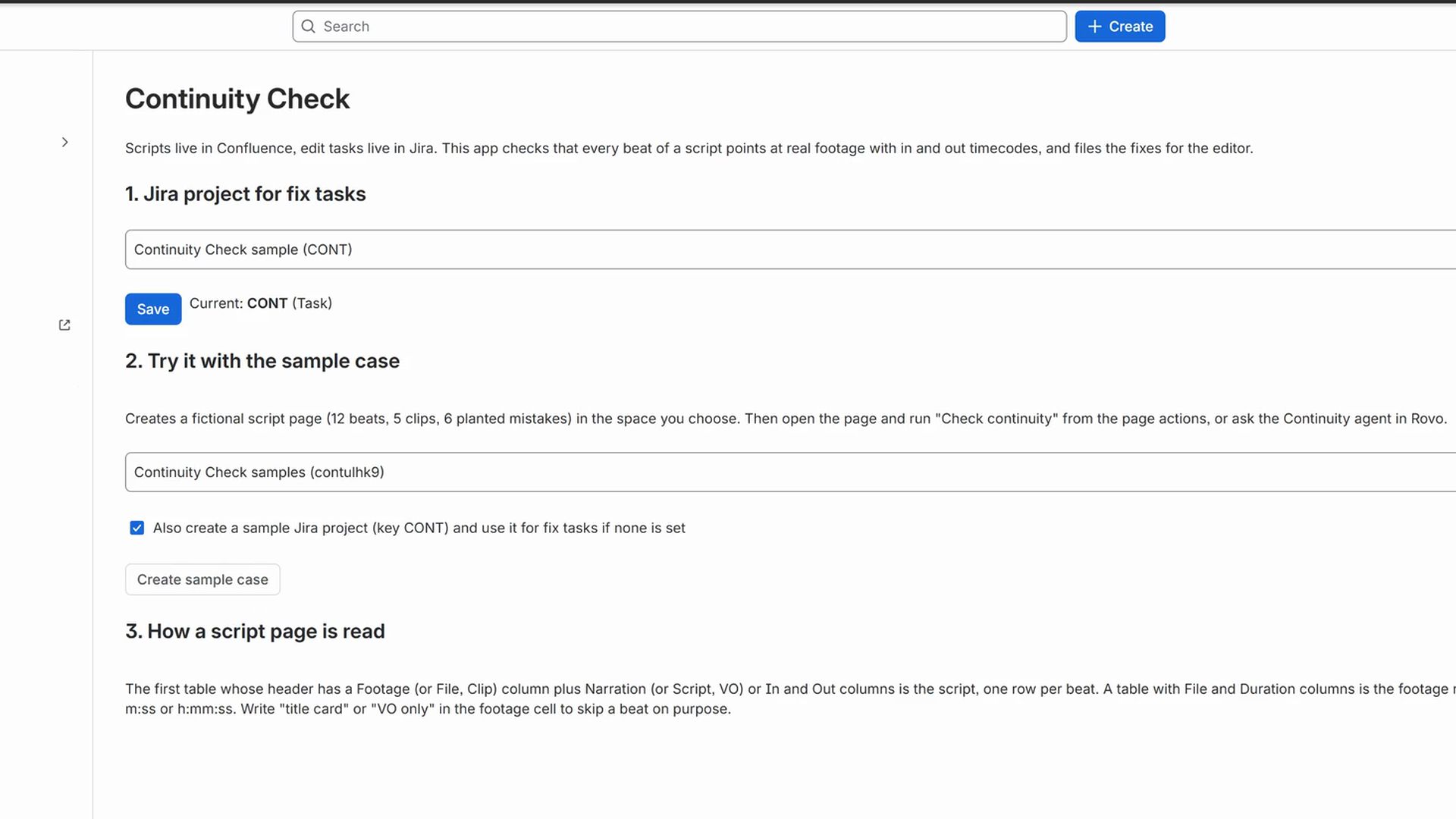
Setup page under Apps: pick the Jira project and create the sample case in one click
-
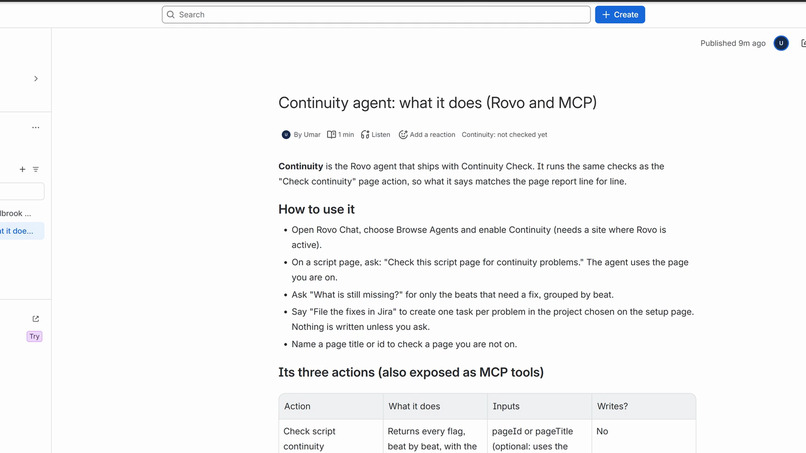
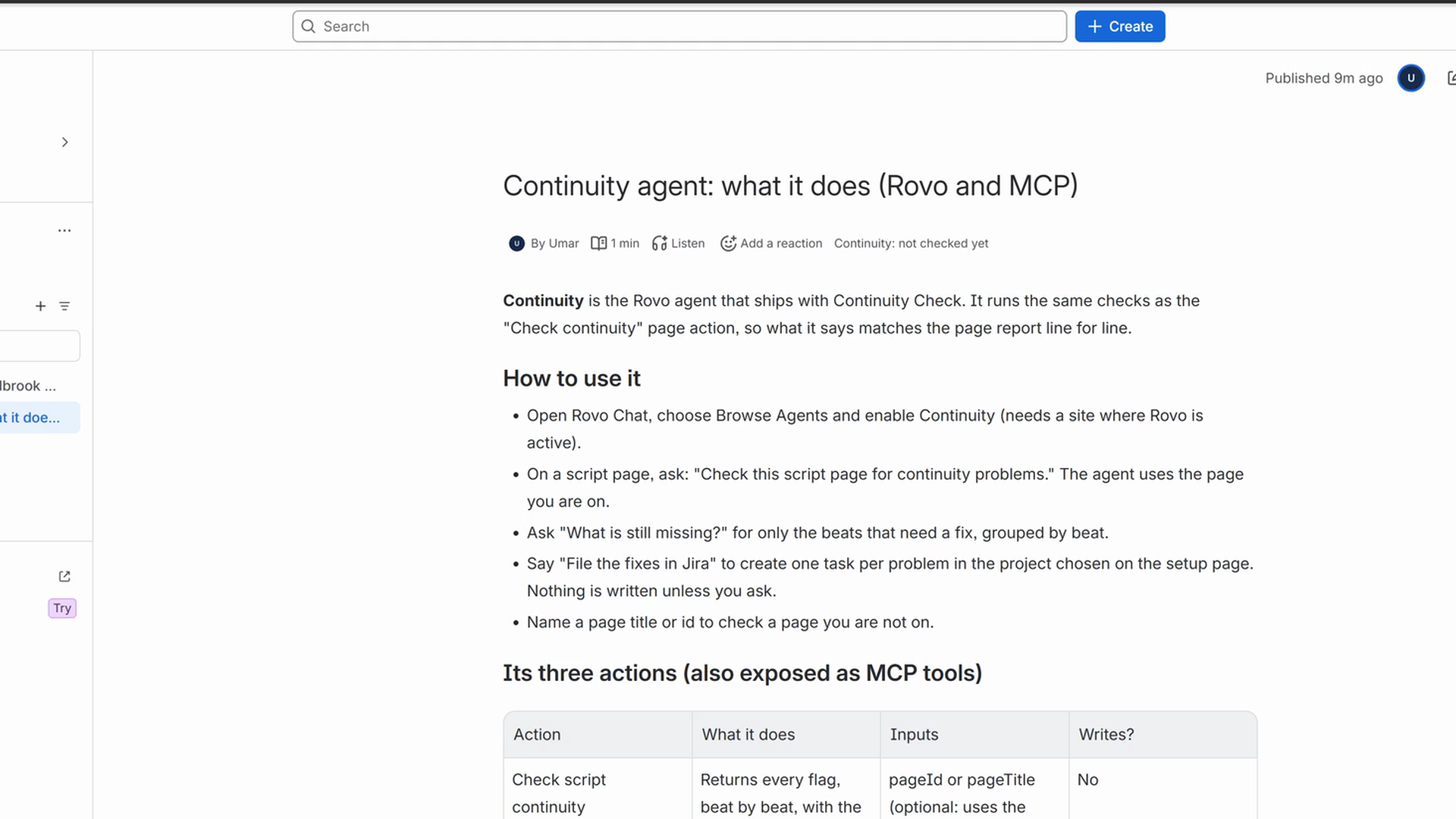
The sample page about the Continuity agent and its MCP tools
-
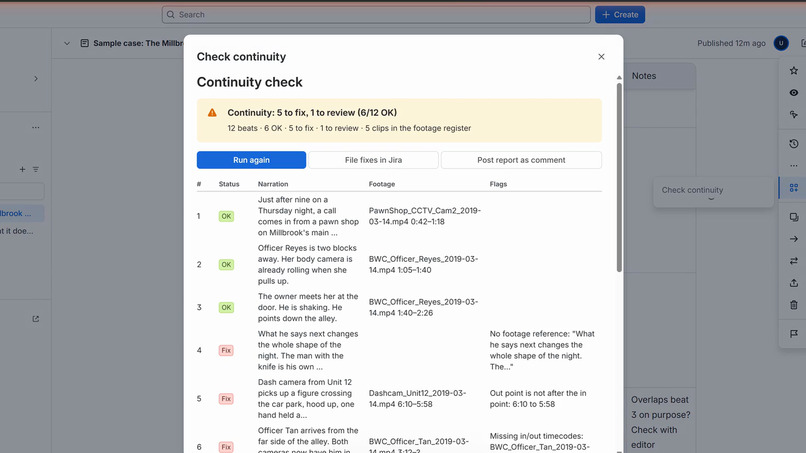
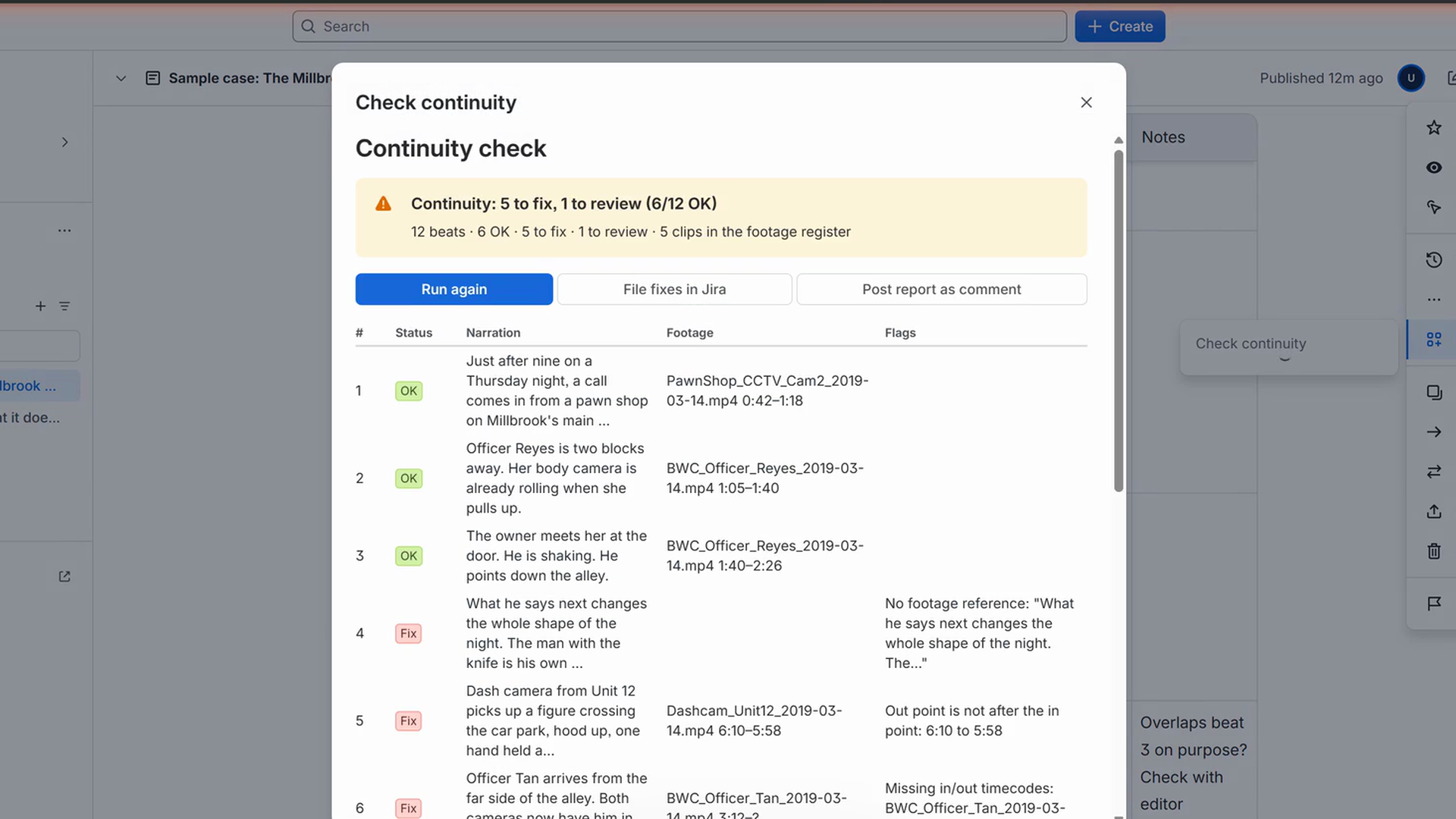
Check continuity: the beat-by-beat report inside Confluence (sample case: 5 to fix, 1 to review)
-
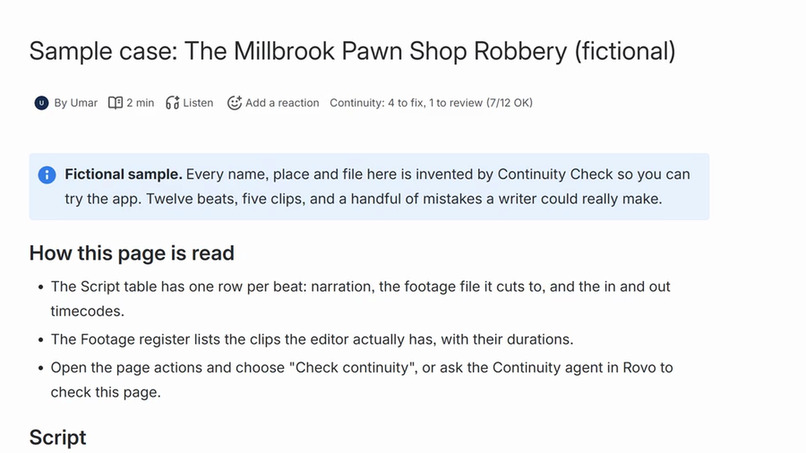
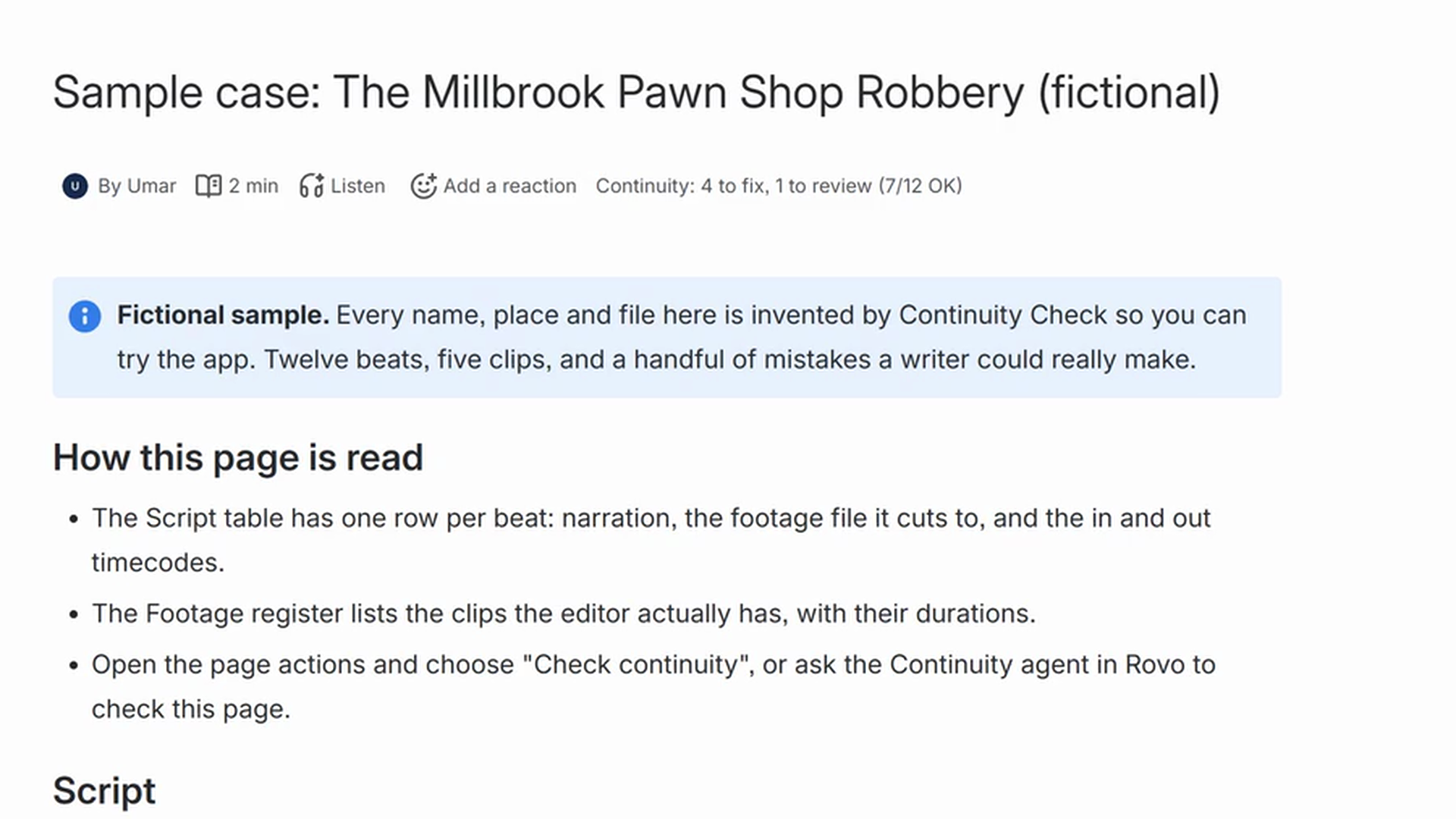
The Continuity byline under the page title, refreshed on its own by the page-updated trigger
Inspiration
I have been writing paid scripts for a true-crime bodycam channel this autumn. The editor needed every beat of my script to name the clip, the original file and the in and out timecodes, or the cut stalled and an email round trip started. Scripts and edit tasks often live in tools like Confluence and Jira, but nothing checks that the two agree. I kept doing that check by hand, beat by beat, so I built the thing I wished existed.
What it does
Continuity Check reads a script page in Confluence: one table row per beat with the narration, the footage file and the in and out points, plus a footage register that lists the clips the editor really has. It then flags every beat with no footage, missing or broken timecodes, an out point before the in point, a file that is not in the register, or an out point past the end of the clip, and marks overlapping ranges for review.
- A page action, "Check continuity", shows the beat-by-beat report inside Confluence.
- "File fixes in Jira" creates one task per problem in the editing project, with a Confluence link so the script page shows on the task, never duplicates (a second click seconds later finds the same tasks), and every later check closes the tasks whose flag has gone from the page.
- A byline item under the page title shows the status ("5 to fix, 1 to review") without opening anything, and a page-updated trigger refreshes it on its own after the page is published again.
- "Post report as comment" leaves the result on the page for the editor.
- A setup page under Apps picks the Jira project and creates a fictional sample case in one click: a new space, a 12-beat script with six planted mistakes, and a sample Jira project.
- The "Continuity" Rovo agent is built to answer "check this script", "what is still missing" and "file the fixes" with the same rules, and the three actions are exposed as MCP tools for other agents.
How I built it
It is a Forge app with UI Kit screens and a Node backend. Confluence pages are read as ADF, and the script and register tables are found by their header names, so column order and naming can vary. The rules, the beat keys and the Jira sync plan live in three pure modules with their own unit tests. Every flag has a stable id built from the beat's own label, so inserting a row above a flagged beat does not move its task. Forge Key-Value Storage keeps the chosen project, the flag-to-task map and the last result for the byline; existing tasks are matched from that map first (read straight from Jira by key, so there is no search-index lag) and from labels (continuity-check, page-, flag--) second, which covers a wiped store. A task is commented and moved to Done when its flag disappears. Requests from the page UI run as the viewing user, so normal Confluence and Jira permissions apply; the page-updated trigger reads pages as the app and only re-checks pages that were checked before.
Challenges I ran into
Real script tables are messy, so the parser accepts header aliases (also "Footage (original file)" or "In (mm:ss)"), merged cells, and timecode formats like 1:05, 01:02:03, 100:05 and 0:42.5, while anything ambiguous such as 12:345 is flagged rather than guessed. Keeping Jira in sync without duplicates meant giving every flag a stable id and trusting app storage before the search index. Rovo is not enabled on the site this was built on, so the agent and MCP tools are built on the same tested functions as the page action and are described rather than shown in the video; on a Rovo-enabled site they appear under Browse Agents.
Accomplishments that I'm proud of
A judge can go from install to a filed Jira task in about two minutes using the sample case. The close-the-loop part works: fix the page, re-check, and the task for that beat closes itself on the spot, with the page linked from the task and the byline refreshing on its own after the next publish.
What I learned
How much of an editor's day is spent on missing references that a table check can catch; how to read and write ADF; and how Forge modules compose, from a byline item with a dynamic title to agent actions.
What's next for Continuity Check
Frame-accurate checks against the real clip durations pulled from a media server, a per-space footage register shared across scripts, and a script template with the two tables ready to fill.
How it meets the technology requirement
Built entirely on Atlassian Forge (manifest with confluence:contentAction, confluence:contentBylineItem, confluence:globalPage, a page-updated trigger, rovo:agent, three action modules and rovo:mcp). It integrates Confluence (reads script pages, writes comments, creates the sample space and pages, listens for page updates), Jira (creates, finds, links, comments on and transitions issues; creates the sample project) and Rovo (agent with actions, MCP tools).
Category and bonus
Category: Apps for Specialized Industries (video and podcast production). Bonus entered: Best Agents (rovo:agent plus three rovo:action modules; the app also ships a rovo:mcp module exposing the same three tools).
Links
- Installation link (Confluence and Jira): see INSTALL-LINK.txt
- Demo video (public, under 5 minutes): https://youtu.be/dW_mx9i9ly8
- Privacy policy: https://gist.github.com/GitHubMoreLikeGitGud/759ccfced6c07836bb607ebfb7304246
- Source: private repository; code available to judges on request.
Testing instructions for judges (about two minutes)
- Install the app on both Confluence and Jira of a test site with the installation link above (site admin needed; the manage:jira-configuration scope is asked for only to create the sample project).
- In Confluence open Apps > Continuity Check (the app's page in the Apps menu).
- Click "Create sample case" with "Create a new space for the sample" (the default) and the Jira checkbox selected. The app creates a space with the fictional page "Sample case: The Millbrook Pawn Shop Robbery (fictional)" (12 beats, 5 to fix and 1 to review) and a short page about the Continuity agent, creates a Jira project CONT, and sets CONT as the fix-task project. A second click reuses the space and the pages.
- Open the sample page. The "Continuity" byline under the title shows "not checked yet".
- Page actions (the "..." menu) > Apps > "Check continuity". The report lists every beat: 5 to fix, 1 to review, 58% of beats clear.
- Click "File fixes in Jira". Five tasks appear in CONT (labels continuity-check, page-, flag--
, each with a Confluence link to the page). Click it again straight away: nothing is duplicated.
- Edit the page: give beat 6 an out point such as 3:40, publish, then "Run again" in the check dialog. The task for beat 6 is commented and moved to Done on the spot; the other four stay open.
- "Post report as comment" leaves the result as a page comment. The byline shows the latest status without opening anything, and after further edits it refreshes on its own within a few minutes.
Rovo (needs a site where Rovo is active): open Rovo Chat, Browse Agents, enable "Continuity", open the sample page and ask "Check this script page for continuity problems", "What is still missing?", then "File the fixes in Jira". Rovo is not enabled on the site this was built on, so the agent and MCP tools run on the same unit-tested parser and rules as the page action but have not yet been exercised in Rovo Chat. MCP: the same three tools are exposed through the Atlassian MCP server (rovo:mcp module); a site admin can allow external clients under Atlassian Administration > Apps > Sites > Connected apps.
Bonus write-up (Best Agents)
The "Continuity" agent (rovo:agent) is defined with a prompt resource, three conversation starters and three actions (rovo:action): check-script (GET), list-missing (GET) and file-fixes (CREATE). Actions resolve the page from the chat context (the page the user is on) or from a title or id, run the same parser and rules as the page action, and return beat-by-beat text. file-fixes is the only action that writes, and the prompt tells the agent to use it only on an explicit request. The same three actions are listed in a rovo:mcp module so external agents can call them as tools.
Built With
- atlassian-forge
- confluence
- forge-ui-kit
- javascript
- jira
- mcp
- node.js
- rovo
