-
-
Demo
-
Overview


Inspiration
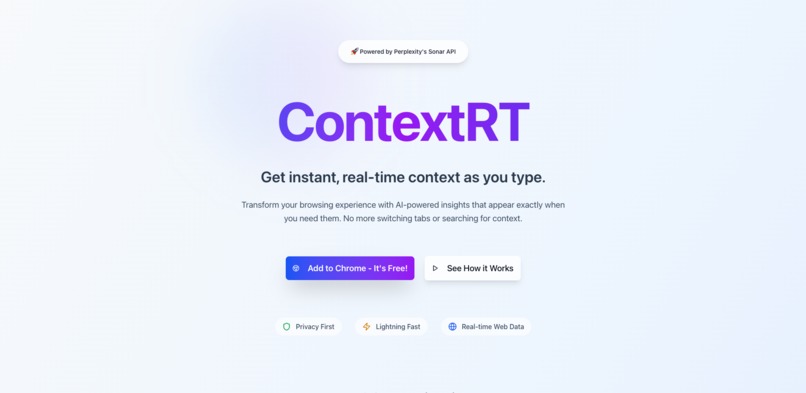
ContextRT was inspired by the need to eliminate context-switching while browsing the web. We noticed that users often need to open new tabs or search for additional information while typing, which breaks their workflow. The idea was to create a seamless experience where relevant context appears exactly when needed, powered by Perplexity's Sonar API.
What it does
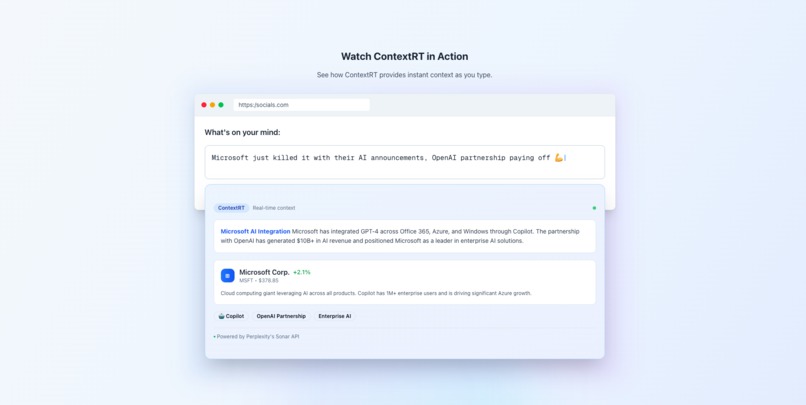
ContextRT is a Chrome extension that provides real-time context as you type, powered by Perplexity's Sonar API. Key features include:
- 🌐 Real-time web search capabilities that analyze your text as you type
- 🧠 AI-powered context generation with a focus on current events and trending topics
- 🏢 Automatic company information cards with stock data and Wikipedia summaries
- 👤 Public figure details with Wikipedia integration
- 🎨 Clean, non-intrusive UI with modern design elements
- ⚡ Fast and responsive performance with debounced requests
- 🌓 Support for both light and dark modes
- ⚙️ Customizable settings for company/person cards and auto-display
How we built it
The project is built using a modern tech stack:
- Frontend: Next.js with TypeScript for type safety
- UI Components: shadcn UI for consistent, modern design
- Extension Architecture:
- Content scripts for real-time text monitoring
- Background service worker for API communication
- Chrome storage for persistent settings
- AI Integration: Perplexity's Sonar API for context generation
- Development Tools:
- esbuild for extension bundling
- Tailwind CSS for styling
- ESLint for code quality
Challenges we ran into
- Performance Optimization: Balancing real-time context updates with performance required careful debouncing and caching strategies
- UI/UX Design: Creating a non-intrusive popup that provides valuable information without disrupting the user's workflow
- API Integration: Managing rate limits and handling API responses efficiently
- Cross-browser Compatibility: Ensuring consistent behavior across different Chrome versions
- State Management: Coordinating between content scripts, background service worker, and popup UI
Accomplishments that we're proud of
- Seamless Integration: Created a frictionless experience that feels native to the browser
- Real-time Performance: Achieved sub-second response times for context generation
- Modern Design: Implemented a beautiful, responsive UI with support for both light and dark modes
- Smart Features: Built intelligent company and person card detection with Wikipedia integration
- User Control: Provided granular settings for users to customize their experience
- Security: Implemented secure API key handling and proper error management
What we learned
- Chrome Extension Development: Deep dive into Chrome's extension architecture and best practices
- AI Integration: Working with Perplexity's Sonar API and optimizing for real-time responses
- Performance Optimization: Techniques for managing real-time updates without impacting browser performance
- User Experience: Importance of non-intrusive design and providing value without disruption
- TypeScript: Leveraging type safety for more robust extension development
What's next for ContextRT
- Enhanced AI Capabilities: Integration with additional AI models for more diverse context generation
- Expanded Platform Support: Bringing ContextRT to other browsers (Firefox, Safari)
- Advanced Features:
- Custom context templates
- User-defined triggers
- Enhanced company/person card information
- Community Features:
- User feedback system
- Context sharing capabilities
- Custom card templates
- Performance Improvements:
- Caching system for frequently requested contexts
- Optimized API usage
- Reduced memory footprint
Built With
- next.js
- perplexity
- sonar
- typescript

Log in or sign up for Devpost to join the conversation.