Inspiration
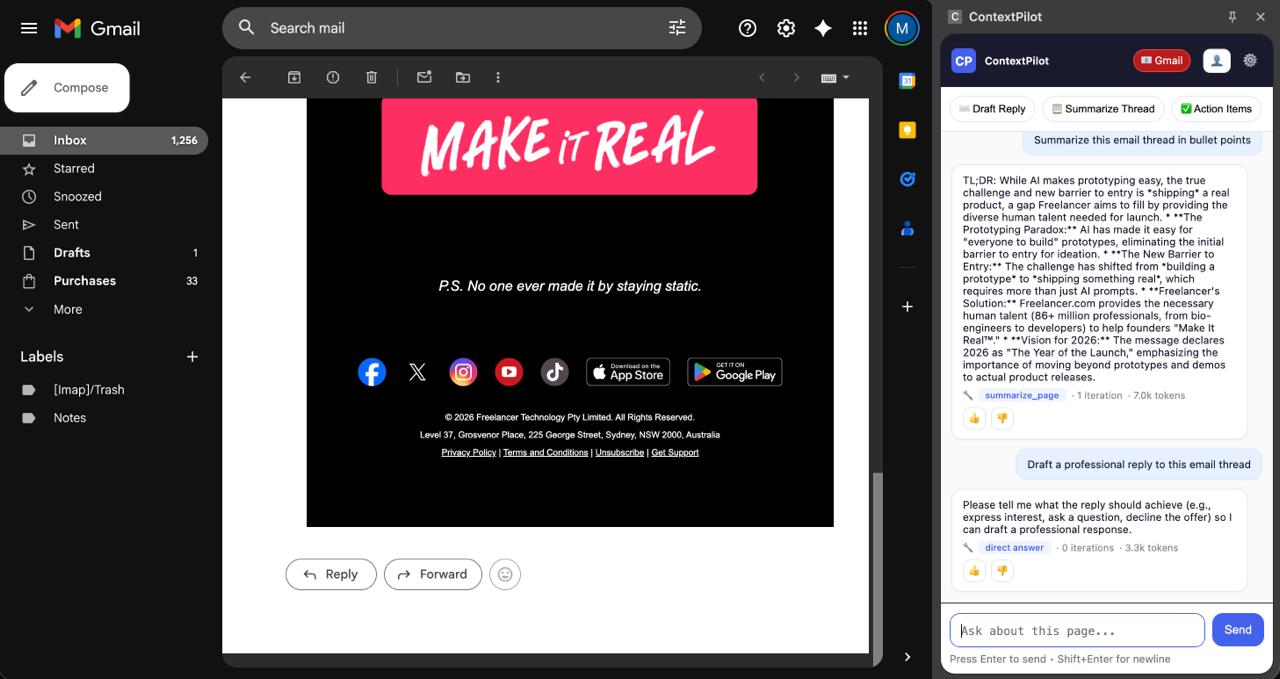
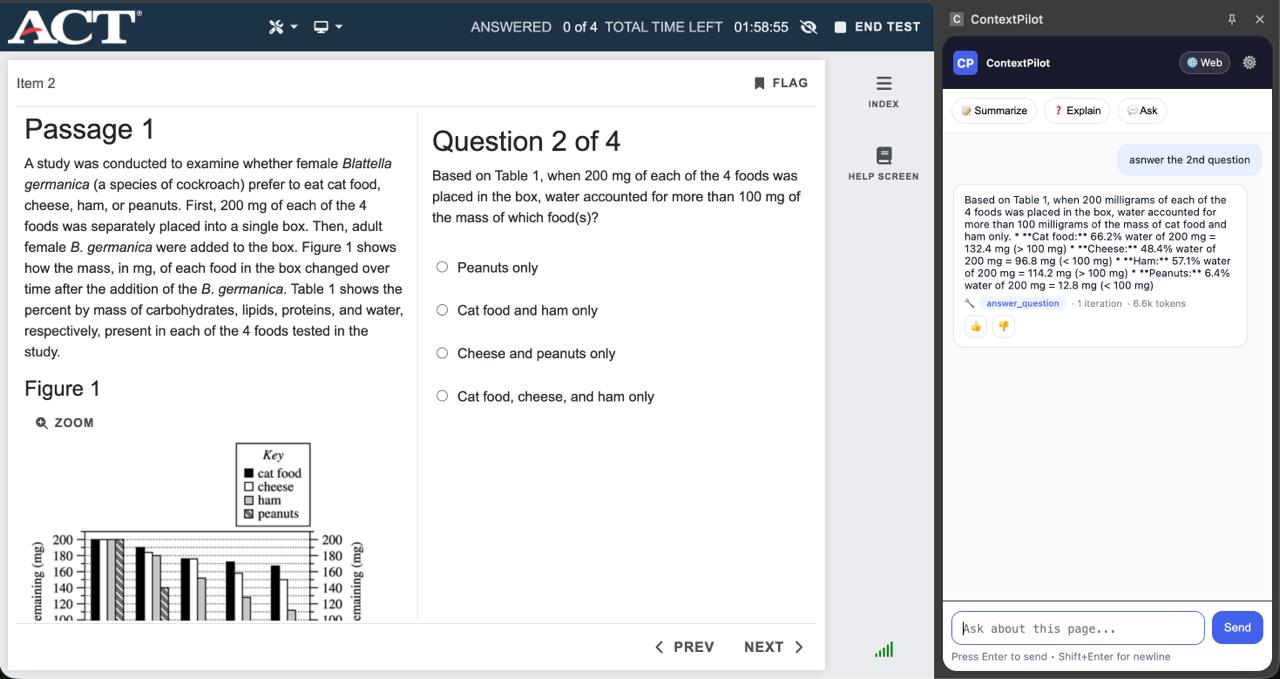
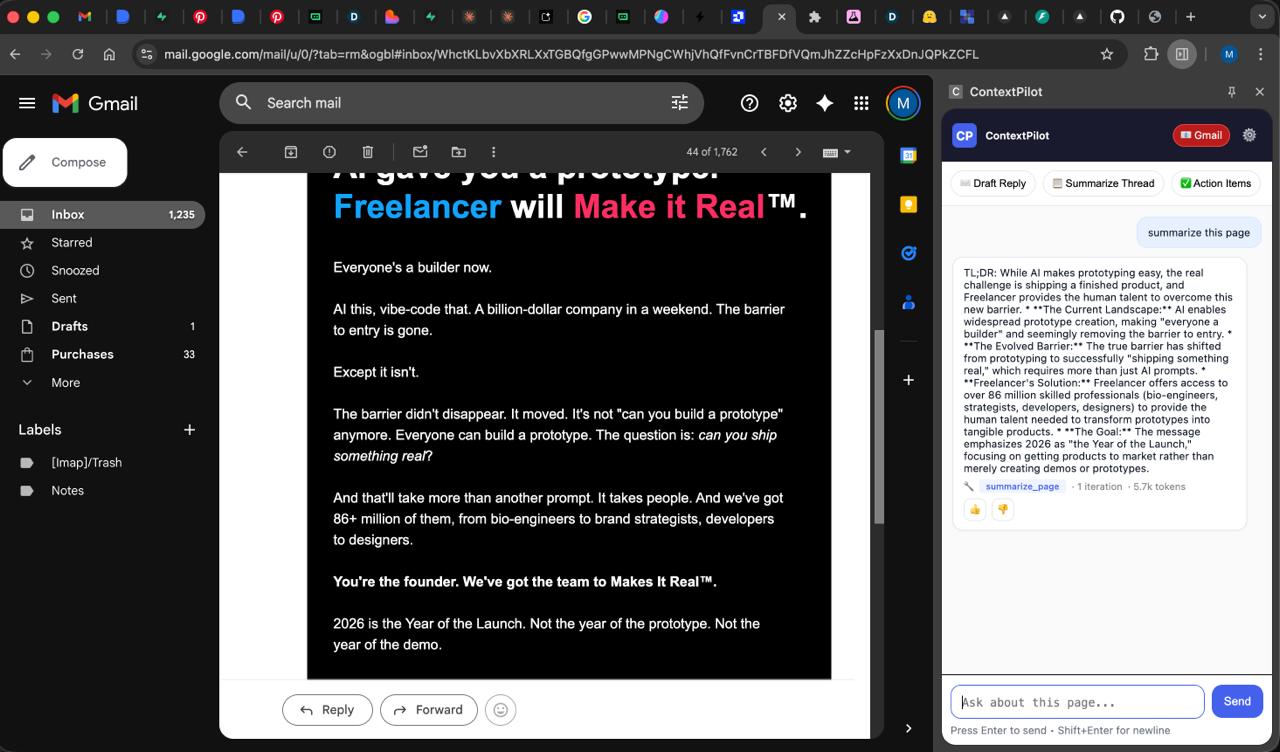
What Is ContextPilotContextPilot is an AI-powered Chrome Extension that acts as an intelligent assistant living directly inside your browser as a persistent side panel. Unlike every other AI tool that requires you to switch tabs, copy text, explain context, and paste results back — ContextPilot reads the page you are already on and acts on it instantly. It understands Gmail threads, LinkedIn profiles, job postings, documentation, news articles, and web forms. It does not just answer questions. It drafts email replies, generates outreach messages, summarizes articles, fills forms, and explains complex concepts — all grounded in the exact content you are currently viewing.The Problem We SolvedModern knowledge workers lose enormous amounts of time to context switching and repetitive tasks. Every time you open ChatGPT or any other AI tool, you have to explain where you are, what you are looking at, and what you need. You copy text, paste it, read the response, copy it back, and repeat. For something as simple as drafting a reply to an email, this process takes longer than just writing the reply yourself. For form filling, you type the same name, email, college, and phone number dozens of times across hundreds of forms throughout your academic and professional life. ContextPilot eliminates all of this friction by embedding the AI directly where you work — in the browser itself.How It WorksWhen you open ContextPilot's side panel on any webpage, the extension's content script automatically extracts the meaningful text from the page — the email thread you are reading, the LinkedIn profile you are viewing, the job posting you are considering, or the form you need to fill. This context is sent to our backend API along with your message. The backend runs a multi-step AI agent loop that decides which tool to use, executes it with a focused AI sub-call, and synthesizes a final response. The agent can chain multiple tools in a single request — for example, summarizing a page first and then answering a specific question about the summary.The extension is built on Chrome's Manifest V3 architecture with a service worker managing per-tab sessions, a content script handling DOM reading and writing, and a side panel providing the full chat interface. The backend is a Node.js and Express server deployed on Railway, using Google Gemini as the primary AI provider with full Anthropic Claude support as an alternative. All session data, messages, user preferences, and feedback corrections are persisted in a Supabase PostgreSQL database with Row Level Security.Key FeaturesContextual Intelligence — The extension detects the type of page you are on and automatically surfaces the right tools. Opening the panel on Gmail shows email-specific actions. Opening it on a LinkedIn profile shows outreach generation. Opening it on a job posting shows cover letter generation. The preset command bar updates dynamically based on page type so the most useful actions are always one click away.Seven Specialized AI Tools — The agent has access to seven task-specific tools: page summarization, email reply drafting, question answering, structured data extraction, LinkedIn outreach message generation, cover letter writing, and concept explanation. Each tool makes its own focused AI sub-call with a carefully engineered system prompt optimized for that specific task. This produces dramatically better results than asking a general AI to do everything.Multi-Step Reasoning Loop — Unlike a simple chatbot, ContextPilot runs an iterative agent loop that can call multiple tools in sequence. When a user asks to summarize an article and identify whether it is worth sharing, the agent calls the summarize tool first, reads the result, then calls the answer tool with that summary as context. This chained reasoning produces responses that a single AI call could not achieve. The extension displays the full tool chain — which tools were called, how many iterations ran, and how many tokens were used — making the agent's reasoning process transparent.Form Intelligence — Users can save their personal details once through natural language and the agent structures and stores them permanently. When the user opens any web form and asks ContextPilot to fill it, the agent scans all form fields on the page, fetches the stored profile, and uses AI to intelligently map profile values to the correct fields regardless of how the labels are written. A user named Mayank Sharma will have their name correctly placed whether the form says Full Name, Student Name, Applicant Name, or Scholar Name. The extension shows a review card before filling anything and never submits the form — the user remains in control at all times.Correction Learning Loop — Every AI response has thumbs up and thumbs down buttons. When a user clicks thumbs down and types a correction — for example, always start with bullet points or focus on action items not background — that correction is stored in Supabase and automatically injected into the agent's system prompt as an imperative behavioral rule on every future request for that user. The agent adapts to individual preferences without any model retraining. This is prompt-level behavioral adaptation, the same approach used by leading AI product teams worldwide.SPA-Aware Content Extraction — Gmail and LinkedIn are Single Page Applications that update their content without page reloads. ContextPilot uses a MutationObserver with platform-specific DOM selectors to detect when meaningful content changes — like opening an email thread in Gmail or navigating to a LinkedIn profile — and automatically re-extracts the fresh content so the agent always works with what the user is currently viewing.
Built With
- all
- all-agent-logic
- and
- and-environment-validation.-json-?-chrome-extension-manifest.json
- and-side-panel.-typescript-?-type-definitions-and-configuration-references-used-across-the-project-structure.-html5-?-side-panel-ui-structure-(sidepanel.html)
- and-stored-functions-in-schema.sql.-bash-?-test-scripts-(test-api.sh
- and-the-chrome-extension-including-the-service-worker
- and-the-debug-panel.-sql-?-supabase-postgresql-schema-definitions
- animations
- api
- chat-interface
- check-env.sh)-for-api-verification
- content-script
- environment-configuration
- express-server
- extension-popup-layout.-css3-?-complete-styling-for-the-side-panel
- fill-review-cards
- form-intelligence-testing
- index-setup
- javascript-(es-modules)-?-primary-language-for-the-entire-project.-used-for-the-node.js-backend
- metadata-bars
- orchestrator
- package.json
- pre-demo-check.sh
- profile-management-panel
- railway.json
- request/response
- row-level-security-policies
- table-creation
- tool-implementations
- triggers
- verify-tools.sh

Log in or sign up for Devpost to join the conversation.