-
-
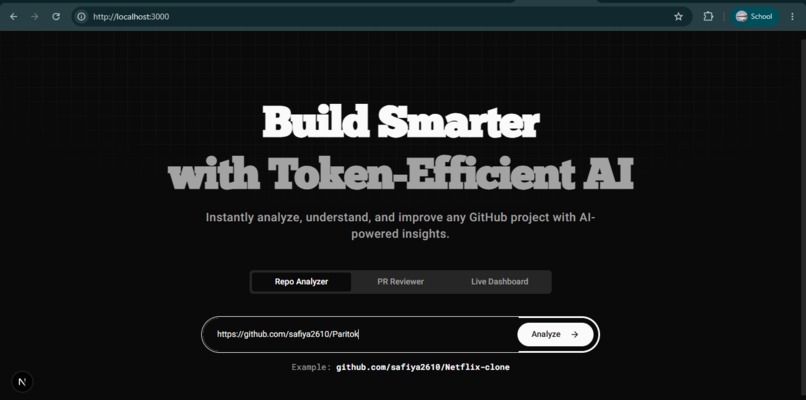
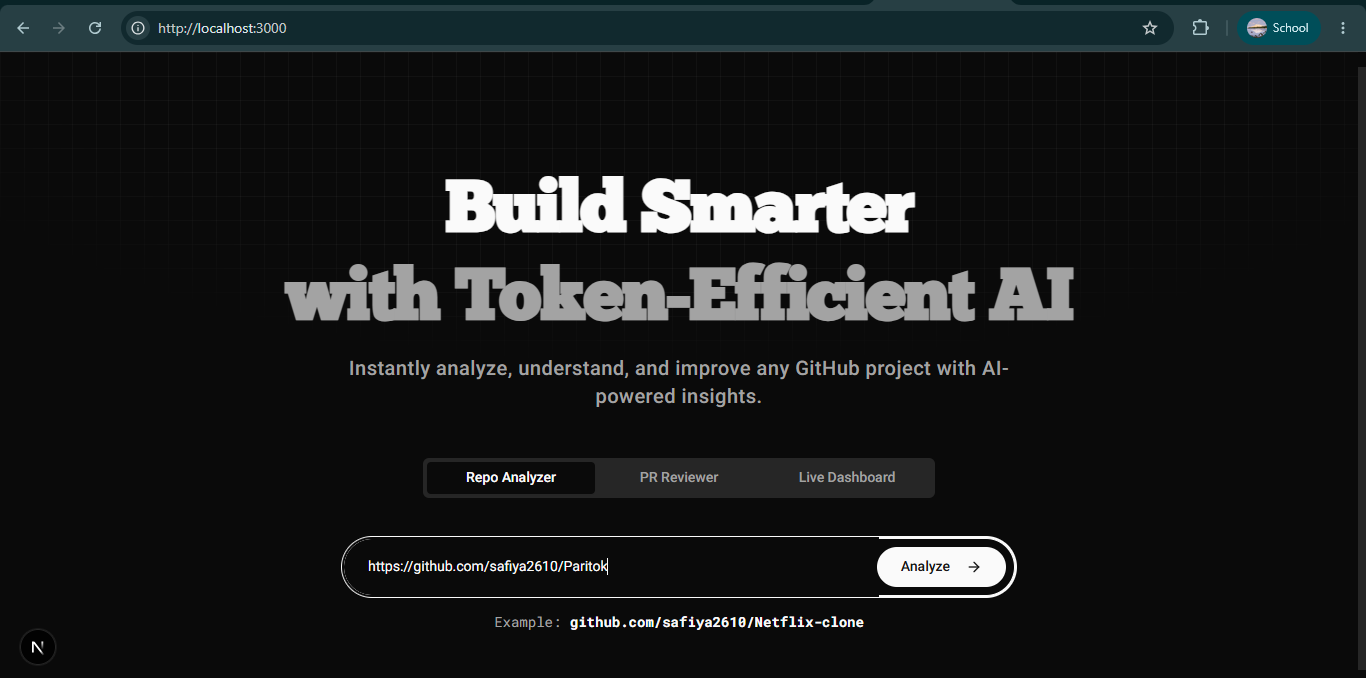
Home Page
-
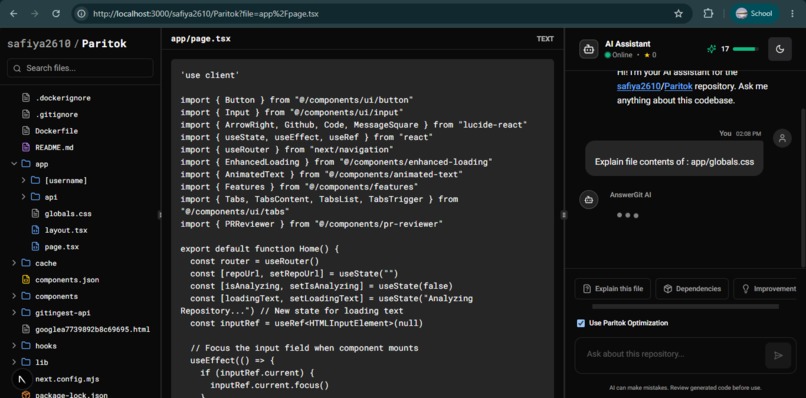
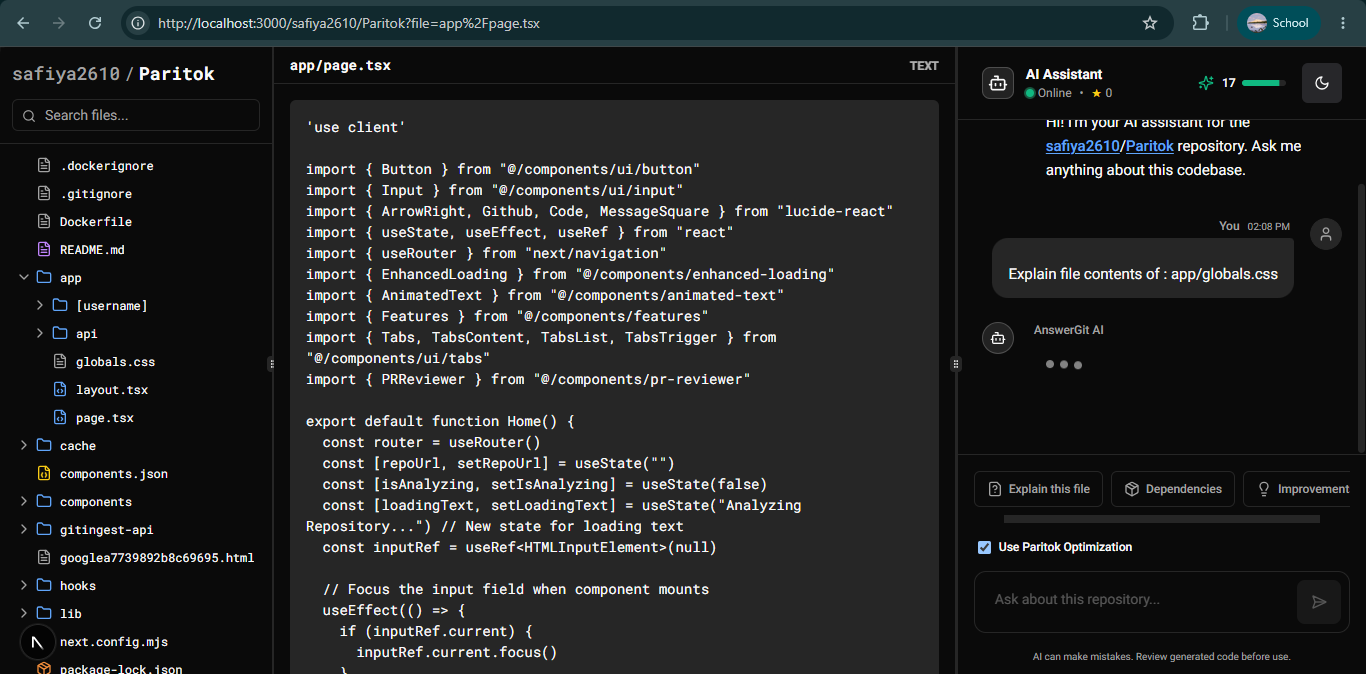
Repository Explorer & AI Assistant
-
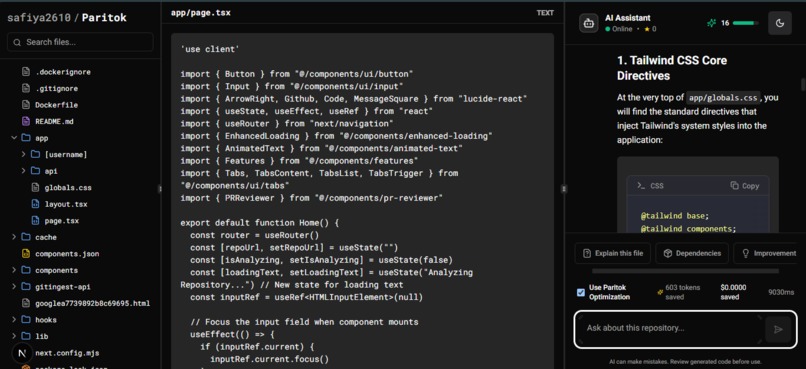
Repository Explorer & AI Assistant
-
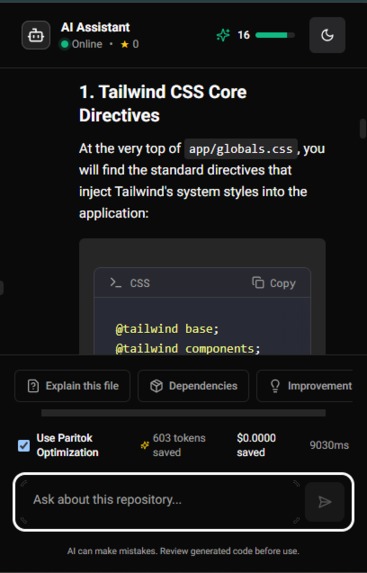
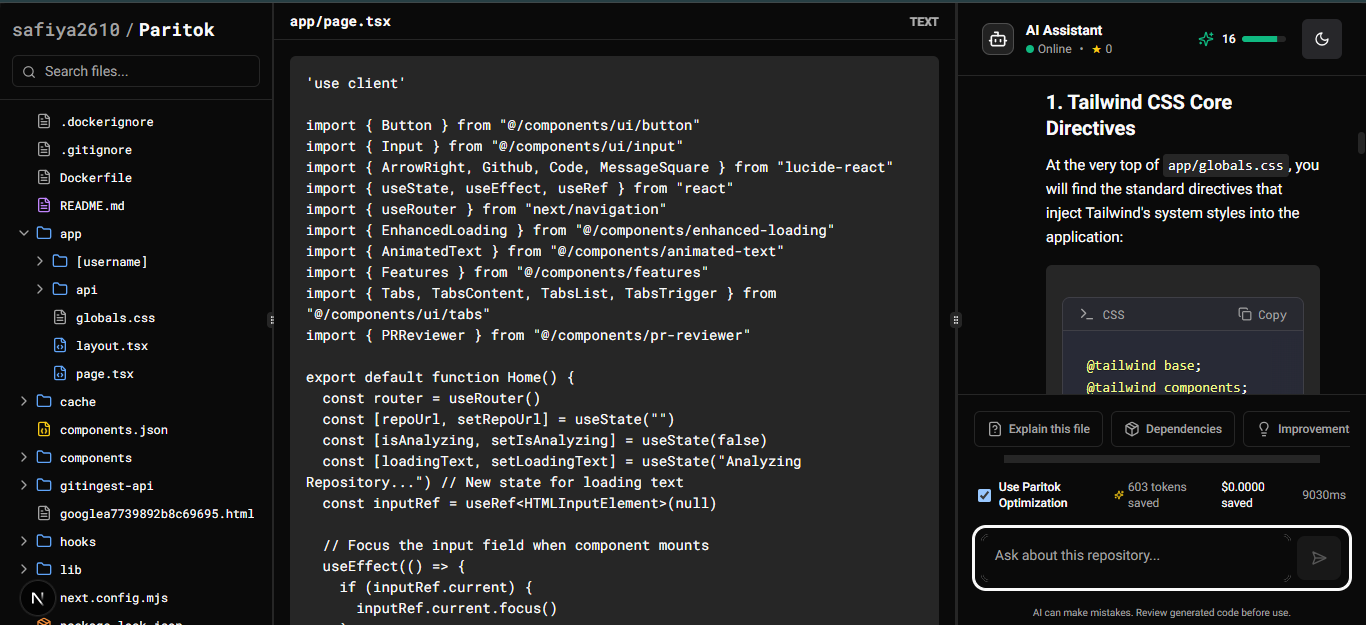
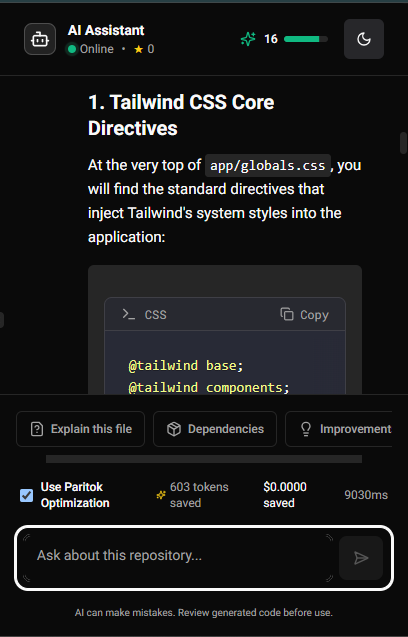
AI Assistant
-
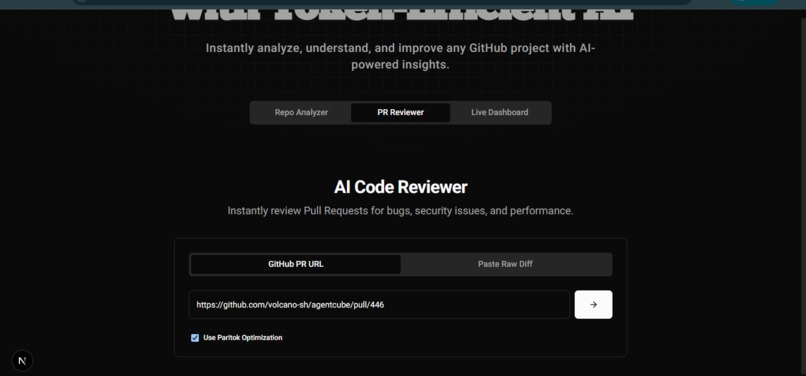
Automated Pull Request Analysis
-
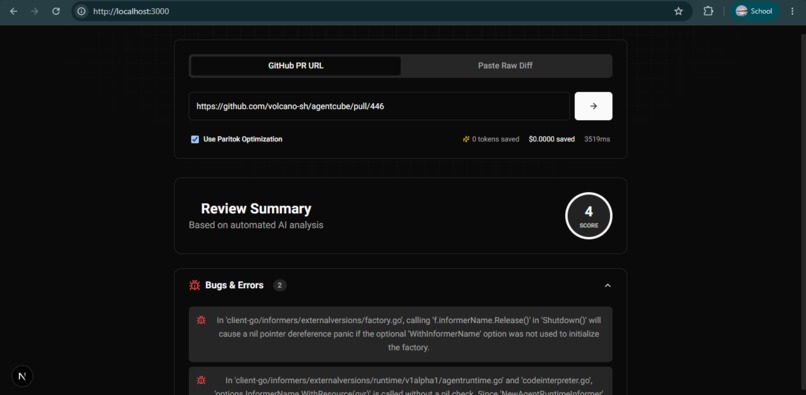
Automated Pull Request Analysis
-
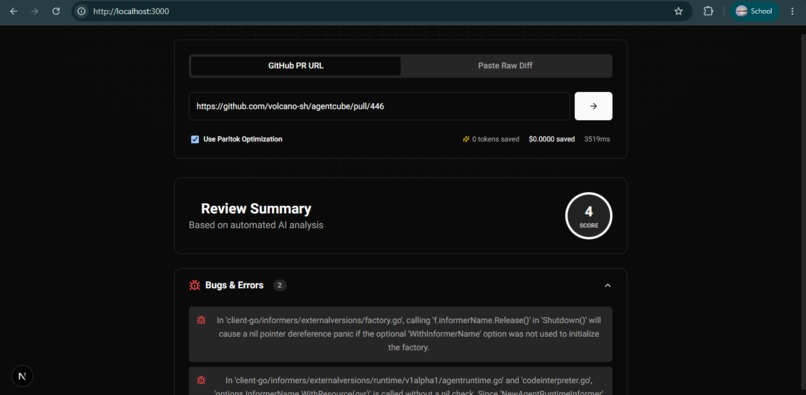
Automated Pull Request Analysis
-
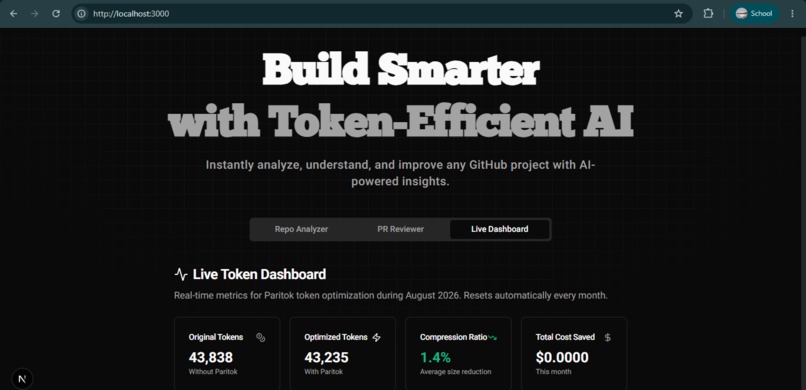
Live Token Analytics Dashboard
-
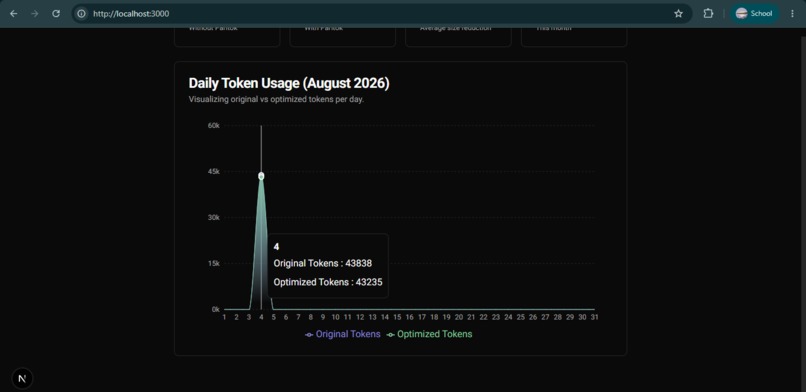
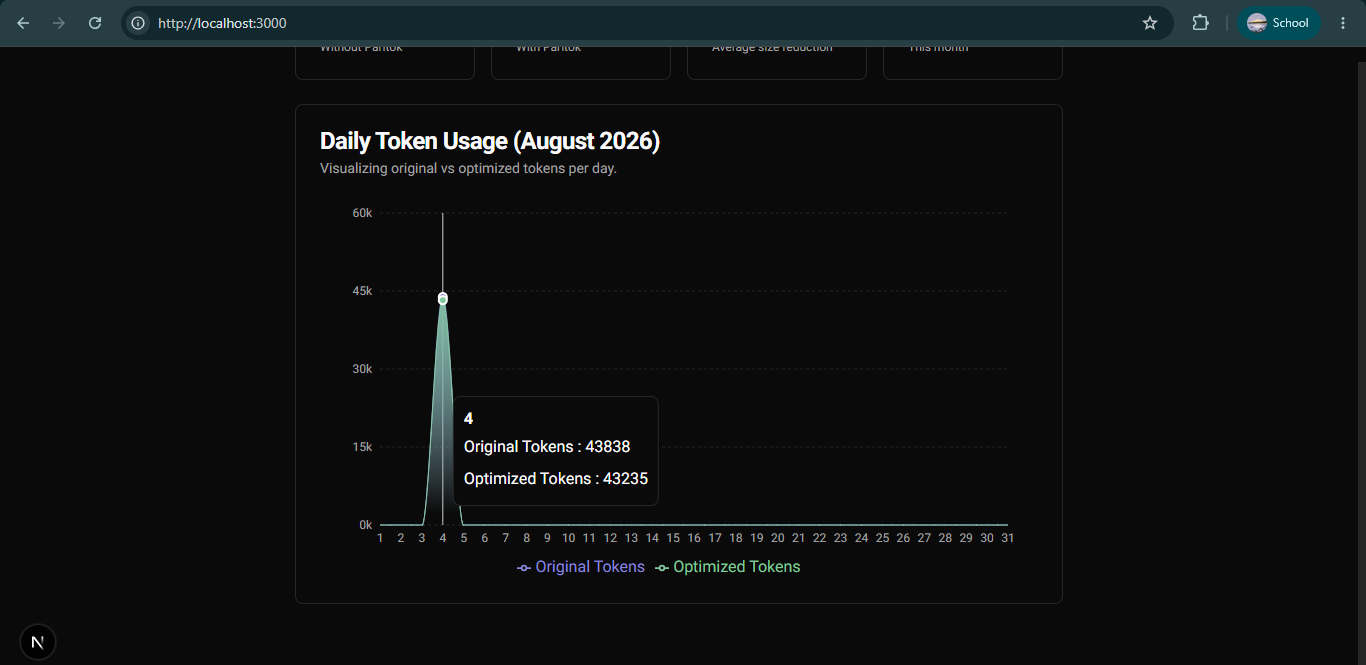
Live Token Analytics Dashboard
-
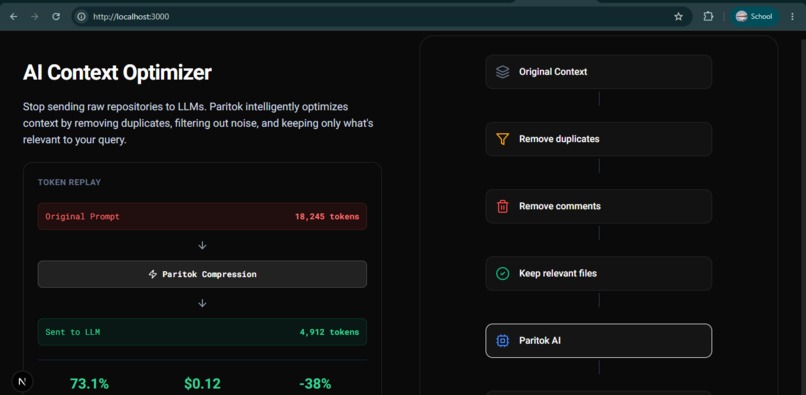
UI
-
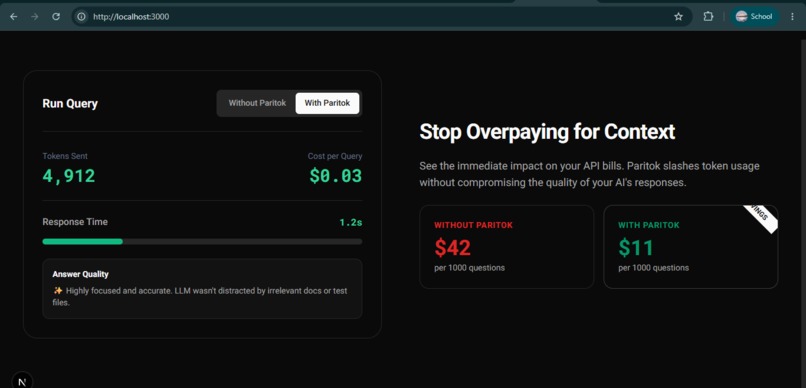
UI
-
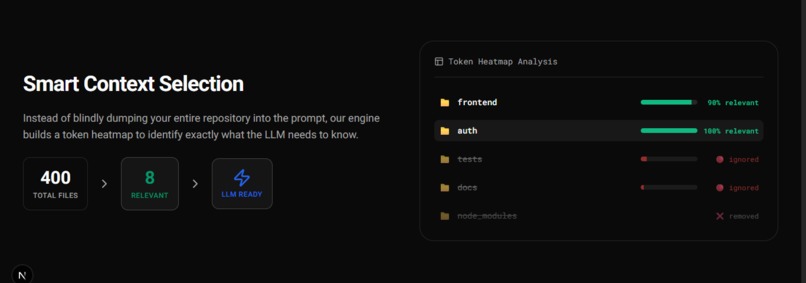
UI
Inspiration
As developers, we often spend a lot of time understanding new GitHub repositories, reading documentation, and reviewing pull requests. AI tools like Gemini make this much easier, but they also require a lot of unnecessary context, such as repeated code, comments, and other files that increase token usage and cost. I built ContextIQ AI to solve this problem. It helps developers understand any GitHub repository, chat with the codebase, and review pull requests using AI. Before sending the repository to the AI model, it intelligently prepares and optimizes the context using Paritok, reducing unnecessary tokens while keeping the important information. This makes AI responses faster, more efficient, and more cost-effective without reducing answer quality.
What it does
ContextIQ AI is an AI-powered platform that helps developers understand GitHub repositories and review pull requests while reducing AI token usage with smart context optimization.
Repository Analyzer : Paste any GitHub repository URL, and ContextIQ AI analyzes the project. Browse the file structure, understand the architecture, and chat with an AI assistant that can answer questions about the entire codebase or individual files.
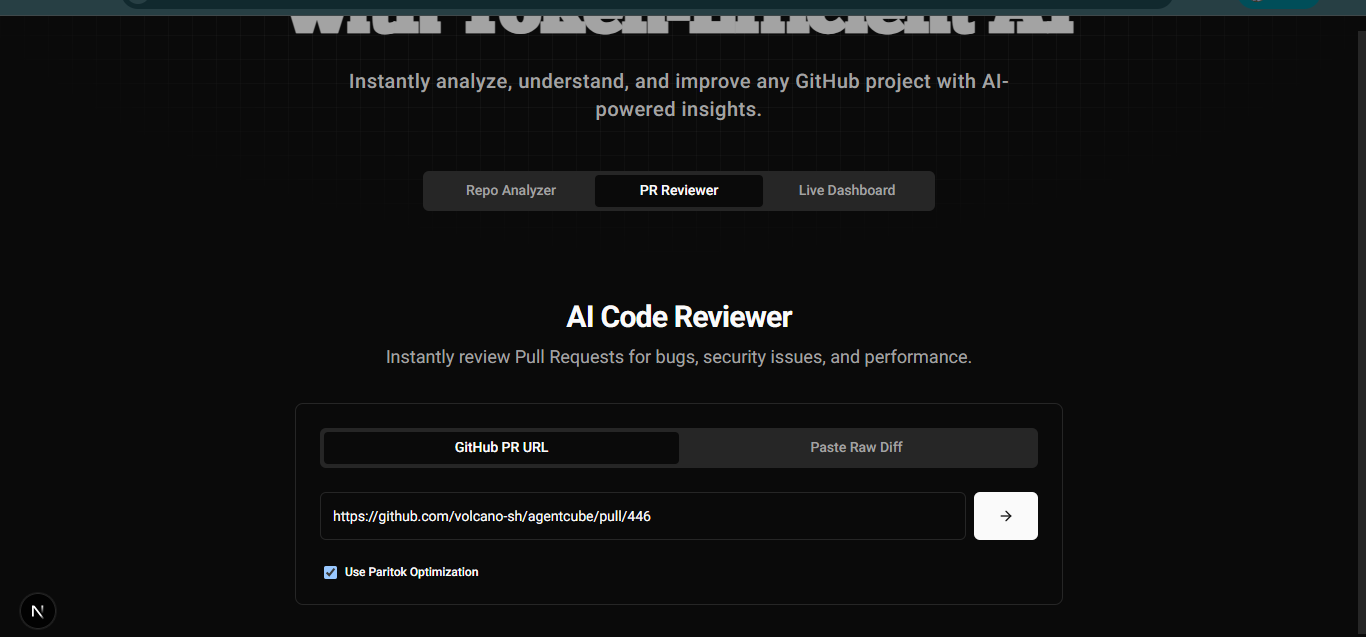
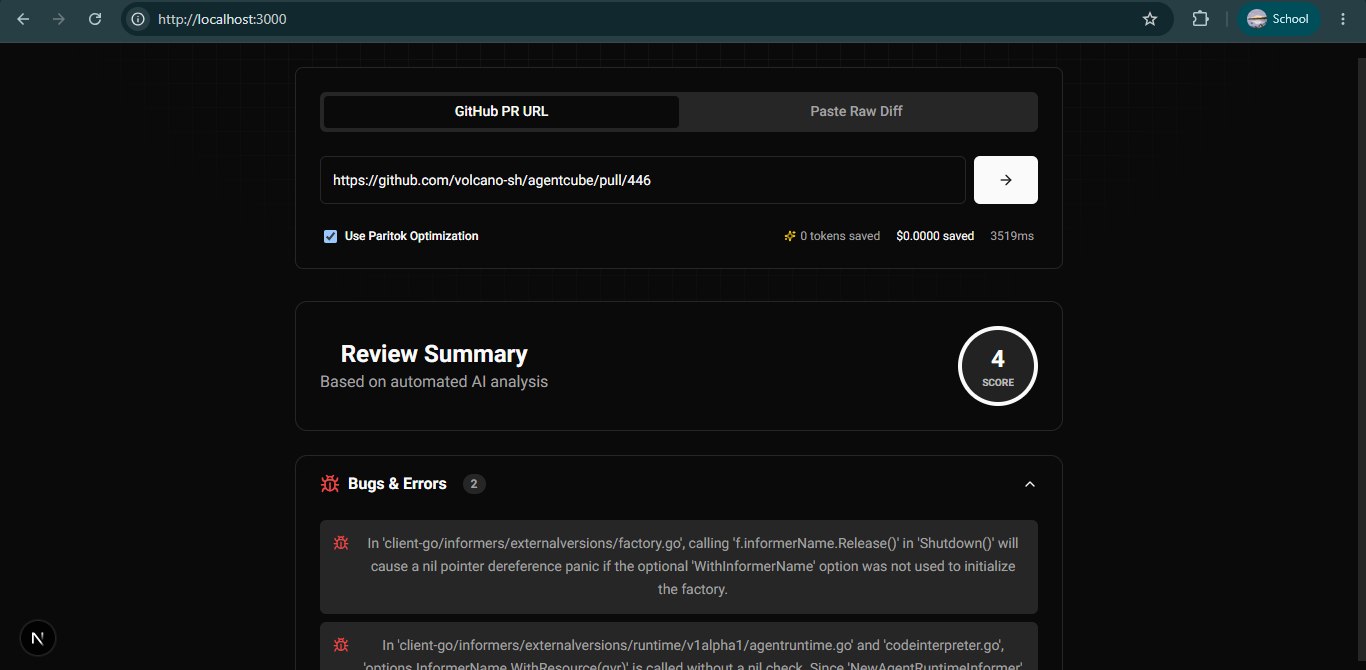
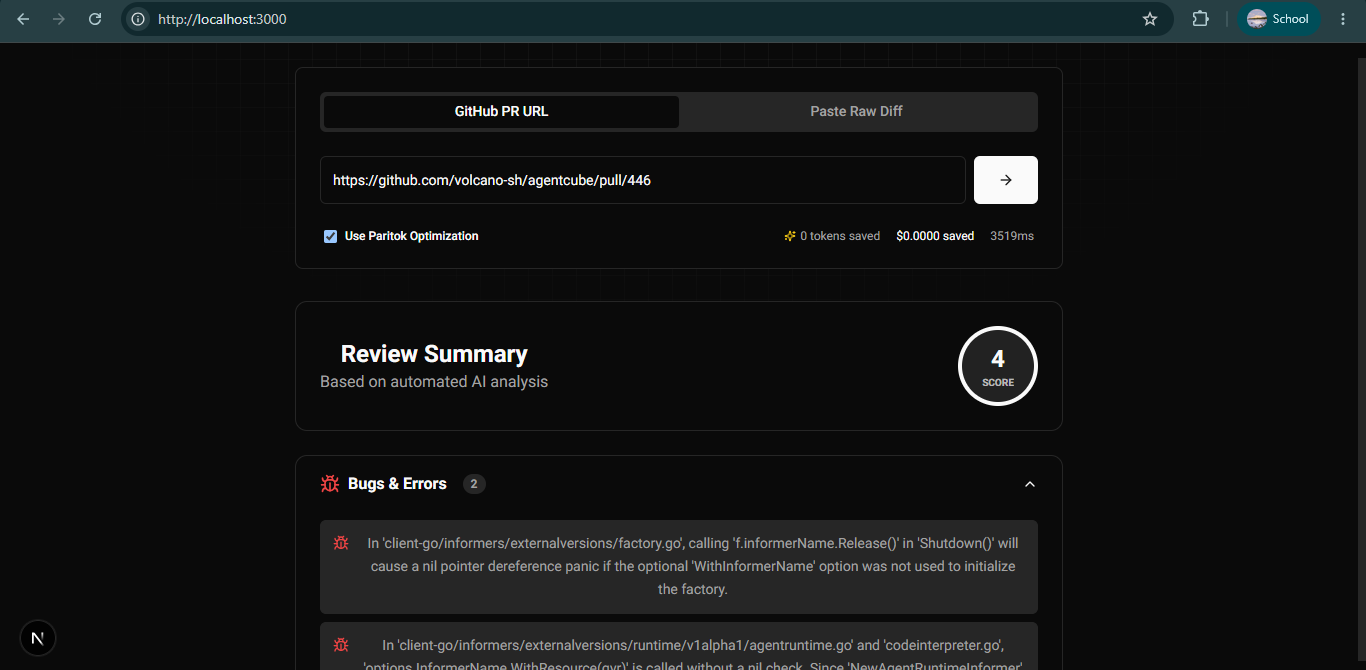
AI Pull Request Reviewer : Paste a GitHub Pull Request URL or code diff, and the AI reviews it for bugs, security issues, performance improvements, code quality, and best practices. It also provides an overall review score with clear suggestions.
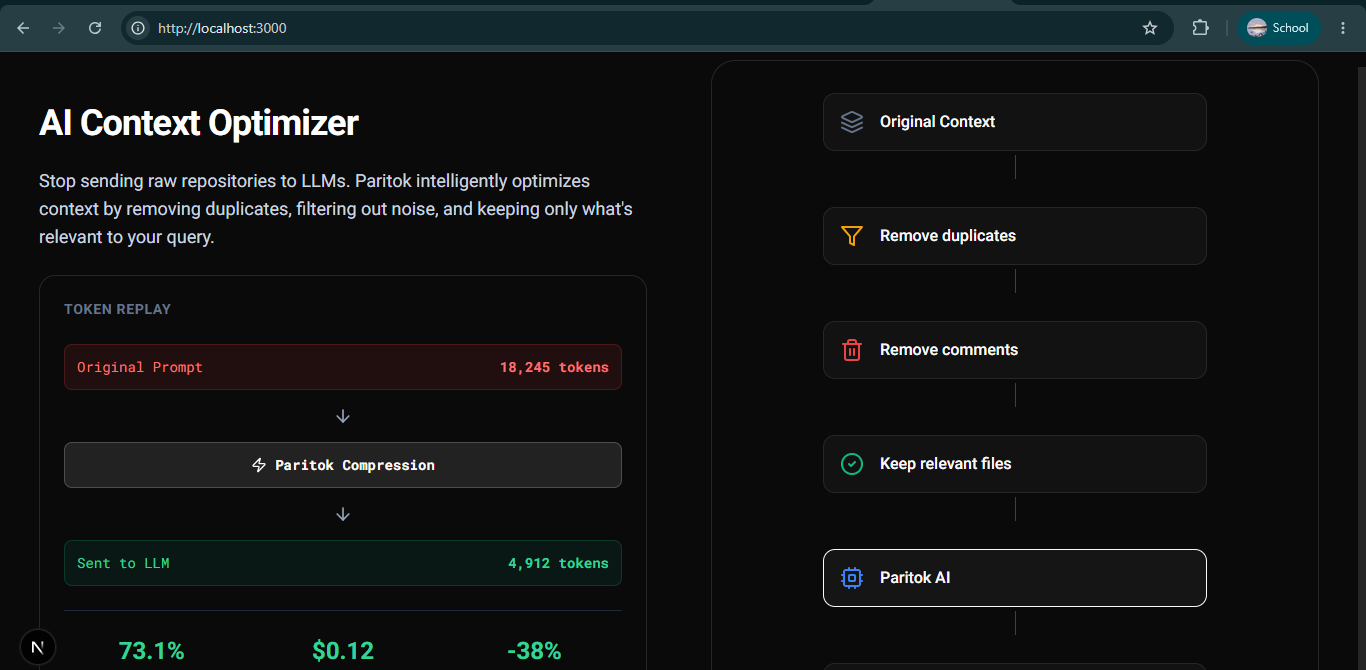
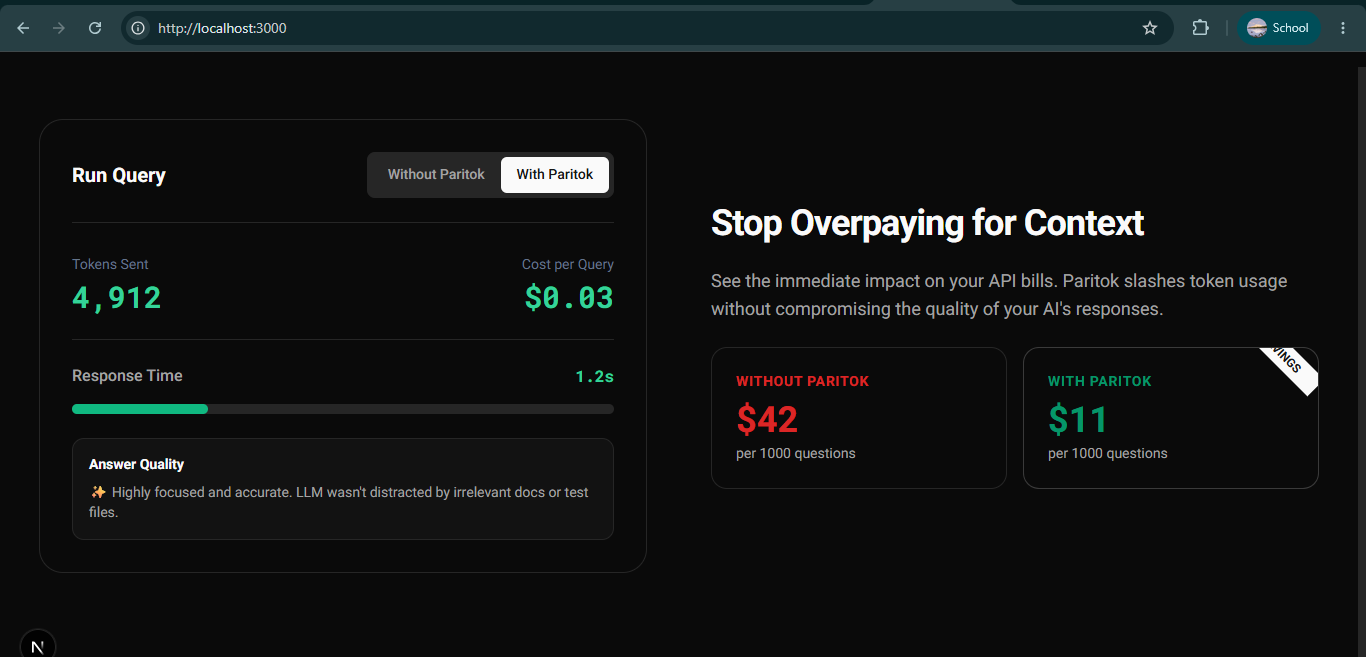
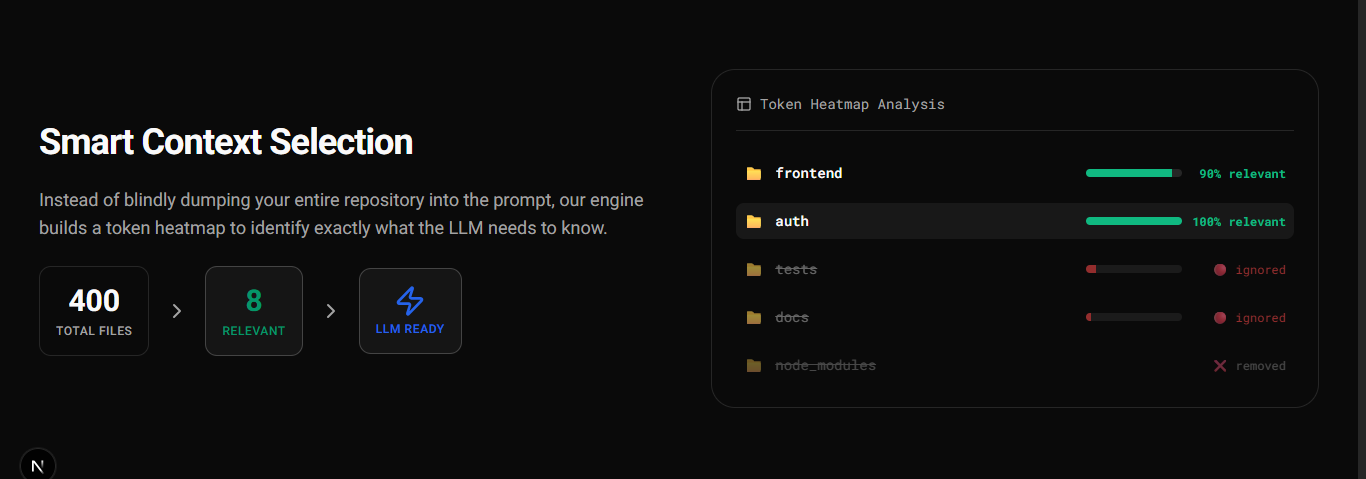
Smart Context Optimization : Before sending data to the AI model, ContextIQ AI removes unnecessary content and keeps only the most relevant code. This reduces token usage, improves response speed, and lowers AI costs while maintaining high-quality answers.
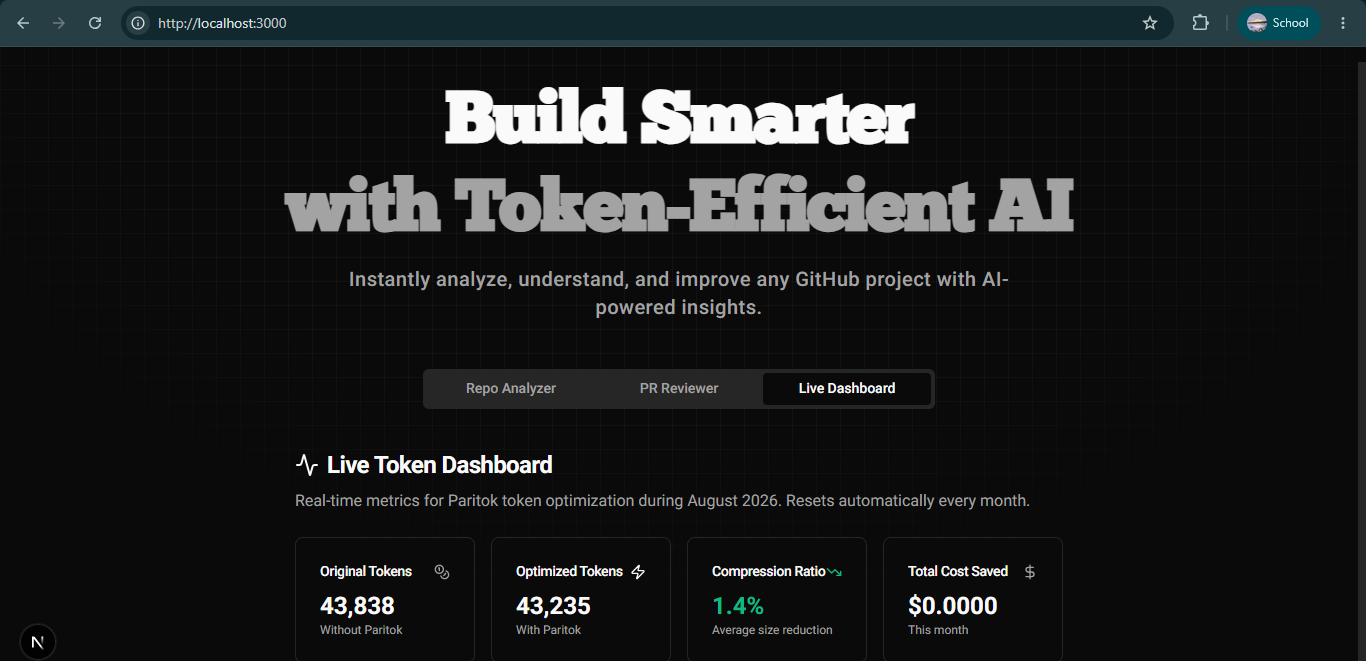
Token Analytics Dashboard : Track token usage, estimated cost savings, and optimization statistics in a simple dashboard, helping developers understand how much context has been optimized for every analysis.
How we built it
We built ContextIQ AI using a modern web stack focused on speed, scalability, and AI-powered developer productivity. Our application uses Next.js 15 for the frontend and backend APIs, Google Gemini for AI capabilities, Paritok for context optimization, GitHub REST API for repository data, and Upstash Redis for caching and analytics.
1. Repository Analyzer Users simply paste a GitHub repository URL, and ContextIQ AI fetches the repository structure using the GitHub API. The application displays the complete file tree, allowing users to browse folders and view code directly in the browser. Users can then ask questions about the repository, and the AI answers based on the selected file or the relevant project context.
2. AI Pull Request Reviewer Users can paste a GitHub Pull Request URL or a code diff. Our backend automatically retrieves the code changes and sends them to the AI for analysis. The AI reviews the code and provides structured feedback, including: Bugs Security issues Performance improvements Code quality suggestions Overall review score This helps developers review code much faster.
3. Context Optimization with Paritok Large repositories contain a lot of unnecessary information that increases token usage and API costs. Before sending repository data to the AI, Paritok optimizes the context by removing unnecessary content while preserving the important code and logic. This reduces the number of tokens sent to the LLM, resulting in faster responses and lower costs.
4. Token Analytics Dashboard To help users understand the benefits of optimization, we built a dashboard that tracks: Original token count Optimized token count Estimated token savings Estimated cost savings This allows developers to clearly see how much context has been optimized while working with repositories.
5. Performance & Caching We use Upstash Redis to cache repository data and improve response times. Frequently accessed repositories don't need to be processed repeatedly, making the application faster and reducing unnecessary API requests.
Challenges we ran into
1. Making AI Reviews More Accurate One of the biggest challenges was making sure the AI generated useful Pull Request reviews instead of generic feedback. In the beginning, it sometimes flagged harmless code as critical issues or missed important logic errors. We improved this by refining our prompts and tuning the AI to focus on bugs, security, performance, and code quality, resulting in more reliable and consistent reviews.
2. Optimizing Context Without Losing Important Information Reducing token usage while preserving code quality was another challenge. Large repositories contain a lot of unnecessary context, but removing too much information can reduce answer quality. By integrating Paritok, we optimized repository context before sending it to the LLM, reducing unnecessary tokens while keeping the information needed for accurate analysis.
Accomplishments that we're proud of
We are most proud of building ContextIQ AI's two main features—the Repository Analyzer and the AI Pull Request Reviewer. Our goal was to create a tool that helps developers quickly understand GitHub repositories and review code using AI. One of our biggest achievements was integrating Paritok into the core of our application. Before sending repository data or pull request changes to the AI, Paritok optimizes the context by removing unnecessary information. This reduces token usage, lowers AI costs, and makes responses faster while keeping the important code context intact. We also built a Token Analytics Dashboard that shows users how many tokens have been optimized and the estimated cost savings. Together with Upstash Redis for caching and fast performance, we created an application that is fast, efficient, and easy for developers to use. Overall, we're proud that ContextIQ AI not only helps developers understand code faster but also makes AI interactions more efficient and cost-effective through Paritok.
What we learned
Building ContextIQ AI helped us learn how to integrate the GitHub REST API, optimize AI prompts for accurate code analysis, use Paritok for efficient context optimization, and leverage Upstash Redis for caching and performance. It gave us valuable hands-on experience in building scalable, AI-powered developer tools.
What's next for ContextIQ AI
I would like to add more useful feature in ContextIQ AI, the following features are: 1. Change Impact Analysis Ask: "What happens if I modify auth.ts?" Output: Affected files APIs Components Test cases to update Risk level Suggested validation steps
2. Architecture Explorer Automatically generate: Project architecture Dependency graph Module relationships Service communication Folder hierarchy
3. AI Security Scanner Scan repositories for: Hardcoded API keys Secrets SQL Injection risks XSS vulnerabilities Authentication issues Exposed credentials
Built With
- fastapi
- github-api
- google-gemini
- next.js
- paritok-api
- python
- react
- recharts
- redis
- tailwind-css
- typescript
- upstash


Log in or sign up for Devpost to join the conversation.