-
-
ContextAI App
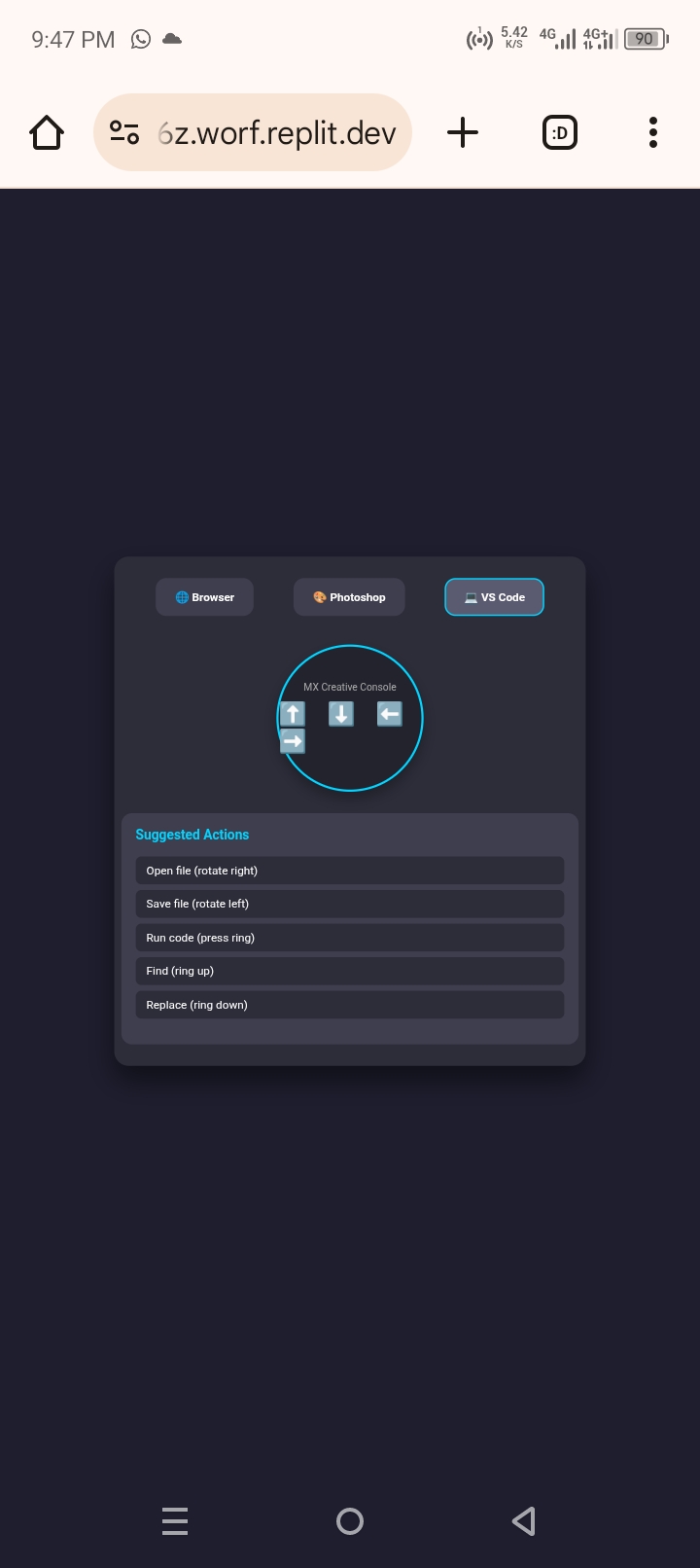
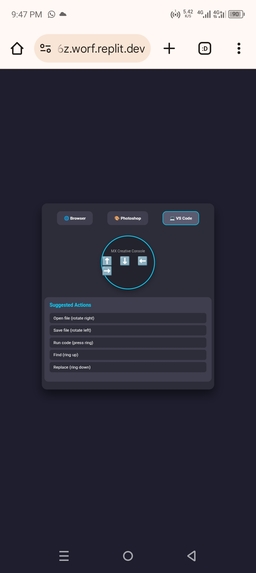
Inspiration As a developer and creative professional, I often switch between multiple applications – a browser for research, Photoshop for design, VS Code for coding. Each app has its own set of keyboard shortcuts, and memorizing them all is a nightmare. I waste precious seconds every time I need to perform a common action like opening a new tab in the browser or zooming in Photoshop.The Logitech MX Creative Console is a powerful tool, but its potential is limited if it only offers static, pre‑defined shortcuts. I imagined a device that knows what I’m doing and adapts instantly – no configuration, no memorization. That’s how ContextAI was born. What it does ContextAI is a plugin for the Logitech MX Creative Console and MX Master 4 with Actions Ring. It uses the Actions SDK to detect the currently active application (e.g., browser, Photoshop, VS Code) and dynamically remaps the ring rotations and button presses to the most relevant commands for that app. For example: In Browser: rotate right → new tab, rotate left → close tab, press ring → refresh. In Photoshop: rotate right → increase brush size, rotate left → decrease brush size, press ring→ undo. In VS Code: rotate right → open file, rotate left → save file, press ring → run code. The included web prototype demonstrates this concept interactively: click an app icon, and the suggested actions update instantly. Clicking the ring visually highlights the first suggested action, simulating how the real plugin would trigger command How we built it We started by researching Logitech’s Actions SDK documentation to understand the capabilities. Since we don’t yet have physical hardware, we built a high‑fidelity interactive mockup using HTML, CSS, and JavaScript on Replit. The prototype mimics the desktop environment with three app icons, a simulated MX Creative Console ring, and a dynamic list of actions. JavaScript manages the state: when an app icon is clicked, the active app changes and the action list is updated from a predefined database.The ring click triggers a subtle visual highlight to simulate command execution without disrupting the user experience. We designed the UI with a dark theme and neon accents to feel modern and tech‑forward, using only pure CSS for styling. Challenges we ran into when building •Simulating hardware interaction without the actual device was the biggest hurdle. We had to convey the feeling of a physical ring through a web interface. The solution was to use a prominent circular element and a click‑based highlight effect that feels responsive. •Keeping the prototype simple yet compelling – we had to balance demonstrating the core idea with avoiding unnecessary complexity. We chose three representative apps (browser, Photoshop, VS Code) that are widely recognized and have distinct shortcut sets. •Ensuring the video pitch stays under one minute while explaining the concept clearly. We iterated on the script to be concise and impactful. Accomplishments that we're proud of •A clean, intuitive prototype that anyone can interact with online – it immediately conveys the adaptive concept without a word of explanation. •The dynamic action switching is smooth and responsive, giving a realistic preview of how the plugin would behave. •We successfully translated a complex idea (context‑aware input devices) into a tangible, visual demo that fits a one‑minute video. What we learned •Deep dive into Logitech’s ecosystem and the Actions SDK – we now understand the technical possibilities and limitations. •Rapid prototyping with HTML/CSS/JavaScript is incredibly effective for pitching hardware‑related software concepts. •The importance of context in productivity: one size does not fit all, and adaptive tools can dramatically reduce cognitive load. What's next for ContextAI With this concept validated, the next steps are: 1.Build the actual plugin using Logitech’s Actions SDK (Node.js/JavaScript) and integrate with real system APIs to detect foreground windows. 2.Expand app support – create a simple configuration format so users (or the community) can add actions for any application. 3.Add machine learning – a lightweight model that learns user behavior and suggests the most likely next action, further personalizing the experience. 4.Cloud sync – allow users to back up their custom profiles and share them with others. 5.Publish on Logitech Marketplace – make ContextAI available to millions of users worldwide.
Built With
- actions
- control
- css3
- es6
- figma
- github
- html5
- javascript
- logitech
- mockups
- platform
- prototypes
- replit
- sdk
- ui
- version

Log in or sign up for Devpost to join the conversation.