Inspiration
It started with a simple, frustrating moment: staring at a broken part under a car hood and having absolutely no idea what it was, let alone how to fix it or if a mechanic was about to overcharge us. We realized that while there are plenty of AI apps that can identify objects (e.g., "This is a carburetor"), there wasn't anything that acted like a wise friend standing next to you saying, "Oh, that's a cracked vacuum line. It’s a 500KES part, and you can fix it yourself in ten minutes. Here is how." I wanted to bridge the gap between seeing a problem and solving it. I wanted to build a tool that democratizes repair knowledge, making troubleshooting accessible to anyone, regardless of their technical skill level.
What it does
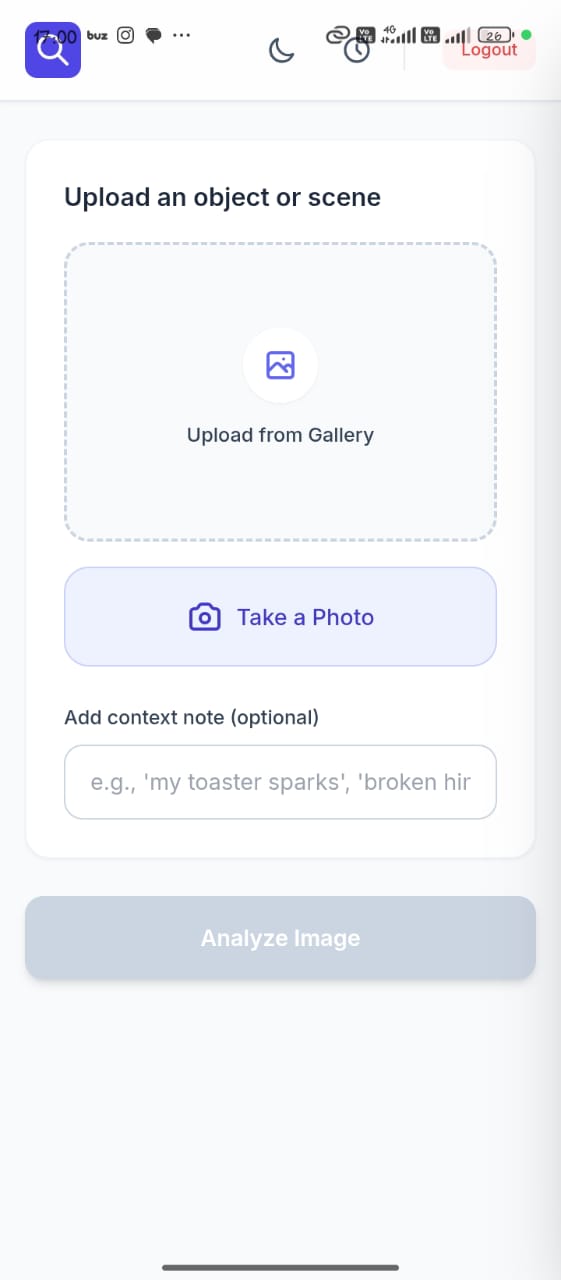
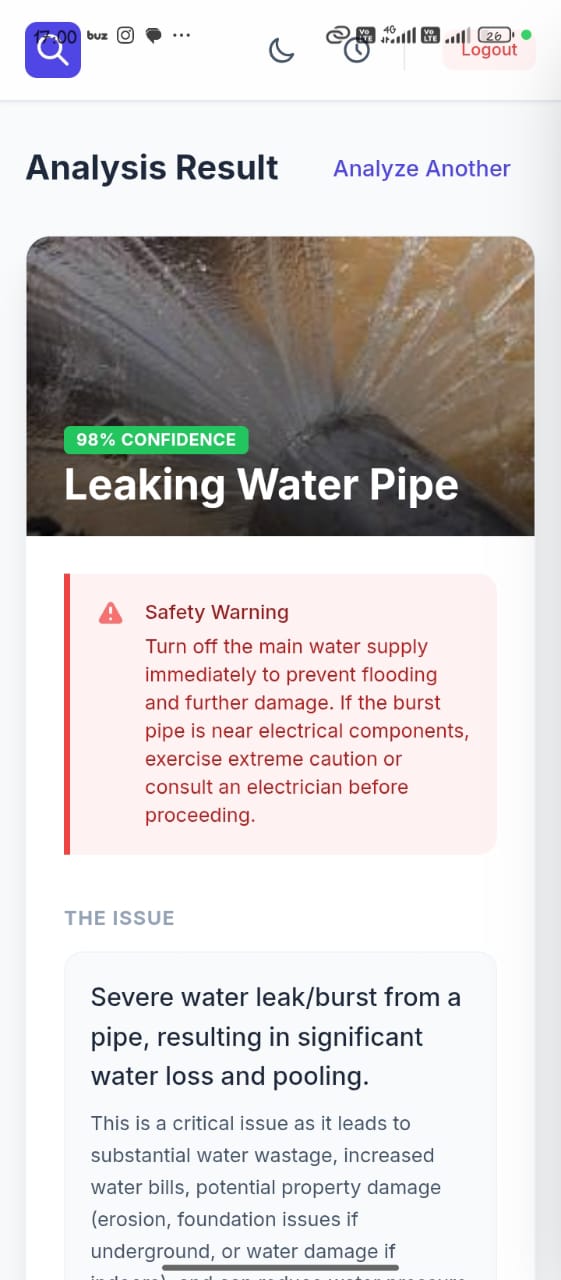
Context Lens turns your smartphone camera into an expert analyst. You don't need to type a prompt; you just point and shoot. When you take a photo of a broken object, the app analyzes the visual context instantly. Instead of a generic description, it returns a structured, actionable breakdown:
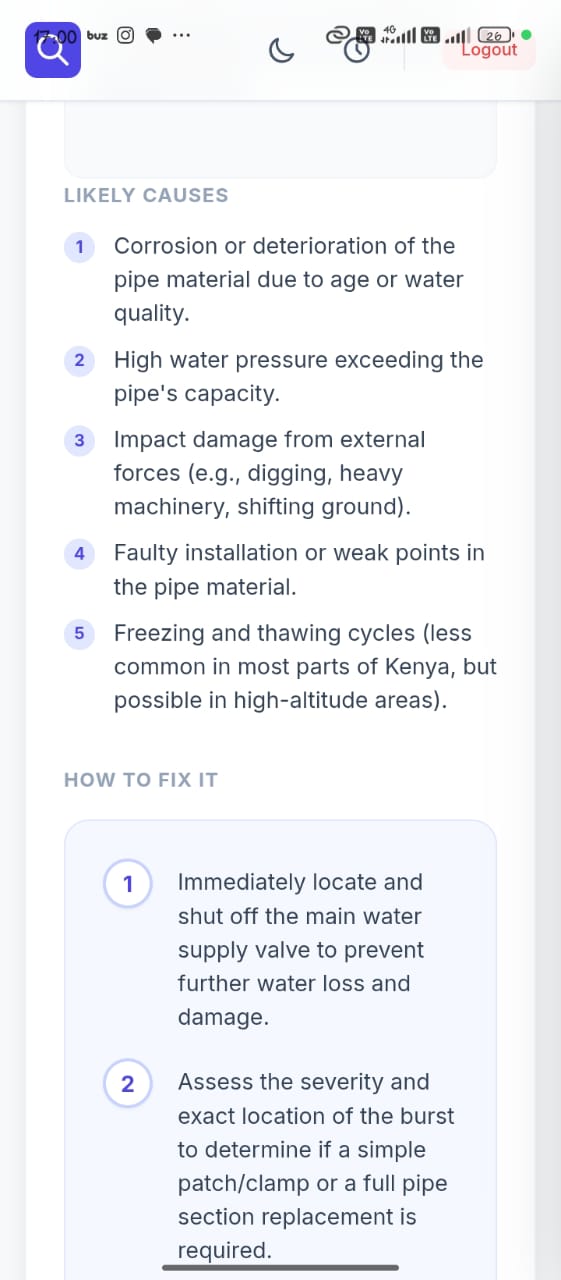
- Diagnosis: What specifically is wrong (not just what the object is).
- Immediate Action: Is this dangerous? Do I need to turn off the water/power?
- The Fix: Step-by-step instructions on how to repair it.
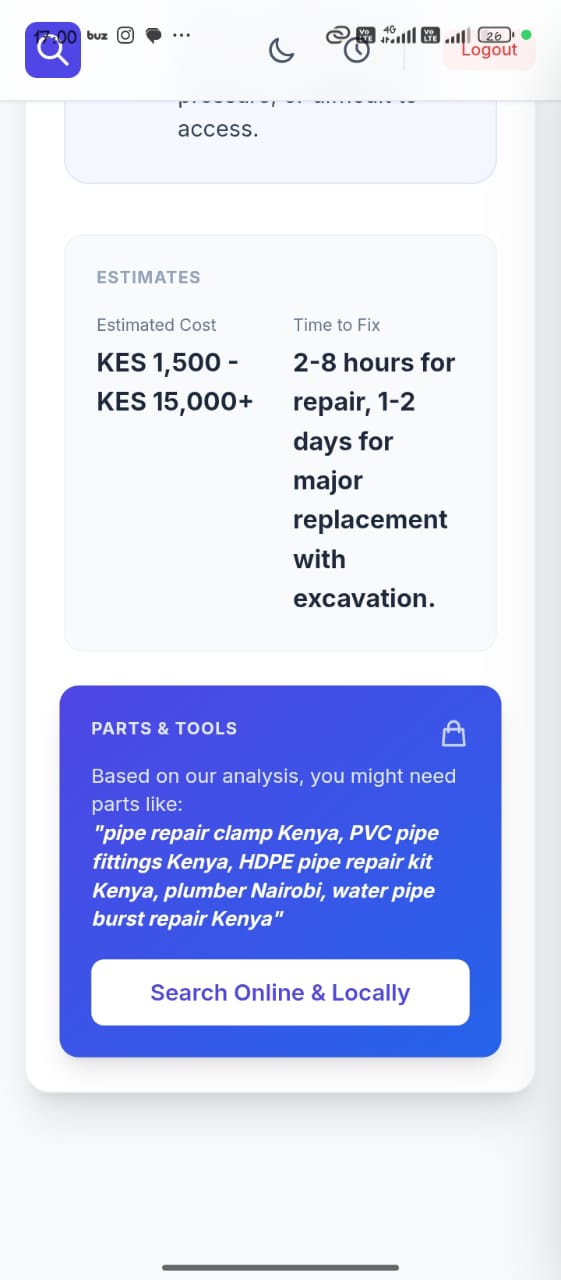
- Cost Estimator: A realistic price range for parts versus professional labor.
- Confidence Score: How sure the AI is about its assessment.
How I built it
I built Context Lens as a React 19 application using Vite for a lightning-fast development experience. For styling, I used TailwindCSS to keep the UI clean and card-based, ensuring information is easy to digest at a glance. The "brain" of the operation is the Google Gemini API. I engineered specific prompts to force the model into returning strict JSON data, ensuring our UI renders consistent advice every time, rather than a wall of text. To turn this web app into a native mobile experience, I used Capacitor. This allowed me to wrap our React code into a legitimate Android APK, accessing native device features like the camera hardware and file system.
Challenges I ran into
The biggest hurdle was the "Web-to-Native" gap, specifically regarding the camera.
- The Camera Struggle: Getting navigator.mediaDevices.getUserMedia to play nicely inside an Android WebView was tough. I hit a wall where the camera simply wouldn't open. I had to dig deep into the AndroidManifest.xml to manually add hardware permissions and enable hardware acceleration.
- The Build Environment: I faced significant "dependency hell" with Gradle and Java versions. At one point, our local Java version (21) clashed with the Android build tools expecting Java 11, requiring me to manually override Gradle properties to get the build to compile.
- Security: I had to figure out how to securely inject API keys during the Vite build process so they wouldn't be undefined on the phone, without hard coding them into the repository.
Accomplishments that I'm proud of
- It actually works on hardware: Seeing the app run on a physical Android device, opening the real camera, and getting a live response from Gemini felt like magic after staring at emulator errors for hours.
- Safety First: I successfully implemented a "Safety Layer" in our prompting. If a user photographs something genuinely dangerous (like exposed high-voltage wiring), the app prioritizes safety warnings over repair instructions.
- Latency: I managed to keep the image upload and analysis loop relatively fast, making it feel like a real-time tool.
What I learnt
- I learnt that permissions are everything in mobile development, you can write perfect React code, but if the Android Manifest doesn't give you the green light, nothing works.
- I also learnt a lot about Multimodal AI capabilities. Gemini is surprisingly good at inferring context, it doesn't just see "water on the floor"; it looks at the surrounding pipes and suggests "condensation" vs. "leak" based on visual cues we didn't even notice.
What's next for Context lens
- Video Analysis: Currently, we process static images. We want to add video support so users can record a strange noise or a leak in action for better diagnosis.
- Marketplace Integration: Imagine if the app didn't just tell you the part costs $15, but gave you a direct link to buy it online.
Built With
- android
- capacitor
- google-gemini-api
- java
- react
- tailwind-css
- typescript
- vite


Log in or sign up for Devpost to join the conversation.