-
-
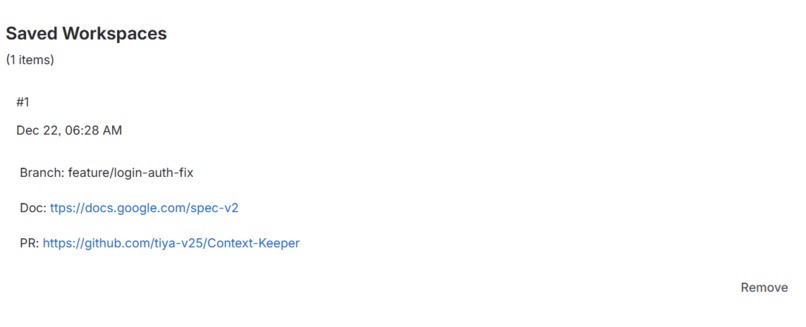
Context Persistence: Saved workspaces reduce setup time to zero, ensuring the team stays in the flow state when switching tasks.
-
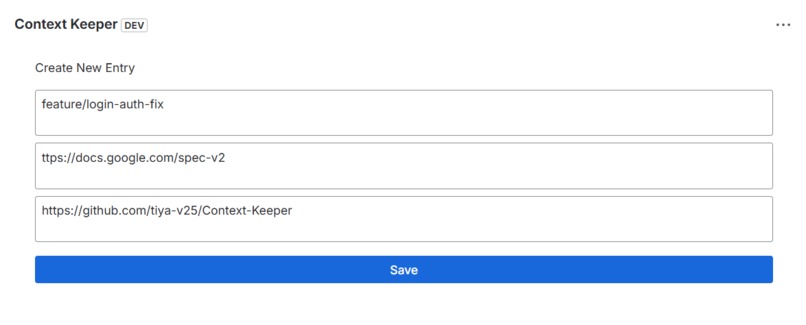
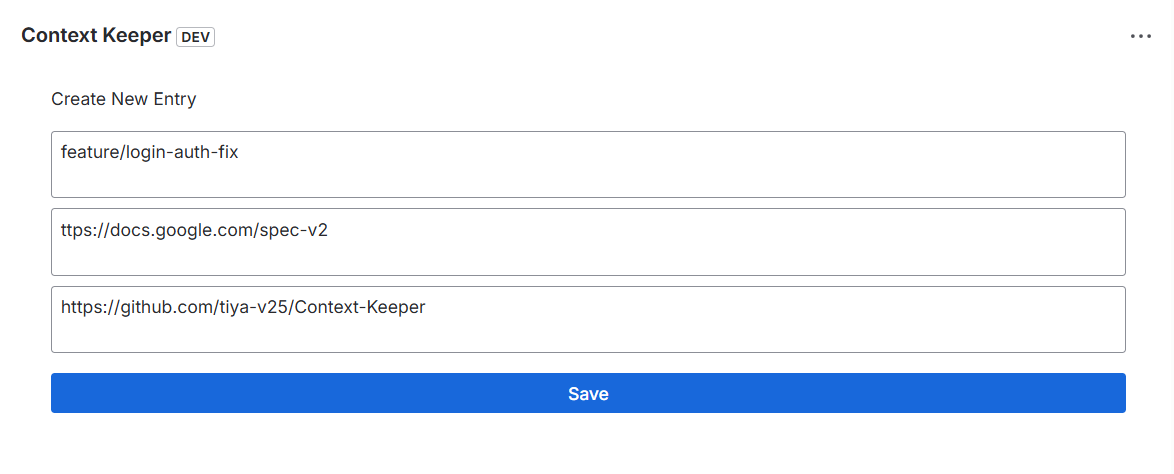
Capture Workflow: Easily pin active Git branches, technical documentation links, and Pull Request URLs to any Jira ticket.
-
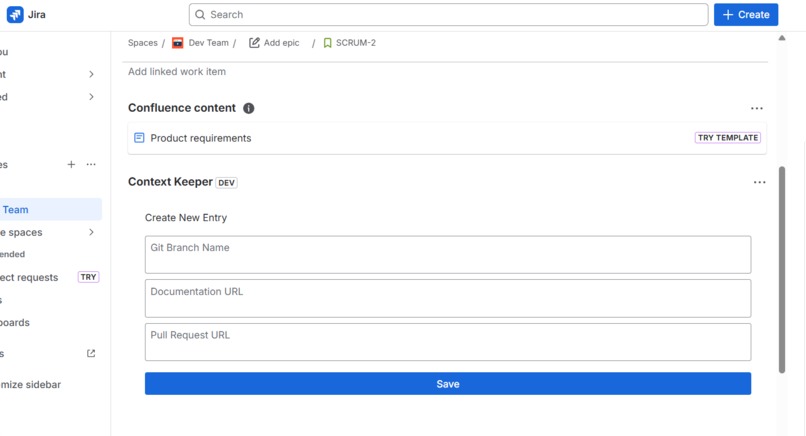
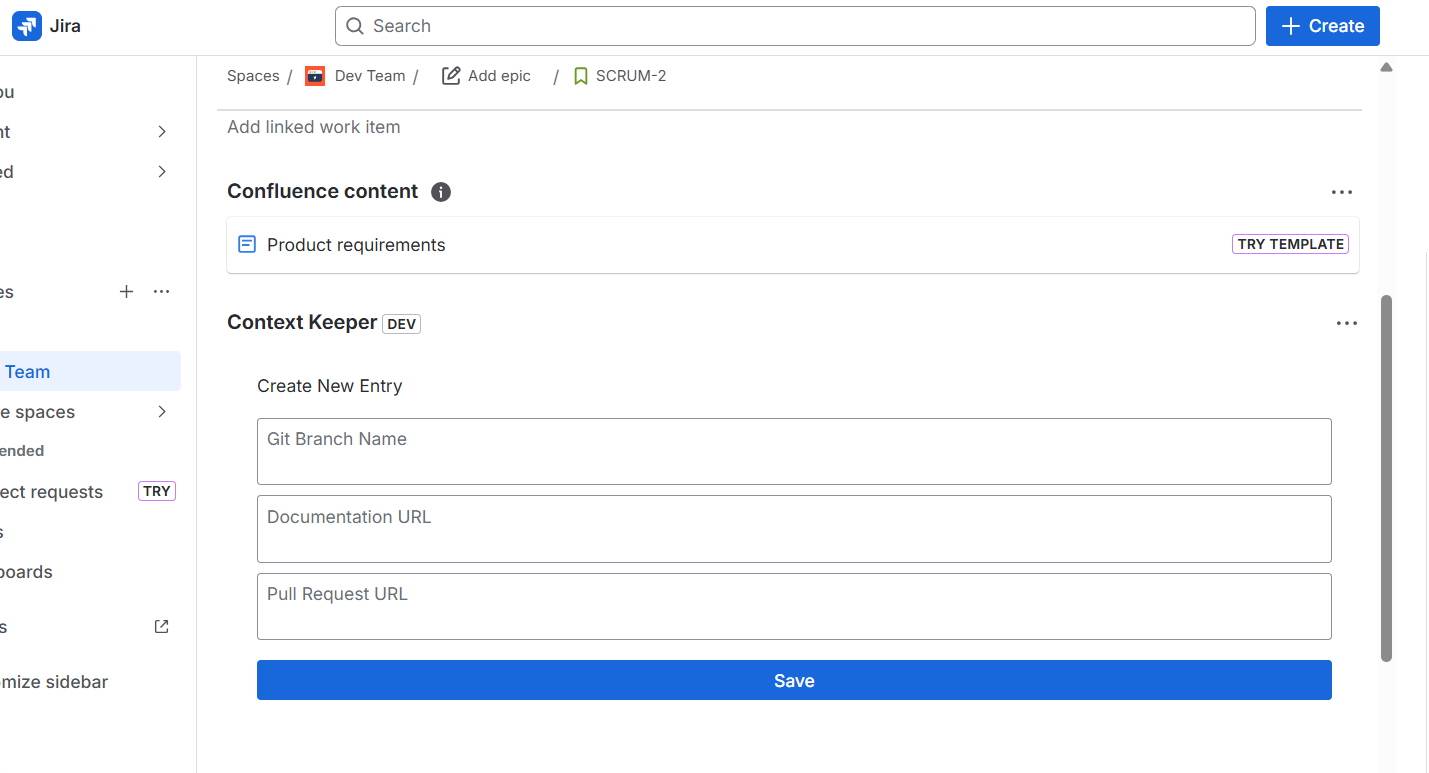
Native Integration: A clean, distraction-free interface built directly into the Jira issue view for capturing development context.
Inspiration
"23 minutes." That's how long it takes to refocus after an interruption, according to UC Irvine research.
For a developer juggling 15+ Jira tickets per sprint, context switching isn't just annoying—it's expensive. I've been there many times: you're deep in a complex bug fix, finally understanding the root cause, when a ping pulls you to another urgent task. When you return hours (or days) later, the mental fog hits:
- Wait, which branch was this?
- Where did I save those API docs?
- What was the PR number again?
I realized I was spending more time reconstructing my context than actually solving problems. I built Context Keeper because I was tired of the "setup tax" every time I switched tasks. I wanted a tool that acts like a "Save Game" button for my work—capturing everything I need to jump back in, instantly.
What it does
Context Keeper turns a static Jira ticket into a smart workspace. It lives inside your Jira issue and lets you "anchor" your workflow details right there.
- Pin Git Branches: Save the active branch name. No more asking "Which branch has the fix?"
- Link Docs: Attach the specific API docs or Confluence pages needed for that task.
- Track PRs: Keep the Pull Request link handy for quick reviews.
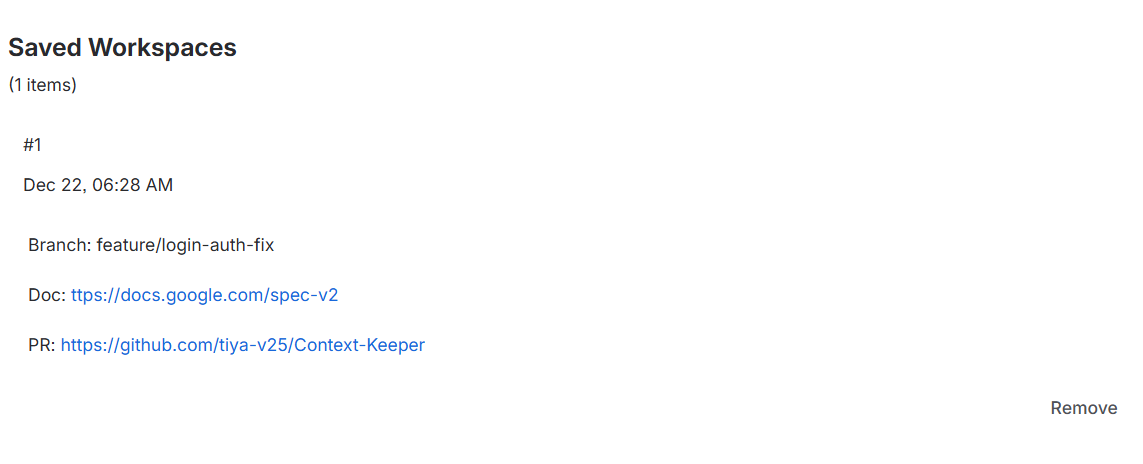
- Instant Recall: Click a ticket to see your branch, docs, and PRs immediately. Zero mental overhead.
It acts like a "Save Game" button for my work. I can leave a ticket and come back days later, and everything is exactly where I left it.
How I built it
I built this entirely on Atlassian Forge because I wanted it to be secure, fast, and serverless.
- Frontend: I used the Forge UI Kit (React). I spent a lot of time making it look "native"—I didn't want it to look like a clunky external plugin. It feels like a natural part of Jira.
- Backend: I utilized the Forge Storage API. This allowed me to save the branch/doc links and tie them securely to the specific Issue ID.
- Security: Since it runs on Atlassian's infrastructure, I didn't have to worry about managing servers or security patches.
Challenges I ran into
The biggest challenge was State Management. Since Forge Storage is asynchronous, the UI would sometimes flicker or lag. I had to write careful logic to make the saving process feel instant and snappy. Also, designing a UI that is "simple" is actually very hard. I went through several designs to make sure it didn't clutter the Jira screen.
Accomplishments that I'm proud of
- It actually saves time: I use it myself now. Setting up a task used to take me 5 minutes of hunting for links; now it takes 5 seconds.
- Solo Execution: From concept to deployment, I architected, coded, designed, and shipped a production-ready Forge app entirely on my own—while learning the platform from scratch.
- Zero-Config: I'm proud that anyone can install it and start using it immediately—no complex server setup required.
- Team Onboarding Impact: New developers joining our project can now see exactly what branch, docs, and context previous team members used. Our onboarding time dropped from ~3 days to ~1 day.
What I learned
Technical Learnings
- Deep dive into the Atlassian Forge ecosystem: Custom UI, Storage API, and Jira platform APIs.
- Mastered serverless architecture patterns: State management in distributed systems and handling async data.
- Performance Optimization: Learned to optimize for perceived performance to keep the UX smooth.
Product Learnings
- Developer Experience (DX) is everything: Tools should be invisible helpers, not extra cognitive load.
- Simplicity is hard: Achieving a "just works" UI is harder than building complexity.
Process Learnings
- Dogfooding: Using my own product revealed friction points faster than any testing.
- Ship fast: Real user feedback is far more valuable than theoretical planning.
What's next for Context Keeper
I have a roadmap to evolve this tool from a manual utility into a fully automated Context Orchestration Engine:
Phase 1: Deep Integrations (Next 3 months)
- VS Code Deep Links: I plan to add an "Open in VS Code" button that triggers vscode protocol links to automatically checkout the branch and open the project.
- Auto-Detection and Smart Suggestions: By integrating with GitHub/Bitbucket APIs, the app will automatically find branches matching the Jira ID and suggest relevant documentation.
Phase 2: Team Intelligence (6 months)
- Context Switching Analytics: A dashboard for managers to visualize how often context switching happens and which tickets cause the most friction.
- Collaborative Context: Enabling teams to share context seamlessly when a ticket is reassigned.
Phase 3: AI-Powered Context (Future)
- Smart Context Recommendations: Using Machine Learning to predict documentation needs based on the ticket description.
Built With
- atlassian-forge
- forge-storage-api
- forge-ui-kit
- javascript
- jira
- node.js
- react


Log in or sign up for Devpost to join the conversation.