-
-
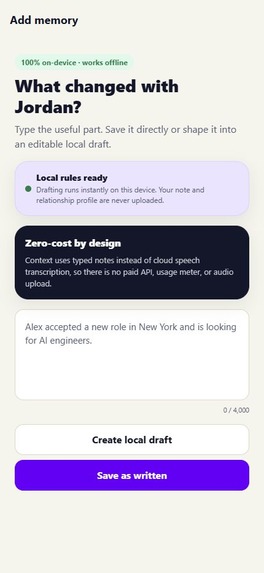
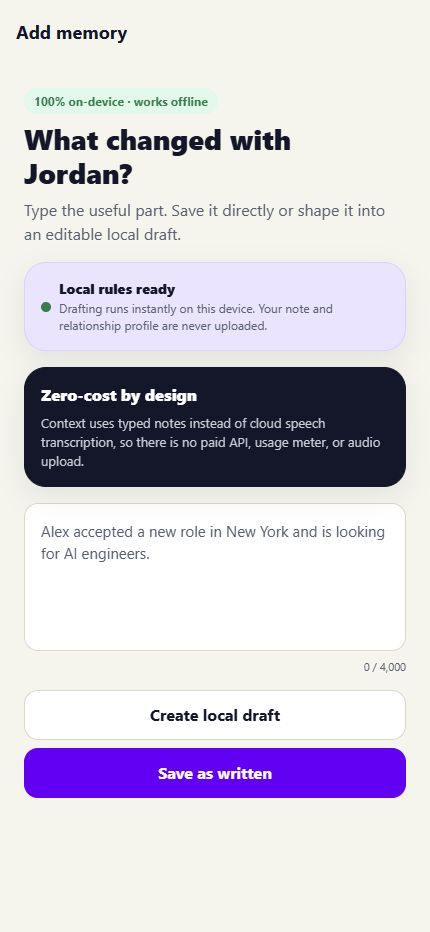
Add Memory: Users can save notes as written or create an editable local draft all processed privately on the device.
-
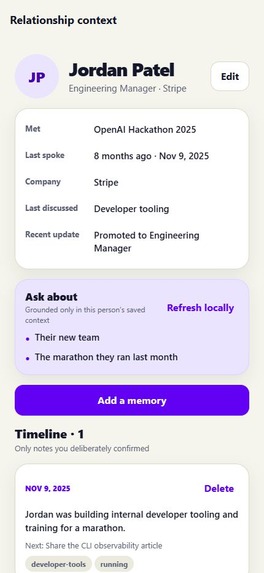
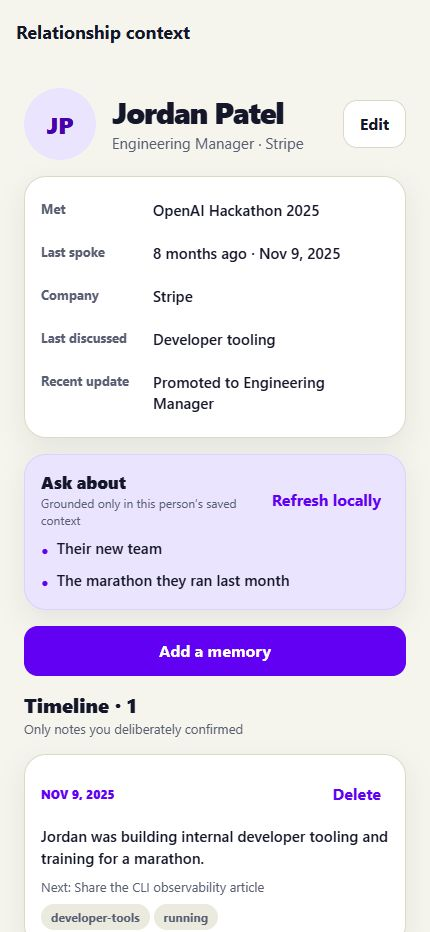
Profile: A relationship profile summarizes when two people met, their latest updates, past discussions, and confirmed memories.
-
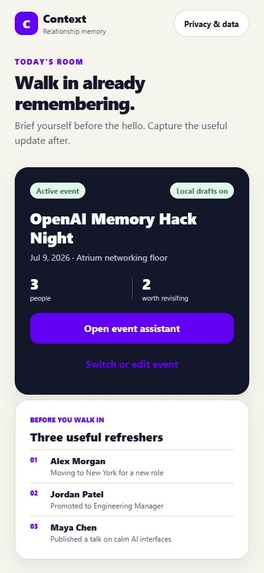
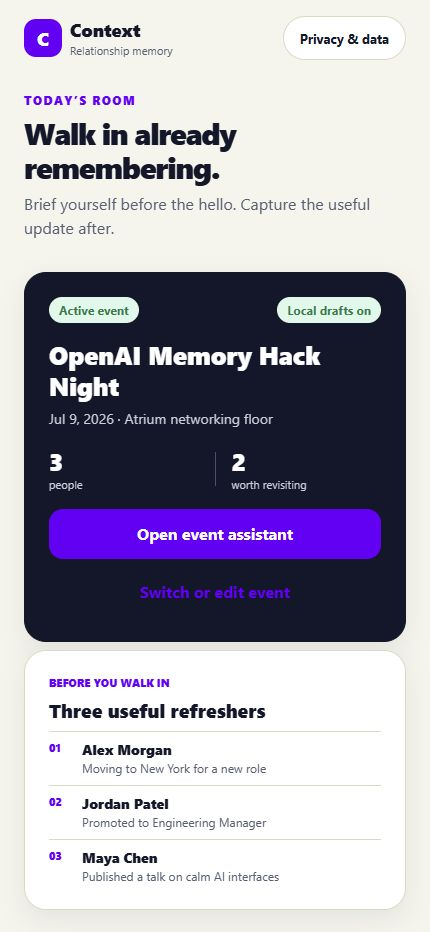
Home: The event dashboard highlights useful relationship refreshers before entering a networking event.
-
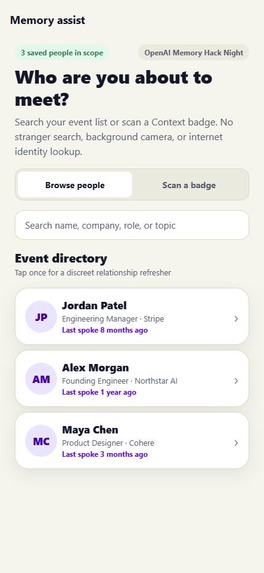
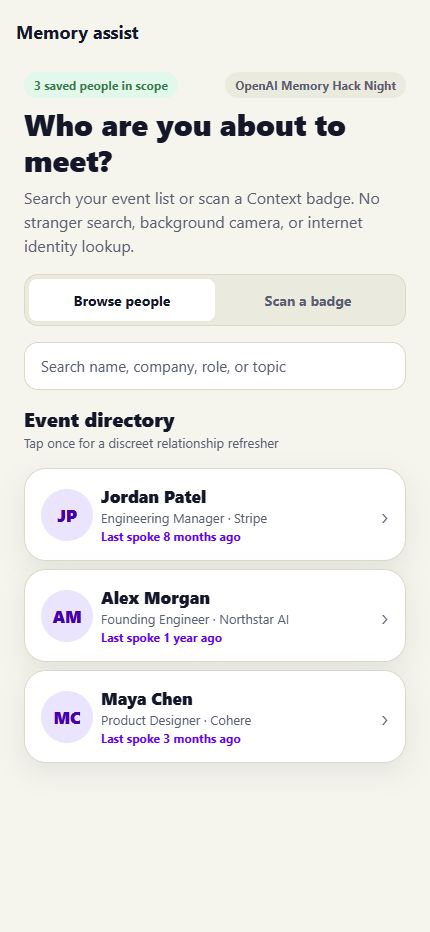
Assistant: Users can browse saved attendees or scan a badge to quickly find the person they are about to meet.
-
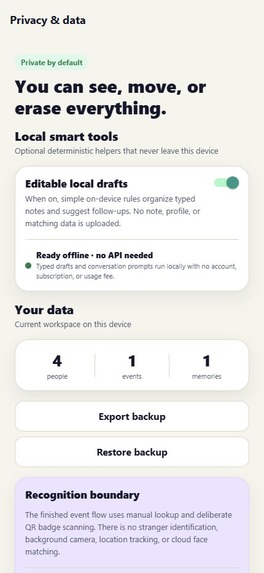
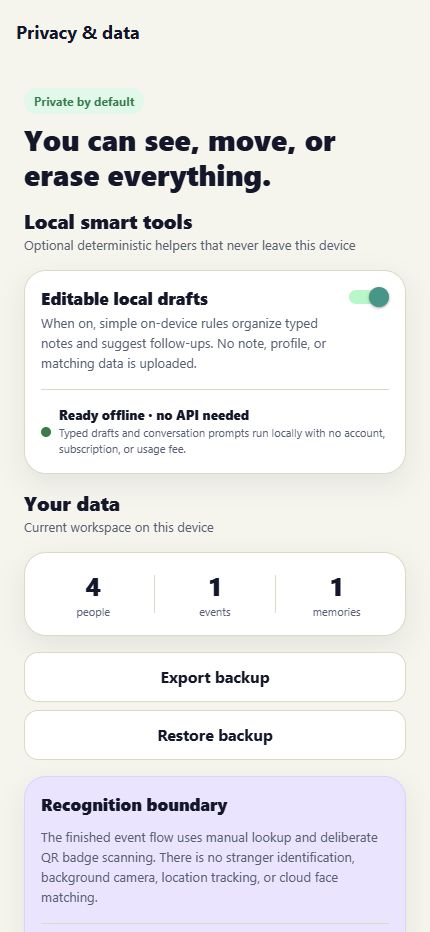
Privacy & Data: Privacy controls let users manage local smart tools and export, restore, or erase their stored relationship data.
-
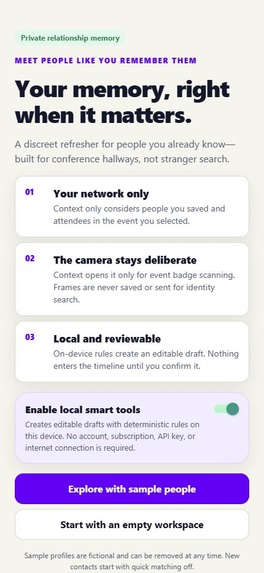
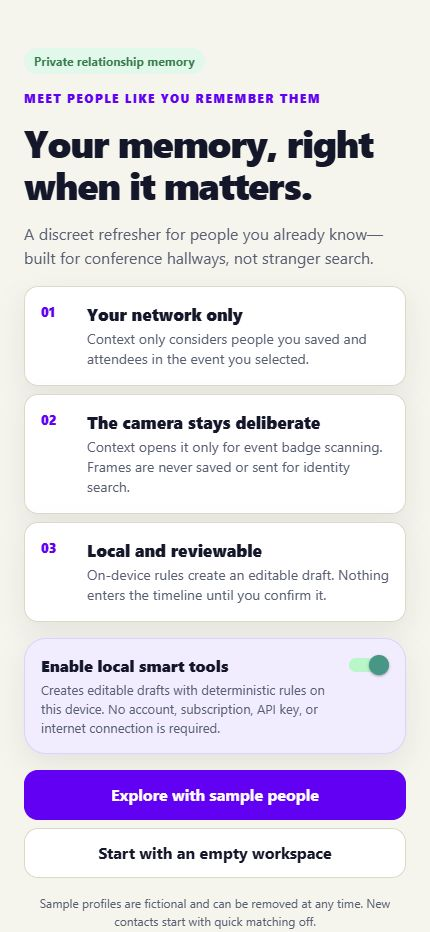
Onboarding: Context introduces a private, on-device relationship memory assistant designed to help users remember people they already know.
Context
Inspiration
Context began with a habit I noticed in my mom. After meeting someone, she opens Notes and records their name, where they met, and details she wants to remember.
It is thoughtful,and surprisingly hard to use later. Names are formatted inconsistently, details are scattered across entries, and meaningful context gets buried among grocery lists and reminders. The memory exists, but not where or when she needs it.
That revealed the real problem: capturing information is only half the job. The harder part is bringing the right memory back at the right moment.
What it does
Context is a private, offline-first relationship memory app for the people you already know. It gives each person a dedicated profile where conversations, important details, events, and follow-ups become an easy-to-scan relationship history.
Before meeting someone again, Context helps you recall:
Where you met When you last spoke What you discussed Details that matter to them Promises and follow-ups Natural ways to continue the conversation
Users can add memories manually, dictate rough notes, import selected contacts, or bring in validated CSV and PDF lists. Every assisted or imported result is shown as an editable draft before it is saved.
Context also supports offline QR and vCard sharing, JSON backup and restore, optional Face ID or device authentication, individual memory deletion, and complete workspace deletion.
It is not internet identity search or a sales CRM. It is a personal memory aid designed to help people show up better for relationships they already have.
How I built it
I built Context solo as a TypeScript monorepo using Expo, React Native, Expo Router, Zustand, and Zod. It runs on iOS, Android, and the web, with an AppKit/WebKit desktop wrapper for macOS. Shared packages handle data contracts, matching, validation, imports, backups, and deterministic assistance.
Privacy shaped the architecture from the start. The mobile app has no hosted backend, paid API, API key, subscription, or usage meter. Contacts, events, preferences, and confirmed memories remain in the app sandbox.
On iOS, optional on-device intelligence uses Gemma through LiteRT-LM to:
Fill editable person fields from dictation Turn rough notes into memory drafts Extract people from lists Suggest conversation prompts
Inference stays inside the app process, and nothing generated is saved without review. If the model is disabled or unavailable, deterministic TypeScript assistance keeps the core workflows usable.
How I used GPT-5.6 and Codex
I used GPT-5.6 through Codex as an engineering collaborator throughout the project. I set the product direction, defined the privacy boundaries, made the final design decisions, and reviewed every change. Codex helped me:
Turn the original Notes-app problem into focused product flows Design the monorepo, shared contracts, and native iOS boundaries Draft and refactor React Native, Swift, Objective-C, AppKit, tests, and automation Reason through permissions, local storage, imports, backups, and review-before-save safeguards Generate edge-case tests and investigate timezone, native-build, and CI failures Improve the documentation, demo narrative, and release readiness
GPT-5.6 accelerated iteration, but its output was never treated as an automatic decision. I inspected the code, tested complete user flows, built the native targets, and added GitHub Actions verification across Linux and macOS.
GPT-5.6 was part of the development process,not a runtime dependency. Context does not send relationship data to GPT-5.6 and does not require an OpenAI account or API key.
Challenges I faced
Keeping capture fast without losing structure
Notes succeeds because it is frictionless. Context needed to preserve that speed while adding enough structure to make memories findable. I addressed this with quick entry, editable drafts, person-centered timelines, and review-first imports.
Making privacy architectural
Relationship memories can be sensitive, so privacy could not be a settings-page promise. It had to determine the system design. Core workflows run locally, sharing is deliberate, biometric results stay with the operating system, and users can delete one memory or erase the entire workspace.
Making on-device AI optional
Local inference introduced model-size, storage, performance, native integration, and failure-handling challenges. I separated AI assistance from the core product so Context remains useful even when the model is unavailable.
Handling messy real-world data
Contacts, CSV files, PDFs, QR codes, and backups can be incomplete, malformed, or duplicated. Validation, duplicate detection, review screens, and explicit confirmation keep the user in control.
What I learned
The best memory tool does more than store information: it reduces the distance between capturing a moment and using it meaningfully.
I also learned that AI is most trustworthy here as an assistant, not an authority. For personal memories, the right pattern is to create editable drafts and leave accuracy, meaning, and consent with the user.
Most importantly, people are already trying to solve this problem. They do not need more information. They need a better home for the information they already care enough to save.
What's next
Next, I want to make memory capture even faster, improve on-device inference and accessibility, and make event preparation feel effortless.
Context turns scattered notes into useful context at exactly the right moment,so remembering people feels less like managing data and more like caring well.
Built With
- ai
- android
- expo.io
- face
- gemma
- id
- ios
- javascript
- litert-lm
- local
- native
- node.js
- ollama
- on-device
- qwen3
- react
- speech
- swift
- typescript
- web
- xcode
- zod
