Context Bubble — An AI Assistant That Stays With You
Inspiration
AI assistants are powerful, but using them on a phone still creates friction.
When I receive an important message, read an article, fill out a form, or work inside another application, I usually have to leave that application, open an AI assistant, copy the relevant information, explain the context again, wait for an answer, and then return to my original task.
I wanted to remove that entire interruption.
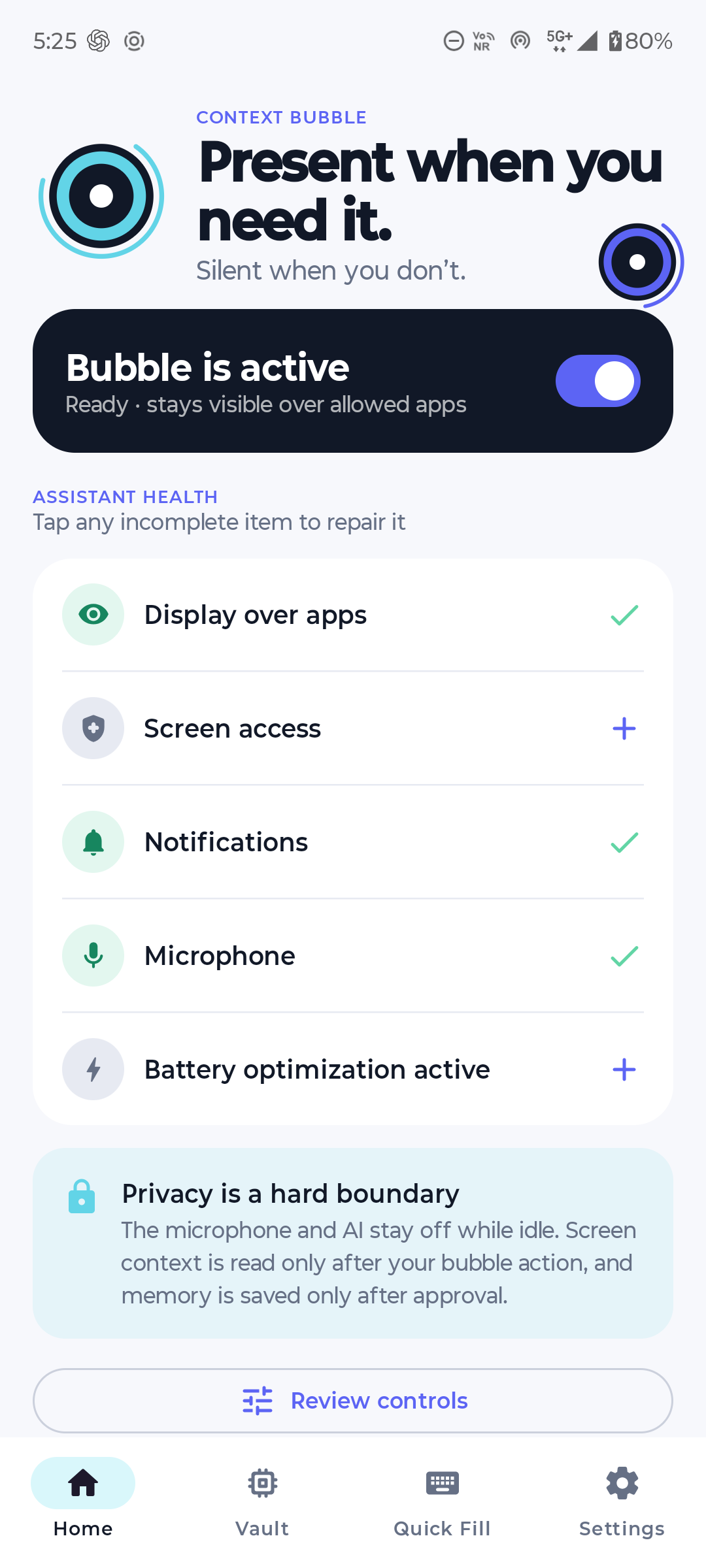
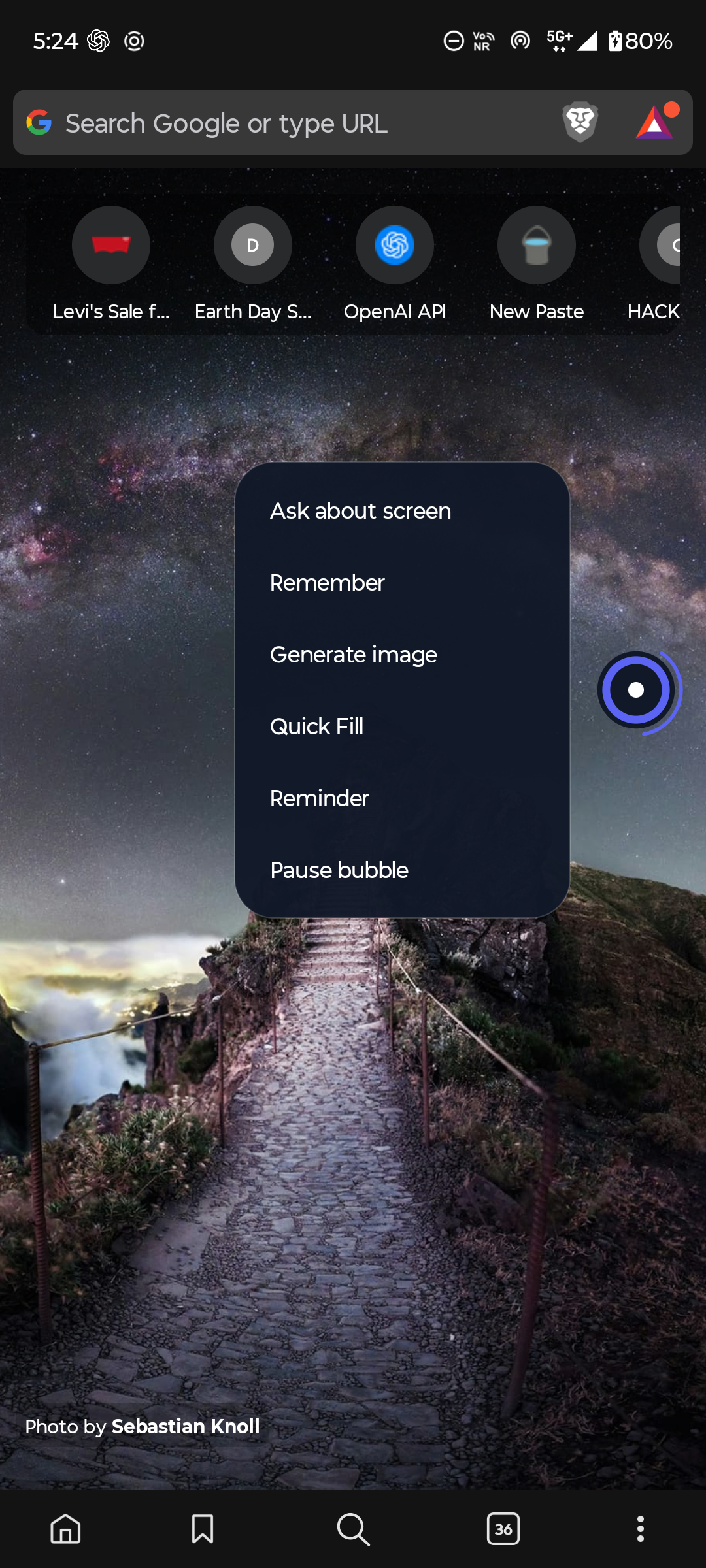
That inspired Context Bubble: a lightweight Android assistant that remains available as an edge-docked floating bubble. It helps directly over the application I am already using, while keeping screen capture, memory, microphone access, and external actions under explicit user control.
The central idea was not simply “put ChatGPT in a bubble.” It was to build a consent-driven layer of intelligence that can understand the current task, remember approved information, accept natural voice input, and remain almost completely inactive when it is not needed.
What it does
Context Bubble provides a persistent floating assistant across Android applications.
Ask about the screen
While using a browser, messaging application, document editor, or another supported application, the user can tap the bubble and choose Ask about screen.
Context Bubble then:
- Checks whether the current application and screen are permitted.
- Captures screen context only after the user’s action.
- Uses bounded Accessibility text and a screenshot when visual context is required.
- Sends the temporary context to the assistant.
- Streams the answer into an overlay over the current application.
The user does not need to leave the application or explain the screen manually. The answer can be copied, dismissed, or saved as an approved memory.
Voice interaction and transcription
Long-pressing the bubble supports voice interaction.
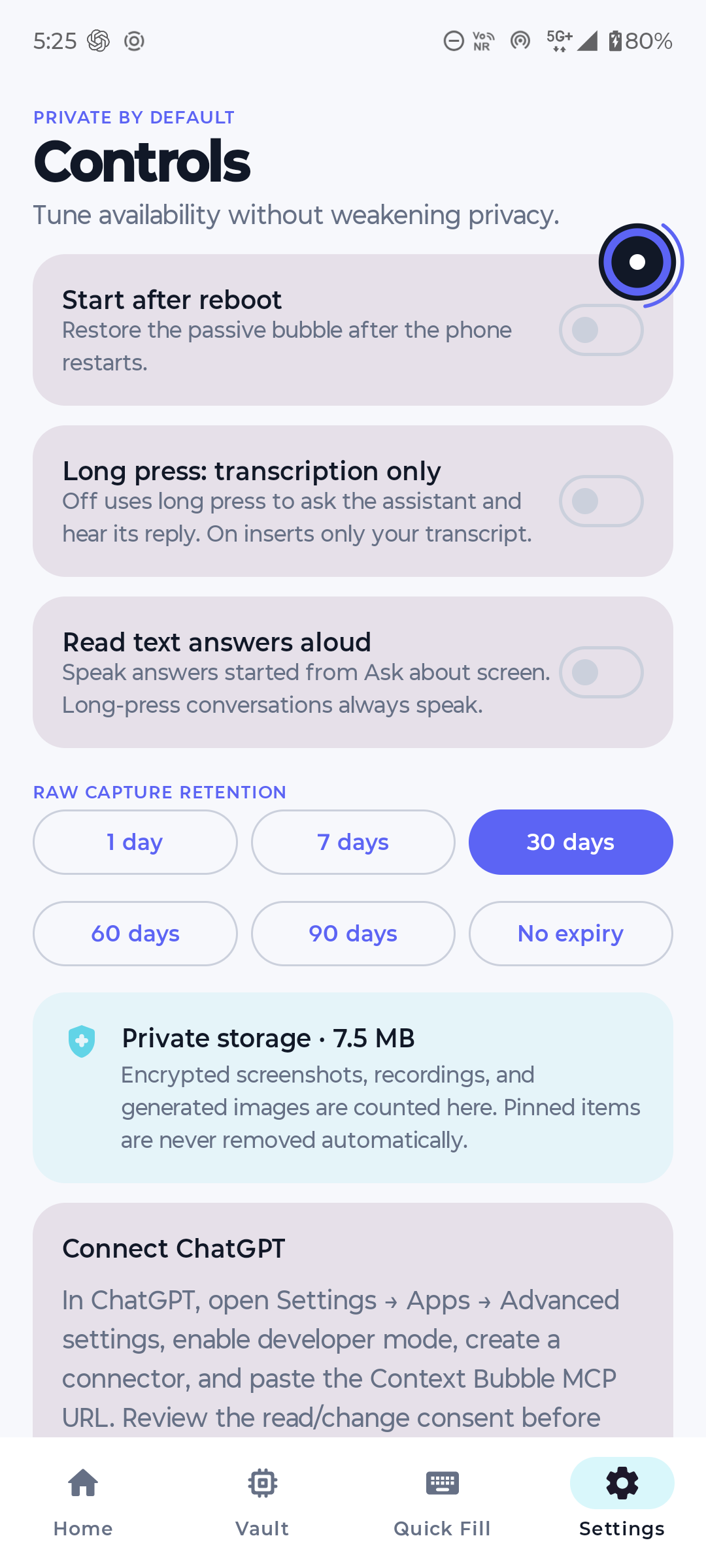
In assistant mode, the user can speak naturally and receive an AI response. A separate transcription-only mode converts speech into polished text and inserts it into the currently focused field.
To prevent lost dictation, Context Bubble uses a fallback sequence:
- Insert through Android Accessibility.
- Paste into the focused field.
- Copy the transcription to the clipboard if insertion fails.
The app also revalidates the focused field before insertion so that text is not accidentally inserted into a different application after the user switches screens.
Consent-based memory
Context Bubble separates information into three privacy lanes:
- Ephemeral context: Used only for the active request and then discarded.
- Local-only memory: Encrypted on the phone and never shared unless explicitly selected.
- Shared AI memory: Synchronized only after the user reviews and approves it.
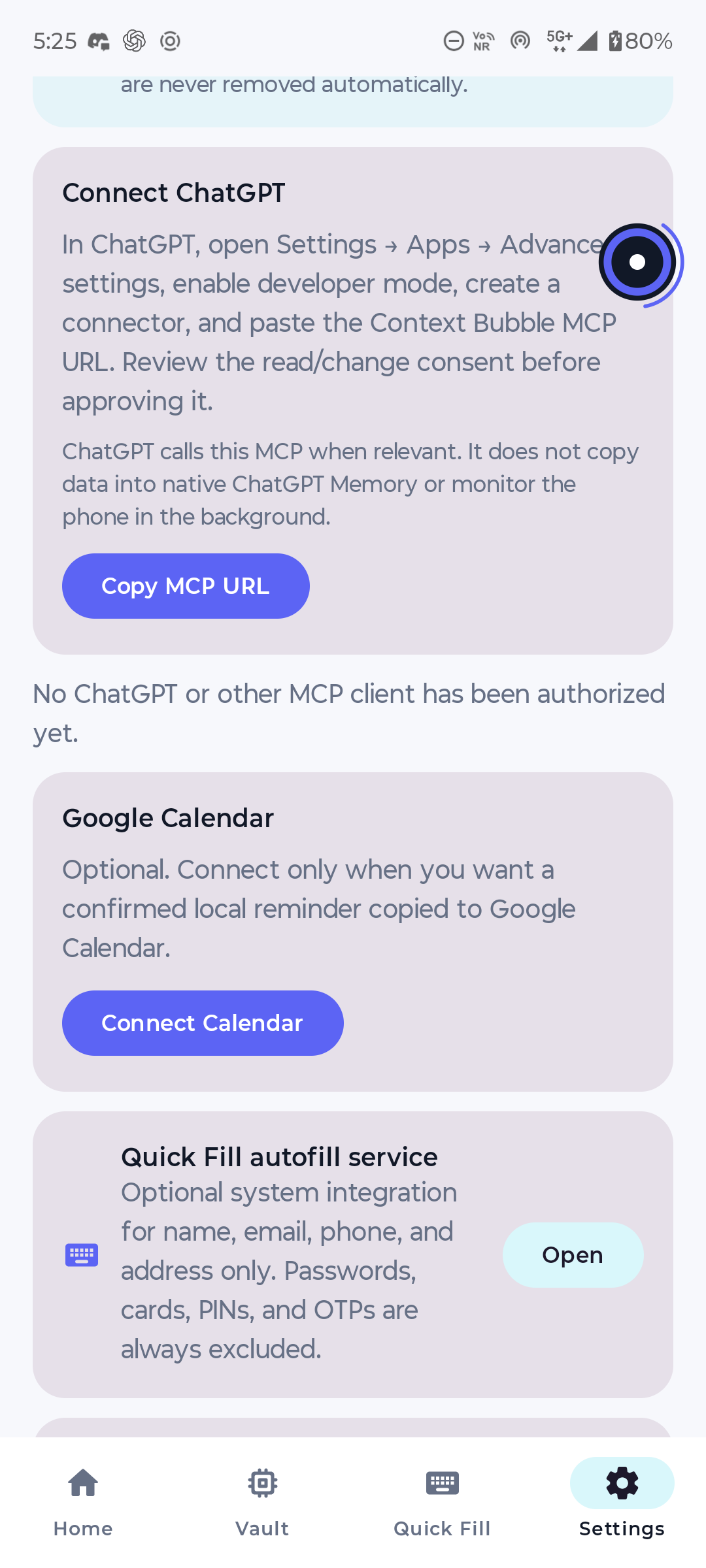
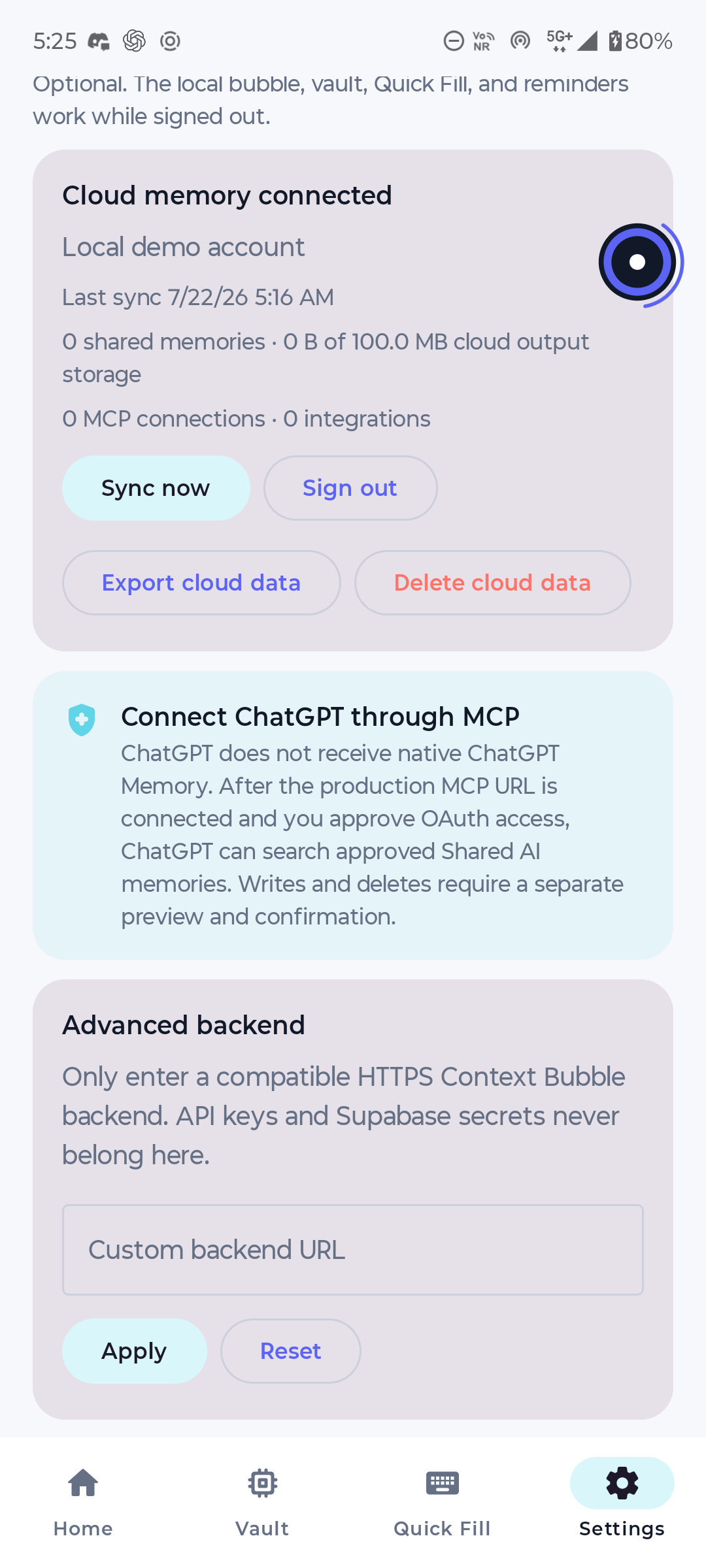
For example, a user can save a preference such as “My favourite cake is chocolate.” Context Bubble encrypts the actual cloud payload and stores it in Supabase. Approved memories can later be retrieved through the Context Bubble assistant and, after OAuth connection, through its dedicated MCP server.
Context Bubble does not silently write to native ChatGPT Memory. It remains the source of truth for its own approved memories.
Additional capabilities
The application also includes:
- Quick Fill for names, email addresses, phone numbers, addresses, and reusable snippets.
- Local reminders with exact or approximate scheduling.
- Optional Google Calendar integration architecture.
- Image generation using explicitly shared screen context.
- Copy, save, share, and clipboard fallbacks for generated output.
- Searchable application exclusions.
- Encrypted screenshots, recordings, transcripts, and generated images.
- A health dashboard for overlay, Accessibility, microphone, notifications, battery optimization, network, and cloud status.
- A separate Lab build for carefully restricted experimental Android automation.
Privacy and safety
Privacy is a core product boundary rather than an optional setting.
Context Bubble performs no continuous screenshot capture, audio recording, full-screen inspection, foreground-app polling, or AI networking while idle.
The bubble is hidden or blocked on:
- Banking and UPI applications.
- Password managers and authenticators.
- Password, PIN, OTP, and payment fields.
- Biometric and system credential screens.
- Android permission and package-installation surfaces.
- Screens protected with
FLAG_SECURE. - User-selected excluded applications.
Known financial and authentication applications are protected through an updateable signed package policy. These hard blocks cannot be weakened by ordinary user exclusions.
Before any message, upload, deletion, calendar write, or similar consequential action, the user receives an exact preview and confirmation. Financial, credential, permission, biometric, and package-installation actions are always blocked.
How I built it
Native Android application
I built the application natively in Kotlin for Android 13 and newer.
Jetpack Compose powers onboarding, settings, memory, Quick Fill, history, and diagnostics. The persistent bubble, radial menu, and response overlays use lightweight classic Android Views so the idle foreground service does not retain an unnecessary Compose hierarchy.
The bubble uses TYPE_APPLICATION_OVERLAY and a user-visible foreground service. Positioning is calculated from Android window insets, including:
- Status bars.
- Navigation bars.
- Display cutouts.
- Gesture regions.
- The on-screen keyboard.
Bubble movement is synchronized to display frames, clamped to the safe screen area, and persisted independently for portrait and landscape orientations.
The Accessibility pipeline is event-driven. It listens only for relevant window, focus, selection, and editable-field changes. It does not continuously traverse application view trees.
Room stores encrypted local metadata, while Android Keystore protects the keys used for local encryption. WorkManager handles synchronization, retention cleanup, policy refresh, and retryable background operations.
Backend and cloud
The backend is written in TypeScript with shared Hono handlers.
A Node adapter supports local ADB development, while production-compatible handlers run through Supabase Edge Functions.
Supabase provides:
- Authentication.
- PostgreSQL.
- Row Level Security.
pgvector-based semantic retrieval.- Private object storage.
- Edge Functions.
- Cloud synchronization and audit history.
Shared memory payloads are encrypted with AES-256-GCM using per-user keys derived through HKDF-SHA256. The database stores ciphertext, nonces, key versions, provenance, retention metadata, embeddings, optimistic versions, and deletion tombstones.
All writes use idempotency keys to prevent duplicated memories, reminders, or external actions during retries.
OpenAI integration
Permanent OpenAI credentials exist only on the backend and are never shipped in the APK.
The application uses OpenAI capabilities for:
- Screen understanding and question answering.
- Structured memory extraction.
- Streaming responses.
- Speech transcription.
- Realtime voice architecture.
- Image generation.
- Typed action planning.
Responses are streamed to the Android overlay so the user sees useful output without waiting for an entire response to finish.
Screen content is always labelled as untrusted input. Model-generated actions pass through a deterministic device-side policy engine before anything is executed.
Model Context Protocol
I implemented a dedicated Context Bubble MCP server for approved Shared AI memories.
Its planned and implemented tool structure includes:
search_memoriesget_memorylist_recent_memoriesprepare_memory_changecommit_memory_changeprepare_memory_deletecommit_memory_delete
Memory writes and deletions use a two-stage confirmation flow. The preparation tool creates an exact preview and short-lived signed token. The commit tool verifies the user, client, payload, current version, expiry, and one-use nonce before applying the operation.
This is separate from the Supabase management connector. The Supabase connector can inspect infrastructure and encrypted database records, while the Context Bubble MCP is responsible for authenticated, user-scoped memory retrieval through the backend.
Challenges I faced
Keeping a 24/7 bubble lightweight
The most important performance challenge was ensuring the bubble did almost nothing while idle.
I removed idle polling, animation loops, view-tree traversal, wake locks, microphone sessions, screenshot work, and persistent AI connections. The passive service retains only the small overlay, package state, permission state, and a minimal Accessibility event pipeline.
Android overlay positioning
The bubble needed to avoid the status bar, keyboard, cutouts, gesture regions, and navigation controls across multiple screen sizes and orientations.
I created a single safe-area calculation using Android window metrics and insets, then clamped both the bubble and its complete menu within that region.
Reliable text insertion
Android text fields behave differently across standard inputs, browsers, WebViews, notification replies, and custom editors.
I introduced focused-target tokens containing the package, window, field identity, selection, and surrounding-text fingerprint. The token is revalidated before insertion to prevent wrong-field input after application switching.
Privacy versus useful context
Continuous screen monitoring would have been easier, but it would violate the product’s core trust model.
Instead, context is collected only after an explicit gesture. Sensitive packages are rejected before inspecting their hierarchy, and protected screenshots are never bypassed.
Cloud synchronization
Cloud synchronization required encryption, RLS, retries, conflict resolution, tombstones, cursor-based deltas, and idempotency.
One real device bug came from Kotlin serialization omitting the default sensitivity: "normal" field while the backend originally required it. I fixed both sides: Android now serializes defaults, and the backend safely defaults older payloads to normal sensitivity. The already-queued memory then synchronized without data loss.
ChatGPT and MCP expectations
A major architectural lesson was understanding the difference between native ChatGPT Memory, a Supabase management connector, and an application-owned MCP server.
The Supabase connector can inspect the project, but it cannot decrypt Context Bubble’s encrypted memory payloads. The dedicated Context Bubble MCP must authenticate the user and retrieve approved memory through the backend.
What I learned
This project taught me that a useful mobile assistant is much more than a model request.
I learned how to:
- Build efficient Android overlays and foreground services.
- Use Accessibility responsibly and minimize inspected context.
- Handle window insets, keyboards, cutouts, and gesture navigation.
- Build local-first encrypted storage.
- Design cursor-based cloud synchronization and conflict handling.
- Apply Supabase RLS to user-owned data.
- Combine encrypted payloads with semantic vector retrieval.
- Protect consequential actions with deterministic policy enforcement.
- Build confirmation-protected MCP write tools.
- Stream AI responses into a lightweight Android overlay.
- Design honest fallbacks for network, insertion, clipboard, and process failures.
- Use Codex as a development partner for research, architecture, implementation, debugging, device testing, and optimization.
The biggest lesson was that trust, latency, and reliability are just as important as model intelligence.
Accomplishments I am proud of
- Built a working native Android floating assistant.
- Kept the bubble passive and event-driven while idle.
- Added contextual screen understanding without continuous capture.
- Returned streamed answers directly over the current application.
- Implemented voice interaction and transcription fallback architecture.
- Created encrypted local and cloud memory lanes.
- Synchronized approved Shared AI memories to Supabase.
- Added signed sensitive-package policies and hard privacy blocks.
- Added searchable application exclusions.
- Created separate Play and Lab builds with compile-time automation isolation.
- Implemented backend tests for encryption, synchronization, RLS, idempotency, MCP confirmation tokens, quotas, and model routing.
- Tested upgrades directly on a physical Motorola Android device using ADB while preserving application data and permissions.
What’s next
The next steps are:
- Complete the production OAuth connection between ChatGPT and the Context Bubble MCP.
- Finish production Google authentication and Calendar authorization.
- Expand Realtime voice testing across Bluetooth, calls, and network transitions.
- Evaluate English and Hinglish semantic-memory retrieval quality.
- Complete extended battery, memory, jank, and foreground-service soak tests.
- Expand device testing across Samsung, Xiaomi, OnePlus, Oppo, and Realme.
- Complete Play Integrity verification and Play Store policy review.
- Add more user-approved integrations while preserving deterministic confirmation and privacy boundaries.
- Replace development-only demonstration paths with the fully authenticated production MCP workflow.
Context Bubble’s long-term goal is to make AI feel naturally present on a phone—available everywhere, intrusive nowhere, and always controlled by the user.
Built With
- accessibility
- android
- api
- compose
- coroutines
- edge
- foreground
- functions
- hilt
- hono
- jetpack
- kotlin
- okhttp
- openai
- pgvector
- realtime
- room
- service
- services
- supabase
- whisper
- windowmanager
- workmanager

Log in or sign up for Devpost to join the conversation.