-
-
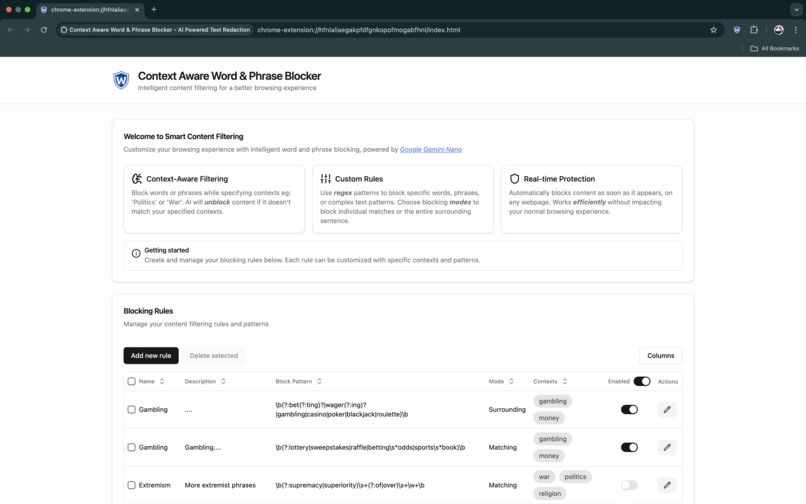
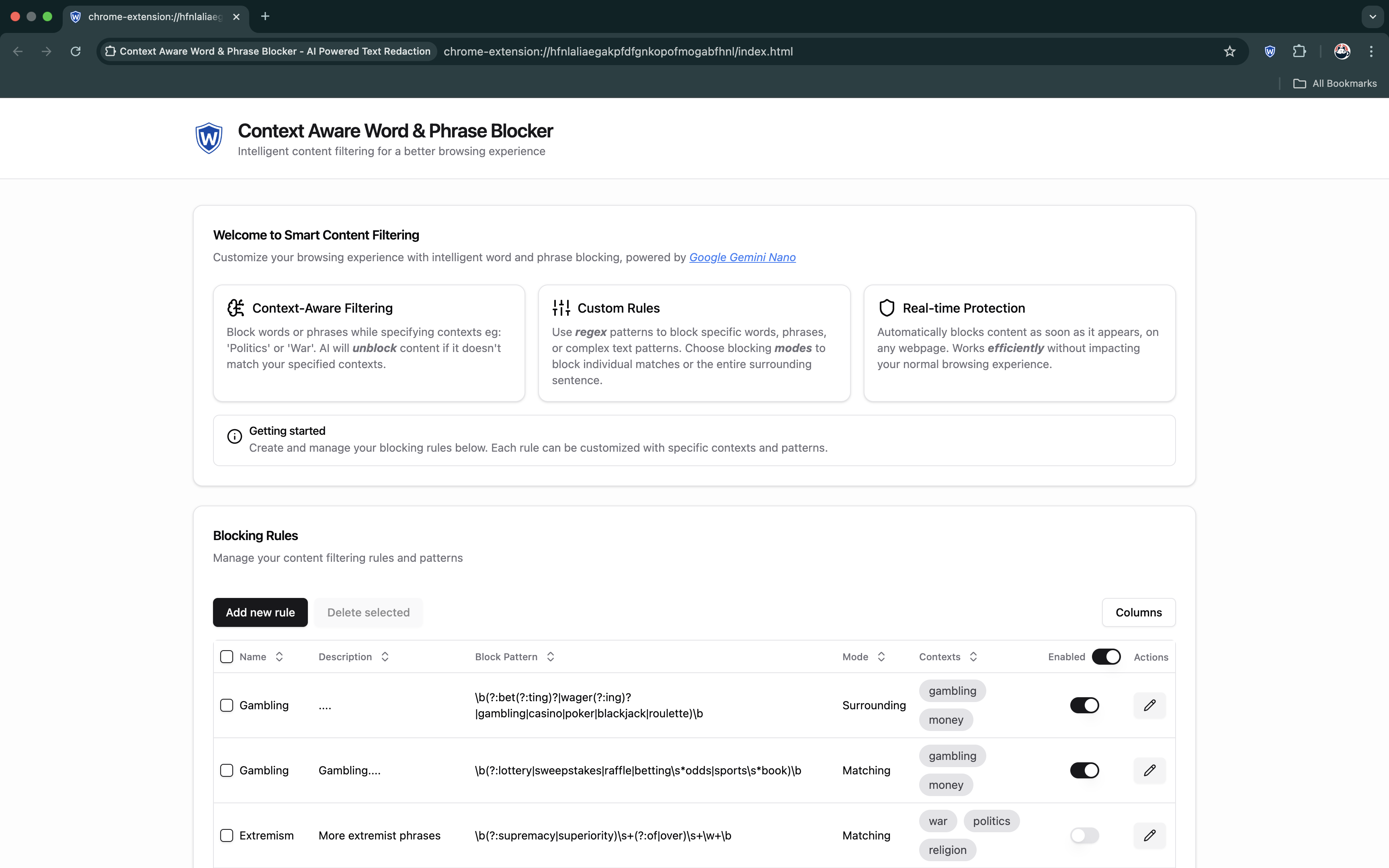
Main extension view / home-page where you can create and manage content blocking rules
-
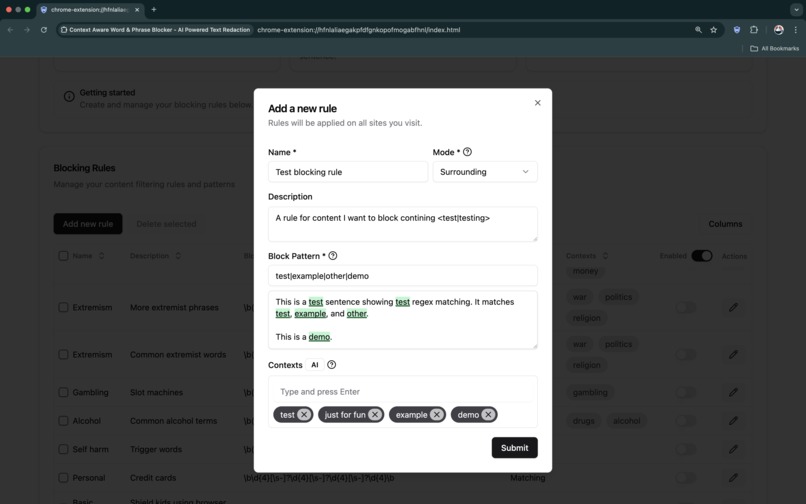
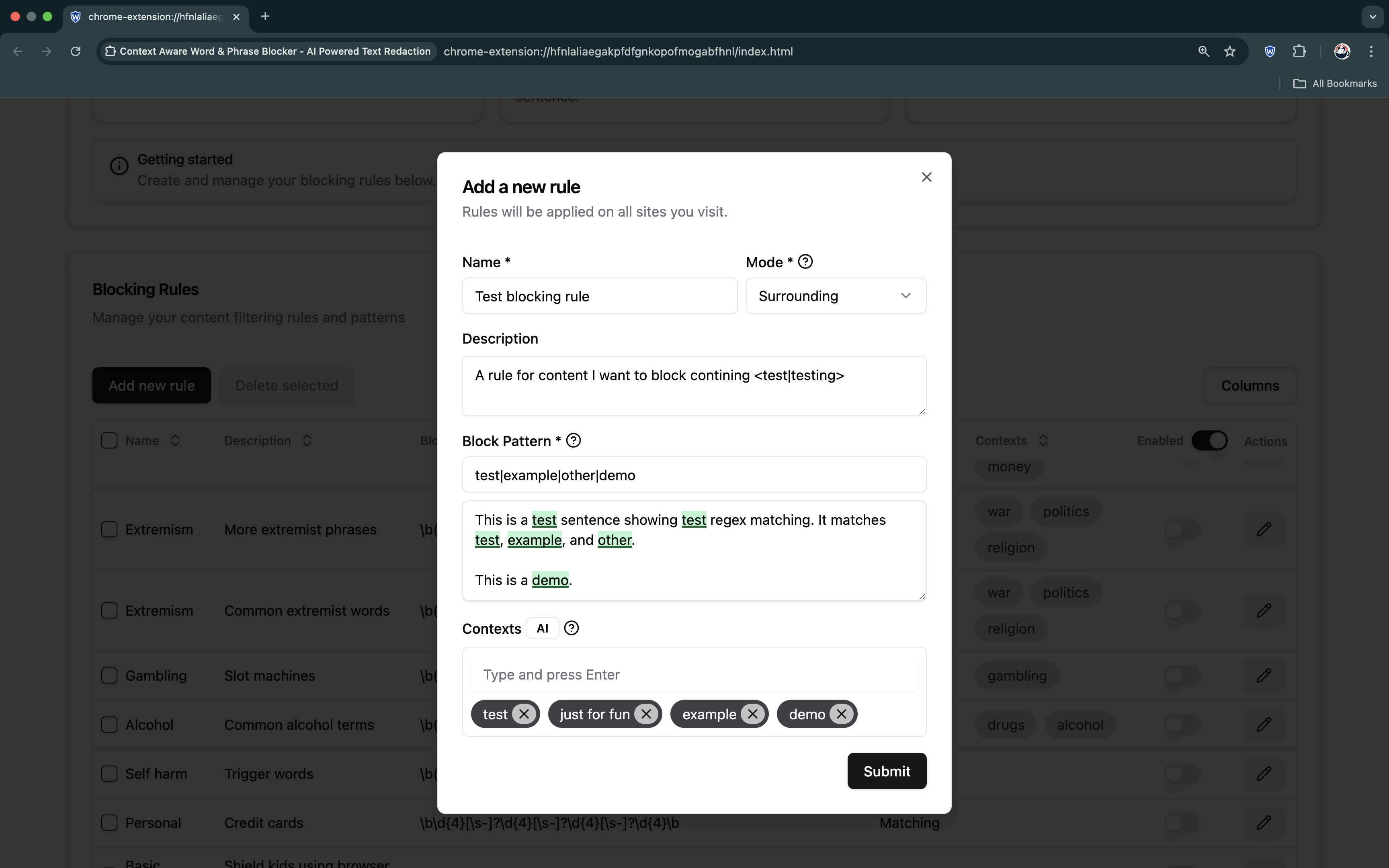
Adding a new content blocking rule with inline rule tester and AI blocking contexts
-
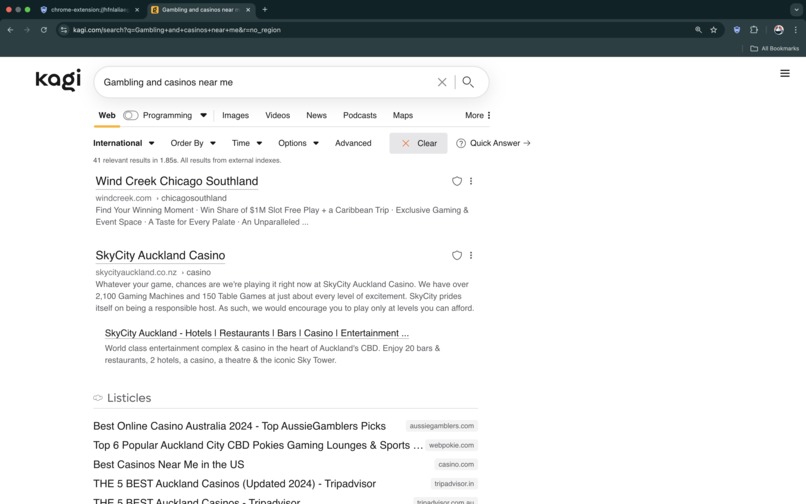
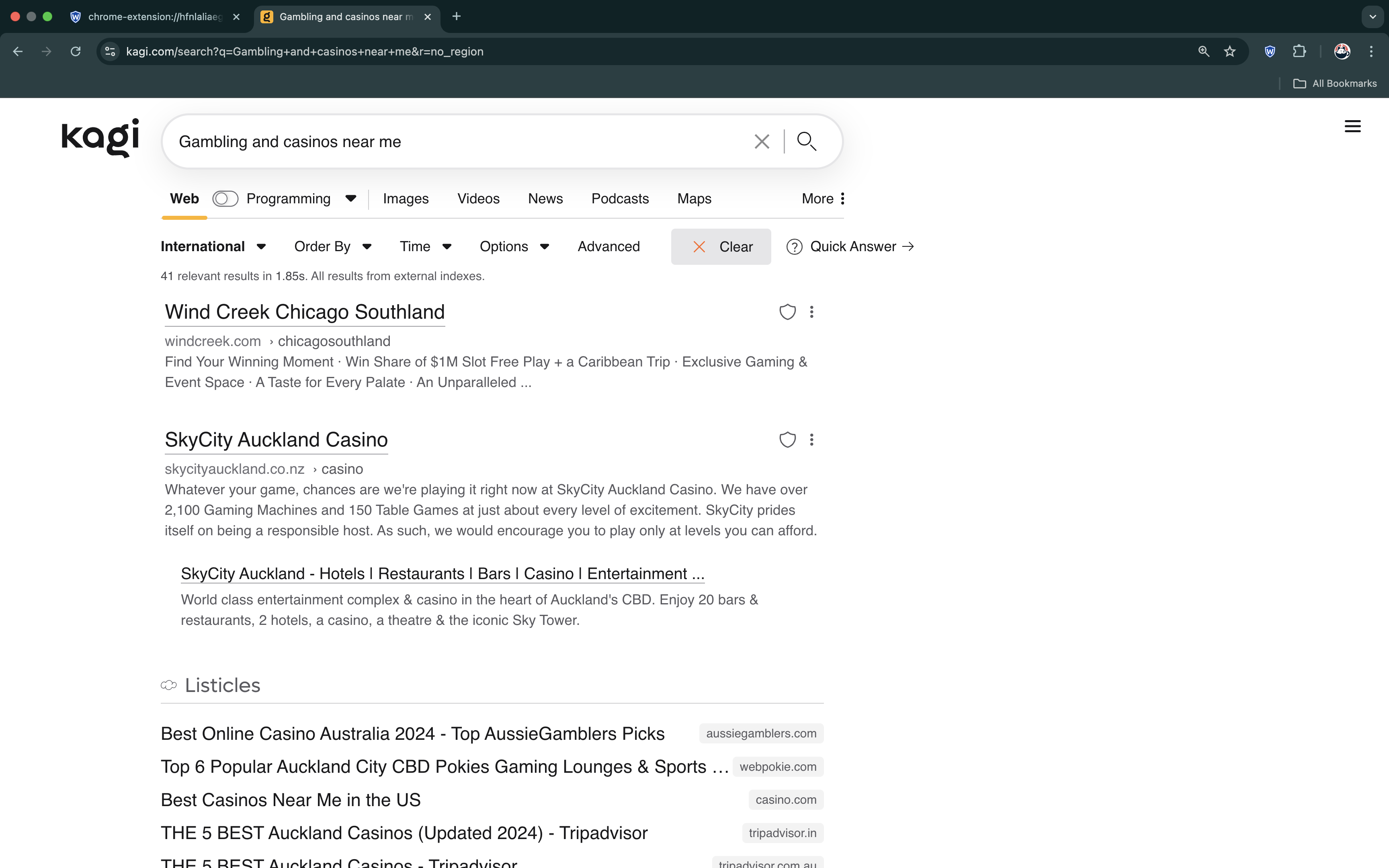
An example of web content we want to block - gambling, casinos etc - before using Context Aware Word & Phrase Blocker extension
-
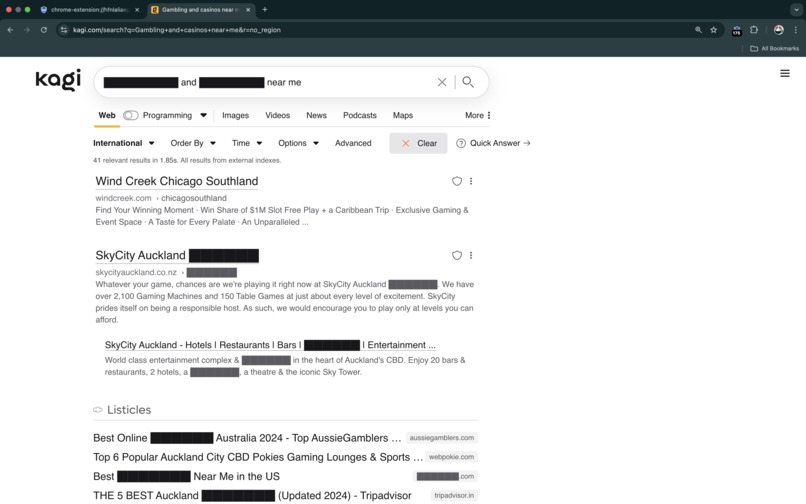
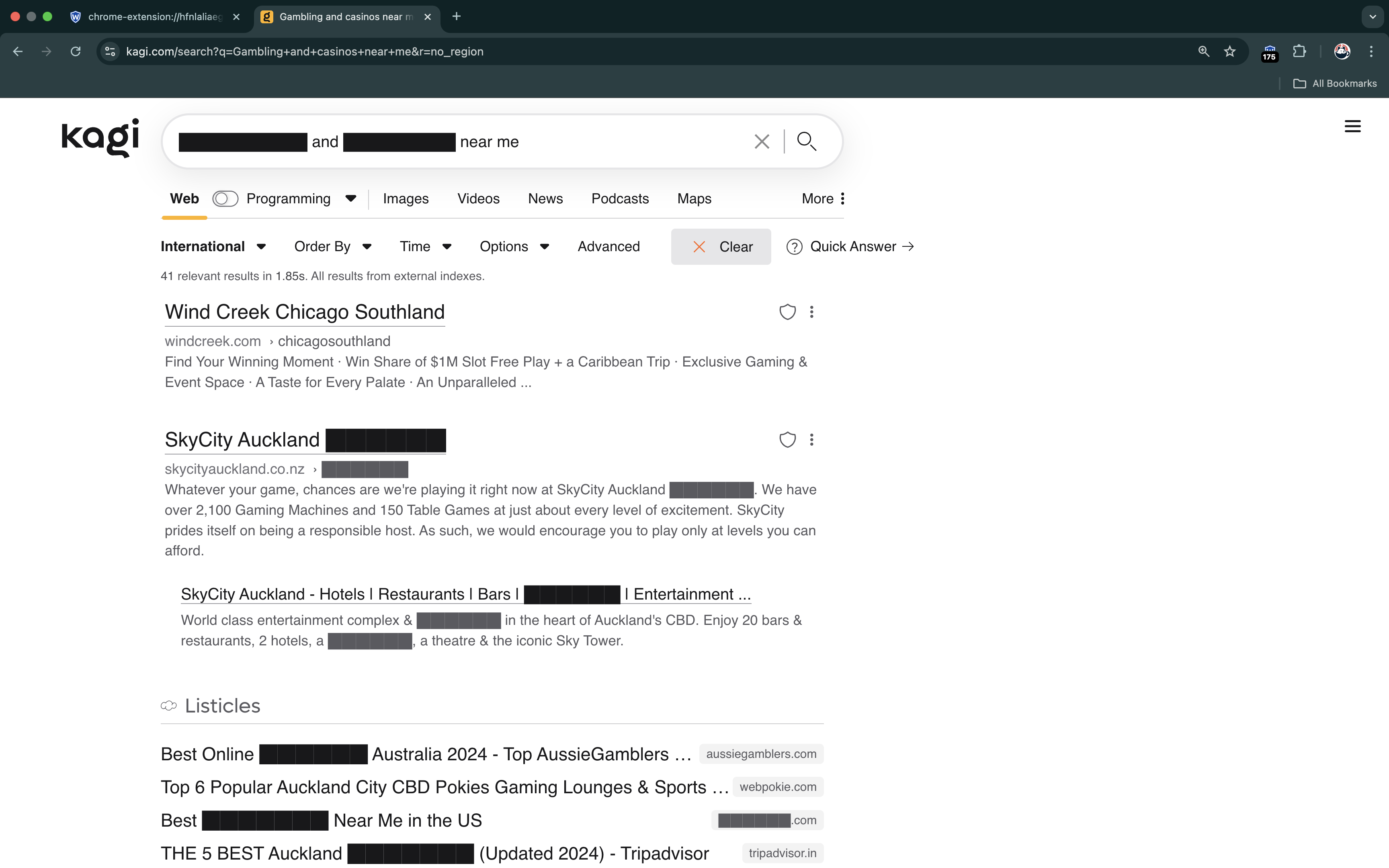
An example of content being blocked with the extension - gambling content, only blocking exact matches - "Matching" mode
-
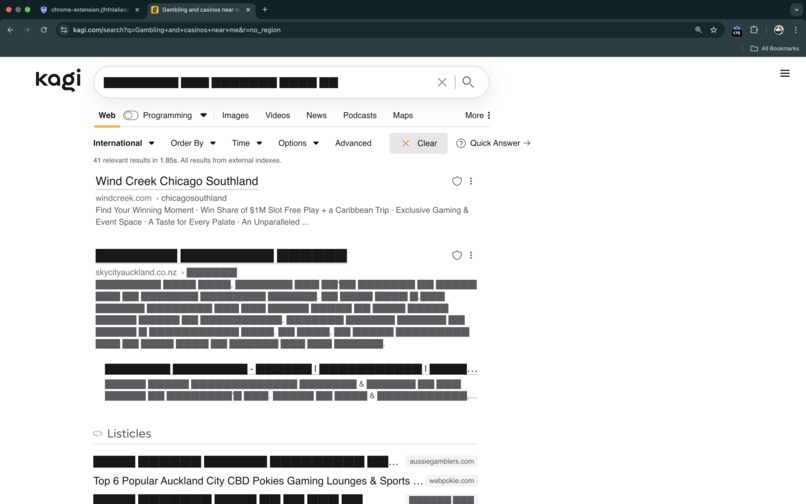
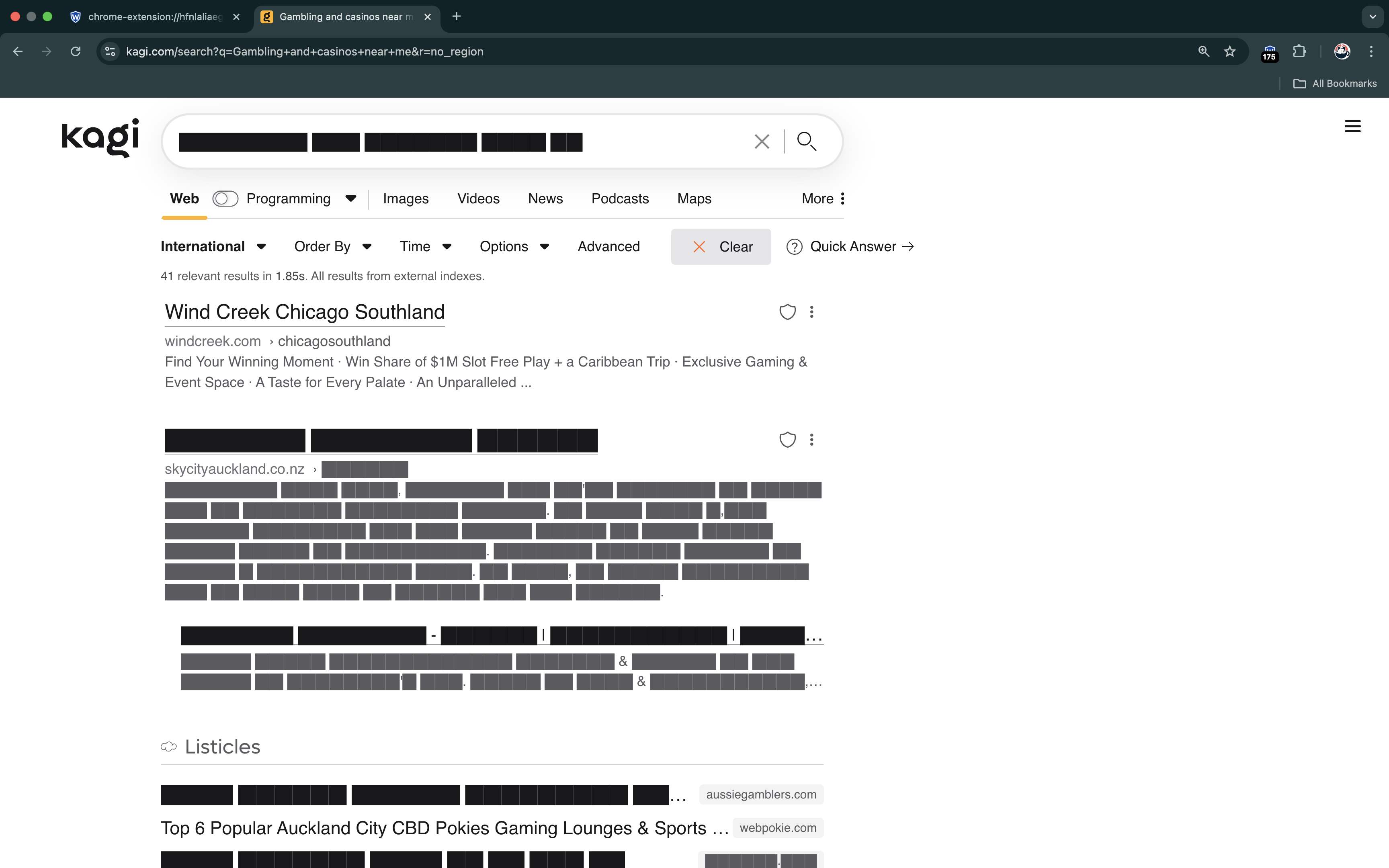
An example of content being blocked with the extension - gambling content, blocking surrounding sentence too - "Surrounding" mode
-
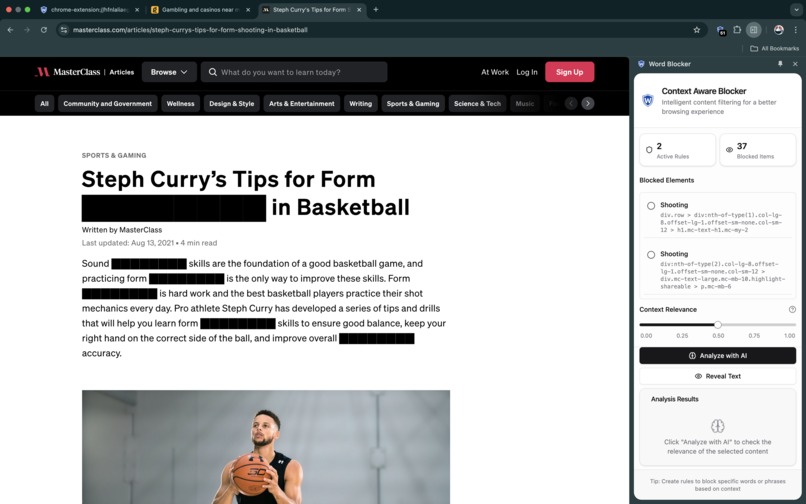
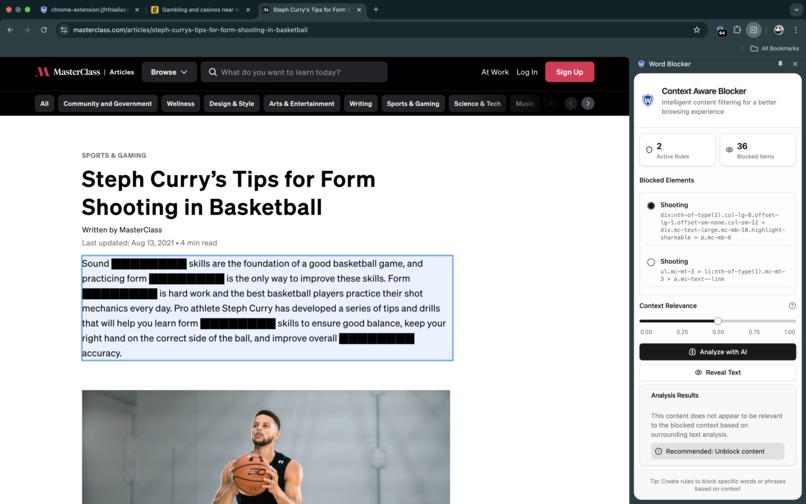
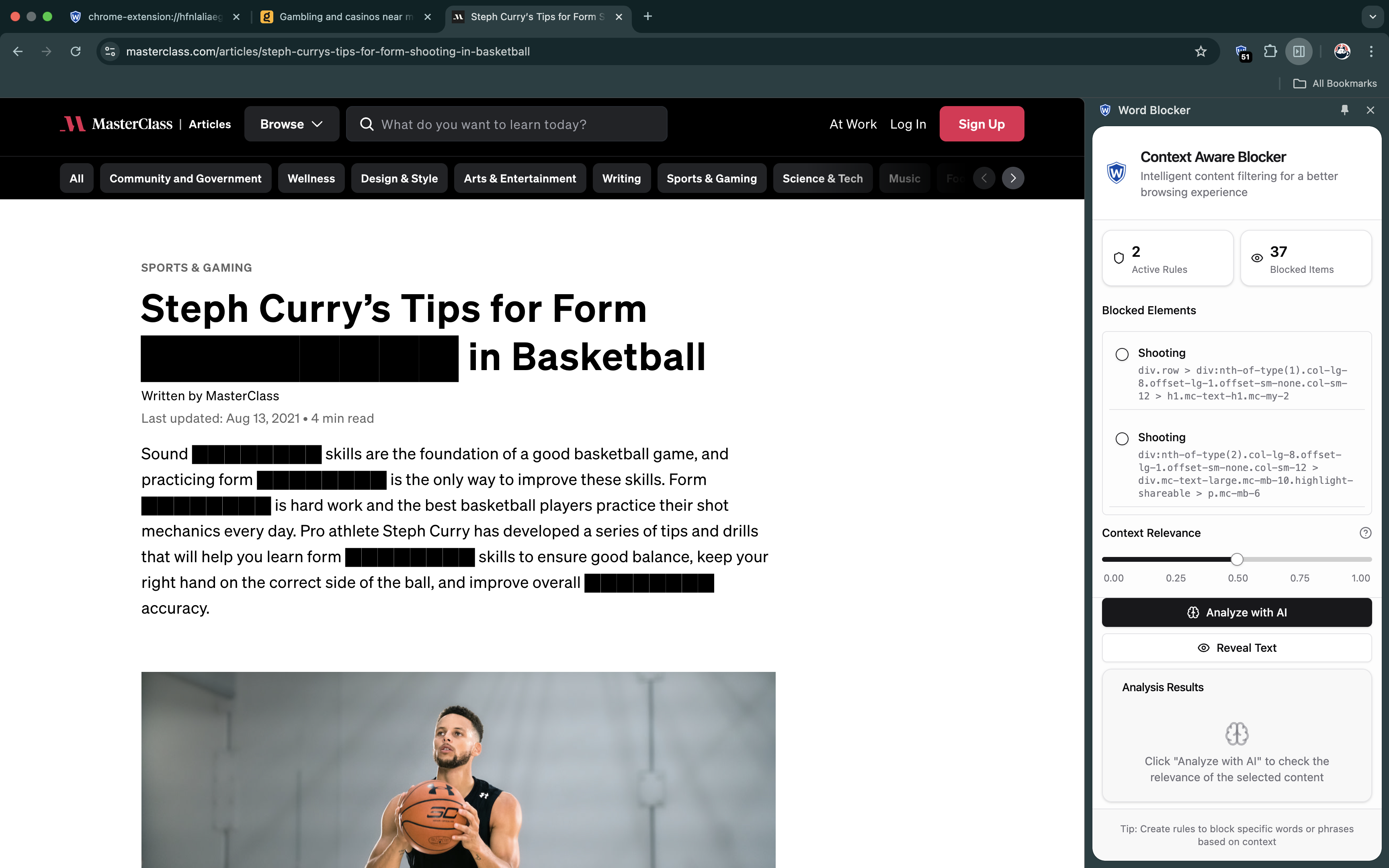
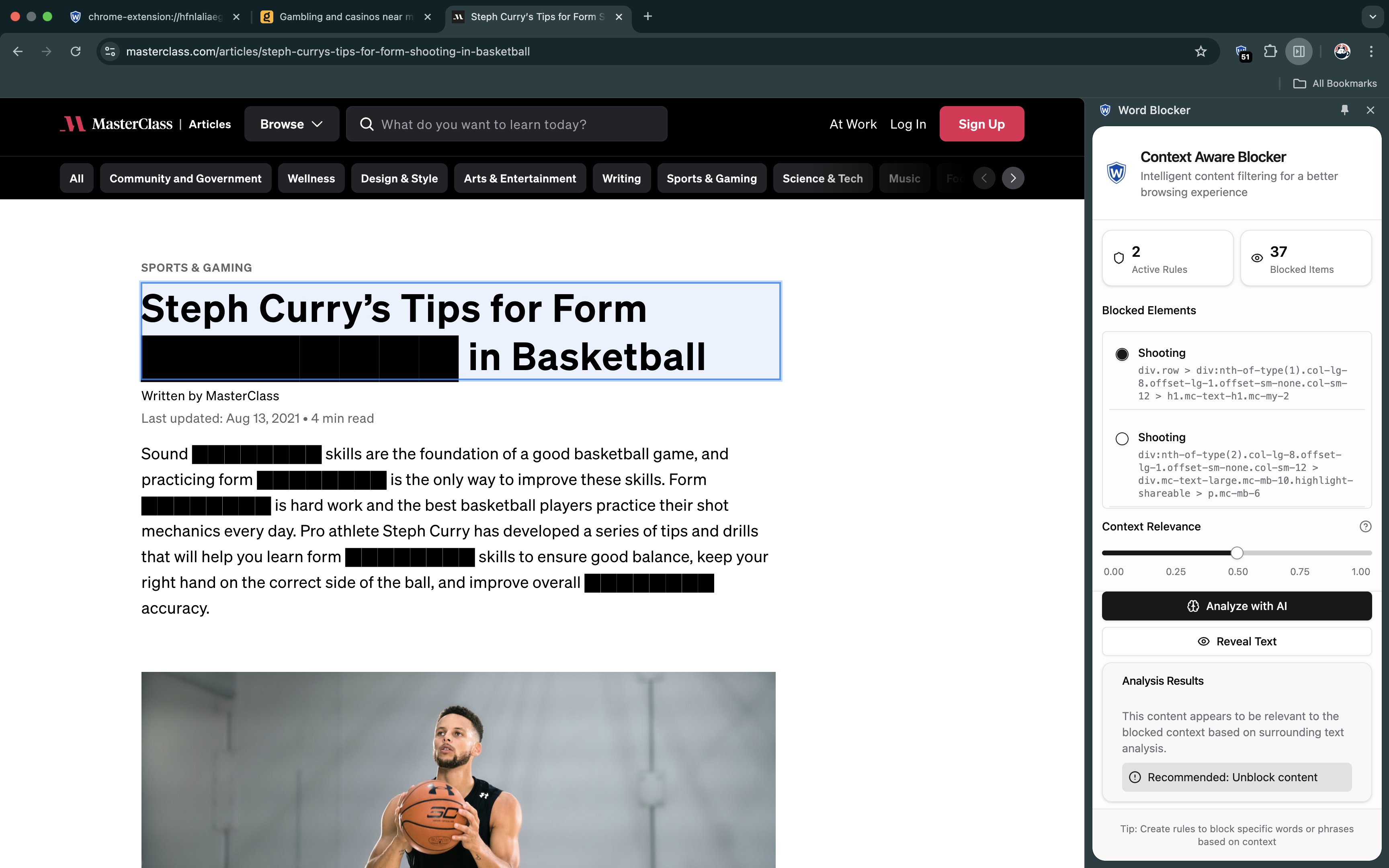
Blocking the word "shooting" - maybe Gemini Nano can help us understand the sentence context?
-
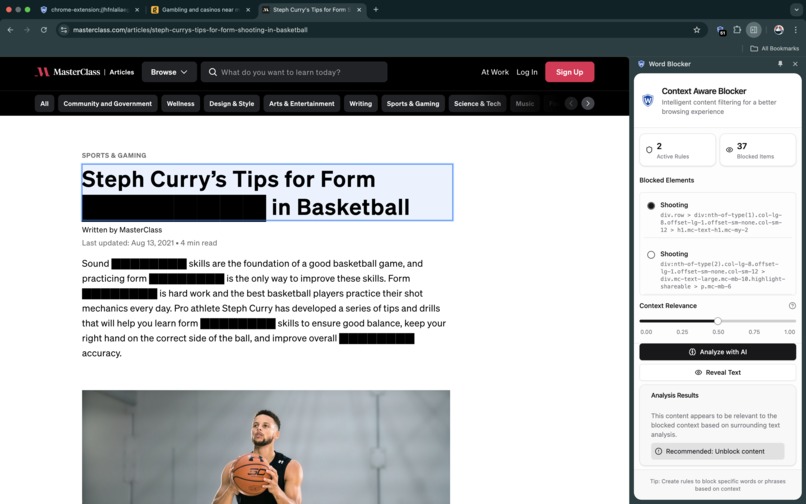
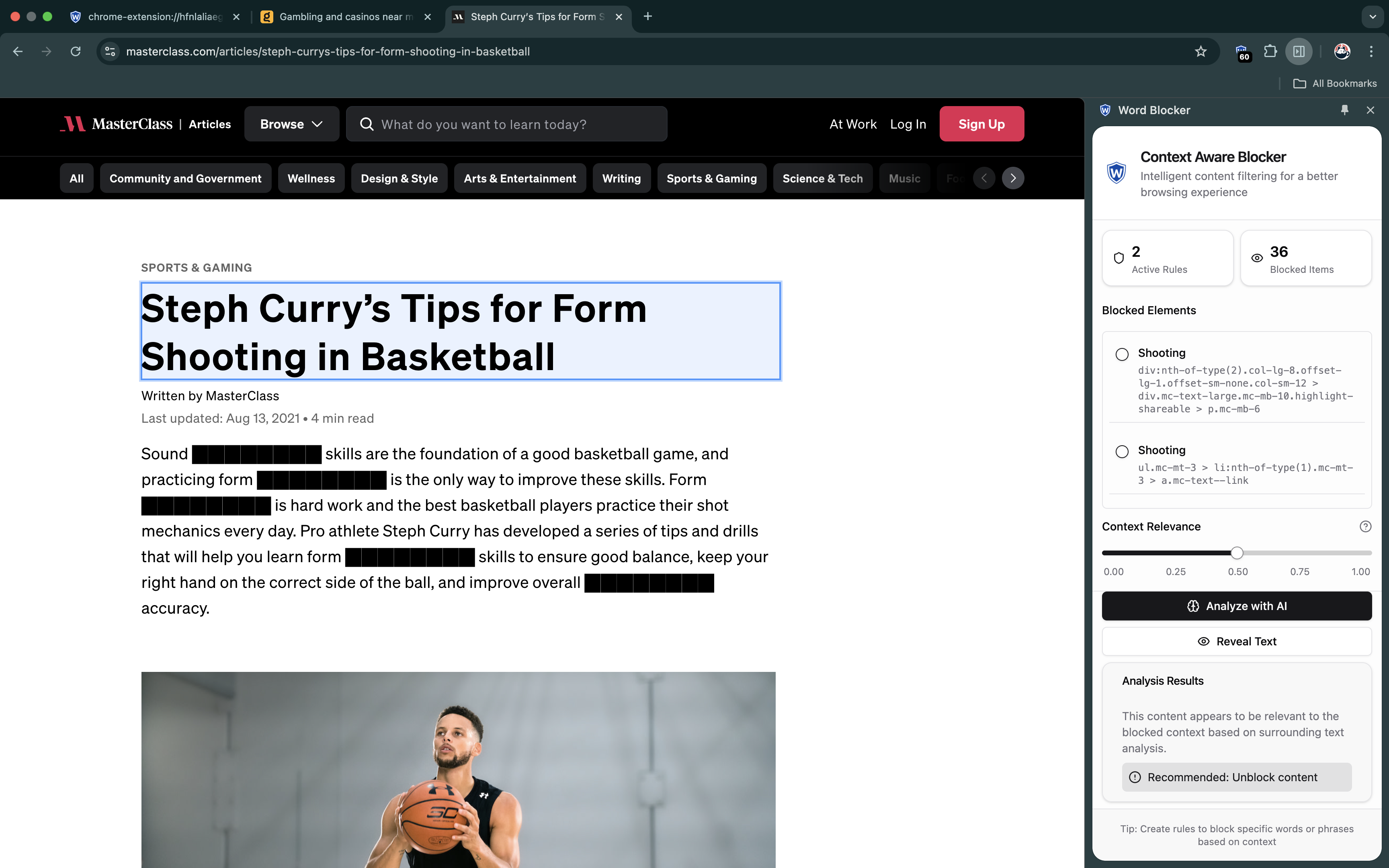
User selecting the blocked content and requesting Gemini Nano to analyse if its "safe" to unblock this content
-
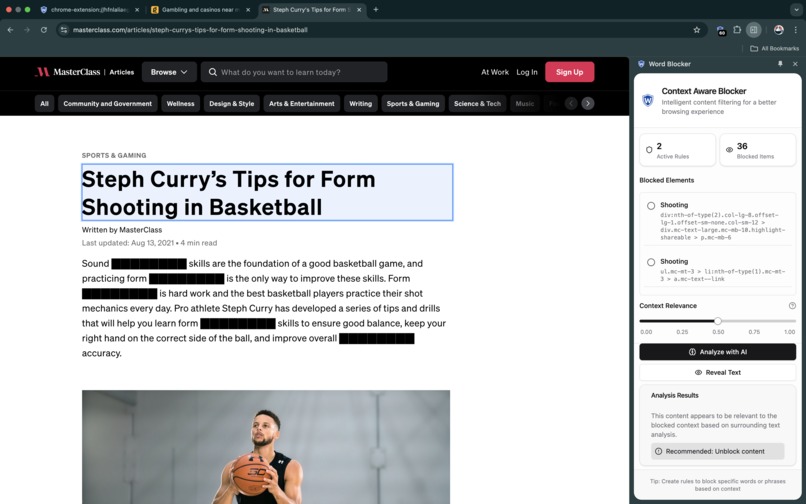
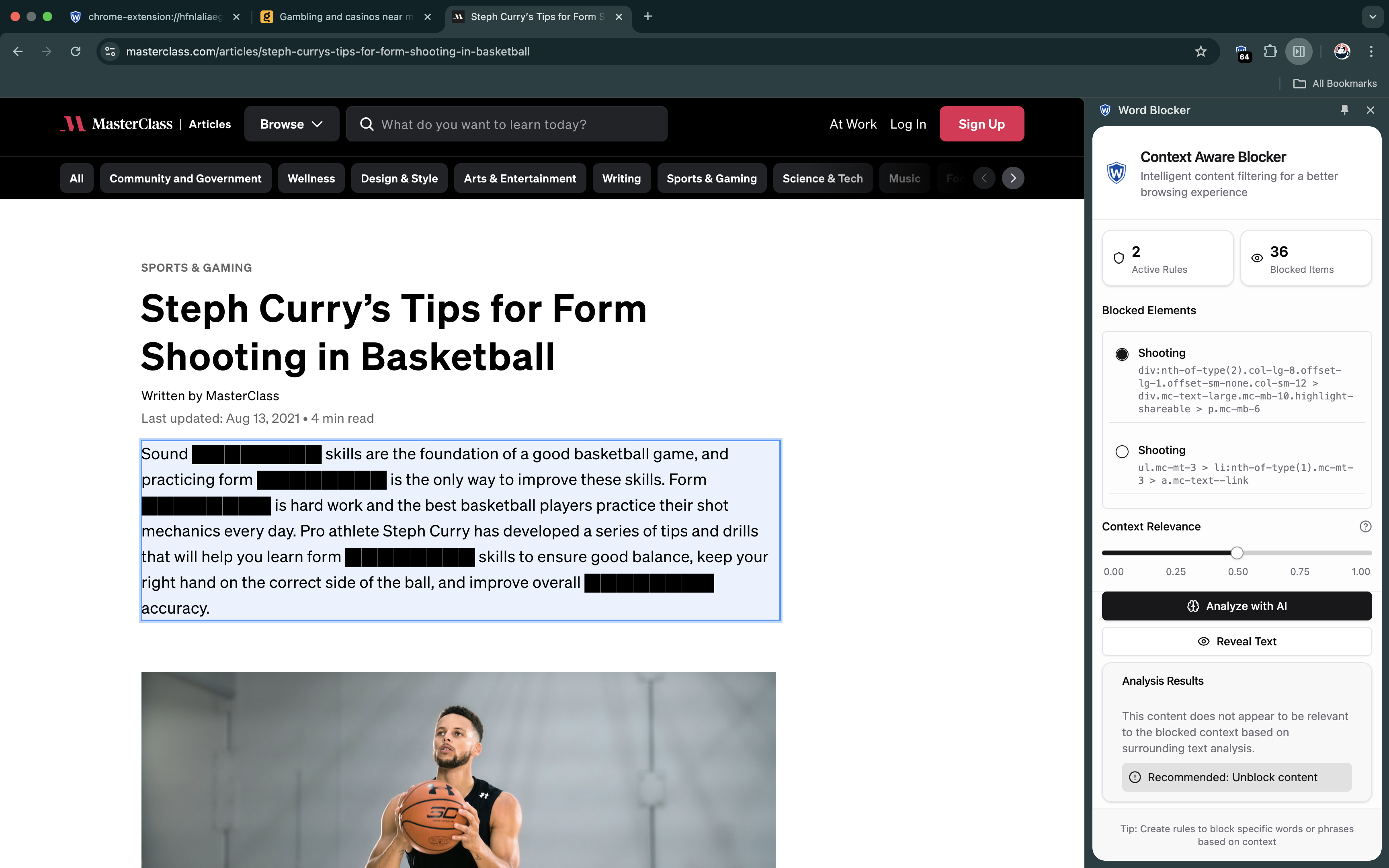
Finally - YES - it is safe to unblock the content containing "shooting" in the context of "basketball/sports"
-
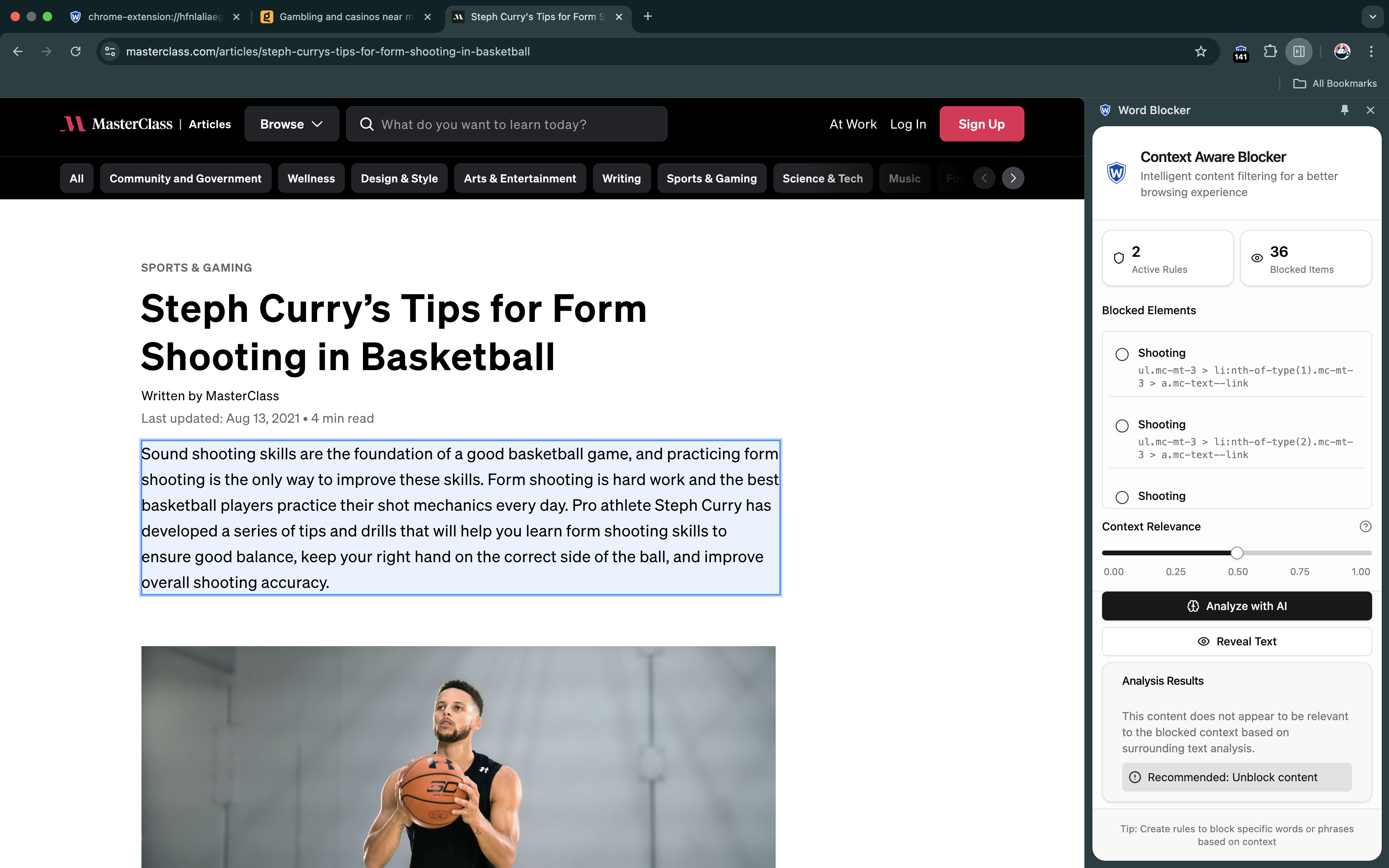
Similarly inspecting the following sentence - is it safe to unblock this content too? Help us Gemini Nano!
-
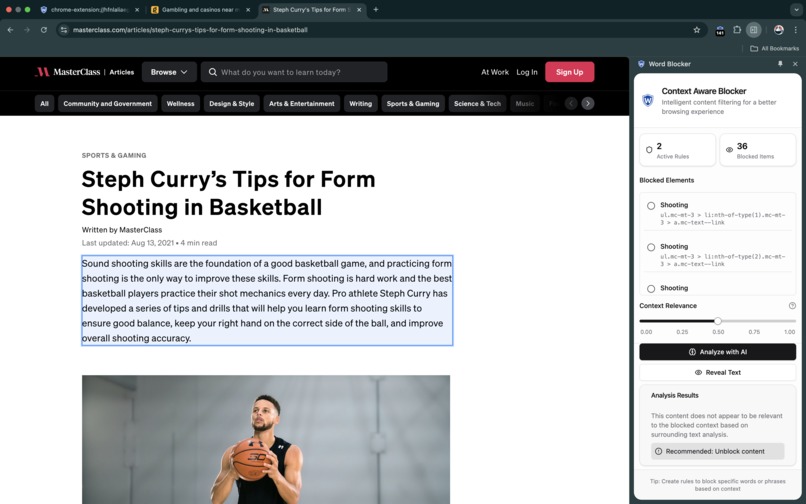
Gemini Nano determines it IS safe to unblock "shooting" in the context of basketball
Inspiration
Like many people, I found myself increasingly affected by an endless stream of political content and sensitive, triggering topics online (alcohol, gambling, war, conflicts, profanity) with no power to hide them. Traditional keyword blockers - and there weren't any good ones - were too rigid - blocking legitimate content alongside unwanted content. If I block "shooting" content, don't also block content about Basketball shots!! I needed something smarter that could understand context, leading me to create a more intelligent content filtering solution with AI-powered context aware unblocking.
What it does
Unlike traditional content blockers, this extension uses powerful regex enhanced by context-aware rules - powered by Gemini Nano to make smart unblocking decisions. It can block content in two modes: matching specific phrases or blocking the entire surrounding text. Most importantly, it can analyse blocked content to determine if it's safe to unblock, based on context - for example, understanding when "shooting" refers to basketball rather than violence. The user always has the power to determine their custom blocking rules and contexts, the AI simply helps them to determine content safety scores.
How we built it
The development evolved through four major iterations:
1) Word Blocker
- Just a popup.html
- Started with vanilla JavaScript, no frameworks
- 1 pattern to block per line in textarea
- Implemented basic regex testing
- Simple content script to handle the actual text blocking
- Project was called "Word Blocker"
- No AI yet
2) Improving the UI/UX
- Moved to a SidePanel
- Started writing custom JS framework like JQuery for fun
- Re-used majority of UI from (1)
- Added complex syntax highlighting to regex textarea
3) Cloned Word Blocker, renamed it to "Context Aware .... Blocker"
- Moved away from sidepanel to a dedicated extension page
- Removed custom JS framework, added TypeScript, React, a build step for simpler state management
- Recreated the UI (Rules belong in a table now, rules are now a complex object, not just a pattern)
- Created forms for creating rules
- Rules can now take context (used later)
4) Okay we need the Sidepanel back (and a popup)!
- Now user flow is click popup, open either main extension page ( to manage rules) OR sidepanel (as you browse)
- Implement complex messaging system to handle rule changes, page changes, viewport changes (Popup -> Page / Sidepanel <-> Content Script <-> Service Worker)
- Now we need to let the user UNBLOCK content - but how?
- Create a custom element unique selector generator, user can click on element selector in Sidepanel, then see blocked element highlighted in page
- Then get the AI to analyse the blocked content and assign a relevancy score
- Then its in the users hands to block/unblock content safely.
The final architecture involves careful coordination between the popup, sidepanel, extension homepage, content scripts, and service worker - all working together to provide seamless content filtering.
Challenges we ran into
- Optimising model performance and response time for real-time content analysis:
- Found the model could not handle "lots of hits" eg: if there were many "hits" for blocked content, the model could not reliably give the content a relevancy score based on the users rules contexts.
- Tried parallel processing, mutation observers (only content in view), ultimately nothing worked reliably so I flipped the AI usage to be for "smart unblocking" - this way content is unblocked piece-by-piece at a speed and size the AI can reliably handle and score sensibly for.
- Extension messaging and timing is tricky, my code got really bad and hacky due to this and time constraints.
- Creating a sophisticated regex testing interface with live syntax highlighting by abusing a textarea - came up with a novel solution styling a "mirror" div behind the textarea.
- Balancing aggressive content blocking with user convenience
Accomplishments that I'm proud of
- Built a sophisticated regex testing textarea with syntax highlighting, pushing the boundaries of what's possible with a textarea
- Somehow it all works with the communication between all extension components (panel, popup, page, content scripts, service worker etc)
- The UI looks great!
- It took ages to create a good system prompt for the Prompt API
- Achieved real-time content filtering without impacting browsing performance at all
- The AI feature I came up with isn't a "kitchen-sink" approach, I found a very relevant and useful application of on-device AI in my project.
What I learned
- On-device AI is a complex beast, but powerful, and only getting better
- Don't roll your own UI framework
What's next for Context Aware Word & Phrase Blocker
- Implement collaborative filtering rules that users can share (import rules, export rules)
- Implement a batching system, so the AI can analyse more blocked content per prompt
- Experiment with a new content blocking/unblocking solution I've tinkered with based on lexical/grammatical distance. Eg: 1st level blocking based on keyword/regex matches eg match "Shooting". 2nd level blocking based on second regex match at X distance away from first match eg "People". BFS etc. Then trigger the LLM analysis automatically for text containing both matches. Eg: An automated LLM unblocking, but with a higher signal to noise ratio on input sentences.
- Create a dashboard for tracking blocked content patterns and add # of hits / # of unblocks
- Plenty of bug fixing
- Staying open source and bringing on additional devs to experiment


Log in or sign up for Devpost to join the conversation.