Inspiration
We were heavily inspired the gmail and google UI where you can make the background a theme or an image. We were also inspired by apps like discord which allow you to change the background color of the app. We wanted to make this background more than just a customization.
What it does
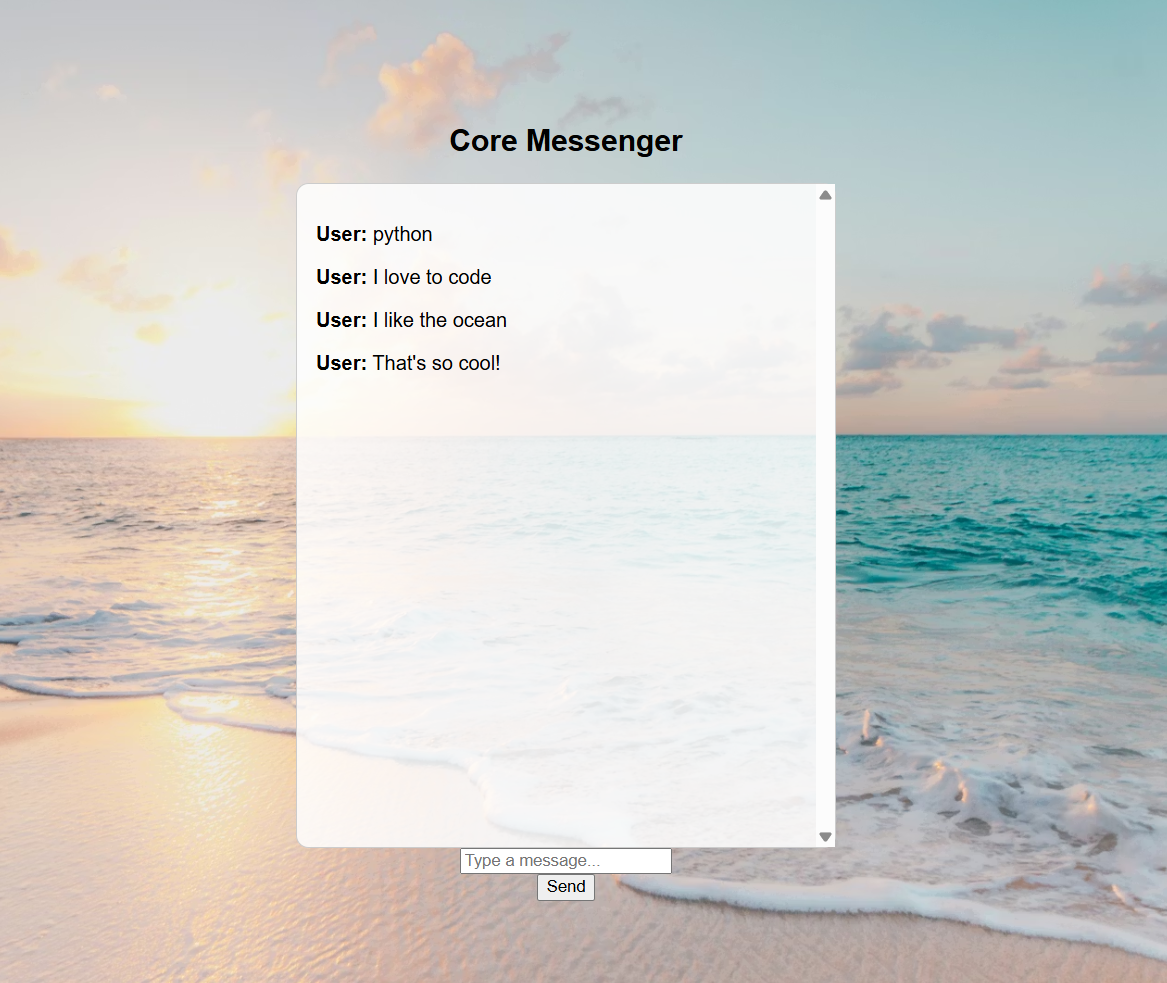
In the app, you can chat one on one with your best friends or you can have a group chat with multiple people. The special twist is when a person types in a certain word, the background of the app will change. For example, if you type in "python", as if you're having a conversation about programming, the background will automatically change to a background of code and computers, to reflect the current conversation. In this way, conversations with your friends and family will adapt to have different, unique backgrounds every time, creating a special image that only you and the people you talk with can share.
How we built it
We used python to first create the THEME_MAP that reads user input. The THEME_MAP looks like this: THEME_MAP = { "space": {"galaxy", "stars", "moon", "nasa", "orbit", "space"}, "nature": {"tree", "forest", "hiking", "leaves", "grass", "nature"}, "ocean": {"beach", "surf", "waves", "fish", "sand", "ocean", "beach"}, "code": {"python", "javascript", "html", "css", "programming", "code"}
The way it works is each word is contained in a dictionary that is linked to it's subject. For example, "galaxy" and "stars" are in the subject of "space", so when a user inputs one of those words, the background will automatically change to a given image--in this case it would be of an image of space.
The front end was built with HTML--it's purpose is to communicate with the information from the backend to properly output the simple text a user sends and the image in one's browser.
Challenges we ran into
Online implementation. In order to get this to work we used Render.com to connect it with GitHub to host the server of the chatroom. This way, users can input their messages through this server, and the server communicates with every user's individual system to output other people's messages and display the correct background. This was difficult and required some research because this form of online, server network implementation was very new to us and we didn't have much knowledge nor experience in this subject.
Accomplishments that we're proud of
We are proud of getting the Online server communication to work properly, mainly because again it's a subject that is very new to us.
What we learned
We learned how to open a network and server to connect with python code, as well as dabbled with online server communication.
What's next for Context-Aware Connectivity
Instead of just using key words, we can use AI to create unique images that build off of what's currently displayed.


Log in or sign up for Devpost to join the conversation.