-
-
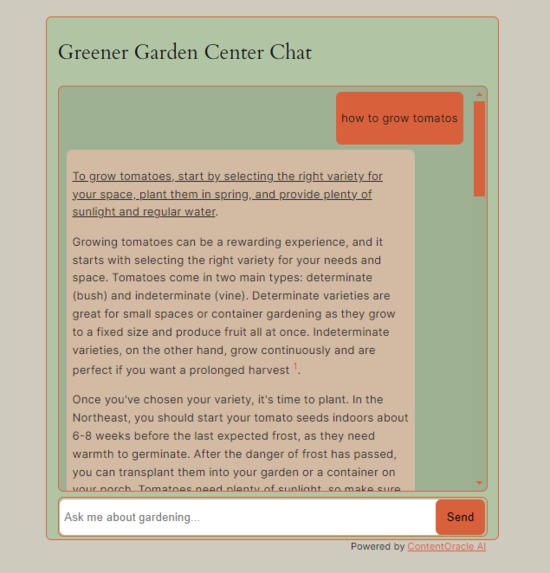
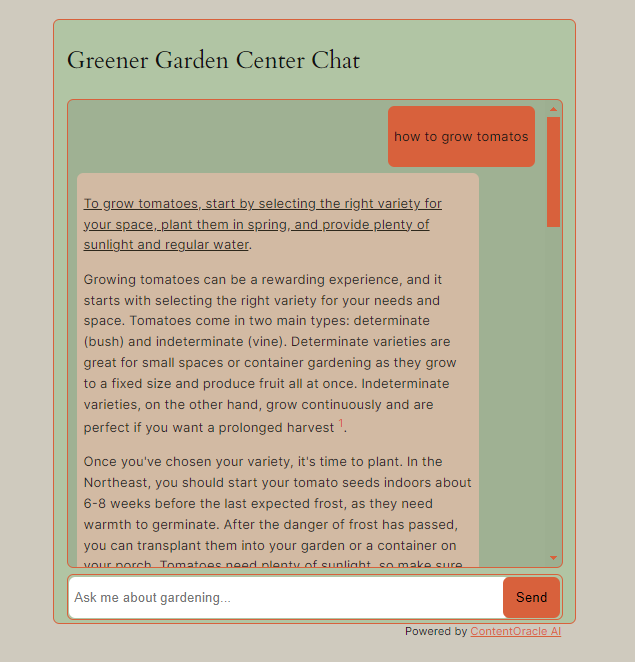
AI chat block.
-
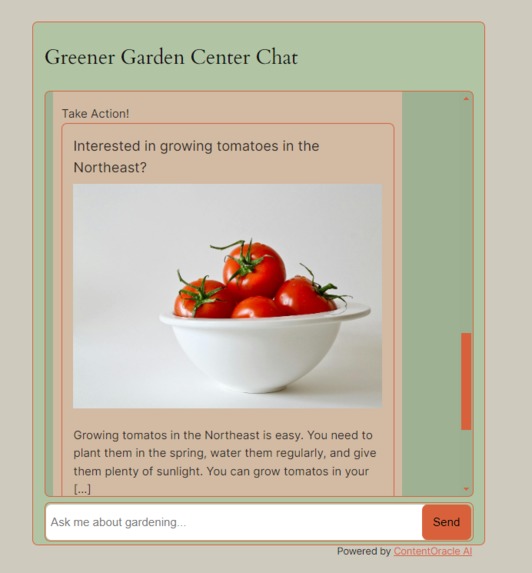
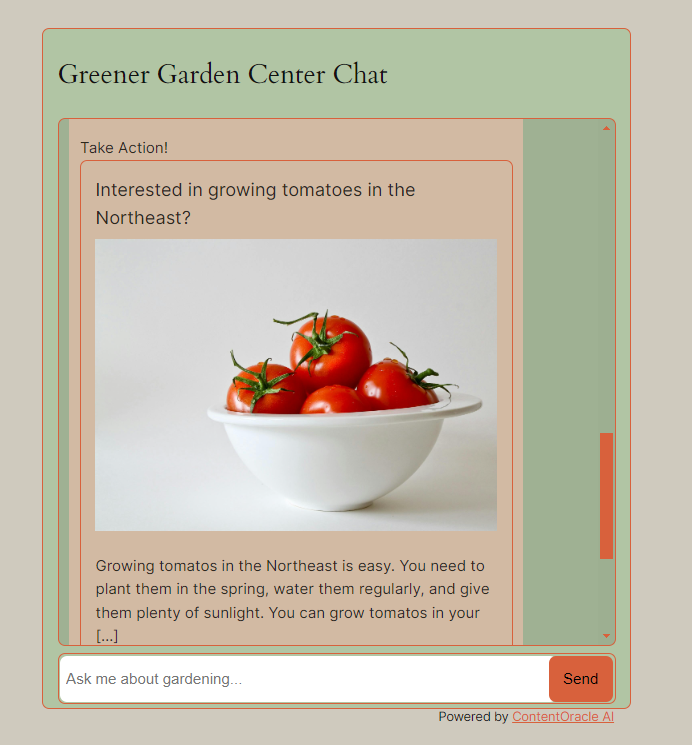
Ai chat block with a recommended action.
-
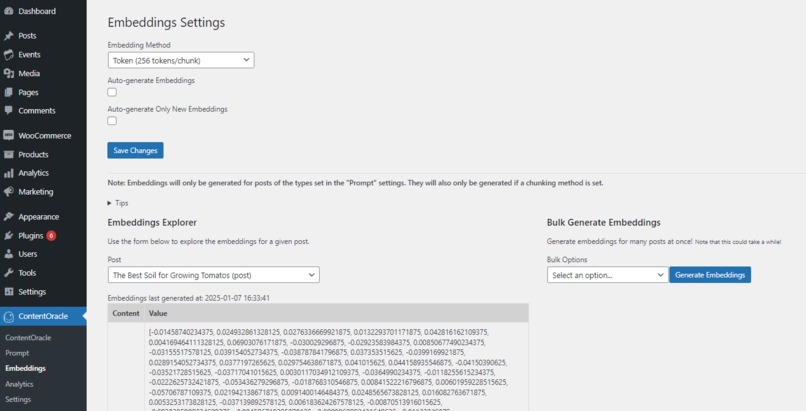
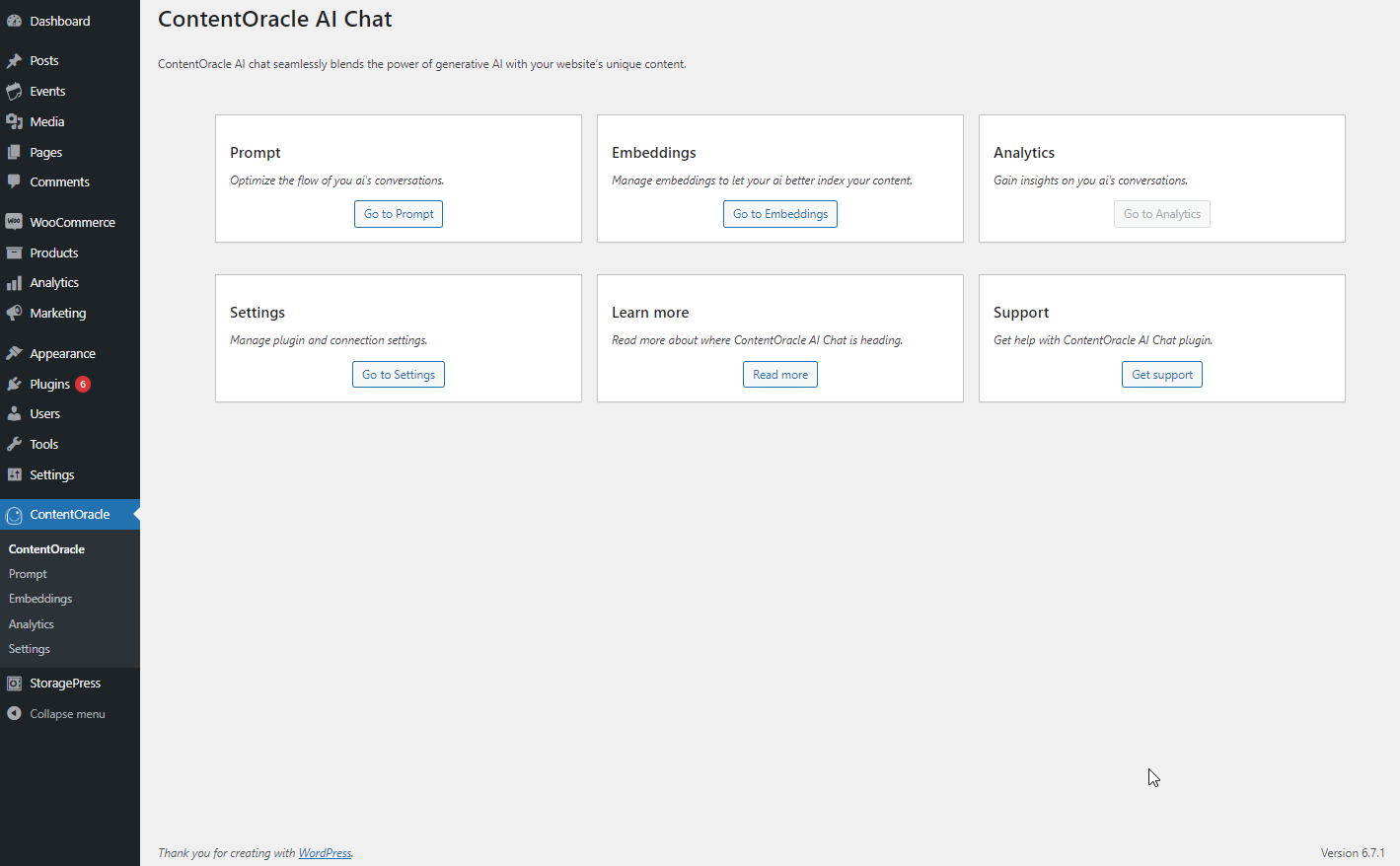
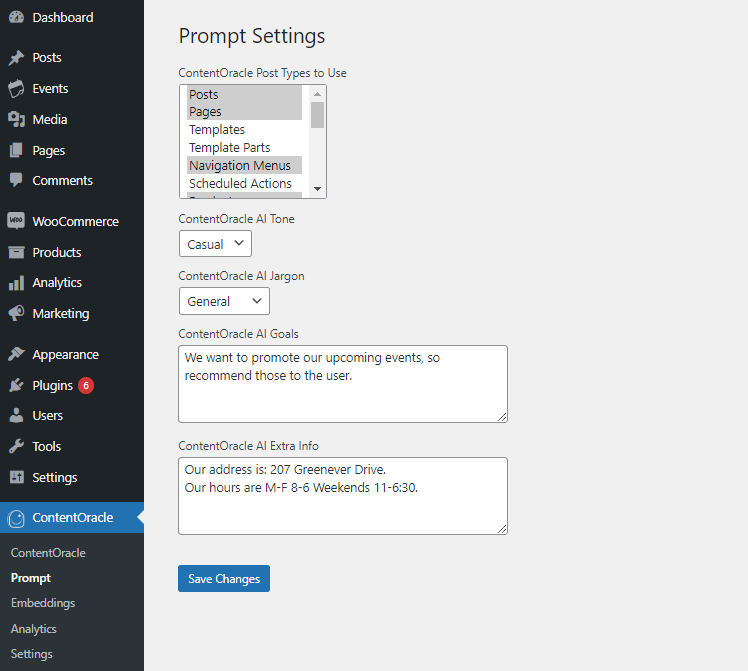
Plugin settings.
-
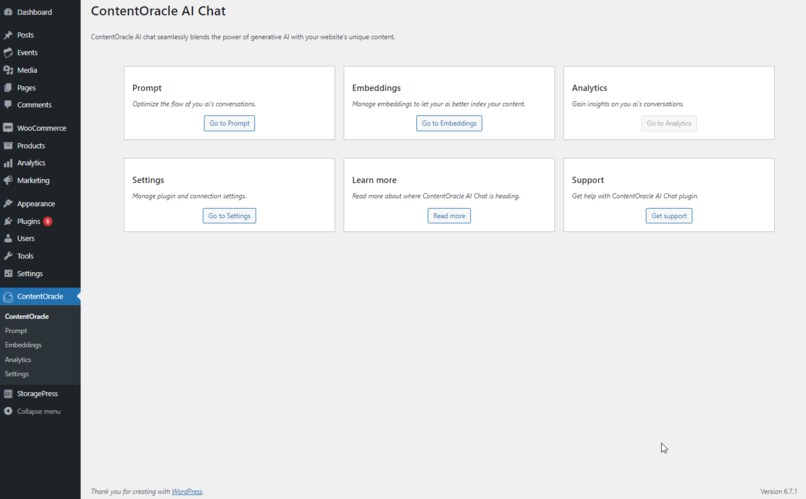
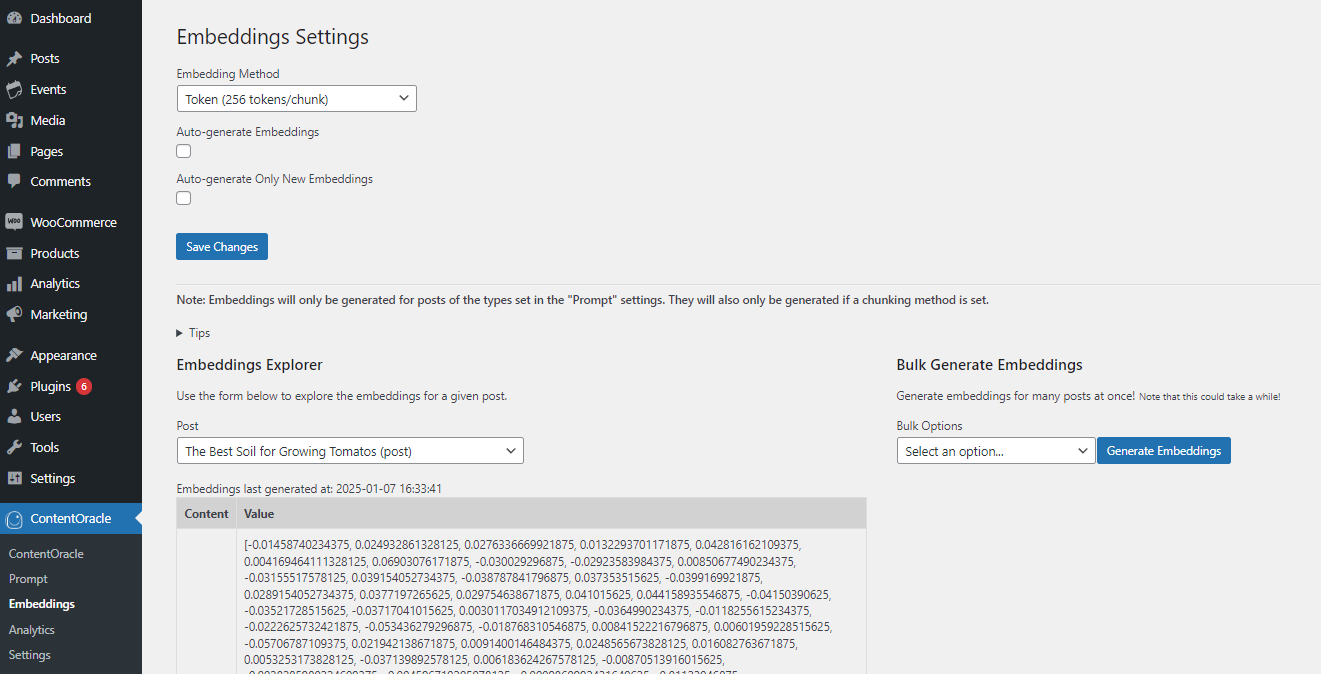
Plugin settings.
-
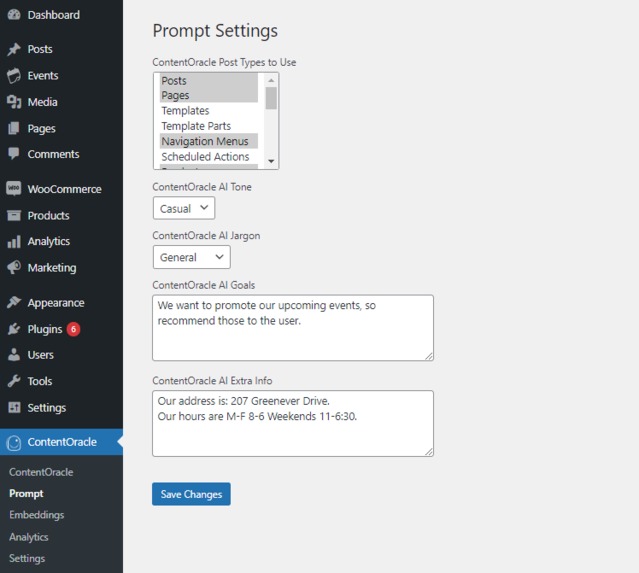
Plugin settings.
Inspiration
ContentOracle AI Chat has its origins in the software consulting business I run. In my business, I develop both custom software and WordPress plugins for clients. Over time, I realized that many businesses want to take advantage of powerful generative ai features to enhance their websites, but lack the time and ability to build custom integrations themselves. That is why I decided to create ContentOracle AI Chat: to make it easy for organizations to add powerful content-aware ai to their WordPress sites, with no coding required!
What it does
ContentOracle AI Chat adds powerful no-code, fully-customizable, content-aware AI chat features to your site. By combining the power of AI with the insights provided by your site content, ContentOracle AI Chat brings your users an unrivaled chat experience. It implements a unique algorithm to perform semantic content matching right on your site, with no third-party vector databases required... everything stays inside your MySQL database. Because of this, it is able to cite information directly from site content (posts, products, etc.), recommend content proactively, and much more. In-depth customizability allows you to make it truly your own, with controls for managing both the look of the ui as well as the tone the agent speaks with. Unique chat logging allows you to see exactly how your users are interacting with your chatbot, providing you unique insights on what visitors are looking for. And that is just the beginning. Take a look at the full list of features over on the WordPress Plugin Directory.
How I built it
This project is composed of two parts: a WordPress plugin, and a Laravel dashboard + api.
I built the WordPress plugin using a unique framework I developed myself. It allows me to separate my plugin into different features that are united in a single plugin file, enhancing my code organization on a large project like this. The plugin serves as a client to the Laravel api, which it interacts with to generate ai responses, share site content, and generate text embeddings to populate its vector database. The plugin performs semantic matching against the user's query, introduces the blocks for interacting with the ai agent, hosts analytics, and much more.
The second part of the project, the Laravel dashboard and api, serves as the interface for retrieving generative ai responses to user queries and text embeddings, manages user accounts and billing info, and features and organization system to allow agencies to manage api keys on behalf of their clients. Client WordPress sites authenticate with the api via a Laravel Sanctum token, after which they can access services such as ai completions and embeddings. The api is thoughtfully designed so that it can interact with multiple different LLM providers, including Mistral, Anthropic, and OpenAI. It is built using the TALL stack: Tailwind, Alpine, Laravel, and Livewire. There are two plans for that cover api usage: a starter plan that is free with limited usage, and a pro plan managed through Laravel Cashier and Stripe that provides unlimited access for a monthly fee.
Challenges I ran into
The biggest challenge I ran into with this app was response streaming. On modern chatbots, ai responses stream in token-by-token. It turns out that this is not trivial to implement in vanilla php! I had to stream responses twice, once from my Laravel api to the client WordPress server, and then again from the client WordPress server to the client using that site. Throughout this process, I had to solve issues like each packet containing only a partial json object, rendering partial responses, and handling xml inside of json.
Another challenge I faced was avoiding namespace conflicts between Composer dependencies in WordPress plugins. If two plugins use the same package at different versions, it causes issues! I wrote an article about this issue and how I solved it, which you can read here.
Accomplishments that I'm proud of
I am proud of solving the previously mentioned response streaming issue. It was one of the most difficult programming tasks I have ever had to undertake. Issues appeared everywhere, from dealing with limitations to built-in http libraries in php, to determining whether a given streamed packet contained an entire json object or only part of one (or parts of two different objects!), there were a lot of problems to solve. In the end, I managed to build an elegant system that streams ai responses from the ai provider, to my api, then to a client WordPress server, then to that server's client, all without losing any information, and with the ability to perform analytics at any point along the way.
I am also proud of the several unique php practices I developed through the course of this project. I developed the already-mentioned WordPress plugin development framework, which makes it easier to organize very large plugins. I also built a package to extract style attributes from custom WordPress block attributes, a non-trivial task with no specialized tools. Finally, I designed a custom package to manage a database of text embeddings entirely within mysql, and perform efficient semantic search on them using a unique algorithm. All of these sub-projects allowed me to learn about Composer package development, and are designed to be able to be reused over and over again in other plugins.
Finally, I am proud of having built my first ever production-ready Stripe integration for this app. The ability to create a custom application that accepts recurring payments is a unique one that I am extremely excited about finally having done.
What I learned
I learned so much in the process of building this plugin, that it is hard to nail down a list of a few things. I learned a lot about how to design a multi-user system around outside constraints, and how to solve problems using a limited set up resources.
I also learned the importance of thorough testing and reducing outside dependencies, as there were several releases of this plugin that contained breaks that only manifest in certain very specific circumstances. Testing software before release on multiple different platforms and hosts is critically important to a project's success!
What's next for ContentOracle AI Chat
We just keep chugging along! I have been adding new features to this plugin for the past year, and I have a whole list of features I plan to add next! I just finished implementing chat log features, to allow site owners to read the conversations between visitors and their agent. Next, I plan to add a floating chat button that can be enabled site-wide, and after that, I will be looking at tool-calling on the api side!

Log in or sign up for Devpost to join the conversation.