Inspiration
As a marketer tired of juggling 5+ platforms and spending 20+ hours weekly on content creation, I saw a gap: small teams and solopreneurs needed a way to scale content without sacrificing quality or time. I wanted to build a tool that turns one simple brief into everything you need to stay consistent across channels—no more starting from scratch for every post.
What it does
ContentFactory is a web-based platform that generates 30+ ready-to-publish content assets (blogs, LinkedIn/Twitter posts, email newsletters, YouTube scripts) from a single topic brief. It lets users tailor tone, audience, and goals, save brand voice profiles for consistency, schedule posts, and track content performance—all in one place.
How we built it
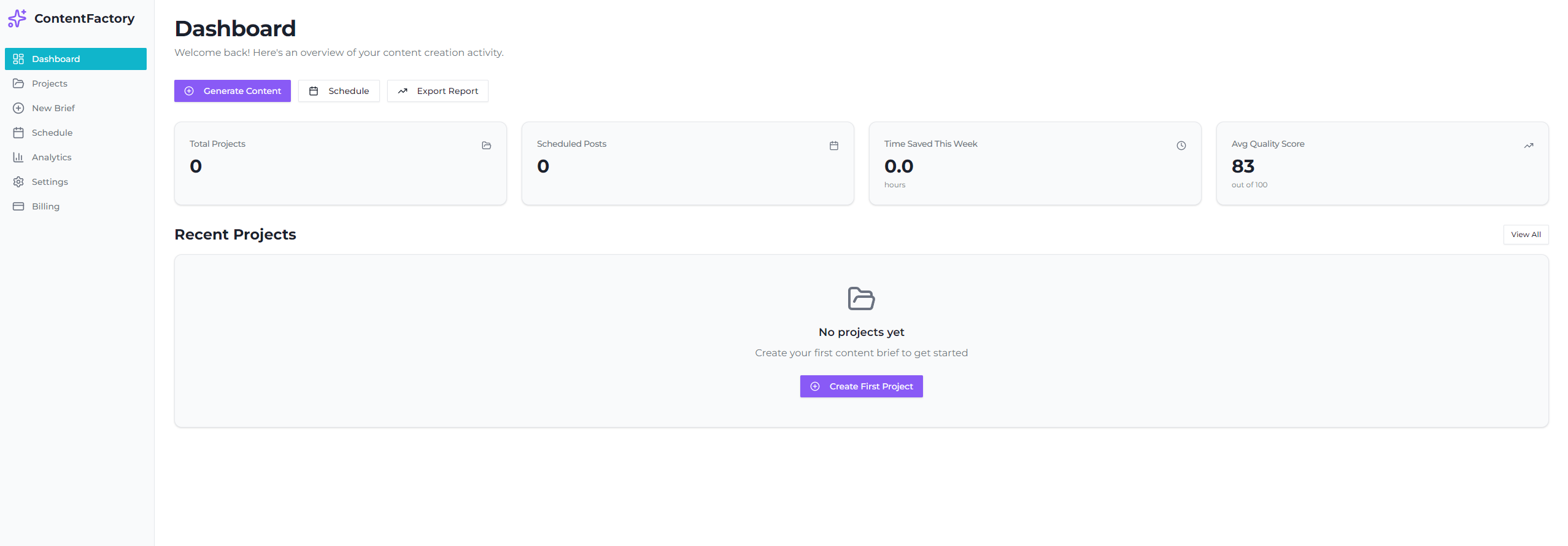
I started with core user flows: authentication (email/Google login), content generation input/output, project management, scheduling, and analytics. I used React for the frontend to build a responsive, card-based UI; Node.js for backend logic; and Firebase for user auth. I integrated calendar APIs for scheduling and Chart.js to visualize content metrics, focusing on intuitive navigation (sidebar menu, top action bar) to keep the experience seamless.
Challenges we ran into
The biggest hurdle was balancing simplicity with functionality—users needed customization (brand voice, tone) but didn’t want a clunky interface. I also had to design the content generation logic to ensure consistency across asset types (a "friendly" tone should read the same in a blog as a Twitter post). Testing mobile responsiveness for the calendar and content cards also took extra iteration to get right.
Accomplishments that we're proud of
Creating a tool that cuts content creation time by 15+ hours weekly—something I wish I’d had as a marketer. The brand voice profile feature stands out too: users can upload their existing content to match their unique tone, making generated assets feel authentic, not generic. The intuitive card layout for content assets also makes editing, copying, and scheduling a one-click task.
What we learned
I learned how to prioritize user needs over feature bloat—every element (from the required "Topic" field to the analytics scorecards) ties back to saving time and boosting consistency. I also deepened my skills in integrating third-party APIs (calendar, auth) and designing for mobile-first experiences, which is critical for busy creators who work on the go.
What's next for this project
Next, I want to add team collaboration features—letting multiple users edit and approve content in a project. I also plan to expand platform integrations to include more social channels and email providers, and refine the content generation logic to support shorter-form video scripts (Reels/TikTok) to keep up with evolving content trends. Finally, I’ll add A/B testing tools to help users optimize their content for better engagement.

Log in or sign up for Devpost to join the conversation.