-
-

full page analysis result (sensitive)
-
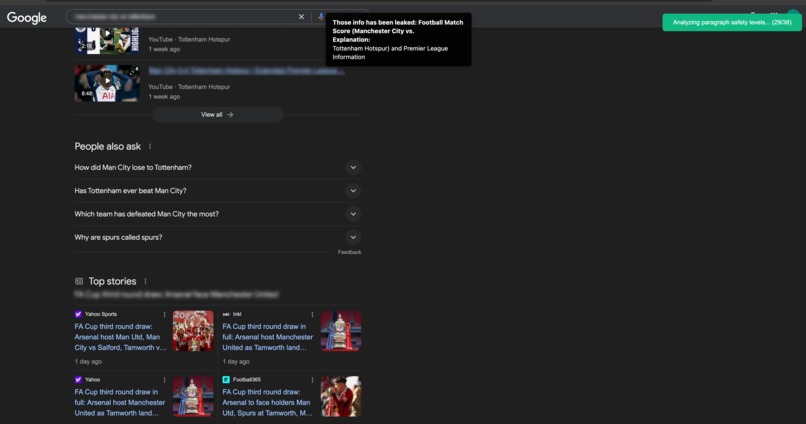
paragraph level analysis result
-
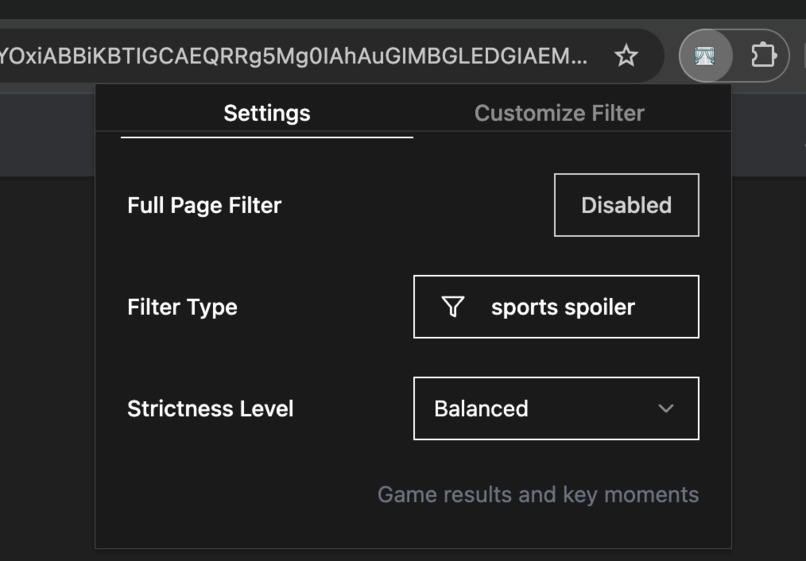
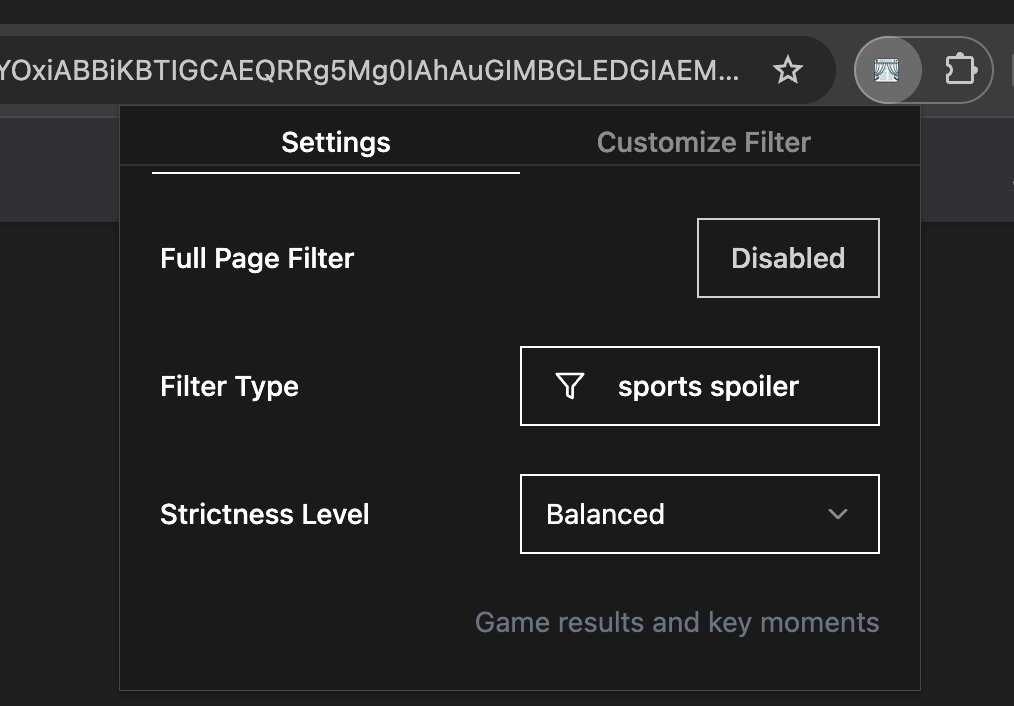
setting popup
-
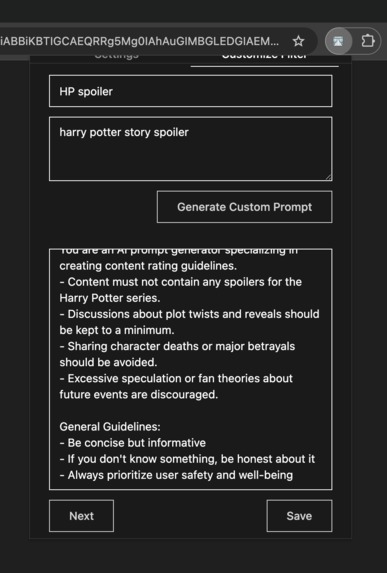
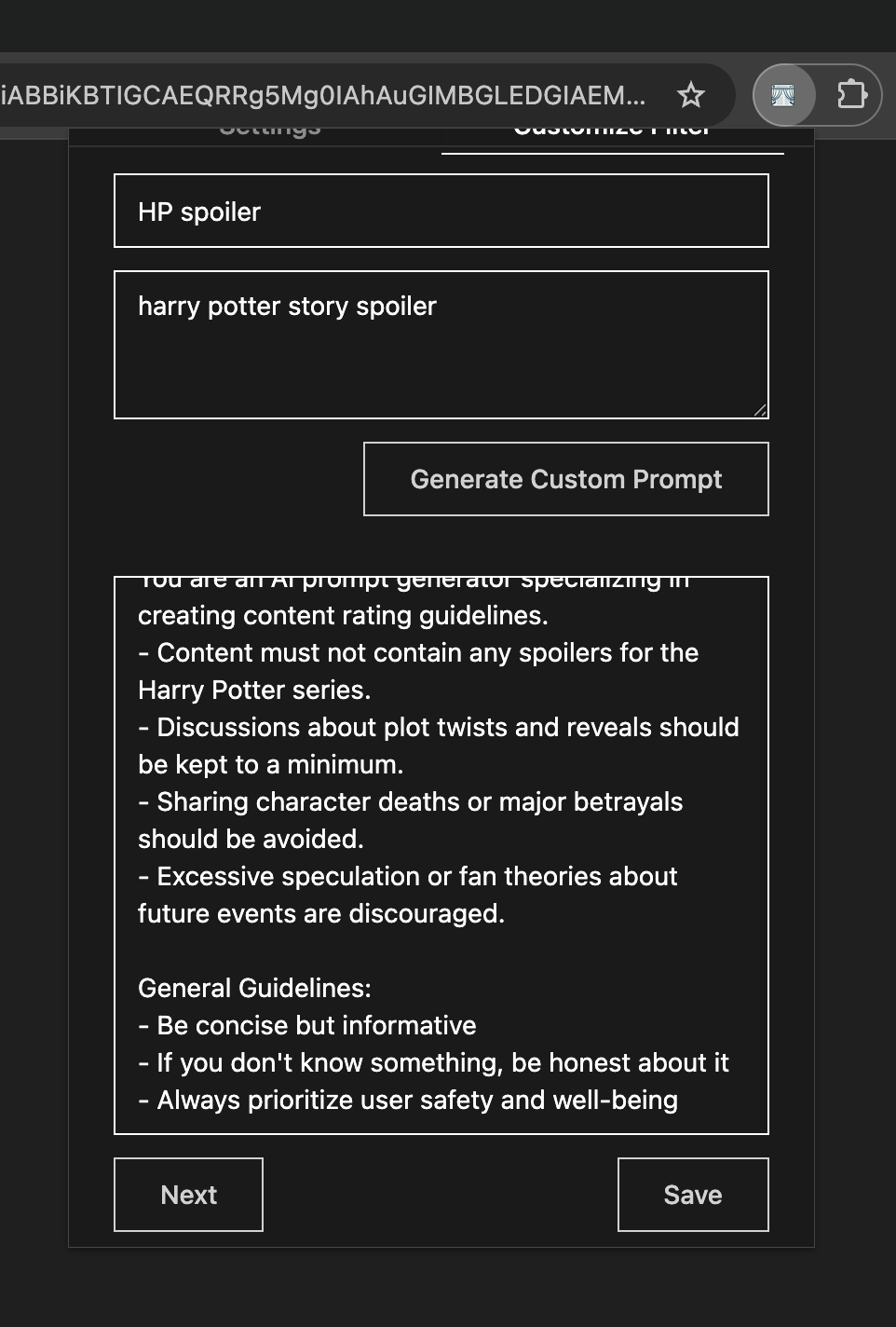
generated prompts for custom filter type

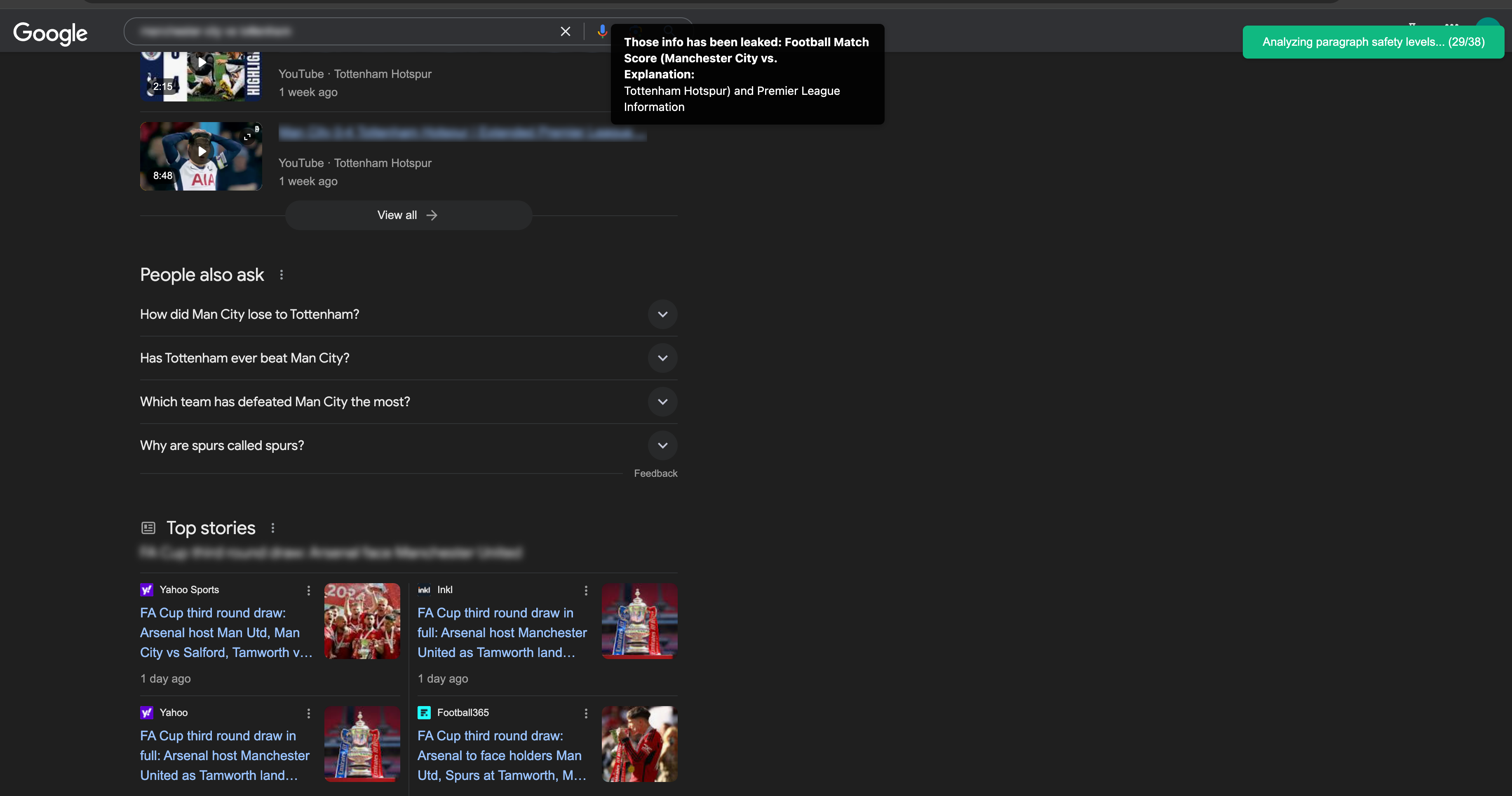
Inspiration
As a passionate football fan, there’s nothing worse than accidentally coming across match results online before I’ve had a chance to watch the match replays. That frustration got me thinking: what if there was a simple tool, like a Chrome extension, that could block out unwanted information while letting me browse the web in peace?
Most existing tools only support filtering visual content, like explicit images. Even fewer allow users to customize what they want to block. This gap highlighted a real opportunity: a tool that enables people to take control of what we see online, whether it’s avoiding spoilers, filtering out potentially triggering content, or blocking material that feels offensive or unwelcome.
That’s where the Content Curtain idea began: an AI-powered, text-based filtering tool. It's completely customizable, giving people the freedom to filter content in a way fitting their needs.
What it does
Content Curtain allows users to customize the extension with features such as enabling/disabling filters, adjusting strictness levels, and generating personalized filter types through meta-prompting.
Based on these settings, Content Curtain first analyzes the overall content of a page and assigns it a score. Then, depending on the score, it takes one of the following actions:
Safe Content: If the analysis finds the page is sufficiently safe based on the user’s settings, Content Curtain allows normal browsing without any interruptions.
Uncertain Content: If Content Curtain can’t determine the page is sufficiently safe, it breaks the content into blocks for further analysis. Only the blocks that meet the user’s filtering sensitivity levels are revealed, while the rest remain blurred.
Highly Sensitive Content: If the initial analysis flags the page as highly unsafe and the Full Page Filter function is enabled by the user, Content Curtain blocks the entire page with a full-screen banner explaining why the content has been flagged as unsuitable. This option is designed for users who prefer stricter filtering and prioritize immediate action over detailed block-by-block analysis.
How we built it
Key components of Content Curtain include:
- Frontend Frameworks: Built with wxt and React for the Chrome Extension UI.
- Content Extraction: Used Mozilla Readability to extract the main article for quick page analysis.
- Semantic Parsing: Developed a custom algorithm to divide web content into meaningful text blocks for more granular filtering.
- Content Analysis: Leveraged the Prompt API with refined prompts to evaluate and categorize content effectively.
- Custom Filter Generation: Integrated the Write API with honed prompts for meta-prompting, allowing users to easily generate custom filter types tailored to their needs.
Challenges we ran into
- Structured Output Format: Prompt API is not able to consistently produce structured output when analyzing content, so I tuned the prompts to improve the output quality and use regex to extract the content to support most output formats and retry if the output is not in the expected format.
- Semantic Parsing Web Page: No existing open-source library could semantically parse web pages into sentence blocks, so I developed a custom algorithm.
- Performance: Analyzing content efficiently required parallelizing API calls while carefully managing parallelism to reduce errors.
- Generate Prompts for Custom Filtering: Helping users write effective prompts was challenging, so I introduced meta-prompting with the help of Write API to simplify the process.
Accomplishments that we're proud of
- Successfully analyzes and filters web content quickly and accurately, and shows the result to user in nicely structured way
- For diverse custom filtering needs, minimizing the user’s effort in prompt engineering by automatically generating prompts through meta-prompting.
- Innovatively tackles the challenge of paragraph-level content analysis and filtering with a custom algorithm.
What we learned
- Fine-tuned Write API produces more structured and formatted outputs compared to general-purpose Prompt API.
- The general-purpose prompt API is quite resource consuming, on contrast, Fine-tuned models like Write API are significantly more resource-efficient
- Significant engineering effort is needed to meditate On-device models's limitations such as speed, quality, and limited context window,
- Meta-prompting techniques can greatly enhance function flexibility, e.g. Content Curtain able to generate custom filter prompts for any purposes.
What's next for Content Curtain
- More Media Type: support more media types, e.g. video, image, audio
- Model Optimization: Fine-tune models specifically for filtering tasks to improve speed and accuracy.
- Enhanced Prompt Engineering: Refine prompts to further boost accuracy and reduce errors.
- Better Feedback To User: Provide users with options to summarize or rewrite content to align with their preferences while retaining key information.
- Children Mode: Introduce a mode for parents to monitor and understand their children’s browsing habits.
Built With
- promptapi
- react
- writeapi
- wxt


Log in or sign up for Devpost to join the conversation.