
Container-live
Container-live is a simple application for managing Docker Containers on Mac, Linux and Windows. It is an open source project built as a management solution for the Docker. It comprises a web UI that allows you to easily manage your Docker Containers and Images, so far. Container-live makes use of the Docker-Java API to handle its interactions and monitoring of Docker Containers and Images.
How to run the application
- In order to get this application up and running quickly, you will need to have docker run time installed on your computer.
- On a local computer where you have a docker runtime installed, clone this repository and go to
Deploymentfolder. - Now, run the following docker commands one by one:
a)docker build -t containerlive-webapp .
b)docker container run --name container -dt -p 8090:8080 containerlive-webapp - The application should be up and running now on the following
URL: http://localhost:8090/containerlive/.
How to use Containerlive
Important Note: In order to run this app, configure your Docker Host to accept incoming TCP traffic at a certain port. Typically, the port that is used for this purpose is 2375 or 2376.
- Open command line on your system, and allow incoming traffic on a TCP port configured in the Docker Host to connect with the Docker-API. Our app connects with Dockers built in API using this port. On a MAC system, you would run following command to do so:
socat -d -d TCP-L:2375,fork UNIX:/var/run/docker.sock
- Launch the application in your favorite browser using the URL:
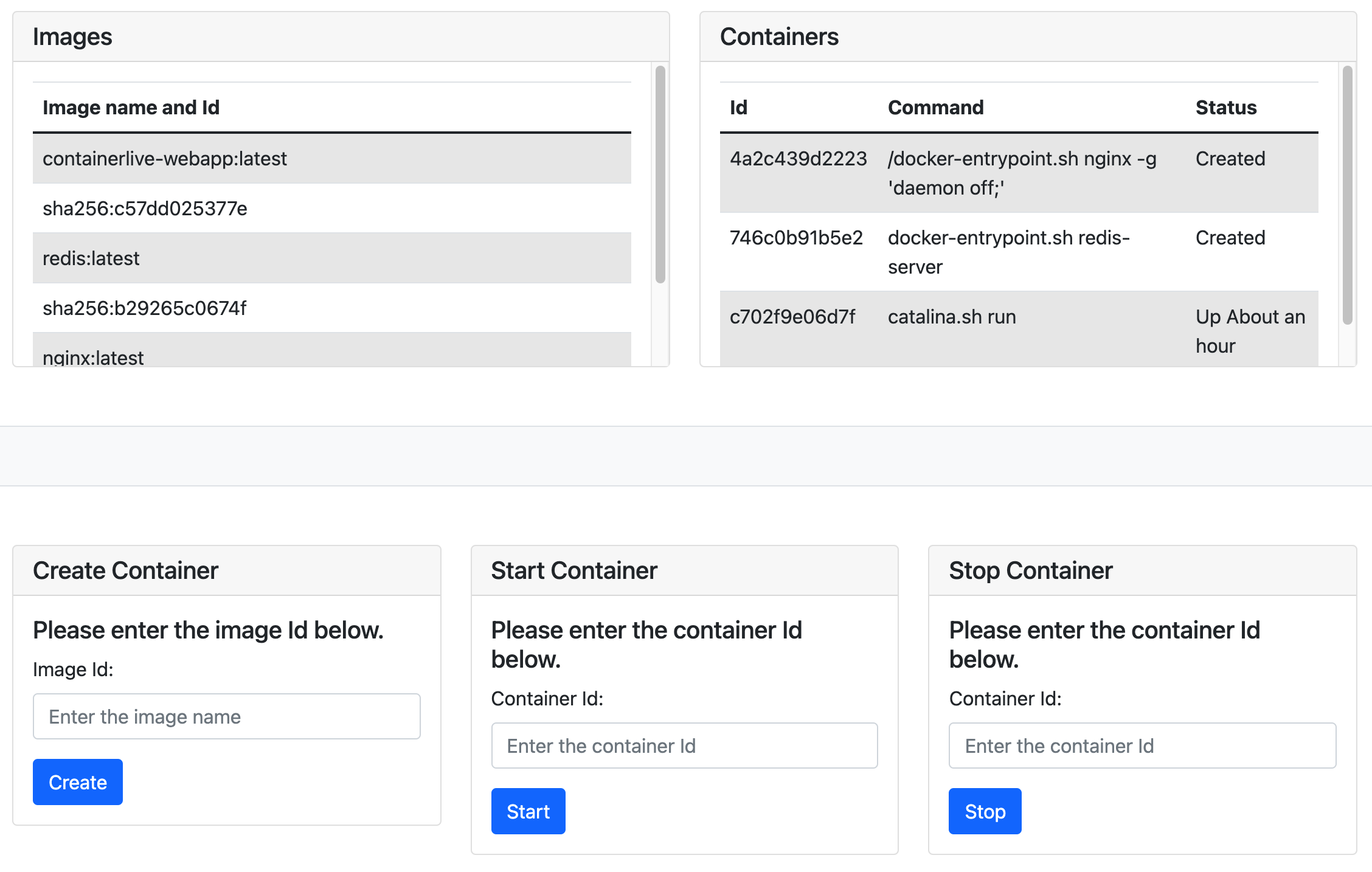
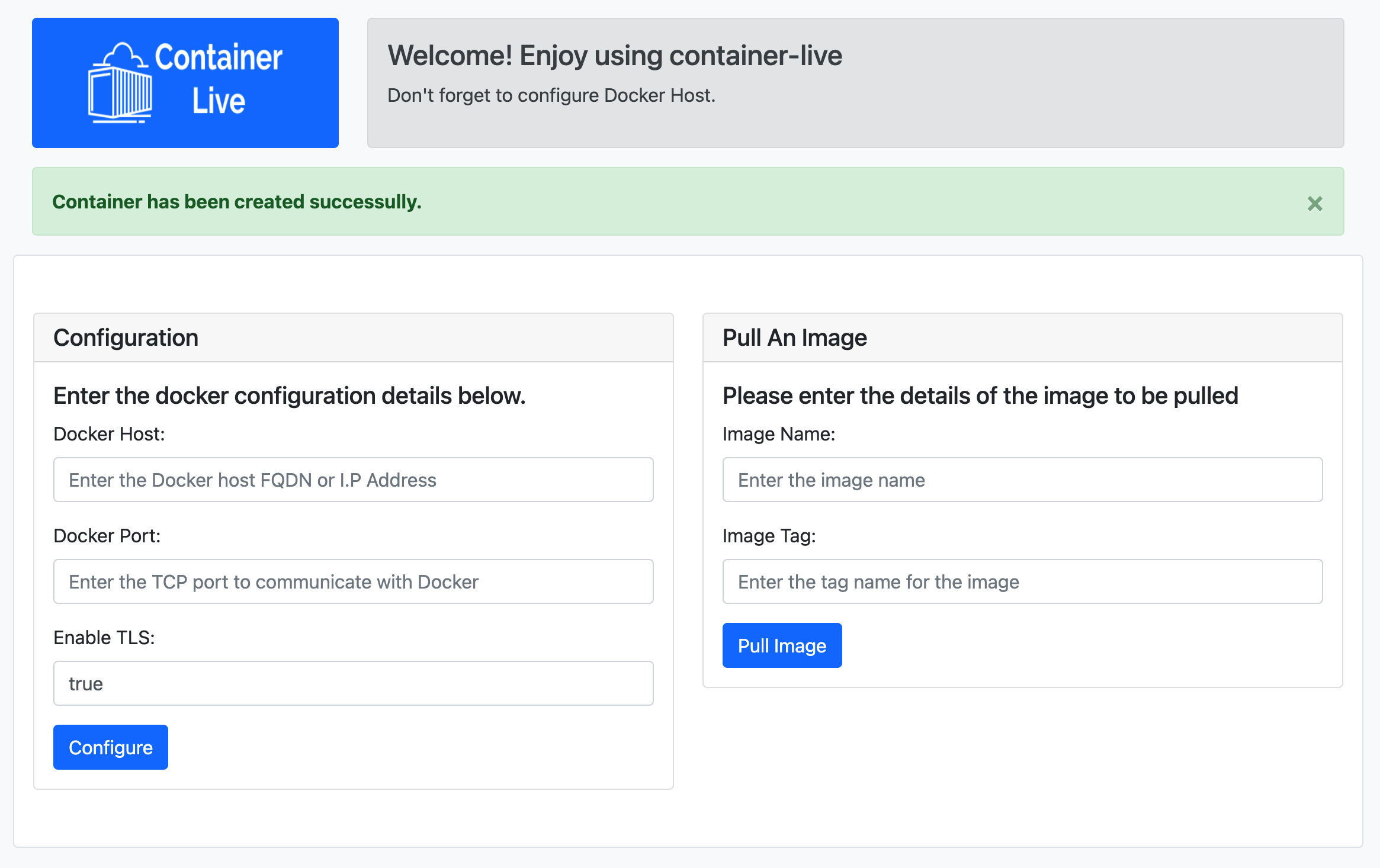
http://localhost:8090/containerlive/ - Under Configuration, Enter the details for 'Docker Host', 'Docker Port', and 'Enable TLS'. Once, configured successfully, app will display all the saved images and Containers from your Docker Host.
- Now, you can pull a new image from Docker Hub using 'Pull an image section' of the app. If you leave 'Image Tag' empty, the app by default pulls the latest image.
- Now that you have your image pulled, you can either Create a new container, Start an existing container or Stop and existing Container by simply passing in the container Id as the input in the bottom section of the app.
User Stories
- A user can pull images from Dockerhub.io to their local repo.
- A user Create a new container off of an image available in their local repo.
- A user can Create, Run and Stop new containers.
- A user can explore the available images.
- A user can list the current status of the containers running on Docker Host.
Features
- Easy to understand code which is built following MVC design pattern.
- Straightforward User Interface.
- Can be hosted as a micro-service in a container. Making it easier to deploy the app over cloud.
Future features
- Code refactoring (Minimizing the workload in controllers).
- Implement auto refresh of Image and Container list.
- Implement user profiles and enhance security.
- Implement additional modules pertaining to different use cases available in Docker.
- Deploy a separate module for Kubernetes' cluster management.
Dependencies
- Docker-Java API
- Bootstrap 4
- JSTL
- Enterprise Java
- JSP and Servlets
- Docker container runtime
What the app looks like
Built With
- bootstrap
- docker
- java
- javascript
- jsp
- jstl
- servlets

Log in or sign up for Devpost to join the conversation.